
Jan is an open source alternative to ChatGPT that runs 100% offline on your computer.
docs: restructure jan.ai for Jan Desktop / Jan Agent / Tokamak split (#8455)
Thinh Leb0c22bc6c491
diff --git a/docs/public/assets/images/research/jan-code-4b.png b/docs/public/assets/images/research/jan-code-4b.pngnew file mode 100644index 000000000..04f48a63aBinary files /dev/null and b/docs/public/assets/images/research/jan-code-4b.png differdiff --git a/docs/public/assets/images/research/jan-nano-128.png b/docs/public/assets/images/research/jan-nano-128.pngnew file mode 100644index 000000000..ce923bc22Binary files /dev/null and b/docs/public/assets/images/research/jan-nano-128.png differdiff --git a/docs/public/assets/images/research/jan-nano-32.png b/docs/public/assets/images/research/jan-nano-32.pngnew file mode 100644index 000000000..f36427373Binary files /dev/null and b/docs/public/assets/images/research/jan-nano-32.png differdiff --git a/docs/public/assets/images/research/jan-v1.png b/docs/public/assets/images/research/jan-v1.pngnew file mode 100644index 000000000..6cb7b125aBinary files /dev/null and b/docs/public/assets/images/research/jan-v1.png differdiff --git a/docs/public/assets/images/research/jan-v2-vl.png b/docs/public/assets/images/research/jan-v2-vl.pngnew file mode 100644index 000000000..33eeec513Binary files /dev/null and b/docs/public/assets/images/research/jan-v2-vl.png differdiff --git a/docs/public/assets/images/research/jan-v3-4b.png b/docs/public/assets/images/research/jan-v3-4b.pngnew file mode 100644index 000000000..e43585a5dBinary files /dev/null and b/docs/public/assets/images/research/jan-v3-4b.png differdiff --git a/docs/public/assets/images/research/jan-v3-5-4b-banner.png b/docs/public/assets/images/research/jan-v3-5-4b-banner.pngnew file mode 100644index 000000000..86a7be534Binary files /dev/null and b/docs/public/assets/images/research/jan-v3-5-4b-banner.png differdiff --git a/docs/public/assets/images/research/jan-v3-5-4b-comparison.png b/docs/public/assets/images/research/jan-v3-5-4b-comparison.pngnew file mode 100644index 000000000..5bb74b18cBinary files /dev/null and b/docs/public/assets/images/research/jan-v3-5-4b-comparison.png differdiff --git a/docs/public/assets/images/research/lucy.png b/docs/public/assets/images/research/lucy.pngnew file mode 100644index 000000000..204f08b07Binary files /dev/null and b/docs/public/assets/images/research/lucy.png differdiff --git a/docs/src/components/DocsHome.tsx b/docs/src/components/DocsHome.tsxnew file mode 100644index 000000000..87980d31f--- /dev/null+++ b/docs/src/components/DocsHome.tsx@@ -0,0 +1,139 @@+/* eslint-disable @next/next/no-img-element */+import { Computer, BrainCircuit, Search, Rocket, Bot, Share2 } from 'lucide-react'+import LogoJanSVG from '@/assets/icons/logo-jan.svg'++const SECTIONS = [+ {+ icon: Computer,+ title: 'Jan Desktop',+ description:+ 'The cowork-style desktop app — chat, models, MCP connectors, and local API server.',+ tags: 'Quickstart · Models · CLI',+ href: '/docs/desktop',+ chip: 'bg-[#E0EEFE] text-[#0668D5]',+ },+ {+ icon: Bot,+ title: 'Jan Agent',+ description:+ 'The standalone agent, distributed separately — launch autonomous coding agents against a local model.',+ tags: 'Coming soon',+ href: '/docs/agent',+ chip: 'bg-[#FDE68A]/60 text-[#92400E]',+ },+ {+ icon: BrainCircuit,+ title: 'Tokamak',+ description:+ 'Self-hosted router, fusion model, and governance/audit. Jan agents connect here for model switching.',+ tags: 'Install · Connect an agent',+ href: 'https://tokamak.sh/docs/',+ external: true,+ chip: 'bg-[#C6E09E]/50 text-[#3F6212]',+ },+]++const COMMON_PATHS = [+ { icon: Rocket, title: 'Desktop Quickstart', href: '/docs/desktop/quickstart' },+ { icon: Bot, title: 'Jan Agent Quickstart', href: '/docs/agent/quickstart' },+ {+ icon: Share2,+ title: 'Tokamak install',+ href: 'https://tokamak.sh/docs/self-hosting/installation',+ external: true,+ },+]++const DocsHome = () => {+ return (+ <div className="nextra-wrap-container py-16 lg:py-24">+ <div className="text-center max-w-2xl mx-auto px-4">+ <h1 className="flex items-center justify-center gap-3 lg:gap-4 text-5xl lg:text-6xl !font-normal leading-none font-serif">+ <img+ src={LogoJanSVG.src}+ alt=""+ className="size-11 lg:size-14 animate-wave"+ />+ Jan Docs+ </h1>+ <p className="text-lg mt-5 leading-relaxed text-black/60 dark:text-white/60">+ References for Jan Desktop, Jan Agent, and Tokamak.+ </p>++ <button+ type="button"+ className="mt-8 w-full max-w-xl mx-auto flex items-center gap-3 rounded-2xl border border-black/10 dark:border-white/10 bg-black/[0.03] dark:bg-white/[0.06] px-4 py-3.5 text-black/40 dark:text-white/40 hover:border-black/25 dark:hover:border-white/25 hover:bg-black/[0.05] transition-all"+ >+ <Search className="size-4 shrink-0" />+ <span className="flex-1 text-left text-sm">Search docs...</span>+ <kbd className="text-[11px] font-medium px-1.5 py-0.5 rounded-md border border-black/15 dark:border-white/15 bg-white dark:bg-white/10">+ ⌘K+ </kbd>+ </button>+ </div>++ <div className="grid md:grid-cols-3 gap-5 mt-16 lg:mt-20 max-w-4xl mx-auto px-4">+ {SECTIONS.map((section) => (+ <a+ key={section.title}+ href={section.href}+ target={section.external ? '_blank' : undefined}+ rel={section.external ? 'noopener noreferrer' : undefined}+ className="group flex flex-col rounded-2xl border border-black/10 dark:border-white/10 bg-black/[0.02] dark:bg-white/[0.03] p-7 transition-all duration-200 hover:border-black hover:bg-white dark:hover:bg-white/[0.06] hover:shadow-[0px_4px_0px_0px_rgba(0,0,0,1)] hover:-translate-y-0.5"+ >+ <span+ className={`inline-flex size-12 items-center justify-center rounded-xl ${section.chip}`}+ >+ <section.icon className="size-6" strokeWidth={2} />+ </span>+ <h3 className="text-xl font-semibold mt-5">{section.title}</h3>+ <p className="mt-2 text-sm leading-relaxed text-black/60 dark:text-white/60 flex-1">+ {section.description}+ </p>+ <div className="flex items-center justify-between mt-6 pt-4 border-t border-black/[0.07] dark:border-white/[0.08]">+ <span className="text-xs text-black/40 dark:text-white/40">+ {section.tags}+ </span>+ <span className="inline-flex items-center gap-1 text-sm font-medium">+ Read docs+ <span aria-hidden className="transition-transform duration-200 group-hover:translate-x-0.5">+ →+ </span>+ </span>+ </div>+ </a>+ ))}+ </div>++ <div className="max-w-3xl mx-auto mt-16 lg:mt-20 px-4">+ <h2 className="text-xs font-semibold text-black/40 dark:text-white/40 uppercase tracking-widest">+ Common paths+ </h2>+ <div className="grid sm:grid-cols-3 gap-4 mt-5">+ {COMMON_PATHS.map((path) => (+ <a+ key={path.href}+ href={path.href}+ target={path.external ? '_blank' : undefined}+ rel={path.external ? 'noopener noreferrer' : undefined}+ className="group flex items-center gap-3 rounded-2xl border border-black/10 dark:border-white/10 bg-black/[0.02] dark:bg-white/[0.03] p-4 text-sm font-medium transition-all duration-200 hover:border-black hover:bg-white dark:hover:bg-white/[0.06] hover:shadow-[0px_3px_0px_0px_rgba(0,0,0,1)] hover:-translate-y-0.5"+ >+ <span className="inline-flex size-9 shrink-0 items-center justify-center rounded-lg bg-white dark:bg-white/10 border border-black/[0.07] dark:border-white/[0.08] text-black/60 dark:text-white/60">+ <path.icon className="size-4" strokeWidth={2} />+ </span>+ {path.title}+ <span+ aria-hidden+ className="ml-auto text-black/30 dark:text-white/30 transition-transform duration-200 group-hover:translate-x-0.5 group-hover:text-black dark:group-hover:text-white"+ >+ →+ </span>+ </a>+ ))}+ </div>+ </div>+ </div>+ )+}++export default DocsHomediff --git a/docs/src/components/Home/index.tsx b/docs/src/components/Home/index.tsxindex db5576a4f..21e739cad 100644--- a/docs/src/components/Home/index.tsx+++ b/docs/src/components/Home/index.tsx@@ -86,7 +86,7 @@ const Home = () => {<Fragment>{/* Hero */}<section className="px-3 pt-3">- <div className="bg-[#458edf] relative py-10 h-[760px] md:h-[900px] 2xl:h-[1080px] rounded-2xl overflow-hidden">+ <div className="bg-[#458edf] relative py-10 h-[760px] md:h-[900px] 2xl:h-[1080px] rounded-2xl overflow-hidden max-w-[1600px] mx-auto"><div className="container mx-auto relative z-10"><div className="flex justify-center items-center mt-14 lg:mt-20 px-4"><a@@ -208,7 +208,7 @@ const Home = () => {</div></div>- <div className="hidden size-4/5 xl:size-3/5 rounded-[20px] mx-auto relative -mt-40 lg:flex animate-scale-in delay-300">+ <div className="hidden size-4/5 xl:size-3/5 max-w-[1200px] rounded-[20px] mx-auto relative -mt-40 lg:flex animate-scale-in delay-300"><div className="rounded-md size-full overflow-hidden"><imgsrc={AppJanPNG.src}@@ -229,6 +229,41 @@ const Home = () => {</div></section>+ {/* Products */}+ <section className="px-3 pt-20">+ <div className="container mx-auto">+ <h2 className="text-[24px] lg:text-[40px] font-semibold text-center mb-10 -tracking-[1.3px]">+ An open model ecosystem+ </h2>+ <div className="grid md:grid-cols-2 gap-6 max-w-3xl mx-auto">+ <div className="rounded-2xl border border-black shadow-[0px_4px_0px_0px_rgba(0,0,0,1)] p-6">+ <h3 className="text-xl font-semibold">Jan Agent</h3>+ <p className="mt-2 text-black/60">+ The core agent, distributed separately — run it on your own+ VM or container.+ </p>+ <a href="/docs/agent" className="inline-block mt-4">+ <Button variant="playful" size="lg">+ Install Jan Agent+ </Button>+ </a>+ </div>+ <div className="rounded-2xl border border-black shadow-[0px_4px_0px_0px_rgba(0,0,0,1)] p-6">+ <h3 className="text-xl font-semibold">Tokamak</h3>+ <p className="mt-2 text-black/60">+ Router, fusion model, and governance/audit — the self-hosted+ backend Jan agents connect to.+ </p>+ <a href="/tokamak" className="inline-block mt-4">+ <Button variant="playful" size="lg">+ Explore Tokamak+ </Button>+ </a>+ </div>+ </div>+ </div>+ </section>+{/* Statistic and social */}<section className="pt-20"><div className="container mx-auto">@@ -241,7 +276,7 @@ const Home = () => {{/* Social tech */}<section className="px-3 mt-20">- <div className="bg-[#C6E09E] px-4 relative py-10 h-[640px] sm:h-[800px] lg:h-[900px] 2xl:h-[1040px] rounded-2xl overflow-hidden">+ <div className="bg-[#C6E09E] px-4 relative py-10 h-[640px] sm:h-[800px] lg:h-[900px] 2xl:h-[1040px] rounded-2xl overflow-hidden max-w-[1600px] mx-auto"><div className="container mx-auto relative z-10"><div className="md:mt-10"><div className="lg:w-3/5 mx-auto">@@ -572,7 +607,7 @@ const Home = () => {{/* Call to action */}<section className="px-3 pt-3">- <div className="bg-[#458edf] relative py-10 h-[480px] lg:h-[650px] rounded-2xl overflow-hidden">+ <div className="bg-[#458edf] relative py-10 h-[480px] lg:h-[650px] rounded-2xl overflow-hidden max-w-[1600px] mx-auto"><div className="w-full lg:w-3/5 mx-auto"><div className="container relative z-10"><div className="mt-10 flex flex-col lg:flex-row justify-between items-center gap-8">diff --git a/docs/src/components/Navbar.tsx b/docs/src/components/Navbar.tsxindex 8686f4d47..d3dc1f04c 100644--- a/docs/src/components/Navbar.tsx+++ b/docs/src/components/Navbar.tsx@@ -5,15 +5,34 @@ import { cn } from '@/lib/utils'import { FaDiscord, FaGithub } from 'react-icons/fa'import { FiDownload } from 'react-icons/fi'import { FaXTwitter, FaLinkedinIn } from 'react-icons/fa6'+import { ChevronDown } from 'lucide-react'import { Button } from './ui/button'import DocSearch from './DocSearch'import LogoJanSVG from '@/assets/icons/logo-jan.svg'const MENU_ITEMS = [+ {+ name: 'Jan',+ href: '/docs/desktop/quickstart',+ children: [+ { name: 'Jan Desktop', href: '/docs/desktop/quickstart' },+ { name: 'Jan Agent', href: '/docs/agent/quickstart' },+ ],+ },+ { name: 'Tokamak', href: 'https://tokamak.sh', external: true },+ { name: 'Research', href: '/research' },{ name: 'Docs', href: '/docs' },- { name: 'Changelog', href: '/changelog' },- { name: 'Blog', href: '/blog' },- { name: 'Handbook', href: '/handbook' },+ {+ name: 'Company',+ href: '#',+ children: [+ { name: 'Changelog', href: '/changelog' },+ { name: 'Blog', href: '/blog' },+ { name: 'About Us', href: '/handbook/who/who-we-are' },+ { name: 'Careers', href: 'https://jobs.ashbyhq.com/menlo', external: true },+ { name: 'Handbook', href: '/handbook' },+ ],+ },]const Navbar = ({ noScroll }: { noScroll?: boolean }) => {@@ -80,17 +99,47 @@ const Navbar = ({ noScroll }: { noScroll?: boolean }) => {{MENU_ITEMS.map((item) => {const isActive = currentPath === item.hrefreturn (- <li key={item.name}>+ <li+ key={item.name}+ className={cn(item.children && 'group relative py-2')}+ ><ahref={item.href}+ target={item.external ? '_blank' : undefined}+ rel={item.external ? 'noopener noreferrer' : undefined}className={cn(- 'hover:opacity-70 transition-opacity',+ 'flex items-center gap-1 hover:opacity-70 transition-opacity',!isLanding && '!text-black',- isActive && 'text-blue-600 font-semibold'+ isActive && !isLanding && 'text-blue-600',+ isActive && 'font-semibold')}>{item.name}+ {item.children && (+ <ChevronDown className="size-3.5 transition-transform duration-200 group-hover:rotate-180" />+ )}</a>+ {item.children && (+ <div+ className="invisible opacity-0 translate-y-1 group-hover:visible group-hover:opacity-100 group-hover:translate-y-0 transition-all duration-200 absolute left-0 top-full pt-2 z-50"+ >+ <div className="bg-white rounded-xl border border-black shadow-[0px_4px_0px_0px_rgba(0,0,0,1)] overflow-hidden min-w-[180px]">+ {item.children.map((child) => (+ <a+ key={child.name}+ href={child.href}+ target={child.external ? '_blank' : undefined}+ rel={+ child.external ? 'noopener noreferrer' : undefined+ }+ className="block px-4 py-2 whitespace-nowrap text-black hover:bg-[#E0EEFE] hover:text-[#0668D5] transition-colors"+ >+ {child.name}+ </a>+ ))}+ </div>+ </div>+ )}</li>)})}@@ -253,6 +302,8 @@ const Navbar = ({ noScroll }: { noScroll?: boolean }) => {<li key={item.name}><ahref={item.href}+ target={item.external ? '_blank' : undefined}+ rel={item.external ? 'noopener noreferrer' : undefined}className={cn('block text-lg font-medium text-black hover:text-gray-600 transition-colors py-2',isActive && 'text-blue-600 font-bold'@@ -261,10 +312,30 @@ const Navbar = ({ noScroll }: { noScroll?: boolean }) => {>{item.name}</a>+ {item.children && (+ <ul className="pl-4 space-y-2">+ {item.children.map((child) => (+ <li key={child.name}>+ <a+ href={child.href}+ target={child.external ? '_blank' : undefined}+ rel={+ child.external+ ? 'noopener noreferrer'+ : undefined+ }+ className="block text-base text-gray-600 hover:text-black transition-colors py-1"+ onClick={() => setIsMobileMenuOpen(false)}+ >+ {child.name}+ </a>+ </li>+ ))}+ </ul>+ )}</li>)})}- <li></li></ul></nav>diff --git a/docs/src/components/OpenInJanButton.tsx b/docs/src/components/OpenInJanButton.tsxnew file mode 100644index 000000000..641692e8e--- /dev/null+++ b/docs/src/components/OpenInJanButton.tsx@@ -0,0 +1,18 @@+import { ReactNode } from 'react'++export default function OpenInJanButton({+ href,+ children,+}: {+ href: string+ children?: ReactNode+}) {+ return (+ <a+ href={href}+ className="not-prose mt-2 inline-flex items-center gap-2 rounded-xl border-2 border-black bg-black px-5 py-2.5 text-[15px] font-semibold text-white no-underline transition-all duration-200 hover:-translate-y-0.5 hover:shadow-[0px_4px_0px_0px_rgba(0,0,0,1)] dark:border-white dark:bg-white dark:text-black dark:hover:shadow-[0px_4px_0px_0px_rgba(255,255,255,1)]"+ >+ {children ?? 'Open in Jan'}+ </a>+ )+}diff --git a/docs/src/components/Research.tsx b/docs/src/components/Research.tsxnew file mode 100644index 000000000..0f81b78f5--- /dev/null+++ b/docs/src/components/Research.tsx@@ -0,0 +1,171 @@+'use client'++import { useMemo, useState } from 'react'+import { motion } from 'framer-motion'+import { fadeUp, staggerContainer, revealProps } from '@/lib/motion'+import { POSTS, CATEGORIES, formatDate, type Post } from '@/lib/research-posts'++const INITIAL_COUNT = 7+const LOAD_MORE_COUNT = 6++function chunk<T>(items: T[], size: number): T[][] {+ const rows: T[][] = []+ for (let i = 0; i < items.length; i += size) rows.push(items.slice(i, i + size))+ return rows+}++function Meta({ post }: { post: Post }) {+ return (+ <div className="flex flex-wrap items-center gap-2 text-xs font-medium uppercase tracking-widest">+ {post.tags.map((tag) => (+ <span+ key={tag}+ className="rounded-md bg-[#E0EEFE] px-2 py-0.5 text-[#0668D5] dark:bg-[#0668D5]/15 dark:text-[#6ba6e8]"+ >+ {tag}+ </span>+ ))}+ {post.date && (+ <span className="text-black/40 dark:text-white/40">{formatDate(post.date)}</span>+ )}+ </div>+ )+}++function Cover({ post, className }: { post: Post; className?: string }) {+ return (+ <div className={`relative w-full overflow-hidden rounded-2xl bg-black/[0.03] dark:bg-white/[0.04] ${className ?? ''}`}>+ {/* eslint-disable-next-line @next/next/no-img-element */}+ <img+ src={post.cover}+ alt={post.title}+ loading="eager"+ className="absolute inset-0 h-full w-full object-cover object-center transition-transform duration-500 group-hover:scale-[1.03]"+ />+ </div>+ )+}++const Research = () => {+ const [selectedCategory, setSelectedCategory] = useState('all')+ const [visibleCount, setVisibleCount] = useState(INITIAL_COUNT)++ const filteredPosts = useMemo(+ () =>+ selectedCategory === 'all'+ ? POSTS+ : POSTS.filter((p) => p.tags.includes(selectedCategory)),+ [selectedCategory]+ )++ const visiblePosts = filteredPosts.slice(0, visibleCount)+ const featured = visiblePosts[0]+ const gridPosts = visiblePosts.slice(1)+ const hasMore = visibleCount < filteredPosts.length++ const selectCategory = (cat: string) => {+ setSelectedCategory(cat)+ setVisibleCount(INITIAL_COUNT)+ }++ return (+ <div className="nextra-wrap-container mx-auto w-full max-w-[1400px] px-5 py-16 lg:px-10 lg:py-24">+ {/* ── Header: title + category pills ─────────────────────────────── */}+ <div className="flex flex-col gap-8 sm:flex-row sm:items-end sm:justify-between">+ <h1 className="font-serif text-5xl !font-normal leading-none lg:text-7xl">+ Research+ </h1>+ <div className="flex flex-wrap gap-2">+ {CATEGORIES.map((cat) => (+ <button+ key={cat}+ onClick={() => selectCategory(cat)}+ className={`rounded-full px-4 py-2 text-xs font-medium uppercase tracking-widest transition-all ${+ selectedCategory === cat+ ? 'bg-black text-white dark:bg-white dark:text-black'+ : 'text-black/40 hover:bg-black/[0.05] hover:text-black dark:text-white/40 dark:hover:bg-white/[0.06] dark:hover:text-white'+ }`}+ >+ {cat}+ </button>+ ))}+ </div>+ </div>++ {filteredPosts.length === 0 ? (+ <p className="mt-16 text-black/40 dark:text-white/40">+ No model reports in this category yet.+ </p>+ ) : (+ <div className="mt-12 flex flex-col gap-16 lg:mt-20 lg:gap-24">+ {/* ── Featured (above the fold, no reveal delay) ──────────────── */}+ {featured && (+ <a+ href={`/research/${featured.slug}`}+ className="group grid grid-cols-1 items-center gap-8 lg:grid-cols-2"+ >+ <Cover post={featured} className="aspect-[4/3]" />+ <div className="flex flex-col gap-4">+ <Meta post={featured} />+ <h2 className="font-serif text-3xl !font-normal leading-tight transition-opacity group-hover:opacity-70 lg:text-5xl">+ {featured.title}+ </h2>+ <p className="text-lg leading-relaxed text-black/60 dark:text-white/60">+ {featured.description}+ </p>+ </div>+ </a>+ )}++ {/* ── Grid: rows of 3, reveal on scroll ──────────────────────── */}+ {gridPosts.length > 0 && (+ <div className="flex flex-col gap-12 lg:gap-16">+ {chunk(gridPosts, 3).map((row, rowIndex) => (+ <motion.div+ key={`${selectedCategory}-${rowIndex}`}+ className="grid grid-cols-1 gap-x-6 gap-y-10 sm:grid-cols-2 lg:grid-cols-3"+ variants={staggerContainer}+ {...revealProps}+ >+ {row.map((post) => (+ <motion.a+ key={post.slug}+ href={`/research/${post.slug}`}+ variants={fadeUp}+ className="group flex flex-col gap-4"+ >+ <Cover post={post} className="aspect-[4/3]" />+ <div className="flex flex-col gap-3">+ <h3 className="text-xl font-semibold transition-opacity group-hover:opacity-70">+ {post.title}+ </h3>+ <p className="text-sm leading-relaxed text-black/60 dark:text-white/60">+ {post.description}+ </p>+ <Meta post={post} />+ </div>+ </motion.a>+ ))}+ </motion.div>+ ))}+ </div>+ )}++ {/* ── Load more ──────────────────────────────────────────────── */}+ {hasMore && (+ <div className="flex justify-center">+ <button+ onClick={() => setVisibleCount((v) => v + LOAD_MORE_COUNT)}+ className="rounded-full border border-black/20 px-6 py-2.5 text-xs font-medium uppercase tracking-widest transition-colors hover:border-black hover:bg-black hover:text-white dark:border-white/20 dark:hover:border-white dark:hover:bg-white dark:hover:text-black"+ >+ Load more+ </button>+ </div>+ )}+ </div>+ )}+ </div>+ )+}++export default Researchdiff --git a/docs/src/components/ResearchPostLayout.tsx b/docs/src/components/ResearchPostLayout.tsxnew file mode 100644index 000000000..cb72cfb3e--- /dev/null+++ b/docs/src/components/ResearchPostLayout.tsx@@ -0,0 +1,206 @@+'use client'++import React, { ReactNode, useState } from 'react'+import { Link2, Check } from 'lucide-react'+import { POSTS, formatDate, getPost } from '@/lib/research-posts'++interface ResearchPostLayoutProps {+ title: string+ date?: string+ readingTime?: string+ children: ReactNode+}++// Approximate reading time from the rendered article text.+function childrenText(node: ReactNode): string {+ if (node == null || typeof node === 'boolean') return ''+ if (typeof node === 'string' || typeof node === 'number') return String(node)+ if (Array.isArray(node)) return node.map(childrenText).join(' ')+ if (React.isValidElement(node)) return childrenText((node.props as any)?.children)+ return ''+}++function TagChips({ tags }: { tags: string[] }) {+ return (+ <>+ {tags.map((tag) => (+ <span+ key={tag}+ className="rounded-md bg-[#E0EEFE] px-2 py-0.5 text-[#0668D5] dark:bg-[#0668D5]/15 dark:text-[#6ba6e8]"+ >+ {tag}+ </span>+ ))}+ </>+ )+}++function ShareButton() {+ const [copied, setCopied] = useState(false)+ const onShare = async () => {+ try {+ await navigator.clipboard.writeText(window.location.href)+ setCopied(true)+ setTimeout(() => setCopied(false), 2000)+ } catch {+ /* clipboard unavailable — no-op */+ }+ }+ return (+ <button+ onClick={onShare}+ className="inline-flex items-center gap-1.5 text-xs font-medium uppercase tracking-widest text-black/50 transition-colors hover:text-black dark:text-white/50 dark:hover:text-white"+ >+ {copied ? <Check className="size-3.5" /> : <Link2 className="size-3.5" />}+ {copied ? 'Copied' : 'Share'}+ </button>+ )+}++const ResearchPostLayout = ({+ title,+ date,+ readingTime,+ children,+}: ResearchPostLayoutProps) => {+ const post = getPost(title)+ const tags = post?.tags ?? []+ const isoDate = post?.date ?? date+ const formatted = isoDate ? formatDate(isoDate) : null++ const words = childrenText(children).trim().split(/\s+/).filter(Boolean).length+ const minutes = Math.max(1, Math.round(words / 200))+ const readTime = readingTime ?? `${minutes} min read`++ const keepReading = POSTS.filter((p) => p.title !== title).slice(0, 3)++ return (+ <div className="nextra-wrap-container py-20">+ <a+ href="/research"+ className="text-sm text-black/50 dark:text-white/50 hover:text-black dark:hover:text-white transition-colors"+ >+ ← Research+ </a>++ <div className="max-w-[720px] mx-auto mt-8">+ <h1 className="text-4xl lg:text-5xl !font-normal leading-tight font-serif">+ {title}+ </h1>++ {/* meta row: tags · date · reading time · share */}+ <div className="mt-6 flex items-center justify-between gap-4 border-t border-black/[0.07] pt-5 dark:border-white/[0.08]">+ <div className="flex flex-wrap items-center gap-3 text-xs font-medium uppercase tracking-widest">+ <TagChips tags={tags} />+ {formatted && <span className="text-black/40 dark:text-white/40">{formatted}</span>}+ {formatted && <span className="text-black/25 dark:text-white/25">·</span>}+ <span className="text-black/40 dark:text-white/40">{readTime}</span>+ </div>+ <ShareButton />+ </div>++ <article className="research-article mt-10">{children}</article>+ </div>++ {/* ── Keep reading ─────────────────────────────────────────────── */}+ {keepReading.length > 0 && (+ <div className="mx-auto mt-24 max-w-[1100px] border-t border-black/[0.07] pt-16 dark:border-white/[0.08]">+ <div className="flex items-end justify-between">+ <h2 className="font-serif text-3xl !font-normal lg:text-4xl">Keep reading</h2>+ <a+ href="/research"+ className="text-xs font-medium uppercase tracking-widest text-black/50 transition-colors hover:text-black dark:text-white/50 dark:hover:text-white"+ >+ View all →+ </a>+ </div>++ <div className="mt-10 grid grid-cols-1 gap-x-6 gap-y-10 sm:grid-cols-2 lg:grid-cols-3">+ {keepReading.map((p) => (+ <a key={p.slug} href={`/research/${p.slug}`} className="group flex flex-col gap-4">+ <div className="relative aspect-[4/3] w-full overflow-hidden rounded-2xl bg-black/[0.03] dark:bg-white/[0.04]">+ {/* eslint-disable-next-line @next/next/no-img-element */}+ <img+ src={p.cover}+ alt={p.title}+ loading="lazy"+ className="absolute inset-0 h-full w-full object-cover object-center transition-transform duration-500 group-hover:scale-[1.03]"+ />+ </div>+ <div className="flex flex-col gap-3">+ <h3 className="text-lg font-semibold transition-opacity group-hover:opacity-70">+ {p.title}+ </h3>+ <div className="flex flex-wrap items-center gap-2 text-xs font-medium uppercase tracking-widest">+ <TagChips tags={p.tags} />+ {p.date && <span className="text-black/40 dark:text-white/40">{formatDate(p.date)}</span>}+ </div>+ </div>+ </a>+ ))}+ </div>+ </div>+ )}++ <style jsx global>{`+ .research-article h2 {+ font-size: 1.5rem;+ font-weight: 600;+ margin-top: 2.5rem;+ margin-bottom: 1rem;+ }+ .research-article h3 {+ font-size: 1.25rem;+ font-weight: 600;+ margin-top: 2rem;+ margin-bottom: 0.75rem;+ }+ .research-article p {+ margin-top: 1.25rem;+ line-height: 1.75;+ }+ .research-article a:not(.not-prose) {+ color: #0668d5;+ text-decoration: underline;+ }+ .research-article ul,+ .research-article ol {+ margin-top: 1.25rem;+ padding-left: 1.5rem;+ }+ .research-article li {+ margin-top: 0.5rem;+ }+ .research-article ul {+ list-style: disc;+ }+ .research-article ol {+ list-style: decimal;+ }+ .research-article code {+ background: rgba(0, 0, 0, 0.05);+ border-radius: 0.25rem;+ padding: 0.1rem 0.35rem;+ font-size: 0.9em;+ }+ .research-article img {+ border-radius: 1rem;+ margin-top: 1.5rem;+ }+ .research-article table {+ margin-top: 1.5rem;+ border-collapse: collapse;+ width: 100%;+ }+ .research-article th,+ .research-article td {+ border: 1px solid rgba(0, 0, 0, 0.1);+ padding: 0.5rem 0.75rem;+ text-align: left;+ }+ `}</style>+ </div>+ )+}++export default ResearchPostLayoutdiff --git a/docs/src/components/Tokamak.tsx b/docs/src/components/Tokamak.tsxnew file mode 100644index 000000000..648067c08--- /dev/null+++ b/docs/src/components/Tokamak.tsx@@ -0,0 +1,70 @@+import { Button } from '@/components/ui/button'++const PILLARS = [+ {+ title: 'Router',+ description:+ 'Switch between local and cloud models from one endpoint, without changing your agent code.',+ },+ {+ title: 'Fusion Model',+ description:+ 'Tokamak-1, a fusion model that blends specialist models behind a single API.',+ },+ {+ title: 'Governance & Audit',+ description:+ 'Policy controls and audit trails for every request your agents make, self-hosted on your infrastructure.',+ },+]++const Tokamak = () => {+ return (+ <div className="nextra-wrap-container py-20">+ <div className="text-center max-w-2xl mx-auto">+ <h1 className="text-6xl !font-normal leading-tight lg:leading-tight mt-2 font-serif">+ Tokamak+ </h1>+ <p className="text-xl mt-2 leading-relaxed text-black/60 dark:text-white/60">+ The org-level self-hosted AI backend. An open model ecosystem: choose+ your model, build your agent, run it yourself.+ </p>+ <div className="flex flex-col sm:flex-row gap-4 justify-center mt-10">+ <a href="https://tokamak.sh/docs/" target="_blank" rel="noopener noreferrer">+ <Button size="xl">Read the docs</Button>+ </a>+ </div>+ </div>++ <div className="grid md:grid-cols-3 gap-6 mt-20 max-w-4xl mx-auto">+ {PILLARS.map((pillar) => (+ <div+ key={pillar.title}+ className="rounded-2xl border border-black/10 dark:border-white/10 p-6"+ >+ <h3 className="text-lg font-semibold">{pillar.title}</h3>+ <p className="mt-2 text-sm text-black/60 dark:text-white/60">+ {pillar.description}+ </p>+ </div>+ ))}+ </div>++ <div className="text-center mt-16 text-sm text-black/50 dark:text-white/50">+ Jan agents connect to Tokamak for model switching, governance, and+ audit. See{' '}+ <a+ href="https://tokamak.sh/docs/getting-started/coding-agents"+ target="_blank"+ rel="noopener noreferrer"+ className="text-blue-600 dark:text-blue-400"+ >+ Connect an agent+ </a>+ .+ </div>+ </div>+ )+}++export default Tokamakdiff --git a/docs/src/lib/motion.ts b/docs/src/lib/motion.tsnew file mode 100644index 000000000..3fd2904c0--- /dev/null+++ b/docs/src/lib/motion.ts@@ -0,0 +1,24 @@+import type { Variants } from 'framer-motion'++// Shared scroll-reveal variants for the research index. Elements start slightly+// down and faded, then ease up into place when scrolled into view.++export const fadeUp: Variants = {+ hidden: { opacity: 0, y: 20 },+ visible: {+ opacity: 1,+ y: 0,+ transition: { duration: 0.8, ease: [0.25, 0, 0, 1] },+ },+}++export const staggerContainer: Variants = {+ hidden: {},+ visible: { transition: { staggerChildren: 0.12 } },+}++export const revealProps = {+ initial: 'hidden',+ whileInView: 'visible',+ viewport: { once: true, amount: 0.2 },+} as constdiff --git a/docs/src/lib/research-posts.ts b/docs/src/lib/research-posts.tsnew file mode 100644index 000000000..673710da4--- /dev/null+++ b/docs/src/lib/research-posts.ts@@ -0,0 +1,103 @@+export type Post = {+ slug: string+ title: string+ description: string+ tags: string[]+ cover: string+ date: string | null+}++export const POSTS: Post[] = [+ {+ slug: 'jan-v3-5-4b',+ title: 'Jan-v3.5-4B',+ description:+ 'The first Jan personality — a 4B model fine-tuned for math reasoning with a distinct conversational identity.',+ tags: ['personality', 'reasoning', 'vision'],+ cover: '/assets/images/research/jan-v3-5-4b-banner.png',+ date: '2026-03-20',+ },+ {+ slug: 'jan-code-4b',+ title: 'Jan-Code-4B',+ description:+ 'Lightweight 4B code-tuned model for fast local coding assistance and agentic workflows.',+ tags: ['code', 'vision'],+ cover: '/assets/images/research/jan-code-4b.png',+ date: '2026-03-02',+ },+ {+ slug: 'jan-v3-4b',+ title: 'Jan-v3-4B',+ description:+ '4B parameter instruct model distilled from a larger teacher, optimized as a fine-tuning base.',+ tags: ['instruct', 'vision'],+ cover: '/assets/images/research/jan-v3-4b.png',+ date: '2026-01-19',+ },+ {+ slug: 'jan-v2-vl',+ title: 'Jan-v2-VL',+ description:+ '8B vision-language model for long-horizon agentic automation in real software environments.',+ tags: ['vision', 'reasoning'],+ cover: '/assets/images/research/jan-v2-vl.png',+ date: '2025-11-06',+ },+ {+ slug: 'jan-v1',+ title: 'Jan-v1',+ description:+ '4B parameter model with strong performance on reasoning benchmarks.',+ tags: ['reasoning'],+ cover: '/assets/images/research/jan-v1.png',+ date: '2025-08-08',+ },+ {+ slug: 'jan-nano-128',+ title: 'Jan Nano 128k',+ description:+ 'Compact model with a 128k context window for long-document research and tool use.',+ tags: ['deep research', 'edge'],+ cover: '/assets/images/research/jan-nano-128.png',+ date: '2025-06-25',+ },+ {+ slug: 'jan-nano-32',+ title: 'Jan Nano 32k',+ description:+ 'Compact 32k-context model for fast local research and tool calling.',+ tags: ['deep research', 'edge'],+ cover: '/assets/images/research/jan-nano-32.png',+ date: '2025-06-10',+ },+ {+ slug: 'lucy',+ title: 'Lucy',+ description: 'Compact 1.7B model optimized for web search with tool calling.',+ tags: ['edge', 'deep research', 'vision'],+ cover: '/assets/images/research/lucy.png',+ date: '2025-07-18',+ },+]++export const CATEGORIES = [+ 'all',+ 'reasoning',+ 'instruct',+ 'code',+ 'vision',+ 'deep research',+ 'personality',+ 'edge',+]++export function formatDate(date: string) {+ return new Date(date)+ .toLocaleDateString('en-US', { year: 'numeric', month: 'long', day: 'numeric' })+ .toUpperCase()+}++export function getPost(title: string): Post | undefined {+ return POSTS.find((p) => p.title === title)+}diff --git a/docs/src/pages/_meta.json b/docs/src/pages/_meta.jsonindex 737a7f2b6..d2d0c927d 100644--- a/docs/src/pages/_meta.json+++ b/docs/src/pages/_meta.json@@ -51,6 +51,17 @@"layout": "raw"}},+ "tokamak": {+ "type": "page",+ "title": "Tokamak",+ "theme": {+ "layout": "raw"+ }+ },+ "research": {+ "type": "page",+ "title": "Research"+ },"privacy": {"title": "Privacy","display": "hidden"diff --git a/docs/src/pages/docs/_meta.json b/docs/src/pages/docs/_meta.jsonindex 2778bb827..c50958326 100644--- a/docs/src/pages/docs/_meta.json+++ b/docs/src/pages/docs/_meta.json@@ -1,10 +1,18 @@{"index": {"type": "page",- "title": "Jan Overview"+ "title": "Jan Docs",+ "display": "hidden",+ "theme": {+ "layout": "raw"+ }},"desktop": {"type": "page","title": "Jan Desktop"+ },+ "agent": {+ "type": "page",+ "title": "Jan Agent"}}diff --git a/docs/src/pages/docs/agent/_meta.json b/docs/src/pages/docs/agent/_meta.jsonnew file mode 100644index 000000000..9337e57c4--- /dev/null+++ b/docs/src/pages/docs/agent/_meta.json@@ -0,0 +1,26 @@+{+ "get-started-separator": { "title": "Get started", "type": "separator" },+ "index": "Overview",+ "quickstart": "Quickstart",+ "console": "Using Jan Agent",+ "slash-commands": "Slash Commands",+ "keybindings": "Keybindings",+ "working-separator": { "title": "Working with the agent", "type": "separator" },+ "run-modes": "Run Modes",+ "sessions": "Sessions",+ "goals-and-todos": "Goals & Todos",+ "context": "Context & Compaction",+ "capabilities-separator": { "title": "Capabilities", "type": "separator" },+ "files": "Working with Files",+ "web": "Web Search & Fetch",+ "subagents": "Subagents",+ "memory": "Memory",+ "skills": "Skills",+ "config-separator": { "title": "Configuration", "type": "separator" },+ "providers": "Providers",+ "project-config": "Project Config",+ "permissions": "Tool Permissions",+ "mcp": "MCP",+ "reference-separator": { "title": "Reference", "type": "separator" },+ "cli": "CLI"+}diff --git a/docs/src/pages/docs/agent/cli.mdx b/docs/src/pages/docs/agent/cli.mdxnew file mode 100644index 000000000..16a832785--- /dev/null+++ b/docs/src/pages/docs/agent/cli.mdx@@ -0,0 +1,210 @@+---+title: CLI Reference+description: Every Jan Agent flag and subcommand, including headless runs for scripts and CI.+keywords:+ [+ Jan,+ Jan Agent,+ CLI,+ command line,+ headless,+ automation,+ CI,+ jan cli agent run,+ threads,+ ]+---++import { Callout } from 'nextra/components'++# CLI Reference++`jan` with no subcommand opens the [interactive console](/docs/agent/console). Everything else is+non-interactive, for scripts and CI.++```bash+jan [OPTIONS]+jan <COMMAND>+```++## Opening the console++| Flag | Description |+| --- | --- |+| `--project <PATH>` | Project root containing `.jan/agent/agent.toml`. Defaults to `.` |+| `--task <TEXT>` | Seed the session with a first message |+| `--model <ID>` | Model id, overriding `[agent].model` |+| `--max-turns <N>` | Turns per message, clamped to 1-400 |+| `--image <PATH>` | Attach an image to the first message. Repeatable |+| `--plan` | Start in read-only plan mode |+| `--yolo` | Disable the sandbox and auto-approve every tool call |+| `--resume [ID]` | Resume the most recent session, or one whose id starts with `ID` |+| `-c`, `--continue` | Resume the most recent session |+| `--provider <ID>` | Target a specific provider for this run |+| `--api-key <KEY>` | API key for that provider |++```bash+jan # current directory+jan --project ~/code/app # somewhere else+jan --task "fix the failing test" # with a first message+jan -c # resume the latest session+jan --resume 3f7a91c2 # resume by id prefix+jan --plan # read-only+jan --yolo # no prompts (see the warning below)+```++<Callout type="warning">+`--yolo` gives the agent unrestricted shell access. Use it only in a container, VM, or scratch+checkout.+</Callout>++## `jan cli agent`++Run the agent without a UI. This is the form to use in scripts.++### `run`++Run to completion, or until the turn/token budget is spent.++```bash+jan cli agent run "fix the failing test in tests/auth"+jan cli agent run --project ~/code/app "update the changelog"+jan cli agent run --model gpt-4o --max-turns 20 "add unit tests for the parser"+jan cli agent run --yolo "run the migration"+```++| Flag | Description |+| --- | --- |+| `--project <PATH>` | Project root. Defaults to `.` |+| `--model <ID>` | Model id, overriding `[agent].model` |+| `--max-turns <N>` | Turns, overriding `[agent].max_turns`. Clamped to 1-400 |+| `--yolo` | Disable the sandbox and auto-approve every tool call |+| `--resume[=ID]` | Resume the most recent session, or one by id |+| `-c`, `--continue` | Resume the most recent session |+| `--provider`, `--api-key` | Credential overrides for this run |++<Callout type="info">+`run` takes a positional task, so a space-separated `--resume ID` would swallow it. Write the value+form with an equals sign: `--resume=3f7a91c2`.+</Callout>++### `step`++Run a single turn. Useful when debugging a prompt or a tool.++```bash+jan cli agent step "list the files you would change"+```++### `status`++Print the resolved project config and available providers as JSON.++```bash+jan cli agent status+jan cli agent status --project ~/code/app+```++## `jan config`++Manage provider credentials in `~/.jan/config.toml`.++```bash+jan config set --provider openai --api-key sk-... --base-url https://api.openai.com/v1 --model gpt-4o+jan config unset --provider openai+jan config list # JSON, API keys redacted+jan config path # print the file path, scaffolding a template if absent+```++| `set` flag | Description |+| --- | --- |+| `--provider <ID>` | Provider id, e.g. `openai`, `anthropic`, `groq`. Required |+| `--api-key <KEY>` | API key |+| `--base-url <URL>` | Base URL for the endpoint |+| `--model <ID>` | Model to expose. Repeatable; replaces any existing list |+| `--api-type <TYPE>` | Wire protocol (`openai`, `anthropic`). Defaults to OpenAI-compatible |++See [Configuration](/docs/agent/providers).++## `jan login`++Sign in to Tokamak and save the API key to `~/.jan/config.toml`.++```bash+jan login+```++## `jan cli threads`++Inspect saved conversations. Output is JSON, so it pipes into `jq`.++```bash+jan cli threads list+jan cli threads get <ID>+jan cli threads messages <THREAD_ID>+jan cli threads delete <ID>+```++## `jan cli models`++Print every configured provider's models as JSON, keys redacted.++```bash+jan cli models list+```++```json+[+ {+ "provider": "anthropic",+ "api_type": "anthropic",+ "base_url": "https://api.anthropic.com/v1",+ "has_api_key": true,+ "id": "claude-fable-5"+ }+]+```++This includes providers inherited from Jan Desktop, so it can list models even when+`jan config list` shows none of its own.++## `jan update`++Update the binary to the latest build of the channel it was built for.++```bash+jan update+jan update --check # report without installing+jan update --force # reinstall even if current+```++<Callout type="info">+Builds compiled from source have no update channel embedded, so `jan update` will say so rather than+doing anything. Re-run the installer with `--source` to rebuild.+</Callout>++## Environment variables++| Variable | Description |+| --- | --- |+| `JAN_API_KEY` | API key for the target provider |+| `<PROVIDER>_API_KEY` | Per-provider key, e.g. `ANTHROPIC_API_KEY` |+| `JAN_INSTALL_DIR` | Install directory used by the install script |++## Using it in CI++A headless run with credentials from the environment and no prompts:++```bash+export ANTHROPIC_API_KEY="$SECRET_KEY"++jan cli agent run \+ --project . \+ --provider anthropic \+ --max-turns 30 \+ --yolo \+ "update the changelog for the current release"+```++`--yolo` is appropriate here for the same reason it usually isn't: a CI runner is a disposable+environment, and there's nobody at a keyboard to answer a prompt.diff --git a/docs/src/pages/docs/agent/console.mdx b/docs/src/pages/docs/agent/console.mdxnew file mode 100644index 000000000..dc5f349a4--- /dev/null+++ b/docs/src/pages/docs/agent/console.mdx@@ -0,0 +1,89 @@+---+title: Using Jan Agent+description: A tour of the console - the screen, approving work, and what to reach for next.+keywords: [Jan, Jan Agent, TUI, console, terminal UI, using]+---++import { Callout } from 'nextra/components'+import { DocCard, DocCards } from '@/components/DocCard'+import { Command, Keyboard, GitBranch, Layers } from 'lucide-react'++# Using Jan Agent++Running `jan` with no subcommand opens the console. This is the main way to use Jan Agent.++```bash+jan # the current directory+jan --project ~/app # somewhere else+jan --task "..." # with a first message already sent+```++## The screen++```+ jan agent tokamak-1-preview 10:40:49 turn 1/400 ctx 6K/128K 30.1/s [ready]+─────────────────────────────────────────────────────────────────────────────────────+ MCP ready: sequential-thinking, serper++ > add a --version flag++ │ ✓ Read 3 files+ │ ✓ Edited src/cli.rs++ Done - the flag is wired up and documented.++ 2026-07-29 11:32:02 ↑ 43K ↓ 1.1K ⏱ 1.8s ⚡ 109.8/s+─────────────────────────────────────────────────────────────────────────────────────+ > Type here to chat with agent++📂 ~/code/app ⎇ main+```++| Region | What it shows |+| --- | --- |+| Header | Model, clock, turn count, context usage, throughput, state |+| Transcript | The conversation, with tool calls folded into summary rows |+| Receipt | Per turn: context sent, tokens produced, elapsed, rate |+| Input | Where you type |+| Footer | Working directory and git branch |++Tool rows fold to one line each. <kbd>Ctrl</kbd>+<kbd>O</kbd> expands them all, or click a row to+expand just that one.++## A turn++You type, the agent works, and it stops when it has an answer or needs you.++While it runs, each tool call appears as it happens. A large `write` previews the file as it streams+in, so you can see what's being produced before it lands. <kbd>Esc</kbd> cancels the turn.++Type while it's working and your message queues rather than being dropped - see+[Sessions](/docs/agent/sessions#queueing).++## Approving work++Reads are free. Writes and shell commands stop and ask:++```+ write src/cli.rs+ y yes, once+ a yes, and don't ask again this session+ n no+```++You see a diff for a file change, or the exact command for a shell call. Full detail in+[Tool permissions](/docs/agent/permissions).++## Getting help++`/help` inside the console prints every command and keybinding. `/` alone filters the command list+as you type.++## Next++<DocCards>+ <DocCard title="Slash commands" href="/docs/agent/slash-commands" icon={<Command size={20} />}>Every command, grouped by what it's for.</DocCard>+ <DocCard title="Keybindings" href="/docs/agent/keybindings" icon={<Keyboard size={20} />}>Shortcuts for input, scrolling, and approval prompts.</DocCard>+ <DocCard title="Run modes" href="/docs/agent/run-modes" icon={<GitBranch size={20} />}>Normal, read-only plan mode, and YOLO.</DocCard>+ <DocCard title="Sessions" href="/docs/agent/sessions" icon={<Layers size={20} />}>Resuming, rewinding, and queueing.</DocCard>+</DocCards>diff --git a/docs/src/pages/docs/agent/context.mdx b/docs/src/pages/docs/agent/context.mdxnew file mode 100644index 000000000..be2a11aa8--- /dev/null+++ b/docs/src/pages/docs/agent/context.mdx@@ -0,0 +1,93 @@+---+title: Context and Compaction+description: How Jan Agent manages a conversation that outgrows the model's context window.+keywords: [Jan, Jan Agent, context window, compaction, tokens, compact, summarize]+---++import { Callout } from 'nextra/components'++# Context and Compaction++Every model has a fixed context window. A long session will reach it. Jan Agent handles that by+summarizing the older part of the conversation rather than failing.++## Watching it fill++The header carries live usage:++```+ jan agent tokamak-1-preview 10:40:49 turn 1/400 ctx 6K/128K 30.1/s [ready]+```++`ctx 6K/128K` is context used against the window. It updates as each request lands, not only when a+turn ends.++At the end of a turn you get a receipt:++```+2026-07-29 11:32:02 ↑ 43K ↓ 1.1K ⏱ 1.8s ⚡ 109.8/s+```++`↑` is context sent, `↓` tokens produced, then elapsed time and throughput. The two differ on+purpose: context is the size of the request, output is what came back.++## Automatic compaction++As the conversation approaches the window, older turns are summarized to make room. The reserve is+the headroom kept free so compaction has space to work in:++```toml+[agent]+context_window = 128000 # defaults to 128K+compaction_reserve_tokens = 16384 # defaults to 16K+```++Compaction triggers as usage nears `context_window - compaction_reserve_tokens`. When it runs, the+session history is replaced with the compacted version and the console says so:++```+auto-compacted 84 -> 31 messages (ctx 96K/128K)+```++## Compacting on purpose++```+/compact+```++Worth doing before you start a large new sub-task in a long session: it clears room so the new work+isn't immediately fighting for space.++<Callout type="tip">+If a session has drifted somewhere unhelpful, `/new` is often better than `/compact`. Compaction+preserves the thread of the conversation, including the parts that sent it off course.+</Callout>++## Context overflow++If a request overflows anyway, the loop compacts and retries rather than erroring out. Each retry+keeps a smaller tail of recent messages. If a pass fails to shrink the conversation at all, it gives+up rather than looping.++## Capping output++`max_tokens` caps what the model generates in a single response. It is omitted from the request when+unset, which leaves the model's own default in charge:++```toml+[agent]+max_tokens = 4096+```++## Budgets++Separately from the context window, a project can bound how far one run goes:++```toml+[budget]+max_steps = 40+max_tokens = 200000+```++That's a stop point for the run as a whole, not a per-request limit. See+[Project config](/docs/agent/project-config).diff --git a/docs/src/pages/docs/agent/files.mdx b/docs/src/pages/docs/agent/files.mdxnew file mode 100644index 000000000..9e33576b7--- /dev/null+++ b/docs/src/pages/docs/agent/files.mdx@@ -0,0 +1,92 @@+---+title: Working with Files+description: How Jan Agent reads, searches, edits, and runs commands in your project.+keywords: [Jan, Jan Agent, files, read, write, edit, grep, find, bash, shell]+---++import { Callout } from 'nextra/components'++# Working with Files++The agent operates on the folder you launched it in. Reads happen freely; anything that changes the+folder asks first.++## Reading and searching++| Tool | What it does |+| --- | --- |+| `read` | Read a UTF-8 text file. Truncated to 2000 lines or 64KB, with offset/limit for the rest |+| `ls` | List a directory, dotfiles included, `/` suffix on directories |+| `find` | Find files by glob - `*.ts`, `**/*.json`, `src/**/*.rs` |+| `grep` | Search file contents. Returns paths and line numbers, respects `.gitignore` |++None of these prompt. Truncation is deliberate: a tool that dumps a 40MB file would spend the+context window in one call, so large results come back bounded and the agent pages through them.++## Changing files++| Tool | What it does |+| --- | --- |+| `write` | Create or overwrite a file |+| `edit` | One or more exact text replacements, applied in order |++Both prompt, and both show a diff of the change before you decide:++```+ edit src/parser.rs+ - fn parse(input: &str) -> Result<Ast> {+ + fn parse(input: &str) -> Result<Ast, ParseError> {+ y yes, once+ a yes, and don't ask again this session+ n no+```++`edit` requires each `old_string` to match exactly once in the current file. That's a safety+property, not a limitation: an edit that could match two places is ambiguous, and the agent is made+to disambiguate rather than guess.++For a large `write`, the console previews the file as it streams in, so you can see what's being+produced before it lands.++## Running commands++| Tool | What it does |+| --- | --- |+| `bash` | Run a shell command in the project root |++Output is combined stdout and stderr, followed by a final `[exit N]` line. That last part matters:+it's how the agent knows a command actually failed rather than assuming it worked.++Commands prompt with the exact command shown:++```+ $ cargo test --all+ y yes, once+ a yes, and don't ask again this session+ n no+```++<Callout type="warning">+`a` on a shell command allows further commands for the rest of the session - not just that one+command. If you only meant to allow this one, use `y`.+</Callout>++## Staying inside the project++Path arguments are checked against the project root, so a write outside the project is caught before+it happens rather than silently allowed. `bash` runs with the project root as its working directory.++This is a guard, not a jail: a shell command can still reach outside if you approve it. Plan mode+blocks the whole category, and that's the control to reach for when you want a hard boundary. See+[Run modes](/docs/agent/run-modes).++## Images++The agent can read images if your model supports vision:++```bash+jan --image screenshot.png --task "why does this layout break?"+```++Repeat `--image` for more than one, or paste from the clipboard with <kbd>Ctrl</kbd>+<kbd>V</kbd>+while the console is open.diff --git a/docs/src/pages/docs/agent/goals-and-todos.mdx b/docs/src/pages/docs/agent/goals-and-todos.mdxnew file mode 100644index 000000000..ba6d423a5--- /dev/null+++ b/docs/src/pages/docs/agent/goals-and-todos.mdx@@ -0,0 +1,76 @@+---+title: Goals and Todos+description: Give the agent a finish line, and track multi-step work as it goes.+keywords: [Jan, Jan Agent, goal, todo, task list, autonomous, goal mode]+---++import { Callout } from 'nextra/components'++# Goals and Todos++Two ways to run longer work without steering every turn.++## Goals++A goal is a finish line. Describe the condition and the agent keeps working until it holds, instead+of handing back after one turn.++```+/goal all tests in tests/auth pass+```++After each turn the agent evaluates whether the condition is met. If not, it continues.++```+/goal # status: the condition, turns spent, and why it isn't done+/goal clear # stop+```++A good condition is checkable. "All tests in `tests/auth` pass" is something the agent can verify by+running them. "Make the code better" is not, so it will either stop early or never stop.++<Callout type="info">+A new session (`/new`) or a cleared conversation (`/clear`) drops the active goal along with the+history.+</Callout>++## Todos++For multi-step work the agent keeps a todo list, shown above the input while it isn't empty:++```+Todos /todo+ ├─ ☑ Read the failing test+ ├─ ☐ Fix the parser+ └─ ☐ Re-run the suite+```++It maintains the list itself as work progresses. You can edit it too:++```+/todo # open the editor+/todo add write the tests # append an item+/todo add setup | install deps # append with a phase label+/todo clear # drop all of them+```++In the editor:++| Key | Action |+| --- | --- |+| <kbd>↑</kbd> / <kbd>↓</kbd> | Select |+| <kbd>d</kbd> | Mark done |+| <kbd>x</kbd> | Abandon |+| <kbd>r</kbd> | Remove |+| <kbd>Esc</kbd> | Close |++### Todos and plan mode++Todos staged during [plan mode](/docs/agent/run-modes#plan-mode) survive the switch out of it, so+the plan the agent proposed becomes the work list it then executes.++### Reminders++If the agent yields with open todos still on the list, it gets one nudge to either finish them or+close them out. The nudge is bounded - it won't loop arguing with a model that has genuinely+stopped.diff --git a/docs/src/pages/docs/agent/index.mdx b/docs/src/pages/docs/agent/index.mdxnew file mode 100644index 000000000..621e97337--- /dev/null+++ b/docs/src/pages/docs/agent/index.mdx@@ -0,0 +1,130 @@+---+title: Overview+description: Jan Agent is a terminal AI agent that reads, writes, and runs code in your project - powered by the models you already configured.+keywords:+ [+ Jan,+ Jan AI,+ Jan Agent,+ agents,+ autonomous agent,+ terminal agent,+ coding agent,+ CLI agent,+ local AI agent,+ MCP,+ ]+---++import { Callout, Tabs } from 'nextra/components'+import { Link } from 'nextra-theme-docs'+import { DocCard, DocCards } from '@/components/DocCard'+import { Rocket, Terminal, Wrench, Settings, Users, SquareTerminal } from 'lucide-react'++# Overview++Jan Agent is an AI agent that lives in your terminal. You give it a task in plain language, and it+reads files, edits them, runs commands, and searches the web until the work is done - asking for+your approval before anything touches your machine.++It uses the providers you have already configured in Jan Desktop, so if you're a Jan user there is+nothing new to sign up for.++```bash+jan+```++That single command opens the interactive console in whatever directory you're in.++## Jan Agent and Jan Desktop++They're two front ends onto the same stack, built for different jobs. Jan Desktop is where you run+models on your own hardware and work in a GUI. Jan Agent is where you point a model at a folder and+let it work.++| | Jan Desktop | Jan Agent |+| --- | --- | --- |+| Interface | Desktop app | Terminal, interactive or headless |+| Where models run | Locally via llama.cpp or MLX, or a cloud provider | Cloud providers, or any OpenAI-compatible endpoint |+| Works on | Conversations, projects, and files you attach | A project folder on disk |+| Files and shell | Through MCP servers you add | Built in - read, write, edit, and run commands, each gated by approval |+| MCP servers | Yes | Yes, the same ones |+| Skills and memory | Yes | Yes, the same ones |++Neither replaces the other. A common setup is Jan Desktop serving a local model, with Jan Agent+pointed at it - see [running against local models](/docs/agent/providers#your-own-hardware).++Provider settings, MCP servers, [skills, and memory](/docs/agent/skills)+are all shared, so anything you set up in one is already there in the other.++## Install++<Callout type="warning">+Jan Agent is a preview. The installer lives on the `goal/general-agent` branch until it lands on+`dev`, and pulls from the `agent-nightly` channel - expect nightly-quality builds.+</Callout>++<Tabs items={['macOS / Linux', 'Windows']}>+ <Tabs.Tab>+```bash+curl -fsSL https://raw.githubusercontent.com/janhq/jan/goal/general-agent/scripts/install-jan-agent.sh | bash+```+ </Tabs.Tab>+ <Tabs.Tab>+```powershell+irm https://raw.githubusercontent.com/janhq/jan/goal/general-agent/scripts/install-jan-agent.ps1 | iex+```+ </Tabs.Tab>+</Tabs>++Then check it landed:++```bash+jan --version+```++The [Quickstart](/docs/agent/quickstart) covers connecting a provider and finishing a first task.+Looking for the desktop app instead? <Link href="https://jan.ai/download" target="_blank" rel="noopener noreferrer">Download Jan Desktop</Link>.++## What it can do++- **Read and change a project** - open files, make targeted edits, create new ones.+- **Run commands** - build, test, grep, and read the output to decide what to do next.+- **Search the web** - look things up mid-task when the answer isn't in your project.+- **Use your MCP servers** - every connector configured in Jan Desktop is available here too.+- **Follow your project's skills** - reusable procedures it loads when a task calls for them.+- **Remember across sessions** - durable facts about the project, kept as files you can review.+- **Delegate** - split large jobs across [subagents](/docs/agent/subagents) that work in parallel.+- **Keep working toward a goal** - `/goal` keeps it going until a condition you set is true.++<Callout type="info">+Jan Agent ships no inference engine of its own, so a model always runs somewhere else. That can be a+cloud provider, or your own machine - point it at any OpenAI-compatible endpoint, such as Jan+Desktop's [local API server](/docs/desktop/api-server), with `jan config set --base-url`.+</Callout>++## Get started++<DocCards>+ <DocCard title="Quickstart" href="/docs/agent/quickstart" icon={<Rocket size={20} />}>Install Jan Agent, connect a provider, and finish your first task.</DocCard>+ <DocCard title="Interactive console" href="/docs/agent/console" icon={<SquareTerminal size={20} />}>Slash commands, keyboard shortcuts, and how a session works.</DocCard>+ <DocCard title="Tools & permissions" href="/docs/agent/permissions" icon={<Wrench size={20} />}>What the agent can do, and how approval keeps you in control.</DocCard>+ <DocCard title="Configuration" href="/docs/agent/project-config" icon={<Settings size={20} />}>Providers, `agent.toml`, and per-project instructions.</DocCard>+ <DocCard title="Subagents" href="/docs/agent/subagents" icon={<Users size={20} />}>Delegate parts of a task to agents that run in parallel.</DocCard>+ <DocCard title="CLI reference" href="/docs/agent/cli" icon={<Terminal size={20} />}>Every flag and subcommand, including headless runs for scripts and CI.</DocCard>+</DocCards>++## Staying in control++The agent never edits a file or runs a command without asking, unless you tell it otherwise. Reads+are free; writes and shell commands prompt. You can approve a single call, approve that kind of call+for the rest of the session, or deny it.++Two ways to change that:++- **Plan mode** (`jan --plan`) makes the session read-only. The agent investigates and proposes, but+ cannot change anything.+- **YOLO mode** (`jan --yolo`) disables the sandbox and auto-approves everything. Fast, and only+ appropriate in a throwaway environment such as a container or a scratch checkout.++See [Tools & permissions](/docs/agent/permissions) for the full picture.diff --git a/docs/src/pages/docs/agent/keybindings.mdx b/docs/src/pages/docs/agent/keybindings.mdxnew file mode 100644index 000000000..a1539a24a--- /dev/null+++ b/docs/src/pages/docs/agent/keybindings.mdx@@ -0,0 +1,63 @@+---+title: Keybindings+description: Keyboard shortcuts for the Jan Agent console.+keywords: [Jan, Jan Agent, keybindings, keyboard shortcuts, TUI, console]+---++import { Callout } from 'nextra/components'++# Keybindings++`/help` prints this list inside the console.++## Input++| Key | Action |+| --- | --- |+| <kbd>Enter</kbd> | Send the message |+| <kbd>Alt</kbd>+<kbd>Enter</kbd> / <kbd>Ctrl</kbd>+<kbd>J</kbd> | Insert a newline |+| <kbd>Ctrl</kbd>+<kbd>V</kbd> | Paste an image from the clipboard |++Typing while the agent works queues your message rather than dropping it. See+[Sessions](/docs/agent/sessions#queueing).++## Running++| Key | Action |+| --- | --- |+| <kbd>Esc</kbd> / <kbd>Ctrl</kbd>+<kbd>C</kbd> | Cancel the running turn |+| <kbd>Esc</kbd> <kbd>Esc</kbd> | Rewind to an earlier message (when idle) |++Cancelling stops the turn, not the session. See [rewinding](/docs/agent/sessions#rewinding).++## Reading++| Key | Action |+| --- | --- |+| <kbd>↑</kbd> / <kbd>↓</kbd> | Scroll the transcript |+| <kbd>Ctrl</kbd>+<kbd>O</kbd> | Expand or collapse all tool calls |+| <kbd>Ctrl</kbd>+<kbd>T</kbd> | Toggle mouse capture off to select and copy text |++<Callout type="tip">+Terminal text selection doesn't work while the console captures the mouse - that capture is what+makes tool rows clickable. Press <kbd>Ctrl</kbd>+<kbd>T</kbd> to hand the mouse back to your+terminal, select, then press it again.+</Callout>++## Approval prompts++When the agent asks before a write or a command:++| Key | Action |+| --- | --- |+| <kbd>y</kbd> | Allow once |+| <kbd>a</kbd> | Allow, and stop asking for this kind of call this session |+| <kbd>n</kbd> | Deny |++See [Tool permissions](/docs/agent/permissions).++## Exit++| Key | Action |+| --- | --- |+| <kbd>Ctrl</kbd>+<kbd>D</kbd> | Quit |diff --git a/docs/src/pages/docs/agent/mcp.mdx b/docs/src/pages/docs/agent/mcp.mdxnew file mode 100644index 000000000..ba5b1b209--- /dev/null+++ b/docs/src/pages/docs/agent/mcp.mdx@@ -0,0 +1,71 @@+---+title: MCP+description: Use your Model Context Protocol servers from the Jan Agent console.+keywords: [Jan, Jan Agent, MCP, Model Context Protocol, servers, connectors, tools]+---++import { Callout } from 'nextra/components'++# MCP++Model Context Protocol servers extend the agent with tools it doesn't have built in - a private+wiki, a database, a browser that holds a login, an internal API.++Jan Agent reads the same `mcp_config.json` as Jan Desktop, so servers you configured in the app are+available in the terminal with nothing further to do. For what MCP is and how to add servers, see+[Model Context Protocol](/docs/desktop/mcp).++## At startup++Active servers connect in the background while the console opens, and announce themselves:++```+MCP ready: sequential-thinking, serper+```++A server that fails to come up says so in the transcript, with the reason:++```+MCP: failed to connect to 'fetch': connection closed: initialize response+```++<Callout type="info">+The first turn waits for the connecting servers, so the model sees the full toolset rather than a+half-connected one. A slow stdio server delays that first turn, not the whole session.+</Callout>++## Toggling servers++```+/mcp+```++Lists every configured server with its state. <kbd>Enter</kbd> toggles the highlighted one. Turning+one on connects it in the background; the tools appear once it lands.++The change is written back to `mcp_config.json`, so it persists - and applies to Jan Desktop too.++## Tool policy++MCP tools follow the project's [`[tools]` policy](/docs/agent/permissions#project-policy):++| `default` | Effect on MCP tools |+| --- | --- |+| `read-only` | Available. The default |+| `deny` | Locked down, except anything in `allow` |+| `allow` | Available, except anything in `deny` |++```toml+[tools]+default = "deny"+allow = ["sequential-thinking"]+```++That exposes one server's tools and nothing else - useful for a project where you want reasoning+help but no outside network access.++## Choosing a model++Not every model is good at tool calling, and some can't do it at all. If MCP tools are connected but+never used, try a different model before debugging the server - `/model` switches without leaving+the session.diff --git a/docs/src/pages/docs/agent/memory.mdx b/docs/src/pages/docs/agent/memory.mdxnew file mode 100644index 000000000..e824b481f--- /dev/null+++ b/docs/src/pages/docs/agent/memory.mdx@@ -0,0 +1,66 @@+---+title: Memory+description: Durable facts the agent keeps about your project, stored as files you can read and edit.+keywords: [Jan, Jan Agent, memory, durable facts, project memory, recall]+---++import { Callout } from 'nextra/components'++# Memory++Memory is what the agent remembers about a project between sessions. Not the conversation - that's a+[session](/docs/agent/sessions) - but the durable, non-obvious facts worth carrying forward.++Good memory entries look like:++- "The API client is generated; edit `openapi.yaml`, never `client.ts`."+- "We use `pnpm`, not `npm`. `npm install` breaks the lockfile."+- "Integration tests need `docker compose up -d` first."++## How it works++The agent writes memory itself when it learns something durable, and reads it back into the system+prompt on later runs. It's scoped per project.++Three tools drive it, and only the write prompts for approval:++| Tool | Approval |+| --- | --- |+| `memory_list` | No |+| `memory_read` | No |+| `memory_write` | Yes |++Because writes prompt, nothing enters memory without you seeing it.++## Where it lives++Under `<project>/.jan/agent/memory/`, as files. You can read them, edit them, delete them, or commit+them. Nothing is hidden in an opaque store.++Retrieval is backed by the same store Jan Desktop uses for memory, so a fact learned in one is+available in the other.++<Callout type="info">+Memory is shared with Jan Desktop. Settings you change there apply to what the terminal agent+recalls, and vice versa.+</Callout>++## Keeping it useful++Memory works when it's small and specific. A note that restates what any reader would see from the+README is noise; a note about the thing that surprised someone is worth keeping.++If the agent has stored something wrong, delete the file. There's no special command for it - they+are just files.++## Memory and AGENT.md++They overlap, and the distinction is who writes them:++| | Written by | Best for |+| --- | --- | --- |+| `AGENT.md` | You | Rules you want followed every time |+| Memory | The agent | Facts it discovered and shouldn't have to rediscover |++If you find yourself correcting the same thing repeatedly, promote it into+[`AGENT.md`](/docs/agent/project-config#agentmd) where it's guaranteed to be in the prompt.diff --git a/docs/src/pages/docs/agent/permissions.mdx b/docs/src/pages/docs/agent/permissions.mdxnew file mode 100644index 000000000..68d4eea4f--- /dev/null+++ b/docs/src/pages/docs/agent/permissions.mdx@@ -0,0 +1,87 @@+---+title: Tool Permissions+description: The approval model, capabilities, and how to widen or narrow what the agent can reach.+keywords: [Jan, Jan Agent, permissions, approval, sandbox, capabilities, tool policy]+---++import { Callout } from 'nextra/components'++# Tool Permissions++The agent asks before it changes anything. This page covers how that works and how to change it.++## Approval++Reads are free. Writes and shell commands stop and ask:++```+ write src/cli.rs+ y yes, once+ a yes, and don't ask again this session+ n no+```++For `write` and `edit` you see a diff first. For `bash` you see the exact command.++`a` grants that capability for the rest of the session. Nothing is written to disk, so a new session+starts cautious again - a grant can't leak into tomorrow.++## Capabilities++Every tool maps to one capability, and approval applies at that level rather than per tool:++| Capability | Tools | Default |+| --- | --- | --- |+| Read | `read`, `ls`, `find`, `grep`, `web_search`, `web_fetch`, `memory_read`, `memory_list`, `skill_read`, `skill_list` | Allowed |+| Write | `write`, `edit`, `memory_write`, `skill_write` | Prompts |+| Exec | `bash` | Prompts |++So approving `a` on a shell command allows further shell commands, not just that one. That's the+trade for not being asked twenty times during a test loop - and the reason to prefer `y` when you+only meant one.++## Path checks++Tools that take a path have it checked against the project root, so a write outside the project is+refused before it happens. `bash` has no path argument and runs in the project root; a command you+approve can still reach outside, which is why plan mode exists as the hard boundary.++## Project policy++`.jan/agent/agent.toml` sets what a project exposes:++```toml+[tools]+# read-only | deny | allow+default = "read-only"++# Exposed even under deny; the deny list wins over everything+allow = []+deny = []++# Write tools are opt-in+allow_write = []+```++| `default` | Effect |+| --- | --- |+| `read-only` | The default. MCP tools and built-in reads available; built-in writes and exec still prompt |+| `deny` | Locks down all MCP tools. Anything in `allow` is still exposed |+| `allow` | Exposes everything not in `deny` |++`deny` always wins over `allow`. A tool in both lists is denied.++## Subagents++A [subagent's](/docs/agent/subagents) tools are narrowed, never widened. For a saved subagent an+allowlist further restricts its own; for a one-off it is its toolset. Either way a subagent reaches+a subset of what the parent could, so delegation can't be used to escape this policy.++## Turning it off++[YOLO mode](/docs/agent/run-modes#yolo-mode) disables the sandbox and auto-approves everything.++<Callout type="warning">+That means unrestricted shell access to the machine. Appropriate in a container, a VM, or CI - not+in your home directory.+</Callout>diff --git a/docs/src/pages/docs/agent/project-config.mdx b/docs/src/pages/docs/agent/project-config.mdxnew file mode 100644index 000000000..8fffd1f7b--- /dev/null+++ b/docs/src/pages/docs/agent/project-config.mdx@@ -0,0 +1,134 @@+---+title: Project Config+description: AGENT.md and agent.toml - per-project instructions, model, budget, and tool policy.+keywords: [Jan, Jan Agent, agent.toml, AGENT.md, project config, instructions, budget]+---++import { Callout } from 'nextra/components'++# Project Config++Each project gets a `.jan/agent/` directory holding how the agent should behave there.++```+your-project/+└── .jan/+ └── agent/+ ├── agent.toml # model, budget, tool policy+ ├── AGENT.md # instructions for the agent+ ├── threads/ # saved sessions+ ├── skills/ # reusable procedures+ ├── memory/ # durable facts+ └── subagents/ # reusable subagent definitions+```++It's created on first use. To scaffold it up front without starting a session:++```bash+jan cli agent status --project .+```++<Callout type="tip">+Commit `agent.toml`, `AGENT.md`, `skills/`, and `subagents/` so the whole team gets the same agent.+Add `threads/` to `.gitignore` - those are personal transcripts.+</Callout>++## AGENT.md++Plain markdown, injected into the system prompt on every run. The highest-leverage file here.++```markdown+# Agent Instructions++This is a Rust workspace. `cargo test` must pass before you call anything done.++- Source lives in `src-tauri/src/`, tests alongside the code they cover.+- Never edit generated files under `gen/`.+- Prefer small, focused commits with Conventional Commit messages.+- Ask before adding a dependency.+```++Write it as rules, not prose. Things that are true every time belong here; a procedure for one kind+of task belongs in a [skill](/docs/agent/skills).++Point at a different file with `instructions_file` if you already keep conventions somewhere else.++## agent.toml++```toml+[agent]+# model = "Jan-V4"+max_turns = 400+# context_window = 128000+# compaction_reserve_tokens = 16384+# max_tokens = 4096+instructions_file = "AGENT.md"++# [provider]+# name = "openai"+# api_key = "sk-..."+# base_url = "https://api.openai.com/v1"+# models = ["gpt-4o"]++[budget]+max_steps = 40+max_tokens = 200000++[tools]+default = "read-only"+allow = []+deny = []+allow_write = []++[skills]+enabled = []+inject = "always"+```++### `[agent]`++| Key | Default | Description |+| --- | --- | --- |+| `model` | inherited | Model id. Overridden by `--model` |+| `max_turns` | `400` | Turns per message, clamped to 1-400 |+| `context_window` | `128000` | Context limit in tokens |+| `compaction_reserve_tokens` | `16384` | Headroom kept free before [compaction](/docs/agent/context) |+| `max_tokens` | unset | Cap on tokens generated per response. Omitted from the request when unset |+| `instructions_file` | `AGENT.md` | Markdown injected into the system prompt |++### `[provider]`++A project-local provider override, winning over `~/.jan/config.toml` and anything inherited from Jan+Desktop. Most projects don't need it. See [Providers](/docs/agent/providers#per-project-override).++### `[budget]`++| Key | Description |+| --- | --- |+| `max_steps` | Stop the run after this many steps |+| `max_tokens` | Stop the run after this many tokens |++A bound on how far one run goes, distinct from the per-request context window.++### `[tools]`++See [Tool permissions](/docs/agent/permissions#project-policy).++### `[skills]`++See [Skills](/docs/agent/skills#controlling-which-are-active).++## Updating++```bash+jan update # latest build on this channel+jan update --check # report without installing+jan update --force # reinstall even if current+```++Or `/update` in the console, which takes effect on restart.++<Callout type="info">+Builds compiled from source have no update channel embedded, so `jan update` reports that rather+than doing anything. Re-run the installer with `--source` to rebuild.+</Callout>diff --git a/docs/src/pages/docs/agent/providers.mdx b/docs/src/pages/docs/agent/providers.mdxnew file mode 100644index 000000000..b9d347f5b--- /dev/null+++ b/docs/src/pages/docs/agent/providers.mdx@@ -0,0 +1,117 @@+---+title: Providers+description: Connect Jan Agent to a model - cloud, Tokamak, or your own OpenAI-compatible endpoint.+keywords: [Jan, Jan Agent, providers, API key, base URL, models, local models, Tokamak]+---++import { Callout } from 'nextra/components'++# Providers++Jan Agent ships no inference engine, so a model always runs somewhere else. A provider is how it+gets there.++## Adding one++```bash+jan config set --provider anthropic --api-key sk-ant-...+```++Full form:++```bash+jan config set \+ --provider openai \+ --api-key sk-... \+ --base-url https://api.openai.com/v1 \+ --model gpt-4o \+ --model gpt-4o-mini \+ --api-type openai+```++| Flag | Description |+| --- | --- |+| `--provider` | Provider id, e.g. `openai`, `anthropic`, `groq`. Required |+| `--api-key` | API key |+| `--base-url` | Endpoint base URL |+| `--model` | Model to expose. Repeatable, and replaces any existing list |+| `--api-type` | Wire protocol, `openai` or `anthropic`. Defaults to OpenAI-compatible |++## Inspecting++```bash+jan config list # configured providers as JSON, keys redacted+jan config path # where that file lives+jan cli models list+```++<Callout type="info">+`jan config list` can report no providers while `jan cli models list` returns plenty. That isn't a+bug - the second includes providers inherited from Jan Desktop, which aren't stored in+`~/.jan/config.toml`.+</Callout>++Inside the console, `/config` shows the same thing read-only, and `/model` switches model on the+spot.++## Tokamak++Signing in avoids managing a key yourself:++```bash+jan login+```++Or `/login` from inside the console. The key is saved to `~/.jan/config.toml`.++## Where settings come from++Four sources, each beating the ones above it:++| | Source | Notes |+| --- | --- | --- |+| 1 | `~/.jan/config.toml` | The base, and the only file `jan config set` writes |+| 2 | Jan Desktop's `settings.json` | Inherit-only. Adds providers you haven't configured here, never overwrites one you have, and is never written back to |+| 3 | `[provider]` in a project's `agent.toml` | An explicit per-project choice, so it wins over both |+| 4 | `--provider` / `--api-key`, or `JAN_API_KEY` / `<PROVIDER>_API_KEY` | The most explicit and most ephemeral signal |++The useful consequence: Jan Desktop fills in providers for free without ever clobbering something+you set deliberately, a project can pin its own provider without touching your global setup, and a+single run can override everything.++## Your own hardware++Any OpenAI-compatible endpoint works, which includes a model running locally. Jan Desktop's+[local API server](/docs/desktop/api-server) is the easy path:++```bash+jan config set \+ --provider local \+ --base-url http://localhost:6767/v1 \+ --model my-local-model+```++Nothing leaves your machine in that setup - Jan Desktop runs the model, Jan Agent drives it.++## Per-project override++For a project that must use a specific provider, put it in `agent.toml`:++```toml+[provider]+name = "openai"+api_key = "sk-..."+base_url = "https://api.openai.com/v1"+models = ["gpt-4o"]+```++<Callout type="warning">+That file usually gets committed. Prefer leaving `api_key` out of it and keeping the key in+`~/.jan/config.toml` or the environment.+</Callout>++## Removing one++```bash+jan config unset --provider openai+```diff --git a/docs/src/pages/docs/agent/quickstart.mdx b/docs/src/pages/docs/agent/quickstart.mdxnew file mode 100644index 000000000..95133b3bd--- /dev/null+++ b/docs/src/pages/docs/agent/quickstart.mdx@@ -0,0 +1,199 @@+---+title: QuickStart+description: Install Jan Agent, connect a provider, and finish your first task in the terminal.+keywords:+ [+ Jan,+ Jan Agent,+ agents,+ autonomous agent,+ local AI agent,+ quickstart,+ install,+ terminal,+ CLI,+ ]+---++import { Callout, Steps, Tabs } from 'nextra/components'+import { DocCard, DocCards } from '@/components/DocCard'+import { SquareTerminal, Wrench, Settings, Users } from 'lucide-react'++# QuickStart++Get Jan Agent running and finish a real task in a few minutes. You need a terminal and an API key+for one model provider.++<Steps>++### Install++<Callout type="warning">+Jan Agent is a preview. The installer lives on the `goal/general-agent` branch until it lands on+`dev`, and pulls from the `agent-nightly` channel - expect nightly-quality builds.+</Callout>++<Tabs items={['macOS / Linux', 'Windows']}>+ <Tabs.Tab>+```bash+curl -fsSL https://raw.githubusercontent.com/janhq/jan/goal/general-agent/scripts/install-jan-agent.sh | bash+```++Installs to `~/.local/bin` by default. Override it with `JAN_INSTALL_DIR=/usr/local/bin`, and make+sure the directory is on your `PATH`.+ </Tabs.Tab>+ <Tabs.Tab>+```powershell+irm https://raw.githubusercontent.com/janhq/jan/goal/general-agent/scripts/install-jan-agent.ps1 | iex+```+ </Tabs.Tab>+</Tabs>++Check it worked:++```bash+jan --version+```++<Callout type="info">+Already have the Jan repo checked out? `scripts/install-jan-agent.sh --source` builds from your+checkout instead of downloading. Source builds don't self-update, because the update channel is+stamped in by CI.+</Callout>++### Connect a provider++Jan Agent has no local inference engine - it calls a remote provider. Point it at one:++```bash+jan config set --provider anthropic --api-key sk-ant-...+```++Or sign in to Tokamak, which needs no key of your own:++```bash+jan login+```++Confirm what's configured (keys are redacted):++```bash+jan config list+```++<Callout type="info">+Already using Jan Desktop? Jan Agent picks up the providers you configured there, so you can skip+this step entirely.+</Callout>++### Open the console++Change into the project you want to work on, then:++```bash+jan+```++You get an interactive console: type a message, press <kbd>Enter</kbd>. The agent works in the+directory you launched it from.++### Give it a task++Start with something small and verifiable:++```+Read the README and tell me how to run the tests+```++It will read files and answer. Nothing has changed on disk yet - reading is free.++Now ask for a change:++```+Add a --version flag to the CLI and update the README to document it+```++This time the agent asks before it writes:++```+write src/cli.rs+ y yes, once+ a yes, and don't ask again this session+ n no+```++Press <kbd>y</kbd> to allow it once, <kbd>a</kbd> to stop being asked for that kind of call, or+<kbd>n</kbd> to refuse. You stay in the loop for every write and every shell command.++### Watch it work++While the agent runs you'll see each tool call as it happens, and a receipt when the turn ends:++```+2026-07-29 11:32:02 ↑ 43K ↓ 1.1K ⏱ 1.8s ⚡ 109.8/s+```++That's the time, context sent, tokens produced, how long it took, and throughput.++Press <kbd>Esc</kbd> at any point to cancel the current turn. Press <kbd>Ctrl</kbd>+<kbd>D</kbd> to+quit.++</Steps>++## Pick up where you left off++Sessions are saved per project. To continue the most recent one:++```bash+jan -c+```++Or choose from a list inside the console with `/resume`.++## Try these next++Three things worth doing on your first day:++**Explore before changing.** Start read-only so the agent can investigate without touching anything:++```bash+jan --plan+```++It will study the project and propose a plan. Type `/plan exit` when you're ready to let it act.++**Set a finish line.** Instead of babysitting turn by turn, tell it what "done" means:++```+/goal all tests in tests/auth pass+```++The agent keeps working and re-checking until that holds.++**Seed a task from the shell.** Handy in a script or an alias:++```bash+jan --task "fix the failing test in tests/auth"+```++## Where to go next++<DocCards>+ <DocCard title="Interactive console" href="/docs/agent/console" icon={<SquareTerminal size={20} />}>Every slash command and keyboard shortcut.</DocCard>+ <DocCard title="Tools & permissions" href="/docs/agent/permissions" icon={<Wrench size={20} />}>What the agent can reach, and how to widen or narrow it.</DocCard>+ <DocCard title="Configuration" href="/docs/agent/project-config" icon={<Settings size={20} />}>Per-project instructions, models, and budgets.</DocCard>+ <DocCard title="Subagents" href="/docs/agent/subagents" icon={<Users size={20} />}>Split a big job across agents running in parallel.</DocCard>+</DocCards>++## Troubleshooting++**`jan: command not found`** - the install directory isn't on your `PATH`. The installer prints a+note when it detects this. Add `~/.local/bin` to your shell profile.++**"no providers configured"** - run `jan config set --provider <id> --api-key <key>`, or `jan login`+for Tokamak. `jan config path` prints the file it reads.++**The agent won't edit anything** - you're in plan mode. Type `/plan exit`.++**Model errors or an unexpected model** - `/model` inside the console lists what's available and+switches on the spot. `jan config list` shows which providers are wired up.diff --git a/docs/src/pages/docs/agent/run-modes.mdx b/docs/src/pages/docs/agent/run-modes.mdxnew file mode 100644index 000000000..25ef99405--- /dev/null+++ b/docs/src/pages/docs/agent/run-modes.mdx@@ -0,0 +1,79 @@+---+title: Run Modes+description: Normal, plan, and YOLO - how much freedom the agent has in a session.+keywords: [Jan, Jan Agent, plan mode, yolo, read-only, sandbox, run modes]+---++import { Callout } from 'nextra/components'++# Run Modes++A session runs in one of three modes. They differ only in how much the agent is allowed to do+without you.++| Mode | Reads | Writes and commands | Start with |+| --- | --- | --- | --- |+| Normal | Free | Prompt for approval | `jan` |+| Plan | Free | Blocked | `jan --plan` |+| YOLO | Free | Auto-approved, sandbox off | `jan --yolo` |++## Normal++The default. The agent reads freely and stops to ask before anything that changes your machine:++```+ write src/cli.rs+ y yes, once+ a yes, and don't ask again this session+ n no+```++`a` lasts for the session only. Details in [Tool permissions](/docs/agent/permissions).++## Plan mode++Read-only. The agent investigates and proposes, but every write and command is blocked.++```bash+jan --plan+```++```+/plan # switch mid-session+/plan fix the tests # switch in and send a first message+/plan exit # leave, allowing changes again+```++The header shows a `PLAN` badge while it's active, so you always know where you are.++Use it to audit an unfamiliar codebase, or to agree on an approach before letting anything change.+Todos staged during plan mode carry over when you exit, so the plan becomes the work list.++## YOLO mode++No sandbox, no prompts. Every tool call is auto-approved.++```bash+jan --yolo+```++The console prints a warning on start:++```+WARNING: --yolo disables the sandbox. The agent can read, write, and run any+command without asking for approval.+```++<Callout type="warning">+This grants unrestricted shell access to the machine you run it on. Use it in a container, a VM, or+a scratch checkout you don't mind losing - not in your home directory.+</Callout>++It is the right choice in CI, where there is no one to answer a prompt and the environment is+disposable. See [running in CI](/docs/agent/cli#using-it-in-ci).++## Switching++Plan mode toggles at any time with `/plan` and `/plan exit`. Normal and YOLO are decided at launch -+YOLO cannot be turned on mid-session, which is deliberate: a session you started cautiously stays+cautious.diff --git a/docs/src/pages/docs/agent/sessions.mdx b/docs/src/pages/docs/agent/sessions.mdxnew file mode 100644index 000000000..6d670aba3--- /dev/null+++ b/docs/src/pages/docs/agent/sessions.mdx@@ -0,0 +1,102 @@+---+title: Sessions+description: Saved conversations, resuming, rewinding, and queueing messages while the agent works.+keywords: [Jan, Jan Agent, sessions, threads, resume, rewind, checkpoints, queue]+---++import { Callout } from 'nextra/components'++# Sessions++A session is one conversation with the agent. Sessions are saved per project, under+`.jan/agent/threads`, so a project's history stays with the project.++Because they're per project, resuming from a different directory finds nothing - that's expected,+not a bug.++## Resuming++```bash+jan -c # the most recent session+jan --resume 3f7a91c2 # by id, or any unique prefix+```++From inside the console:++```+/threads # list saved threads for this project+/resume # pick one interactively+/resume 3f7a91c2+```++For a headless run the value form needs an equals sign, because `run` takes a positional task that a+space-separated id would swallow:++```bash+jan cli agent run --resume=3f7a91c2 "carry on"+```++<Callout type="info">+Sessions share Jan Desktop's thread store, so a conversation started in the terminal can appear in+the app.+</Callout>++## Starting fresh++```+/new # new session, conversation cleared+/clear # clear the conversation+```++Both drop the active goal along with the conversation.++## Rewinding++Press <kbd>Esc</kbd> twice while idle to pick an earlier message and roll back to it.++In a git repository the agent snapshots your workspace as it works, so a rewind can restore the+files too - not just the conversation. Outside a repository you get conversation-only rewind, which+is the same behaviour minus the file restore.++This is the escape hatch when the agent goes down a wrong path: rather than arguing it back, rewind+to before the turn that started it and rephrase.++## Queueing++Type while the agent is working and your message is queued instead of dropped. It's sent as soon as+the current turn ends, and the footer shows how many are waiting:++```+⏳ Queued (2)+```++```+/cancel # drop all queued messages+/cancel 2 # drop the second+```++<kbd>Esc</kbd> cancels the turn that's running, which is separate from the queue.++## Inspecting from the shell++Threads are readable without opening the console. Output is JSON, so it pipes into `jq`:++```bash+jan cli threads list+jan cli threads get <ID>+jan cli threads messages <THREAD_ID>+jan cli threads delete <ID>+```++## What's stored++Under `<project>/.jan/agent/`:++| Path | Contents |+| --- | --- |+| `threads/` | Saved sessions and their messages |+| `memory/` | Durable facts, see [Memory](/docs/agent/memory) |+| `skills/` | Reusable procedures, see [Skills](/docs/agent/skills) |++Add `threads/` to `.gitignore` - those are personal transcripts. `agent.toml`, `AGENT.md`, and+`skills/` are worth committing.diff --git a/docs/src/pages/docs/agent/skills.mdx b/docs/src/pages/docs/agent/skills.mdxnew file mode 100644index 000000000..9eb0f1920--- /dev/null+++ b/docs/src/pages/docs/agent/skills.mdx@@ -0,0 +1,93 @@+---+title: Skills+description: Reusable procedures the agent loads when a task calls for them.+keywords: [Jan, Jan Agent, skills, SKILL.md, procedures, reusable, skill hub]+---++import { Callout } from 'nextra/components'++# Skills++A skill is a written procedure the agent can load when it's relevant - how to cut a release, how to+add a migration, how this project wants a new endpoint wired up.++The agent always sees each skill's **name and one-line purpose**. It reads the full text only when a+task calls for it, so a large library of skills doesn't crowd the context window.++## Where they live++```+<project>/.jan/agent/skills/+├── release/+│ └── SKILL.md # folder form, can bundle scripts alongside+└── add-migration.md # flat form+```++The folder form is what new and imported skills are written as, and it lets a skill ship helper+scripts or templates next to its instructions. The format matches the wider SKILL.md ecosystem, so+skills written elsewhere generally work here.++## Writing one++A skill is markdown with a name and a description:++```markdown+---+name: release+description: Cut and publish a release+---++# Cutting a release++1. Confirm `main` is green in CI.+2. Bump the version in `Cargo.toml` and `package.json` - they must match.+3. Update `CHANGELOG.md`; group by feat/fix/chore.+4. Tag `v<version>` and push the tag. CI does the rest.++Never publish from a dirty working tree.+```++Keep it concise. A skill competes for the same attention as everything else in the prompt.++You can write the file yourself, or ask the agent to:++```+Write a skill for how we cut releases, based on what you see in CHANGELOG.md and the CI config+```++## Tools++| Tool | Approval |+| --- | --- |+| `skill_list` | No |+| `skill_read` | No |+| `skill_write` | Yes |++## Controlling which are active++```toml+[skills]+enabled = [] # empty means all skills are enabled+inject = "always" # always | relevance+```++`enabled` is a whitelist. `inject` decides how they reach the model: `always` puts every skill's+name and purpose in the system prompt, `relevance` selects per task.++<Callout type="info">+Skills are shared with Jan Desktop - the same project files, through the same directory. A skill+written in one shows up in the other.+</Callout>++## Skills, AGENT.md, and memory++Three places that shape behaviour, easily confused:++| | Scope | Loaded |+| --- | --- | --- |+| [`AGENT.md`](/docs/agent/project-config#agentmd) | Rules for everything the agent does here | Always |+| Skills | A specific procedure | On demand, when relevant |+| [Memory](/docs/agent/memory) | Facts the agent learned | Recalled as needed |++Rule of thumb: if it applies to every task, it belongs in `AGENT.md`. If it applies to one kind of+task, make it a skill.diff --git a/docs/src/pages/docs/agent/slash-commands.mdx b/docs/src/pages/docs/agent/slash-commands.mdxnew file mode 100644index 000000000..89654a450--- /dev/null+++ b/docs/src/pages/docs/agent/slash-commands.mdx@@ -0,0 +1,59 @@+---+title: Slash Commands+description: Every slash command available in the Jan Agent console.+keywords: [Jan, Jan Agent, slash commands, commands, TUI, console]+---++import { Callout } from 'nextra/components'++# Slash Commands++Type `/` in the input to filter the list as you type. <kbd>Enter</kbd> runs the highlighted command.++## Session++| Command | Description |+| --- | --- |+| `/new` | Start a new session |+| `/clear` | Clear the conversation |+| `/threads` | List saved threads for this project |+| `/resume [id]` | Resume a thread. Bare: pick interactively |+| `/quit` | Exit |++See [Sessions](/docs/agent/sessions).++## Working++| Command | Description |+| --- | --- |+| `/goal [condition\|clear]` | Keep working until a condition is met. Bare: status |+| `/plan [exit\|text]` | Enter read-only plan mode, optionally with a first message |+| `/todo [add [phase\|] text \| clear]` | Open the todo editor, append an item, or drop all |+| `/compact` | Summarize older turns to free up context |+| `/cancel [N]` | Cancel queued messages. Bare: all, or an index |++See [Run modes](/docs/agent/run-modes), [Goals and todos](/docs/agent/goals-and-todos), and+[Context and compaction](/docs/agent/context).++## Setup++| Command | Description |+| --- | --- |+| `/model [id]` | Switch model. Bare: pick interactively |+| `/mcp` | Enable or disable MCP servers |+| `/login` | Sign in to Tokamak and save the API key |+| `/config` | View provider config (`~/.jan/config.toml`) |++See [Providers](/docs/agent/providers) and [MCP](/docs/agent/mcp).++## Other++| Command | Description |+| --- | --- |+| `/help` | Show available commands and keyboard shortcuts |+| `/update` | Install the latest published build. Takes effect on restart |++<Callout type="info">+`/config` is read-only. To change providers, use `jan config set` from the shell - see+[Providers](/docs/agent/providers).+</Callout>diff --git a/docs/src/pages/docs/agent/subagents.mdx b/docs/src/pages/docs/agent/subagents.mdxnew file mode 100644index 000000000..85e5eebc9--- /dev/null+++ b/docs/src/pages/docs/agent/subagents.mdx@@ -0,0 +1,131 @@+---+title: Subagents+description: Delegate parts of a task to isolated agents that run in parallel, each with its own context and tool allowlist.+keywords:+ [+ Jan,+ Jan Agent,+ subagents,+ parallel agents,+ delegation,+ multi-agent,+ context isolation,+ ]+---++import { Callout } from 'nextra/components'++# Subagents++A subagent is a separate agent run that the main agent starts, hands a task to, and collects an+answer from. Each one gets its own context window and its own tool allowlist.++Two reasons to use them:++- **Context.** A subagent that reads twenty files to answer one question spends its own context+ doing it, not yours. Only the answer comes back.+- **Parallelism.** Independent pieces of work can run at the same time instead of one after another.++## How it works++The main agent decides when to delegate. You don't call these tools yourself - you describe the work+and the agent splits it up.++```+Write four variants of this game, each in a different visual style.+Spawn them in parallel.+```++```+≡ Task 4 agents+ • flappy-2d 3 tools · 3 req · 11.9%/128K+ Create variant 1: 2D Canvas - classic mechanics+ write flappy-2d.html+ • flappy-3d 4 tools · 4 req · 13.0%/128K+ Create variant 2: 3D - same mechanics in 3D+ ⠋ write flappy-3d.html+```++Each row shows the agent's name, how many tools it has called, how many model requests it has made,+and how much of its context window it has used. The line under it is the task it was given, followed+by what it's doing right now.++Context share is the one to watch: an agent climbing toward 100% is about to run out of room.++## The tools++| Tool | Purpose |+| --- | --- |+| `dispatch_subagent` | Start a subagent on a task and return immediately with a `run_id` |+| `await_subagent` | Block until a dispatched run finishes and return its answer |+| `create_subagent` | Save a reusable subagent definition |+| `list_subagents` | List the subagents available here |++Dispatch is non-blocking, which is what makes parallel fan-out possible: the main agent dispatches+several, then awaits each one. Each `run_id` can be awaited once.++## Isolation++A subagent does not see your conversation. It gets only the task it was handed, so that description+has to be self-contained - the main agent is responsible for writing a brief that stands alone.++Subagents also cannot:++- dispatch subagents of their own (no recursion)+- read or change the main agent's todo list+- ask you an interactive question++They *can* request permission for a write or a command. Those prompts surface in your console,+labelled with which subagent asked.++<Callout type="info">+Because a subagent's context is separate, a long research task that would have crowded your session+costs you only its final answer.+</Callout>++## Reusable subagents++Definitions are TOML files, merged from two scopes:++```+~/.jan/agent/subagents/<name>.toml # user scope, available everywhere+<project>/.jan/agent/subagents/<name>.toml # project scope, shareable via git+```++The two are merged, and the project scope shadows the user scope by name - so a project can+override one of your personal subagents without renaming it.++Each definition carries a name, a one-line description, a system prompt, and an optional default+tool allowlist. The agent can write one for you:++```+Create a subagent called "reviewer" that reviews diffs for correctness+and never edits files.+```++That writes to the project scope by default, so it can be committed and shared. Ask for the user+scope to keep it to yourself.++Once saved, refer to it by name and it picks up its stored prompt and permissions.++## One-off subagents++A subagent doesn't need a saved definition. The agent can invent one for a single task by supplying+a name and a system prompt together in the same call. Useful for a fan-out where each worker differs+only slightly.++## Tool permissions++A subagent's tools are narrowed, never widened:++- For a **saved** subagent, the allowlist further restricts its own stored allowlist.+- For a **one-off**, the allowlist is its toolset.++Either way it can only ever reach a subset of what the parent could reach, so delegation cannot be+used to escape your project's [tool policy](/docs/agent/permissions#project-policy).++## When not to delegate++Subagents cost a model call to brief and another to summarize. For a small task, doing it inline is+faster and cheaper. They earn their keep when the work is genuinely independent, or when it would+otherwise flood your context with material you don't need to keep.diff --git a/docs/src/pages/docs/agent/web.mdx b/docs/src/pages/docs/agent/web.mdxnew file mode 100644index 000000000..3f9d5b784--- /dev/null+++ b/docs/src/pages/docs/agent/web.mdx@@ -0,0 +1,45 @@+---+title: Web Search and Fetch+description: Let the agent look things up when the answer isn't in your project.+keywords: [Jan, Jan Agent, web search, web fetch, browse, research]+---++import { Callout } from 'nextra/components'++# Web Search and Fetch++Two tools let the agent go outside your project for information. Neither prompts - they read public+pages and change nothing on your machine.++| Tool | What it does |+| --- | --- |+| `web_search` | Search the web. Returns ranked results with title, URL, snippet, and publish date where available |+| `web_fetch` | Fetch a URL and return its readable text, with the source URL and title |++`web_fetch` returns extracted text, not raw HTML, and the output is bounded so one long page can't+consume the context window.++## When it helps++- Checking a library's current API instead of relying on what the model recalls+- Reading an error message someone else has already hit+- Pulling the changelog for a dependency before upgrading it++A useful habit is to ask for the source: "check the docs for X and link what you used." You then get+a citation you can verify rather than a confident summary you can't.++<Callout type="info">+Web results are only as current as what the search returns, and a model will still summarize what it+reads. For anything load-bearing, follow the link.+</Callout>++## Errors++A failed search or fetch comes back as an error the agent can see, prefixed so it isn't mistaken for+a successful empty result. That matters: a silent empty result would look like "nothing exists,"+which is a very different conclusion from "the lookup failed."++## Going further with MCP++For anything beyond reading public pages - a private wiki, an internal search index, a browser that+holds a login - add an [MCP server](/docs/agent/mcp). The built-in tools deliberately stay simple.diff --git a/docs/src/pages/docs/desktop/_meta.json b/docs/src/pages/docs/desktop/_meta.jsonindex a70185a47..9d1ac2427 100644--- a/docs/src/pages/docs/desktop/_meta.json+++ b/docs/src/pages/docs/desktop/_meta.json@@ -12,7 +12,6 @@"title": "Core concepts","type": "separator"},- "agents": "Agents","projects": "Projects","assistants": "Assistants","web-search": "Web Search",diff --git a/docs/src/pages/docs/desktop/agents.mdx b/docs/src/pages/docs/desktop/agents.mdxdeleted file mode 100644index 185443005..000000000--- a/docs/src/pages/docs/desktop/agents.mdx+++ /dev/null@@ -1,58 +0,0 @@-----title: Agents-description: Autonomous AI agents that run on your own hardware-keywords:- [- Jan,- Jan AI,- agents,- autonomous agent,- local AI agent,- AI automation,- Claude Code,- ]------import { Callout } from 'nextra/components'--# Agents--You can run autonomous coding agents against a model served locally by Jan — keeping inference on-your own hardware while using the agent tooling you already know.--<Callout type="info">-The **in-app** OpenClaw integration was removed in **Jan v0.7.9** due to resource usage and security-concerns. Jan no longer runs agents inside the desktop app. Instead, agents run as **external-programs** that you point at a local Jan model via the CLI, as described below.-</Callout>--## How It Works--The `jan launch` command starts a local model server and then launches an agent CLI with everything-pre-wired:--1. Jan starts the model and serves it on a local OpenAI- and Anthropic-compatible endpoint.-2. Jan sets the agent's connection details automatically — environment variables like- `OPENAI_BASE_URL` / `ANTHROPIC_BASE_URL`, the API key, and the model name (for OpenClaw, Jan- writes a provider entry to `~/.openclaw/openclaw.json` instead).-3. The agent runs in your terminal, sending its requests to your local model.--The agent itself (Claude Code, OpenClaw) is a **separate tool you install yourself** — Jan only-supplies the model backend and the wiring.--## Launch an Agent--```bash-jan launch claude # pick a model, then run Claude Code against it-jan launch claude --model janhq/Jan-code-4b-gguf # use a specific model with Claude Code-jan launch openclaw --model janhq/Jan-code-4b-gguf # wire OpenClaw to a local model-```--Run `jan launch` with no agent to pick one interactively. See the [Jan CLI](/docs/desktop/cli)-documentation for full options (port, context size, GPU layers, and more).--<Callout type="warning">-Install the agent CLI first. For example, install [Claude Code](https://docs.claude.com/en/docs/claude-code)-or OpenClaw per their own instructions — `jan launch` runs them, but doesn't install them. (If-OpenClaw isn't installed, Jan falls back to running it via `npx`.)-</Callout>diff --git a/docs/src/pages/docs/desktop/index.mdx b/docs/src/pages/docs/desktop/index.mdxindex 74f1ddfb2..94dcc6b34 100644--- a/docs/src/pages/docs/desktop/index.mdx+++ b/docs/src/pages/docs/desktop/index.mdx@@ -39,7 +39,7 @@ Jan is an open-source replacement for Claude and ChatGPT. It comes with built-in<DocCards><DocCard title="Quickstart" href="/docs/desktop/quickstart" icon={<Rocket size={20} />}>Install Jan on macOS, Windows, or Linux and chat with AI in minutes — no account needed.</DocCard><DocCard title="Models" href="/docs/desktop/jan-models/jan-code-4b" icon={<Package size={20} />}>Jan ships with foundation models built for reasoning, agents, and deep research — ready to run on your computer.</DocCard>- <DocCard title="Agents" href="/docs/desktop/agents" icon={<Bot size={20} />}>Autonomous AI agents that run on your hardware — read files, manage calendars, and take actions via WhatsApp, Discord, or Slack.</DocCard>+ <DocCard title="Agents" href="/docs/agent" icon={<Bot size={20} />}>Autonomous AI agents that run on your hardware — read files, manage calendars, and take actions via WhatsApp, Discord, or Slack.</DocCard><DocCard title="Integrations" href="/docs/desktop/integrations/claude-code" icon={<Plug size={20} />}>Connect Jan with Claude Code, OpenClaw, MCP servers, and more.</DocCard></DocCards>diff --git a/docs/src/pages/docs/desktop/quickstart.mdx b/docs/src/pages/docs/desktop/quickstart.mdxindex c7f6a9582..4ceb060f5 100644--- a/docs/src/pages/docs/desktop/quickstart.mdx+++ b/docs/src/pages/docs/desktop/quickstart.mdx@@ -99,7 +99,7 @@ Jan is more than a chat interface. Organize your work with Projects, build custo<DocCards><DocCard title="Projects" href="/docs/desktop/projects" icon={<FolderOpen size={20} />}>Organize conversations with shared instructions and files.</DocCard><DocCard title="Assistants" href="/docs/desktop/assistants" icon={<Bot size={20} />}>Set up a personal AI assistant tailored to how you work.</DocCard>- <DocCard title="Agents" href="/docs/desktop/agents" icon={<Cpu size={20} />}>Autonomous AI that reads files, manages calendars, and takes actions.</DocCard>+ <DocCard title="Agents" href="/docs/agent" icon={<Cpu size={20} />}>Autonomous AI that reads files, manages calendars, and takes actions.</DocCard><DocCard title="Connectors (MCP)" href="/docs/desktop/mcp" icon={<Plug size={20} />}>Extend your AI with web search, code execution, databases, and more.</DocCard></DocCards>diff --git a/docs/src/pages/docs/index.mdx b/docs/src/pages/docs/index.mdxindex f764fc35b..27569ecc8 100644--- a/docs/src/pages/docs/index.mdx+++ b/docs/src/pages/docs/index.mdx@@ -1,10 +1,8 @@-import { useRouter } from 'next/router'-import { useEffect } from 'react'+---+title: Jan Docs+description: References for Jan Desktop, Jan Agent, and Tokamak.+----export default function DocsIndex() {- const router = useRouter()- useEffect(() => {- router.replace('/docs/desktop')- }, [router])- return null-}+import DocsHome from "@/components/DocsHome"++<DocsHome/>diff --git a/docs/src/pages/research/_meta.json b/docs/src/pages/research/_meta.jsonnew file mode 100644index 000000000..f90dd0039--- /dev/null+++ b/docs/src/pages/research/_meta.json@@ -0,0 +1,66 @@+{+ "index": {+ "type": "page",+ "title": "Research",+ "display": "hidden",+ "theme": {+ "layout": "raw"+ }+ },+ "jan-v3-5-4b": {+ "title": "Jan-v3.5-4B",+ "display": "hidden",+ "theme": {+ "layout": "raw"+ }+ },+ "jan-code-4b": {+ "title": "Jan-Code-4B",+ "display": "hidden",+ "theme": {+ "layout": "raw"+ }+ },+ "jan-v3-4b": {+ "title": "Jan-v3-4B",+ "display": "hidden",+ "theme": {+ "layout": "raw"+ }+ },+ "jan-v2-vl": {+ "title": "Jan-v2-VL",+ "display": "hidden",+ "theme": {+ "layout": "raw"+ }+ },+ "jan-v1": {+ "title": "Jan-v1",+ "display": "hidden",+ "theme": {+ "layout": "raw"+ }+ },+ "jan-nano-128": {+ "title": "Jan Nano 128k",+ "display": "hidden",+ "theme": {+ "layout": "raw"+ }+ },+ "jan-nano-32": {+ "title": "Jan Nano 32k",+ "display": "hidden",+ "theme": {+ "layout": "raw"+ }+ },+ "lucy": {+ "title": "Lucy",+ "display": "hidden",+ "theme": {+ "layout": "raw"+ }+ }+}diff --git a/docs/src/pages/research/index.mdx b/docs/src/pages/research/index.mdxnew file mode 100644index 000000000..1ec414428--- /dev/null+++ b/docs/src/pages/research/index.mdx@@ -0,0 +1,8 @@+---+title: Research+description: Model reports from the Jan family — Jan-v3.5-4B, Jan-Code-4B, Jan-v3-4B, Jan-v2-VL, Jan-v1, Jan Nano, and Lucy.+---++import Research from "@/components/Research"++<Research/>diff --git a/docs/src/pages/research/jan-code-4b.mdx b/docs/src/pages/research/jan-code-4b.mdxnew file mode 100644index 000000000..2a4202742--- /dev/null+++ b/docs/src/pages/research/jan-code-4b.mdx@@ -0,0 +1,121 @@+---+title: Jan-Code-4B+description: Lightweight 4B code-tuned model for fast local coding assistance and agentic workflows+---++import ResearchPostLayout from '@/components/ResearchPostLayout'+import OpenInJanButton from '@/components/OpenInJanButton'+import { Callout } from 'nextra/components'++<ResearchPostLayout title="Jan-Code-4B">++Jan-Code-4B is a lightweight, code-tuned 4B parameter model built for fast local inference. Fine-tuned on [Jan-v3-4B-base-instruct](/docs/desktop/jan-models/jan-v3-4b-base-instruct), it is designed for practical coding tasks with an emphasis on handling well-scoped subtasks reliably while keeping latency and compute requirements low.++<OpenInJanButton href="jan://models/huggingface/janhq/Jan-code-4b-gguf" />++## Overview++| Property | Value |+|----------|-------|+| **Parameters** | 4B |+| **Base Model** | Jan-v3-4B-base-instruct (Qwen3-4B-Instruct-2507) |+| **Fine-tuning focus** | Code generation, editing, refactoring, debugging |+| **License** | Apache 2.0 |++## Capabilities++- **Coding assistant**: Code generation, editing, refactoring, and debugging+- **Agent workflows**: Use as a fast worker/sub-agent in agentic setups (e.g., generating patches or tests)+- **Claude Code integration**: Can replace the Haiku model in a Claude Code setup for a fully local coding workflow++<Callout type="tip">+ Jan-Code-4B is designed to work as a drop-in local alternative to cloud coding models in agentic pipelines, keeping your code private and inference fast.+</Callout>++## Performance++Jan-Code-4B leads Jan-v3-base-instruct and the Qwen3-4B-Instruct-2507 base model across all three coding and reasoning benchmarks:++++- **Aider** (challenging Exercism tasks): 19.0 vs 18.0 vs 12.9+- **Livecode Bench v6** (real-world coding): 51.0 vs 45.8 vs 35.1+- **AIME25** (advanced math reasoning): 53.0 vs 47.0 vs 47.0++## Requirements++- **Memory**:+ - Minimum: 8GB RAM (with Q4 quantization)+ - Recommended: 16GB RAM (with Q8 quantization)+- **Hardware**: CPU or GPU+- **API Support**: OpenAI-compatible at localhost:1337++## Using Jan-Code-4B++### Quick Start++1. Download Jan Desktop+2. Click **Open in Jan** above, or open the **Hub** and search for Jan-Code-4B+3. Choose a variant that fits your hardware, then click **Download**+4. Once downloaded, select Jan-Code-4B from the model selector in any chat+5. Start coding — no additional configuration needed++### Deployment Options++**Using vLLM:**+```bash+vllm serve janhq/Jan-code-4b \+ --host 0.0.0.0 \+ --port 1234 \+ --enable-auto-tool-choice \+ --tool-call-parser hermes+```++**Using llama.cpp:**+```bash+llama-server --model Jan-code-4b-Q8_0.gguf \+ --host 0.0.0.0 \+ --port 1234 \+ --jinja \+ --no-context-shift+```++### Recommended Parameters++```yaml+temperature: 0.7+top_p: 0.8+top_k: 20+```++## What Jan-Code-4B Does Well++- **Code generation**: Write new functions, classes, and modules from natural language descriptions+- **Editing & refactoring**: Modify existing code with targeted, reliable edits+- **Debugging**: Identify and fix bugs in provided code snippets+- **Agentic subtasks**: Fast, focused execution of scoped coding tasks within larger agent pipelines+- **Low latency**: Runs efficiently on consumer hardware with fast response times++## Limitations++- **Model size**: 4B parameters limit handling of very large codebases or complex architectural decisions in a single context+- **General tasks**: Optimized for coding — for general-purpose tasks, consider [Jan-v3-4B-base-instruct](/docs/desktop/jan-models/jan-v3-4b-base-instruct)++## Available Formats++### GGUF Quantizations++- **Q4_K_M**: Good balance of size and quality+- **Q5_K_M**: Better quality, slightly larger+- **Q8_0**: Highest quality quantization (recommended)++## Models Available++- [Jan-Code-4B on Hugging Face](https://huggingface.co/janhq/Jan-code-4b)++## Community++- **Discussions**: [HuggingFace Community](https://huggingface.co/janhq/Jan-code-4b/discussions)+- **Support**: Available through Jan App at [jan.ai](https://jan.ai)++</ResearchPostLayout>diff --git a/docs/src/pages/research/jan-nano-128.mdx b/docs/src/pages/research/jan-nano-128.mdxnew file mode 100644index 000000000..e6d56be9c--- /dev/null+++ b/docs/src/pages/research/jan-nano-128.mdx@@ -0,0 +1,132 @@+---+title: Jan Nano 128k+description: Jan Models+---++import ResearchPostLayout from '@/components/ResearchPostLayout'+import OpenInJanButton from '@/components/OpenInJanButton'+import { Callout } from 'nextra/components'++<ResearchPostLayout title="Jan Nano 128k">++> Enabling deeper research through extended context understanding.++Jan-Nano-128k represents a notable advancement in compact language models for different applications. Building upon the+success of Jan-Nano-32k, this enhanced version features a native 128k context window that enables deeper, more comprehensive+research capabilities without the performance degradation typically associated with context extension methods.++You can have a look at all of our models, and download them from the HuggingFace [Menlo Models page](https://huggingface.co/Menlo).++<OpenInJanButton href="jan://models/huggingface/Menlo/Jan-nano-128k-gguf" />++**Key Improvements:**++- 🔍 Deeper Research: Extended context allows for processing entire research papers, lengthy documents, and complex multi-turn conversations+- ⚡ Native 128k Window: Built to handle long contexts efficiently, maintaining performance across the full context range+- 📈 Enhanced Performance: Unlike traditional context extension methods, Jan-Nano-128k's performance remains consistent with longer contexts++This model maintains full compatibility with Model Context Protocol (MCP) servers while dramatically expanding the scope of research+tasks it can handle in a single session.+++## Why Jan-Nano-128k?++Most small models hit a wall at 8-32k tokens. Jan-Nano-128k goes beyond this limitation with a native 128k context window—that's roughly+300 pages of text or an entire novel's worth of information processed simultaneously.++Unlike YaRN or PI methods that retrofit models beyond their limits and degrade performance, Jan-Nano-128k was architecturally rewired for+128k contexts from the ground up. The result: an inverse scaling behavior where performance actually improves with longer contexts,+maintaining consistent accuracy from 1k to 128k tokens as the model leverages more information for synthesis.+++<Callout type="info">+**Position Interpolation (PI):** A method that extends a model's context by scaling down position indices to fit within the original context+window. For example, to extend a 4k model to 32k, PI compresses the 32k positions into the original 4k range by dividing each position by 8.++**YaRN (Yet another RoPE extensioN method):** A more sophisticated context extension method that preserves frequently occurring tokens while+selectively scaling others. YaRN divides position embeddings into frequency groups and applies different scaling factors to each, resulting+in more efficient training and better performance than PI.++The key difference is that PI applies uniform scaling across all dimensions, while YaRN uses targeted interpolation based on frequency analysis—preserving+high-frequency information that's crucial for distinguishing nearby tokens while interpolating lower frequencies more aggressively.+</Callout>++**Applications unlocked:**+- **Academic**: Extract key findings from 50+ papers simultaneously+- **Legal**: Pinpoint relevant clauses across thousand-page contracts+- **Code**: Trace specific functions through massive codebases+- **Business**: Distill insights from quarters of financial data+- **Content**: Maintain narrative coherence across book-length outputs++**MCP Usage:** Jan-Nano-128k doesn't memorize, it orchestrates. With MCP integration, it becomes a research conductor that fetches dozens+of sources, holds everything in active memory, extracts precisely what's needed, and synthesizes findings across a marathon research session. It's+not about understanding every word; it's about finding the needle in a haystack of haystacks.++## Evaluation++Jan-Nano-128k has been rigorously evaluated on the SimpleQA benchmark using our MCP-based methodology, demonstrating superior performance compared to its predecessor:++++**Key findings:**+- 15% improvement over Jan-Nano-32k on complex multi-document tasks+- Consistent performance across all context lengths (no cliff at 64k like other extended models)+- Superior citation accuracy when handling 10+ sources simultaneously++## 🖥️ How to Run Locally++### Demo++<video width="100%" controls>+ <source src="https://catalog.jan.ai/docs/jan-nano-demo.mp4" type="video/mp4" />+ Your browser does not support the video tag.+</video>++### Quick Start Guide++1. **Download Jan**+2. **Download Jan-Nano-128k**+3. **Enable MCP**, the serper or the exa MCPs work very well with Jan-Nano-128k+4. **Start researching**++### Usage++Deploy using VLLM:++```bash+vllm serve Menlo/Jan-nano-128k \+ --host 0.0.0.0 \+ --port 1234 \+ --enable-auto-tool-choice \+ --tool-call-parser hermes \+ --rope-scaling '{"rope_type":"yarn","factor":3.2,"original_max_position_embeddings":40960}' --max-model-len 131072+```++Or with `llama-server` from `llama.cpp`:++```bash+llama-server ... --rope-scaling yarn --rope-scale 3.2 --yarn-orig-ctx 40960+```++**Note:** The chat template is included in the tokenizer. For troubleshooting, download the [Non-think chat template](https://qwen.readthedocs.io/en/latest/_downloads/c101120b5bebcc2f12ec504fc93a965e/qwen3_nonthinking.jinja).++### Recommended Sampling Parameters++```yaml+Temperature: 0.7+Top-p: 0.8+Top-k: 20+Min-p: 0.0+```++### Hardware Requirements+- **Minimum**: 16GB RAM for Q4 quantization+- **Recommended**: 24GB RAM for Q8 quantization+- **Optimal**: 32GB+ RAM for full precision++## 🤝 Community & Support+- **Discussions**: [HuggingFace Community](https://huggingface.co/Menlo/Jan-nano-128k/discussions)+- **Issues**: [GitHub Repository](https://github.com/janhq/deep-research/issues)+- **Discord**: Join our research community for tips and best practices++</ResearchPostLayout>diff --git a/docs/src/pages/research/jan-nano-32.mdx b/docs/src/pages/research/jan-nano-32.mdxnew file mode 100644index 000000000..22624c408--- /dev/null+++ b/docs/src/pages/research/jan-nano-32.mdx@@ -0,0 +1,128 @@+---+title: Jan Nano 32k+description: Jan-Nano-Gguf Model+---++import ResearchPostLayout from '@/components/ResearchPostLayout'+import OpenInJanButton from '@/components/OpenInJanButton'+import { Callout } from 'nextra/components'++<ResearchPostLayout title="Jan Nano 32k">++++## Why Jan Nano?++Most language models face a fundamental tradeoff where powerful capabilities require a lot of computational resources. Jan+Nano breaks this constraint through a focused design philosophy where instead of trying to know everything, it excels at+knowing how to find anything.++<OpenInJanButton href="jan://models/huggingface/Menlo/Jan-nano-gguf" />++## What is Jan Nano?++Jan Nano is a compact 4-billion parameter language model specifically designed and trained for deep research tasks.+This model has been optimized to work seamlessly with Model Context Protocol (MCP) servers, enabling efficient integration+with various research tools and data sources.++The model and its different model variants are fully supported by Jan.++<Callout type="info">+ To use Jan-Nano, you will need to use a search engine via MCP. You can enable MCP in the **Settings**+ tab under **Advanced Settings**.+</Callout>+++## System Requirements++- Minimum Requirements:+ - 8GB RAM (with iQ4_XS quantization)+ - 12GB VRAM (for Q8 quantization)+ - CUDA-compatible GPU+- Recommended Setup:+ - 16GB+ RAM+ - 16GB+ VRAM+ - Latest CUDA drivers+ - RTX 30/40 series or newer+++## Using Jan-Nano-32k++**Step 1**+Download Jan from [here](https://jan.ai/download/).++**Step 2**+Go to the Hub Tab, search for Jan-Nano-Gguf, and click on the download button to the best model size for your system.++++**Step 3**+Go to **Settings** > **Model Providers** > **Llama.cpp** click on the pencil icon and enable tool use for Jan-Nano-Gguf.++**Step 4**+To take advantage of Jan-Nano's full capabilities, you need to enable MCP support. We're going to use it with Serper's+API. You can get a free API key from [here](https://serper.dev/). Sign up and they will immediately generate one for you.++**Step 5**+Add the serper MCP to Jan via the **Settings** > **MCP Servers** tab.++++**Step 6**+Open up a new chat and ask Jan-Nano to search the web for you.++++## Queries to Try++Here are some example queries to showcase Jan-Nano's web search capabilities:++1. **Current Events**: What are the latest developments in renewable energy adoption in Germany and Denmark?+2. **International Business**: What is the current status of Tesla's Gigafactory in Berlin and how has it impacted the local economy?+3. **Technology Trends**: What are the newest AI developments from Google, Microsoft, and Meta that were announced this week?+4. **Global Weather**: What's the current weather forecast for Tokyo, Japan for the next 5 days?+5. **Stock Market**: What are the current stock prices for Apple, Samsung, and Huawei, and how have they performed this month?+6. **Sports Updates**: What are the latest results from the Premier League matches played this weekend?+7. **Scientific Research**: What are the most recent findings about climate change impacts in the Arctic region?+8. **Cultural Events**: What major music festivals are happening in Europe this summer and who are the headliners?+9. **Health & Medicine**: What are the latest developments in mRNA vaccine technology and its applications beyond COVID-19?+10. **Space Exploration**: What are the current missions being conducted by NASA, ESA, and China's space program?+++## FAQ++- What are the recommended GGUF quantizations?+ - Q8 GGUF is recommended for best performance+ - iQ4_XS GGUF for very limited VRAM setups+ - Avoid Q4_0 and Q4_K_M as they show significant performance degradation++- Can I run this on a laptop with 8GB RAM?+ - Yes, but use the recommended quantizations (iQ4_XS)+ - Note that performance may be limited with Q4 quantizations++- How much did the training cost?+ - Training was done on internal A6000 clusters+ - Estimated cost on RunPod would be under $100 using H200+ - Hardware used:+ - 8xA6000 for training code+ - 4xA6000 for vllm server (inferencing)++- What frontend should I use?+ - Jan (recommended)+ - Download link: https://jan.ai/download++- Getting Jinja errors in LM Studio?+ - Use Qwen3 template from other LM Studio compatible models+ - Disable “thinking” and add the required system prompt+ - Fix coming soon in future GGUF releases+- Having model loading issues in Jan?+ - Use latest beta version: Jan-beta_0.5.18-rc6-beta+ - Ensure proper CUDA support for your GPU+ - Check VRAM requirements match your quantization choice++## Resources++- [Jan-Nano Model on Hugging Face](https://huggingface.co/Menlo/Jan-nano)+- [Jan-Nano GGUF on Hugging Face](https://huggingface.co/Menlo/Jan-nano-gguf)++</ResearchPostLayout>diff --git a/docs/src/pages/research/jan-v1.mdx b/docs/src/pages/research/jan-v1.mdxnew file mode 100644index 000000000..d2f4e5cf7--- /dev/null+++ b/docs/src/pages/research/jan-v1.mdx@@ -0,0 +1,126 @@+---+title: Jan-v1+description: 4B parameter model with strong performance on reasoning benchmarks+---++import ResearchPostLayout from '@/components/ResearchPostLayout'+import OpenInJanButton from '@/components/OpenInJanButton'+import { Callout } from 'nextra/components'++<ResearchPostLayout title="Jan-v1" date="2025-08-22">++## Overview++Jan-v1 is a 4B parameter model based on Qwen3-4B-thinking, designed for reasoning and problem-solving tasks. The model achieves 91.1% accuracy on SimpleQA through model scaling and fine-tuning approaches.++<OpenInJanButton href="jan://models/huggingface/janhq/Jan-v1-4B-GGUF" />++## Performance++### SimpleQA Benchmark++Jan-v1 demonstrates strong factual question-answering capabilities:++++At 91.1% accuracy, Jan-v1 outperforms several larger models on SimpleQA, including Perplexity's 70B model. This performance represents effective scaling and fine-tuning for a 4B parameter model.++### Chat and Creativity Benchmarks++Jan-v1 has been evaluated on conversational and creative tasks:++++These benchmarks (EQBench, CreativeWriting, and IFBench) measure the model's ability to handle conversational nuance, creative expression, and instruction following.++## Requirements++- **Memory**:+ - Minimum: 8GB RAM (with Q4 quantization)+ - Recommended: 16GB RAM (with Q8 quantization)+- **Hardware**: CPU or GPU+- **API Support**: OpenAI-compatible at localhost:1337++## Using Jan-v1++### Quick Start++1. Download Jan Desktop+2. Click **Open in Jan** above, or open the **Hub** and search for Jan-v1+3. Choose a variant that fits your hardware, then click **Download**+4. Once downloaded, select Jan-v1 from the model selector in any chat+5. Start chatting - no additional configuration needed++### Demo++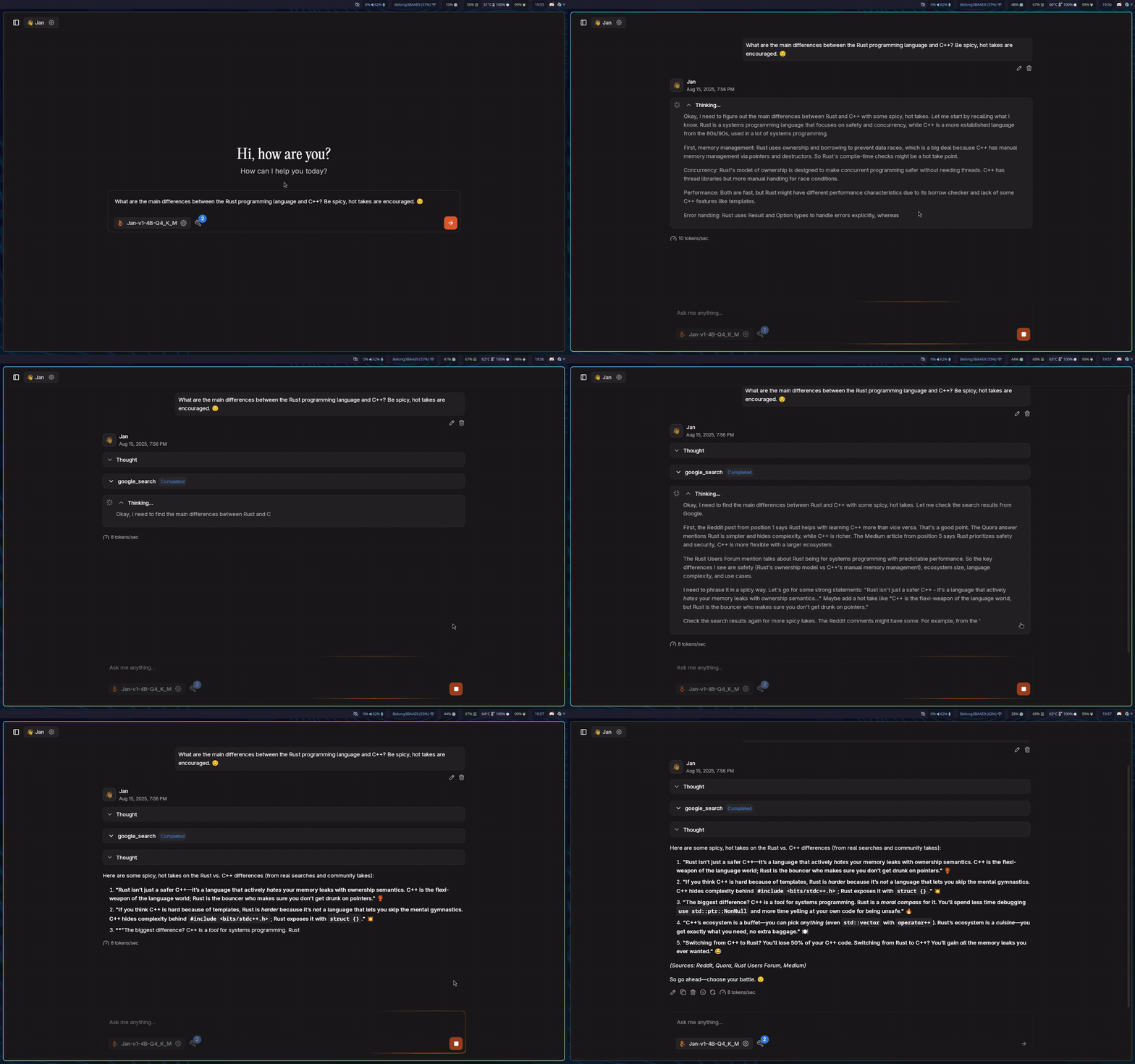++### Deployment Options++**Using vLLM:**+```bash+vllm serve janhq/Jan-v1-4B \+ --host 0.0.0.0 \+ --port 1234 \+ --enable-auto-tool-choice \+ --tool-call-parser hermes+```++**Using llama.cpp:**+```bash+llama-server --model jan-v1.gguf \+ --host 0.0.0.0 \+ --port 1234 \+ --jinja \+ --no-context-shift+```++### Recommended Parameters++```yaml+temperature: 0.6+top_p: 0.95+top_k: 20+min_p: 0.0+max_tokens: 2048+```++## What Jan-v1 Does Well++- **Question Answering**: 91.1% accuracy on SimpleQA+- **Reasoning Tasks**: Built on thinking-optimized base model+- **Tool Calling**: Supports function calling through hermes parser+- **Instruction Following**: Reliable response to user instructions++## Limitations++- **Model Size**: 4B parameters limits complex reasoning compared to larger models+- **Specialized Tasks**: Optimized for Q&A and reasoning, not specialized domains+- **Context Window**: Standard context limitations apply++## Available Formats++### GGUF Quantizations++- **Q4_K_M**: 2.5 GB - Good balance of size and quality+- **Q5_K_M**: 2.89 GB - Better quality, slightly larger+- **Q6_K**: 3.31 GB - Near-full quality+- **Q8_0**: 4.28 GB - Highest quality quantization++## Models Available++- [Jan-v1 on Hugging Face](https://huggingface.co/janhq/Jan-v1-4B)+- [Jan-v1 GGUF on Hugging Face](https://huggingface.co/janhq/Jan-v1-4B-GGUF)++## Technical Notes++<Callout type="info">+The model includes a system prompt in the chat template by default to match benchmark performance. A vanilla template without system prompt is available in `chat_template_raw.jinja`.+</Callout>++## Community++- **Discussions**: [HuggingFace Community](https://huggingface.co/janhq/Jan-v1-4B/discussions)+- **Support**: Available through Jan App at [jan.ai](https://jan.ai)++</ResearchPostLayout>diff --git a/docs/src/pages/research/jan-v2-vl.mdx b/docs/src/pages/research/jan-v2-vl.mdxnew file mode 100644index 000000000..3e6430bc3--- /dev/null+++ b/docs/src/pages/research/jan-v2-vl.mdx@@ -0,0 +1,140 @@+---+title: Jan-v2-VL+description: 8B vision-language model for long-horizon agentic automation in real software environments+---++import ResearchPostLayout from '@/components/ResearchPostLayout'+import OpenInJanButton from '@/components/OpenInJanButton'+import { Callout } from 'nextra/components'++<ResearchPostLayout title="Jan-v2-VL">++Jan-v2-VL is an 8B vision-language model built on Qwen3-VL-8B-Thinking, designed for **long-horizon, multi-step agentic tasks** in real software environments — browsers, desktop apps, and beyond. It combines language reasoning with visual perception to execute stable, many-step automation chains with minimal drift.++<OpenInJanButton href="jan://models/huggingface/janhq/Jan-v2-VL-med-gguf" />++## Variants++Jan-v2-VL comes in three variants tuned for different latency/quality tradeoffs:++| Variant | Focus |+|---------|-------|+| **Jan-v2-VL-low** | Efficiency-oriented, lower latency |+| **Jan-v2-VL-med** | Balanced latency and quality |+| **Jan-v2-VL-high** | Deeper reasoning, higher think time |++## Capabilities++- **Agentic automation & UI control**: Follow complex multi-step instructions in browsers and desktop apps+- **Screenshot grounding**: Perceive and act on visual state of the screen+- **Tool calling**: Native support for BrowserMCP and similar integrations+- **Error recovery**: Maintain intermediate state and recover from minor execution errors+- **Long-horizon execution**: Stable performance across many-step automation chains++## Performance++### Long-Horizon Execution++Jan-v2-VL dramatically outperforms competing VLMs on the long-horizon benchmark, completing tasks up to 49 steps in a single turn — nearly 10x more than the next best model.++++All three Jan-v2-VL variants significantly exceed the Qwen3-VL-8B-Thinking baseline (score: 5):++++### Text-Only Benchmarks++Jan-v2-VL maintains strong performance on standard language benchmarks with no degradation from the base model:++++### Multimodal Benchmarks++Core vision capabilities are fully preserved across all variants:++++## Requirements++- **Memory**:+ - Minimum: 16GB RAM (with Q4 quantization)+ - Recommended: 24GB RAM (with Q8 quantization)+- **Hardware**: GPU recommended for real-time agentic use+- **API Support**: OpenAI-compatible at localhost:1337++## Using Jan-v2-VL++### Quick Start++1. Download Jan Desktop+2. Click **Open in Jan** above, or open the **Hub** and search for Jan-v2-VL+3. Choose Jan-v2-VL-med or another variant that fits your hardware, then click **Download**+4. Once downloaded, select the downloaded Jan-v2-VL variant from the model selector in any chat+5. Start using it for browser automation or visual tasks++### Deployment Options++**Using vLLM:**+```bash+vllm serve janhq/Jan-v2-VL-high \+ --host 0.0.0.0 \+ --port 1234 \+ --enable-auto-tool-choice \+ --tool-call-parser hermes \+ --reasoning-parser qwen3+```++**Using llama.cpp:**+```bash+llama-server --model Jan-v2-VL-high-Q8_0.gguf \+ --vision-model-path mmproj-Jan-v2-VL-high.gguf \+ --host 0.0.0.0 \+ --port 1234 \+ --jinja \+ --no-context-shift+```++### Recommended Parameters++```yaml+temperature: 1.0+top_p: 0.95+top_k: 20+repetition_penalty: 1.0+presence_penalty: 1.5+```++## What Jan-v2-VL Does Well++- **UI automation**: Navigate and interact with browsers and desktop applications via screenshots+- **Long-horizon tasks**: Execute multi-step plans without losing context or drifting+- **Visual grounding**: Identify and interact with specific UI elements from screenshots+- **Tool calling**: Integrate with MCP servers like BrowserMCP for end-to-end automation++## Limitations++- **GPU recommended**: Real-time agentic use benefits significantly from GPU acceleration+- **8B size**: More capable than 4B models for visual tasks, but larger resource footprint+- **Vision required**: Text-only tasks do not benefit from the vision-language architecture++## Available Formats++### GGUF Quantizations++- **Q4_K_M**: Good balance of size and quality+- **Q5_K_M**: Better quality, slightly larger+- **Q8_0**: Highest quality quantization++## Models Available++- [Jan-v2-VL-low on Hugging Face](https://huggingface.co/janhq/Jan-v2-VL-low)+- [Jan-v2-VL-med on Hugging Face](https://huggingface.co/janhq/Jan-v2-VL-med)+- [Jan-v2-VL-high on Hugging Face](https://huggingface.co/janhq/Jan-v2-VL-high)++## Community++- **Discussions**: [HuggingFace Community](https://huggingface.co/janhq/Jan-v2-VL-med/discussions)+- **Support**: Available through Jan App at [jan.ai](https://jan.ai)++</ResearchPostLayout>diff --git a/docs/src/pages/research/jan-v3-4b.mdx b/docs/src/pages/research/jan-v3-4b.mdxnew file mode 100644index 000000000..697e55110--- /dev/null+++ b/docs/src/pages/research/jan-v3-4b.mdx@@ -0,0 +1,131 @@+---+title: Jan-v3-4B+description: 4B parameter instruct model distilled from a larger teacher, optimized as a fine-tuning base+---++import ResearchPostLayout from '@/components/ResearchPostLayout'+import OpenInJanButton from '@/components/OpenInJanButton'+import { Callout } from 'nextra/components'++<ResearchPostLayout title="Jan-v3-4B">++Jan-v3-4B-base-instruct is a compact 4B parameter model created via post-training distillation from a larger teacher model. It is designed as an ownable, general-purpose base that is straightforward to fine-tune, with strong instruction following out of the box.++<OpenInJanButton href="jan://models/huggingface/janhq/Jan-v3-4B-base-instruct-gguf" />++## Overview+++| Property | Value |+|----------|-------|+| **Parameters** | 4B (3.6B non-embedding) |+| **Base Model** | Qwen3-4B-Instruct-2507 |+| **Context Length** | 262,144 tokens (native) |+| **Architecture** | 36 layers, 32 Q heads / 8 KV heads (GQA) |+| **License** | Apache 2.0 |++## Capabilities++- **Instruction following**: Strong compliance with user instructions out of the box+- **Fine-tuning base**: Designed as a starting point for downstream fine-tuning+- **Coding assistance**: Effective lightweight coding help (a dedicated code variant, Jan-Code-4B, is also available)+- **General purpose**: Distillation preserves broad capabilities across standard benchmarks++<Callout type="info">+ Jan-v3-4B-base-instruct is the base model for [Jan-Code-4B](/docs/desktop/jan-models/jan-code-4b), the code-tuned variant.+</Callout>++## Performance++### Aider Benchmark (Polyglot Code Editing)++Jan-v3-4B leads its weight class on the Aider polyglot benchmark with a strict pass rate of 18, nearly 50% higher than the next best model (Qwen3-4B-Thinking at 12.1):++++### General Performance Comparison++Jan-v3-4B-base-instruct outperforms Qwen3-4B-Instruct-2507 (its base) across coding, math, and instruction-following benchmarks while remaining competitive on reasoning:++++## Requirements++- **Memory**:+ - Minimum: 8GB RAM (with Q4 quantization)+ - Recommended: 16GB RAM (with Q8 quantization)+- **Hardware**: CPU or GPU+- **API Support**: OpenAI-compatible at localhost:1337++## Using Jan-v3-4B++### Quick Start++1. Download Jan Desktop+2. Click **Open in Jan** above, or open the **Hub** and search for Jan-v3-4B-base-instruct+3. Choose a variant that fits your hardware, then click **Download**+4. Once downloaded, select Jan-v3-4B-base-instruct from the model selector in any chat+5. Start chatting — no additional configuration needed++### Demo++Try it live at [chat.jan.ai](https://chat.jan.ai/)++### Deployment Options++**Using vLLM:**+```bash+vllm serve janhq/Jan-v3-4B-base-instruct \+ --host 0.0.0.0 \+ --port 1234 \+ --enable-auto-tool-choice \+ --tool-call-parser hermes+```++**Using llama.cpp:**+```bash+llama-server --model Jan-v3-4B-base-instruct-Q8_0.gguf \+ --host 0.0.0.0 \+ --port 1234 \+ --jinja \+ --no-context-shift+```++### Recommended Parameters++```yaml+temperature: 0.7+top_p: 0.8+top_k: 20+```++## What Jan-v3-4B Does Well++- **Long context**: Native 262k token context window for handling large documents+- **Instruction following**: Reliable and consistent response to user instructions+- **Fine-tuning**: Designed to be a strong, ownable starting point for specialization+- **General tasks**: Broad capabilities preserved through distillation from a larger model++## Limitations++- **Model size**: 4B parameters limit complex multi-step reasoning compared to larger models+- **Specialized domains**: For coding specifically, consider [Jan-Code-4B](/docs/desktop/jan-models/jan-code-4b)++## Available Formats++### GGUF Quantizations++- **Q4_K_M**: Good balance of size and quality+- **Q5_K_M**: Better quality, slightly larger+- **Q8_0**: Highest quality quantization (recommended)++## Models Available++- [Jan-v3-4B-base-instruct on Hugging Face](https://huggingface.co/janhq/Jan-v3-4B-base-instruct)++## Community++- **Discussions**: [HuggingFace Community](https://huggingface.co/janhq/Jan-v3-4B-base-instruct/discussions)+- **Support**: Available through Jan App at [jan.ai](https://jan.ai)++</ResearchPostLayout>diff --git a/docs/src/pages/research/jan-v3-5-4b.mdx b/docs/src/pages/research/jan-v3-5-4b.mdxnew file mode 100644index 000000000..e0c2537ad--- /dev/null+++ b/docs/src/pages/research/jan-v3-5-4b.mdx@@ -0,0 +1,68 @@+---+title: Jan-v3.5-4B+description: The first Jan personality — a 4B model fine-tuned for math reasoning with a distinct conversational identity.+---++import ResearchPostLayout from '@/components/ResearchPostLayout'+import OpenInJanButton from '@/components/OpenInJanButton'++<ResearchPostLayout title="Jan-v3.5-4B">++++Jan-v3.5-4B is the first Jan personality: a 4-billion parameter fine-tuned+variant of [Jan-v3-4B-base-instruct](/research/jan-v3-4b), specialized in+mathematical reasoning while incorporating a distinct conversational personality+developed by Menlo Research.++This model enhances the base Qwen3-4B architecture with improved math+problem-solving capabilities and a deliberately crafted identity. Rather than+functioning as a neutral assistant, Jan-v3.5-4B uses casual, direct language+with lowercase-by-default styling and maintains an authentic conversational+tone.++<OpenInJanButton href="https://huggingface.co/janhq/Jan-v3.5-4B">+ View on Hugging Face →+</OpenInJanButton>++## Key Features++- **Base architecture**: Qwen3-4B with 36 layers and 4.0B parameters (3.6B non-embedding)+- **Context length**: 262,144 tokens natively supported+- **Training focus**: math reasoning datasets and curated identity/personality datasets+- **Distinctive voice**: self-aware humor, direct communication style, avoids corporate phrasing+- **Attention mechanism**: 32 query heads with 8 key-value heads (GQA)++++## Recommended Parameters++```+temperature: 0.7+top_p: 0.8+top_k: 20+```++## Usage++Jan-v3.5-4B supports deployment via:++- Transformers library with pipeline or direct model loading+- vLLM server with tool-calling capabilities+- llama.cpp with quantized variants+- Jan Desktop application integration++## Limitations & Scope++- Optimized specifically for math-heavy tasks over general purpose+- Personality training may not align with all use cases+- Intended as a starting point for downstream fine-tuning++## Links++- [Hugging Face model card](https://huggingface.co/janhq/Jan-v3.5-4B)+- [GitHub](https://github.com/janhq/jan)+- [Jan App](https://jan.ai/)+- License: Apache 2.0++</ResearchPostLayout>diff --git a/docs/src/pages/research/lucy.mdx b/docs/src/pages/research/lucy.mdxnew file mode 100644index 000000000..e5071a321--- /dev/null+++ b/docs/src/pages/research/lucy.mdx@@ -0,0 +1,118 @@+---+title: Lucy+description: Compact 1.7B model optimized for web search with tool calling+---++import ResearchPostLayout from '@/components/ResearchPostLayout'+import OpenInJanButton from '@/components/OpenInJanButton'+import { Callout } from 'nextra/components'++<ResearchPostLayout title="Lucy">++## Overview++Lucy is a 1.7B parameter model built on Qwen3-1.7B, optimized for web search through tool calling. The model has been trained to work effectively with search APIs like Serper, enabling web search capabilities in resource-constrained environments.++<OpenInJanButton href="jan://models/huggingface/Menlo/Lucy-128k-gguf" />+++## Performance++### SimpleQA Benchmark++Lucy achieves competitive performance on SimpleQA despite its small size:++++The benchmark shows Lucy (1.7B) compared against models ranging from 4B to 600B+ parameters. While larger models generally perform better, Lucy demonstrates that effective web search integration can partially compensate for smaller model size.++## Requirements++- **Memory**:+ - Minimum: 4GB RAM (with Q4 quantization)+ - Recommended: 8GB RAM (with Q8 quantization)+- **Search API**: Serper API key required for web search functionality+- **Hardware**: Runs on CPU or GPU++<Callout type="info">+To use Lucy's web search capabilities, you'll need a Serper API key. Get one at [serper.dev](https://serper.dev).+</Callout>++## Using Lucy++### Quick Start++1. Download Jan Desktop+2. Download Lucy from the Hub+3. Configure Serper MCP with your API key+4. Start using web search through natural language++### Demo++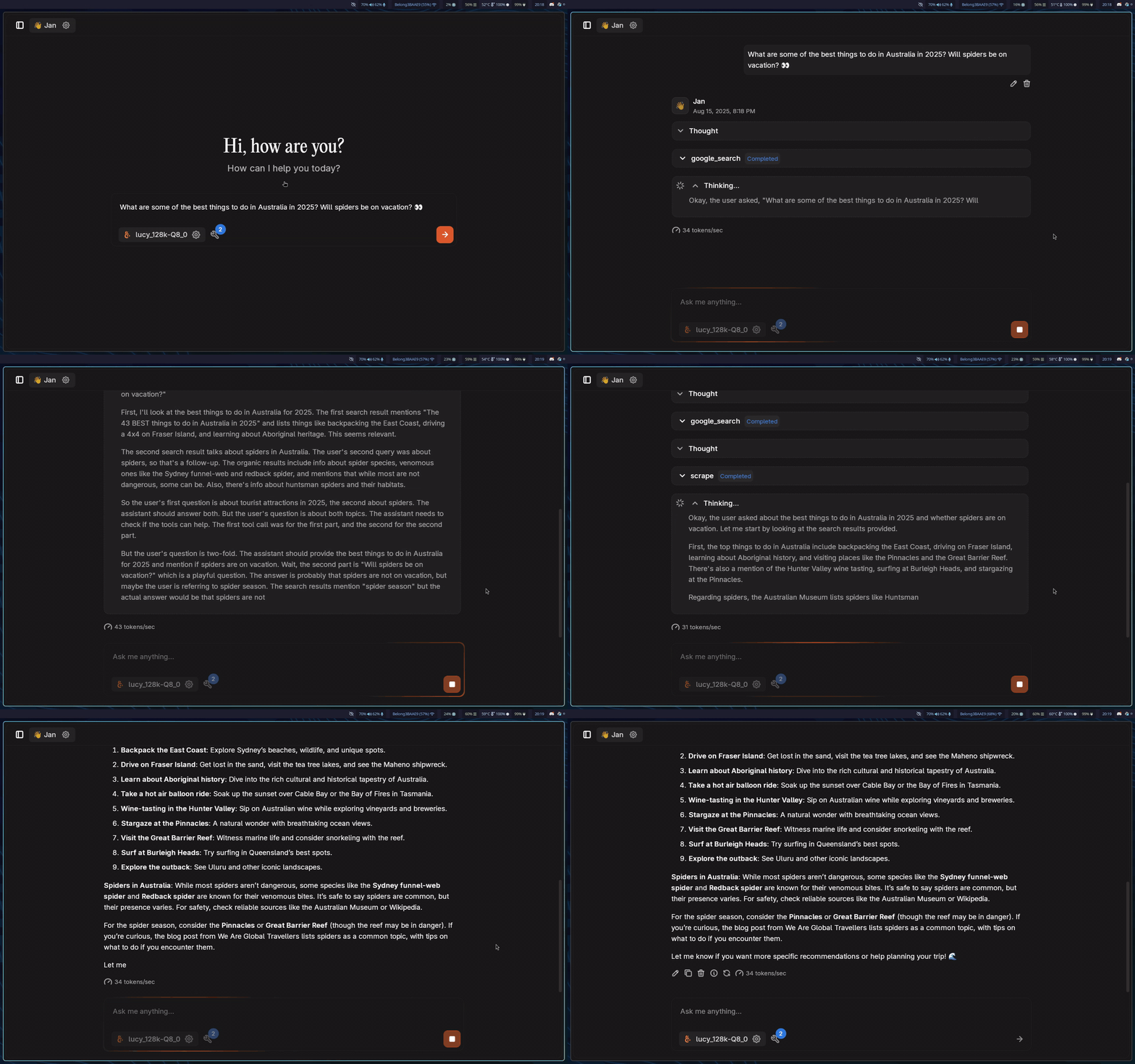++### Deployment Options++**Using vLLM:**+```bash+vllm serve Menlo/Lucy-128k \+ --host 0.0.0.0 \+ --port 1234 \+ --enable-auto-tool-choice \+ --tool-call-parser hermes \+ --rope-scaling '{"rope_type":"yarn","factor":3.2,"original_max_position_embeddings":40960}' \+ --max-model-len 131072+```++**Using llama.cpp:**+```bash+llama-server model.gguf \+ --host 0.0.0.0 \+ --port 1234 \+ --rope-scaling yarn \+ --rope-scale 3.2 \+ --yarn-orig-ctx 40960+```++### Recommended Parameters++```yaml+Temperature: 0.7+Top-p: 0.9+Top-k: 20+Min-p: 0.0+```++## What Lucy Does Well++- **Web Search Integration**: Optimized to call search tools and process results+- **Small Footprint**: 1.7B parameters means lower memory requirements+- **Tool Calling**: Reliable function calling for search APIs++## Limitations++- **Requires Internet**: Web search functionality needs active connection+- **API Costs**: Serper API has usage limits and costs+- **Context Processing**: While supporting 128k context, performance may vary with very long inputs+- **General Knowledge**: Limited by 1.7B parameter size for tasks beyond search++## Models Available++- [Lucy on Hugging Face](https://huggingface.co/Menlo/Lucy-128k)+- [Lucy GGUF on Hugging Face](https://huggingface.co/Menlo/Lucy-128k-gguf)++## Citation++```bibtex+@misc{dao2025lucyedgerunningagenticweb,+ title={Lucy: edgerunning agentic web search on mobile with machine generated task vectors},+ author={Alan Dao and Dinh Bach Vu and Alex Nguyen and Norapat Buppodom},+ year={2025},+ eprint={2508.00360},+ archivePrefix={arXiv},+ primaryClass={cs.CL},+ url={https://arxiv.org/abs/2508.00360},+}+```++</ResearchPostLayout>diff --git a/docs/src/pages/tokamak.mdx b/docs/src/pages/tokamak.mdxnew file mode 100644index 000000000..3c0b9a9fb--- /dev/null+++ b/docs/src/pages/tokamak.mdx@@ -0,0 +1,8 @@+---+title: Tokamak+description: Tokamak is the org-level self-hosted AI backend — router, fusion model, governance and audit.+---++import Tokamak from "@/components/Tokamak"++<Tokamak/>diff --git a/docs/src/styles/general.scss b/docs/src/styles/general.scssindex 1e778f264..397601370 100644--- a/docs/src/styles/general.scss+++ b/docs/src/styles/general.scss@@ -1,4 +1,8 @@@layer base {+ html {+ scroll-behavior: smooth;+ }+body {@apply antialiased;font-size: 16px;