
Reverse-engineer any video, shot by shot: filmed, AI-generated or coded, and how to remake it. Breakdowns in the open VIDEO.md format. 逆向一切视频,逐个镜头看是拍的、AI 生成的还是代码做的,再告诉你怎么复刻;拆解结果按 VIDEO.md 格式输出。
Python agent-skillsai-videoaigc-detectionclaude-codecodexffmpegprompt-engineeringremotionreverse-engineeringshort-videoshot-detectionsubtitlesvideo-analysisvideo-breakdownvideo-editingvideo-generationvideomdvlm
Extend coverage: 2D animation, stop motion, AI edits, color grading, lighting
juneb400f3780db0
diff --git a/README.md b/README.mdindex 1f3fa71..8538d45 100644--- a/README.md+++ b/README.md@@ -1,180 +1,176 @@-# rea-video:看懂一条视频是怎么做的,再照着做一条+<div align="center">-给它一条视频(抖音、TikTok、广告片、MV 都行),它会逐个镜头告诉你:+# rea-video-- 这一镜是**实拍、AI 生成、3D 渲染,还是代码 / 模板做的**;-- 哪些是**真实素材**(录屏、截图、产品图),复刻时必须你自己准备;-- **声音**怎么配的:真人还是 AI 配音,BGM 是 AI 生成还是曲库,音效在哪里;-- **怎么重做一遍**:哪些镜头交给视频模型、提示词怎么写、一次能生成几个镜头;哪些要实拍、分几场拍;哪些用代码就能做。+给一条视频,逐个镜头告诉你它是实拍、AI 生成、3D 还是代码做的,再给出照着做一条的方案。-每个结论都附可以复查的证据,拿不准的地方会标「待确认」,不硬猜。+中文 | [English](README_en.md)-## 30 秒看懂:一条实拍带货片和它的 AI 复刻版+[](https://github.com/JuneYaooo/rea-video/stargazers)++-+<img src="docs/cases/demo.gif" width="440" alt="左:TikTok 手机实拍原片;右:别人用 AI 换产品重做的版本">-上排是 TikTok 上的手机实拍原片,下排是别人用 AI 换了产品重做的版本。每一格是一个镜头,色条写着判断结果。rea-video 给出的结论:+左边是 TikTok 上的手机实拍原片,右边是别人用 AI 换了产品重做的版本。<br>+rea-video 判断:左边全部实拍,一个场景、两个机位就能拍完;右边全部 AI 生成,8 个镜头可以合并成 3 次生成。-| | 原片 | AI 复刻版 |-|---|---|---|-| 怎么做的 | 100% 手机实拍,真人口播 | 100% AI 生成(文件里带 AIGC 标识),AI 配音 |-| 怎么重做 | 1 个场景、2 个机位,一张台面一次拍完 | 8 个镜头合并成 3 次视频模型生成,附提示词 |-| 要准备什么 | 产品实物 | 产品参考图(杯身 Logo 要清楚) |--详细拆解见下面的[案例 1](#1-原片-vs-ai-复刻tiktok-实拍--换产品重做)。--## 适合谁--- **做内容的人**:看到爆款想做同款,先搞清楚哪些能用 AI 做、哪些得拍、成本大概多少。-- **做 AI 视频的人**:把参考视频拆成可以直接用的分批生成方案和提示词,不用一镜一镜去猜。-- **想判断真假的人**:一条视频是实拍还是 AI 生成,给出证据而不是感觉。--## 怎么用--不用自己敲命令,交给你的 AI 助手(Claude Code、Codex 等能运行命令的 agent 都可以):--1. **安装**:对它说「安装 https://github.com/JuneYaooo/rea-video 」。它会自己装好(电脑上需要有 ffmpeg 和 Python 3.10 以上)。-2. **拆解**:把视频发给它,说「拆解这条视频,告诉我是怎么做的、怎么复刻」。它会拆解、自己看图复核没把握的镜头,最后给你结论和一份完整报告。-3. **复刻**(可选):配合 [capsule-cinema](https://github.com/JuneYaooo/cheap-claude-video),它可以把 AI 镜头交给视频模型生成,再拼回原来的时间线,输出复刻片和原片的对比。调用模型要花钱,它会先问你。--**建议配一个看图模型(VLM)**:Gemini、GPT-4o、豆包、Qwen-VL 等都可以,把接口配置告诉 agent 就行。配上之后实拍、AI、3D 分得更准,每个镜头还会反推出提示词。不配也能用。--想自己跑命令,见 [docs/cli.md](docs/cli.md)。--## 它是怎么判断的+</div>---1. **切镜头**:把视频按镜头切开,声音拆成人声、配乐、音效。-2. **取证据**:- - 测画面:帧率规律、噪点、画面是不是整张图在推拉、文件元数据里有没有 AIGC 标识。- - 看图:看图模型和 agent 看画面内容,例如手指、文字、物理细节对不对。- - 听声音:BPM、调性,是唱还是说。-3. **综合判断**:硬证据(AIGC 标识、帧率)优先于"看起来像"。几方意见冲突时标出来,交给 agent 看图复核。-4. **出复刻方案**:按目标视频模型的实际能力来分,包括单次能生成多长、能不能一次出多个镜头、能吃几张参考图,所以是能直接照做的方案,不是一镜一个任务的清单。--## 案例--5 条都是开看图模型跑完整流程的结果,有分歧的镜头都经过 agent 看图复核。每格是一个镜头,色条写着制作方式、把握程度和时间;点「完整报告」能看到每个镜头的证据、提示词和复刻方案。+## 它能告诉你什么-### 1. 原片 vs AI 复刻:TikTok 实拍 → 换产品重做+- 画面:每个镜头是实拍、AI 生成、数字人、3D、2D 动画、代码 / 模板、录屏还是静图推拉。实拍镜头还会拆出机位、打光和调色。+- 素材:哪些是录屏、截图、产品图这类真实素材,复刻时要你自己准备。+- 声音:真人还是 AI 配音,BGM 是 AI 生成还是曲库,BPM 和调性,每个音效的时间点。+- 复刻方案:哪些镜头交给视频模型(附提示词,连在一起的镜头合成一次生成),哪些要实拍(分几场、怎么布光),哪些写代码就能做。-21 秒 · 原片 11 镜 / 复刻版 8 镜 · 拼帧图见上方+每个结论都附可以复查的证据,拿不准的会标「待确认」。-▶ [TikTok 原片](docs/cases/videos/v11_tiktok_original.mp4) · [AI 复刻版](docs/cases/videos/v12_oiioii_juicer_remake.mp4) · 📄 完整报告:[原片](docs/cases/v11/report.md) · [复刻版](docs/cases/v12/report.md)+## 快速开始-**怎么做的**:-- 原片是手机第一视角实拍:原生 30fps、有传感器噪点、真人口播带现场声。-- 复刻版是 OiiOii 拿原片当参考、换成摩飞榨汁杯后用视频模型重做的:文件带 AIGC 标识,杯身 Logo 是乱码,配音是 AI 男声。它保留了原片的场景、机位和跳切节奏。--**怎么重做**:-- **原片按拍摄来组织**:1 个场景、2 个机位(近景 7 镜、特写 4 镜),每条前后多留 1 秒。-- **复刻版按生成来组织**:8 个镜头合并成 3 次生成(备料、搅打、倒出和成品),每次附产品参考图和原片片段,下一次用上一次的最后一帧开头。选不支持多镜头的模型(Seedance 2.0)要生成 8 次,换 Seedance 2.5 只要 3 次。--第一次生成的提示词(节选,报告里有完整版和英文版):+rea-video 是给 AI 助手用的。在 Claude Code、Codex 这类能运行命令的 agent 里说:```text-竖屏 9:16;正面柔光,偏冷,背景虚化。产品外观以 @图片1 为准,Logo 和细节保持一致。参考 @视频1 的动作、运镜和剪辑节奏。镜头之间硬切。-镜头1(0.0–1.8s):固定俯拍机位,大理石桌面上放着蓝色便携榨汁杯,一只手将一透明盒新鲜红草莓轻轻放在榨汁杯右侧,随后手移出画面-镜头2(1.8–2.8s):手松开,几颗草莓掉落进下方的蓝色榨汁杯中,镜头保持固定-镜头3(2.8–3.7s):一只手将切块的绿色猕猴桃松开,猕猴桃块掉入杯中,杯子里已经有红色的草莓块-镜头4(3.7–6.2s):一只手拿着白色塑料瓶,将牛奶平稳地倒入榨汁杯中,杯中液面逐渐上升-镜头5(6.2–9.0s):手将杯盖扣紧并旋紧,随后单手拿起杯身完全倒转,杯中水果与牛奶向下沉降+安装 https://github.com/JuneYaooo/rea-video ,然后拆解这条视频:/path/to/video.mp4```-### 2. 混合片:AI 人物对话 + 代码界面 + 真实录屏+agent 会装好命令行工具,学会拆解流程,然后跑完整个过程。电脑上需要有 ffmpeg 和 Python 3.10 以上。-19 秒 · 10 镜+跑完你会拿到:-+- 一句话结论,比如「AI 视频 41% + 代码界面 59%,有 8 秒真实录屏,曲库配乐 122 BPM」;+- 复刻方案,按实拍、AI 生成、代码分开写;+- 完整报告 `report.html`,有逐镜头截图、判断依据、提示词、拍法和声音拆解。-▶ [原视频](docs/cases/videos/dual_role.mp4) · 📄 [完整报告](docs/cases/dual_role/report.md)+建议再配一个看图模型(Gemini、GPT-4o、豆包、Qwen-VL 等都行),把接口地址和密钥告诉 agent 即可。配上之后实拍、AI、3D 分得更准,每个镜头还会反推出提示词。不配也能用,agent 自己能看图的话会补看没把握的镜头。-**怎么做的**:两个 AI 生成的角色在客厅里你一句我一句(5 镜),中间穿插 5 段代码做的界面,里面有真实录屏 8.2 秒、截图 4.8 秒;标题和字幕是后期加的。+想自己敲命令,见 [docs/cli.md](docs/cli.md)。拿到报告之后怎么拍、怎么生成、怎么拼回去,见 [docs/replicate.md](docs/replicate.md)。-**怎么重做**:5 个对话镜头虽然被界面隔开,但在同一个场景,**一次生成就够**(用两张角色参考图锁定长相),剪辑时再把界面插回去。5 段界面写成 1 个 Remotion 代码工程,录屏和截图用你自己的。+## 案例-### 3. 3D 科普片:咸鸭蛋为什么会流油+<table>+<tr>+<td width="50%" valign="top">+<a href="docs/cases.md#2-混合片ai-人物对话--代码界面--真实录屏"><img src="docs/cases/dual_role/storyboard.jpg"></a><br>+<b>混合片</b> · 19 秒 · 10 镜<br>+AI 人物对话 + 代码界面 + 8 秒真实录屏。5 个对话镜头被界面隔开,但同一个场景,一次生成就够。<br>+<a href="docs/cases/videos/dual_role.mp4">视频</a> · <a href="docs/cases/dual_role/report.md">报告</a>+</td>+<td width="50%" valign="top">+<a href="docs/cases.md#3-3d-科普片咸鸭蛋为什么会流油"><img src="docs/cases/salted_egg/storyboard.jpg"></a><br>+<b>3D 科普片</b> · 67 秒 · 21 镜<br>+全部 3D 渲染,AI 旁白。可以合并成 10 次视频生成,也可以让大模型写 Blender / Three.js 代码。<br>+<a href="docs/cases/videos/salted_egg.mp4">视频</a> · <a href="docs/cases/salted_egg/report.md">报告</a>+</td>+</tr>+<tr>+<td width="50%" valign="top">+<a href="docs/cases.md#4-代码-ui-动效产品宣传片"><img src="docs/cases/v10/storyboard.jpg"></a><br>+<b>产品宣传片</b> · 70 秒 · 12 镜<br>+83% 是代码动效,12% 录屏。不需要视频模型,写一个 Remotion 工程就能做。<br>+<a href="docs/cases/videos/v10_oiioii_gen_coding_first.mp4">视频</a> · <a href="docs/cases/v10/report.md">报告</a>+</td>+<td width="50%" valign="top">+<a href="docs/cases.md#5-ai-音乐-mv歌是-ai-写的还是曲库的"><img src="docs/cases/qing_mv/preview.jpg"></a><br>+<b>AI 音乐 MV</b> · 165 秒 · 86 镜<br>+判出歌是 AI 生成的(实际是 Suno)。看图模型说是「影视剧实拍」的镜头,agent 从奏折上的伪汉字认出是 AI。<br>+<a href="docs/cases/videos/qing_mv.mp4">视频</a> · <a href="docs/cases/qing_mv/report.md">报告</a>+</td>+</tr>+</table>++首页那条榨汁杯原片和复刻版的逐镜拆解、提示词,以及每个案例的详细说明,见 [docs/cases.md](docs/cases.md)。-67 秒 · 21 镜+## 准不准-+按镜头时长算的「制作方式」准确率:-▶ [原视频](docs/cases/videos/salted_egg.mp4) · 📄 [完整报告](docs/cases/salted_egg/report.md)+| | 调参集(15 条) | 留出集(16 条) | 公众号转码视频(10 条) |+|---|---|---|---|+| 只用工具(离线、免费) | 99.9% | 99.6% / 99.8% | 88.6% |+| + 看图模型(Gemini) | — | 99.6% / 99.8% | 99.6% |+| + agent 看图复核 | — | 99.6% / 99.8% | 100% |-**怎么做的**:21 个镜头全是 3D 渲染(毛绒小动物角色 + 剖面原理动画),AI 女声旁白,曲库配乐,45% 的剪辑点卡在节拍上(随机剪大约 25%)。+原始文件只用工具基本够。从平台下载的视频压缩过,噪点证据没了,要靠看图把准确率拉回 99% 以上。真实素材识别 97–99%,镜头切点全对。数字和复现方法见 [eval/RESULTS.md](eval/RESULTS.md)。-**怎么重做**:两条路。-- 交给视频模型:21 个镜头合并成 10 次生成。-- **让大模型写 Blender 或 Three.js 代码**:角色只建一次模,每个镜头设好机位渲染,多角度一致性最好,改文案也只是改代码。这类科普片现在已经可以由大模型生成。+<details>+<summary>还做不好的地方</summary>-### 4. 代码 UI 动效:产品宣传片+- 样本少:一共 43 条标注视频,实拍只有 5 条。数字人、2D 动画、定格动画、实拍上的 AI 加工还没有评测视频。+- 新加的几种布光(户外、低调、高调、彩色氛围光、产品静物)和调色风格只用合成图测过,阈值还要靠真实视频校准;打光整体只在 2 条口播上验证过。+- 2D 动画、定格动画、AI 加工完全靠看图。没配看图模型、agent 又看不了图时识别不出来。+- 素材库买的实拍和自己拍的分不开;绿幕抠像只能靠看图发现。+- 「实拍还是 AI」在压缩过的视频上最难。看图模型会看走眼,还会编理由(榨汁杯原片里它说「挂钟数字乱码」,其实数字很清楚)。工具和它意见相反时会标「有分歧」交给 agent 复核,但最终要靠看图。+- 电影机或微单拍 24fps 再导出 30fps 的实拍,帧率痕迹和 AI 视频一样,只用工具时会标「待确认」等看图。+- 音乐是 AI 生成还是曲库,目前只对了 2/5。+- 复刻方案里的「分几次生成」是推荐分法,原作者实际怎么分的,多数时候看不出来。-70 秒 · 12 镜+</details>-+## 怎么判断的-▶ [原视频](docs/cases/videos/v10_oiioii_gen_coding_first.mp4) · 📄 [完整报告](docs/cases/v10/report.md)+-**怎么做的**:OiiOii「视频复刻」功能的宣传片。83% 是代码做的动效(界面透视、文字缓动、粒子 Logo),12% 是录屏,1 镜是截图推拉;界面里播放的视频、Logo、截图是嵌入的真实素材。+1. 切镜头:把视频按镜头切开,声音拆成人声、配乐、音效。+2. 取证据:测画面(帧率规律、噪点、是不是整张图在推拉、文件里有没有 AIGC 标识);看图(手指、文字、物理细节对不对);听声音(BPM、调性、是唱还是说)。+3. 综合判断:AIGC 标识、帧率这类硬证据优先于「看起来像」。几方意见冲突时标出来,交给 agent 看图复核。+4. 出复刻方案:按目标视频模型的实际能力分批,比如单次能生成多长、能不能一次出多个镜头、能吃几张参考图。-**怎么重做**:**不需要视频模型**。写成 1 个 Remotion 代码工程,文字和界面完全可控,改文案只改数据,可以直接让大模型写。录屏用你自己的界面录。+判断规则的细节见 [docs/decompose.md](docs/decompose.md),全部检测项见 [docs/what-it-detects.md](docs/what-it-detects.md)。-### 5. AI 音乐 MV:歌是 AI 写的还是曲库的+## 常见问题-165 秒 · 86 镜+<details>+<summary>和 Hypit 这类一键复刻工具有什么区别?</summary>-+[Hypit](https://github.com/hypit-ai/hypit) 的目标是直接做出一条新片:给参考视频,换成你的内容,生成出片。rea-video 先把原片拆清楚,再告诉你每一部分该拍、该生成还是该写代码。想马上出一条同款,用 Hypit 更快;想知道原片怎么做的、怎么用最少的生成次数做出来,用 rea-video。两者可以配合着用。-(图为前 24 镜)▶ [原视频](docs/cases/videos/qing_mv.mp4) · 📄 [完整报告(86 镜)](docs/cases/qing_mv/report.md)+| | Hypit | rea-video |+|---|---|---|+| 主要产出 | 一条新视频 | 拆解报告和复刻方案;接 capsule-cinema 可以出片 |+| 怎么理解原片 | agent 看抽帧拼图,写成文字分析 | 先用工具测画面(帧率、噪点、元数据、OCR),再看图;结论附证据和把握程度 |+| 实拍还是 AI | 没有专门的判断环节 | 逐镜判断 10 种做法,主要几类在 43 条标注视频上测过 |+| 实拍镜头 | — | 给拍摄方案:场次、机位、布光、器材 |+| 声音 | 以口播为主线,按台词对时间轴 | 拆出人声、配乐、音效;测 BPM、调性,判断音乐来源 |-**怎么做的**:一首 AI 生成的说唱,画面全是生成的。-- 画面构成:白须老者对着麦克风对口型的数字人 16%,清代场景的 AI 视频 52%,3D 风格镜头 15%,静图推拉 17%。-- 音乐判为 AI 生成:整首不间断,人声是唱的,和视频同时结束。这条实际是 Suno 做的,判对了。-- 看图模型把好几个镜头说成"影视剧实拍";agent 看图发现奏折上的小字是不成字的伪汉字,确认是 AI 生成。+更细的对比见 [docs/vs-hypit.md](docs/vs-hypit.md)(按 2026-10-29 的主分支)。-**怎么重做**:-- 先按风格和 BPM 用 Suno 生成歌。-- 对口型镜头用人像 + 歌声驱动数字人。-- 其余 AI 镜头合并成 34 次生成。-- 19 个静图推拉镜头在本地做,不用调模型。+</details>-## 准不准+<details>+<summary>一定要配看图模型吗?要花多少钱?</summary>-按镜头时长算的「制作方式」准确率(数字和复现方法见 [eval/RESULTS.md](eval/RESULTS.md),判断方法见 [docs/decompose.md](docs/decompose.md)):+不一定。只用工具是离线、免费的,原始文件的准确率已经很高。从平台下载、压缩过的视频建议配看图模型,或者用本身能看图的 agent。看图模型按你用的服务计费。自动生成视频(capsule-cinema)会先免费试跑一遍,你确认后才会正式调用模型。-| | 调参集(15 条) | 留出集(16 条) | 公众号转码视频(10 条) |-|---|---|---|---|-| 只用工具(离线、免费) | 99.9% | 99.6% / 99.8% | 88.6% |-| + 看图模型(Gemini) | — | 99.6% / 99.8% | 99.6% |-| + agent 看图复核 | — | 99.6% / 99.8% | 100% |+</details>-- 原始文件只用工具基本够。从平台下载的视频被二次压缩过,噪点证据没了,要靠看图把准确率拉回 99% 以上。-- 真实素材识别 97–99%,镜头切点全对。声音方面,有没有人声、有没有配乐、BPM、调性,在有标准答案的样本上全对。+<details>+<summary>能自动把整条视频复刻出来吗?</summary>-**还做不好的**:-- 样本少:一共 43 条标注视频,实拍和定格动画尤其少。-- 「实拍还是 AI」在压缩过的视频上最难,看图模型也会看走眼,还会编理由(案例 1 原片里它说"挂钟数字乱码",其实数字很清楚)。工具和它意见相反时会标「有分歧」交给 agent 复核,但最终要靠看图。-- 电影机或微单拍 24fps 再导出 30fps 的实拍,帧率痕迹和 AI 视频一样,只用工具时会标「待确认」等看图。-- 音乐是 AI 生成还是曲库,目前只对了 2/5。-- 复刻方案里的「分几次生成」是推荐分法,原作者实际怎么分的,多数时候看不出来。+部分可以。AI 镜头装了 [capsule-cinema](https://github.com/JuneYaooo/cheap-claude-video) 可以自动生成并拼回原时间线;实拍镜头要你按拍摄方案去拍;代码镜头要 agent 写 Remotion 工程。详见 [docs/replicate.md](docs/replicate.md)。++</details>-## 合法使用+<details>+<summary>可以拿别人的视频直接搬运吗?</summary>-rea-video 用来学习视频的结构、节奏和做法,再用**你有权使用的素材**重新制作。请勿直接搬运他人的画面、音乐、角色或肖像。投放时请遵守平台规则和当地的 AI 生成内容标识要求。+不可以。rea-video 用来学习视频的结构、节奏和做法,再用你有权使用的素材重新制作。请勿直接搬运他人的画面、音乐、角色或肖像。投放时请遵守平台规则和当地的 AI 生成内容标识要求。-案例 1、4 的视频来自 OiiOii 公众号文章([文章 1](https://mp.weixin.qq.com/s/s7i_fQmwWo9SbRoV-KDZ9g)、[文章 2](https://mp.weixin.qq.com/s/aXhPx0eQu9ngYxuyvsFE4Q)),版权归原作者,仅作拆解演示。+</details>-## 更多+## 文档+- [docs/what-it-detects.md](docs/what-it-detects.md):能拆出什么(10 类画面、拍法、打光、调色、声音)+- [docs/replicate.md](docs/replicate.md):拿到报告后怎么复刻+- [docs/cases.md](docs/cases.md):案例详情- [docs/cli.md](docs/cli.md):命令行用法、和 capsule-cinema 的对接- [capabilities/](capabilities/README.md):各家视频 / 图像 / 音频模型的能力表,复刻方案按它选模型-- [docs/vs-hypit.md](docs/vs-hypit.md):和 Hypit、OiiOii 的区别+- [eval/RESULTS.md](eval/RESULTS.md):评测结果-## 灵感来源+## 致谢与交流-来自 [REA(Reverse Engineer Anything)](https://github.com/morluto/rea):从现象追到实现,结论附证据,用可测量的方式验证。+思路来自 [REA(Reverse Engineer Anything)](https://github.com/morluto/rea):从现象追到实现,结论附证据,用可测量的方式验证。-## 社区+使用体验、拆解案例和复刻思路,欢迎在 [Issues](https://github.com/JuneYaooo/rea-video/issues) 或 [linux.do](https://linux.do/) 交流。-欢迎来 [linux.do](https://linux.do/) 交流使用体验、拆解案例和复刻思路。+[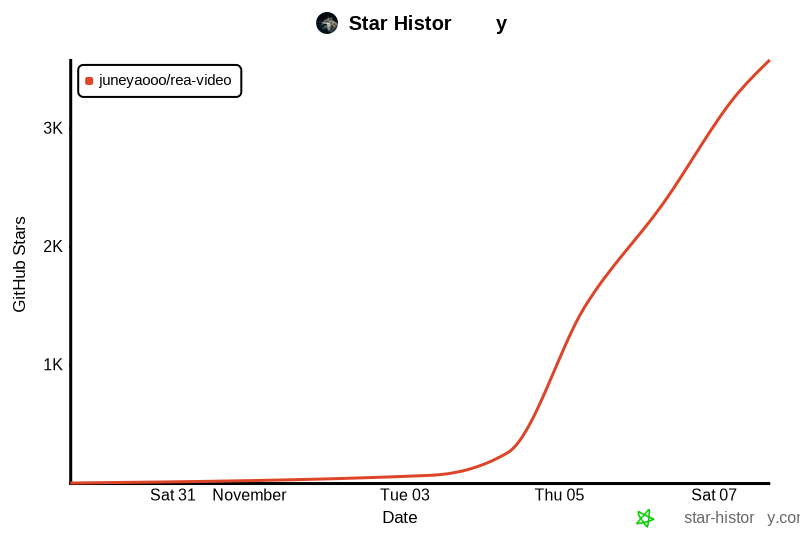](https://star-history.com/#JuneYaooo/rea-video&Date)diff --git a/README_en.md b/README_en.mdnew file mode 100644index 0000000..f4f9fe6--- /dev/null+++ b/README_en.md@@ -0,0 +1,180 @@+<div align="center">++# rea-video++Give it a video. It tells you, shot by shot, whether each shot was filmed, AI-generated, 3D-rendered or built with code, then gives you a plan to make one yourself.++[中文](README.md) | English++[](https://github.com/JuneYaooo/rea-video/stargazers)++++<img src="docs/cases/demo.gif" width="440" alt="Left: TikTok original shot on a phone; right: someone's AI remake with a different product">++Left: a TikTok ad shot on a phone. Right: someone's AI remake with a different product swapped in.<br>+rea-video's verdict: the left is all live footage, one set and two camera positions; the right is all AI-generated, and its 8 shots can be produced in 3 generations.++</div>++> The reports and detailed docs are currently in Chinese. Your agent can read them and answer in English.++## What it tells you++- Visuals: whether each shot is live footage, AI video, a talking-head avatar, 3D, 2D animation, code/template, screen recording or a pan-and-zoom on a still. For live footage it also works out framing, camera, lighting and color grade.+- Assets: which parts are real material (screen recordings, screenshots, product photos) that you'll need to supply yourself.+- Audio: human or AI voice-over, AI-generated or library music, BPM and key, and when each sound effect hits.+- Remake plan: which shots go to a video model (with prompts, and consecutive shots grouped into one generation), which need to be filmed (how many setups, how to light them), and which can be done in code.++Every call comes with evidence you can check. When it isn't sure, it says so.++## Quick start++rea-video is built for AI agents. In Claude Code, Codex or any agent that can run commands, say:++```text+Install https://github.com/JuneYaooo/rea-video, then break down this video: /path/to/video.mp4+```++The agent installs the CLI, learns the workflow and runs the whole thing. You need ffmpeg and Python 3.10+.++You get:++- a one-line summary, e.g. "41% AI video + 59% code UI, 8 s of real screen recording, library music at 122 BPM";+- a remake plan, split into what to film, what to generate and what to code;+- a full `report.html` with per-shot frames, evidence, prompts, camera and lighting notes, and the audio breakdown.++A vision model (Gemini, GPT-4o, Doubao, Qwen-VL, etc.) is recommended: give the agent the endpoint and key. It makes live/AI/3D calls more accurate and writes a reverse-engineered prompt for every shot. Without one it still works; if your agent can see images, it will check the uncertain shots itself.++To run commands yourself, see [docs/cli.md](docs/cli.md). For how to film, generate and reassemble after you get the report, see [docs/replicate.md](docs/replicate.md).++## Examples++<table>+<tr>+<td width="50%" valign="top">+<a href="docs/cases.md#2-混合片ai-人物对话--代码界面--真实录屏"><img src="docs/cases/dual_role/storyboard.jpg"></a><br>+<b>Mixed-media clip</b> · 19 s · 10 shots<br>+AI characters talking + code-built UI + 8 s of real screen recording. The 5 dialogue shots are split up by UI segments but share one set, so one generation covers them.<br>+<a href="docs/cases/videos/dual_role.mp4">Video</a> · <a href="docs/cases/dual_role/report.md">Report</a>+</td>+<td width="50%" valign="top">+<a href="docs/cases.md#3-3d-科普片咸鸭蛋为什么会流油"><img src="docs/cases/salted_egg/storyboard.jpg"></a><br>+<b>3D explainer</b> · 67 s · 21 shots<br>+All 3D, AI narration. Doable as 10 video generations, or have an LLM write Blender / Three.js code.<br>+<a href="docs/cases/videos/salted_egg.mp4">Video</a> · <a href="docs/cases/salted_egg/report.md">Report</a>+</td>+</tr>+<tr>+<td width="50%" valign="top">+<a href="docs/cases.md#4-代码-ui-动效产品宣传片"><img src="docs/cases/v10/storyboard.jpg"></a><br>+<b>Product promo</b> · 70 s · 12 shots<br>+83% code-driven motion graphics, 12% screen recording. No video model needed; one Remotion project does it.<br>+<a href="docs/cases/videos/v10_oiioii_gen_coding_first.mp4">Video</a> · <a href="docs/cases/v10/report.md">Report</a>+</td>+<td width="50%" valign="top">+<a href="docs/cases.md#5-ai-音乐-mv歌是-ai-写的还是曲库的"><img src="docs/cases/qing_mv/preview.jpg"></a><br>+<b>AI music video</b> · 165 s · 86 shots<br>+Correctly flags the song as AI-generated (it was made with Suno). The vision model called some shots "live-action drama"; the agent spotted fake Chinese characters on a scroll and ruled them AI.<br>+<a href="docs/cases/videos/qing_mv.mp4">Video</a> · <a href="docs/cases/qing_mv/report.md">Report</a>+</td>+</tr>+</table>++Shot-by-shot details for every case, including the juicer clip above and its prompts, are in [docs/cases.md](docs/cases.md).++## Accuracy++How-it-was-made accuracy, weighted by shot duration:++| | Tuning set (15) | Holdout (16) | Re-encoded WeChat videos (10) |+|---|---|---|---|+| Tools only (offline, free) | 99.9% | 99.6% / 99.8% | 88.6% |+| + vision model (Gemini) | — | 99.6% / 99.8% | 99.6% |+| + agent visual review | — | 99.6% / 99.8% | 100% |++On original files the tools alone are mostly enough. Videos downloaded from platforms have been recompressed, which wipes out the noise evidence, so it takes a vision check to get back above 99%. Real-asset detection is 97–99%, and shot boundaries are all correct. Numbers and how to reproduce them: [eval/RESULTS.md](eval/RESULTS.md).++<details>+<summary>Known weak spots</summary>++- Small sample: 43 labeled videos, only 5 of them live footage. No eval videos yet for avatars, 2D animation, stop-motion or AI edits on live footage.+- The newer lighting setups (outdoor, low-key, high-key, colored ambient, product still life) and grade styles have only been tested on synthetic images; thresholds still need calibrating on real video. Lighting overall has been checked on just 2 talking-head videos.+- 2D animation, stop-motion and AI edits rely entirely on vision. Without a vision model, and with an agent that can't see images, they won't be detected.+- Stock live footage can't be told apart from your own; green-screen keying only shows up visually.+- Live vs AI is hardest on compressed video. Vision models get it wrong and sometimes invent reasons (on the juicer original it claimed "the wall clock digits are garbled"; they're perfectly clear). When tools and the model disagree, the shot is flagged for agent review, but the final call rests on vision.+- Live footage shot at 24fps on a cinema or mirrorless camera and exported at 30fps leaves the same frame-cadence trace as AI video, so with tools only it's marked uncertain until a vision check.+- AI vs library music: currently 2 of 5 correct.+- The "how many generations" split in the remake plan is a recommendation; usually you can't tell how the original creator actually split it.++</details>++## How it works++++1. Split: cut the video into shots and separate audio into voice, music and effects.+2. Gather evidence: measure the frames (frame cadence, sensor noise, whether the whole image is panning as one plane, AIGC tags in metadata); look at the images (hands, text, physics); listen (BPM, key, singing vs speech).+3. Decide: hard evidence like AIGC tags and frame cadence outranks "looks like". Conflicts are flagged for the agent to review visually.+4. Plan the remake: batch shots according to what the target video model can actually do, such as max clip length, multi-shot support and how many reference images it takes.++Detection rules: [docs/decompose.md](docs/decompose.md). Full list of what it detects: [docs/what-it-detects.md](docs/what-it-detects.md).++## FAQ++<details>+<summary>How is this different from one-click remake tools like Hypit?</summary>++[Hypit](https://github.com/hypit-ai/hypit) aims to produce a new video directly: give it a reference, swap in your content, render. rea-video first works out how the original was made, then tells you which parts to film, generate or code. If you want a lookalike fast, Hypit is quicker. If you want to know how the original was made and how to remake it with the fewest generations, use rea-video. They work fine together.++| | Hypit | rea-video |+|---|---|---|+| Main output | A new video | Breakdown report and remake plan; renders with capsule-cinema |+| Understanding the source | Agent reads frame grids and writes an analysis | Measures frames first (cadence, noise, metadata, OCR), then vision; every call has evidence and a confidence level |+| Live vs AI | No dedicated step | Per-shot call across 10 production types, evaluated on 43 labeled videos |+| Live shots | — | Shooting plan: setups, camera positions, lighting, gear |+| Audio | Follows the voice-over and aligns to the script | Separates voice, music, effects; measures BPM and key, judges music source |++More detail (in Chinese): [docs/vs-hypit.md](docs/vs-hypit.md), based on Hypit's main branch as of 2026-10-29.++</details>++<details>+<summary>Do I need a vision model? What does it cost?</summary>++No. Tools-only mode is offline and free, and already accurate on original files. For recompressed platform downloads, add a vision model or use an agent that can see images; you pay whatever that service charges. Automatic video generation (capsule-cinema) does a free dry run first and only calls paid models after you confirm.++</details>++<details>+<summary>Can it remake the whole video automatically?</summary>++Partly. With [capsule-cinema](https://github.com/JuneYaooo/cheap-claude-video) installed, AI shots are generated and placed back on the original timeline automatically. Live shots you film from the shooting plan; code shots the agent writes as a Remotion project. See [docs/replicate.md](docs/replicate.md).++</details>++<details>+<summary>Can I just repost someone else's video?</summary>++No. rea-video is for learning a video's structure, pacing and techniques, then remaking it with material you have the rights to. Don't reuse other people's footage, music, characters or likeness. Follow platform rules and local AI-content labeling requirements when you publish.++</details>++## Docs++- [docs/what-it-detects.md](docs/what-it-detects.md): everything it detects (10 visual types, camera, lighting, grade, audio)+- [docs/replicate.md](docs/replicate.md): remaking from the report+- [docs/cases.md](docs/cases.md): case details+- [docs/cli.md](docs/cli.md): CLI usage and capsule-cinema integration+- [capabilities/](capabilities/README.md): capability tables for video / image / audio models, used to pick models for the remake plan+- [eval/RESULTS.md](eval/RESULTS.md): eval results++The docs are in Chinese for now.++## Credits and community++Inspired by [REA (Reverse Engineer Anything)](https://github.com/morluto/rea): trace from what you see back to how it was made, back every claim with evidence, and verify by measurement.++Questions, breakdowns and remake ideas are welcome in [Issues](https://github.com/JuneYaooo/rea-video/issues).++[](https://star-history.com/#JuneYaooo/rea-video&Date)diff --git a/capabilities/routing.yaml b/capabilities/routing.yamlindex 55ff3a6..3573e4f 100644--- a/capabilities/routing.yaml+++ b/capabilities/routing.yaml@@ -31,6 +31,9 @@ signals:reusable_footage: {detected_by: [], desc: 用户自有素材可直接复用}still_image_motion: {detected_by: [analyze.camera_motion], desc: 整帧是一张静态图做推拉摇移(Ken Burns),可测出缩放/平移参数}static_hold: {detected_by: [analyze.shot_boundary], desc: 静帧定格(图片或卡片停留)}+ anim_2d: {detected_by: [analyze.video_understanding], desc: 2D 动画(手绘逐帧、Live2D、AE/Spine 角色动画),工具测不出,靠看图}+ stop_motion: {detected_by: [analyze.video_understanding], desc: 定格动画(实物/黏土/纸偶逐帧拍摄),工具测不出,靠看图}+ ai_edited_footage: {detected_by: [analyze.video_understanding], desc: 实拍画面被 AI 二次加工(换脸、对口型、风格化、换装、换背景)}# ---------------------------------------------------------------- 拆分segmentation:@@ -194,6 +197,22 @@ rules:prefer: [gpt-image-2.5, seedream-5.0, ffmpeg]verify: [perceptual_similarity]+ - id: R19-2d-animation+ layer: base+ when: [anim_2d]+ route: [image.t2i, video.i2v_first_last, video.multi_reference]+ prefer: [kling-3.0, seedance-2.5, vidu-q3]+ verify: [identity_consistency, perceptual_similarity]+ why: 先用图像模型定角色和画风(一张设定图),再首尾帧生成;要逐帧精确的口型和动作时,改走 AE / Live2D / Spine 工程++ - id: R20-stop-motion+ layer: base+ when: [stop_motion]+ route: [video.i2v_first_frame]+ prefer: [kling-3.0, seedance-2.5, vidu-q3]+ verify: [perceptual_similarity]+ why: 首选真的拍:手机固定 + 定格 App 每秒 12 张;AI 生成只能近似定格的顿挫感,提示词写明 stop-motion、12fps+- id: R16-dialogue-coupledlayer: basewhen: [dialogue_coupled]diff --git a/docs/cases.md b/docs/cases.mdnew file mode 100644index 0000000..4b635ca--- /dev/null+++ b/docs/cases.md@@ -0,0 +1,98 @@+# 案例++5 条都是开着看图模型跑完整流程的结果,有分歧的镜头都经过 agent 看图复核。拼帧图里每格是一个镜头,色条写着制作方式、把握程度和时间;完整报告里有每个镜头的证据、提示词和复刻方案。++## 1. 原片 vs AI 复刻:TikTok 实拍 → 换产品重做++21 秒 · 原片 11 镜 / 复刻版 8 镜++++▶ [TikTok 原片](cases/videos/v11_tiktok_original.mp4) · [AI 复刻版](cases/videos/v12_oiioii_juicer_remake.mp4) · 完整报告:[原片](cases/v11/report.md) · [复刻版](cases/v12/report.md)++| | 原片 | AI 复刻版 |+|---|---|---|+| 怎么做的 | 全部手机实拍,真人口播 | 全部 AI 生成(文件里带 AIGC 标识),AI 配音 |+| 怎么重做 | 1 个场景、2 个机位,一张台面一次拍完 | 8 个镜头合并成 3 次视频模型生成,附提示词 |+| 要准备什么 | 产品实物 | 产品参考图(杯身 Logo 要清楚) |++怎么做的:++- 原片是手机第一视角实拍:原生 30fps,有传感器噪点,真人口播带现场声。+- 复刻版是 OiiOii 拿原片当参考、换成摩飞榨汁杯后用视频模型重做的:文件带 AIGC 标识,杯身 Logo 是乱码,配音是 AI 男声。场景、机位和跳切节奏都沿用了原片。++怎么重做:++- 原片按拍摄来组织:1 个场景、2 个机位(近景 7 镜、特写 4 镜),每条前后多留 1 秒。+- 复刻版按生成来组织:8 个镜头合并成 3 次生成(备料、搅打、倒出和成品),每次附产品参考图和原片片段,下一次用上一次的最后一帧开头。选不支持多镜头的模型(Seedance 2.0)要生成 8 次,换 Seedance 2.5 只要 3 次。++第一次生成的提示词(节选,报告里有完整版和英文版):++```text+竖屏 9:16;正面柔光,偏冷,背景虚化。产品外观以 @图片1 为准,Logo 和细节保持一致。参考 @视频1 的动作、运镜和剪辑节奏。镜头之间硬切。+镜头1(0.0–1.8s):固定俯拍机位,大理石桌面上放着蓝色便携榨汁杯,一只手将一透明盒新鲜红草莓轻轻放在榨汁杯右侧,随后手移出画面+镜头2(1.8–2.8s):手松开,几颗草莓掉落进下方的蓝色榨汁杯中,镜头保持固定+镜头3(2.8–3.7s):一只手将切块的绿色猕猴桃松开,猕猴桃块掉入杯中,杯子里已经有红色的草莓块+镜头4(3.7–6.2s):一只手拿着白色塑料瓶,将牛奶平稳地倒入榨汁杯中,杯中液面逐渐上升+镜头5(6.2–9.0s):手将杯盖扣紧并旋紧,随后单手拿起杯身完全倒转,杯中水果与牛奶向下沉降+```++## 2. 混合片:AI 人物对话 + 代码界面 + 真实录屏++19 秒 · 10 镜++++▶ [原视频](cases/videos/dual_role.mp4) · [完整报告](cases/dual_role/report.md)++怎么做的:两个 AI 生成的角色在客厅里你一句我一句(5 镜),中间穿插 5 段代码做的界面,里面有 8.2 秒真实录屏和 4.8 秒截图;标题和字幕是后期加的。++怎么重做:5 个对话镜头虽然被界面隔开,但在同一个场景,一次生成就够(用两张角色参考图锁定长相),剪辑时再把界面插回去。5 段界面写成 1 个 Remotion 代码工程,录屏和截图用你自己的。++## 3. 3D 科普片:咸鸭蛋为什么会流油++67 秒 · 21 镜++++▶ [原视频](cases/videos/salted_egg.mp4) · [完整报告](cases/salted_egg/report.md)++怎么做的:21 个镜头全是 3D 渲染(毛绒小动物角色 + 剖面原理动画),AI 女声旁白,曲库配乐,45% 的剪辑点卡在节拍上(随机剪大约 25%)。++怎么重做,有两条路:++- 交给视频模型:21 个镜头合并成 10 次生成。+- 让大模型写 Blender 或 Three.js 代码:角色只建一次模,每个镜头设好机位渲染,多角度一致性最好,改文案也只是改代码。这类科普片现在已经可以由大模型生成。++## 4. 代码 UI 动效:产品宣传片++70 秒 · 12 镜++++▶ [原视频](cases/videos/v10_oiioii_gen_coding_first.mp4) · [完整报告](cases/v10/report.md)++怎么做的:OiiOii「视频复刻」功能的宣传片。83% 是代码做的动效(界面透视、文字缓动、粒子 Logo),12% 是录屏,1 镜是截图推拉;界面里播放的视频、Logo、截图是嵌入的真实素材。++怎么重做:不需要视频模型。写成 1 个 Remotion 代码工程,文字和界面完全可控,改文案只改数据,可以直接让大模型写。录屏用你自己的界面录。++## 5. AI 音乐 MV:歌是 AI 写的还是曲库的++165 秒 · 86 镜++++(图为前 24 镜)▶ [原视频](cases/videos/qing_mv.mp4) · [完整报告(86 镜)](cases/qing_mv/report.md)++怎么做的:一首 AI 生成的说唱,画面全是生成的。++- 画面构成:白须老者对着麦克风对口型的数字人 16%,清代场景的 AI 视频 52%,3D 风格镜头 15%,静图推拉 17%。+- 音乐判为 AI 生成:整首不间断,人声是唱的,和视频同时结束。这条实际是 Suno 做的,判对了。+- 看图模型把好几个镜头说成「影视剧实拍」;agent 看图发现奏折上的小字是不成字的伪汉字,确认是 AI 生成。++怎么重做:++- 先按风格和 BPM 用 Suno 生成歌。+- 对口型镜头用人像 + 歌声驱动数字人。+- 其余 AI 镜头合并成 34 次生成。+- 19 个静图推拉镜头在本地做,不用调模型。diff --git a/docs/cases/demo.gif b/docs/cases/demo.gifnew file mode 100644index 0000000..e44e366Binary files /dev/null and b/docs/cases/demo.gif differdiff --git a/docs/cases/dual_role/report.md b/docs/cases/dual_role/report.mdindex 20bd17c..e6d04c9 100644--- a/docs/cases/dual_role/report.md+++ b/docs/cases/dual_role/report.md@@ -4,7 +4,7 @@- 时长 19.042s · 1080×1920 · 24.0fps · 9:16- 镜头 10 个,平均 1.9s;转场:cut×9、start×1-- 判断置信度(按时长加权):75%;判定方式:确定性取证 + VLM 融合+- 判断置信度(按时长加权):74%;判定方式:确定性取证 + VLM 融合- VLM 已生效(gemini-3.1-pro-preview,gemini-3.1-pro-preview-pc,gcp-gemini-3-pro-preview);由 claude 看图复核 1/10 个镜头,已并入结论@@ -73,6 +73,7 @@ Shot 5 (5.2-7.9s): Audio-driven avatar from image, lip sync, slight head movemen- 机位:固定机位(三脚架/支架/放在桌上) 66%、移动机位(稳定器/手持平移) 34%- 打光:夜景/弱光环境光,没有专门补光。主光 正面(光从镜头方向来,主体两侧亮度接近),从下往上(屏幕/桌面反光/低位光源);光比 约 1.3:1(相差 0.4 档);中等柔度;色温偏冷(日光/冷白 LED);主体下半部偏亮:可能有来自下方的光(屏幕、桌面反光);主体和背景色温不一致:混合光源(例如暖色灯 + 冷色窗光/屏幕);背景略虚- (画面不是实拍:以上是画面里的光影,用于写生成提示词,不是拍摄方案)+- 调色:自然(接近原色);饱和度正常、对比正常、黑位正常、整体中性- 剪辑:每分钟 28.4 刀,平均镜头 1.9s;没有实拍镜头| 维度 | 项目 | 结论 | 来源 |@@ -94,6 +95,7 @@ Shot 5 (5.2-7.9s): Audio-driven avatar from image, lip sync, slight head movemen| 打光 | 色温 | 偏冷(日光/冷白 LED) | 测量:偏冷(日光/冷白 LED);VLM:暖 || 打光 | 布光方案 | 左前方柔光主灯 + 背景暖色台灯点缀 | VLM:左前方柔光主灯 + 背景暖色台灯点缀 || 打光 | 整体布光 | 温馨的居家夜间暖调照明,背景有台灯点缀暖光源,人物面部有大面积柔光箱打出通透柔和的主光 | VLM:温馨的居家夜间暖调照明,背景有台灯点缀暖光源,人物面部有大面积柔光箱打出通透柔和的主光 |+| 调色 | 调色风格 | 自然(接近原色) | 测量:自然(接近原色) |- 说明:光比、软硬、色温、景别由主体像素测得(有人脸用人脸,没有用画面清晰区域,后者是估算);平台转码会压暗部,软硬和补光偏保守;机位角度、光源种类、眼神光、轮廓光以看图结果为准。测量和看图不一致时两者都列出。@@ -172,14 +174,14 @@ Shot 5 (5.2-7.9s): Audio-driven avatar from image, lip sync, slight head movemen| # | 时间 | 时长 | 底层画面 | 置信度 | 素材来源 | 叠加层 | 运镜 | 复刻路线 ||---|---|---|---|---|---|---|---|---|| 1 | 00:00.000 | 1.38s | 代码/模板渲染 | 92% | 混合(含真实素材):录屏素材 | — | 平滑运镜 | R01-code-graphics → code_render_spec |-| 2 | 00:01.375 | 1.46s | AI 生成视频 | 73% | AI 生成 | 文字、标题 | 固定(主体在动) | R07-product-hero → capsule_cinema |-| 3 | 00:02.833 | 1.04s | AI 生成视频 | 59% | AI 生成 | 文字、标题 | 固定(主体在动) | R07-product-hero → capsule_cinema |+| 2 | 00:01.375 | 1.46s | AI 生成视频 | 72% | AI 生成 | 文字、标题 | 固定(主体在动) | R07-product-hero → capsule_cinema |+| 3 | 00:02.833 | 1.04s | AI 生成视频 | 58% | AI 生成 | 文字、标题 | 固定(主体在动) | R07-product-hero → capsule_cinema || 4 | 00:03.875 | 1.96s | 代码/模板渲染 | 91% | 混合(含真实素材):录屏素材 | — | 平滑运镜 | R01-code-graphics → code_render_spec |-| 5 | 00:05.833 | 1.71s | AI 生成视频 | 73% | AI 生成 | 文字、标题 | 固定 | R07-product-hero → capsule_cinema |+| 5 | 00:05.833 | 1.71s | AI 生成视频 | 72% | AI 生成 | 文字、标题 | 固定 | R07-product-hero → capsule_cinema || 6 | 00:07.542 | 3.00s | 代码/模板渲染 | 99% | 混合(含真实素材):录屏素材 | — | 平滑运镜 | R01-code-graphics → code_render_spec || 7 | 00:10.542 | 1.00s | AI 生成视频 | 92% | AI 生成 | 文字、标题 | 固定(主体在动) | R07-product-hero → capsule_cinema |-| 8 | 00:11.542 | 1.92s | 代码/模板渲染 | 60% | 混合(含真实素材):录屏素材、界面截图 | — | 平滑运镜 | R01-code-graphics → code_render_spec |-| 9 | 00:13.458 | 2.67s | AI 生成视频 | 67% | AI 生成 | 字幕、标题 | 平滑运镜 | R07-product-hero → capsule_cinema |+| 8 | 00:11.542 | 1.92s | 代码/模板渲染 | 59% | 混合(含真实素材):录屏素材、界面截图 | — | 平滑运镜 | R01-code-graphics → code_render_spec |+| 9 | 00:13.458 | 2.67s | AI 生成视频 | 66% | AI 生成 | 字幕、标题 | 平滑运镜 | R07-product-hero → capsule_cinema || 10 | 00:16.125 | 2.92s | 代码/模板渲染 | 50% | 混合(含真实素材):界面截图 | — | 平滑运镜 | R01-code-graphics → code_render_spec |## 逐镜详情@@ -208,7 +210,7 @@ Shot 5 (5.2-7.9s): Audio-driven avatar from image, lip sync, slight head movemen-- 概率:AI 生成视频 73%,数字人口播 21%,3D 渲染 2%(fused)+- 概率:AI 生成视频 72%,数字人口播 21%,3D 渲染 2%(fused)- 素材来源:AI 生成- 可能的工具:Hailuo- 低照度画面:36% 的区域接近全黑但带颗粒(不是纯色底),亮部平坦块只有 0%、且有人脸:平坦块/少色是暗部被压缩造成的,不按渲染特征算@@ -231,7 +233,7 @@ Shot 5 (5.2-7.9s): Audio-driven avatar from image, lip sync, slight head movemen-- 概率:AI 生成视频 55%,实拍 38%,数字人口播 4%(fused)+- 概率:AI 生成视频 54%,实拍 38%,数字人口播 4%(fused)- 素材来源:AI 生成- 低照度画面:47% 的区域接近全黑但带颗粒(不是纯色底),亮部平坦块只有 0%、且有人脸:平坦块/少色是暗部被压缩造成的,不按渲染特征算- 纹理呈照片/视频特征:噪声 σ=0.38、用色 98 种、平坦块 8%@@ -253,7 +255,7 @@ Shot 5 (5.2-7.9s): Audio-driven avatar from image, lip sync, slight head movemen-- 概率:代码/模板渲染 91%,屏幕录制/截图 8%,3D 渲染 1%(fused)+- 概率:代码/模板渲染 90%,屏幕录制/截图 8%,3D 渲染 1%(fused)- 素材来源:混合(含真实素材):录屏素材- 录屏素材:浅色界面面板内有 10 处文字(其中 10 处小字号)- 可能的工具:剪映@@ -273,7 +275,7 @@ Shot 5 (5.2-7.9s): Audio-driven avatar from image, lip sync, slight head movemen-- 概率:AI 生成视频 73%,数字人口播 21%,3D 渲染 2%(fused)+- 概率:AI 生成视频 72%,数字人口播 21%,3D 渲染 2%(fused)- 素材来源:AI 生成- 可能的工具:Kling- 低照度画面:37% 的区域接近全黑但带颗粒(不是纯色底),亮部平坦块只有 0%、且有人脸:平坦块/少色是暗部被压缩造成的,不按渲染特征算@@ -338,7 +340,7 @@ Shot 5 (5.2-7.9s): Audio-driven avatar from image, lip sync, slight head movemen-- 概率:代码/模板渲染 60%,屏幕录制/截图 18%,3D 渲染 10%(fused)+- 概率:代码/模板渲染 59%,屏幕录制/截图 18%,3D 渲染 10%(fused)- 素材来源:混合(含真实素材):录屏素材、界面截图- 录屏素材:浅色界面面板内有 10 处文字(其中 10 处小字号)- 可能的工具:剪映@@ -358,7 +360,7 @@ Shot 5 (5.2-7.9s): Audio-driven avatar from image, lip sync, slight head movemen-- 概率:AI 生成视频 67%,实拍 17%,数字人口播 9%(fused)+- 概率:AI 生成视频 66%,实拍 16%,数字人口播 9%(fused)- 素材来源:AI 生成- 可能的工具:HeyGen / D-ID / 剪映数字人- 低照度画面:46% 的区域接近全黑但带颗粒(不是纯色底),亮部平坦块只有 0%、且有人脸:平坦块/少色是暗部被压缩造成的,不按渲染特征算@@ -378,7 +380,7 @@ Shot 5 (5.2-7.9s): Audio-driven avatar from image, lip sync, slight head movemen-- 概率:代码/模板渲染 50%,3D 渲染 26%,屏幕录制/截图 21%(fused)+- 概率:代码/模板渲染 50%,3D 渲染 25%,屏幕录制/截图 21%(fused)- 素材来源:混合(含真实素材):界面截图- 界面截图:浅色界面面板内有 30 处文字(其中 29 处小字号)- 可能的工具:剪映diff --git a/docs/cases/juicer_pair.jpg b/docs/cases/juicer_pair.jpgnew file mode 100644index 0000000..bb3c39aBinary files /dev/null and b/docs/cases/juicer_pair.jpg differdiff --git a/docs/cases/qing_mv/report.md b/docs/cases/qing_mv/report.mdindex 54d2524..482d7a0 100644--- a/docs/cases/qing_mv/report.md+++ b/docs/cases/qing_mv/report.md@@ -4,7 +4,7 @@- 时长 164.958s · 1080×1920 · 24.0fps · 9:16- 镜头 86 个,平均 1.92s;转场:cut×85、start×1-- 判断置信度(按时长加权):72%;判定方式:确定性取证 + VLM 融合+- 判断置信度(按时长加权):71%;判定方式:确定性取证 + VLM 融合- VLM 部分生效(gemini-3.1-pro-preview,gemini-3.1-pro-preview-pc,gcp-gemini-3-pro-preview:60/60 个镜头有结果,整片分析失败);由 claude 看图复核 9/86 个镜头,已并入结论@@ -680,6 +680,7 @@ Cinematic shot of an elderly Qing dynasty Chinese official in official robe sitt- 取景:景别 特写 55%、大特写 45%;机位角度 平视;主体是人脸(按脸高算景别)- 机位:固定机位(三脚架/支架/放在桌上) 57%、移动机位(稳定器/手持平移) 43%;常见运镜 拉- 打光:夜景/弱光环境光,没有专门补光。主光 画面右侧偏前方,从上往下(顶灯/路灯/高位光源);光比 约 1.5:1(相差 0.6 档);柔光(明暗过渡宽);色温中性(约 5000K);背景明显虚化(浅景深/人像模式)+- 调色:暗调低饱和(电影感);低饱和、对比正常、黑位正常、整体偏冷- 剪辑:每分钟 30.9 刀,实拍镜头平均 2.27s;机位/场景 5 个;同机位跳切 0 处、推近切 0 处;插入画面(截图/录屏/卡片/素材)占 84%;50% 的切点落在说话停顿处**复刻拍摄方案**@@ -710,6 +711,7 @@ Cinematic shot of an elderly Qing dynasty Chinese official in official robe sitt| 打光 | 可见光源 | 无 | VLM:无 || 打光 | 色温 | 中性(约 5000K) | 测量:中性(约 5000K);VLM:中性偏冷 || 打光 | 布光方案 | 左侧主灯柔光 + 右侧微弱轮廓光 | VLM:左侧主灯柔光 + 右侧微弱轮廓光 |+| 调色 | 调色风格 | 暗调低饱和(电影感) | 测量:暗调低饱和(电影感) |- 说明:光比、软硬、色温、景别由主体像素测得(有人脸用人脸,没有用画面清晰区域,后者是估算);平台转码会压暗部,软硬和补光偏保守;机位角度、光源种类、眼神光、轮廓光以看图结果为准。测量和看图不一致时两者都列出。@@ -814,92 +816,92 @@ Cinematic shot of an elderly Qing dynasty Chinese official in official robe sitt| # | 时间 | 时长 | 底层画面 | 置信度 | 素材来源 | 叠加层 | 运镜 | 复刻路线 ||---|---|---|---|---|---|---|---|---|-| 1 | 00:00.000 | 7.25s | 3D 渲染 | 48% | 制作方渲染 | 文字 | 平滑运镜 | R08-product-multiview → capsule_cinema |+| 1 | 00:00.000 | 7.25s | 3D 渲染 | 47% | 制作方渲染 | 文字 | 平滑运镜 | R08-product-multiview → capsule_cinema || 2 | 00:07.250 | 8.50s | 数字人口播 | 99% | AI 生成 | 字幕 | 固定 | R03-talking-head → capsule_cinema |-| 3 | 00:15.750 | 2.33s | 静态图 + 推拉动效 | 99% | 用户真实素材:真实照片 | 字幕、文字 | 整图推拉/平移 | R17-still-motion → local_ffmpeg |-| 4 | 00:18.083 | 1.38s | AI 生成视频 | 85% | AI 生成 | 文字 | 平滑运镜 | R07-product-hero → capsule_cinema |+| 3 | 00:15.750 | 2.33s | 静态图 + 推拉动效 | 98% | 用户真实素材:真实照片 | 字幕、文字 | 整图推拉/平移 | R17-still-motion → local_ffmpeg |+| 4 | 00:18.083 | 1.38s | AI 生成视频 | 84% | AI 生成 | 文字 | 平滑运镜 | R07-product-hero → capsule_cinema || 5 | 00:19.458 | 0.67s | 数字人口播 | 99% | AI 生成 | 字幕、图形贴片 | 平滑运镜 | R03-talking-head → capsule_cinema |-| 6 | 00:20.125 | 0.71s | 静态图 + 推拉动效 | 87% | AI 生成 | — | 整图推拉/平移 | R17-still-motion → local_ffmpeg |-| 7 | 00:20.833 | 0.67s | AI 生成视频 | 46% | AI 生成;复刻参考:人物/场景参考图 | — | 平滑运镜 | R07-product-hero → capsule_cinema |+| 6 | 00:20.125 | 0.71s | 静态图 + 推拉动效 | 86% | AI 生成 | — | 整图推拉/平移 | R17-still-motion → local_ffmpeg |+| 7 | 00:20.833 | 0.67s | AI 生成视频 | 45% | AI 生成;复刻参考:人物/场景参考图 | — | 平滑运镜 | R07-product-hero → capsule_cinema || 8 | 00:21.500 | 0.67s | AI 生成视频 | 98% | AI 生成 | — | 平滑运镜 | R07-product-hero → capsule_cinema |-| 9 | 00:22.167 | 0.71s | AI 生成视频 | 65% | AI 生成 | 图形贴片 | 平滑运镜 | R07-product-hero → capsule_cinema |-| 10 | 00:22.875 | 0.67s | 静态图 + 推拉动效 | 90% | 制作方渲染 | 图形贴片 | 整图推拉/平移 | R17-still-motion → local_ffmpeg |+| 9 | 00:22.167 | 0.71s | AI 生成视频 | 64% | AI 生成 | 图形贴片 | 平滑运镜 | R07-product-hero → capsule_cinema |+| 10 | 00:22.875 | 0.67s | 静态图 + 推拉动效 | 88% | 制作方渲染 | 图形贴片 | 整图推拉/平移 | R17-still-motion → local_ffmpeg || 11 | 00:23.542 | 0.67s | 静态图 + 推拉动效 | 93% | AI 生成 | — | 整图推拉/平移 | R17-still-motion → local_ffmpeg || 12 | 00:24.208 | 0.71s | 静态图 + 推拉动效 | 99% | 用户真实素材:真实照片、商品实拍图 | — | 整图推拉/平移 | R17-still-motion → local_ffmpeg |-| 13 | 00:24.917 | 0.67s | 3D 渲染 | 68% | 制作方渲染 | — | 平滑运镜 | R08-product-multiview → capsule_cinema |-| 14 | 00:25.583 | 0.67s | 3D 渲染 | 70% | 制作方渲染 | 图形贴片 | 平滑运镜 | R08-product-multiview → capsule_cinema |+| 13 | 00:24.917 | 0.67s | 3D 渲染 | 67% | 制作方渲染 | — | 平滑运镜 | R08-product-multiview → capsule_cinema |+| 14 | 00:25.583 | 0.67s | 3D 渲染 | 69% | 制作方渲染 | 图形贴片 | 平滑运镜 | R08-product-multiview → capsule_cinema || 15 | 00:26.250 | 0.67s | 静态图 + 推拉动效 | 99% | AI 生成 | — | 整图推拉/平移 | R17-still-motion → local_ffmpeg || 16 | 00:26.917 | 0.71s | 静态图 + 推拉动效 | 91% | AI 生成 | — | 整图推拉/平移 | R17-still-motion → local_ffmpeg || 17 | 00:27.625 | 0.33s | 静态图 + 推拉动效 | 99% | AI 生成 | — | 整图推拉/平移 | R17-still-motion → local_ffmpeg |-| 18 | 00:27.958 | 0.33s | 静态图 + 推拉动效 | 86% | AI 生成 | — | 整图推拉/平移 | R17-still-motion → local_ffmpeg |-| 19 | 00:28.292 | 0.33s | 3D 渲染 | 36% | 制作方渲染;复刻参考:商品参考图 | — | 平滑运镜 | R08-product-multiview → capsule_cinema |+| 18 | 00:27.958 | 0.33s | 静态图 + 推拉动效 | 85% | AI 生成 | — | 整图推拉/平移 | R17-still-motion → local_ffmpeg |+| 19 | 00:28.292 | 0.33s | 3D 渲染 | 35% | 制作方渲染;复刻参考:商品参考图 | — | 平滑运镜 | R08-product-multiview → capsule_cinema || 20 | 00:28.625 | 0.38s | 静态图 + 推拉动效 | 99% | AI 生成 | — | 整图推拉/平移 | R17-still-motion → local_ffmpeg |-| 21 | 00:29.000 | 2.62s | AI 生成视频 | 86% | AI 生成 | 字幕 | 平滑运镜 | R07-product-hero → capsule_cinema |+| 21 | 00:29.000 | 2.62s | AI 生成视频 | 85% | AI 生成 | 字幕 | 平滑运镜 | R07-product-hero → capsule_cinema || 22 | 00:31.625 | 0.54s | AI 生成视频 | 82% | AI 生成 | 文字 | 平滑运镜 | R07-product-hero → capsule_cinema |-| 23 | 00:32.167 | 2.46s | AI 生成视频 | 82% | AI 生成 | 文字 | 平滑运镜 | R07-product-hero → capsule_cinema |-| 24 | 00:34.625 | 2.04s | AI 生成视频 | 50% | AI 生成 | 文字 | 平滑运镜 | R07-product-hero → capsule_cinema |-| 25 | 00:36.667 | 2.88s | AI 生成视频 | 81% | AI 生成 | 文字 | 平滑运镜 | R07-product-hero → capsule_cinema |+| 23 | 00:32.167 | 2.46s | AI 生成视频 | 80% | AI 生成 | 文字 | 平滑运镜 | R07-product-hero → capsule_cinema |+| 24 | 00:34.625 | 2.04s | AI 生成视频 | 49% | AI 生成 | 文字 | 平滑运镜 | R07-product-hero → capsule_cinema |+| 25 | 00:36.667 | 2.88s | AI 生成视频 | 80% | AI 生成 | 文字 | 平滑运镜 | R07-product-hero → capsule_cinema || 26 | 00:39.542 | 0.71s | AI 生成视频 | 63% | AI 生成 | — | 平滑运镜 | R07-product-hero → capsule_cinema |-| 27 | 00:40.250 | 2.62s | AI 生成视频 | 52% | AI 生成 | 字幕 | 平滑运镜 | R07-product-hero → capsule_cinema |+| 27 | 00:40.250 | 2.62s | AI 生成视频 | 50% | AI 生成 | 字幕 | 平滑运镜 | R07-product-hero → capsule_cinema || 28 | 00:42.875 | 0.71s | 数字人口播 | 89% | AI 生成 | 文字 | 平滑运镜 | R03-talking-head → capsule_cinema || 29 | 00:43.583 | 1.21s | AI 生成视频 | 43% | AI 生成 | 文字 | 平滑运镜 | R07-product-hero → capsule_cinema || 30 | 00:44.792 | 0.62s | AI 生成视频 | 99% | AI 生成 | — | 平滑运镜 | R07-product-hero → capsule_cinema |-| 31 | 00:45.417 | 1.54s | AI 生成视频 | 77% | AI 生成 | 文字 | 平滑运镜 | R07-product-hero → capsule_cinema |-| 32 | 00:46.958 | 0.62s | AI 生成视频 | 50% | AI 生成 | 文字 | 平滑运镜 | R07-product-hero → capsule_cinema |+| 31 | 00:45.417 | 1.54s | AI 生成视频 | 76% | AI 生成 | 文字 | 平滑运镜 | R07-product-hero → capsule_cinema |+| 32 | 00:46.958 | 0.62s | AI 生成视频 | 49% | AI 生成 | 文字 | 平滑运镜 | R07-product-hero → capsule_cinema || 33 | 00:47.583 | 0.62s | 静态图 + 推拉动效 | 99% | AI 生成 | 文字 | 平滑运镜 | R17-still-motion → local_ffmpeg |-| 34 | 00:48.208 | 0.58s | 数字人口播 | 91% | AI 生成 | 文字 | 平滑运镜 | R03-talking-head → capsule_cinema |+| 34 | 00:48.208 | 0.58s | 数字人口播 | 90% | AI 生成 | 文字 | 平滑运镜 | R03-talking-head → capsule_cinema || 35 | 00:48.792 | 1.58s | 数字人口播 | 99% | AI 生成 | 文字 | 固定(主体在动) | R03-talking-head → capsule_cinema || 36 | 00:50.375 | 3.08s | AI 生成视频 | 46% | AI 生成 | 字幕 | 平滑运镜 | R07-product-hero → capsule_cinema || 37 | 00:53.458 | 0.75s | AI 生成视频 | 63% | AI 生成 | 文字、图形贴片 | 平滑运镜 | R07-product-hero → capsule_cinema |-| 38 | 00:54.208 | 2.00s | AI 生成视频 | 61% | AI 生成 | 字幕 | 平滑运镜 | R07-product-hero → capsule_cinema |+| 38 | 00:54.208 | 2.00s | AI 生成视频 | 60% | AI 生成 | 字幕 | 平滑运镜 | R07-product-hero → capsule_cinema || 39 | 00:56.208 | 0.71s | AI 生成视频 | 98% | AI 生成 | — | 平滑运镜 | R07-product-hero → capsule_cinema |-| 40 | 00:56.917 | 1.50s | AI 生成视频 | 75% | AI 生成 | 字幕 | 平滑运镜 | R07-product-hero → capsule_cinema |-| 41 | 00:58.417 | 0.50s | AI 生成视频 | 42% | AI 生成 | 文字 | 平滑运镜 | R07-product-hero → capsule_cinema |+| 40 | 00:56.917 | 1.50s | AI 生成视频 | 74% | AI 生成 | 字幕 | 平滑运镜 | R07-product-hero → capsule_cinema |+| 41 | 00:58.417 | 0.50s | AI 生成视频 | 41% | AI 生成 | 文字 | 平滑运镜 | R07-product-hero → capsule_cinema || 42 | 00:58.917 | 0.58s | 数字人口播 | 98% | AI 生成 | 文字、图形贴片 | 平滑运镜 | R03-talking-head → capsule_cinema |-| 43 | 00:59.500 | 3.04s | AI 生成视频 | 85% | AI 生成 | 字幕 | 平滑运镜 | R07-product-hero → capsule_cinema |+| 43 | 00:59.500 | 3.04s | AI 生成视频 | 84% | AI 生成 | 字幕 | 平滑运镜 | R07-product-hero → capsule_cinema || 44 | 01:02.542 | 2.12s | AI 生成视频 | 81% | AI 生成 | 字幕 | 平滑运镜 | R07-product-hero → capsule_cinema || 45 | 01:04.667 | 0.71s | 数字人口播 | 98% | AI 生成 | 图形贴片 | 平滑运镜 | R03-talking-head → capsule_cinema |-| 46 | 01:05.375 | 1.79s | AI 生成视频 | 47% | AI 生成 | 文字 | 平滑运镜 | R07-product-hero → capsule_cinema |-| 47 | 01:07.167 | 3.38s | AI 生成视频 | 76% | AI 生成 | 字幕 | 平滑运镜 | R07-product-hero → capsule_cinema |+| 46 | 01:05.375 | 1.79s | AI 生成视频 | 46% | AI 生成 | 文字 | 平滑运镜 | R07-product-hero → capsule_cinema |+| 47 | 01:07.167 | 3.38s | AI 生成视频 | 73% | AI 生成 | 字幕 | 平滑运镜 | R07-product-hero → capsule_cinema || 48 | 01:10.542 | 1.25s | 数字人口播 | 94% | AI 生成 | 文字、图形贴片 | 平滑运镜 | R03-talking-head → capsule_cinema || 49 | 01:11.792 | 2.79s | 数字人口播 | 99% | AI 生成 | 字幕、图形贴片 | 固定(主体在动) | R03-talking-head → capsule_cinema || 50 | 01:14.583 | 2.71s | 数字人口播 | 99% | AI 生成 | 字幕 | 固定(主体在动) | R03-talking-head → capsule_cinema || 51 | 01:17.292 | 2.92s | 数字人口播 | 90% | AI 生成 | 字幕、图形贴片 | 平滑运镜 | R03-talking-head → capsule_cinema |-| 52 | 01:20.208 | 1.00s | AI 生成视频 | 54% | AI 生成 | — | 平滑运镜 | R07-product-hero → capsule_cinema |-| 53 | 01:21.208 | 4.25s | 数字人口播 | 97% | AI 生成 | 字幕 | 平滑运镜 | R03-talking-head → capsule_cinema |-| 54 | 01:25.458 | 1.67s | 3D 渲染 | 59% | 制作方渲染 | — | 平滑运镜 | R08-product-multiview → capsule_cinema |+| 52 | 01:20.208 | 1.00s | AI 生成视频 | 52% | AI 生成 | — | 平滑运镜 | R07-product-hero → capsule_cinema |+| 53 | 01:21.208 | 4.25s | 数字人口播 | 96% | AI 生成 | 字幕 | 平滑运镜 | R03-talking-head → capsule_cinema |+| 54 | 01:25.458 | 1.67s | 3D 渲染 | 58% | 制作方渲染 | — | 平滑运镜 | R08-product-multiview → capsule_cinema || 55 | 01:27.125 | 1.21s | AI 生成视频 | 81% | AI 生成 | 图形贴片 | 平滑运镜 | R07-product-hero → capsule_cinema |-| 56 | 01:28.333 | 2.42s | AI 生成视频 | 79% | AI 生成 | 文字 | 平滑运镜 | R07-product-hero → capsule_cinema |-| 57 | 01:30.750 | 0.67s | AI 生成视频 | 54% | AI 生成 | — | 平滑运镜 | R07-product-hero → capsule_cinema |-| 58 | 01:31.417 | 1.92s | AI 生成视频 | 91% | AI 生成 | 文字 | 平滑运镜 | R07-product-hero → capsule_cinema |+| 56 | 01:28.333 | 2.42s | AI 生成视频 | 77% | AI 生成 | 文字 | 平滑运镜 | R07-product-hero → capsule_cinema |+| 57 | 01:30.750 | 0.67s | AI 生成视频 | 53% | AI 生成 | — | 平滑运镜 | R07-product-hero → capsule_cinema |+| 58 | 01:31.417 | 1.92s | AI 生成视频 | 90% | AI 生成 | 文字 | 平滑运镜 | R07-product-hero → capsule_cinema || 59 | 01:33.333 | 0.67s | AI 生成视频 | 84% | AI 生成 | — | 平滑运镜 | R07-product-hero → capsule_cinema |-| 60 | 01:34.000 | 5.21s | AI 生成视频 | 54% | AI 生成 | 字幕 | 平滑运镜 | R07-product-hero → capsule_cinema |-| 61 | 01:39.208 | 1.12s | AI 生成视频 | 58% | AI 生成 | 文字 | 平滑运镜 | R07-product-hero → capsule_cinema |+| 60 | 01:34.000 | 5.21s | AI 生成视频 | 53% | AI 生成 | 字幕 | 平滑运镜 | R07-product-hero → capsule_cinema |+| 61 | 01:39.208 | 1.12s | AI 生成视频 | 57% | AI 生成 | 文字 | 平滑运镜 | R07-product-hero → capsule_cinema || 62 | 01:40.333 | 2.79s | AI 生成视频 | 38% | AI 生成 | 文字、图形贴片 | 手持晃动 | R07-product-hero → capsule_cinema |-| 63 | 01:43.125 | 3.00s | AI 生成视频 | 66% | AI 生成 | 字幕 | 平滑运镜 | R07-product-hero → capsule_cinema |-| 64 | 01:46.125 | 1.79s | AI 生成视频 | 80% | AI 生成 | 文字 | 平滑运镜 | R07-product-hero → capsule_cinema |-| 65 | 01:47.917 | 7.79s | AI 生成视频 | 61% | AI 生成 | 文字 | 平滑运镜 | R07-product-hero → capsule_cinema |-| 66 | 01:55.708 | 3.50s | 静态图 + 推拉动效 | 86% | 待确认;待确认是否真实:照片/图片素材 | — | 整图推拉/平移 | R17-still-motion → local_ffmpeg |-| 67 | 01:59.208 | 2.38s | 静态图 + 推拉动效 | 77% | 制作方渲染 | — | 整图推拉/平移 | R17-still-motion → local_ffmpeg |-| 68 | 02:01.583 | 0.71s | 静态图 + 推拉动效 | 84% | 制作方渲染 | — | 整图推拉/平移 | R17-still-motion → local_ffmpeg |-| 69 | 02:02.292 | 1.92s | 静态图 + 推拉动效 | 81% | 待确认;待确认是否真实:照片/图片素材 | 文字 | 整图推拉/平移 | R17-still-motion → local_ffmpeg |-| 70 | 02:04.208 | 0.62s | AI 生成视频 | 41% | AI 生成 | 文字 | 平滑运镜 | R07-product-hero → capsule_cinema |-| 71 | 02:04.833 | 0.62s | 3D 渲染 | 51% | 制作方渲染 | 文字 | 平滑运镜 | R08-product-multiview → capsule_cinema |-| 72 | 02:05.458 | 1.62s | AI 生成视频 | 85% | AI 生成 | — | 平滑运镜 | R07-product-hero → capsule_cinema |-| 73 | 02:07.083 | 2.12s | 3D 渲染 | 38% | 制作方渲染 | 文字 | 平滑运镜 | R08-product-multiview → capsule_cinema |-| 74 | 02:09.208 | 0.92s | 静态图 + 推拉动效 | 78% | 制作方渲染 | 文字、图形贴片 | 整图推拉/平移 | R17-still-motion → local_ffmpeg |-| 75 | 02:10.125 | 3.88s | AI 生成视频 | 60% | AI 生成 | 文字 | 平滑运镜 | R07-product-hero → capsule_cinema |-| 76 | 02:14.000 | 3.25s | AI 生成视频 | 62% | AI 生成 | 文字 | 平滑运镜 | R07-product-hero → capsule_cinema |-| 77 | 02:17.250 | 1.62s | AI 生成视频 | 63% | AI 生成 | 图形贴片 | 平滑运镜 | R07-product-hero → capsule_cinema |-| 78 | 02:18.875 | 3.46s | AI 生成视频 | 52% | AI 生成 | 文字 | 平滑运镜 | R07-product-hero → capsule_cinema |+| 63 | 01:43.125 | 3.00s | AI 生成视频 | 64% | AI 生成 | 字幕 | 平滑运镜 | R07-product-hero → capsule_cinema |+| 64 | 01:46.125 | 1.79s | AI 生成视频 | 79% | AI 生成 | 文字 | 平滑运镜 | R07-product-hero → capsule_cinema |+| 65 | 01:47.917 | 7.79s | AI 生成视频 | 60% | AI 生成 | 文字 | 平滑运镜 | R07-product-hero → capsule_cinema |+| 66 | 01:55.708 | 3.50s | 静态图 + 推拉动效 | 85% | 待确认;待确认是否真实:照片/图片素材 | — | 整图推拉/平移 | R17-still-motion → local_ffmpeg |+| 67 | 01:59.208 | 2.38s | 静态图 + 推拉动效 | 76% | 制作方渲染 | — | 整图推拉/平移 | R17-still-motion → local_ffmpeg |+| 68 | 02:01.583 | 0.71s | 静态图 + 推拉动效 | 83% | 制作方渲染 | — | 整图推拉/平移 | R17-still-motion → local_ffmpeg |+| 69 | 02:02.292 | 1.92s | 静态图 + 推拉动效 | 80% | 待确认;待确认是否真实:照片/图片素材 | 文字 | 整图推拉/平移 | R17-still-motion → local_ffmpeg |+| 70 | 02:04.208 | 0.62s | AI 生成视频 | 40% | AI 生成 | 文字 | 平滑运镜 | R07-product-hero → capsule_cinema |+| 71 | 02:04.833 | 0.62s | 3D 渲染 | 50% | 制作方渲染 | 文字 | 平滑运镜 | R08-product-multiview → capsule_cinema |+| 72 | 02:05.458 | 1.62s | AI 生成视频 | 83% | AI 生成 | — | 平滑运镜 | R07-product-hero → capsule_cinema |+| 73 | 02:07.083 | 2.12s | 3D 渲染 | 37% | 制作方渲染 | 文字 | 平滑运镜 | R08-product-multiview → capsule_cinema |+| 74 | 02:09.208 | 0.92s | 静态图 + 推拉动效 | 77% | 制作方渲染 | 文字、图形贴片 | 整图推拉/平移 | R17-still-motion → local_ffmpeg |+| 75 | 02:10.125 | 3.88s | AI 生成视频 | 59% | AI 生成 | 文字 | 平滑运镜 | R07-product-hero → capsule_cinema |+| 76 | 02:14.000 | 3.25s | AI 生成视频 | 60% | AI 生成 | 文字 | 平滑运镜 | R07-product-hero → capsule_cinema |+| 77 | 02:17.250 | 1.62s | AI 生成视频 | 62% | AI 生成 | 图形贴片 | 平滑运镜 | R07-product-hero → capsule_cinema |+| 78 | 02:18.875 | 3.46s | AI 生成视频 | 50% | AI 生成 | 文字 | 平滑运镜 | R07-product-hero → capsule_cinema || 79 | 02:22.333 | 0.71s | AI 生成视频 | 41% | AI 生成 | 文字、图形贴片 | 平滑运镜 | R07-product-hero → capsule_cinema |-| 80 | 02:23.042 | 0.96s | 静态图 + 推拉动效 | 69% | 制作方渲染 | 图形贴片 | 整图推拉/平移 | R17-still-motion → local_ffmpeg |-| 81 | 02:24.000 | 4.04s | 3D 渲染 | 61% | 制作方渲染 | 字幕 | 平滑运镜 | R08-product-multiview → capsule_cinema |-| 82 | 02:28.042 | 1.12s | AI 生成视频 | 50% | AI 生成 | 字幕 | 平滑运镜 | R07-product-hero → capsule_cinema |-| 83 | 02:29.167 | 2.83s | 静态图 + 推拉动效 | 77% | 待确认;待确认是否真实:照片/图片素材 | 文字 | 整图推拉/平移 | R17-still-motion → local_ffmpeg |-| 84 | 02:32.000 | 6.12s | 静态图 + 推拉动效 | 79% | 待确认;待确认是否真实:照片/图片素材 | — | 整图推拉/平移 | R17-still-motion → local_ffmpeg |-| 85 | 02:38.125 | 2.25s | 3D 渲染 | 45% | 制作方渲染 | 图形贴片 | 平滑运镜 | R08-product-multiview → capsule_cinema |-| 86 | 02:40.375 | 4.58s | 3D 渲染 | 47% | 制作方渲染 | — | 平滑运镜 | R08-product-multiview → capsule_cinema |+| 80 | 02:23.042 | 0.96s | 静态图 + 推拉动效 | 68% | 制作方渲染 | 图形贴片 | 整图推拉/平移 | R17-still-motion → local_ffmpeg |+| 81 | 02:24.000 | 4.04s | 3D 渲染 | 60% | 制作方渲染 | 字幕 | 平滑运镜 | R08-product-multiview → capsule_cinema |+| 82 | 02:28.042 | 1.12s | AI 生成视频 | 49% | AI 生成 | 字幕 | 平滑运镜 | R07-product-hero → capsule_cinema |+| 83 | 02:29.167 | 2.83s | 静态图 + 推拉动效 | 75% | 待确认;待确认是否真实:照片/图片素材 | 文字 | 整图推拉/平移 | R17-still-motion → local_ffmpeg |+| 84 | 02:32.000 | 6.12s | 静态图 + 推拉动效 | 77% | 待确认;待确认是否真实:照片/图片素材 | — | 整图推拉/平移 | R17-still-motion → local_ffmpeg |+| 85 | 02:38.125 | 2.25s | 3D 渲染 | 44% | 制作方渲染 | 图形贴片 | 平滑运镜 | R08-product-multiview → capsule_cinema |+| 86 | 02:40.375 | 4.58s | 3D 渲染 | 46% | 制作方渲染 | — | 平滑运镜 | R08-product-multiview → capsule_cinema |## 逐镜详情@@ -907,7 +909,7 @@ Cinematic shot of an elderly Qing dynasty Chinese official in official robe sitt-- 概率:3D 渲染 48%,代码/模板渲染 25%,AI 生成视频 18%(fused)+- 概率:3D 渲染 47%,代码/模板渲染 24%,AI 生成视频 17%(fused)- 素材来源:制作方渲染- 可能的工具:Midjourney + Kling/Hailuo- 纹理呈渲染特征:平坦色块 66%、95% 像素仅用 5 种颜色、横竖直边 19%@@ -952,7 +954,7 @@ Cinematic shot of an elderly Qing dynasty Chinese official in official robe sitt-- 概率:静态图 + 推拉动效 99%,实拍 0%,AI 生成视频 0%(fused)+- 概率:静态图 + 推拉动效 98%,实拍 1%,定格动画 0%(fused)- 静帧来源:photo- 素材来源:用户真实素材:真实照片- 可能的工具:剪映@@ -971,7 +973,7 @@ Cinematic shot of an elderly Qing dynasty Chinese official in official robe sitt-- 概率:AI 生成视频 85%,数字人口播 8%,3D 渲染 2%(fused)+- 概率:AI 生成视频 84%,数字人口播 8%,3D 渲染 2%(fused)- 素材来源:AI 生成- 可能的工具:Midjourney + Kling / Hailuo- 低照度画面:39% 的区域接近全黑但带颗粒(不是纯色底),亮部平坦块只有 1%、且有人脸:平坦块/少色是暗部被压缩造成的,不按渲染特征算@@ -991,7 +993,7 @@ Cinematic shot of an elderly Qing dynasty Chinese official in official robe sitt-- 概率:数字人口播 63%,AI 生成视频 35%,3D 渲染 1%(fused)+- 概率:数字人口播 64%,AI 生成视频 35%,3D 渲染 0%(fused)- 素材来源:AI 生成- 可能的工具:Midjourney + HeyGen/SadTalker/剪映数字人- 人脸占画面 30%、100% 的采样帧都有:是人物近景画面,平坦色块多来自墙面/衣服,渲染特征降权@@ -1009,7 +1011,7 @@ Cinematic shot of an elderly Qing dynasty Chinese official in official robe sitt-- 概率:静态图 + 推拉动效 87%,3D 渲染 6%,AI 生成视频 6%(fused)+- 概率:静态图 + 推拉动效 86%,3D 渲染 6%,AI 生成视频 6%(fused)- 静帧来源:ai_image- 素材来源:AI 生成- 可能的工具:Midjourney + 剪映@@ -1025,7 +1027,7 @@ Cinematic shot of an elderly Qing dynasty Chinese official in official robe sitt-- 概率:AI 生成视频 46%,3D 渲染 33%,实拍 8%(fused)+- 概率:AI 生成视频 45%,3D 渲染 32%,实拍 8%(fused)- 素材来源:AI 生成;复刻参考:人物/场景参考图- 可能的工具:剪映/PR 关键帧平移动效- [VLM] 木板纹理、木节、麻绳纤维及锈蚀铁钉细节高度真实@@ -1040,7 +1042,7 @@ Cinematic shot of an elderly Qing dynasty Chinese official in official robe sitt-- 概率:AI 生成视频 97%,3D 渲染 1%,静态图 + 推拉动效 1%(fused)+- 概率:AI 生成视频 97%,静态图 + 推拉动效 1%,3D 渲染 0%(fused)- 素材来源:AI 生成- 可能的工具:Midjourney (底图) + Kling / Runway Gen-2- [VLM] 画面呈现高度风格化的静物摄影质感,光影完美但缺乏真实物理细节(如纸张边缘厚度)@@ -1055,13 +1057,13 @@ Cinematic shot of an elderly Qing dynasty Chinese official in official robe sitt-- 概率:AI 生成视频 64%,3D 渲染 34%,实拍 0%(fused)+- 概率:AI 生成视频 64%,3D 渲染 34%,2D 动画 0%(fused)- 素材来源:AI 生成- 可能的工具:Kling/Runway/Hailuo- [VLM] 水波运动略显粘稠和形变,缺乏真实流体动力学的复杂高频细节- [VLM] 天空云层完全静止,仅水面局部运动,符合 AI 视频常见特征- 画面:黑白水面特写,波纹荡漾,带弧度地平线,阴沉天空,镜头固定。-- 拍法/打光:特写;平视;三脚架/支架固定;正面柔光(平光);主光正面(光从镜头方向来,主体两侧亮度接近);光比约 1.2:1(相差 0.3 档);柔光(几乎没有明暗分界)+- 拍法/打光:特写;平视;三脚架/支架固定;户外阴天/背阴处柔光;主光正面(光从镜头方向来,主体两侧亮度接近);光比约 1.2:1(相差 0.3 档);柔光(几乎没有明暗分界)- 复刻:原片为 AI 生成:取原镜头首尾帧做首尾帧生成,可高度还原构图与动作;换主体时先用图像模型改首帧- 首帧图像提示词:黑白摄影,水面波纹特写,微弧地平线,阴沉天空,极简,高对比。- 视频提示词:黑白画面,水面泛起涟漪,波纹缓缓推进,天空静止,镜头固定。@@ -1070,7 +1072,7 @@ Cinematic shot of an elderly Qing dynasty Chinese official in official robe sitt-- 概率:静态图 + 推拉动效 90%,3D 渲染 9%,实拍 1%(fused)+- 概率:静态图 + 推拉动效 88%,3D 渲染 10%,实拍 1%(fused)- 静帧来源:cg_3d- 素材来源:制作方渲染- 可能的工具:剪映@@ -1116,7 +1118,7 @@ Cinematic shot of an elderly Qing dynasty Chinese official in official robe sitt-- 概率:3D 渲染 67%,AI 生成视频 18%,实拍 14%(fused)+- 概率:3D 渲染 66%,AI 生成视频 18%,实拍 14%(fused)- 素材来源:制作方渲染- 可能的工具:Blender- [VLM] 极简三维暗黑灰调空间,无缝纯色渐变地面与雾气环境@@ -1194,7 +1196,7 @@ Cinematic shot of an elderly Qing dynasty Chinese official in official robe sitt-- 概率:静态图 + 推拉动效 86%,AI 生成视频 9%,屏幕录制/截图 2%(fused)+- 概率:静态图 + 推拉动效 85%,AI 生成视频 9%,屏幕录制/截图 2%(fused)- 静帧来源:ai_image- 素材来源:AI 生成- 可能的工具:Midjourney / Stable Diffusion@@ -1209,7 +1211,7 @@ Cinematic shot of an elderly Qing dynasty Chinese official in official robe sitt-- 概率:3D 渲染 36%,AI 生成视频 32%,实拍 19%(fused)+- 概率:3D 渲染 35%,AI 生成视频 31%,实拍 18%(fused)- 素材来源:制作方渲染;复刻参考:商品参考图- [VLM] 画面内容为静态图像,没有任何内部运动(如珠子的滚动、光影的变化等),这是still_motion的典型特征- [VLM] 提供的时间轴切片图(file_2.jpg)显示,在不同时间点,画面内容完全一致,仅通过推拉或平移来产生运动感@@ -1237,7 +1239,7 @@ Cinematic shot of an elderly Qing dynasty Chinese official in official robe sitt-- 概率:AI 生成视频 86%,3D 渲染 11%,实拍 3%(fused)+- 概率:AI 生成视频 85%,3D 渲染 10%,实拍 3%(fused)- 素材来源:AI 生成- 可能的工具:Midjourney + Kling/Runway- 逐帧清晰度呈周期性起伏(周期 2 帧,相关 0.36):画面经过插帧/帧率转换,原始帧率更低@@ -1275,7 +1277,7 @@ Cinematic shot of an elderly Qing dynasty Chinese official in official robe sitt-- 概率:AI 生成视频 82%,数字人口播 8%,实拍 5%(fused)+- 概率:AI 生成视频 80%,数字人口播 8%,实拍 5%(fused)- 素材来源:AI 生成- 可能的工具:Kling / Runway / Luma- 低照度画面:43% 的区域接近全黑但带颗粒(不是纯色底),亮部平坦块只有 0%、且有人脸:平坦块/少色是暗部被压缩造成的,不按渲染特征算@@ -1296,7 +1298,7 @@ Cinematic shot of an elderly Qing dynasty Chinese official in official robe sitt-- 概率:AI 生成视频 50%,实拍 35%,数字人口播 7%(fused)+- 概率:AI 生成视频 49%,实拍 34%,数字人口播 7%(fused)- 素材来源:AI 生成- 可能的工具:LivePortrait / SadTalker / HeyGen- 低照度画面:28% 的区域接近全黑但带颗粒(不是纯色底),亮部平坦块只有 2%、且有人脸:平坦块/少色是暗部被压缩造成的,不按渲染特征算@@ -1315,7 +1317,7 @@ Cinematic shot of an elderly Qing dynasty Chinese official in official robe sitt-- 概率:AI 生成视频 80%,3D 渲染 10%,实拍 9%(fused)+- 概率:AI 生成视频 80%,3D 渲染 9%,实拍 9%(fused)- 画面里物体上的字(不是后期字幕):光港流、光港海、光张、乖来染流库烧林子安、聚流摩烧林子安、项洗- 素材来源:AI 生成- 可能的工具:Kling@@ -1337,7 +1339,7 @@ Cinematic shot of an elderly Qing dynasty Chinese official in official robe sitt-- 概率:AI 生成视频 37%,实拍 29%,数字人口播 27%(fused)+- 概率:AI 生成视频 36%,实拍 29%,数字人口播 26%(fused)- 素材来源:AI 生成- 人脸占画面 25%、100% 的采样帧都有:是人物近景画面,平坦色块多来自墙面/衣服,渲染特征降权- 纹理呈照片/视频特征:噪声 σ=0.15、用色 35 种、平坦块 37%@@ -1357,7 +1359,7 @@ Cinematic shot of an elderly Qing dynasty Chinese official in official robe sitt-- 概率:AI 生成视频 50%,3D 渲染 26%,实拍 18%(fused)+- 概率:AI 生成视频 48%,3D 渲染 24%,实拍 21%(fused)- 画面里物体上的字(不是后期字幕):道枝憶花、杨况機光心、植税流横清热境福土文- 素材来源:AI 生成- 纹理呈渲染特征:平坦色块 34%、95% 像素仅用 25 种颜色、横竖直边 12%@@ -1381,7 +1383,7 @@ Cinematic shot of an elderly Qing dynasty Chinese official in official robe sitt-- 概率:数字人口播 67%,AI 生成视频 22%,代码/模板渲染 9%(fused)+- 概率:数字人口播 67%,AI 生成视频 22%,代码/模板渲染 8%(fused)- 素材来源:AI 生成- 可能的工具:LivePortrait / SadTalker / Midjourney- 人脸占画面 25%、100% 的采样帧都有:是人物近景画面,平坦色块多来自墙面/衣服,渲染特征降权@@ -1400,7 +1402,7 @@ Cinematic shot of an elderly Qing dynasty Chinese official in official robe sitt-- 概率:AI 生成视频 41%,实拍 33%,3D 渲染 21%(fused)+- 概率:AI 生成视频 41%,实拍 32%,3D 渲染 21%(fused)- 画面里物体上的字(不是后期字幕):文理太浅、臣遒枝槎协、臣枝槎说、治国之道趙挞挂播、治国之道趙洼、治国之道挞洼- 素材来源:AI 生成- [VLM] 手指皮肤纹理、指甲与褶皱极其逼真自然@@ -1422,7 +1424,7 @@ Cinematic shot of an elderly Qing dynasty Chinese official in official robe sitt-- 概率:AI 生成视频 86%,数字人口播 12%,实拍 1%(fused)+- 概率:AI 生成视频 86%,数字人口播 12%,实拍 0%(fused)- 画面里物体上的字(不是后期字幕):福- 素材来源:AI 生成- 可能的工具:Midjourney + Kling/Hailuo/Hedra@@ -1460,7 +1462,7 @@ Cinematic shot of an elderly Qing dynasty Chinese official in official robe sitt-- 概率:AI 生成视频 50%,实拍 35%,数字人口播 7%(fused)+- 概率:AI 生成视频 49%,实拍 34%,数字人口播 7%(fused)- 素材来源:AI 生成- 可能的工具:HeyGen / D-ID / SadTalker- 低照度画面:33% 的区域接近全黑但带颗粒(不是纯色底),亮部平坦块只有 3%、且有人脸:平坦块/少色是暗部被压缩造成的,不按渲染特征算@@ -1512,7 +1514,7 @@ Cinematic shot of an elderly Qing dynasty Chinese official in official robe sitt-- 概率:数字人口播 80%,AI 生成视频 19%,3D 渲染 1%(fused)+- 概率:数字人口播 80%,AI 生成视频 19%,3D 渲染 0%(fused)- 素材来源:AI 生成- 可能的工具:HeyGen/D-ID/剪映数字人 (底图可能来自 Midjourney)- 人脸占画面 21%、100% 的采样帧都有:是人物近景画面,平坦色块多来自墙面/衣服,渲染特征降权@@ -1532,7 +1534,7 @@ Cinematic shot of an elderly Qing dynasty Chinese official in official robe sitt-- 概率:AI 生成视频 44%,实拍 34%,3D 渲染 16%(fused)+- 概率:AI 生成视频 44%,实拍 35%,3D 渲染 16%(fused)- 素材来源:AI 生成- 纹理呈渲染特征:平坦色块 23%、95% 像素仅用 25 种颜色、横竖直边 21%- [VLM] 影视剧实拍摄影质感,群演与服装道具细节真实且具有自然动态@@ -1551,7 +1553,7 @@ Cinematic shot of an elderly Qing dynasty Chinese official in official robe sitt-- 概率:AI 生成视频 37%,实拍 29%,数字人口播 27%(fused)+- 概率:AI 生成视频 36%,实拍 29%,数字人口播 26%(fused)- 素材来源:AI 生成- 人脸占画面 24%、100% 的采样帧都有:是人物近景画面,平坦色块多来自墙面/衣服,渲染特征降权- 纹理呈照片/视频特征:噪声 σ=0.16、用色 37 种、平坦块 36%@@ -1572,7 +1574,7 @@ Cinematic shot of an elderly Qing dynasty Chinese official in official robe sitt-- 概率:AI 生成视频 59%,实拍 31%,3D 渲染 6%(fused)+- 概率:AI 生成视频 58%,实拍 32%,3D 渲染 6%(fused)- 素材来源:AI 生成- 低照度画面:50% 的区域接近全黑但带颗粒(不是纯色底),亮部平坦块只有 1%、且有人脸:平坦块/少色是暗部被压缩造成的,不按渲染特征算- 纹理呈照片/视频特征:噪声 σ=0.58、用色 41 种、平坦块 2%@@ -1593,7 +1595,7 @@ Cinematic shot of an elderly Qing dynasty Chinese official in official robe sitt-- 概率:AI 生成视频 78%,数字人口播 21%,实拍 1%(fused)+- 概率:AI 生成视频 78%,数字人口播 21%,实拍 0%(fused)- 画面里物体上的字(不是后期字幕):一、一- 素材来源:AI 生成- 可能的工具:Kling / Hailuo / Hedra (图生视频或音频驱动)@@ -1615,7 +1617,7 @@ Cinematic shot of an elderly Qing dynasty Chinese official in official robe sitt-- 概率:AI 生成视频 75%,3D 渲染 14%,实拍 4%(fused)+- 概率:AI 生成视频 73%,3D 渲染 13%,实拍 4%(fused)- 素材来源:AI 生成- 可能的工具:Kling/Runway/Hailuo- 纹理呈照片/视频特征:噪声 σ=0.46、用色 80 种、平坦块 6%@@ -1635,7 +1637,7 @@ Cinematic shot of an elderly Qing dynasty Chinese official in official robe sitt-- 概率:AI 生成视频 42%,实拍 28%,3D 渲染 17%(fused)+- 概率:AI 生成视频 41%,实拍 27%,3D 渲染 16%(fused)- 素材来源:AI 生成- 可能的工具:HeyGen/D-ID- 人脸占画面 45%、100% 的采样帧都有:是人物近景画面,平坦色块多来自墙面/衣服,渲染特征降权@@ -1655,7 +1657,7 @@ Cinematic shot of an elderly Qing dynasty Chinese official in official robe sitt-- 概率:数字人口播 97%,AI 生成视频 1%,实拍 1%(fused)+- 概率:数字人口播 97%,AI 生成视频 1%,3D 渲染 0%(fused)- 素材来源:AI 生成- 可能的工具:Hedra / D-ID- 人脸占画面 32%、100% 的采样帧都有:是人物近景画面,平坦色块多来自墙面/衣服,渲染特征降权@@ -1674,7 +1676,7 @@ Cinematic shot of an elderly Qing dynasty Chinese official in official robe sitt-- 概率:AI 生成视频 85%,数字人口播 8%,3D 渲染 2%(fused)+- 概率:AI 生成视频 84%,数字人口播 8%,3D 渲染 2%(fused)- 素材来源:AI 生成- 可能的工具:Kling / Hailuo- 低照度画面:45% 的区域接近全黑但带颗粒(不是纯色底),亮部平坦块只有 0%、且有人脸:平坦块/少色是暗部被压缩造成的,不按渲染特征算@@ -1694,7 +1696,7 @@ Cinematic shot of an elderly Qing dynasty Chinese official in official robe sitt-- 概率:AI 生成视频 81%,3D 渲染 18%,数字人口播 0%(fused)+- 概率:AI 生成视频 81%,3D 渲染 17%,2D 动画 1%(fused)- 素材来源:AI 生成- 可能的工具:Kling/Hailuo/Runway- 纹理呈渲染特征:平坦色块 34%、95% 像素仅用 27 种颜色、横竖直边 13%@@ -1711,7 +1713,7 @@ Cinematic shot of an elderly Qing dynasty Chinese official in official robe sitt-- 概率:数字人口播 97%,AI 生成视频 1%,3D 渲染 1%(fused)+- 概率:数字人口播 97%,AI 生成视频 1%,3D 渲染 0%(fused)- 素材来源:AI 生成- 可能的工具:HeyGen / D-ID / SadTalker / 剪映数字人- 人脸占画面 12%、100% 的采样帧都有:是人物近景画面,平坦色块多来自墙面/衣服,渲染特征降权@@ -1730,7 +1732,7 @@ Cinematic shot of an elderly Qing dynasty Chinese official in official robe sitt-- 概率:AI 生成视频 45%,实拍 30%,3D 渲染 19%(fused)+- 概率:AI 生成视频 43%,实拍 31%,3D 渲染 18%(fused)- 素材来源:AI 生成- 纹理呈渲染特征:平坦色块 35%、95% 像素仅用 27 种颜色、横竖直边 13%- [VLM] 泥土飞溅与挥锤劳作的物理动态极其真实无形变@@ -1749,7 +1751,7 @@ Cinematic shot of an elderly Qing dynasty Chinese official in official robe sitt-- 概率:AI 生成视频 46%,数字人口播 30%,实拍 16%(fused)+- 概率:AI 生成视频 44%,数字人口播 28%,实拍 19%(fused)- 素材来源:AI 生成- 人脸占画面 24%、100% 的采样帧都有:是人物近景画面,平坦色块多来自墙面/衣服,渲染特征降权- 纹理呈照片/视频特征:噪声 σ=0.12、用色 32 种、平坦块 40%@@ -1789,7 +1791,7 @@ Cinematic shot of an elderly Qing dynasty Chinese official in official robe sitt-- 概率:数字人口播 74%,AI 生成视频 25%,3D 渲染 1%(fused)+- 概率:数字人口播 74%,AI 生成视频 25%,3D 渲染 0%(fused)- 画面里物体上的字(不是后期字幕):2- 素材来源:AI 生成- 可能的工具:LivePortrait / SadTalker / Hedra@@ -1811,7 +1813,7 @@ Cinematic shot of an elderly Qing dynasty Chinese official in official robe sitt-- 概率:数字人口播 80%,AI 生成视频 19%,3D 渲染 1%(fused)+- 概率:数字人口播 80%,AI 生成视频 19%,3D 渲染 0%(fused)- 素材来源:AI 生成- 可能的工具:Midjourney (生成底图) + D-ID / HeyGen / SadTalker (音频驱动)- 人脸占画面 23%、100% 的采样帧都有:是人物近景画面,平坦色块多来自墙面/衣服,渲染特征降权@@ -1853,7 +1855,7 @@ Cinematic shot of an elderly Qing dynasty Chinese official in official robe sitt-- 概率:AI 生成视频 54%,实拍 28%,数字人口播 7%(fused)+- 概率:AI 生成视频 52%,实拍 28%,数字人口播 7%(fused)- 素材来源:AI 生成- 可能的工具:Midjourney (底图) + Hedra / HeyGen / 剪映数字人- 低照度画面:37% 的区域接近全黑但带颗粒(不是纯色底),亮部平坦块只有 6%、且有人脸:平坦块/少色是暗部被压缩造成的,不按渲染特征算@@ -1892,7 +1894,7 @@ Cinematic shot of an elderly Qing dynasty Chinese official in official robe sitt-- 概率:3D 渲染 59%,AI 生成视频 24%,代码/模板渲染 12%(fused)+- 概率:3D 渲染 58%,AI 生成视频 24%,代码/模板渲染 12%(fused)- 素材来源:制作方渲染- 可能的工具:Midjourney + 剪映- 纹理呈渲染特征:平坦色块 30%、95% 像素仅用 27 种颜色、横竖直边 8%@@ -1909,7 +1911,7 @@ Cinematic shot of an elderly Qing dynasty Chinese official in official robe sitt-- 概率:AI 生成视频 81%,3D 渲染 19%,数字人口播 0%(fused)+- 概率:AI 生成视频 80%,3D 渲染 18%,2D 动画 0%(fused)- 素材来源:AI 生成- 可能的工具:Kling/Runway- 逐帧清晰度呈周期性起伏(周期 5 帧,相关 0.56):画面经过插帧/帧率转换,原始帧率更低@@ -1918,7 +1920,7 @@ Cinematic shot of an elderly Qing dynasty Chinese official in official robe sitt- [VLM] 光影反射平滑完美,具AI质感- [VLM] 地平线弧度不自然- 画面:暗黑水面特写,水波荡漾,天空阴沉,镜头缓推。-- 拍法/打光:近景;平视略俯拍;稳定器 (模拟);侧前方主光 + 补光(标准布光);主光画面左侧偏前方;光比约 1.6:1(相差 0.6 档);柔光(明暗过渡宽)+- 拍法/打光:近景;平视略俯拍;稳定器 (模拟);户外阴天/背阴处柔光;主光画面左侧偏前方;光比约 1.6:1(相差 0.6 档);柔光(明暗过渡宽)- 复刻:原片为 AI 生成:取原镜头首尾帧做首尾帧生成,可高度还原构图与动作;换主体时先用图像模型改首帧- 首帧图像提示词:黑白暗黑风,波纹水面,阴沉天空,微光穿云,弧形地平线,极简电影感。- 视频提示词:黑白暗黑水面,水波缓荡,阴沉天空,光影随波流动,镜头缓推。@@ -1927,7 +1929,7 @@ Cinematic shot of an elderly Qing dynasty Chinese official in official robe sitt-- 概率:AI 生成视频 79%,实拍 8%,数字人口播 8%(fused)+- 概率:AI 生成视频 77%,实拍 8%,数字人口播 7%(fused)- 素材来源:AI 生成- 可能的工具:Kling- 低照度画面:62% 的区域接近全黑但带颗粒(不是纯色底),亮部平坦块只有 0%、且有人脸:平坦块/少色是暗部被压缩造成的,不按渲染特征算@@ -1948,7 +1950,7 @@ Cinematic shot of an elderly Qing dynasty Chinese official in official robe sitt-- 概率:AI 生成视频 54%,实拍 28%,数字人口播 7%(fused)+- 概率:AI 生成视频 53%,实拍 27%,数字人口播 7%(fused)- 素材来源:AI 生成- 可能的工具:LivePortrait / SadTalker / HeyGen- 低照度画面:44% 的区域接近全黑但带颗粒(不是纯色底),亮部平坦块只有 6%、且有人脸:平坦块/少色是暗部被压缩造成的,不按渲染特征算@@ -1966,7 +1968,7 @@ Cinematic shot of an elderly Qing dynasty Chinese official in official robe sitt-- 概率:AI 生成视频 90%,实拍 8%,3D 渲染 1%(fused)+- 概率:AI 生成视频 90%,实拍 8%,定格动画 0%(fused)- 素材来源:AI 生成- 可能的工具:Midjourney + Kling- 逐帧清晰度呈周期性起伏(周期 6 帧,相关 0.10):画面经过插帧/帧率转换,原始帧率更低@@ -1985,7 +1987,7 @@ Cinematic shot of an elderly Qing dynasty Chinese official in official robe sitt-- 概率:AI 生成视频 77%,实拍 16%,数字人口播 7%(fused)+- 概率:AI 生成视频 76%,实拍 15%,数字人口播 7%(fused)- 素材来源:AI 生成- 可能的工具:Midjourney + Kling- 低照度画面:21% 的区域接近全黑但带颗粒(不是纯色底),亮部平坦块只有 1%、且有人脸:平坦块/少色是暗部被压缩造成的,不按渲染特征算@@ -2003,7 +2005,7 @@ Cinematic shot of an elderly Qing dynasty Chinese official in official robe sitt-- 概率:AI 生成视频 46%,实拍 43%,数字人口播 7%(fused)+- 概率:AI 生成视频 46%,实拍 42%,数字人口播 7%(fused)- 素材来源:AI 生成- 低照度画面:34% 的区域接近全黑但带颗粒(不是纯色底),亮部平坦块只有 0%、且有人脸:平坦块/少色是暗部被压缩造成的,不按渲染特征算- 纹理呈照片/视频特征:噪声 σ=0.56、用色 56 种、平坦块 1%@@ -2024,7 +2026,7 @@ Cinematic shot of an elderly Qing dynasty Chinese official in official robe sitt-- 概率:AI 生成视频 58%,实拍 26%,数字人口播 8%(deterministic)+- 概率:AI 生成视频 57%,实拍 25%,数字人口播 8%(deterministic)- 素材来源:AI 生成- 低照度画面:53% 的区域接近全黑但带颗粒(不是纯色底),亮部平坦块只有 3%、且有人脸:平坦块/少色是暗部被压缩造成的,不按渲染特征算- 纹理呈照片/视频特征:噪声 σ=0.27、用色 36 种、平坦块 28%@@ -2036,7 +2038,7 @@ Cinematic shot of an elderly Qing dynasty Chinese official in official robe sitt-- 概率:AI 生成视频 39%,3D 渲染 27%,实拍 18%(deterministic)+- 概率:AI 生成视频 38%,3D 渲染 27%,实拍 18%(deterministic)- 素材来源:AI 生成- 人脸占画面 10%、100% 的采样帧都有:是人物近景画面,平坦色块多来自墙面/衣服,渲染特征降权- 纹理呈照片/视频特征:噪声 σ=0.11、用色 30 种、平坦块 39%@@ -2048,7 +2050,7 @@ Cinematic shot of an elderly Qing dynasty Chinese official in official robe sitt-- 概率:AI 生成视频 66%,3D 渲染 20%,实拍 6%(deterministic)+- 概率:AI 生成视频 65%,3D 渲染 19%,实拍 6%(deterministic)- 素材来源:AI 生成- 纹理呈照片/视频特征:噪声 σ=0.54、用色 69 种、平坦块 7%- 逐帧清晰度呈周期性起伏(周期 None 帧,相关 0.00):画面经过插帧/帧率转换,原始帧率更低@@ -2061,7 +2063,7 @@ Cinematic shot of an elderly Qing dynasty Chinese official in official robe sitt-- 概率:AI 生成视频 80%,数字人口播 8%,实拍 7%(deterministic)+- 概率:AI 生成视频 79%,数字人口播 8%,实拍 7%(deterministic)- 素材来源:AI 生成- 低照度画面:31% 的区域接近全黑但带颗粒(不是纯色底),亮部平坦块只有 0%、且有人脸:平坦块/少色是暗部被压缩造成的,不按渲染特征算- 纹理呈照片/视频特征:噪声 σ=0.40、用色 42 种、平坦块 15%@@ -2075,7 +2077,7 @@ Cinematic shot of an elderly Qing dynasty Chinese official in official robe sitt-- 概率:AI 生成视频 61%,3D 渲染 25%,数字人口播 6%(deterministic)+- 概率:AI 生成视频 60%,3D 渲染 24%,数字人口播 6%(deterministic)- 素材来源:AI 生成- 镜头内动效节拍:108.46s、111.12s、112.96s- 人脸占画面 7%、100% 的采样帧都有:是人物近景画面,平坦色块多来自墙面/衣服,渲染特征降权@@ -2091,7 +2093,7 @@ Cinematic shot of an elderly Qing dynasty Chinese official in official robe sitt-- 概率:静态图 + 推拉动效 86%,AI 生成视频 9%,屏幕录制/截图 2%(deterministic)+- 概率:静态图 + 推拉动效 85%,AI 生成视频 9%,屏幕录制/截图 2%(deterministic)- 静帧来源:unknown- 素材来源:待确认;待确认是否真实:照片/图片素材- 整帧按单一刚体变换运动(拟合内点 100%,残差 0.03px,无局部运动)→ 静态图推拉:缩放 +1.8%/s,平移 9px/s@@ -2102,7 +2104,7 @@ Cinematic shot of an elderly Qing dynasty Chinese official in official robe sitt-- 概率:静态图 + 推拉动效 77%,AI 生成视频 14%,屏幕录制/截图 4%(deterministic)+- 概率:静态图 + 推拉动效 76%,AI 生成视频 14%,屏幕录制/截图 4%(deterministic)- 静帧来源:graphic- 素材来源:制作方渲染- 整帧按单一刚体变换运动(拟合内点 99%,残差 0.15px,无局部运动)→ 静态图推拉:缩放 +6.9%/s,平移 39px/s@@ -2113,7 +2115,7 @@ Cinematic shot of an elderly Qing dynasty Chinese official in official robe sitt-- 概率:静态图 + 推拉动效 84%,AI 生成视频 10%,屏幕录制/截图 3%(deterministic)+- 概率:静态图 + 推拉动效 83%,AI 生成视频 10%,屏幕录制/截图 3%(deterministic)- 静帧来源:graphic- 素材来源:制作方渲染- 整帧按单一刚体变换运动(拟合内点 100%,残差 0.08px,无局部运动)→ 静态图推拉:缩放 -0.3%/s,平移 4px/s@@ -2124,7 +2126,7 @@ Cinematic shot of an elderly Qing dynasty Chinese official in official robe sitt-- 概率:静态图 + 推拉动效 81%,AI 生成视频 12%,屏幕录制/截图 3%(deterministic)+- 概率:静态图 + 推拉动效 80%,AI 生成视频 12%,屏幕录制/截图 3%(deterministic)- 静帧来源:unknown- 素材来源:待确认;待确认是否真实:照片/图片素材- 整帧按单一刚体变换运动(拟合内点 98%,残差 0.16px,无局部运动)→ 静态图推拉:缩放 +2.9%/s,平移 14px/s@@ -2135,7 +2137,7 @@ Cinematic shot of an elderly Qing dynasty Chinese official in official robe sitt-- 概率:AI 生成视频 41%,3D 渲染 23%,实拍 20%(deterministic)+- 概率:AI 生成视频 40%,3D 渲染 23%,实拍 20%(deterministic)- 素材来源:AI 生成- 人脸占画面 21%、100% 的采样帧都有:是人物近景画面,平坦色块多来自墙面/衣服,渲染特征降权- 纹理呈照片/视频特征:噪声 σ=0.30、用色 40 种、平坦块 25%@@ -2147,7 +2149,7 @@ Cinematic shot of an elderly Qing dynasty Chinese official in official robe sitt-- 概率:3D 渲染 51%,AI 生成视频 24%,代码/模板渲染 12%(deterministic)+- 概率:3D 渲染 50%,AI 生成视频 24%,代码/模板渲染 12%(deterministic)- 素材来源:制作方渲染- 纹理呈渲染特征:平坦色块 22%、95% 像素仅用 22 种颜色、横竖直边 24%- 拍法/打光:中景;移动机位(稳定器/手持平移);夜景/弱光环境光,没有专门补光;主光正面(光从镜头方向来,主体两侧亮度接近);光比约 1.3:1(相差 0.4 档);柔光(几乎没有明暗分界)@@ -2158,7 +2160,7 @@ Cinematic shot of an elderly Qing dynasty Chinese official in official robe sitt-- 概率:AI 生成视频 85%,3D 渲染 5%,实拍 4%(deterministic)+- 概率:AI 生成视频 83%,3D 渲染 5%,实拍 4%(deterministic)- 素材来源:AI 生成- 低照度画面:38% 的区域接近全黑但带颗粒(不是纯色底),亮部平坦块只有 6%、且有人脸:平坦块/少色是暗部被压缩造成的,不按渲染特征算- 纹理呈照片/视频特征:噪声 σ=0.32、用色 39 种、平坦块 21%@@ -2171,7 +2173,7 @@ Cinematic shot of an elderly Qing dynasty Chinese official in official robe sitt-- 概率:3D 渲染 38%,AI 生成视频 30%,实拍 18%(deterministic)+- 概率:3D 渲染 37%,AI 生成视频 29%,实拍 18%(deterministic)- 素材来源:制作方渲染- 拍法/打光:中景;移动机位(稳定器/手持平移);夜景/弱光环境光,没有专门补光;主光画面左侧(侧光);光比约 3.9:1(相差 2.0 档);柔光(明暗过渡宽)- 文字轨(文字/bottom):幼童出洋的折子我签了@@ -2181,7 +2183,7 @@ Cinematic shot of an elderly Qing dynasty Chinese official in official robe sitt-- 概率:静态图 + 推拉动效 78%,AI 生成视频 13%,屏幕录制/截图 4%(deterministic)+- 概率:静态图 + 推拉动效 77%,AI 生成视频 13%,屏幕录制/截图 4%(deterministic)- 静帧来源:graphic- 素材来源:制作方渲染- 整帧按单一刚体变换运动(拟合内点 97%,残差 0.19px,无局部运动)→ 静态图推拉:缩放 -3.5%/s,平移 37px/s@@ -2193,7 +2195,7 @@ Cinematic shot of an elderly Qing dynasty Chinese official in official robe sitt-- 概率:AI 生成视频 60%,3D 渲染 26%,数字人口播 6%(deterministic)+- 概率:AI 生成视频 59%,3D 渲染 25%,数字人口播 6%(deterministic)- 素材来源:AI 生成- 人脸占画面 12%、100% 的采样帧都有:是人物近景画面,平坦色块多来自墙面/衣服,渲染特征降权- 纹理呈照片/视频特征:噪声 σ=0.10、用色 27 种、平坦块 40%@@ -2208,7 +2210,7 @@ Cinematic shot of an elderly Qing dynasty Chinese official in official robe sitt-- 概率:AI 生成视频 61%,3D 渲染 24%,数字人口播 6%(deterministic)+- 概率:AI 生成视频 60%,3D 渲染 24%,数字人口播 6%(deterministic)- 素材来源:AI 生成- 人脸占画面 23%、100% 的采样帧都有:是人物近景画面,平坦色块多来自墙面/衣服,渲染特征降权- 纹理呈照片/视频特征:噪声 σ=0.22、用色 33 种、平坦块 30%@@ -2223,7 +2225,7 @@ Cinematic shot of an elderly Qing dynasty Chinese official in official robe sitt-- 概率:AI 生成视频 63%,3D 渲染 23%,数字人口播 6%(deterministic)+- 概率:AI 生成视频 62%,3D 渲染 22%,数字人口播 6%(deterministic)- 素材来源:AI 生成- 人脸占画面 28%、100% 的采样帧都有:是人物近景画面,平坦色块多来自墙面/衣服,渲染特征降权- 纹理呈照片/视频特征:噪声 σ=0.30、用色 34 种、平坦块 27%@@ -2237,7 +2239,7 @@ Cinematic shot of an elderly Qing dynasty Chinese official in official robe sitt-- 概率:AI 生成视频 52%,实拍 33%,数字人口播 7%(deterministic)+- 概率:AI 生成视频 50%,实拍 32%,数字人口播 7%(deterministic)- 素材来源:AI 生成- 低照度画面:38% 的区域接近全黑但带颗粒(不是纯色底),亮部平坦块只有 3%、且有人脸:平坦块/少色是暗部被压缩造成的,不按渲染特征算- 纹理呈照片/视频特征:噪声 σ=0.40、用色 34 种、平坦块 18%@@ -2249,7 +2251,7 @@ Cinematic shot of an elderly Qing dynasty Chinese official in official robe sitt-- 概率:AI 生成视频 41%,3D 渲染 25%,实拍 18%(deterministic)+- 概率:AI 生成视频 41%,3D 渲染 24%,实拍 18%(deterministic)- 素材来源:AI 生成- 人脸占画面 27%、100% 的采样帧都有:是人物近景画面,平坦色块多来自墙面/衣服,渲染特征降权- 纹理呈照片/视频特征:噪声 σ=0.27、用色 34 种、平坦块 28%@@ -2262,7 +2264,7 @@ Cinematic shot of an elderly Qing dynasty Chinese official in official robe sitt-- 概率:静态图 + 推拉动效 69%,屏幕录制/截图 15%,AI 生成视频 12%(deterministic)+- 概率:静态图 + 推拉动效 68%,屏幕录制/截图 15%,AI 生成视频 12%(deterministic)- 静帧来源:graphic- 素材来源:制作方渲染- 整帧按单一刚体变换运动(拟合内点 96%,残差 0.18px,无局部运动)→ 静态图推拉:缩放 +0.1%/s,平移 15px/s@@ -2273,7 +2275,7 @@ Cinematic shot of an elderly Qing dynasty Chinese official in official robe sitt-- 概率:3D 渲染 61%,AI 生成视频 21%,代码/模板渲染 12%(deterministic)+- 概率:3D 渲染 60%,AI 生成视频 20%,代码/模板渲染 12%(deterministic)- 素材来源:制作方渲染- 纹理呈渲染特征:平坦色块 37%、95% 像素仅用 29 种颜色、横竖直边 16%- 逐帧清晰度呈周期性起伏(周期 2 帧,相关 0.02):画面经过插帧/帧率转换,原始帧率更低@@ -2287,7 +2289,7 @@ Cinematic shot of an elderly Qing dynasty Chinese official in official robe sitt-- 概率:AI 生成视频 50%,实拍 32%,数字人口播 7%(deterministic)+- 概率:AI 生成视频 49%,实拍 32%,数字人口播 7%(deterministic)- 素材来源:AI 生成- 低照度画面:27% 的区域接近全黑但带颗粒(不是纯色底),亮部平坦块只有 6%、且有人脸:平坦块/少色是暗部被压缩造成的,不按渲染特征算- 纹理呈照片/视频特征:噪声 σ=0.49、用色 33 种、平坦块 13%@@ -2299,7 +2301,7 @@ Cinematic shot of an elderly Qing dynasty Chinese official in official robe sitt-- 概率:静态图 + 推拉动效 77%,AI 生成视频 16%,屏幕录制/截图 3%(deterministic)+- 概率:静态图 + 推拉动效 75%,AI 生成视频 15%,屏幕录制/截图 3%(deterministic)- 静帧来源:unknown- 素材来源:待确认;待确认是否真实:照片/图片素材- 整帧按单一刚体变换运动(拟合内点 100%,残差 0.14px,无局部运动)→ 静态图推拉:缩放 +0.1%/s,平移 2px/s@@ -2312,7 +2314,7 @@ Cinematic shot of an elderly Qing dynasty Chinese official in official robe sitt-- 概率:静态图 + 推拉动效 79%,AI 生成视频 14%,屏幕录制/截图 3%(deterministic)+- 概率:静态图 + 推拉动效 77%,AI 生成视频 14%,屏幕录制/截图 3%(deterministic)- 静帧来源:unknown- 素材来源:待确认;待确认是否真实:照片/图片素材- 镜头内动效节拍:155.00s@@ -2323,7 +2325,7 @@ Cinematic shot of an elderly Qing dynasty Chinese official in official robe sitt-- 概率:3D 渲染 45%,AI 生成视频 41%,代码/模板渲染 9%(deterministic)+- 概率:3D 渲染 44%,AI 生成视频 41%,代码/模板渲染 9%(deterministic)- 素材来源:制作方渲染- 逐帧清晰度呈周期性起伏(周期 4 帧,相关 0.39):画面经过插帧/帧率转换,原始帧率更低- 重复帧呈 interpolated 规律(0%,周期 None):原始素材为 24/25fps 后转码,常见于 AI 生成视频、3D/动画渲染或电影素材@@ -2334,7 +2336,7 @@ Cinematic shot of an elderly Qing dynasty Chinese official in official robe sitt-- 概率:3D 渲染 47%,AI 生成视频 37%,代码/模板渲染 11%(deterministic)+- 概率:3D 渲染 46%,AI 生成视频 37%,代码/模板渲染 11%(deterministic)- 素材来源:制作方渲染- 逐帧清晰度呈周期性起伏(周期 4 帧,相关 0.64):画面经过插帧/帧率转换,原始帧率更低- 重复帧呈 interpolated 规律(0%,周期 None):原始素材为 24/25fps 后转码,常见于 AI 生成视频、3D/动画渲染或电影素材diff --git a/docs/cases/salted_egg/report.md b/docs/cases/salted_egg/report.mdindex 05eda17..a39656a 100644--- a/docs/cases/salted_egg/report.md+++ b/docs/cases/salted_egg/report.md@@ -257,6 +257,7 @@ Shot 3 (5.8-9.3s): Static camera, three fluffy cartoon animal characters standin- 机位:固定机位(三脚架/支架/放在桌上) 78%、移动机位(稳定器/手持平移) 22%;常见运镜 推- 打光:正面柔光(平光)。主光 正面(光从镜头方向来,主体两侧亮度接近),与主体同高;光比 约 1.0:1(相差 0.0 档);中等柔度;色温中性(约 5000K);背景明显虚化(浅景深/人像模式)- (画面不是实拍:以上是画面里的光影,用于写生成提示词,不是拍摄方案)+- 调色:日系清新(明亮、低饱和、黑位抬高);低饱和、低对比、黑位抬高(发灰的暗部)、整体中性- 剪辑:每分钟 18.0 刀,平均镜头 3.17s;没有实拍镜头| 维度 | 项目 | 结论 | 来源 |@@ -278,6 +279,7 @@ Shot 3 (5.8-9.3s): Static camera, three fluffy cartoon animal characters standin| 打光 | 色温 | 中性(约 5000K) | 测量:中性(约 5000K);VLM:中性 || 打光 | 布光方案 | 均匀柔光照明 | VLM:均匀柔光照明 || 打光 | 整体布光 | 明亮柔和的三维卡通布光,偏暖色调,主光正面微侧,阴影柔和自然,具有毛绒材质质感漫反射。 | VLM:明亮柔和的三维卡通布光,偏暖色调,主光正面微侧,阴影柔和自然,具有毛绒材质质感漫反射。 |+| 调色 | 调色风格 | 日系清新(明亮、低饱和、黑位抬高) | 测量:日系清新(明亮、低饱和、黑位抬高) |- 说明:光比、软硬、色温、景别由主体像素测得(有人脸用人脸,没有用画面清晰区域,后者是估算);平台转码会压暗部,软硬和补光偏保守;机位角度、光源种类、眼神光、轮廓光以看图结果为准。测量和看图不一致时两者都列出。@@ -378,7 +380,7 @@ Shot 3 (5.8-9.3s): Static camera, three fluffy cartoon animal characters standin-- 概率:3D 渲染 99%,代码/模板渲染 0%,实拍 0%(fused)+- 概率:3D 渲染 99%,2D 动画 0%,代码/模板渲染 0%(fused)- 画面里物体上的字(不是后期字幕):咸- 素材来源:制作方渲染- 可能的工具:Blender/C4D@@ -388,7 +390,7 @@ Shot 3 (5.8-9.3s): Static camera, three fluffy cartoon animal characters standin- [VLM] 咸鸭蛋流油的动画为3D流体或粒子特效- [VLM] 画面几何结构稳定,无AI生成的形变或闪烁- 画面:3D动画:黄色毛绒角色敲开咸鸭蛋,红油涌出,棕色角色在一旁观看。固定镜头,多景别切换,柔和光线。-- 拍法/打光:中景;平视;虚拟固定;正面柔光(平光);主光正面(光从镜头方向来,主体两侧亮度接近);光比约 1.2:1(相差 0.2 档);中等柔度+- 拍法/打光:中景;平视;虚拟固定;户外阴天/背阴处柔光;主光正面(光从镜头方向来,主体两侧亮度接近);光比约 1.2:1(相差 0.2 档);中等柔度- 文字轨(字幕/bottom):鸭宝磕开一枚腌好的咸鸭蛋 / 明明没往里加一滴油 / 花猫看得眼睛都直了- 文字轨(文字/middle):咸- 文字轨(标题/top):咸鸭蛋为什么会流油?@@ -400,7 +402,7 @@ Shot 3 (5.8-9.3s): Static camera, three fluffy cartoon animal characters standin-- 概率:3D 渲染 99%,代码/模板渲染 0%,AI 生成视频 0%(fused)+- 概率:3D 渲染 98%,2D 动画 0%,代码/模板渲染 0%(fused)- 素材来源:制作方渲染- 可能的工具:Blender/C4D- 镜头内动效节拍:9.62s、10.46s、11.46s@@ -420,7 +422,7 @@ Shot 3 (5.8-9.3s): Static camera, three fluffy cartoon animal characters standin-- 概率:3D 渲染 99%,代码/模板渲染 0%,屏幕录制/截图 0%(fused)+- 概率:3D 渲染 99%,代码/模板渲染 0%,2D 动画 0%(fused)- 素材来源:制作方渲染- 可能的工具:Blender/C4D- 纹理呈渲染特征:平坦色块 75%、95% 像素仅用 18 种颜色、横竖直边 41%@@ -428,7 +430,7 @@ Shot 3 (5.8-9.3s): Static camera, three fluffy cartoon animal characters standin- [VLM] 材质(木纹、磨砂白球)和光影(碗底柔和投影)呈现典型的3D渲染特征- [VLM] 小球弹出的动画轨迹精确、刚性,符合3D关键帧动画特征- 画面:极简3D场景,木碗中装有白色粉末,几个带眼睛的白色小球(拟人化盐粒)依次从粉末中弹出。固定镜头,柔和光照。-- 拍法/打光:特写;略俯拍;三脚架/支架固定;正面柔光(平光);主光正面(光从镜头方向来,主体两侧亮度接近);光比约 1.0:1(相差 0.0 档);柔光(几乎没有明暗分界)+- 拍法/打光:特写;略俯拍;三脚架/支架固定;高调光(整体明亮、几乎没有暗部);主光正面(光从镜头方向来,主体两侧亮度接近);光比约 1.0:1(相差 0.0 档);柔光(几乎没有明暗分界)- 文字轨(文字/bottom):幕后导演是普普通通的盐- 文字轨(标题/top):咸鸭蛋为什么会流油?- 复刻:3D 渲染:可用首尾帧 AI 生成近似;需要精确多角度时走 3D 建模 + Blender 渲染@@ -439,7 +441,7 @@ Shot 3 (5.8-9.3s): Static camera, three fluffy cartoon animal characters standin-- 概率:3D 渲染 93%,代码/模板渲染 6%,屏幕录制/截图 0%(fused)+- 概率:3D 渲染 93%,代码/模板渲染 6%,2D 动画 0%(fused)- 素材来源:制作方渲染- 可能的工具:Blender- 镜头内动效节拍:16.88s@@ -459,7 +461,7 @@ Shot 3 (5.8-9.3s): Static camera, three fluffy cartoon animal characters standin-- 概率:3D 渲染 99%,AI 生成视频 0%,代码/模板渲染 0%(fused)+- 概率:3D 渲染 98%,2D 动画 0%,AI 生成视频 0%(fused)- 素材来源:制作方渲染- 可能的工具:Blender/C4D- 纹理呈渲染特征:平坦色块 31%、95% 像素仅用 51 种颜色、横竖直边 30%@@ -482,7 +484,7 @@ Shot 3 (5.8-9.3s): Static camera, three fluffy cartoon animal characters standin-- 概率:3D 渲染 93%,代码/模板渲染 6%,屏幕录制/截图 0%(fused)+- 概率:3D 渲染 93%,代码/模板渲染 6%,2D 动画 0%(fused)- 素材来源:制作方渲染- 可能的工具:Blender- 纹理呈渲染特征:平坦色块 67%、95% 像素仅用 20 种颜色、横竖直边 43%@@ -502,7 +504,7 @@ Shot 3 (5.8-9.3s): Static camera, three fluffy cartoon animal characters standin-- 概率:3D 渲染 99%,AI 生成视频 0%,实拍 0%(fused)+- 概率:3D 渲染 98%,2D 动画 0%,AI 生成视频 0%(fused)- 素材来源:制作方渲染- 可能的工具:Blender/C4D- [VLM] 蛋黄呈现完美的正球体几何形状@@ -522,7 +524,7 @@ Shot 3 (5.8-9.3s): Static camera, three fluffy cartoon animal characters standin-- 概率:3D 渲染 99%,AI 生成视频 0%,实拍 0%(fused)+- 概率:3D 渲染 98%,2D 动画 0%,AI 生成视频 0%(fused)- 素材来源:制作方渲染- 可能的工具:Blender/C4D- [VLM] 蛋黄呈现完美的几何球体@@ -541,7 +543,7 @@ Shot 3 (5.8-9.3s): Static camera, three fluffy cartoon animal characters standin-- 概率:3D 渲染 95%,代码/模板渲染 4%,AI 生成视频 0%(fused)+- 概率:3D 渲染 94%,代码/模板渲染 4%,2D 动画 0%(fused)- 素材来源:制作方渲染- 可能的工具:Blender- [VLM] 蛋壳截面、蛋清和蛋黄均为几何精确的3D建模对象@@ -559,7 +561,7 @@ Shot 3 (5.8-9.3s): Static camera, three fluffy cartoon animal characters standin-- 概率:3D 渲染 99%,代码/模板渲染 0%,实拍 0%(fused)+- 概率:3D 渲染 99%,2D 动画 0%,代码/模板渲染 0%(fused)- 素材来源:制作方渲染- 可能的工具:Blender/C4D- 纹理呈渲染特征:平坦色块 48%、95% 像素仅用 37 种颜色、横竖直边 36%@@ -578,7 +580,7 @@ Shot 3 (5.8-9.3s): Static camera, three fluffy cartoon animal characters standin-- 概率:3D 渲染 99%,AI 生成视频 0%,实拍 0%(fused)+- 概率:3D 渲染 98%,AI 生成视频 0%,2D 动画 0%(fused)- 素材来源:制作方渲染- 可能的工具:Blender/C4D- [VLM] 画面中的鸭蛋结构、半透明外壳、光滑的蛋黄和底部的编织材质均呈现出完美的几何形状和典型的3D渲染质感@@ -596,7 +598,7 @@ Shot 3 (5.8-9.3s): Static camera, three fluffy cartoon animal characters standin-- 概率:3D 渲染 99%,代码/模板渲染 0%,屏幕录制/截图 0%(fused)+- 概率:3D 渲染 99%,代码/模板渲染 0%,2D 动画 0%(fused)- 素材来源:制作方渲染- 可能的工具:Blender/C4D- 纹理呈渲染特征:平坦色块 55%、95% 像素仅用 28 种颜色、横竖直边 43%@@ -616,7 +618,7 @@ Shot 3 (5.8-9.3s): Static camera, three fluffy cartoon animal characters standin-- 概率:3D 渲染 90%,AI 生成视频 9%,数字人口播 0%(fused)+- 概率:3D 渲染 89%,AI 生成视频 9%,2D 动画 0%(fused)- 素材来源:制作方渲染- 可能的工具:Blender- [VLM] 完全规整的3D几何体与半透明材质切片展示@@ -634,7 +636,7 @@ Shot 3 (5.8-9.3s): Static camera, three fluffy cartoon animal characters standin-- 概率:3D 渲染 96%,代码/模板渲染 3%,屏幕录制/截图 0%(fused)+- 概率:3D 渲染 96%,代码/模板渲染 3%,2D 动画 0%(fused)- 素材来源:制作方渲染- 可能的工具:Blender- 纹理呈渲染特征:平坦色块 67%、95% 像素仅用 20 种颜色、横竖直边 45%@@ -653,7 +655,7 @@ Shot 3 (5.8-9.3s): Static camera, three fluffy cartoon animal characters standin-- 概率:3D 渲染 99%,代码/模板渲染 0%,AI 生成视频 0%(fused)+- 概率:3D 渲染 98%,2D 动画 0%,代码/模板渲染 0%(fused)- 素材来源:制作方渲染- 可能的工具:Blender/C4D- 纹理呈渲染特征:平坦色块 44%、95% 像素仅用 65 种颜色、横竖直边 33%@@ -672,7 +674,7 @@ Shot 3 (5.8-9.3s): Static camera, three fluffy cartoon animal characters standin-- 概率:3D 渲染 98%,AI 生成视频 0%,实拍 0%(fused)+- 概率:3D 渲染 98%,AI 生成视频 0%,2D 动画 0%(fused)- 素材来源:制作方渲染- 可能的工具:Blender/C4D- [VLM] 画面中的鸭蛋、蛋黄、油脂和容器均为3D模型,几何形状完美,材质均匀@@ -691,7 +693,7 @@ Shot 3 (5.8-9.3s): Static camera, three fluffy cartoon animal characters standin-- 概率:3D 渲染 99%,代码/模板渲染 0%,实拍 0%(fused)+- 概率:3D 渲染 99%,2D 动画 0%,代码/模板渲染 0%(fused)- 素材来源:制作方渲染- 可能的工具:Blender/C4D- 镜头内动效节拍:50.38s、51.29s@@ -713,7 +715,7 @@ Shot 3 (5.8-9.3s): Static camera, three fluffy cartoon animal characters standin-- 概率:3D 渲染 99%,代码/模板渲染 0%,实拍 0%(fused)+- 概率:3D 渲染 98%,2D 动画 0%,代码/模板渲染 0%(fused)- 素材来源:制作方渲染- 可能的工具:Blender/C4D- 纹理呈渲染特征:平坦色块 41%、95% 像素仅用 89 种颜色、横竖直边 39%@@ -734,7 +736,7 @@ Shot 3 (5.8-9.3s): Static camera, three fluffy cartoon animal characters standin-- 概率:3D 渲染 90%,AI 生成视频 9%,数字人口播 1%(fused)+- 概率:3D 渲染 89%,AI 生成视频 9%,数字人口播 1%(fused)- 素材来源:制作方渲染- 可能的工具:Blender- 镜头内动效节拍:58.33s、59.54s@@ -755,7 +757,7 @@ Shot 3 (5.8-9.3s): Static camera, three fluffy cartoon animal characters standin-- 概率:3D 渲染 96%,代码/模板渲染 3%,屏幕录制/截图 0%(fused)+- 概率:3D 渲染 96%,代码/模板渲染 3%,2D 动画 0%(fused)- 素材来源:制作方渲染- 可能的工具:Blender- 纹理呈渲染特征:平坦色块 61%、95% 像素仅用 31 种颜色、横竖直边 41%@@ -774,7 +776,7 @@ Shot 3 (5.8-9.3s): Static camera, three fluffy cartoon animal characters standin-- 概率:3D 渲染 99%,AI 生成视频 0%,代码/模板渲染 0%(fused)+- 概率:3D 渲染 98%,2D 动画 0%,AI 生成视频 0%(fused)- 素材来源:制作方渲染- 可能的工具:Blender/C4D- 纹理呈渲染特征:平坦色块 47%、95% 像素仅用 74 种颜色、横竖直边 35%diff --git a/docs/cases/v10/report.md b/docs/cases/v10/report.mdindex 5402a4d..55a50e4 100644--- a/docs/cases/v10/report.md+++ b/docs/cases/v10/report.md@@ -143,7 +143,7 @@-- 概率:代码/模板渲染 99%,3D 渲染 1%,屏幕录制/截图 0%(fused)+- 概率:代码/模板渲染 98%,3D 渲染 1%,2D 动画 0%(fused)- 素材来源:混合(含真实素材):嵌入视频片段- 可能的工具:After Effects / UI动效模板- 镜头内动效节拍:4.53s@@ -165,7 +165,7 @@-- 概率:代码/模板渲染 86%,3D 渲染 13%,AI 生成视频 0%(fused)+- 概率:代码/模板渲染 86%,3D 渲染 13%,2D 动画 0%(fused)- 素材来源:混合(含真实素材):真实照片- 可能的工具:After Effects- 52% 的相邻帧完全重复,只有局部元素在动(典型的模板/MG 动画或定格后局部动效)@@ -205,7 +205,7 @@-- 概率:代码/模板渲染 97%,3D 渲染 2%,实拍 0%(fused)+- 概率:代码/模板渲染 96%,3D 渲染 2%,2D 动画 1%(fused)- 素材来源:制作方渲染- 可能的工具:After Effects / UI 动效工具 / 剪映- 纹理呈渲染特征:平坦色块 82%、95% 像素仅用 4 种颜色、横竖直边 27%@@ -222,7 +222,7 @@-- 概率:代码/模板渲染 95%,屏幕录制/截图 4%,3D 渲染 1%(fused)+- 概率:代码/模板渲染 94%,屏幕录制/截图 4%,3D 渲染 1%(fused)- 素材来源:制作方渲染- 可能的工具:After Effects- 96% 的相邻帧完全重复,只有局部元素在动(典型的模板/MG 动画或定格后局部动效)@@ -241,7 +241,7 @@-- 概率:代码/模板渲染 98%,3D 渲染 1%,实拍 0%(fused)+- 概率:代码/模板渲染 98%,3D 渲染 1%,2D 动画 0%(fused)- 素材来源:混合(含真实素材):嵌入视频片段- 可能的工具:After Effects- 纹理呈渲染特征:平坦色块 81%、95% 像素仅用 2 种颜色、横竖直边 22%@@ -261,7 +261,7 @@-- 概率:代码/模板渲染 94%,屏幕录制/截图 4%,3D 渲染 1%(fused)+- 概率:代码/模板渲染 93%,屏幕录制/截图 4%,3D 渲染 1%(fused)- 素材来源:混合(含真实素材):嵌入视频片段;待确认是否真实:照片/图片素材- 可能的工具:After Effects / Remotion- 纹理呈渲染特征:平坦色块 54%、95% 像素仅用 91 种颜色、横竖直边 35%@@ -278,7 +278,7 @@-- 概率:静态图 + 推拉动效 80%,屏幕录制/截图 15%,代码/模板渲染 3%(fused)+- 概率:静态图 + 推拉动效 80%,屏幕录制/截图 15%,代码/模板渲染 2%(fused)- 静帧来源:screenshot- 素材来源:用户真实素材:界面截图、嵌入视频片段- 整帧按单一刚体变换运动(拟合内点 100%,残差 0.07px,无局部运动)→ 静态图推拉:缩放 -0.1%/s,平移 3px/s@@ -298,7 +298,7 @@-- 概率:代码/模板渲染 91%,屏幕录制/截图 8%,3D 渲染 1%(fused)+- 概率:代码/模板渲染 90%,屏幕录制/截图 8%,3D 渲染 1%(fused)- 素材来源:混合(含真实素材):Logo/品牌标识- 可能的工具:After Effects- 89% 的相邻帧完全重复,只有局部元素在动(典型的模板/MG 动画或定格后局部动效)@@ -317,7 +317,7 @@-- 概率:屏幕录制/截图 98%,代码/模板渲染 1%,3D 渲染 0%(fused)+- 概率:屏幕录制/截图 98%,代码/模板渲染 0%,3D 渲染 0%(fused)- 素材来源:用户真实素材:界面截图、录屏素材、嵌入视频片段- 可能的工具:录屏软件- 镜头内动效节拍:51.33s@@ -357,7 +357,7 @@-- 概率:代码/模板渲染 89%,3D 渲染 9%,实拍 0%(fused)+- 概率:代码/模板渲染 89%,3D 渲染 9%,2D 动画 0%(fused)- 素材来源:混合(含真实素材):Logo/品牌标识- 可能的工具:After Effects- 纹理呈渲染特征:平坦色块 65%、95% 像素仅用 2 种颜色、横竖直边 10%diff --git a/docs/cases/v11/report.md b/docs/cases/v11/report.mdindex 5794858..094a7f7 100644--- a/docs/cases/v11/report.md+++ b/docs/cases/v11/report.md@@ -4,7 +4,7 @@- 时长 20.7s · 720×1280 · 30.0fps · 9:16- 镜头 11 个,平均 1.88s;转场:cut×10、start×1-- 判断置信度(按时长加权):78%;判定方式:确定性取证 + VLM 融合+- 判断置信度(按时长加权):81%;判定方式:确定性取证 + VLM 融合- VLM 已生效(gemini-3.1-pro-preview,gemini-3.1-pro-preview-pc,gcp-gemini-3-pro-preview);由 claude 看图复核 3/11 个镜头,已并入结论@@ -35,6 +35,7 @@- 取景:景别 近景 56%、特写 24%、近景(手、瓶子、杯子为主体) 12%;机位角度 略俯拍;主体是画面清晰区域(没有人脸,景别为估算)- 机位:移动机位(稳定器/手持平移) 100%;常见运镜 摇/移- 打光:正面柔光(平光)。主光 正面(光从镜头方向来,主体两侧亮度接近),从下往上(屏幕/桌面反光/低位光源);光比 约 1.1:1(相差 0.2 档);柔光(明暗过渡宽);色温中性(约 5000K);主体下半部偏亮:可能有来自下方的光(屏幕、桌面反光);背景略虚+- 调色:自然(接近原色);低饱和、对比正常、黑位正常、整体中性- 剪辑:每分钟 29.0 刀,实拍镜头平均 1.88s;机位/场景 6 个;同机位跳切 0 处、推近切 1 处;插入画面(截图/录屏/卡片/素材)占 0%;60% 的切点落在说话停顿处(剪气口)- 形式:桌面/物品拍摄(桌拍)(人脸为主体 0%、物品/手为主体 100%、手持 100%);看图判断:桌面俯拍/教程/商品展示@@ -70,6 +71,7 @@| 打光 | 色温 | 中性(约 5000K) | 测量:中性(约 5000K);VLM:中性 || 打光 | 布光方案 | 室内均匀天花板顶光与自然散射 | VLM:室内均匀天花板顶光与自然散射 || 打光 | 整体布光 | 室内自然光与环境灯光混合。光线充足,整体偏冷白调,能在不锈钢台面和塑料杯身上看到明显的反光。 | VLM:室内自然光与环境灯光混合。光线充足,整体偏冷白调,能在不锈钢台面和塑料杯身上看到明显的反光。 |+| 调色 | 调色风格 | 自然(接近原色) | 测量:自然(接近原色) || 剪辑 | 剪辑手法 | 极快的跳切(Jump Cut)。省略了所有多余的动作(如打开包装、等待等),只保留添加食材的瞬间,节奏紧凑,信息密度高。 | VLM:极快的跳切(Jump Cut)。省略了所有多余的动作(如打开包装、等待等),只保留添加食材的瞬间,节奏紧凑,信息密度高。 || 形式 | 视频形式 | 桌面俯拍/教程/商品展示 | 测量:桌面/物品拍摄(桌拍);VLM:桌面俯拍/教程/商品展示 |@@ -168,9 +170,9 @@| 2 | 00:00.733 | 0.77s | 实拍 | 99% | 用户真实素材:实拍视频素材 | — | 平滑运镜 | R07-product-hero → capsule_cinema || 3 | 00:01.500 | 2.53s | 实拍 | 99% | 用户真实素材:实拍视频素材 | — | 平滑运镜 | R07-product-hero → capsule_cinema || 4 | 00:04.033 | 1.73s | 实拍 | 53% | 用户真实素材:实拍视频素材 | — | 平滑运镜 | R07-product-hero → capsule_cinema |-| 5 | 00:05.767 | 0.77s | 实拍 | 67% | 用户真实素材:实拍视频素材 | — | 平滑运镜 | R07-product-hero → capsule_cinema |-| 6 | 00:06.533 | 0.70s | 实拍 | 65% | 用户真实素材:实拍视频素材 | — | 平滑运镜 | R07-product-hero → capsule_cinema |-| 7 | 00:07.233 | 1.50s | 实拍 | 66% | 用户真实素材:实拍视频素材 | — | 平滑运镜 | R07-product-hero → capsule_cinema |+| 5 | 00:05.767 | 0.77s | 实拍 | 66% | 用户真实素材:实拍视频素材 | — | 平滑运镜 | R07-product-hero → capsule_cinema |+| 6 | 00:06.533 | 0.70s | 实拍 | 99% | 用户真实素材:实拍视频素材 | — | 平滑运镜 | R07-product-hero → capsule_cinema |+| 7 | 00:07.233 | 1.50s | 实拍 | 95% | 用户真实素材:实拍视频素材 | — | 平滑运镜 | R07-product-hero → capsule_cinema || 8 | 00:08.733 | 4.23s | 实拍 | 99% | 用户真实素材:实拍视频素材 | — | 平滑运镜 | R07-product-hero → capsule_cinema || 9 | 00:12.967 | 1.63s | 实拍 | 53% | 用户真实素材:实拍视频素材 | — | 平滑运镜 | R07-product-hero → capsule_cinema || 10 | 00:14.600 | 4.07s | 实拍 | 53% | 用户真实素材:实拍视频素材 | — | 平滑运镜 | R07-product-hero → capsule_cinema |@@ -182,7 +184,7 @@-- 概率:实拍 99%,AI 生成视频 0%,3D 渲染 0%(fused)+- 概率:实拍 98%,定格动画 0%,AI 生成视频 0%(fused)- 画面里物体上的字(不是后期字幕):Aon、Aipo- 素材来源:用户真实素材:实拍视频素材- 纹理呈照片/视频特征:噪声 σ=0.54、用色 266 种、平坦块 4%@@ -204,7 +206,7 @@-- 概率:实拍 99%,AI 生成视频 0%,3D 渲染 0%(fused)+- 概率:实拍 98%,定格动画 0%,AI 生成视频 0%(fused)- 素材来源:用户真实素材:实拍视频素材- 纹理呈照片/视频特征:噪声 σ=0.49、用色 214 种、平坦块 2%- 整片是原生 30fps、实拍类镜头没有 24fps 源的重复帧(84% 时长):手机直出常见,生成模型多输出 24fps@@ -222,7 +224,7 @@-- 概率:实拍 99%,AI 生成视频 0%,3D 渲染 0%(fused)+- 概率:实拍 98%,定格动画 0%,AI 生成视频 0%(fused)- 画面里物体上的字(不是后期字幕):Almg、UNSWEETENEO、original- 素材来源:用户真实素材:实拍视频素材- 纹理呈照片/视频特征:噪声 σ=0.50、用色 214 种、平坦块 2%@@ -269,7 +271,7 @@-- 概率:实拍 67%,AI 生成视频 24%,3D 渲染 2%(fused)+- 概率:实拍 66%,AI 生成视频 23%,3D 渲染 2%(fused)- 素材来源:用户真实素材:实拍视频素材- 纹理呈照片/视频特征:噪声 σ=0.55、用色 229 种、平坦块 1%- 整片是原生 30fps、实拍类镜头没有 24fps 源的重复帧(84% 时长):手机直出常见,生成模型多输出 24fps@@ -287,7 +289,7 @@-- 概率:实拍 65%,AI 生成视频 26%,3D 渲染 2%(fused)+- 概率:实拍 98%,定格动画 0%,AI 生成视频 0%(fused)- 素材来源:用户真实素材:实拍视频素材- 纹理呈照片/视频特征:噪声 σ=0.51、用色 186 种、平坦块 1%- 整片是原生 30fps、实拍类镜头没有 24fps 源的重复帧(84% 时长):手机直出常见,生成模型多输出 24fps@@ -306,7 +308,7 @@-- 概率:实拍 67%,AI 生成视频 25%,3D 渲染 2%(fused)+- 概率:实拍 94%,AI 生成视频 4%,定格动画 0%(fused)- 素材来源:用户真实素材:实拍视频素材- 纹理呈照片/视频特征:噪声 σ=0.51、用色 173 种、平坦块 1%- 整片是原生 30fps、实拍类镜头没有 24fps 源的重复帧(84% 时长):手机直出常见,生成模型多输出 24fps@@ -326,7 +328,7 @@-- 概率:实拍 99%,AI 生成视频 0%,3D 渲染 0%(fused)+- 概率:实拍 98%,定格动画 0%,AI 生成视频 0%(fused)- 画面里物体上的字(不是后期字幕):Sh、43、36、Aimond、Amond- 素材来源:用户真实素材:实拍视频素材- 纹理呈照片/视频特征:噪声 σ=0.50、用色 273 种、平坦块 1%@@ -398,7 +400,7 @@-- 概率:实拍 99%,AI 生成视频 0%,3D 渲染 0%(fused)+- 概率:实拍 98%,定格动画 0%,AI 生成视频 0%(fused)- 画面里物体上的字(不是后期字幕):6- 素材来源:用户真实素材:实拍视频素材- 纹理呈照片/视频特征:噪声 σ=0.35、用色 208 种、平坦块 2%diff --git a/docs/cases/v12/report.md b/docs/cases/v12/report.mdindex 02ca8ae..48b53ac 100644--- a/docs/cases/v12/report.md+++ b/docs/cases/v12/report.md@@ -4,7 +4,7 @@- 时长 21.033s · 480×854 · 30.0fps · 9:16- 镜头 8 个,平均 2.63s;转场:cut×7、start×1-- 判断置信度(按时长加权):81%;判定方式:确定性取证 + VLM 融合+- 判断置信度(按时长加权):80%;判定方式:确定性取证 + VLM 融合- VLM 已生效(gemini-3.1-pro-preview,gemini-3.1-pro-preview-pc,gcp-gemini-3-pro-preview);由 claude 看图复核 3/8 个镜头,已并入结论@@ -101,6 +101,7 @@ Shot 2 (4.3-6.5s): Close-up of a hand holding a glass of thick pink strawberry s- 机位:手持 38%、移动机位(稳定器/手持平移) 37%、固定机位(三脚架/支架/放在桌上) 25%;常见运镜 拉- 打光:正面柔光(平光)。主光 正面(光从镜头方向来,主体两侧亮度接近),从上往下(顶灯/路灯/高位光源);光比 约 1.2:1(相差 0.3 档);柔光(明暗过渡宽);色温偏冷(日光/冷白 LED);背景明显虚化(浅景深/人像模式)- (画面不是实拍:以上是画面里的光影,用于写生成提示词,不是拍摄方案)+- 调色:自然(接近原色);饱和度正常、对比正常、黑位正常、整体中性- 剪辑:每分钟 20.0 刀,平均镜头 2.63s;没有实拍镜头| 维度 | 项目 | 结论 | 来源 |@@ -121,6 +122,7 @@ Shot 2 (4.3-6.5s): Close-up of a hand holding a glass of thick pink strawberry s| 打光 | 色温 | 偏冷(日光/冷白 LED) | 测量:偏冷(日光/冷白 LED);VLM:中性偏暖 || 打光 | 布光方案 | 室内均匀柔和自然光与顶灯照明 | VLM:室内均匀柔和自然光与顶灯照明 || 打光 | 整体布光 | 室内自然光或柔和的顶部照明,光线均匀,大理石桌面有轻微反光,水果色彩还原度高,整体明亮通透。 | VLM:室内自然光或柔和的顶部照明,光线均匀,大理石桌面有轻微反光,水果色彩还原度高,整体明亮通透。 |+| 调色 | 调色风格 | 自然(接近原色) | 测量:自然(接近原色) |- 说明:光比、软硬、色温、景别由主体像素测得(有人脸用人脸,没有用画面清晰区域,后者是估算);平台转码会压暗部,软硬和补光偏保守;机位角度、光源种类、眼神光、轮廓光以看图结果为准。测量和看图不一致时两者都列出。@@ -195,14 +197,14 @@ Shot 2 (4.3-6.5s): Close-up of a hand holding a glass of thick pink strawberry s| # | 时间 | 时长 | 底层画面 | 置信度 | 素材来源 | 叠加层 | 运镜 | 复刻路线 ||---|---|---|---|---|---|---|---|---|-| 1 | 00:00.000 | 1.83s | AI 生成视频 | 74% | AI 生成;复刻参考:商品参考图 | 文字 | 平滑运镜 | R07-product-hero → capsule_cinema |-| 2 | 00:01.833 | 0.97s | AI 生成视频 | 85% | AI 生成 | — | 固定 | R07-product-hero → capsule_cinema |-| 3 | 00:02.800 | 0.93s | AI 生成视频 | 86% | AI 生成 | — | 平滑运镜 | R07-product-hero → capsule_cinema |-| 4 | 00:03.733 | 2.50s | AI 生成视频 | 86% | AI 生成;复刻参考:商品参考图 | — | 手持晃动 | R07-product-hero → capsule_cinema |-| 5 | 00:06.233 | 2.80s | AI 生成视频 | 76% | AI 生成;复刻参考:Logo/品牌参考 | — | 平滑运镜 | R07-product-hero → capsule_cinema |-| 6 | 00:09.033 | 5.53s | AI 生成视频 | 81% | AI 生成 | — | 手持晃动 | R07-product-hero → capsule_cinema |-| 7 | 00:14.567 | 4.30s | AI 生成视频 | 84% | AI 生成 | — | 固定 | R07-product-hero → capsule_cinema |-| 8 | 00:18.867 | 2.17s | AI 生成视频 | 78% | AI 生成 | — | 平滑运镜 | R07-product-hero → capsule_cinema |+| 1 | 00:00.000 | 1.83s | AI 生成视频 | 72% | AI 生成;复刻参考:商品参考图 | 文字 | 平滑运镜 | R07-product-hero → capsule_cinema |+| 2 | 00:01.833 | 0.97s | AI 生成视频 | 84% | AI 生成 | — | 固定 | R07-product-hero → capsule_cinema |+| 3 | 00:02.800 | 0.93s | AI 生成视频 | 85% | AI 生成 | — | 平滑运镜 | R07-product-hero → capsule_cinema |+| 4 | 00:03.733 | 2.50s | AI 生成视频 | 85% | AI 生成;复刻参考:商品参考图 | — | 手持晃动 | R07-product-hero → capsule_cinema |+| 5 | 00:06.233 | 2.80s | AI 生成视频 | 74% | AI 生成;复刻参考:Logo/品牌参考 | — | 平滑运镜 | R07-product-hero → capsule_cinema |+| 6 | 00:09.033 | 5.53s | AI 生成视频 | 80% | AI 生成 | — | 手持晃动 | R07-product-hero → capsule_cinema |+| 7 | 00:14.567 | 4.30s | AI 生成视频 | 83% | AI 生成 | — | 固定 | R07-product-hero → capsule_cinema |+| 8 | 00:18.867 | 2.17s | AI 生成视频 | 75% | AI 生成 | — | 平滑运镜 | R07-product-hero → capsule_cinema |## 逐镜详情@@ -210,7 +212,7 @@ Shot 2 (4.3-6.5s): Close-up of a hand holding a glass of thick pink strawberry s-- 概率:AI 生成视频 71%,实拍 22%,数字人口播 3%(fused)+- 概率:AI 生成视频 69%,实拍 23%,数字人口播 3%(fused)- 画面里物体上的字(不是后期字幕):mochyrichoct、pcyayhydow、pouayhydow- 素材来源:AI 生成;复刻参考:商品参考图- 纹理呈照片/视频特征:噪声 σ=0.49、用色 167 种、平坦块 1%@@ -233,7 +235,7 @@ Shot 2 (4.3-6.5s): Close-up of a hand holding a glass of thick pink strawberry s-- 概率:AI 生成视频 85%,数字人口播 10%,3D 渲染 1%(fused)+- 概率:AI 生成视频 84%,数字人口播 10%,3D 渲染 1%(fused)- 画面里物体上的字(不是后期字幕):oo、mophyriohocs、mophynchoids- 素材来源:AI 生成- 可能的工具:Kling / Gen-3 / Hailuo@@ -254,7 +256,7 @@ Shot 2 (4.3-6.5s): Close-up of a hand holding a glass of thick pink strawberry s-- 概率:AI 生成视频 86%,数字人口播 9%,3D 渲染 1%(fused)+- 概率:AI 生成视频 85%,数字人口播 9%,3D 渲染 1%(fused)- 画面里物体上的字(不是后期字幕):mophyrichods、spiouyhydow、spioyouhydow- 素材来源:AI 生成- 可能的工具:Kling/Hailuo@@ -276,7 +278,7 @@ Shot 2 (4.3-6.5s): Close-up of a hand holding a glass of thick pink strawberry s-- 概率:AI 生成视频 86%,数字人口播 9%,3D 渲染 1%(fused)+- 概率:AI 生成视频 85%,数字人口播 9%,3D 渲染 1%(fused)- 画面里物体上的字(不是后期字幕):mophyriohords、mophyrohords、mophy rohords- 素材来源:AI 生成;复刻参考:商品参考图- 可能的工具:Kling/Veo/Hailuo@@ -296,7 +298,7 @@ Shot 2 (4.3-6.5s): Close-up of a hand holding a glass of thick pink strawberry s-- 概率:AI 生成视频 72%,实拍 20%,数字人口播 3%(fused)+- 概率:AI 生成视频 70%,实拍 22%,数字人口播 3%(fused)- 画面里物体上的字(不是后期字幕):caoyyhydow、mophyrohords、mophyidtods- 素材来源:AI 生成;复刻参考:Logo/品牌参考- 纹理呈照片/视频特征:噪声 σ=0.39、用色 153 种、平坦块 2%@@ -318,7 +320,7 @@ Shot 2 (4.3-6.5s): Close-up of a hand holding a glass of thick pink strawberry s-- 概率:AI 生成视频 81%,数字人口播 9%,3D 渲染 5%(fused)+- 概率:AI 生成视频 80%,数字人口播 9%,3D 渲染 4%(fused)- 画面里物体上的字(不是后期字幕):mophyiclrods、mophy iclrods- 素材来源:AI 生成- 可能的工具:Hailuo@@ -339,7 +341,7 @@ Shot 2 (4.3-6.5s): Close-up of a hand holding a glass of thick pink strawberry s-- 概率:AI 生成视频 84%,数字人口播 10%,3D 渲染 2%(fused)+- 概率:AI 生成视频 83%,数字人口播 10%,3D 渲染 2%(fused)- 素材来源:AI 生成- 可能的工具:Kling/Veo/Runway Gen-3- 纹理呈照片/视频特征:噪声 σ=0.52、用色 128 种、平坦块 0%@@ -358,7 +360,7 @@ Shot 2 (4.3-6.5s): Close-up of a hand holding a glass of thick pink strawberry s-- 概率:AI 生成视频 74%,实拍 18%,数字人口播 3%(fused)+- 概率:AI 生成视频 71%,实拍 20%,数字人口播 3%(fused)- 素材来源:AI 生成- 纹理呈照片/视频特征:噪声 σ=0.34、用色 159 种、平坦块 2%- 重复帧呈 24→30 规律(17%,周期 5):原始素材为 24/25fps 后转码,常见于 AI 生成视频、3D/动画渲染或电影素材diff --git a/docs/replicate.md b/docs/replicate.mdnew file mode 100644index 0000000..82b42f9--- /dev/null+++ b/docs/replicate.md@@ -0,0 +1,31 @@+# 照着报告复刻++报告里每个镜头都标了是怎么做的,不同做法的下一步不一样。一条视频常常几种做法都有,分别按下面处理,最后让 agent 按原时间线拼起来。++## 实拍镜头:自己拍++1. 报告会给出拍摄场次:一共几个场景,每个场景几个机位,先拍哪个;景别、手持还是支架、主光从哪来、要不要补光,以及器材清单。同一场景的镜头即使在成片里是分开的,也排在一起拍。+2. 按场次拍完,把素材发给 agent,说「按分镜表把我拍的素材剪进去」。+3. agent 会把每条素材剪到对应镜头的位置和时长,拼回原时间线,再输出一条和原片左右并排的对比片,方便你看节奏对不对。还没拍的镜头先用原片占位,所以可以拍一场看一次。++## AI 生成的镜头:交给视频模型++1. 报告会给出生成单元:同一场景、连在一起的镜头合成一次生成,写明用哪个模型、要准备哪些参考图(产品图、人物图)、多镜头提示词(中文和英文),以及下一次生成怎么接上一次。+2. 有两种做法:+ - 手动:把单元提示词和参考图贴到即梦、可灵等网页上生成,再把生成的视频发给 agent,让它拼回原时间线。+ - 自动:装了 [capsule-cinema](https://github.com/JuneYaooo/cheap-claude-video) 的话,说「用 capsule-cinema 复刻 AI 镜头」,agent 会调用视频模型生成,再自动拼回、出对比片。调模型要花钱,所以它会先免费试跑一遍,等你确认后再正式生成。+3. 目前自动生成还是一个镜头调用一次模型。报告里已经写好了一次生成多个镜头的提示词,这种方式更省钱,但现在只能走手动这条路。++## 代码 / 界面动效:写代码++报告会给出每段的文字、版式和动效节奏。让 agent「按报告写一个 Remotion 工程」,之后改文案只改数据。工具目前不会自动生成这个工程,要 agent 来写。++## 静图推拉:本地生成++一张图加上测出来的缩放和平移速度,agent 在本地直接生成,不用调模型。++## 声音:三条轨分别配++- 口播:报告里有文案,用 TTS 生成或自己录。+- 配乐:按 BPM、调性、风格去曲库找,或者用 Suno 生成。+- 音效:按时间点表加。diff --git a/docs/what-it-detects.md b/docs/what-it-detects.mdnew file mode 100644index 0000000..230d822--- /dev/null+++ b/docs/what-it-detects.md@@ -0,0 +1,44 @@+# 能拆出什么++## 画面是怎么做出来的++每个镜头判成下面 10 类之一。「工具能测」表示离线、不看图也能判断;其余的要靠看图模型或 agent 看画面。++| 类别 | 常见例子 | 工具能测 | 评测视频数 |+|---|---|---|---|+| 实拍 | 口播、vlog、带货、探店 | ✓ | 5 |+| AI 生成视频 | 文生 / 图生视频、AI 短剧 | ✓ | 23 |+| 数字人 | 一张人像被声音驱动说话 | 部分 | 0 |+| 3D 渲染 | Blender / C4D 科普、产品动画 | ✓ | 14 |+| 2D 动画 | 手绘、Live2D、AE 角色动画 | ✗ 看图 | 0 |+| 定格动画 | 黏土、毛毡、纸偶逐帧拍摄 | ✗ 看图 | 0 |+| 代码 / 模板 | 文字动效、UI、图表、PPT 式卡片 | ✓ | 16 |+| 录屏 / 截图 | 软件操作、网页 | ✓ | 11 |+| 静图推拉 | 一张图做缩放平移 | ✓ | 3 |+| 静帧 | 图片或卡片停住 | ✓ | 5 |++同一个镜头上还会分开标出:++- 后期叠加:字幕、标题、贴片、版式模板。物体上的字(包装、招牌)会尽量和字幕分开。+- 真实素材:画面里嵌入的录屏、截图、照片、视频片段,复刻时要用原文件;AI 画面里的产品、Logo、人物,列为复刻时的参考图。+- 实拍上的 AI 加工(看图判断):换脸、对口型、风格化重绘、AI 换装、抠像换背景、加删物体、美颜。复刻方案会写成「先拍,拍完再做哪步 AI 加工、用哪个模型」。++## 实拍是怎么拍的++| 方面 | 拆出什么 |+|---|---|+| 取景 | 景别(远景到大特写)、机位高低、构图 |+| 机位 | 手持 / 稳定器 / 三脚架、推拉摇移、手机还是相机、慢动作 / 延时 / 变速 |+| 打光 | 主光从哪边、多高;光比;软光还是硬光;色温;背景虚化;轮廓光、眼神光、画面里能看到的灯 |+| 布光方案 | 12 种,附器材清单:正面柔光、主光 + 补光、单侧硬光、逆光、夜景环境光、低调、高调、彩色氛围光(RGB / 霓虹)、产品静物、户外直射阳光、户外阴天、户外逆光 |+| 调色 | 风格(自然、青橙、日系、胶片、黑白、暗调、高饱和)以及饱和度、对比、黑位、冷暖 |+| 剪辑 | 节奏、跳切、推近切、插入画面的比例、是否卡节拍 |+| 形式 | 口播、桌拍、手持带货、vlog |++光比、软硬、色温、调色从像素测量;光源是什么、有没有轮廓光、是不是户外、拍摄速度,靠看图补充。两边的结果在报告里并排列出。++## 声音++- 人声:真人还是 AI 配音,口播文案。+- 配乐:BPM、调性、段落,是 AI 生成还是曲库。+- 音效:每个音效的时间点和对应画面。diff --git a/eval/RESULTS.md b/eval/RESULTS.mdindex 9d0257f..d21ed9e 100644--- a/eval/RESULTS.md+++ b/eval/RESULTS.md@@ -266,3 +266,20 @@ rea-video --env-file $CAPSULE_CINEMA_ROOT/.env eval eval/labels.yaml -o out/eval- 三方各执一词:MV #29 工具判 3D(次选 AI 视频 0.20)、agent 判 AI 视频、VLM 判实拍 0.95,结论成了实拍。`_majority` 增加一条:两个看图来源互相不一致时,只有一方和工具的次选(≥0.15)同组,就按它。加了测试。- agent(Claude)复核了案例里所有「有分歧」的镜头:MV #27/#29/#36/#38/#46(奏折小字是伪汉字等,均为 AI 视频,原工具判 3D 的改为 AI 视频)、榨汁杯复刻 #1/#5/#8(AIGC 标识 + Logo 乱码)、混合片 #3。5 个案例现在没有「有分歧」或「待确认」的镜头。- 回归:只用工具 labels 0.999 / holdout 0.996 / holdout2 0.998 / articles 0.886 / koubo 0.755;缓存答案重新融合各组合、koubo +VLM / +agent / 都开 0.885 / 0.967 / 0.985,均与改前一致。`pytest` 66 项通过。++## 2026-11-01:覆盖面扩展——2D 动画、定格动画、实拍上的 AI 加工、更多布光、调色、速度++动机:盘点能拆的类型时缺了几类常见做法:实拍被 AI 二次加工(换脸、对口型、风格化)、2D 动画、定格动画;打光缺户外、低调/高调、彩色氛围光、产品静物;没有调色和拍摄速度。++改动:+- 新类别 `anim_2d`(2D 动画)、`stop_motion`(定格动画),`classify.UNMEASURED`:工具没有像素测试(一拍二的保持帧和帧率转换分不开),只由看图来源判断。单一看图来源也可以给出(`_vlm_gate` 不再要求"在工具前两名"),但标「待确认」、置信度封顶 0.7。分组:2D 动画归渲染,定格归实拍。路由 R19(2D 动画:设定图 + 首尾帧,或 AE / Live2D / Spine)、R20(定格:首选真拍);复刻方案里 2D 动画进生成单元并给动画工程替代路线,定格进拍摄场次并写逐帧拍法。+- 实拍上的 AI 加工:VLM 和 agent 答案新增 `ai_edits`(face_swap / lip_sync / restyle / outfit_swap / bg_replace / object_edit / beautify)。实拍和定格镜头上转成后期步骤(`plan.AI_EDITS` → R12 视频编辑 / R13 口型重配 / R05 换装),拍摄场次里写"拍完后要 AI 加工",结论写"实拍经 AI 二次加工:换脸 N 镜"。agent 的答案(包括空列表)优先于 VLM。+- 新维度 `aspects/grade.py`(调色):全帧测饱和度、对比、黑位/白位、暗部和亮部的冷暖(只在低色度像素上测,避免深蓝物体伪造青橙)、亮度分布、亮部颜色数;归纳为自然 / 青橙 / 日系 / 胶片 / 黑白 / 暗调 / 高饱和。旧拆解没有这项测量时,`finalize` 用存好的首尾帧补测。+- 打光新增 7 种布光方案(共 12 种):户外逆光 / 户外直射 / 户外阴天(要看图来源在 `lighting.location` 写"户外")、低调、高调、彩色氛围光、产品静物(新测量 `bg_std`)。夜景环境光里出现多种饱和色时加"霓虹 / RGB"备注。+- 机位维度新增看图字段 `speed`(正常 / 慢动作 / 延时 / 变速 / 倒放)。+- 新增 `tests/test_coverage_ext.py`(6 项,合成图验证调色风格、深蓝物体不误判青橙、各新布光方案、新类别融合、AI 加工步骤),`pytest` 71 项通过。++结果:+- 只用工具 labels 0.999 / holdout 0.996 / holdout2 0.998 / articles 0.886 / koubo 0.755,真实素材 0.976 / 0.996 / 0.981 / 1.0;koubo 取景 / 布光 / 形式 2/2;缓存答案重新融合各组合、koubo +VLM / +agent / 都开 0.885 / 0.967 / 0.985,均与改前一致。koubo 室内重新解码,新测量正常写入。+- 案例调色:MV 暗调低饱和、榨汁杯原片和复刻版自然、3D 科普片日系清新(明亮低对比),与画面一致。+- 局限:新类别、AI 加工、新布光、调色都没有真实标注视频,阈值来自合成图和经验值;数字人仍没有评测视频。下一步要收集:不同博主的实拍(室内外、RGB 灯、产品台)、数字人、2D 动画、定格、换脸 / 对口型视频各几条。diff --git a/rea_video/aspects/__init__.py b/rea_video/aspects/__init__.pyindex 1817933..f2cac26 100644--- a/rea_video/aspects/__init__.py+++ b/rea_video/aspects/__init__.py@@ -8,7 +8,7 @@ from __future__ import annotationsimport htmlimport json-from . import framing, camera, lighting, editing, fmt # noqa: F401 (registration order matters)+from . import framing, camera, lighting, grade, editing, fmt # noqa: F401 (registration order matters)from .base import FILMED, PHOTOGRAPHIC, REGISTRY, ShotCtx, getfrom .subject import subjectdiff --git a/rea_video/aspects/base.py b/rea_video/aspects/base.pyindex ef4b266..968273b 100644--- a/rea_video/aspects/base.py+++ b/rea_video/aspects/base.py@@ -22,8 +22,8 @@ import numpy as np# shots whose picture is photographic enough for camera / light analysis. Live action gets a shooting plan; AI, 3D# and avatar shots get the same measurements as a description of the picture (useful for generation prompts).-PHOTOGRAPHIC = ("live_action", "avatar", "ai_video", "cg_3d")-FILMED = ("live_action", "avatar")+PHOTOGRAPHIC = ("live_action", "avatar", "ai_video", "cg_3d", "stop_motion")+FILMED = ("live_action", "avatar", "stop_motion")@dataclassdiff --git a/rea_video/aspects/camera.py b/rea_video/aspects/camera.pyindex e706d81..622597f 100644--- a/rea_video/aspects/camera.py+++ b/rea_video/aspects/camera.py@@ -17,6 +17,7 @@ class Camera(Aspect):super().__init__(key="camera", title="机位", shot_fields=[Field("camera_support", "拍摄方式", "手持自拍(前置镜头)|他人手持|三脚架/支架固定|稳定器|桌面俯拍支架|无法判断", prefer="seen"),Field("lens", "镜头", "手机前置广角|手机后置主摄|手机长焦|相机人像/长焦|无法判断(依据:透视变形、背景虚化)", prefer="seen"),+ Field("speed", "速度", "正常|慢动作|延时摄影|变速(先快后慢等)|倒放;依据(水花、头发、人流、云的运动)", prefer="seen"),], video_fields=[Field("setups", "机位/场景", "一共几个场景、几个机位,各拍什么", prefer="seen"),Field("gear_guess", "推测设备", "手机/相机档次、稳定器、麦克风(领夹麦/机顶麦)、补光灯等,写依据", prefer="seen"),diff --git a/rea_video/aspects/grade.py b/rea_video/aspects/grade.pynew file mode 100644index 0000000..16a2a8e--- /dev/null+++ b/rea_video/aspects/grade.py@@ -0,0 +1,114 @@+"""Colour grade: saturation, contrast, black / white level, warm-cool split; then a named look.++Measured on the whole frame (a grade is applied to the whole picture, not the subject):+ sat mean saturation of pixels that are not near-black (0-1)+ contrast standard deviation of L* / 100+ black/white 2nd / 98th percentile of L* (0-100): a lifted black is the "film / faded" look+ shadow_b / highlight_b Lab b* of the near-neutral pixels in the darkest / brightest 20%: blue shadows + warm+ highlights = teal-orange (coloured objects are left out so they cannot fake it)+ mean_l, bright_share, dark_share exposure of the whole frame (high-key / low-key, used by lighting)+ bright_sat, hue_bins saturation of the bright pixels and how many distinct hues they spread over+ (several saturated hues in the light = RGB / neon practicals, used by lighting)+Platform transcodes flatten saturation a little and crush blacks; lifted blacks survive them."""+from __future__ import annotations++import cv2+import numpy as np++from .base import PHOTOGRAPHIC, Aspect, Field, ShotCtx, field_table, register, weighted_median++MEASURES = ("sat", "contrast", "black", "white", "shadow_b", "highlight_b", "mean_b", "mean_l", "bright_share", "dark_share",+ "bright_sat", "hue_bins")+++def _tint(b: np.ndarray, mask: np.ndarray) -> float:+ return float(b[mask].mean()) if mask.sum() > 0.02 * mask.size else 0.0+++def frame_grade(bgr: np.ndarray) -> dict:+ lab = cv2.cvtColor(bgr, cv2.COLOR_BGR2LAB).astype(np.float32)+ hsv = cv2.cvtColor(bgr, cv2.COLOR_BGR2HSV)+ L = lab[..., 0] * (100.0 / 255.0)+ b = lab[..., 2] - 128.0+ v, s, h = hsv[..., 2], hsv[..., 1].astype(np.float32) / 255.0, hsv[..., 0]+ lit = v > 40+ lo, hi = np.percentile(L, 20), np.percentile(L, 80)+ # a grade tints the near-neutral pixels; coloured objects (a blue cup in the shadows) would fake a teal-orange split+ # (Lab chroma, not HSV saturation: HSV calls any slightly tinted dark pixel "saturated")+ neutral = np.hypot(lab[..., 1] - 128.0, b) < 20+ out = {"sat": float(s[lit].mean()) if lit.any() else 0.0, "contrast": float(L.std() / 100.0),+ "black": float(np.percentile(L, 2)), "white": float(np.percentile(L, 98)),+ "shadow_b": _tint(b, (L <= lo) & (L > 3) & neutral), "highlight_b": _tint(b, (L >= hi) & neutral), "mean_b": float(b.mean()),+ "mean_l": float(L.mean()), "bright_share": float((L > 80).mean()), "dark_share": float((L < 11).mean()),+ "bright_sat": float(s[v > 150].mean()) if (v > 150).any() else 0.0, "hue_bins": 0}+ vivid = (v > 120) & (s > 0.5)+ if vivid.sum() > 0.01 * vivid.size:+ hist = np.bincount((h[vivid] // 15).ravel(), minlength=12).astype(np.float32)+ out["hue_bins"] = int((hist / hist.sum() > 0.12).sum())+ return out+++def measure_frames(frames: list) -> dict:+ per = [frame_grade(f) for f in frames if f is not None]+ if not per:+ return {}+ return {k: round(float(np.median([m[k] for m in per])), 3) for k in MEASURES}+++def words(m: dict) -> dict:+ if not m:+ return {}+ sat, con, black = m["sat"], m["contrast"], m["black"]+ sat_w = "接近黑白" if sat < 0.06 else "低饱和" if sat < 0.2 else "高饱和" if sat > 0.45 else "饱和度正常"+ con_w = "低对比" if con < 0.16 else "高对比" if con > 0.28 else "对比正常"+ lifted = black > 12+ split = m["shadow_b"] < -5 and m["highlight_b"] > 8 # strict: dark blue / green objects tint shadows a little too+ tone = "偏暖" if m["mean_b"] > 12 else "偏冷" if m["mean_b"] < 2 else "中性"+ if sat < 0.06:+ look = "黑白"+ elif split:+ look = "青橙电影感(暗部偏青、亮部偏暖)"+ elif lifted and m["mean_l"] > 55 and sat < 0.3:+ look = "日系清新(明亮、低饱和、黑位抬高)"+ elif lifted and tone == "偏暖":+ look = "复古胶片(黑位抬高、偏暖)"+ elif m["mean_l"] < 35 and sat < 0.3:+ look = "暗调低饱和(电影感)"+ elif sat > 0.45 and con > 0.2:+ look = "高饱和鲜艳"+ else:+ look = "自然(接近原色)"+ return {"look": look, "saturation": sat_w, "contrast": con_w, "black": "黑位抬高(发灰的暗部)" if lifted else "黑位正常",+ "tone": tone}+++class Grade(Aspect):+ def __init__(self):+ super().__init__(key="grade", title="调色", shot_fields=[+ Field("color_grade", "调色风格", "调色风格:自然 / 青橙电影感 / 日系清新 / 复古胶片 / 黑白 / 高饱和 / 暗调…,写依据(暗部颜色、黑位、饱和度)",+ prefer="measured"),+ ], video_fields=[+ Field("grade_overall", "整体调色", "整片调色风格,是否用了 LUT / 滤镜(剪映滤镜、胶片模拟),不同段落是否不同", prefer="seen"),+ ])++ def measure(self, ctx: ShotCtx) -> dict:+ return measure_frames(ctx.frames)++ def interpret(self, shot: dict) -> dict:+ m = ((shot.get("aspects") or {}).get(self.key) or {}).get("measured") or {}+ return words(m)++ def summarize(self, shots: list[dict], b: dict) -> dict:+ main = [r for r in shots if r["base"]["label"] in PHOTOGRAPHIC+ and ((r.get("aspects") or {}).get(self.key) or {}).get("measured")]+ if not main:+ return {}+ ms = [(r["aspects"][self.key]["measured"], r["duration"]) for r in main]+ med = {k: weighted_median([(m.get(k), w) for m, w in ms]) for k in MEASURES}+ w = words(med)+ lines = [f"调色:{w['look']};{w['saturation']}、{w['contrast']}、{w['black']}、整体{w['tone']}"]+ return {"result": {"look": w["look"].split("(")[0]}, "measured": {k: round(v, 3) for k, v in med.items() if v is not None},+ "words": w, "lines": lines, "fields": field_table(self, main, b, {"color_grade": w["look"]})}+++register(Grade())diff --git a/rea_video/aspects/lighting.py b/rea_video/aspects/lighting.pyindex 4c11e45..d60c3c4 100644--- a/rea_video/aspects/lighting.py+++ b/rea_video/aspects/lighting.py@@ -20,9 +20,12 @@ import mathimport cv2import numpy as np-from .base import FILMED, PHOTOGRAPHIC, Aspect, Field, ShotCtx, field_table, register, seen, weighted_median, weighted_mode+from .base import (FILMED, PHOTOGRAPHIC, Aspect, Field, ShotCtx, field_table, mode_seen, register, seen, video_seen,+ weighted_median, weighted_mode)-MEASURES = ("ratio", "top_bottom", "transition", "subject_luma", "bg_luma", "dark_share", "warmth", "bg_warmth", "bg_blur", "point_lights")+MEASURES = ("ratio", "top_bottom", "transition", "subject_luma", "bg_luma", "dark_share", "warmth", "bg_warmth", "bg_blur", "point_lights",+ "bg_std")+OUTDOOR_WORDS = ("户外", "室外", "街", "公园", "海边", "沙滩", "山", "田野", "操场", "天台", "阳台外", "outdoor")def _lin(gray: np.ndarray) -> np.ndarray:@@ -77,9 +80,10 @@ def frame_light(bgr: np.ndarray, subj: dict) -> dict | None:out = {"ratio": ratio, "key_side": key_side, "top_bottom": top / bottom, "transition": transition,"subject_luma": float(np.median(region)), "dark_share": float((gray < 28).mean()),"warmth": float(lab[y0:y1, x0:x1, 2].astype(np.float32).mean() - 128),- "bg_luma": None, "bg_warmth": None, "bg_blur": None, "point_lights": 0}+ "bg_luma": None, "bg_warmth": None, "bg_blur": None, "point_lights": 0, "bg_std": None}if has_bg:out["bg_luma"] = float(np.median(gray[mask]))+ out["bg_std"] = float(gray[mask].std()) # a seamless backdrop / plain wall is nearly one toneout["bg_blur"] = float(lap[mask].mean()) / subj_sharplit_bg = mask & (gray > 50)if lit_bg.sum() > 200:@@ -119,6 +123,47 @@ def words(m: dict) -> dict:# Lighting set-ups, first match wins. `when(m, w)` gets the measurements and their reading.# gear: per subject kind ("face" = people, "other" = desk / product / hands).SETUPS = [+ # ---- outdoor (needs an image reader to say "outdoor"; pixels cannot tell a window from the sky)+ {"key": "outdoor_backlit", "name": "户外逆光(太阳或亮天空在主体后方)",+ "when": lambda m, w: w.get("outdoor") and not w["low_light"] and m.get("bg_luma") is not None and m["bg_luma"] - m.get("subject_luma", 0) > 25,+ "detail": "太阳在主体后方或侧后方,头发和肩膀有亮边,脸靠天空和地面反光照亮;常在日出日落前后拍(黄金时刻)",+ "gear": {"face": ["傍晚太阳低时拍,人背对太阳", "正面用反光板(金色更暖)或补光灯提亮脸", "曝光按脸测,天空允许过曝一点"],+ "other": ["物品背光放,边缘会被勾亮", "正面用白卡/反光板补光"]}},+ {"key": "outdoor_sun", "name": "户外直射阳光(硬光)",+ "when": lambda m, w: w.get("outdoor") and not w["low_light"] and (m["ratio"] >= 2.0 or w["quality"].startswith("硬光")),+ "detail": "晴天阳光直接照在主体上,阴影边缘清楚、反差大",+ "gear": {"face": ["让太阳在人物侧前方 45°,避开正午顶光", "暗部用反光板补,或拍摄时站到有反光的浅色墙边"],+ "other": ["阳光斜射时拍,影子更长更有质感", "暗部用白卡补光"]}},+ {"key": "outdoor_soft", "name": "户外阴天/背阴处柔光",+ "when": lambda m, w: w.get("outdoor") and not w["low_light"],+ "detail": "阴天或站在建筑阴影里,天空当一盏大柔光灯,几乎没有硬阴影",+ "gear": {"face": ["阴天或找建筑的阴影处,面朝开阔的天空", "可选:反光板从下方补一点眼神光"],+ "other": ["放在阴影里、面朝开阔天空", "白色泡沫板反光让暗部更亮"]}},+ # ---- studio looks+ {"key": "low_key", "name": "低调光(主体被单独照亮,背景压黑)",+ "when": lambda m, w: (m.get("bg_luma") is not None and m["bg_luma"] < 22 and not m.get("point_lights")+ and m.get("subject_luma", 0) >= 100 and (m.get("dark_share") or 0) > 0.4),+ "detail": "一盏控制得很窄的主光只照主体,背景不打光、保持全黑,戏剧感强",+ "gear": {"face": ["一盏 LED + 带蜂巢/束光筒的柔光箱,从侧前方打", "背景用黑布或离墙远一点,不要补光", "可选:背后加一盏弱轮廓灯"],+ "other": ["黑色背景布 + 一盏带束光筒的灯从侧上方打物品", "用黑卡挡住溢到背景的光"]}},+ {"key": "high_key", "name": "高调光(整体明亮、几乎没有暗部)",+ "when": lambda m, w: (w.get("g") or {}).get("mean_l", 0) > 68 and ((w.get("g") or {}).get("dark_share") or 0) < 0.02 and m["ratio"] < 1.6,+ "detail": "主体和背景都打得很亮,白色或浅色背景,阴影几乎被补光抹掉;常见于美妆、产品、清新风",+ "gear": {"face": ["两盏大柔光箱在人物两侧 45°,再加一盏打亮白色背景", "或白天大窗户 + 白墙,曝光稍微加一点"],+ "other": ["白色无缝背景纸 + 两侧柔光箱 + 一盏打背景", "白色泡沫板围住物品补光"]}},+ {"key": "colored_ambient", "name": "彩色氛围光(RGB 灯 / 霓虹)",+ "when": lambda m, w: ((w.get("g") or {}).get("bright_sat", 0) > 0.5 and ((w.get("g") or {}).get("hue_bins") or 0) >= 2+ and not w["low_light"]),+ "detail": "画面里的光带明显颜色(蓝紫、粉红等),通常是 RGB 灯带、彩色补光灯或霓虹招牌,主体可能被两种颜色从两侧夹打",+ "gear": {"face": ["主光仍用白光柔光箱照脸,避免肤色发怪", "背景或侧后方放 RGB 灯棒 / 灯带,选两种对比色(蓝 + 粉、青 + 橙)"],+ "other": ["两盏 RGB 灯从左右两侧打不同颜色", "背景墙用灯带洗出渐变色"]}},+ {"key": "product_still", "name": "产品静物布光(无缝背景)",+ "when": lambda m, w: (w.get("subject_kind") == "other" and m.get("bg_std") is not None and m["bg_std"] < 12+ and not w["low_light"]),+ "detail": "物品放在干净的纯色背景上,背景几乎没有纹理,光从上方或两侧柔和地包住物品",+ "gear": {"other": ["静物台或无缝背景纸(白/灰/彩色)", "顶部一盏大柔光箱,两侧各一盏或白卡", "亮面物品(玻璃、金属、手机)用柔光布围起来,避免反射出灯和人"],+ "face": ["纯色背景纸 + 两侧柔光箱", "人离背景 1 米以上,避免影子落在背景上"]}},+ # ---- the original set-ups{"key": "ambient_low_light", "name": "夜景/弱光环境光,没有专门补光","when": lambda m, w: w["low_light"],"detail": "主光来自环境(路灯、招牌、室内顶灯、屏幕),主体偏暗、反差由环境决定",@@ -146,11 +191,17 @@ SETUPS = []-def setup_for(m: dict, w: dict, subject_kind: str = "face") -> dict:+def setup_for(m: dict, w: dict, subject_kind: str = "face", location: str | None = None, grade: dict | None = None) -> dict:+ """location: what an image reader said about the place ("户外 白天 街边"); grade: the grade aspect's measurements."""if not w:return {}- s = next(s for s in SETUPS if s["when"](m, w))+ ctx = {**w, "outdoor": bool(location) and any(k in location for k in OUTDOOR_WORDS) and "室内" not in location,+ "g": grade or {}, "subject_kind": subject_kind}+ s = next(s for s in SETUPS if s["when"](m, ctx))notes = []+ g = grade or {}+ if s["key"] == "ambient_low_light" and g.get("bright_sat", 0) > 0.5 and (g.get("hue_bins") or 0) >= 2:+ notes.append("暗处的光带明显颜色:霓虹招牌或 RGB 氛围灯")if w["vertical"].startswith("从下往上"):notes.append("主体下半部偏亮:可能有来自下方的光(屏幕、桌面反光)")if w["mixed_color"]:@@ -201,7 +252,9 @@ class Lighting(Aspect):w = words(m)if not w:return {}- st = setup_for(m, w, m.get("subject", "face"))+ loc = seen(shot, self.key, "location")+ g = ((shot.get("aspects") or {}).get("grade") or {}).get("measured")+ st = setup_for(m, w, m.get("subject", "face"), loc.get("agent") or loc.get("vlm"), g)return {**w, "setup": st.get("key"), "setup_name": st.get("name")}def summarize(self, shots: list[dict], b: dict) -> dict:@@ -215,7 +268,10 @@ class Lighting(Aspect):med["key_side"], _ = weighted_mode([(m.get("key_side"), w) for m, w in ms])kind, _ = weighted_mode([(m.get("subject"), w) for m, w in ms])w = words(med)- st = setup_for(med, w, kind or "face")+ loc = {**mode_seen(main, self.key, "location"), **video_seen(b, self.key, "location")}+ gm = [(((r.get("aspects") or {}).get("grade") or {}).get("measured") or {}, r["duration"]) for r in main]+ g = {k: weighted_median([(x.get(k), d) for x, d in gm]) for k in ("mean_l", "dark_share", "bright_sat", "hue_bins")}+ st = setup_for(med, w, kind or "face", loc.get("agent") or loc.get("vlm"), {k: v for k, v in g.items() if v is not None})lines = [f"打光:{st['name']}。主光 {w['key_direction']},{w['vertical']};光比 {w['ratio']};{w['quality']};色温{w['color_temp']}"+ (f";{';'.join(st['notes'])}" if st.get("notes") else "")]if not filmed:diff --git a/rea_video/classify.py b/rea_video/classify.pyindex 3b225fe..5c88e17 100644--- a/rea_video/classify.py+++ b/rea_video/classify.py@@ -9,6 +9,10 @@ Base layer labels (what produced the moving picture of the shot):screen_capture 屏幕录制/网页截图still_motion 静态图片 + 推拉摇移(Ken Burns 图片动效)static_hold 静帧停留(图片或卡片定格,无运动)+ anim_2d 2D 动画(手绘逐帧、Live2D、AE/Spine 角色动画、Flash 风格)+ stop_motion 定格动画(实物/黏土/纸偶逐帧拍摄)+The last two have no pixel test yet (held frames "on twos" look like a frame-rate conversion); only an image reader+(VLM or agent) can call them, see UNMEASURED.Overlays (composited on top): subtitle / title / label text, static graphics, layout template.Deterministic evidence is decisive for *temporal* questions (is anything moving? is the@@ -21,7 +25,10 @@ import mathimport refrom difflib import SequenceMatcher-LABELS = ["live_action", "ai_video", "avatar", "cg_3d", "code_render", "screen_capture", "still_motion", "static_hold"]+LABELS = ["live_action", "ai_video", "avatar", "cg_3d", "code_render", "screen_capture", "still_motion", "static_hold",+ "anim_2d", "stop_motion"]+# labels the deterministic layer cannot score: decided by image readers only (see pipeline._vlm_gate)+UNMEASURED = ("anim_2d", "stop_motion")LABEL_ZH = {"live_action": "实拍","ai_video": "AI 生成视频",@@ -31,11 +38,13 @@ LABEL_ZH = {"screen_capture": "屏幕录制/截图","still_motion": "静态图 + 推拉动效","static_hold": "静帧停留",+ "anim_2d": "2D 动画",+ "stop_motion": "定格动画",}IMAGE_SOURCE_ZH = {"ai_image": "AI 生成图", "photo": "真实照片", "graphic": "设计/渲染图形", "screenshot": "截图", "unknown": "未知"}# how much to trust the deterministic layer per label (VLM weight is 1.0)DET_WEIGHT = {"static_hold": 1.6, "still_motion": 1.4, "code_render": 1.0, "screen_capture": 0.6,- "cg_3d": 0.5, "live_action": 0.6, "ai_video": 0.6, "avatar": 0.4}+ "cg_3d": 0.5, "live_action": 0.6, "ai_video": 0.6, "avatar": 0.4, "anim_2d": 0.3, "stop_motion": 0.3}# weight of the model's opinion (VLM or an agent's review) relative to the deterministic layer@@ -299,7 +308,8 @@ def image_source_guess(f: dict, facts: dict) -> str:# Labels that answer the same first question ("how was the picture made?") and differ only in subtype.# Fusion decides the group first, then the subtype inside it: when the tools say "AI video" and an agent says# "digital avatar", both are votes for "generated" and must not be outvoted by a third source's "live action".-GROUPS = {"ai_video": "generated", "avatar": "generated", "cg_3d": "rendered", "code_render": "rendered"}+GROUPS = {"ai_video": "generated", "avatar": "generated", "cg_3d": "rendered", "code_render": "rendered", "anim_2d": "rendered",+ "stop_motion": "live_action"}def group_of(label: str) -> str:@@ -326,7 +336,7 @@ def fuse(det: dict[str, float], vlm: dict[str, float] | None, family: str, major# hard temporal constraints: a frozen shot cannot be a generated *video*mult = {k: 1.0 for k in LABELS}if family == "frozen":- for k in ("ai_video", "live_action", "avatar", "cg_3d", "still_motion"):+ for k in ("ai_video", "live_action", "avatar", "cg_3d", "still_motion", "anim_2d", "stop_motion"):mult[k] = 0.05if family == "planar":for k in ("live_action", "avatar"):@@ -408,7 +418,7 @@ def overlay_layers(overlay: dict | None, text: dict | None, template: dict | Non# bases whose picture can carry printed words (packaging, signs, screens in the scene) that OCR also reads# (a still image is often a screenshot or a poster whose words are its content: left alone)-SCENE_TEXT_BASES = ("live_action", "ai_video", "avatar", "cg_3d")+SCENE_TEXT_BASES = ("live_action", "ai_video", "avatar", "cg_3d", "stop_motion")SCENE_TEXT_DRIFT = 0.04 # the same words moved more than 4% of the frame: they sit on an objectdiff --git a/rea_video/cli.py b/rea_video/cli.pyindex 316c918..ded9f22 100644--- a/rea_video/cli.py+++ b/rea_video/cli.py@@ -8,6 +8,7 @@ import sysfrom pathlib import Pathfrom .util import LOG, load_env_files, read_json, setup_logging+from .classify import LABELSfrom .vlm import vlm_noteDEFAULT_CAPSULE_ROOT = os.getenv("CAPSULE_CINEMA_ROOT", str(Path.home() / "code/github/capsule-cinema"))@@ -364,7 +365,7 @@ def main(argv: list[str] | None = None) -> int:co.add_argument("--shots", help="镜头编号,逗号分隔(如 3,5 或 shot_003),all 表示整条;也可用 --start/--end 指定时间段")co.add_argument("--start", type=float)co.add_argument("--end", type=float)- co.add_argument("--label", help="正确的底层类别:" + "、".join(["live_action", "ai_video", "avatar", "cg_3d", "code_render", "screen_capture", "still_motion", "static_hold"]))+ co.add_argument("--label", help="正确的底层类别:" + "、".join(LABELS))co.add_argument("--real", choices=["yes", "no"], help="是否用了用户真实素材")co.add_argument("--note", help="用户的原话或理由,例如「这是定格动画,不是 AI」")co.set_defaults(func=cmd_correct)diff --git a/rea_video/integrations/capsule_cinema.py b/rea_video/integrations/capsule_cinema.pyindex 5c35e74..3254872 100644--- a/rea_video/integrations/capsule_cinema.py+++ b/rea_video/integrations/capsule_cinema.py@@ -20,7 +20,7 @@ FORMAT_MAP = {"口播": "short_video", "剧情": "story", "商品展示": "produ"MV": "music_mv", "混剪": "short_video"}CAMERA_ZH = {"static": "固定机位", "static_with_subject_motion": "固定机位、主体运动", "planar_zoom_pan": "整图推拉/平移","handheld_like": "手持晃动", "smooth_move": "平滑运镜", "unknown": "未知"}-AI_LABELS = ("ai_video", "cg_3d", "live_action", "avatar")+AI_LABELS = ("ai_video", "cg_3d", "live_action", "avatar", "anim_2d", "stop_motion")def _aspect(b: dict) -> str:diff --git a/rea_video/pipeline.py b/rea_video/pipeline.pyindex 56ed952..d07c1b2 100644--- a/rea_video/pipeline.py+++ b/rea_video/pipeline.py@@ -12,7 +12,7 @@ from . import SCHEMA, __version__from .assets import detect_embedded, material_summaryfrom .audio import analyze_audio, merge_audio_with_vlmfrom .sound_source import MUSIC_ZH, classify_sound_sources, per_clip_audio-from .classify import LABEL_ZH, RULES, decide, deterministic, drop_scene_text, fuse, group_of, image_source_guess, overlay_layers, top, verdict_text, video_context+from .classify import LABEL_ZH, RULES, UNMEASURED, decide, deterministic, drop_scene_text, fuse, group_of, image_source_guess, overlay_layers, top, verdict_text, video_contextfrom .features import collect_samples, shot_featuresfrom .media import cut_clip, extract_frame, require_tools, video_infofrom .overlay import ocr_frames, persistent_template, static_overlays, summarize_text@@ -260,6 +260,8 @@ def _vlm_gate(rec: dict, vprobs: dict | None, vctx: dict) -> dict | None:rendered_top = d not in AI_LIVE_AXIS or ranked[1][0] not in AI_LIVE_AXISperson = (v in AI_LIVE_AXIS and rendered_topand bool(facts.get("big_face") or facts.get("lowlight") or facts.get("face_area", 0) >= RULES["big_face"]["area"]))+ if v in UNMEASURED: # 2D animation / stop motion: the tools cannot score them, so they cannot back them either+ return vprobsif v not in (d, ranked[1][0]) and not person: # it must back one of the tools' two best guessesreturn None# the tools' confidence only protects the AI / live axis (frame-rate evidence), not a "rendered" texture call@@ -363,6 +365,9 @@ def finalize(breakdown: dict, out: Path, engine: str = "seedance2.0") -> dict:seen_live = (seen.get("label_probs") or {}).get("live_action", 0.0) / (sum((seen.get("label_probs") or {}).values()) or 1.0)doubt = None if decided == "user" else _ai_or_live_doubt(label, rec["deterministic"]["facts"], prov, vctx, seen_live,seen=bool(seen.get("label_probs")))+ if not doubt and decided != "user" and label in UNMEASURED and not (rec.get("vlm") and rec.get("review")):+ doubt = (f"{LABEL_ZH[label]}只有一方看图判断(工具测不出这一类):" ++ ("定格动画和 AI 视频、实拍容易混" if label == "stop_motion" else "2D 动画和代码动效、AI 视频容易混") + ",请再看一眼")if doubt:rec["base"]["confidence"] = round(min(conf, DOUBT_CAP), 3)rec["base"]["uncertain"] = doubt@@ -383,6 +388,16 @@ def finalize(breakdown: dict, out: Path, engine: str = "seedance2.0") -> dict:if user.get("real_material") is not None:_user_real(rec["material"], bool(user["real_material"]))rec["verdict"] = verdict_text(label, img_src, rec["layers"])+ rec.pop("ai_edits", None)+ if label in ("live_action", "stop_motion"):+ # filmed, then changed by AI (face swap, lip sync, restyle ...): only image readers can see it; the agent's+ # answer replaces the VLM's when it gave one (an empty list from the agent means "looked, none")+ rv = rec.get("review") or {}+ raw = rv.get("ai_edits") if "ai_edits" in rv else (rec.get("vlm") or {}).get("ai_edits")+ steps = planner.edit_steps(raw)+ if steps:+ rec["ai_edits"] = steps+ rec["verdict"] += ";拍完后经 AI 加工(" + "、".join(e["kind_zh"] for e in steps) + ")"if rec["material"]["has_real_material"]:kinds = []for it in rec["material"]["items"]:@@ -419,6 +434,12 @@ def finalize(breakdown: dict, out: Path, engine: str = "seedance2.0") -> dict:real_kinds[k] = real_kinds.get(k, 0.0) + r["duration"]if real_shots:verdict += ";用到真实素材:" + "、".join(f"{k}({v:.1f}s)" for k, v in sorted(real_kinds.items(), key=lambda kv: -kv[1]))+ edited: dict[str, int] = {}+ for r in shot_records:+ for e in r.get("ai_edits") or []:+ edited[e["kind_zh"]] = edited.get(e["kind_zh"], 0) + 1+ if edited:+ verdict += ";实拍经 AI 二次加工:" + "、".join(f"{k} {v} 镜" for k, v in edited.items())refs: dict[str, list[int]] = {}for r in shot_records:for k in dict.fromkeys(x["kind_zh"] for x in (r.get("material") or {}).get("references", [])):@@ -449,6 +470,16 @@ def finalize(breakdown: dict, out: Path, engine: str = "seedance2.0") -> dict:r["start"], r["end"]))storyboard(sb_items, out / "storyboard.jpg")+ from .aspects.base import PHOTOGRAPHIC+ from .aspects.grade import measure_frames++ for rec in shot_records: # breakdowns made before the grade aspect existed: measure it from the saved frames+ asp = rec.setdefault("aspects", {})+ if rec["base"]["label"] in PHOTOGRAPHIC and not (asp.get("grade") or {}).get("measured"):+ frames = [cv2.imread(str(out / rec["assets"][k])) for k in ("first_frame", "last_frame") if rec.get("assets", {}).get(k)]+ m = measure_frames([f for f in frames if f is not None])+ if m:+ asp["grade"] = {"measured": m}aspects.finalize(breakdown)breakdown["aspects"] = round_floats(breakdown["aspects"])summary["aspects"] = aspects.summary_lines(breakdown)diff --git a/rea_video/plan.py b/rea_video/plan.pyindex 7fbfd40..76bccc3 100644--- a/rea_video/plan.py+++ b/rea_video/plan.py@@ -19,6 +19,8 @@ LABEL_ROUTE = {"screen_capture": ("R02-screen-demo", "code_render_spec", None),"still_motion": ("R17-still-motion", "local_ffmpeg", None),"static_hold": ("R18-static-hold", "local_ffmpeg", None),+ "anim_2d": ("R19-2d-animation", "capsule_cinema", "first_last_frame"),+ "stop_motion": ("R20-stop-motion", "capsule_cinema", "image_to_video"),}NOTE = {"ai_video": "原片为 AI 生成:取原镜头首尾帧做首尾帧生成,可高度还原构图与动作;换主体时先用图像模型改首帧",@@ -29,6 +31,18 @@ NOTE = {"screen_capture": "录屏/截图:用真实界面录屏或网页截图重建","still_motion": "静态图推拉:用一张图 + 测得的缩放/平移参数在本地 ffmpeg 精确复刻","static_hold": "静帧:一张图定格即可",+ "anim_2d": "2D 动画:先出角色设定图定画风,再首尾帧生成;要精确口型和动作时做 AE / Live2D / Spine 工程",+ "stop_motion": "定格动画:首选真的拍(手机固定 + 定格 App,每秒约 12 张);AI 生成只能近似顿挫感",+}+# AI edits on filmed footage: what was done, which routing rule rebuilds it, how in one line+AI_EDITS = {+ "face_swap": ("换脸", "R12-owned-footage-edit", "拍好后用视频编辑模型换人,保留动作"),+ "lip_sync": ("对口型/改台词", "R13-redub", "拍好后配新台词,再用口型重配模型改嘴型"),+ "restyle": ("整段风格化重绘", "R12-owned-footage-edit", "拍好后用视频编辑模型按参考风格重绘,保留动作和构图"),+ "outfit_swap": ("AI 换装", "R05-garment", "先出试穿图确认,再用视频模型或编辑模型换装"),+ "bg_replace": ("抠像换背景", "R12-owned-footage-edit", "绿幕拍摄后抠像合成;没有绿幕时用视频编辑模型换背景"),+ "object_edit": ("加/删/换物体", "R12-owned-footage-edit", "拍好后用视频编辑模型改画面里的物体"),+ "beautify": ("美颜/瘦脸", None, "剪映、美颜相机等的美颜功能即可,不需要生成模型"),}CAPSULE_ENGINES = {"seedance2.0": (4, 15), "minimax-h3": (4, 15)}@@ -55,6 +69,19 @@ class Planner:for m in (yaml.safe_load(f.read_text(encoding="utf-8")) or {}).get("models", []):self.models[m["id"]] = m+ def edit_steps(self, edits: list | None) -> list[dict]:+ """Image readers' list of AI edits on a filmed shot -> post-production steps with candidate models."""+ out = []+ for e in edits or []:+ if not isinstance(e, dict) or e.get("kind") not in AI_EDITS or any(x["kind"] == e["kind"] for x in out):+ continue+ zh, rule_id, how = AI_EDITS[e["kind"]]+ names = [self.models[m]["name"] for m in (self.rules.get(rule_id) or {}).get("prefer", [])+ if m in self.models and self.models[m]["status"] != "shutdown"][:3]+ out.append({"kind": e["kind"], "kind_zh": zh, "evidence": str(e.get("evidence", ""))[:120], "rule": rule_id,+ "how": how + (f"({' / '.join(names)})" if names else "")})+ return out+def plan_shot(self, label: str, shot: dict, video: dict, engine: str = "seedance2.0") -> dict:rule_id, executor, gen_type = LABEL_ROUTE.get(label, ("R14-ambient-broll", "capsule_cinema", "text_to_video"))rule = self.rules.get(rule_id, {})diff --git a/rea_video/production.py b/rea_video/production.pyindex 7ba712a..373837a 100644--- a/rea_video/production.py+++ b/rea_video/production.py@@ -18,7 +18,9 @@ from .classify import LABEL_ZHfrom .aspects.camera import SUPPORT_ZHfrom .plan import Planner, shot_prompts-GEN_LABELS = ("ai_video", "cg_3d")+GEN_LABELS = ("ai_video", "cg_3d", "anim_2d")+SHOOT_LABELS = ("live_action", "stop_motion")+GEN_ZH = {"ai_video": "AI 视频", "cg_3d": "3D 渲染", "anim_2d": "2D 动画"}CODE_LABELS = ("code_render", "screen_capture")LOCAL_LABELS = ("still_motion", "static_hold")SIZE_ORDER = {"远景": 0, "全景": 1, "中景": 2, "近景": 3, "特写": 4}@@ -231,6 +233,9 @@ def _unit(seg: list[dict], k: int, lim: dict, model: dict | None, style: str, caif not contiguous:unit["note"] = (unit.get("note", "") + ";" if unit.get("note") else "") + \"这几镜在成片里被插入画面隔开:生成时连着出,剪辑时再把插入画面放回去"+ if label == "anim_2d" or "anim_2d" in votes:+ unit["alt"] = ("另一条路:2D 动画工程。角色拆层做 Live2D / Spine 骨骼动画,或在 AE 里做;简单的扁平风格动画也可以让 LLM 写 "+ "Lottie / Canvas 代码。口型、动作要逐帧精确时比视频模型可控(R19)")if label == "cg_3d" or "cg_3d" in votes:unit["alt"] = ("另一条路:3D 工程。让 LLM 写 Blender 脚本或 Three.js 场景,角色/道具建模一次、按镜头设机位渲染,""多角度和角色一致性最好,改文案和镜头也只是改代码(R08)")@@ -239,7 +244,7 @@ def _unit(seg: list[dict], k: int, lim: dict, model: dict | None, style: str, ca# ---------------------------------------------------------------- shooting setupsdef _setups(shots: list[dict], sig: dict, thr: float, b: dict) -> list[dict]:- filmed = [r for r in shots if r["base"]["label"] == "live_action"]+ filmed = [r for r in shots if r["base"]["label"] in SHOOT_LABELS]scenes: list[list[dict]] = []for r in filmed:d = [(min(scene_distance(sig[r["index"]], sig[m["index"]]) for m in sc), i) for i, sc in enumerate(scenes)]@@ -267,7 +272,9 @@ def _setups(shots: list[dict], sig: dict, thr: float, b: dict) -> list[dict]:"screen_s": round(sum(r["duration"] for r in rs), 2),"take_s": round(sum(r["duration"] for r in rs) + 2.0 * len(rs), 1),"moves": sorted({((r.get("aspects") or {}).get("camera") or {}).get("result", {}).get("move") or "固定" for r in rs})})- out.append({"id": f"S{si}", "kind": "shoot", "shots": [r["index"] for r in sc],+ post = [dict(e, shot=r["index"]) for r in sc for e in (r.get("ai_edits") or [])]+ out.append({"id": f"S{si}", "kind": "shoot", "shots": [r["index"] for r in sc], "post": post,+ "stop_motion": [r["index"] for r in sc if r["base"]["label"] == "stop_motion"],"screen_s": round(sum(r["duration"] for r in sc), 2), "description": desc,"lighting": ",".join(x for x in (light.get("setup_name"), light.get("key_direction"), light.get("ratio"), light.get("color_temp")) if x),"setups": setups})@@ -347,12 +354,17 @@ def summary_line(plan: dict, b: dict) -> str:for i in u["shots"]:lab = plan["_labels"][i]kinds[lab] = kinds.get(lab, 0) + 1- what = " + ".join(f"{ {'ai_video': 'AI 视频', 'cg_3d': '3D 渲染'}.get(k, k)} {v} 镜" for k, v in kinds.items())+ what = " + ".join(f"{GEN_ZH.get(k, k)} {v} 镜" for k, v in kinds.items())bits.append(f"{what} → {len(plan['units'])} 个生成单元、{plan['calls']} 次 {plan['model_name']} 调用")if plan["shoot"]:n_set = sum(len(s["setups"]) for s in plan["shoot"])n_shot = sum(len(s["shots"]) for s in plan["shoot"])- bits.append(f"实拍 {n_shot} 镜 → {len(plan['shoot'])} 个场景、{n_set} 个机位")+ n_stop = sum(len(s.get("stop_motion", [])) for s in plan["shoot"])+ what = "实拍" if not n_stop else ("定格动画" if n_stop == n_shot else "实拍 / 定格")+ bits.append(f"{what} {n_shot} 镜 → {len(plan['shoot'])} 个场景、{n_set} 个机位")+ n_post = len({e["shot"] for s in plan["shoot"] for e in s.get("post", [])})+ if n_post:+ bits.append(f"其中 {n_post} 镜拍完还要 AI 加工(" + "、".join(dict.fromkeys(e["kind_zh"] for s in plan["shoot"] for e in s["post"])) + ")")if plan["code"]:n = sum(len(c["shots"]) for c in plan["code"])bits.append(f"代码渲染/录屏 {n} 镜 → 1 个代码工程" + (f"({len(plan['code'])} 段)" if len(plan["code"]) > 1 else ""))@@ -408,6 +420,12 @@ def report_md(plan: dict) -> list[str]:for st in s["setups"]:L.append(f"- 机位 {st['shot_size']} · {st['support']} · {'/'.join(st['moves'])}:镜头 {'、'.join('#' + str(i) for i in st['shots'])},"f"成片 {st['screen_s']}s,建议拍 {st['take_s']}s")+ if s.get("stop_motion"):+ L.append(f"- 定格动画({'、'.join('#' + str(i) for i in s['stop_motion'])}):相机固定,每秒约 12 张逐帧拍;用定格 App 的洋葱皮对位,"+ "灯光全程不动(避免闪烁)")+ for e in s.get("post", []):+ L.append(f"- 拍完后 #{e['shot']} 要 AI 加工:{e['kind_zh']}" + (f"({e['evidence']})" if e.get("evidence") else "")+ + (f" → {e['how']}" if e.get("how") else ""))L.append("")if plan["code"]:L += ["", "### 代码合成", "", "一个 Remotion/HTML 工程,按文字轨和版式重建(文字、界面 100% 可控,改文案只改数据);"diff --git a/rea_video/report.py b/rea_video/report.pyindex 8a7faf6..2e6d449 100644--- a/rea_video/report.py+++ b/rea_video/report.py@@ -269,6 +269,8 @@ def _production_html(plan: dict) -> str:for sc in plan.get("shoot", []):rows = "".join(f"<li>机位 {esc(st['shot_size'])} · {esc(st['support'])}:镜头 {esc('、'.join('#' + str(i) for i in st['shots']))},"f"成片 {st['screen_s']}s,建议拍 {st['take_s']}s</li>" for st in sc["setups"])+ rows += "".join(f"<li>拍完后 #{e['shot']} 要 AI 加工:{esc(e['kind_zh'])}" + (f" → {esc(e['how'])}" if e.get("how") else "") + "</li>"+ for e in sc.get("post", []))P.append(f"<h4>场次 {esc(sc['id'])}:镜头 {esc('、'.join('#' + str(i) for i in sc['shots']))}({sc['screen_s']}s)</h4>"+ (f"<p>{esc(sc['description'])}</p>" if sc.get("description") else "")+ (f"<p class='muted'>布光:{esc(sc['lighting'])}</p>" if sc.get("lighting") else "") + f"<ul>{rows}</ul>")diff --git a/rea_video/review.py b/rea_video/review.pyindex 95833fe..8152cb2 100644--- a/rea_video/review.py+++ b/rea_video/review.py@@ -13,6 +13,7 @@ from .vlm import SHOT_PROMPT, shot_hintsAGENT_WEIGHT = 0.85 # agent answers are softened toward uniform before fusionIMAGE_SOURCES = ("ai_image", "photo", "graphic", "screenshot", "unknown")+EDIT_KINDS = ("face_swap", "lip_sync", "restyle", "outfit_swap", "bg_replace", "object_edit", "beautify")ASSET_KINDS = ("real_footage", "photo", "screenshot", "screen_recording", "product_photo", "logo", "ai_image")# category definitions, taken from the VLM prompt so both paths ask the same question@@ -39,6 +40,7 @@ INSTRUCTIONS = f"""你是这次的 VLM:逐个镜头看图,判断「底层画每个镜头要填:label_probs(8 类,和为 1)、image_source({"|".join(IMAGE_SOURCES)})、evidence(看到的具体证据)、description(主体、动作、场景、运镜)、embedded_assets(画面里的真实素材:截图、照片、实拍片段、Logo,kind 取 {"|".join(ASSET_KINDS)},is_real_material 为 true/false)。+实拍或定格镜头被 AI 二次加工过时填 ai_edits:[{{"kind": "{"|".join(EDIT_KINDS)}", "evidence": "看到的破绽"}}](换脸、对口型、风格化、换装、换背景、加删物体、美颜);没有就留空。AI 生成 / 3D / 实拍镜头再填 replication:image_prompt(复刻首帧的中文图像提示词:主体、构图、光线、风格,具体可执行)、video_prompt(复刻该镜头的中文视频提示词:写清动作过程和结束状态、运镜;只写想要的内容,不写否定句)、video_prompt_en(英文版)。这些提示词会被合并进「生成单元」的多镜头提示词,所以每镜只写这一镜的内容,统一的风格和场景描述写在 description 里即可。@@ -104,7 +106,7 @@ def build_tasks(breakdown: dict, out_dir: str) -> tuple[dict, dict]:"shots": shots}answers = {"by": "", "shots": [{"id": s["id"], "time": f"{s['start']:.2f}-{s['end']:.2f}","label_probs": {k: 0 for k in LABELS}, "image_source": "unknown",- "evidence": [], "description": "", "embedded_assets": [],+ "evidence": [], "description": "", "embedded_assets": [], "ai_edits": [],"replication": {"image_prompt": "", "video_prompt": "", "video_prompt_en": ""},"aspects": aspects.review_template()} for s in shots],"aspects": aspects.review_template(video=True)}@@ -137,7 +139,9 @@ def _clean(ans: dict) -> tuple[dict | None, str | None]:"is_real_material": bool(e.get("is_real_material", e["kind"] != "ai_image"))})return {"label_probs": soft, "raw_probs": {k: round(v / total, 3) for k, v in vals.items()}, "image_source": src,"evidence": [str(x) for x in (ans.get("evidence") or [])][:8], "description": str(ans.get("description", "")),- "embedded_assets": assets, "replication": rep, "aspects": aspects.clean_answers(ans.get("aspects"))}, None+ "embedded_assets": assets, "replication": rep, "aspects": aspects.clean_answers(ans.get("aspects")),+ "ai_edits": [{"kind": e["kind"], "evidence": str(e.get("evidence", ""))} for e in (ans.get("ai_edits") or [])+ if isinstance(e, dict) and e.get("kind") in EDIT_KINDS]}, Nonedef apply_answers(breakdown: dict, answers: dict, by: str | None = None) -> dict:diff --git a/rea_video/visual.py b/rea_video/visual.pyindex 52ef235..fe23c93 100644--- a/rea_video/visual.py+++ b/rea_video/visual.py@@ -12,12 +12,13 @@ from .util import fmt_timeLABEL_COLOR = {"live_action": (46, 160, 67), "ai_video": (217, 70, 239), "avatar": (236, 72, 153), "cg_3d": (14, 165, 233),"code_render": (245, 158, 11), "screen_capture": (100, 116, 139), "still_motion": (168, 85, 247),- "static_hold": (148, 163, 184),+ "static_hold": (148, 163, 184), "anim_2d": (234, 88, 12), "stop_motion": (161, 98, 7),}# short names for the storyboard strip (the full names are too long for a 200px cell)LABEL_SHORT = {"live_action": "实拍", "ai_video": "AI 视频", "avatar": "数字人", "cg_3d": "3D 渲染", "code_render": "代码渲染",- "screen_capture": "录屏/截图", "still_motion": "静图推拉", "static_hold": "静帧",+ "screen_capture": "录屏/截图", "still_motion": "静图推拉", "static_hold": "静帧", "anim_2d": "2D 动画",+ "stop_motion": "定格动画",}_FONT_CANDIDATES = ["/System/Library/Fonts/PingFang.ttc", "/System/Library/Fonts/STHeiti Medium.ttc", "/System/Library/Fonts/STHeiti Light.ttc", "/System/Library/Fonts/Hiragino Sans GB.ttc",diff --git a/rea_video/vlm.py b/rea_video/vlm.pyindex 9655a6d..fb7e714 100644--- a/rea_video/vlm.py+++ b/rea_video/vlm.py@@ -171,6 +171,8 @@ SHOT_PROMPT = """你是视频制作逆向工程专家。判断这个镜头的「- screen_capture:屏幕录制或网页/应用截图(真实界面元素、光标、滚动)- still_motion:一张静态图片做推拉摇移(Ken Burns),画面内部无独立运动- static_hold:静帧定格(图片或卡片停留不动)+- anim_2d:2D 动画(手绘逐帧、Live2D、AE/Spine 角色动画、扁平插画风动画):线条和平涂色块、角色有骨骼或逐帧动作,常见"一拍二"(每两帧才变一次)+- stop_motion:定格动画(黏土、毛毡、纸偶、乐高等实物逐帧拍摄):真实材质和灯光、动作一顿一顿、帧间轻微闪烁、指纹和纹理细节如果画面是实拍或写实画面,再拆「怎么拍、怎么打光」(aspects 里各项),纯图形/文字/界面画面这些字段写"不适用"。@@ -179,14 +181,18 @@ SHOT_PROMPT = """你是视频制作逆向工程专家。判断这个镜头的「只是复刻要准备的参考(照样列出,系统会归为「参考素材」);只有贴进版式里的录屏、截图、照片、视频片段才是真实像素。注意区分:卡通/3D 风格的 AI 视频(形变、闪烁、不精确)与真正的 3D 渲染(几何稳定、精确);-AI 生成的写实视频与实拍(看手、文字、背景细节、物理)。+AI 生成的写实视频与实拍(看手、文字、背景细节、物理);AI 生成的动画风视频(形变、线条游移)与真正的 2D 动画(线条稳定、按帧精确);+AI 仿定格风格(材质在帧间漂移)与真正的定格动画(同一实物、光照不变、只有逐帧位移)。++实拍(或定格)画面如果被 AI 二次加工过,在 ai_edits 里逐个列出:换脸、对口型/改台词、整段风格化重绘、AI 换装、抠像换背景/绿幕、+加删换物体、美颜瘦脸。依据要写看得到的破绽(脸部边缘、嘴型和下巴不跟、头发与背景交界、光线不一致)。没有就写 []。确定性分析给出的参考信号(可能有误,以画面为准):{hints}只返回 JSON,不要任何其他文字:{{- "label_probs": {{"live_action": 0, "ai_video": 0, "avatar": 0, "cg_3d": 0, "code_render": 0, "screen_capture": 0, "still_motion": 0, "static_hold": 0}},+ "label_probs": {{"live_action": 0, "ai_video": 0, "avatar": 0, "cg_3d": 0, "code_render": 0, "screen_capture": 0, "still_motion": 0, "static_hold": 0, "anim_2d": 0, "stop_motion": 0}},"image_source": "ai_image|photo|graphic|screenshot|unknown","evidence": ["具体可见证据,尽量指明位置/时间"],"generator_guess": "可能的生成模型或工具(如 Seedance/Kling/Veo/Hailuo/Blender/Remotion/剪映 模板),无法判断写 unknown",@@ -198,6 +204,7 @@ AI 生成的写实视频与实拍(看手、文字、背景细节、物理)"aspects": <<SHOT_ASPECTS>>,"material_origin": "real|ai_generated|rendered|mixed(画面主要来自真实素材 / AI 生成 / 制作方渲染 / 混合)","embedded_assets": [{{"kind": "real_footage|photo|screenshot|screen_recording|product_photo|logo|ai_image", "description": "是什么、在画面哪里", "is_real_material": true}}],+ "ai_edits": [{{"kind": "face_swap|lip_sync|restyle|outfit_swap|bg_replace|object_edit|beautify", "evidence": "看到的破绽"}}],"replication": {{"image_prompt": "复刻首帧的中文图像提示词(主体、构图、光线、风格,具体可执行)","video_prompt": "复刻该镜头的中文视频提示词:写清动作过程和结束状态、运镜;只写想要的内容,不写否定句",diff --git a/skills/rea-video/SKILL.md b/skills/rea-video/SKILL.mdindex 130eef8..acde673 100644--- a/skills/rea-video/SKILL.md+++ b/skills/rea-video/SKILL.md@@ -1,17 +1,17 @@---name: rea-video-description: 逆向拆解一条视频是怎么做出来的——逐镜头判断实拍 / AI 生成 / 3D 渲染 / 代码模板渲染 / 录屏截图 / 静态图推拉 / 静帧,标出后期叠加层和用户真实素材,拆解人声、背景音乐、音效与剪辑节奏,并给出可执行的复刻方案(可对接 capsule-cinema)。当用户给出参考视频、问"这条视频怎么做的 / 是不是 AI / 用了什么素材 / 怎么复刻"时使用。+description: 逆向拆解一条视频是怎么做出来的——逐镜头判断实拍 / AI 生成 / 3D 渲染 / 2D 动画 / 定格动画 / 代码模板渲染 / 录屏截图 / 静态图推拉 / 静帧,以及实拍是否经过 AI 加工(换脸、对口型、风格化),标出后期叠加层和用户真实素材,拆解人声、背景音乐、音效与剪辑节奏,并给出可执行的复刻方案(可对接 capsule-cinema)。当用户给出参考视频、问"这条视频怎么做的 / 是不是 AI / 用了什么素材 / 怎么复刻"时使用。---# rea-video:视频制作方式逆向拆解你是视频制作的逆向工程师。用户给你一条视频,你要回答清楚:-1. **每个镜头的底层画面是怎么来的?**从 8 类里选:实拍 / AI 视频 / 数字人 / 3D 渲染 / 代码模板渲染 / 录屏截图 / 静态图推拉 / 静帧。+1. **每个镜头的底层画面是怎么来的?**从 10 类里选:实拍 / AI 视频 / 数字人 / 3D 渲染 / 2D 动画 / 定格动画 / 代码模板渲染 / 录屏截图 / 静态图推拉 / 静帧。2D 动画和定格动画工具测不出,要你看图判断。实拍镜头再看有没有被 AI 加工过(换脸、对口型、风格化、换装、换背景),填在 `ai_edits` 里(对照 `references/taxonomy.md`)。2. **上面叠了什么?**字幕、标题、文字标注、贴片、版式模板。3. **哪些是用户真实素材?**分两类:画面里嵌入的真实像素(实拍、照片、截图、录屏、版式里播放的视频片段),复刻时必须拿到原文件;AI / 3D 画面里出现的商品、Logo、人物,是复刻时要准备的参考图(报告里的「复刻要准备的参考素材」),不是嵌入素材。4. **声音怎么做的?**人声(TTS 还是真人)、BGM(风格 / BPM / 调性 / 段落)、音效(时间点、类型、对应哪个画面事件),以及切镜是否卡在节拍上。**重点是来源:AI 生成的还是现成的。**先看视频形式——AI 音乐 MV(整片是一首唱出来的歌)大概率是 AI 歌;普通视频配乐大概率是现成曲库,但 AI 工作流的视频 BGM 也常是 Suno 生成,必须标"待确认"并给确认方法。-5. **实拍的话,怎么拍、怎么打光、怎么剪?**景别、机位、自拍还是支架;主光方向/软硬/光比/色温、有无补光和轮廓光;跳切、推近切、插入素材的节奏。+5. **实拍的话,怎么拍、怎么打光、怎么调色、怎么剪?**景别、机位、自拍还是支架、正常速度还是慢动作/延时;主光方向/软硬/光比/色温、有无补光和轮廓光,布光方案(正面柔光、主光 + 补光、侧光、逆光、夜景环境光、低调、高调、彩色氛围光、产品静物、户外直射/阴天/逆光——户外要靠你在 `lighting.location` 里写明"户外");调色风格(自然、青橙、日系、胶片、黑白、暗调);跳切、推近切、插入素材的节奏。6. **怎么复刻?**每镜给出路线和工具;实拍镜头给拍摄方案(布光 + 器材清单),不是只写"用 AI 近似",AI 类镜头可以交给 capsule-cinema 生成。核心原则:**每个结论都要有证据,确定不了就如实写"待确认"并说明还缺什么。**宁可写"实拍还是 AI 待确认(倾向 AI 70%)",也不要编一个确定的答案。@@ -136,6 +136,14 @@ rea-video summary out/ref/breakdown.json # 用并入后的结果写回复- **真实素材**:列清单让用户提供。- **声音**:TTS、BGM(按 BPM / 调性 / 情绪)、音效(按时间点)三条轨分别准备。+**用户自己拍的素材、或在网页上手动生成的视频,拼回原时间线**(不需要 capsule-cinema):++1. 按分镜表(`report.md` 的镜头号和时长)把素材对应到镜头。一条长素材覆盖多个镜头时,先用 ffmpeg 按动作切开;拿不准对应关系时给用户看截图确认。+2. 写一个 `results.json`:`{"results": {"<镜头号>": {"video": "<素材绝对路径>"}, ...}}`。手动生成的「生成单元」视频覆盖多个镜头时,同样先按单元提示词里的「镜头i(a–b s)」时间切开再填。+3. `rea-video assemble out/ref/breakdown.json <results.json 路径>`:每段素材裁到原镜头时长,没填的镜头暂时用原片占位,声音沿用原片;输出 `remake.mp4` 和左右对比的 `compare.mp4`。告诉用户哪些镜头还是原片占位、声音还要换。++**自动生成的限制**:`remake-plan` 和 capsule-cinema 目前还是一个镜头调一次模型;报告里「生成单元」的多镜头提示词要用户手动贴到支持多镜头的模型(如即梦 / Seedance 2.5)上用。向用户说明这一点,并给出两种做法的调用次数。+## 4. 判断要点速查(详见 references/taxonomy.md)| 现象 | 指向 |diff --git a/skills/rea-video/references/taxonomy.md b/skills/rea-video/references/taxonomy.mdindex b71b52a..ec2c27c 100644--- a/skills/rea-video/references/taxonomy.md+++ b/skills/rea-video/references/taxonomy.md@@ -1,6 +1,6 @@# 制作方式分类与易混对照-## 8 类底层画面+## 10 类底层画面| 标签 | 中文 | 典型证据 | 复刻路线 ||---|---|---|---|@@ -12,6 +12,24 @@| screen_capture | 录屏/截图 | 大面积浅色界面、密集小字号文字、低饱和、整页滚动 | 真实界面录制(用户提供) || still_motion | 静态图推拉 | 刚体变换内点率 >95%、残差 <0.3px、补偿后无残余、无 24fps 帧率痕迹 | 一张图 + 本地 ffmpeg 按测得参数重建 || static_hold | 静帧 | 85% 以上帧逐像素重复 | 一张图 |+| anim_2d | 2D 动画 | 工具测不出,只能看图:线条和平涂色块稳定、角色有骨骼或逐帧动作、常见"一拍二" | 角色设定图 + 首尾帧生成;要精确口型动作时做 AE / Live2D / Spine |+| stop_motion | 定格动画 | 工具测不出,只能看图:真实材质(黏土、毛毡、纸)、动作一顿一顿、帧间轻微闪烁、同一实物光照不变 | 首选真的拍(固定机位、每秒约 12 张);AI 只能近似 |++`anim_2d` / `stop_motion` 只由看图来源判断:只有一方看图时结论标「待确认」,VLM 和 agent 都看过才去掉。++## 实拍上的 AI 加工(ai_edits)++底层是实拍或定格时,再看有没有被 AI 二次加工,写在 `ai_edits` 里,复刻方案会在拍摄场次后面加"拍完后要做的 AI 加工":++| kind | 中文 | 看什么 | 复刻 |+|---|---|---|---|+| face_swap | 换脸 | 脸部边缘和发际线闪烁、脸和脖子肤色/光线不一致、侧脸时五官漂移 | R12 视频编辑模型换人 |+| lip_sync | 对口型/改台词 | 嘴型和下巴不跟、牙齿模糊、只有嘴部区域画质不同 | R13 口型重配 |+| restyle | 整段风格化重绘 | 动作是真人的,但画面是动漫/油画/黏土等风格,纹理在帧间游移 | R12 视频编辑模型 |+| outfit_swap | AI 换装 | 衣服纹理闪烁、和手臂交界处糊 | R05 试穿图 + 视频 |+| bg_replace | 抠像换背景 | 头发边缘有光晕或锯齿、人和背景光线方向不一致、背景透视不对 | 绿幕抠像,或 R12 |+| object_edit | 加/删/换物体 | 物体边缘闪烁、阴影缺失 | R12 |+| beautify | 美颜/瘦脸 | 皮肤过度光滑、背景直线在脸边弯曲 | 剪映等美颜 |## 易混对照(复核时逐条看)@@ -35,6 +53,16 @@- 推拉:剪辑软件按时间线帧率渲染,每帧都不同,没有 24→30 的重复规律。- AI 推镜:带 24fps 源的重复帧规律,主体常有细微动作(呼吸、眨眼)。+**2D 动画 vs 代码动效 vs AI 动画风视频**+- 2D 动画:有角色和表演,线条稳定、按帧精确,常一拍二(每两帧才变一次)。+- 代码动效:文字、图形、UI 的入场和缓动,没有角色表演。+- AI 动画风:线条在帧间游移、细节形变,24fps 源痕迹。++**定格动画 vs AI 视频 vs 实拍**+- 定格:同一实物逐帧挪动,光照恒定,帧间有轻微闪烁和顿挫,材质上有指纹、毛边。+- AI 仿定格:材质本身在帧间变化(黏土纹理漂移),没有真实的顿挫节奏。+- 工具常把定格判成 AI(帧率规律相似),看图时重点看材质是否稳定。+**静帧:AI 图 vs 真实照片 vs 渲染卡片**- 渲染卡片(平涂、少色)→ 归为代码渲染。- AI 图和真实照片在确定性层无法区分,交给 VLM;判断不了就写"图片素材(真实/AI 待确认)"。diff --git a/tests/test_coverage_ext.py b/tests/test_coverage_ext.pynew file mode 100644index 0000000..ec67aea--- /dev/null+++ b/tests/test_coverage_ext.py@@ -0,0 +1,75 @@+"""New coverage: 2D animation / stop motion, AI edits on filmed shots, colour grade, more lighting set-ups."""+import cv2+import numpy as np++from rea_video.aspects.grade import frame_grade, words+from rea_video.aspects.lighting import setup_for, words as lwords+from rea_video.classify import LABELS, decide, fuse+from rea_video.pipeline import _vlm_gate+from rea_video.plan import Planner+from rea_video.review import _clean+++def _gradient(shadow_bgr=(0, 0, 0), high_bgr=(0, 0, 0), black=0):+ g = np.tile(np.linspace(black, 255, 256, dtype=np.float32), (120, 1))+ img = np.stack([g, g, g], -1)+ t = (g / 255.0)[..., None]+ img = img + (1 - t) * np.array(shadow_bgr, np.float32) + t * np.array(high_bgr, np.float32)+ return np.clip(img, 0, 255).astype(np.uint8)+++def test_grade_looks():+ assert words(frame_grade(_gradient()))["look"] == "黑白"+ teal_orange = _gradient(shadow_bgr=(40, 20, -10), high_bgr=(-30, 0, 25))+ assert words(frame_grade(teal_orange))["look"].startswith("青橙")+ lifted = frame_grade(_gradient(black=60))+ assert words(lifted)["black"].startswith("黑位抬高")+++def test_grade_ignores_coloured_objects():+ img = _gradient(high_bgr=(-10, 0, 10))+ img[:, :60] = (180, 60, 10) # a saturated blue object in the dark part+ assert not words(frame_grade(img))["look"].startswith("青橙")+++def _m(**kw):+ m = {"ratio": 1.2, "key_side": "left", "top_bottom": 1.0, "transition": None, "subject_luma": 150, "bg_luma": 140,+ "dark_share": 0.05, "warmth": 8, "bg_warmth": 8, "bg_blur": 0.6, "point_lights": 0, "bg_std": 30}+ m.update(kw)+ return m+++def test_lighting_new_setups():+ m = _m(ratio=3.0, transition=0.1)+ assert setup_for(m, lwords(m), "face", "户外 白天 街边")["key"] == "outdoor_sun"+ assert setup_for(m, lwords(m), "face", "室内 卧室")["key"] != "outdoor_sun"+ m = _m(bg_luma=200, subject_luma=150)+ assert setup_for(m, lwords(m), "face", "户外 海边")["key"] == "outdoor_backlit"+ m = _m(bg_luma=10, subject_luma=130, dark_share=0.6, ratio=2.0)+ assert setup_for(m, lwords(m), "face")["key"] == "low_key"+ m = _m()+ assert setup_for(m, lwords(m), "face", None, {"mean_l": 80, "dark_share": 0.0})["key"] == "high_key"+ assert setup_for(m, lwords(m), "face", None, {"mean_l": 50, "bright_sat": 0.7, "hue_bins": 3})["key"] == "colored_ambient"+ m = _m(bg_std=5)+ assert setup_for(m, lwords(m), "other")["key"] == "product_still"+ # the koubo night street keeps its call+ m = _m(ratio=1.83, transition=0.33, subject_luma=71, bg_luma=23, dark_share=0.55)+ assert setup_for(m, lwords(m), "face", None, {"mean_l": 20, "bright_sat": 0.1, "hue_bins": 0})["key"] == "ambient_low_light"+++def test_unmeasured_labels_come_from_readers():+ assert "anim_2d" in LABELS and "stop_motion" in LABELS+ det = {k: 0.02 for k in LABELS}+ det.update({"code_render": 0.5, "cg_3d": 0.3})+ rec = {"deterministic": {"probs": det, "facts": {}}}+ seen = {"anim_2d": 0.85, "code_render": 0.15}+ assert _vlm_gate(rec, seen, {}) == seen # the tools cannot back a label they cannot score+ assert decide(fuse(det, seen, "dynamic"))[0] == "anim_2d"+++def test_ai_edits_become_post_steps():+ ans, err = _clean({"label_probs": {"live_action": 1}, "ai_edits": [{"kind": "face_swap", "evidence": "下巴边缘闪烁"}, {"kind": "x"}]})+ assert err is None and ans["ai_edits"] == [{"kind": "face_swap", "evidence": "下巴边缘闪烁"}]+ steps = Planner().edit_steps(ans["ai_edits"] + [{"kind": "lip_sync"}])+ assert [s["kind_zh"] for s in steps] == ["换脸", "对口型/改台词"]+ assert steps[0]["rule"] == "R12-owned-footage-edit" and "(" in steps[0]["how"]