
Clone any website with one command using AI coding agents
TypeScript aiai-agentsai-toolsautomationboilerplateclaudeclaude-codeclonedeveloper-toolsnextjsreactreverse-engineeringshadcn-uiskillstailwindcsstemplatetypescriptweb-scrapingwebsite-clone
Update README.md to enhance user guidance and add demo section
JCodesMore186e9183ad76
diff --git a/README.md b/README.mdindex ce6d7c86..cefd5e69 100644--- a/README.md+++ b/README.md@@ -4,24 +4,39 @@ A reusable template for reverse-engineering any website and rebuilding it as a pPoint it at a URL, run `/clone-website`, and Claude Code will inspect the site via Chrome MCP, extract design tokens and assets, write component specs, and dispatch parallel builder agents to reconstruct every section — all in isolated git worktrees that merge automatically.+## Demo++[](https://youtu.be/O669pVZ_qr0)++> Click the image above to watch the full demo on YouTube.+## Quick Start-1. **Use this template** — click "Use this template" on GitHub (or clone it)+1. **Clone this repo**+ ```bash+ git clone https://github.com/JCodesMore/ai-website-cloner-template.git my-clone+ cd my-clone+ ```2. **Install dependencies**```bashnpm install```-3. **Edit `TARGET.md`** — set the URL, scope, and fidelity level for the site you want to clone-4. **Run the skill** in Claude Code:+3. **Start Claude Code** with Chrome MCP enabled:+ ```bash+ claude --chrome```- /clone-website <url>+4. **Run the skill**:+ ```+ /clone-website <target-url>```5. **Customize** (optional) — after the base clone is built, modify as needed+> **Tip:** You can optionally edit `TARGET.md` before cloning to specify pages, fidelity level, and scope — but it's not required. The `/clone-website` skill will handle everything from just the URL.+## Prerequisites- [Node.js](https://nodejs.org/) 20+-- [Claude Code](https://docs.anthropic.com/en/docs/claude-code) with Chrome MCP enabled (required for site inspection)+- [Claude Code](https://docs.anthropic.com/en/docs/claude-code)## Tech Stack@@ -73,16 +88,21 @@ npm run build # Production buildnpm run lint # ESLint check```-## Configuration+## Configuration (Optional)-Edit **`TARGET.md`** before cloning:+Edit **`TARGET.md`** before cloning if you want fine-grained control:-- **URL** — the site to reverse-engineer-- **Pages** — which pages to replicate+- **Pages** — which pages to replicate (default: home page)- **Fidelity** — pixel-perfect, high fidelity, or structural- **Scope** — what's in/out of scope- **Customization plans** — modifications to apply after the base clone+If you skip this, `/clone-website <url>` will default to a pixel-perfect clone of the home page.++## Star History++[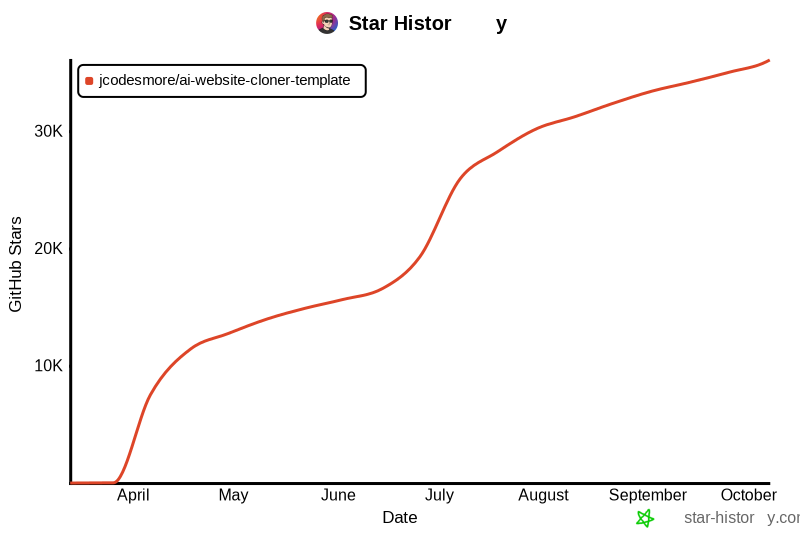](https://star-history.com/#JCodesMore/ai-website-cloner-template&Date)+## LicenseMITdiff --git a/docs/design-references/comparison.png b/docs/design-references/comparison.pngnew file mode 100644index 00000000..3e4cc760Binary files /dev/null and b/docs/design-references/comparison.png differ