
Add episode 42
David764fac221bf6
diff --git a/README.md b/README.mdindex d86d50b..419a2e6 100644--- a/README.md+++ b/README.md@@ -36,6 +36,7 @@ In this repo, you can find the n8n templates we created for the episodes of [AI- [Episode 39: Create infographics with Nano Banana Pro in n8n](episode_39)- [Episode 40: Flux.2[dev] with n8n](episode_40)- [Episode 41: FREE z-image-turbo with n8n](episode_41)+- [Episode 42: 100% FREE explainer videos with n8n and Z-Image](episode_42)## serversdiff --git a/episode_42/README.md b/episode_42/README.mdnew file mode 100644index 0000000..d6acb41--- /dev/null+++ b/episode_42/README.md@@ -0,0 +1,23 @@+# Episode 42: 100% FREE explainer videos with n8n and Z-Image++What if you could turn any idea into a bingeable explainer video automatically? This super simple n8n workflow converts ideas into complete videos with scripts, voiceovers, and visuals. And with a Modal account, you can use Kokoro and Z-Image Turbo for free....++## [📚 Join our Skool community for support, premium content and more!](https://www.skool.com/ai-agents-az/about)++### Get the premium version of the explainer video workflow (voice cloning, intro/outro generation, ai image subworkflows and more) and the exclusive content - with the hosted GPU media server++## Free n8n JSON workflow++- [modal server to create explainer videos](modal_explainer_videos.py)+- [n8n workflow to create explainer videos](n8n_workflow_explainer_video_creator.json)++## Additional resources++- [Join n8n](https://n8n.partnerlinks.io/fenoo5ekqs1g)+- [Z-Image-Turbo](https://huggingface.co/Tongyi-MAI/Z-Image-Turbo)+- [modal](https://modal.com/)++## Watch the video++[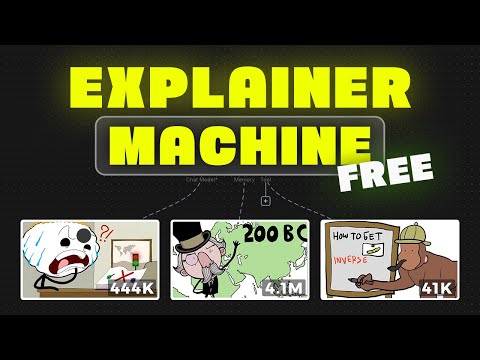](https://www.youtube.com/watch?v=zesrIoxxymo)diff --git a/episode_42/modal_explainer_videos.py b/episode_42/modal_explainer_videos.pynew file mode 100644index 0000000..aef4def--- /dev/null+++ b/episode_42/modal_explainer_videos.py@@ -0,0 +1,500 @@+from io import BytesIO+from pathlib import Path+from typing import Optional, List+import base64+import tempfile+import os++import modal++image = (+ modal.Image.from_registry(+ "nvidia/cuda:12.8.1-devel-ubuntu22.04",+ add_python="3.11",+ )+ .entrypoint([])+ .apt_install("git", "ffmpeg", "espeak-ng")+ .pip_install("uv")+ .run_commands(+ "uv pip install --system --compile-bytecode flask torch==2.7.1 --extra-index-url https://download.pytorch.org/whl/cu128"+ )+ .run_commands(+ "uv pip install --system --compile-bytecode git+https://github.com/huggingface/diffusers git+https://github.com/Disty0/sdnq"+ )+ .run_commands(+ "uv pip install --system --compile-bytecode 'kokoro>=0.9.4' soundfile ffmpeg-python Pillow"+ )+)++MODEL_NAME = "Disty0/Z-Image-Turbo-SDNQ-uint4-svd-r32"++CACHE_DIR = Path("/cache")+cache_volume = modal.Volume.from_name("hf-hub-cache", create_if_missing=True)+volumes = {CACHE_DIR: cache_volume}++image = image.env(+ {+ "HF_HOME": str(CACHE_DIR),+ }+)++app = modal.App("explainer-videos")++with image.imports():+ import torch+ import os+ import diffusers+ from sdnq import SDNQConfig+ from sdnq.loader import apply_sdnq_options_to_model+ from flask import Flask, request, jsonify, send_file+ import soundfile as sf+ import ffmpeg+ from PIL import Image as PILImage+++ image=image,+ gpu="L40s",+ volumes=volumes,+ scaledown_window=120,+ timeout=10 * 60,+)+class ZImageTurboModel:+ @modal.enter()+ def enter(self):+ print(f"Downloading {MODEL_NAME} and applying SDNQ optimizations...")++ # Enable TensorFloat32 for better performance on modern GPUs+ torch.set_float32_matmul_precision("high")++ self.device = "cuda"++ # Load the Z-Image pipeline with SDNQ quantization+ self.pipe = diffusers.ZImagePipeline.from_pretrained(+ MODEL_NAME,+ torch_dtype=torch.float32,+ device_map="cuda",+ cache_dir=CACHE_DIR,+ )++ # Apply SDNQ optimizations+ self.pipe.transformer = apply_sdnq_options_to_model(+ self.pipe.transformer, use_quantized_matmul=True+ )+ self.pipe.text_encoder = apply_sdnq_options_to_model(+ self.pipe.text_encoder, use_quantized_matmul=True+ )++ print("Model loaded successfully!")++ @modal.method()+ def inference(+ self,+ prompt: str,+ width: int = 1024,+ height: int = 1024,+ num_inference_steps: int = 9,+ guidance_scale: float = 0.0,+ seed: Optional[int] = None,+ ) -> bytes:+ import random++ def adjust_dimensions_preserve_aspect(w, h, divisor=16, min_size=256):+ """Adjust dimensions to be divisible by divisor while preserving aspect ratio."""+ aspect_ratio = w / h++ # Start from width, go up and down to find first valid pair+ for offset in range(0, max(w, 1000), divisor):+ for test_w in [w + offset, w - offset]:+ if test_w < min_size:+ continue+ if test_w % divisor != 0:+ continue++ # Calculate height from aspect ratio+ test_h = round(test_w / aspect_ratio)+ if test_h < min_size:+ continue+ if test_h % divisor == 0:+ return int(test_w), int(test_h)++ # Fallback: just round both+ return (w // divisor) * divisor, (h // divisor) * divisor++ # Adjust dimensions while preserving aspect ratio+ width, height = adjust_dimensions_preserve_aspect(width, height)++ # Use provided seed or generate random one+ if seed is None:+ seed = random.randint(0, 2**32 - 1)++ generator = torch.manual_seed(seed)++ print(f"Generating image with prompt: {prompt}")+ print(f"Dimensions: {width}x{height}")++ image = self.pipe(+ prompt=prompt,+ height=height,+ width=width,+ num_inference_steps=num_inference_steps,+ guidance_scale=guidance_scale,+ generator=generator,+ ).images[0]++ byte_stream = BytesIO()+ image.save(byte_stream, format="PNG")+ image_bytes = byte_stream.getvalue()++ return image_bytes+++ image=image,+ gpu="L40s",+ volumes=volumes,+ scaledown_window=120,+ timeout=15 * 60,+)+class KokoroTTSModel:+ @modal.enter()+ def enter(self):+ from kokoro import KPipeline++ print("Loading Kokoro TTS pipeline...")+ self.pipeline = KPipeline(lang_code="a")+ print("Kokoro TTS loaded successfully!")++ @modal.method()+ def generate_audio(+ self,+ text: str,+ voice: str = "af_heart",+ speed: float = 1.0,+ ) -> bytes:+ """Generate audio from text using Kokoro TTS."""+ import numpy as np++ print(f"Generating audio for text: {text[:100]}...")++ # Generate audio segments+ audio_segments = []+ generator = self.pipeline(text, voice=voice, speed=speed)++ for i, (gs, ps, audio) in enumerate(generator):+ audio_segments.append(audio)++ # Concatenate all audio segments+ if audio_segments:+ full_audio = np.concatenate(audio_segments)+ else:+ raise ValueError("No audio generated")++ # Save to bytes+ byte_stream = BytesIO()+ sf.write(byte_stream, full_audio, 24000, format="WAV")+ byte_stream.seek(0)++ return byte_stream.getvalue()+++ image=image,+ volumes=volumes,+ scaledown_window=120,+ timeout=30 * 60,+ memory=4096,+ cpu=2,+)+class ExplainerVideoGenerator:+ """Generates explainer videos by combining images with narration audio."""++ @modal.enter()+ def enter(self):+ print("ExplainerVideoGenerator ready!")++ @modal.method()+ def generate_video(+ self,+ scenes: List[dict],+ voice: str = "af_heart",+ tts_speed: float = 1.0,+ image_width: int = 1920,+ image_height: int = 1080,+ ) -> bytes:+ """+ Generate a complete explainer video from scenes.++ Each scene should have:+ - narration: text to convert to speech+ - image_prompt: prompt for image generation+ """+ import subprocess+ import numpy as np++ # Create temp directory for intermediate files+ with tempfile.TemporaryDirectory() as temp_dir:+ temp_path = Path(temp_dir)+ clip_files = []++ # Get model references+ image_model = ZImageTurboModel()+ tts_model = KokoroTTSModel()++ for idx, scene in enumerate(scenes):+ print(f"\n{'='*50}")+ print(f"Processing scene {idx + 1}/{len(scenes)}")+ print(f"{'='*50}")++ narration = scene.get("narration", "")+ image_prompt = scene.get("image_prompt", "")++ if not narration or not image_prompt:+ print(+ f"Skipping scene {idx + 1}: missing narration or image_prompt"+ )+ continue++ # Generate audio from narration+ print(f"Generating audio for scene {idx + 1}...")+ audio_bytes = tts_model.generate_audio.remote(+ text=narration,+ voice=voice,+ speed=tts_speed,+ )++ audio_path = temp_path / f"scene_{idx}_audio.wav"+ with open(audio_path, "wb") as f:+ f.write(audio_bytes)+ print(f"Audio saved to {audio_path}")++ # Generate image from prompt+ print(f"Generating image for scene {idx + 1}...")++ # Adjust dimensions to be divisible by 16+ def adjust_dimensions(w, h, divisor=16):+ return (w // divisor) * divisor, (h // divisor) * divisor++ adj_width, adj_height = adjust_dimensions(image_width, image_height)++ image_bytes = image_model.inference.remote(+ prompt=image_prompt,+ width=adj_width,+ height=adj_height,+ num_inference_steps=9,+ guidance_scale=0.0,+ )++ image_path = temp_path / f"scene_{idx}_image.png"+ with open(image_path, "wb") as f:+ f.write(image_bytes)++ # Resize image to exact target dimensions if needed+ if adj_width != image_width or adj_height != image_height:+ img = PILImage.open(image_path)+ img = img.resize(+ (image_width, image_height), PILImage.Resampling.LANCZOS+ )+ img.save(image_path)++ print(f"Image saved to {image_path}")++ # Get audio duration using ffprobe+ probe = ffmpeg.probe(str(audio_path))+ audio_duration = float(probe["streams"][0]["duration"])+ print(f"Audio duration: {audio_duration:.2f}s")++ # Create video clip from image + audio using ffmpeg-python+ clip_path = temp_path / f"scene_{idx}_clip.mp4"++ try:+ # Create video from image that loops for the duration of audio+ # Then add audio track+ (+ ffmpeg.input(+ str(image_path), loop=1, t=audio_duration, framerate=30+ )+ .output(+ ffmpeg.input(str(audio_path)),+ str(clip_path),+ vcodec="libx264",+ acodec="aac",+ pix_fmt="yuv420p",+ shortest=None,+ **{"b:a": "192k"},+ )+ .overwrite_output()+ .run(quiet=True)+ )+ print(f"Video clip created: {clip_path}")+ clip_files.append(str(clip_path))+ except ffmpeg.Error as e:+ print(f"FFmpeg error: {e.stderr.decode() if e.stderr else str(e)}")+ raise++ if not clip_files:+ raise ValueError("No video clips were generated")++ # Merge all clips together+ print(f"\n{'='*50}")+ print(f"Merging {len(clip_files)} clips into final video...")+ print(f"{'='*50}")++ final_video_path = temp_path / "final_video.mp4"++ if len(clip_files) == 1:+ # Just copy the single clip+ import shutil++ shutil.copy(clip_files[0], final_video_path)+ else:+ # Create a concat file for ffmpeg+ concat_file = temp_path / "concat.txt"+ with open(concat_file, "w") as f:+ for clip_file in clip_files:+ f.write(f"file '{clip_file}'\n")++ # Concatenate all clips+ try:+ (+ ffmpeg.input(str(concat_file), format="concat", safe=0)+ .output(+ str(final_video_path),+ vcodec="libx264",+ acodec="aac",+ pix_fmt="yuv420p",+ )+ .overwrite_output()+ .run(quiet=True)+ )+ except ffmpeg.Error as e:+ print(+ f"FFmpeg concat error: {e.stderr.decode() if e.stderr else str(e)}"+ )+ raise++ print(f"Final video created: {final_video_path}")++ # Read and return the final video+ with open(final_video_path, "rb") as f:+ video_bytes = f.read()++ print(f"Video size: {len(video_bytes) / (1024*1024):.2f} MB")+ return video_bytes++[email protected](image=image, volumes=volumes, cpu="0.5", memory="2GiB", timeout=30 * 60)[email protected]_app()+def flask_app():+ web_app = Flask(__name__)++ @web_app.route("/")+ def health_check():+ return jsonify({"status": "alive"})++ @web_app.route("/generate-video", methods=["POST"])+ def generate_video():+ """+ Generate an explainer video from scenes with narration and images.++ Request body should be a JSON array with the following structure:+ [+ {+ "scenes": [+ {+ "narration": "Text to convert to speech",+ "image_prompt": "Prompt for image generation"+ },+ ...+ ]+ }+ ]++ Optional parameters (can be included in the first object):+ - **voice**: Kokoro TTS voice to use (default: "af_heart")+ - **tts_speed**: Speed of TTS (default: 1.0)+ - **image_width**: Width of generated images (default: 1920)+ - **image_height**: Height of generated images (default: 1080)+ - **return_base64**: If true, returns base64 encoded video instead of binary (default: false)+ """+ try:+ data = request.get_json(force=True)++ # Handle array input format+ if isinstance(data, list):+ if len(data) == 0:+ return jsonify({"error": "Empty input array"}), 400+ first_item = data[0]+ scenes = first_item.get("scenes", [])+ voice = first_item.get("voice", "af_heart")+ tts_speed = first_item.get("tts_speed", 1.0)+ image_width = first_item.get("image_width", 1920)+ image_height = first_item.get("image_height", 1080)+ return_base64 = first_item.get("return_base64", False)+ else:+ scenes = data.get("scenes", [])+ voice = data.get("voice", "af_heart")+ tts_speed = data.get("tts_speed", 1.0)+ image_width = data.get("image_width", 1920)+ image_height = data.get("image_height", 1080)+ return_base64 = data.get("return_base64", False)++ if not scenes:+ return jsonify({"error": "'scenes' array is required"}), 400++ # Validate scenes+ for idx, scene in enumerate(scenes):+ if not scene.get("narration"):+ return (+ jsonify({"error": f"Scene {idx + 1} is missing 'narration'"}),+ 400,+ )+ if not scene.get("image_prompt"):+ return (+ jsonify(+ {"error": f"Scene {idx + 1} is missing 'image_prompt'"}+ ),+ 400,+ )++ print(f"Generating video with {len(scenes)} scenes...")+ print(f"Voice: {voice}, TTS Speed: {tts_speed}")+ print(f"Image dimensions: {image_width}x{image_height}")++ # Generate the video+ video_generator = ExplainerVideoGenerator()+ video_bytes = video_generator.generate_video.remote(+ scenes=scenes,+ voice=voice,+ tts_speed=tts_speed,+ image_width=image_width,+ image_height=image_height,+ )++ if return_base64:+ # Return as base64 encoded string+ video_base64 = base64.b64encode(video_bytes).decode("utf-8")+ return jsonify(+ {+ "video": video_base64,+ "format": "mp4",+ "size_bytes": len(video_bytes),+ }+ )+ else:+ # Return as binary file+ return send_file(+ BytesIO(video_bytes),+ mimetype="video/mp4",+ as_attachment=True,+ download_name="explainer_video.mp4",+ )++ except Exception as e:+ import traceback++ print(f"Error generating video: {e}")+ print(traceback.format_exc())+ return jsonify({"error": str(e)}), 500++ return web_appdiff --git a/episode_42/n8n_workflow_explainer_video_creator.json b/episode_42/n8n_workflow_explainer_video_creator.jsonnew file mode 100644index 0000000..3316215--- /dev/null+++ b/episode_42/n8n_workflow_explainer_video_creator.json@@ -0,0 +1,615 @@+{+ "name": "Explainer video - free",+ "nodes": [+ {+ "parameters": {+ "formTitle": "Create an explainer video",+ "formFields": {+ "values": [+ {+ "fieldLabel": "Content",+ "fieldType": "textarea",+ "placeholder": "the content the story shold be about",+ "requiredField": true+ },+ {+ "fieldLabel": "Your modal server URL",+ "requiredField": true+ },+ {+ "fieldLabel": "Extra context",+ "fieldType": "textarea"+ }+ ]+ },+ "options": {}+ },+ "type": "n8n-nodes-base.formTrigger",+ "typeVersion": 2.3,+ "position": [+ -2544,+ -736+ ],+ "id": "60a9e22a-e84a-4525-b9d3-809b2c2716e9",+ "name": "On form submission",+ "webhookId": "290b488d-7e2e-4058-8e8b-8384186eaa88"+ },+ {+ "parameters": {+ "content": "# Create scenes",+ "height": 560,+ "width": 500,+ "color": 7+ },+ "type": "n8n-nodes-base.stickyNote",+ "typeVersion": 1,+ "position": [+ -1664,+ -912+ ],+ "id": "879acaef-dd9f-4c48-b7e2-c6eb0373c900",+ "name": "Sticky Note17"+ },+ {+ "parameters": {+ "content": "# Create the video",+ "height": 560,+ "width": 308,+ "color": 7+ },+ "type": "n8n-nodes-base.stickyNote",+ "typeVersion": 1,+ "position": [+ -1136,+ -912+ ],+ "id": "fcf1b51a-8ab8-4279-a82f-3868bc505f70",+ "name": "Sticky Note"+ },+ {+ "parameters": {+ "content": "# How to set up this automation?\n\n## 0. Make sure you are on n8n 2.0+\n## 1. Start or deploy the modal server. On windows, use wsl2 with python3 and virtual environments installed.\n## 2. Select the LLM chat model of your choice and connect it to the LLM nodes. Disable the rest.\n## 3. Done! 🎉\n\n# Resources:\n\n## [modal.com](https://modal.com/)",+ "height": 548,+ "width": 548,+ "color": 6+ },+ "type": "n8n-nodes-base.stickyNote",+ "typeVersion": 1,+ "position": [+ -1376,+ -1488+ ],+ "id": "bca608b6-9674-4e96-92a8-d52db38a2692",+ "name": "Sticky Note14"+ },+ {+ "parameters": {+ "content": "# 📚 [Join our Skool community for video automations, support, premium content and more!](https://www.skool.com/ai-agents-az/about?w9)\n\n## Be part of a growing community and help us create more content like this\n\n## And get access to our premium workflows and our hosted GPU media server with voice cloning and video tools",+ "height": 372,+ "width": 924,+ "color": 6+ },+ "type": "n8n-nodes-base.stickyNote",+ "typeVersion": 1,+ "position": [+ -2336,+ -1312+ ],+ "id": "f22f7089-45f4-461d-b211-9e5dd17e47eb",+ "name": "Sticky Note18"+ },+ {+ "parameters": {+ "method": "POST",+ "url": "={{ $('Setup defaults').first().json.MODAL_SERVER_URL }}/generate-video",+ "sendBody": true,+ "specifyBody": "json",+ "jsonBody": "={{ JSON.stringify([\n {\n \"scenes\": $json.scenes,\n \"voice\": \"af_heart\",\n \"tts_speed\": 1\n }\n], null, 2) }}",+ "options": {+ "redirect": {+ "redirect": {+ "maxRedirects": 999999999+ }+ },+ "timeout": 999999999+ }+ },+ "type": "n8n-nodes-base.httpRequest",+ "typeVersion": 4.3,+ "position": [+ -1040,+ -752+ ],+ "id": "3db25655-0175-4df1-8da6-da4306f71f0b",+ "name": "HTTP Request1"+ },+ {+ "parameters": {+ "url": "={{ $json.MODAL_SERVER_URL }}",+ "options": {}+ },+ "type": "n8n-nodes-base.httpRequest",+ "typeVersion": 4.2,+ "position": [+ -2096,+ -736+ ],+ "id": "f2de421d-e3bb-4a2c-90d7-b82cba9dfcef",+ "name": "HTTP Request",+ "onError": "continueErrorOutput"+ },+ {+ "parameters": {+ "errorMessage": "The server is not running or isn't configured"+ },+ "type": "n8n-nodes-base.stopAndError",+ "typeVersion": 1,+ "position": [+ -2096,+ -528+ ],+ "id": "1b0fcf0f-eb23-424b-9812-595e8d308ca4",+ "name": "Server isn't ready"+ },+ {+ "parameters": {+ "content": "# Test connection",+ "height": 560,+ "width": 420,+ "color": 7+ },+ "type": "n8n-nodes-base.stickyNote",+ "typeVersion": 1,+ "position": [+ -2336,+ -912+ ],+ "id": "3439eb5a-b630-4abc-a71a-0e8053d3c932",+ "name": "Sticky Note15"+ },+ {+ "parameters": {+ "assignments": {+ "assignments": [+ {+ "id": "7d55d6da-a78c-4a28-9343-0ea9035a0aa3",+ "name": "MODAL_SERVER_URL",+ "value": "={{ ((u) => { let s = u.trim(); if (!/^https?:\\/\\//i.test(s)) s = 'https://' + s; const parts = s.split('/'); return parts[0] + '//' + parts[2]; })($json['Your modal server URL']) }}",+ "type": "string"+ }+ ]+ },+ "options": {}+ },+ "type": "n8n-nodes-base.set",+ "typeVersion": 3.4,+ "position": [+ -2272,+ -736+ ],+ "id": "02a33978-b9e4-4eec-b8e1-25523a47bbaf",+ "name": "Setup defaults"+ },+ {+ "parameters": {+ "model": "qwen3:32b",+ "options": {+ "numCtx": 16048+ }+ },+ "type": "@n8n/n8n-nodes-langchain.lmChatOllama",+ "typeVersion": 1,+ "position": [+ -2256,+ -176+ ],+ "id": "446580ed-5f99-4f4d-ba5d-b3dd2056b9ec",+ "name": "Ollama Chat Model",+ "credentials": {+ "ollamaApi": {+ "id": "cWXUsJ0LsqnzOEx0",+ "name": "Ollama account"+ }+ },+ "disabled": true+ },+ {+ "parameters": {+ "options": {}+ },+ "type": "@n8n/n8n-nodes-langchain.lmChatDeepSeek",+ "typeVersion": 1,+ "position": [+ -1920,+ -176+ ],+ "id": "c6e11c33-9ccb-4ad8-8d6e-d5d4e9658be8",+ "name": "DeepSeek Chat Model",+ "disabled": true+ },+ {+ "parameters": {+ "model": "tngtech/deepseek-r1t-chimera:free",+ "options": {}+ },+ "type": "@n8n/n8n-nodes-langchain.lmChatOpenRouter",+ "typeVersion": 1,+ "position": [+ -1792,+ 176+ ],+ "id": "b8c4934c-da42-4ea6-aef3-6be4d7b287e5",+ "name": "OpenRouter Chat Model",+ "credentials": {+ "openRouterApi": {+ "id": "pKxg2Rhtt3cG3h19",+ "name": "OpenRouter account"+ }+ },+ "disabled": true+ },+ {+ "parameters": {+ "options": {}+ },+ "type": "@n8n/n8n-nodes-langchain.lmChatGoogleGemini",+ "typeVersion": 1,+ "position": [+ -2256,+ 176+ ],+ "id": "aafb8a68-00f5-463f-93f7-00289da9a49a",+ "name": "Google Gemini Chat Model",+ "credentials": {+ "googlePalmApi": {+ "id": "omtFgoCWQwibKrMM",+ "name": "Google Gemini(PaLM) Api account 2"+ }+ },+ "disabled": true+ },+ {+ "parameters": {+ "options": {}+ },+ "type": "@n8n/n8n-nodes-langchain.lmChatAzureOpenAi",+ "typeVersion": 1,+ "position": [+ -2256,+ -16+ ],+ "id": "73dbd1c1-58f3-40e0-85fc-4341ba84d4d5",+ "name": "Azure OpenAI Chat Model",+ "disabled": true+ },+ {+ "parameters": {+ "options": {}+ },+ "type": "@n8n/n8n-nodes-langchain.lmChatXAiGrok",+ "typeVersion": 1,+ "position": [+ -2080,+ -16+ ],+ "id": "11933d2f-3415-45db-927a-51b038e71343",+ "name": "xAI Grok Chat Model",+ "disabled": true+ },+ {+ "parameters": {+ "model": {+ "__rl": true,+ "mode": "list",+ "value": "claude-sonnet-4-20250514",+ "cachedResultName": "Claude 4 Sonnet"+ },+ "options": {}+ },+ "type": "@n8n/n8n-nodes-langchain.lmChatAnthropic",+ "typeVersion": 1.3,+ "position": [+ -1920,+ -16+ ],+ "id": "25e7951d-d353-4031-94cb-f2669fcf0b96",+ "name": "Anthropic Chat Model",+ "disabled": true+ },+ {+ "parameters": {+ "options": {}+ },+ "type": "@n8n/n8n-nodes-langchain.lmChatXAiGrok",+ "typeVersion": 1,+ "position": [+ -1792,+ -16+ ],+ "id": "084a05f9-3f06-46a5-b67a-a8d4cba555b6",+ "name": "xAI Grok Chat Model1",+ "disabled": true+ },+ {+ "parameters": {+ "options": {}+ },+ "type": "@n8n/n8n-nodes-langchain.lmChatGroq",+ "typeVersion": 1,+ "position": [+ -1920,+ 176+ ],+ "id": "666f9760-2468-4d2e-a316-f10a924fb856",+ "name": "Groq Chat Model",+ "disabled": true+ },+ {+ "parameters": {+ "options": {}+ },+ "type": "@n8n/n8n-nodes-langchain.lmChatAwsBedrock",+ "typeVersion": 1,+ "position": [+ -2080,+ -176+ ],+ "id": "5f3d24fe-aaf6-4278-a52b-3510fab6ecb9",+ "name": "AWS Bedrock Chat Model",+ "disabled": true+ },+ {+ "parameters": {+ "options": {}+ },+ "type": "@n8n/n8n-nodes-langchain.lmChatMistralCloud",+ "typeVersion": 1,+ "position": [+ -2080,+ 176+ ],+ "id": "1184290e-c627-4779-901b-16b6ef5f4078",+ "name": "Mistral Cloud Chat Model",+ "disabled": true+ },+ {+ "parameters": {+ "content": "# Pick your choice of LLM ⚠️\n⚠️ Make sure to deactive/delete the rest of the LLMs after selecting one",+ "height": 700,+ "width": 700,+ "color": 3+ },+ "type": "n8n-nodes-base.stickyNote",+ "typeVersion": 1,+ "position": [+ -2336,+ -320+ ],+ "id": "49260eee-c048-47c6-a7a3-92165375c6d8",+ "name": "Sticky Note7"+ },+ {+ "parameters": {+ "model": {+ "__rl": true,+ "mode": "list",+ "value": "gpt-4.1-mini"+ },+ "options": {+ "responseFormat": "json_object"+ }+ },+ "type": "@n8n/n8n-nodes-langchain.lmChatOpenAi",+ "typeVersion": 1.2,+ "position": [+ -1776,+ -176+ ],+ "id": "b5c2a699-b438-4077-98c0-a845396fb6d6",+ "name": "OpenAI Chat Model1",+ "credentials": {+ "openAiApi": {+ "id": "tGvJRP2th9CbI2oq",+ "name": "OpenAi account 2"+ }+ }+ },+ {+ "parameters": {+ "schemaType": "manual",+ "inputSchema": "{\n \"type\": \"object\",\n \"properties\": {\n \"scenes\": {\n \"type\": \"array\",\n \"items\": {\n \"type\": \"object\",\n \"properties\": {\n \"narration\": {\n \"type\": \"string\"\n },\n \"image_prompt\": {\n \"type\": \"object\",\n \"properties\": {\n \"scene\": {\n \"type\": \"string\",\n \"description\": \"A brief summary of the overall action or moment depicted in the image — what is happening at a glance.\"\n },\n \"main_subject\": {\n \"type\": \"string\",\n \"description\": \"A description of the primary character or object in the scene, including identifying visual features.\"\n },\n \"action\": {\n \"type\": \"string\",\n \"description\": \"The movement or activity the main subject is performing, described in simple action terms.\"\n },\n \"environment\": {\n \"type\": \"string\",\n \"description\": \"The setting or location where the scene takes place, including notable background elements.\"\n },\n \"ground\": {\n \"type\": \"string\",\n \"description\": \"Specific details about the surface or terrain the character is interacting with or standing on.\"\n },\n \"camera\": {\n \"type\": \"string\",\n \"description\": \"Notes on the viewpoint or framing used (such as distance, angle, and composition relative to the subject).\"\n }\n },\n \"required\": [\n \"scene\",\n \"main_subject\",\n \"action\",\n \"environment\",\n \"ground\",\n \"camera\"\n ]\n }\n },\n \"required\": [\n \"narration\",\n \"image_prompt\"\n ]\n }\n }\n },\n \"required\": [\n \"scenes\"\n ]\n}"+ },+ "type": "@n8n/n8n-nodes-langchain.outputParserStructured",+ "typeVersion": 1.3,+ "position": [+ -1504,+ -528+ ],+ "id": "c61adb8d-e4a3-4ba0-bb05-783bbaf4c1f0",+ "name": "Structured Output Parser"+ },+ {+ "parameters": {+ "promptType": "define",+ "text": "=<Instructions>\nHelp me to create scenes for an explainer style youtube video I'm creating. The video itself will have multiple scenes, where each scene will have an image and narration. The images will be generated using AI with the image prompt you create.\n\nTurn the content below into multiple, continous narration, clear text, without formatting. Make the stories exciting, and the reading level below 8th grade. Each scene should have one or two sentences at most. It should be very fast phasing.\n\nThe image prompt should contain the art style below, and make sure to create prompt that complements the narration and keeps the viewers attention.\n</Instructions>\n\n{{ $('On form submission').item.json['Extra context'] ? `\n<ExtraContext>\n${$('On form submission').item.json['Extra context']}\n</ExtraContext>\n` : '' }}\n\n<ArtStyle>\n{{ $('On form submission').item.json['Art style'] }}\n</ArtStyle>\n\n<Content>\n{{ $('On form submission').item.json.Content }}\n</Content>",+ "hasOutputParser": true,+ "batching": {}+ },+ "type": "@n8n/n8n-nodes-langchain.chainLlm",+ "typeVersion": 1.7,+ "position": [+ -1600,+ -752+ ],+ "id": "23783e3e-19d8-4d81-a80a-6a625d421aaf",+ "name": "Create scenes",+ "retryOnFail": true+ },+ {+ "parameters": {+ "content": "# Configure",+ "height": 560,+ "width": 196,+ "color": 7+ },+ "type": "n8n-nodes-base.stickyNote",+ "typeVersion": 1,+ "position": [+ -1888,+ -912+ ],+ "id": "477bc20b-61c5-4218-baea-cedb90da6fd3",+ "name": "Sticky Note16"+ },+ {+ "parameters": {+ "jsCode": "// Loop over input items and add a new field called 'myNewField' to the JSON of each one\nfor (const item of $input.all()) {\n item.json.scenes = item.json.output.scenes.map(scene => {\n return {\n narration: scene.narration,\n image_prompt: JSON.stringify({\n style: $('Configuration').first().json.art_style,\n content: scene.image_prompt\n })\n }\n })\n delete item.json.output\n}\n\nreturn $input.all();"+ },+ "type": "n8n-nodes-base.code",+ "typeVersion": 2,+ "position": [+ -1312,+ -752+ ],+ "id": "9d0bc635-6ea5-42a1-bbe6-b3509564ca35",+ "name": "Add art style"+ },+ {+ "parameters": {+ "assignments": {+ "assignments": [+ {+ "id": "48009df0-7759-4f31-a6d7-12b7f3875a56",+ "name": "art_style",+ "value": "={{\n {\n \"art_style\": \"2D hand-drawn animation\",\n \"visual_style\": \"simple, flat colors, minimal shading, simple, hand-drawn pain-style drawing, imperfect, children-like\",\n \"character_design\": \"stick figure with white circular head and simple facial features\",\n \"background_style\": \"cartoon-like city street with plain wall and sidewalk\",\n \"color_palette\": \"soft pastels and muted primary colors\",\n \"mood\": \"light, playful, slightly comedic\"\n }\n}}",+ "type": "object"+ }+ ]+ },+ "options": {}+ },+ "type": "n8n-nodes-base.set",+ "typeVersion": 3.4,+ "position": [+ -1840,+ -752+ ],+ "id": "61cfebf6-3053-416a-a82a-1445f1e68292",+ "name": "Configuration"+ }+ ],+ "pinData": {},+ "connections": {+ "On form submission": {+ "main": [+ [+ {+ "node": "Setup defaults",+ "type": "main",+ "index": 0+ }+ ]+ ]+ },+ "HTTP Request": {+ "main": [+ [+ {+ "node": "Configuration",+ "type": "main",+ "index": 0+ }+ ],+ [+ {+ "node": "Server isn't ready",+ "type": "main",+ "index": 0+ }+ ]+ ]+ },+ "Setup defaults": {+ "main": [+ [+ {+ "node": "HTTP Request",+ "type": "main",+ "index": 0+ }+ ]+ ]+ },+ "OpenAI Chat Model1": {+ "ai_languageModel": [+ [+ {+ "node": "Create scenes",+ "type": "ai_languageModel",+ "index": 0+ }+ ]+ ]+ },+ "Structured Output Parser": {+ "ai_outputParser": [+ [+ {+ "node": "Create scenes",+ "type": "ai_outputParser",+ "index": 0+ }+ ]+ ]+ },+ "Create scenes": {+ "main": [+ [+ {+ "node": "Add art style",+ "type": "main",+ "index": 0+ }+ ]+ ]+ },+ "Add art style": {+ "main": [+ [+ {+ "node": "HTTP Request1",+ "type": "main",+ "index": 0+ }+ ]+ ]+ },+ "Ollama Chat Model": {+ "ai_languageModel": [+ []+ ]+ },+ "Configuration": {+ "main": [+ [+ {+ "node": "Create scenes",+ "type": "main",+ "index": 0+ }+ ]+ ]+ }+ },+ "active": false,+ "settings": {+ "executionOrder": "v1"+ },+ "versionId": "3bc5bc26-496c-470e-baa4-28fc478b8d0b",+ "meta": {+ "templateCredsSetupCompleted": true,+ "instanceId": "636db6b6ab21a21c6458e2137f340e33dc3e49f5a1c560c8d1e2372c227cf40e"+ },+ "id": "J7RS5zVq76QP0LJ2",+ "tags": []+}\ No newline at end of file