
A visual, example-driven guide to Claude Code — from basic concepts to advanced agents, with copy-paste templates that bring immediate value.
docs: sync to Claude Code v2.1.263 (#181)
Luong NGUYEN97bfb0685e03
diff --git a/01-slash-commands/README.md b/01-slash-commands/README.mdindex 045b7fc..bce6cba 100644--- a/01-slash-commands/README.md+++ b/01-slash-commands/README.md@@ -25,6 +25,7 @@ Built-in commands are shortcuts for common actions. There are **60+ built-in com| Command | Purpose ||---------|---------|| `/add-dir <path>` | Add working directory |+| `/advisor [model\|off]` | Configure the advisor. Opens as an interactive dialog; in the desktop app, Remote Control, and headless (`-p` / Agent SDK) sessions it takes a text form instead — bare `/advisor`, `/advisor <model>`, or `/advisor off` (v2.1.260+) || `/agents` | Manage agent configurations || `/branch [name]` | Switch into a copy of the conversation at this point, preserving the original (return to it with `/resume`) || `/fork [prompt]` | Copy the current conversation into a new **background session** and keep working here; the two are independent from that point on and the copy gets its own row in `claude agents` (v2.1.212+). Except when the copy edits in place, Claude Code instructs it to create a worktree of its own before making code changes (isolation instruction requires v2.1.221+) |@@ -40,7 +41,7 @@ Built-in commands are shortcuts for common actions. There are **60+ built-in com| `/copy [N]` | Copy assistant response to clipboard; `w` writes to file || `/cost` | Typing-shortcut alias for `/usage` — opens the cost tab (v2.1.118+) || `/desktop` | Continue in Desktop app (alias: `/app`) |-| `/diff` | Interactive diff viewer for uncommitted changes |+| `/diff` | Interactive diff viewer for uncommitted changes. In fullscreen rendering it instead opens a diff panel beside the conversation that stays open while you keep working — it lists changed files with added/removed line counts and refreshes every time Claude edits a file or runs a shell command; run `/diff` again or click `✕` to close it (v2.1.260+). The classic renderer opens the viewer in place of the prompt || `/doctor` | Diagnose installation health — openable while Claude is responding; shows status icons; press `f` to auto-fix issues (enhanced in v2.1.116; layout refreshed to a flat tree with clearer icons in v2.1.178) || `/effort [low\|medium\|high\|xhigh\|max\|auto]` | Set effort level via interactive arrow-key slider. Levels: `low` → `medium` → `high` → `xhigh` (new in v2.1.111) → `max`. Default is `high` on Opus 5, Sonnet 5, and Opus 4.8 (`xhigh` on Opus 4.7); `xhigh` needs Opus 5, Sonnet 5, Opus 4.8, or Opus 4.7; `max` works on Opus 5, Sonnet 5, Opus 4.8/4.7/4.6 and Sonnet 4.6. The menu also offers `ultracode` (not a model effort level — it sends `xhigh` and has Claude orchestrate dynamic workflows; session-only) || `/exit` | Exit the REPL (alias: `/quit`) |@@ -74,7 +75,7 @@ Built-in commands are shortcuts for common actions. There are **60+ built-in com| `/privacy-settings` | Privacy settings (Pro/Max only) || `/release-notes` | View changelog || `/recap` | Show session recap / summary when returning to a session (added v2.1.108) |-| `/reload-plugins` | Reload active plugins. Since v2.1.221 most installs activate immediately, so this is only needed when the install summary says `Run /reload-plugins to activate.` |+| `/reload-plugins` | Reload active plugins. Since v2.1.221 most installs activate immediately, so this is only needed when the install summary says `Run /reload-plugins to activate.` Available in headless sessions as of v2.1.260, so it also appears in the Claude Code Desktop and SDK command lists || `/reload-skills` | Re-scan skill directories without restarting the session (added v2.1.152) || `/remote-control` | Remote control from claude.ai (alias: `/rc`) || `/remote-env` | Configure default remote environment |@@ -86,6 +87,7 @@ Built-in commands are shortcuts for common actions. There are **60+ built-in com| `/schedule [description]` | Create/manage Cloud scheduled tasks || `/scroll-speed <+N\|-N>` | Tune mouse-wheel scroll speed of the TUI live-preview pane with a live preview. Persists per-machine to `~/.claude/preferences.json` (added v2.1.139). || `/security-review` | Analyze branch for security vulnerabilities |+| `/skill-doctor` | Show which loaded skills go unused and what each one costs in context, so you can decide which to turn off. The report opens in the `/plugin` manager's **Stats** tab; in non-interactive `-p` mode it prints as text. Over Remote Control it replies `Skill usage reports are not available on this connection.` — run it in the terminal on the machine hosting the session (requires v2.1.252+) || `/skills` | List available skills || `/stats` | Typing-shortcut alias for `/usage` — opens the stats tab (daily usage, sessions, streaks) (v2.1.118+) || `/stickers` | Order Claude Code stickers |@@ -648,11 +650,13 @@ If both exist with the same name, the **skill takes precedence**. Remove one or----**Last Updated**: August 25, 2026-**Claude Code Version**: 2.1.245+**Last Updated**: September 6, 2026+**Claude Code Version**: 2.1.263**Sources**:- https://code.claude.com/docs/en/skills+- https://code.claude.com/docs/en/slash-commands- https://code.claude.com/docs/en/interactive-mode+- https://code.claude.com/docs/en/interactive-mode#review-changes-with-diff- https://code.claude.com/docs/en/changelog- https://code.claude.com/docs/en/commands- https://code.claude.com/docs/en/whats-new/2026-w34diff --git a/03-skills/README.md b/03-skills/README.mdindex 8939b70..e536c7d 100644--- a/03-skills/README.md+++ b/03-skills/README.md@@ -759,7 +759,7 @@ Move detailed reference material to separate files that Claude loads as needed.| YAML errors | Check `---` markers, indentation, no tabs || Skills conflict | Use distinct trigger terms in descriptions || Scripts not running | Check permissions: `chmod +x scripts/*.py` |-| Claude doesn't see all skills | Too many skills; check `/context` for warnings |+| Claude doesn't see all skills | Too many skills; check `/context` for warnings, then run `/skill-doctor` (v2.1.252+) to see which skills go unused and what they cost |### Skill Not Triggering@@ -897,10 +897,11 @@ Once you start building skills seriously, two things become essential: a library----**Last Updated**: September 2, 2026-**Claude Code Version**: 2.1.257+**Last Updated**: September 6, 2026+**Claude Code Version**: 2.1.263**Sources**:- https://code.claude.com/docs/en/skills+- https://code.claude.com/docs/en/slash-commands- https://github.com/anthropics/claude-code/blob/main/CHANGELOG.md- https://code.claude.com/docs/en/model-config**Compatible Models**: Claude Fable 5, Claude Opus 5, Claude Sonnet 5, Claude Sonnet 4.6, Claude Opus 4.8, Claude Haiku 4.5diff --git a/04-subagents/README.md b/04-subagents/README.mdindex 72b94c8..9251c24 100644--- a/04-subagents/README.md+++ b/04-subagents/README.md@@ -966,6 +966,7 @@ graph TB- **Disable built-in Explore/Plan agents** - Set `CLAUDE_CODE_DISABLE_EXPLORE_PLAN_AGENTS=1` to remove the built-in Explore and Plan agents (v2.1.198)- **Append to every subagent prompt** - In non-interactive / `--print` mode, `--append-subagent-system-prompt "<text>"` appends text to every subagent's system prompt (v2.1.205)+- **Append from a file** - `--append-subagent-system-prompt-file ./subagent-rules.txt` reads the same appended text from a file, for prompts too long to pass on the command line. Also `-p`-only, and it cannot be combined with `--append-subagent-system-prompt` (v2.1.261)---@@ -1330,8 +1331,8 @@ See the OpenTelemetry section in [Advanced Features → Telemetry](../09-advance----**Last Updated**: September 2, 2026-**Claude Code Version**: 2.1.257+**Last Updated**: September 6, 2026+**Claude Code Version**: 2.1.263**Sources**:- https://code.claude.com/docs/en/sub-agents- https://github.com/anthropics/claude-code/blob/main/CHANGELOG.mddiff --git a/05-mcp/README.md b/05-mcp/README.mdindex 79f1e2f..9f5b967 100644--- a/05-mcp/README.md+++ b/05-mcp/README.md@@ -746,46 +746,67 @@ This is useful for building multi-agent workflows where one Claude instance orch## Managed MCP Configuration (Enterprise)-For enterprise deployments, IT administrators can enforce MCP server policies through the `managed-mcp.json` configuration file. This file provides exclusive control over which MCP servers are permitted or blocked organization-wide.+For enterprise deployments, IT administrators enforce MCP server policy through two separate mechanisms: a `managed-mcp.json` file that deploys a fixed set of servers with exclusive control, and the `allowedMcpServers` / `deniedMcpServers` settings keys that filter which configured servers may load.**Location:**- macOS: `/Library/Application Support/ClaudeCode/managed-mcp.json`-- Linux: `~/.config/ClaudeCode/managed-mcp.json`-- Windows: `%APPDATA%\ClaudeCode\managed-mcp.json`+- Linux and WSL: `/etc/claude-code/managed-mcp.json`+- Windows: `C:\Program Files\ClaudeCode\managed-mcp.json`-**Features:**-- `allowedMcpServers` -- whitelist of permitted servers-- `deniedMcpServers` -- blocklist of prohibited servers-- `allowAllClaudeAiMcps` -- managed setting that permits loading claude.ai cloud MCP connectors organization-wide (v2.1.149+)-- Supports matching by server name, command, and URL patterns-- Organization-wide MCP policies enforced before user configuration-- Prevents unauthorized server connections+`managed-mcp.json` uses the same format as a project `.mcp.json` — a top-level `mcpServers` map. It deploys servers; it does not filter them:++```json+{+ "mcpServers": {+ "example-remote": {+ "type": "http",+ "url": "https://mcp.example.com/mcp"+ },+ "company-internal": {+ "type": "stdio",+ "command": "/usr/local/bin/company-mcp-server",+ "args": ["--config", "/etc/company/mcp-config.json"]+ }+ }+}+```++Any user on the machine can read this file, so never put credentials in an `env` block. Use `${VAR}` expansion, OAuth, or `headersHelper` instead.++**Filtering: allowlists and denylists**++`allowedMcpServers`, `deniedMcpServers`, and `allowAllClaudeAiMcps` are **settings keys, not fields of `managed-mcp.json`**. Put them in a managed settings source — server-managed settings, `managed-settings.json`, an MDM profile, or the registry — for them to be enforceable:++- `allowedMcpServers` -- allowlist of permitted servers. Set `allowManagedMcpServersOnly: true` alongside it, in the same managed source, or allowlists merge from every scope and a user can broaden yours.+- `deniedMcpServers` -- denylist of blocked servers. Merges from every scope regardless.+- `allowAllClaudeAiMcps` -- loads claude.ai cloud connectors alongside a deployed `managed-mcp.json` (v2.1.149+). Read only from admin-controlled policy tiers.++Each entry is an object with a **single** key:++| Key | Matches |+|-----|---------|+| `serverUrl` | A remote server URL, exact or with `*` wildcards |+| `serverCommand` | The exact command and arguments that start a stdio server, as an array — every argument, in order |+| `serverName` | The user-assigned label. **Exact match only; wildcards are not expanded** |**Example configuration:**```json{"allowedMcpServers": [- {- "serverName": "github",- "serverUrl": "https://api.github.com/mcp"- },- {- "serverName": "company-internal",- "serverCommand": "company-mcp-server"- }+ { "serverUrl": "https://mcp.example.com/*" },+ { "serverCommand": ["/usr/local/bin/company-mcp-server", "--config", "/etc/company/mcp-config.json"] }],"deniedMcpServers": [- {- "serverName": "untrusted-*"- },- {- "serverUrl": "http://*"- }- ]+ { "serverName": "untrusted-server" },+ { "serverUrl": "http://*" }+ ],+ "allowManagedMcpServersOnly": true}```+A third managed setting, `managedMcpServers` (v2.1.259+), lets an organization provide HTTP/SSE MCP servers to every user. Entries use the same shape as `.mcp.json`; entries that name a command to run are skipped.+> **Note:** When both `allowedMcpServers` and `deniedMcpServers` match a server, the deny rule takes precedence.## Plugin-Provided MCP Servers@@ -1278,10 +1299,11 @@ export GITHUB_TOKEN="your_token"----**Last Updated**: August 25, 2026-**Claude Code Version**: 2.1.245+**Last Updated**: September 6, 2026+**Claude Code Version**: 2.1.263**Sources**:- https://code.claude.com/docs/en/mcp+- https://code.claude.com/docs/en/managed-mcp- https://code.claude.com/docs/en/changelog- https://github.com/anthropics/claude-code/releases/tag/v2.1.117- https://github.com/anthropics/claude-code/releases/tag/v2.1.139diff --git a/07-plugins/README.md b/07-plugins/README.mdindex 559eec9..e228d27 100644--- a/07-plugins/README.md+++ b/07-plugins/README.md@@ -821,6 +821,7 @@ claude plugin init <name> # Scaffold a new plugin (alias: cla| `plugin tag` | `--push` | Push the tag to the remote after creating it || `plugin tag` | `--dry-run` | Print what would be tagged without creating the tag || `plugin validate` | `--strict` | Treat warnings as errors |+| `plugin validate` | `--json` | Emit a machine-readable validation report (v2.1.259+) |Example: `claude plugin tag ./my-plugin` takes a **path** to the plugin (not a version string). It creates a `{name}--v{version}` git tag derived from `plugin.json`, validating that `plugin.json` and any enclosing marketplace entry agree, and is the recommended way to cut plugin releases for distribution.@@ -1268,8 +1269,8 @@ The following Claude Code features work together with plugins:----**Last Updated**: September 2, 2026-**Claude Code Version**: 2.1.257+**Last Updated**: September 6, 2026+**Claude Code Version**: 2.1.263**Sources**:- https://code.claude.com/docs/en/plugins- https://code.claude.com/docs/en/plugins-reference@@ -1288,4 +1289,5 @@ The following Claude Code features work together with plugins:- https://github.com/anthropics/claude-code/releases/tag/v2.1.143- https://code.claude.com/docs/en/cli-reference- https://code.claude.com/docs/en/model-config+- https://github.com/anthropics/claude-code/blob/main/CHANGELOG.md**Compatible Models**: Claude Fable 5, Claude Opus 5, Claude Sonnet 5, Claude Sonnet 4.6, Claude Opus 4.8, Claude Haiku 4.5diff --git a/09-advanced-features/README.md b/09-advanced-features/README.mdindex 4d3521e..aad6329 100644--- a/09-advanced-features/README.md+++ b/09-advanced-features/README.md@@ -2421,12 +2421,10 @@ These keys go in `~/.claude/settings.json` (or a project `.claude/settings.json`| `promptCacheTtl` | (v2.1.243) Choose the prompt cache lifetime for the main conversation. || `subagentPromptCacheTtl` | (v2.1.243) The same choice for subagents and other requests outside the main conversation. || `modelPricing` | (v2.1.243) **Managed setting.** Supplies your organization's contracted rates so `/cost`, the status line, and telemetry report those instead of list price. |-| `keybindingFlavor` | (v2.1.238) `"classic"` (default) or `"readline"`. `readline` makes `Ctrl+W` delete back to the previous whitespace, as Bash does; v2.1.239 extended it to `Alt+F`, `Ctrl`/`Option+→`, and `Alt+D`. |+| `keybindingFlavor` | **Deprecated since v2.1.261 and has no effect.** The prompt's word-editing keys always follow readline conventions, as Bash does: `Ctrl+W` deletes back to whitespace, `Alt+F` and `Alt+D` stop at word end, and punctuation separates words. Claude Code still accepts the key, so a settings file that sets it stays valid. (In v2.1.238–v2.1.260 it chose between `"classic"` and `"readline"`.) || `spellcheck` | (v2.1.235) Underlines misspelled words in the prompt input using whichever of `aspell`, `hunspell`, or `ispell` is on your `PATH`, tried in that order. Object-valued — `{"enabled": true, "language": "en_GB"}` — and off by default. **Read from user settings, the `--settings` flag, and managed settings only**: a `spellcheck` block in a project `.claude/settings.json` or `.claude/settings.local.json` is ignored. |--> **Changelog-sourced**: `modelPricing` is documented from the v2.1.243 changelog entry;-> the settings reference does not yet list it. The other four keys above appear in the-> official settings reference.+| `bashOutputMaxChars` | (v2.1.261) How many characters of a **successful** Bash or PowerShell command's output Claude receives inline, up to 128K. Past the limit Claude Code saves the output to a file and Claude gets a short preview plus the path. Setting it makes Claude Code ignore `BASH_MAX_OUTPUT_LENGTH`. |+| `taskOutputMaxChars` | (v2.1.261) How many characters of a **background task's** output Claude receives inline when reading it with the `TaskOutput` tool, up to 128K. For a longer finished task Claude receives the most recent characters. Setting it makes Claude Code ignore `TASK_MAX_OUTPUT_LENGTH`. |### Fallback Models (`fallbackModel`)@@ -2729,8 +2727,8 @@ For more information about Claude Code and related features:----**Last Updated**: August 25, 2026-**Claude Code Version**: 2.1.245+**Last Updated**: September 6, 2026+**Claude Code Version**: 2.1.263**Sources**:- https://code.claude.com/docs/en/settings- https://code.claude.com/docs/en/sandboxingdiff --git a/10-cli/README.md b/10-cli/README.mdindex cadc546..fd8e3fd 100644--- a/10-cli/README.md+++ b/10-cli/README.md@@ -188,6 +188,7 @@ claude --model opusplan "design and implement the caching layer"| `--system-prompt-file` | Load prompt from file (print mode) | `claude -p --system-prompt-file ./prompt.txt "query"` || `--append-system-prompt` | Append to default prompt | `claude --append-system-prompt "Always use TypeScript"` || `--append-subagent-system-prompt` | Append text to every subagent's system prompt (non-interactive) | `claude -p --append-subagent-system-prompt "Cite sources" "query"` |+| `--append-subagent-system-prompt-file` | (v2.1.261) Load that appended text from a file instead, for prompts too long to pass on the command line. Non-interactive only, and **cannot be combined** with `--append-subagent-system-prompt` | `claude -p --append-subagent-system-prompt-file ./subagent-rules.txt "query"` |### System Prompt Examples@@ -222,6 +223,7 @@ claude -p --system-prompt-file ./prompts/code-reviewer.txt "review main.py"| `--dangerously-skip-permissions` | Skip all permission prompts | `claude --dangerously-skip-permissions` || `--permission-mode` | Begin in specified permission mode | `claude --permission-mode auto` || `--permission-prompt-tool` | MCP tool for permission handling | `claude -p --permission-prompt-tool mcp_auth "query"` |+| `--permission-prompts` | (v2.1.259) Who answers permission prompts in print mode. Default `host` sends them to the Agent SDK host or the `--permission-prompt-tool` tool; pass `none` when nobody can answer and Claude Code denies them instead | `claude -p --permission-prompts none "query"` |> **v2.1.111 update**: `--enable-auto-mode` was removed; auto mode is now in the `Shift+Tab` cycle by default — use `--permission-mode auto` to start in it directly.@@ -932,8 +934,10 @@ These keys live in a `settings.json` file (`~/.claude/settings.json` for user sc| `modelPicker` | (v2.1.243) Choose which models the `/model` picker lists, in your own order and with your own labels. One of the few settings that **replaces rather than merges** across settings layers. || `promptCacheTtl` | (v2.1.243) Choose the prompt cache lifetime for the main conversation. || `subagentPromptCacheTtl` | (v2.1.243) The same choice for subagents and other requests outside the main conversation. |-| `modelPricing` | (v2.1.243) **Managed setting.** Supplies your organization's contracted rates so `/cost`, the status line, and telemetry report those instead of list price. **Changelog-sourced** — the settings reference does not yet list this key. |-| `keybindingFlavor` | (v2.1.238) `"classic"` (default) or `"readline"`. `readline` makes `Ctrl+W` delete back to the previous whitespace, as Bash does; v2.1.239 extended it to `Alt+F`, `Ctrl`/`Option+→`, and `Alt+D`. |+| `modelPricing` | (v2.1.243) **Managed setting.** Supplies your organization's contracted rates so `/cost`, the status line, and telemetry report those instead of list price. |+| `keybindingFlavor` | **Deprecated since v2.1.261 and has no effect.** The prompt's word-editing keys always follow readline conventions, as Bash does: `Ctrl+W` deletes back to whitespace, `Alt+F` and `Alt+D` stop at word end, and punctuation separates words. Claude Code still accepts the key, so a settings file that sets it stays valid. (In v2.1.238–v2.1.260 it chose between `"classic"` and `"readline"`.) |+| `bashOutputMaxChars` | (v2.1.261) How many characters of a **successful** Bash or PowerShell command's output Claude receives inline, up to 128K. Past the limit Claude Code saves the output to a file and Claude gets a short preview plus the path. Setting it makes Claude Code ignore `BASH_MAX_OUTPUT_LENGTH`. |+| `taskOutputMaxChars` | (v2.1.261) How many characters of a **background task's** output Claude receives inline when reading it with the `TaskOutput` tool, up to 128K. For a longer finished task Claude receives the most recent characters. Setting it makes Claude Code ignore `TASK_MAX_OUTPUT_LENGTH`. |```json{@@ -1047,8 +1051,8 @@ claude -p --output-format json "query"----**Last Updated**: September 2, 2026-**Claude Code Version**: 2.1.257+**Last Updated**: September 6, 2026+**Claude Code Version**: 2.1.263**Sources**:- https://code.claude.com/docs/en/cli-reference- https://code.claude.com/docs/en/env-varsdiff --git a/CATALOG.md b/CATALOG.mdindex 1fdae01..4e4c6ea 100644--- a/CATALOG.md+++ b/CATALOG.md@@ -38,7 +38,7 @@ Commands are user-invoked shortcuts that execute specific actions.| `/btw` | Ephemeral side question — doesn't pollute main context | Quick tangent questions || `/chrome` | Configure Chrome integration | Browser automation || `/clear` | Clear conversation history | Start fresh, reduce context |-| `/diff` | Interactive diff viewer | Review changes |+| `/diff` | Interactive diff viewer. In the fullscreen TUI (v2.1.260+) it opens a diff panel beside the conversation that stays open and refreshes each time Claude edits a file or runs a command; the classic renderer opens the viewer in place of the prompt instead | Review changes || `/config` | View/edit configuration | Customize behavior || `/status` | Show session status | Check current state || `/agents` | List available agents | See delegation options |@@ -66,7 +66,7 @@ Commands are user-invoked shortcuts that execute specific actions.| `/logout` | Sign out | Switch accounts || `/sandbox` | Toggle sandbox mode | Safe command execution || `/doctor` | Run diagnostics | Troubleshoot issues |-| `/reload-plugins` | Reload installed plugins. Since v2.1.221 most installs activate immediately; only needed when the install summary says `Run /reload-plugins to activate.` | Plugin management |+| `/reload-plugins` | Reload installed plugins. Since v2.1.221 most installs activate immediately; only needed when the install summary says `Run /reload-plugins to activate.` Available in headless sessions since v2.1.260+, so it appears in the Claude Code Desktop and SDK command lists | Plugin management || `/reload-skills` | Re-scan skill directories without restarting (v2.1.152) | Skill management || `/workflows` | View running and completed dynamic workflow runs (v2.1.154) | Multi-agent orchestration || `/release-notes` | Show release notes | Check new features |@@ -96,6 +96,7 @@ Commands are user-invoked shortcuts that execute specific actions.| `/team-onboarding` | Generate a teammate ramp-up guide from this project's Claude Code usage | Onboarding new teammates (v2.1.101) || `/code-review ultra` | Run a cloud multi-agent code review over your current changes. `/ultrareview` remains as an alias; `/code-review ultra` is the preferred invocation. Includes 3 free runs on Pro and Max, then requires usage credits | Deep pre-merge review across multiple agents (v2.1.112) || `/fewer-permission-prompts` | Scan transcripts and propose a prioritized allowlist for common read-only tools | Reduce repeat permission prompts in a project (v2.1.112) |+| `/skill-doctor` | Show which loaded skills go unused and what they cost in context. Opens in the `/plugin` manager's **Stats** tab; prints as text under `-p` | Prune skills you no longer need (v2.1.252+) |### Custom Commands (Examples)@@ -512,6 +513,7 @@ cp 02-memory/personal-CLAUDE.md ~/.claude/CLAUDE.md| **`notify_when_idle`** | Cross-session `SendMessage` input that asks another session on the same machine to send one notice when it next goes idle — opt-in, one-shot, no polling (v2.1.236). Related: `ListAgents` reports the session's own name and lists live teammates, and Windows gained cross-session messaging (v2.1.239) | Pass `notify_when_idle` to `SendMessage`. See [Advanced Features](09-advanced-features/README.md#cross-session-messaging) || **Plugin manifest fields** | `plugin.json` accepts `workflows`, `channels`, `dependencies` (semver), `outputStyles`, `keywords`, `metadata`, `lspServers`, and `experimental.themes` / `experimental.monitors`. CLI gained `claude plugin new`, `remove`/`rm`, `prune`/`autoremove`, and the flags `--with`, `-f`/`--force`, `--available`, `--push`, `--dry-run` | See [Plugins](07-plugins/README.md) || **Restricted Mode** | Removes the built-in tools that run commands or code (Bash, PowerShell, REPL) and WebFetch unless `--tools` names them; ignores user, project, and local settings (managed settings and `--settings` still apply); confines file tools to the working directories; refuses `bypassPermissions`; and refuses to create cloud sessions (v2.1.248+) | `claude --restricted`, or `CLAUDE_CODE_RESTRICTED=1`. See [CLI](10-cli/README.md) |+| **`/advisor` text form** | `/advisor`, `/advisor <model>`, and `/advisor off` work as text commands in the desktop app, Remote Control, and other headless (`-p` / Agent SDK) sessions, not just as a dialog (v2.1.260+) | Type `/advisor off` in a headless session. See [Slash Commands](01-slash-commands/README.md) |---@@ -571,8 +573,8 @@ chmod +x ~/.claude/hooks/*.sh----**Last Updated**: September 2, 2026-**Claude Code Version**: 2.1.257+**Last Updated**: September 6, 2026+**Claude Code Version**: 2.1.263**Sources**:- https://code.claude.com/docs/en/sub-agents- https://github.com/anthropics/claude-code/blob/main/CHANGELOG.md@@ -592,4 +594,5 @@ chmod +x ~/.claude/hooks/*.sh- https://code.claude.com/docs/en/discover-plugins- https://code.claude.com/docs/en/settings- https://code.claude.com/docs/en/plugins-reference+- https://code.claude.com/docs/en/slash-commands**Compatible Models**: Claude Fable 5.1, Claude Fable 5, Claude Opus 5, Claude Sonnet 5, Claude Sonnet 4.6, Claude Opus 4.8, Claude Haiku 4.5diff --git a/README.md b/README.mdindex 52ee356..999a98e 100644--- a/README.md+++ b/README.md@@ -12,7 +12,7 @@[](https://github.com/luongnv89/claude-howto/stargazers)[](https://github.com/luongnv89/claude-howto/network/members)[](LICENSE)-[](CHANGELOG.md)+[](CHANGELOG.md)[](https://code.claude.com)🌐 **Language / Ngôn ngữ / 语言 / Мова:** [English](README.md) | [Tiếng Việt](vi/README.md) | [中文](zh/README.md) | [Українська](uk/README.md) | [日本語](ja/README.md)@@ -102,7 +102,7 @@ Run `/lesson-quiz [topic]` after each module. The quiz pinpoints what you missed- **GitHub stars** from developers who use Claude Code daily- **Forks** from teams adapting this guide for their own workflows-- **Actively maintained** — synced with every Claude Code release (latest: v2.1.257, September 2026)+- **Actively maintained** — synced with every Claude Code release (latest: v2.1.263, September 2026)- **Community-driven** — contributions from developers who share their real-world configurations[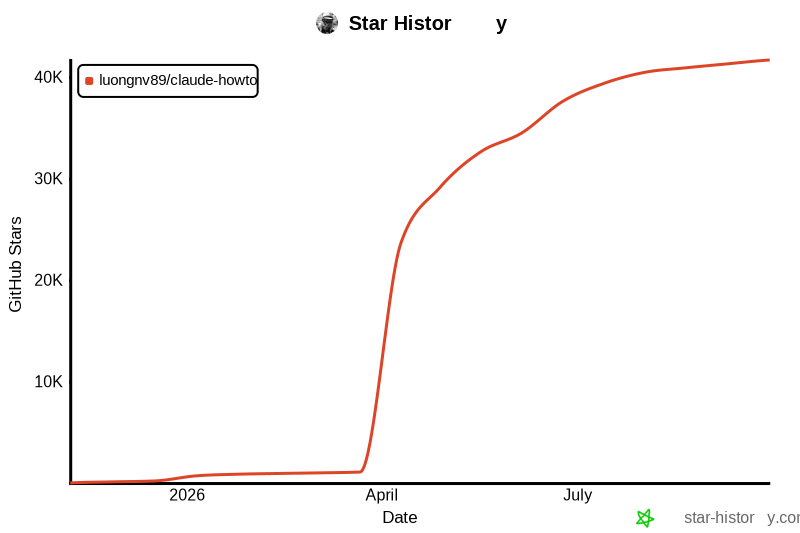](https://star-history.com/#luongnv89/claude-howto&Date)@@ -201,7 +201,7 @@ cp -r 03-skills/code-review-specialist ~/.claude/skills/Yes. MIT licensed, free forever. Use it in personal projects, at work, in your team — no restrictions beyond including the license notice.**Is this maintained?**-Actively. The guide is synced with every Claude Code release. Current version: v2.1.257 (September 2026), compatible with Claude Code 2.1+.+Actively. The guide is synced with every Claude Code release. Current version: v2.1.263 (September 2026), compatible with Claude Code 2.1+.**How is this different from the official docs?**The official docs are a feature reference. This guide is a tutorial with diagrams, production-ready templates, and a progressive learning path. They complement each other — start here to learn, reference the docs when you need specifics.@@ -873,8 +873,8 @@ MIT License - see [LICENSE](LICENSE). Free to use, modify, and distribute. The o----**Last Updated**: September 2, 2026-**Claude Code Version**: 2.1.257+**Last Updated**: September 6, 2026+**Claude Code Version**: 2.1.263**Sources**:- https://code.claude.com/docs/en/hooks- https://code.claude.com/docs/en/overviewdiff --git a/ja/05-mcp/README.md b/ja/05-mcp/README.mdindex f67cddb..5fc985e 100644--- a/ja/05-mcp/README.md+++ b/ja/05-mcp/README.md@@ -666,42 +666,61 @@ claude mcp add --transport stdio claude-agent -- claude mcp serve## 管理対象 MCP 設定(エンタープライズ)-エンタープライズ展開では、IT 管理者が `managed-mcp.json` 設定ファイルを通じて MCP サーバーポリシーを強制できる。このファイルは、組織全体で許可または禁止する MCP サーバーを排他的に制御する。+エンタープライズ展開では、IT 管理者は 2 つの独立した仕組みで MCP サーバーポリシーを強制する。固定のサーバー群を排他的な制御下で配布する `managed-mcp.json` ファイルと、設定済みのどのサーバーを読み込めるかをフィルタする `allowedMcpServers` / `deniedMcpServers` の設定キーである。**配置場所:**- macOS: `/Library/Application Support/ClaudeCode/managed-mcp.json`-- Linux: `~/.config/ClaudeCode/managed-mcp.json`-- Windows: `%APPDATA%\ClaudeCode\managed-mcp.json`+- Linux および WSL: `/etc/claude-code/managed-mcp.json`+- Windows: `C:\Program Files\ClaudeCode\managed-mcp.json`-**機能:**-- `allowedMcpServers` -- 許可するサーバーのホワイトリスト-- `deniedMcpServers` -- 禁止するサーバーのブロックリスト-- サーバー名、コマンド、URL パターンによるマッチをサポート-- ユーザー設定より前に組織全体の MCP ポリシーを強制-- 認可されていないサーバー接続を防止+`managed-mcp.json` はプロジェクトの `.mcp.json` と同じ形式、すなわちトップレベルの `mcpServers` マップを使う。サーバーを配布するものであり、フィルタするものではない。++```json+{+ "mcpServers": {+ "example-remote": {+ "type": "http",+ "url": "https://mcp.example.com/mcp"+ },+ "company-internal": {+ "type": "stdio",+ "command": "/usr/local/bin/company-mcp-server",+ "args": ["--config", "/etc/company/mcp-config.json"]+ }+ }+}+```++このファイルはマシン上のどのユーザーからも読めるため、`env` ブロックに認証情報を置いてはならない。代わりに `${VAR}` 展開、OAuth、または `headersHelper` を使う。++**フィルタリング:許可リストと拒否リスト**++`allowedMcpServers` と `deniedMcpServers` は **設定キーであり、`managed-mcp.json` のフィールドではない**。強制力を持たせるには、管理された設定ソース(server-managed settings、`managed-settings.json`、MDM プロファイル、またはレジストリ)に置く。++- `allowedMcpServers` -- 許可するサーバーの許可リスト。同じ管理ソース内に `allowManagedMcpServersOnly: true` を併記する。併記しないと許可リストがすべてのスコープからマージされ、ユーザーが許可範囲を広げられてしまう。+- `deniedMcpServers` -- ブロックするサーバーの拒否リスト。常にすべてのスコープからマージされる。++各エントリは **単一の** キーを持つオブジェクトである。++| キー | マッチ対象 |+|-----|-----------|+| `serverUrl` | リモートサーバーの URL。完全一致、または `*` ワイルドカード付き |+| `serverCommand` | stdio サーバーを起動する正確なコマンドと引数を配列で指定。すべての引数を順序どおりに |+| `serverName` | ユーザーが付けたラベル。**完全一致のみ。ワイルドカードは展開されない** |**設定例:**```json{"allowedMcpServers": [- {- "serverName": "github",- "serverUrl": "https://api.github.com/mcp"- },- {- "serverName": "company-internal",- "serverCommand": "company-mcp-server"- }+ { "serverUrl": "https://mcp.example.com/*" },+ { "serverCommand": ["/usr/local/bin/company-mcp-server", "--config", "/etc/company/mcp-config.json"] }],"deniedMcpServers": [- {- "serverName": "untrusted-*"- },- {- "serverUrl": "http://*"- }- ]+ { "serverName": "untrusted-server" },+ { "serverUrl": "http://*" }+ ],+ "allowManagedMcpServersOnly": true}```@@ -1148,10 +1167,11 @@ export GITHUB_TOKEN="your_token"----**最終更新:** 2026 年 8 月 25 日-**Claude Code バージョン:** 2.1.245+**最終更新:** 2026 年 9 月 6 日+**Claude Code バージョン:** 2.1.263**情報源:**- https://code.claude.com/docs/en/mcp+- https://code.claude.com/docs/en/managed-mcp- https://code.claude.com/docs/en/changelog- https://github.com/anthropics/claude-code/releases/tag/v2.1.117**対応モデル:** Claude Sonnet 4.6、Claude Opus 4.7、Claude Haiku 4.5diff --git a/uk/05-mcp/README.md b/uk/05-mcp/README.mdindex 6de9e44..a4d671a 100644--- a/uk/05-mcp/README.md+++ b/uk/05-mcp/README.md@@ -638,42 +638,61 @@ claude mcp add --transport stdio claude-agent -- claude mcp serve## Managed MCP Configuration (Enterprise)-Для корпоративних розгортань IT-адміністратори можуть застосовувати політики MCP-серверів через конфігураційний файл `managed-mcp.json`. Цей файл забезпечує ексклюзивний контроль над дозволеними або заблокованими MCP-серверами на рівні організації.+Для корпоративних розгортань IT-адміністратори застосовують політику MCP-серверів через два окремі механізми: файл `managed-mcp.json`, який розгортає фіксований набір серверів з ексклюзивним контролем, і ключі налаштувань `allowedMcpServers` / `deniedMcpServers`, які фільтрують, яким із налаштованих серверів дозволено завантажитись.**Розташування:**- macOS: `/Library/Application Support/ClaudeCode/managed-mcp.json`-- Linux: `~/.config/ClaudeCode/managed-mcp.json`-- Windows: `%APPDATA%\ClaudeCode\managed-mcp.json`+- Linux і WSL: `/etc/claude-code/managed-mcp.json`+- Windows: `C:\Program Files\ClaudeCode\managed-mcp.json`-**Функції:**-- `allowedMcpServers` — білий список дозволених серверів-- `deniedMcpServers` — чорний список заборонених серверів-- Підтримує зіставлення за назвою сервера, командою та URL-патернами-- Загальноорганізаційні політики MCP застосовуються перед конфігурацією користувача-- Запобігає неавторизованим підключенням серверів+`managed-mcp.json` використовує той самий формат, що й проєктний `.mcp.json` — мапу `mcpServers` на верхньому рівні. Він розгортає сервери, а не фільтрує їх:++```json+{+ "mcpServers": {+ "example-remote": {+ "type": "http",+ "url": "https://mcp.example.com/mcp"+ },+ "company-internal": {+ "type": "stdio",+ "command": "/usr/local/bin/company-mcp-server",+ "args": ["--config", "/etc/company/mcp-config.json"]+ }+ }+}+```++Цей файл може прочитати будь-який користувач машини, тож ніколи не зберігайте облікові дані у блоці `env`. Використовуйте розгортання `${VAR}`, OAuth або `headersHelper`.++**Фільтрація: списки дозволених і заборонених**++`allowedMcpServers` і `deniedMcpServers` — це **ключі налаштувань, а не поля `managed-mcp.json`**. Щоб вони мали примусову дію, розміщуйте їх у керованому джерелі налаштувань: server-managed settings, `managed-settings.json`, MDM-профілі або реєстрі.++- `allowedMcpServers` — список дозволених серверів. Задайте поруч, у тому самому керованому джерелі, `allowManagedMcpServersOnly: true`, інакше списки дозволених зливаються з усіх областей і користувач зможе розширити ваш.+- `deniedMcpServers` — список заблокованих серверів. Зливається з усіх областей у будь-якому разі.++Кожен запис — це об'єкт з **одним** ключем:++| Ключ | Що зіставляє |+|------|--------------|+| `serverUrl` | URL віддаленого сервера, точний або з шаблонами `*` |+| `serverCommand` | Точну команду та аргументи запуску stdio-сервера, у вигляді масиву — кожен аргумент, за порядком |+| `serverName` | Призначену користувачем назву. **Лише точний збіг; шаблони не розгортаються** |**Приклад конфігурації:**```json{"allowedMcpServers": [- {- "serverName": "github",- "serverUrl": "https://api.github.com/mcp"- },- {- "serverName": "company-internal",- "serverCommand": "company-mcp-server"- }+ { "serverUrl": "https://mcp.example.com/*" },+ { "serverCommand": ["/usr/local/bin/company-mcp-server", "--config", "/etc/company/mcp-config.json"] }],"deniedMcpServers": [- {- "serverName": "untrusted-*"- },- {- "serverUrl": "http://*"- }- ]+ { "serverName": "untrusted-server" },+ { "serverUrl": "http://*" }+ ],+ "allowManagedMcpServersOnly": true}```@@ -1119,8 +1138,9 @@ export GITHUB_TOKEN="your_token"- [Документація Claude API](https://docs.anthropic.com)----**Останнє оновлення**: 25 серпня 2026-**Версія Claude Code**: 2.1.245+**Останнє оновлення**: 6 вересня 2026+**Версія Claude Code**: 2.1.263**Джерела**:- https://code.claude.com/docs/en/mcp+- https://code.claude.com/docs/en/managed-mcp**Сумісні моделі**: Claude Sonnet 4.6, Claude Opus 4.6, Claude Haiku 4.5diff --git a/vi/05-mcp/README.md b/vi/05-mcp/README.mdindex 62da339..9136d3a 100644--- a/vi/05-mcp/README.md+++ b/vi/05-mcp/README.md@@ -656,42 +656,61 @@ claude mcp add --transport stdio claude-agent -- claude mcp serve## Cấu Hình MCP Được Quản Lý (Enterprise) / Managed MCP Configuration-Đối với các triển khai enterprise, các quản trị viên IT có thể thực thi các chính sách MCP server qua file cấu hình `managed-mcp.json`. File này cung cấp kiểm soát độc quyền về việc MCP servers nào được phép hoặc chặn trên toàn tổ chức.+Đối với các triển khai enterprise, các quản trị viên IT thực thi chính sách MCP server qua hai cơ chế tách biệt: file `managed-mcp.json` triển khai một tập servers cố định với kiểm soát độc quyền, và các settings key `allowedMcpServers` / `deniedMcpServers` lọc xem những servers đã cấu hình nào được phép nạp.**Vị Trí:**- macOS: `/Library/Application Support/ClaudeCode/managed-mcp.json`-- Linux: `~/.config/ClaudeCode/managed-mcp.json`-- Windows: `%APPDATA%\ClaudeCode\managed-mcp.json`+- Linux và WSL: `/etc/claude-code/managed-mcp.json`+- Windows: `C:\Program Files\ClaudeCode\managed-mcp.json`-**Tính Năng:**-- `allowedMcpServers` -- whitelist của các servers được phép-- `deniedMcpServers` -- blocklist của các servers bị cấm-- Hỗ trợ matching theo tên server, lệnh, và mẫu URL-- Chính sách MCP toàn tổ chức được thực thi trước cấu hình người dùng-- Ngăn các kết nối server trái phép+`managed-mcp.json` dùng cùng định dạng với file `.mcp.json` của dự án — một map `mcpServers` ở cấp cao nhất. Nó triển khai servers; nó không lọc servers:++```json+{+ "mcpServers": {+ "example-remote": {+ "type": "http",+ "url": "https://mcp.example.com/mcp"+ },+ "company-internal": {+ "type": "stdio",+ "command": "/usr/local/bin/company-mcp-server",+ "args": ["--config", "/etc/company/mcp-config.json"]+ }+ }+}+```++Mọi người dùng trên máy đều đọc được file này, nên đừng bao giờ đặt thông tin xác thực trong khối `env`. Hãy dùng mở rộng biến `${VAR}`, OAuth, hoặc `headersHelper` thay thế.++**Lọc: allowlist và denylist**++`allowedMcpServers` và `deniedMcpServers` là **settings key, không phải trường của `managed-mcp.json`**. Hãy đặt chúng trong một nguồn settings được quản lý — server-managed settings, `managed-settings.json`, một MDM profile, hoặc registry — để chúng có hiệu lực thực thi:++- `allowedMcpServers` -- allowlist của các servers được phép. Đặt `allowManagedMcpServersOnly: true` cùng chỗ, trong cùng nguồn được quản lý, nếu không các allowlist sẽ hợp nhất từ mọi scope và người dùng có thể nới rộng allowlist của bạn.+- `deniedMcpServers` -- denylist của các servers bị chặn. Luôn hợp nhất từ mọi scope.++Mỗi mục là một object với **duy nhất một** key:++| Key | Khớp với |+|-----|----------|+| `serverUrl` | URL của server từ xa, khớp chính xác hoặc dùng ký tự đại diện `*` |+| `serverCommand` | Chính xác lệnh và các tham số khởi động một stdio server, dưới dạng mảng — mọi tham số, đúng thứ tự |+| `serverName` | Nhãn do người dùng đặt. **Chỉ khớp chính xác; ký tự đại diện không được mở rộng** |**Ví dụ cấu hình:**```json{"allowedMcpServers": [- {- "serverName": "github",- "serverUrl": "https://api.github.com/mcp"- },- {- "serverName": "company-internal",- "serverCommand": "company-mcp-server"- }+ { "serverUrl": "https://mcp.example.com/*" },+ { "serverCommand": ["/usr/local/bin/company-mcp-server", "--config", "/etc/company/mcp-config.json"] }],"deniedMcpServers": [- {- "serverName": "untrusted-*"- },- {- "serverUrl": "http://*"- }- ]+ { "serverName": "untrusted-server" },+ { "serverUrl": "http://*" }+ ],+ "allowManagedMcpServersOnly": true}```@@ -1138,8 +1157,9 @@ export GITHUB_TOKEN="your_token"----**Cập Nhật Lần Cuối**: Ngày 25 tháng 8 năm 2026-**Phiên Bản Claude Code**: 2.1.245+**Cập Nhật Lần Cuối**: Ngày 6 tháng 9 năm 2026+**Phiên Bản Claude Code**: 2.1.263**Nguồn**:- https://code.claude.com/docs/en/mcp+- https://code.claude.com/docs/en/managed-mcp**Các Mô Hình Tương Thích**: Claude Sonnet 4.6, Claude Opus 4.6, Claude Haiku 4.5