
Debloat any Android or Google TV over Wi-Fi and get an Apple TV-style home.
Weather
The weather for one city, full screen on the TV: now (temperature, feels-like, conditions), the US air quality index as a coloured pill, and the next three days. For the Clean Your TV launcher it declares a module card, so once you answer Show card its tile reads "Weather" with a sky-blue glow; on any other Android TV home it is an ordinary app.
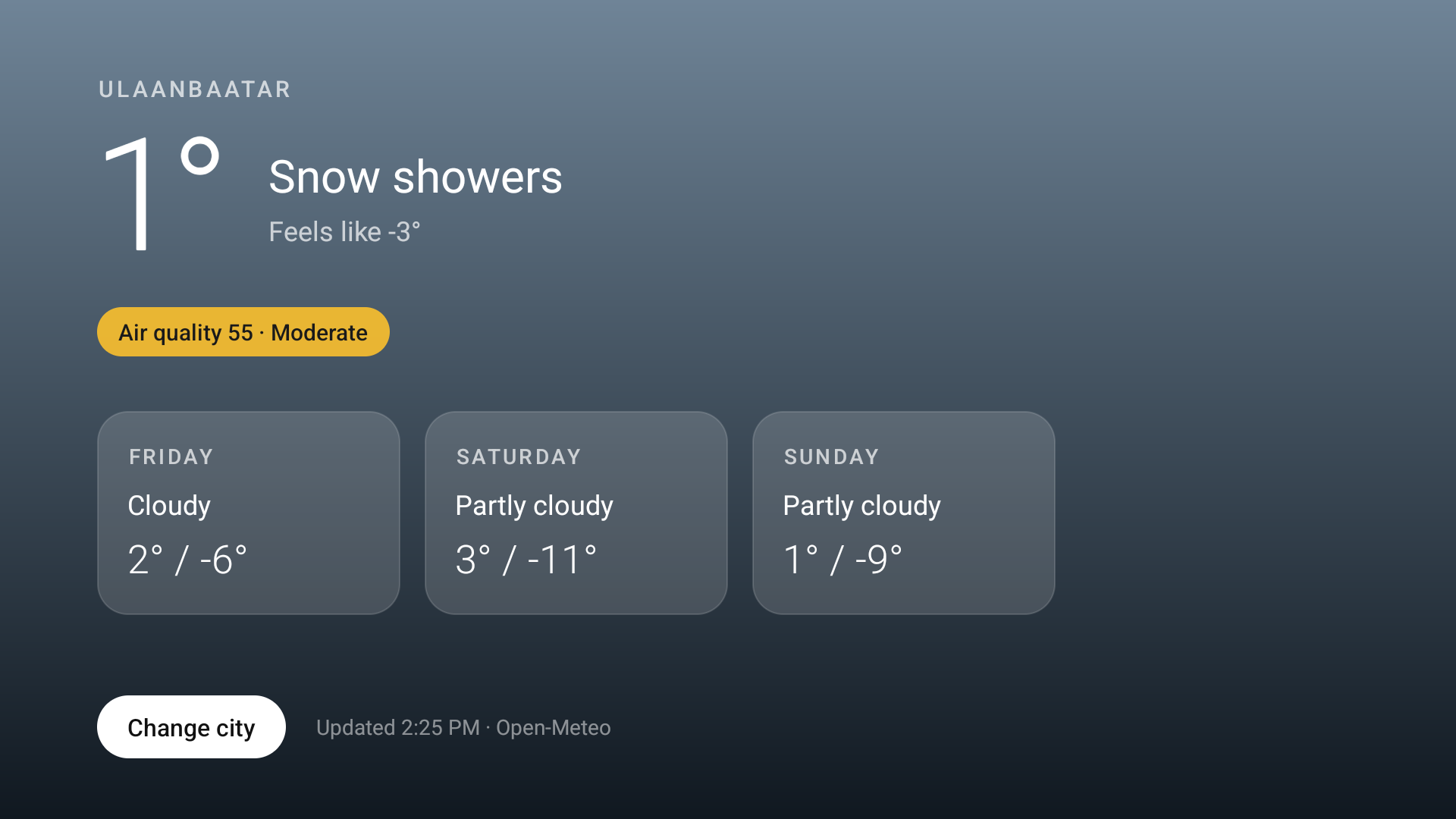
- The city is chosen once: type its name with the remote's keyboard (or voice), pick it from the matches, and it is kept. Change city at the bottom chooses another.
- Data comes from Open-Meteo, which needs no account or key: the weather from DWD's ICON model (Open-Meteo's default blend called light snow over Ulaanbaatar "overcast"; ICON matched what was falling), and the air quality from the Copernicus (CAMS) model, shown on the US AQI scale.
- Snow, not rain, near freezing. The models type precipitation by the air temperature and call snow "light rain" at 1 °C (ICON and GFS did, in a Ulaanbaatar blizzard). The app decides by the wet-bulb temperature instead, which counts how dry the air is: at 1 °C or below, rain and drizzle are shown as snow.
- It reads Open-Meteo only while the page is on screen, every 30 minutes, or 5 minutes after a failure.
- Degrees Celsius by default (Fahrenheit is an option below); English or French words, with the TV's language; day names follow the TV's language.
Options
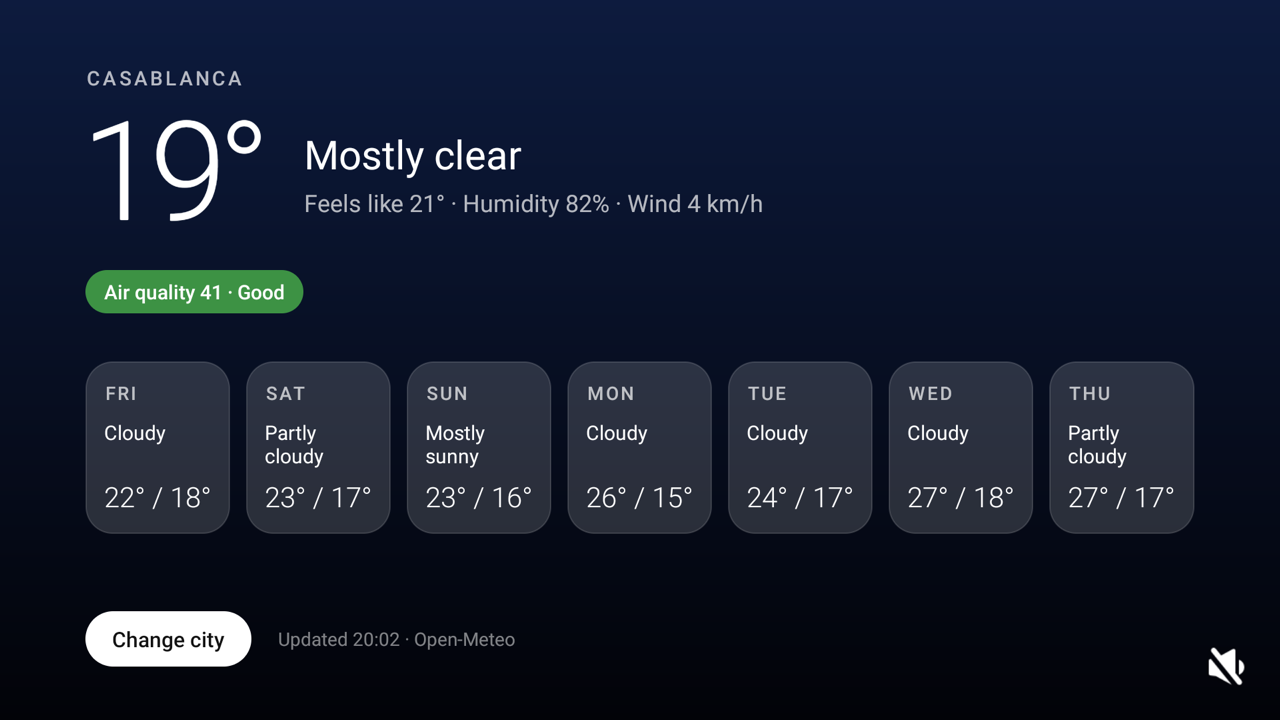
Open Weather settings beside Change city at the bottom of the page. Use Up/Down and OK to change units, forecast length, both units, humidity and wind. Back cancels a unit/day picker; Done or Back closes settings. Choices are saved on this TV and survive closing the app and restarting the TV.
Display changes use the current reading, without another network request or changing its update time. Changing the forecast length fetches once when settings closes. Reset weather settings restores the build defaults without changing the city.
app/src/main/res/values/options.xml still sets the defaults for a fresh installation and for Reset.
Saved choices override these defaults. With no saved choices the page is as above.
| Option | Default | What it does |
|---|---|---|
forecast_days |
3 |
Days in the forecast row after today, 3 to 7. Above 3 the day cards share the row, with short day names, so a week fits on screen. |
show_humidity |
false |
The relative humidity now, after "Feels like". |
show_wind |
false |
The wind speed now in km/h, after "Feels like" (mph with temperature_unit f). |
temperature_unit |
c |
f shows degrees Fahrenheit for the temperature now, feels-like and the days' highs and lows, converted from the reading before rounding. |
show_both_units |
false |
The temperature now in the other unit too, at the start of the "Feels like" line ("22°C · Feels like 70°"). |
Permissions
| Permission | Why |
|---|---|
INTERNET |
Open-Meteo: the place search, the weather and the air quality. |
That is all. What is sent: the city name you type in the search, then that place's latitude and longitude. No account, no telemetry, no ads, no background service, no location permission. The chosen city stays in the app's own storage (backups are off).
Build and install
JDK 17 and Android SDK platform 34 with build-tools 34.0.0, as for the launcher:
cd addons/weather && ./gradlew assembleRelease
TV_HOST=<tv ip> ../../tools/venv/bin/python -I ../../tools/tv.py --push app/build/outputs/apk/release/app-release.apk /data/local/tmp/addon.apk
TV_HOST=<tv ip> ../../tools/venv/bin/python -I ../../tools/tv.py 'pm install -r /data/local/tmp/addon.apk; rm -f /data/local/tmp/addon.apk'
Press Home: the launcher asks once whether to show the card. Change the answer later by holding OK on Settings, then Module cards.
The release build is signed with the debug key so it installs over ADB like the launcher. Sign your own builds with your own key if you hand them out; the launcher pins its Show answer to the signing key.
Tested on
Hisense SmartTV 4K FFM (lushan, MediaTek MT9676), Google TV 12 / Android 12: city search with the TV keyboard, the weather page, the card prompt, and the card shown in the launcher's dock.
The options: Xiaomi TV (MiTV-MOOR2), Google TV 11, with forecast_days 7, show_humidity and show_wind on.