
Crawlee—A web scraping and browser automation library for Node.js to build reliable crawlers. In JavaScript and TypeScript. Extract data for AI, LLMs, RAG, or GPTs. Download HTML, PDF, JPG, PNG, and other files from websites. Works with Puppeteer, Playwright, Cheerio, JSDOM, and raw HTTP. Both headful and headless mode. With proxy rotation.
TypeScript apifyautomationcrawlercrawlingheadlessheadless-chromejavascriptnodejsnpmplaywrightpuppeteerscraperscrapingtypescriptweb-crawlerweb-crawlingweb-scraping
Lint docs, build readme
Travis CI6e17e5f06a7c
diff --git a/README.md b/README.mdindex 3ecaf969b..f154a38cc 100644--- a/README.md+++ b/README.md@@ -19,26 +19,22 @@ running on the <a href="https://apify.com/" target="_blank">Apify Cloud</a>.## MotivationThanks to tools like <a href="https://github.com/GoogleChrome/puppeteer" target="_blank">Puppeteer</a> or-<a href="https://www.npmjs.com/package/cheerio" target="_blank">Cheerio</a>,-it is easy to write Node.js code to extract data from web pages.-But eventually things will get complicated. For example, when you try to:+<a href="https://www.npmjs.com/package/cheerio" target="_blank">Cheerio</a>, it is easy to write Node.js code to extract data from web pages. But+eventually things will get complicated. For example, when you try to:- Perform a deep crawl of an entire website using a persistent queue of URLs.-- Run your scraping code on a list of 100k URLs in a CSV file,- without losing any data when your code crashes.+- Run your scraping code on a list of 100k URLs in a CSV file, without losing any data when your code crashes.- Rotate proxies to hide your browser origin.- Schedule the code to run periodically and send notification on errors.- Disable browser fingerprinting protections used by websites.-Python has <a href="https://scrapy.org/" target="_blank">Scrapy</a> for these tasks, but there was no-such library for **JavaScript, the language of the web**.-The use of JavaScript is natural,-since the same language is used to write the scripts as well as the data extraction code running in a browser.+Python has <a href="https://scrapy.org/" target="_blank">Scrapy</a> for these tasks, but there was no such library for **JavaScript, the language of+the web**. The use of JavaScript is natural, since the same language is used to write the scripts as well as the data extraction code running in a+browser.-The goal of the Apify SDK is to fill this gap and provide a toolbox-for generic web scraping, crawling and automation tasks in JavaScript.-So don't reinvent the wheel every time you need data from the web,-and focus on writing code specific to the target website, rather than developing commonalities.+The goal of the Apify SDK is to fill this gap and provide a toolbox for generic web scraping, crawling and automation tasks in JavaScript. So don't+reinvent the wheel every time you need data from the web, and focus on writing code specific to the target website, rather than developing+commonalities.## Overview@@ -129,17 +125,16 @@ Add Apify SDK to any Node.js project by running:npm install apify --save```-Run the following example to perform a recursive crawl of a website using Puppeteer.-For more examples showcasing various features of the Apify SDK,+Run the following example to perform a recursive crawl of a website using Puppeteer. For more examples showcasing various features of the Apify SDK,[see the Examples section of the documentation](https://sdk.apify.com/docs/examples/basiccrawler).```javascript-const Apify = require("apify");+const Apify = require('apify');Apify.main(async () => {const requestQueue = await Apify.openRequestQueue();- await requestQueue.addRequest({ url: "https://www.iana.org/" });- const pseudoUrls = [new Apify.PseudoUrl("https://www.iana.org/[.*]")];+ await requestQueue.addRequest({ url: 'https://www.iana.org/' });+ const pseudoUrls = [new Apify.PseudoUrl('https://www.iana.org/[.*]')];const crawler = new Apify.PuppeteerCrawler({requestQueue,@@ -148,13 +143,13 @@ Apify.main(async () => {console.log(`Title of ${request.url}: ${title}`);await Apify.utils.puppeteer.enqueueLinks({page,- selector: "a",+ selector: 'a',pseudoUrls,- requestQueue+ requestQueue,});},maxRequestsPerCrawl: 100,- maxConcurrency: 10+ maxConcurrency: 10,});await crawler.run();@@ -165,22 +160,15 @@ When you run the example, you should see Apify SDK automating a Chrome browser.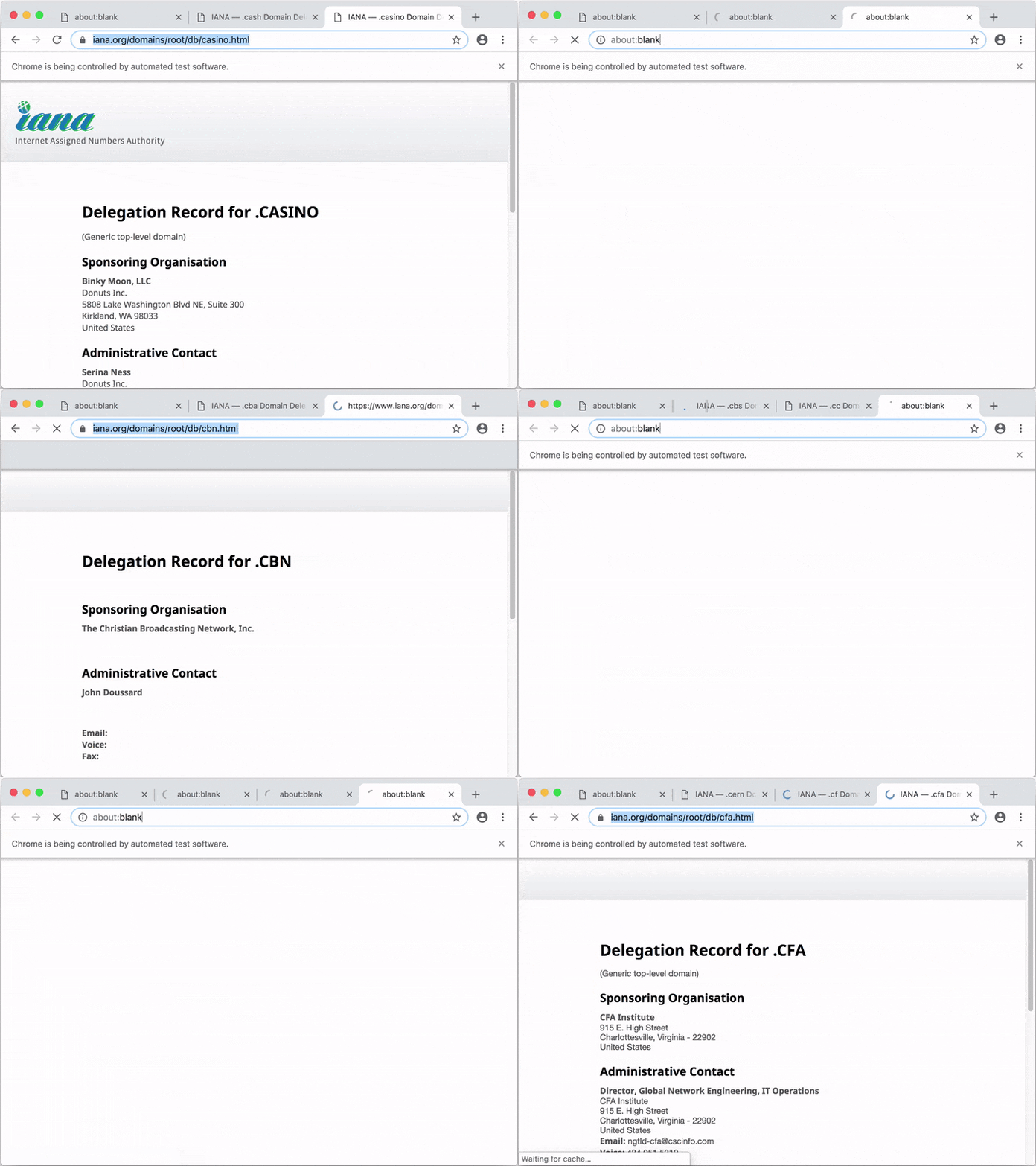-By default, Apify SDK stores data to-`./apify_storage` in the current working directory.-You can override this behavior by setting either the-`APIFY_LOCAL_STORAGE_DIR` or `APIFY_TOKEN` environment variable.-For details, see [Environment variables](https://sdk.apify.com/docs/guides/environmentvariables)-and [Data storage](https://sdk.apify.com/docs/guides/datastorage).+By default, Apify SDK stores data to `./apify_storage` in the current working directory. You can override this behavior by setting either the+`APIFY_LOCAL_STORAGE_DIR` or `APIFY_TOKEN` environment variable. For details, see [Environment variables](https://sdk.apify.com/docs/guides/environmentvariables) and+[Data storage](https://sdk.apify.com/docs/guides/datastorage).### Local usage with Apify command-line interface (CLI)-To avoid the need to set the environment variables manually,-to create a boilerplate of your project,-and to enable pushing and running your code on the-<a href="https://apify.com" target="_blank">Apify Cloud</a>,-you can use the-<a href="https://github.com/apifytech/apify-cli" target="_blank">Apify command-line interface</a>-(CLI) tool.+To avoid the need to set the environment variables manually, to create a boilerplate of your project, and to enable pushing and running your code on+the <a href="https://apify.com" target="_blank">Apify Cloud</a>, you can use the+<a href="https://github.com/apifytech/apify-cli" target="_blank">Apify command-line interface</a> (CLI) tool.Install the CLI by running:@@ -196,18 +184,16 @@ Now create a boilerplate of your new web crawling project by running:apify create my-hello-world```-The CLI will prompt you to select a project boilerplate template - just pick "Hello world".-The tool will create a directory called `my-hello-world` with a Node.js project files.-You can run the project as follows:+The CLI will prompt you to select a project boilerplate template - just pick "Hello world". The tool will create a directory called `my-hello-world`+with a Node.js project files. You can run the project as follows:```bashcd my-hello-worldapify run```-By default, the crawling data will be stored in a local directory at `./apify_storage`.-For example, the input JSON file for the actor is expected to be in the default key-value store-in `./apify_storage/key_value_stores/default/INPUT.json`.+By default, the crawling data will be stored in a local directory at `./apify_storage`. For example, the input JSON file for the actor is expected to+be in the default key-value store in `./apify_storage/key_value_stores/default/INPUT.json`.Now you can easily deploy your code to the Apify Cloud by running:@@ -219,25 +205,17 @@ apify loginapify push```-Your script will be uploaded to the Apify Cloud and built there so that it can be run.-For more information, view the-<a href="https://apify.com/docs/cli" target="_blank">Apify CLI</a>-and-<a href="https://apify.com/docs/actor" target="_blank">Apify Actor</a>+Your script will be uploaded to the Apify Cloud and built there so that it can be run. For more information, view the+<a href="https://apify.com/docs/cli" target="_blank">Apify CLI</a> and <a href="https://apify.com/docs/actor" target="_blank">Apify Actor</a>documentation.### Usage on the Apify Cloud-You can also develop your web scraping project-in an online code editor directly on the-<a href="https://apify.com" target="_blank">Apify Cloud</a>.-You'll need to have an Apify Account.-Go to <a href="https://my.apify.com/actors" target="_blank">Actors</a>,-page in the app, click <i>Create new</i> and then go to the-<i>Source</i> tab and start writing your code or paste one of the examples from the Examples section.+You can also develop your web scraping project in an online code editor directly on the <a href="https://apify.com" target="_blank">Apify Cloud</a>.+You'll need to have an Apify Account. Go to <a href="https://my.apify.com/actors" target="_blank">Actors</a>, page in the app, click <i>Create new</i>+and then go to the <i>Source</i> tab and start writing your code or paste one of the examples from the Examples section.-For more information, view the-<a href="https://apify.com/docs/actor#quick-start" target="_blank">Apify actors quick start guide</a>.+For more information, view the <a href="https://apify.com/docs/actor#quick-start" target="_blank">Apify actors quick start guide</a>.## Supportdiff --git a/docs/api/Apify.md b/docs/api/Apify.mdindex 14a7fab98..bd8dacee3 100644--- a/docs/api/Apify.md+++ b/docs/api/Apify.md@@ -5,9 +5,8 @@ title: Apify<a name="module_Apify"></a>-The following section describes all functions and properties provided by the `apify` package,-except individual classes and namespaces that have their separate, detailed, documentation pages-accessible from the left sidebar.+The following section describes all functions and properties provided by the `apify` package, except individual classes and namespaces that have their+separate, detailed, documentation pages accessible from the left sidebar.- [Apify](#module_Apify)- [`.addWebhook(options)`](#module_Apify.addWebhook) ⇒ `Promise<Object>`@@ -35,14 +34,14 @@ accessible from the left sidebar.## `Apify.addWebhook(options)` ⇒ `Promise<Object>`-Creates an ad-hoc webhook for the current actor run, which lets you receive a notification when the actor run finished or failed.-For more information about Apify actor webhooks, please see the <a href="https://apify.com/docs/webhooks" target="_blank">documentation</a>.+Creates an ad-hoc webhook for the current actor run, which lets you receive a notification when the actor run finished or failed. For more information+about Apify actor webhooks, please see the <a href="https://apify.com/docs/webhooks" target="_blank">documentation</a>.-Note that webhooks are only supported for actors running on the Apify platform.-In local environment, the function will print a warning and have no effect.+Note that webhooks are only supported for actors running on the Apify platform. In local environment, the function will print a warning and have no+effect.-**Returns**: `Promise<Object>` - The return value is the Webhook object.-For more information, see the [Get webhook](https://apify.com/docs/api/v2#/reference/webhooks/webhook-object/get-webhook) API endpoint.+**Returns**: `Promise<Object>` - The return value is the Webhook object. For more information, see the+[Get webhook](https://apify.com/docs/api/v2#/reference/webhooks/webhook-object/get-webhook) API endpoint.<table><thead>@@ -90,21 +89,18 @@ For more information, see the [Get webhook](https://apify.com/docs/api/v2#/refer## `Apify.call(actId, [input], [options])` ⇒ [`Promise<ActorRun>`](../typedefs/actorrun)-Runs an actor on the Apify platform using the current user account (determined by the `APIFY_TOKEN` environment variable),-waits for the actor to finish and fetches its output.+Runs an actor on the Apify platform using the current user account (determined by the `APIFY_TOKEN` environment variable), waits for the actor to+finish and fetches its output.-By passing the `waitSecs` option you can reduce the maximum amount of time to wait for the run to finish.-If the value is less than or equal to zero, the function returns immediately after the run is started.+By passing the `waitSecs` option you can reduce the maximum amount of time to wait for the run to finish. If the value is less than or equal to zero,+the function returns immediately after the run is started.-The result of the function is an [`ActorRun`](../typedefs/actorrun) object-that contains details about the actor run and its output (if any).-If the actor run fails, the function throws the [`ApifyCallError`](../typedefs/apifycallerror) exception.+The result of the function is an [`ActorRun`](../typedefs/actorrun) object that contains details about the actor run and its output (if any). If the+actor run fails, the function throws the [`ApifyCallError`](../typedefs/apifycallerror) exception.-If you want to run an actor task rather than an actor, please use the-[`Apify.callTask()`](../api/apify#module_Apify.callTask) function instead.+If you want to run an actor task rather than an actor, please use the [`Apify.callTask()`](../api/apify#module_Apify.callTask) function instead.-For more information about actors, read the-<a href="https://apify.com/docs/actor" target="_blank">documentation</a>.+For more information about actors, read the <a href="https://apify.com/docs/actor" target="_blank">documentation</a>.**Example usage:**@@ -113,9 +109,8 @@ const run = await Apify.call('apify/hello-world', { myInput: 123 });console.log(`Received message: ${run.output.body.message}`);```-Internally, the `call()` function invokes the-<a href="https://apify.com/docs/api/v2#/reference/actors/run-collection/run-actor" target="_blank">Run actor</a>-and several other API endpoints to obtain the output.+Internally, the `call()` function invokes the <a href="https://apify.com/docs/api/v2#/reference/actors/run-collection/run-actor" target="_blank">Run+actor</a> and several other API endpoints to obtain the output.**Throws**:@@ -201,19 +196,17 @@ and several other API endpoints to obtain the output.## `Apify.callTask(taskId, [input], [options])` ⇒ [`Promise<ActorRun>`](../typedefs/actorrun)-Runs an actor task on the Apify platform using the current user account (determined by the `APIFY_TOKEN` environment variable),-waits for the task to finish and fetches its output.+Runs an actor task on the Apify platform using the current user account (determined by the `APIFY_TOKEN` environment variable), waits for the task to+finish and fetches its output.-By passing the `waitSecs` option you can reduce the maximum amount of time to wait for the run to finish.-If the value is less than or equal to zero, the function returns immediately after the run is started.+By passing the `waitSecs` option you can reduce the maximum amount of time to wait for the run to finish. If the value is less than or equal to zero,+the function returns immediately after the run is started.-The result of the function is an [`ActorRun`](../typedefs/actorrun) object-that contains details about the actor run and its output (if any).-If the actor run failed, the function fails with [`ApifyCallError`](../typedefs/apifycallerror) exception.+The result of the function is an [`ActorRun`](../typedefs/actorrun) object that contains details about the actor run and its output (if any). If the+actor run failed, the function fails with [`ApifyCallError`](../typedefs/apifycallerror) exception.-Note that an actor task is a saved input configuration and options for an actor.-If you want to run an actor directly rather than an actor task, please use the-[`Apify.call()`](../api/apify#module_Apify.call) function instead.+Note that an actor task is a saved input configuration and options for an actor. If you want to run an actor directly rather than an actor task,+please use the [`Apify.call()`](../api/apify#module_Apify.call) function instead.For more information about actor tasks, read the [`documentation`](https://apify.com/docs/tasks).@@ -225,8 +218,8 @@ console.log(`Received message: ${run.output.body.message}`);```Internally, the `callTask()` function calls the-<a href="https://apify.com/docs/api/v2#/reference/actor-tasks/run-collection/run-task" target="_blank">Run task</a>-and several other API endpoints to obtain the output.+<a href="https://apify.com/docs/api/v2#/reference/actor-tasks/run-collection/run-task" target="_blank">Run task</a> and several other API endpoints to+obtain the output.**Throws**:@@ -302,27 +295,23 @@ and several other API endpoints to obtain the output.## `Apify.client`-Gets the default instance of the `ApifyClient` class provided-<a href="https://apify.com/docs/sdk/apify-client-js/latest"-target="_blank">apify-client</a> by the NPM package.-The instance is created automatically by the Apify SDK and it is configured using the+Gets the default instance of the `ApifyClient` class provided <a href="https://apify.com/docs/sdk/apify-client-js/latest"+target="_blank">apify-client</a> by the NPM package. The instance is created automatically by the Apify SDK and it is configured using the`APIFY_API_BASE_URL`, `APIFY_USER_ID` and `APIFY_TOKEN` environment variables.-The instance is used for all underlying calls to the Apify API in functions such as-[`Apify.getValue()`](#module_Apify.getValue) or [`Apify.call()`](#module_Apify.call).-The settings of the client can be globally altered by calling the+The instance is used for all underlying calls to the Apify API in functions such as [`Apify.getValue()`](#module_Apify.getValue) or+[`Apify.call()`](#module_Apify.call). The settings of the client can be globally altered by calling the<a href="https://apify.com/docs/sdk/apify-client-js/latest#ApifyClient-setOptions"-target="_blank">`Apify.client.setOptions()`</a> function.-Beware that altering these settings might have unintended effects on the entire Apify SDK package.+target="_blank">`Apify.client.setOptions()`</a> function. Beware that altering these settings might have unintended effects on the entire Apify SDK+package.<a name="module_Apify.events"></a>## `Apify.events`-Gets an instance of a Node.js'-<a href="https://nodejs.org/api/events.html#events_class_eventemitter" target="_blank">EventEmitter</a>-class that emits various events from the SDK or the Apify platform.-The event emitter is initialized by calling the [`Apify.main()`](#module_Apify.main) function.+Gets an instance of a Node.js' <a href="https://nodejs.org/api/events.html#events_class_eventemitter" target="_blank">EventEmitter</a> class that+emits various events from the SDK or the Apify platform. The event emitter is initialized by calling the [`Apify.main()`](#module_Apify.main)+function.**Example usage:**@@ -386,13 +375,11 @@ The following table shows all currently emitted events:## `Apify.getApifyProxyUrl(options)` ⇒ `String`-Constructs an Apify Proxy URL using the specified settings.-The proxy URL can be used from Apify actors, web browsers or any other HTTP-proxy-enabled applications.+Constructs an Apify Proxy URL using the specified settings. The proxy URL can be used from Apify actors, web browsers or any other HTTP proxy-enabled+applications.-For more information, see-the <a href="https://my.apify.com/proxy" target="_blank">Apify Proxy</a> page in the app-or the <a href="https://apify.com/docs/proxy" target="_blank">documentation</a>.+For more information, see the <a href="https://my.apify.com/proxy" target="_blank">Apify Proxy</a> page in the app or the+<a href="https://apify.com/docs/proxy" target="_blank">documentation</a>.**Returns**: `String` - Returns the proxy URL, e.g. `http://auto:[email protected]:8000`.@@ -437,8 +424,7 @@ or the <a href="https://apify.com/docs/proxy" target="_blank">documentation</a>.## `Apify.getEnv()` ⇒ `Object`-Returns a new object which contains information parsed from all the `APIFY_XXX` environment variables.-It has properties such as the following:+Returns a new object which contains information parsed from all the `APIFY_XXX` environment variables. It has properties such as the following:```javascript{@@ -470,9 +456,8 @@ It has properties such as the following:}```-For the list of the `APIFY_XXX` environment variables, see-<a href="https://apify.com/docs/actor#run-env-vars" target="_blank">Actor documentation</a>.-If some of the variables are not defined or are invalid, the corresponding value in the resulting object will be null.+For the list of the `APIFY_XXX` environment variables, see <a href="https://apify.com/docs/actor#run-env-vars" target="_blank">Actor+documentation</a>. If some of the variables are not defined or are invalid, the corresponding value in the resulting object will be null.<a name="module_Apify.getInput"></a>@@ -480,8 +465,8 @@ If some of the variables are not defined or are invalid, the corresponding valueGets the actor input value from the default [`KeyValueStore`](keyvaluestore) associated with the current actor run.-This is just a convenient shortcut for [`keyValueStore.getValue('INPUT')`](keyvaluestore#KeyValueStore+getValue).-For example, calling the following code:+This is just a convenient shortcut for [`keyValueStore.getValue('INPUT')`](keyvaluestore#KeyValueStore+getValue). For example, calling the following+code:```javascriptconst input = await Apify.getInput();@@ -494,8 +479,8 @@ const store = await Apify.openKeyValueStore();await store.getValue('INPUT');```-For more information, see [`Apify.openKeyValueStore()`](#module_Apify.openKeyValueStore)-and [`keyValueStore.getValue()`](keyvaluestore#KeyValueStore+getValue).+For more information, see [`Apify.openKeyValueStore()`](#module_Apify.openKeyValueStore) and+[`keyValueStore.getValue()`](keyvaluestore#KeyValueStore+getValue).**Returns**: `Promise<Object>` - Returns a promise that resolves once the record is stored.<a name="module_Apify.getMemoryInfo"></a>@@ -519,11 +504,10 @@ Returns memory statistics of the process and the system, which is an object with}```-If the process runs inside of Docker, the `getMemoryInfo` gets container memory limits,-otherwise it gets system memory limits.+If the process runs inside of Docker, the `getMemoryInfo` gets container memory limits, otherwise it gets system memory limits.-Beware that the function is quite inefficient because it spawns a new process.-Therefore you shouldn't call it too often, like more than once per second.+Beware that the function is quite inefficient because it spawns a new process. Therefore you shouldn't call it too often, like more than once per+second.<a name="module_Apify.getValue"></a>@@ -531,8 +515,7 @@ Therefore you shouldn't call it too often, like more than once per second.Gets a value from the default [`KeyValueStore`](keyvaluestore) associated with the current actor run.-This is just a convenient shortcut for [`keyValueStore.getValue()`](keyvaluestore#KeyValueStore+getValue).-For example, calling the following code:+This is just a convenient shortcut for [`keyValueStore.getValue()`](keyvaluestore#KeyValueStore+getValue). For example, calling the following code:```javascriptconst input = await Apify.getValue('my-key');@@ -547,8 +530,8 @@ await store.getValue('my-key');To store the value to the default-key value store, you can use the [`Apify.setValue()`](#module_Apify.setValue) function.-For more information, see [`Apify.openKeyValueStore()`](#module_Apify.openKeyValueStore)-and [`keyValueStore.getValue()`](keyvaluestore#KeyValueStore+getValue).+For more information, see [`Apify.openKeyValueStore()`](#module_Apify.openKeyValueStore) and+[`keyValueStore.getValue()`](keyvaluestore#KeyValueStore+getValue).**Returns**: `Promise<Object>` - Returns a promise that resolves once the record is stored.@@ -576,9 +559,8 @@ Returns `true` when code is running on Apify platform and `false` otherwise (for## `Apify.launchPuppeteer([options])` ⇒ `Promise<Browser>`-Launches headless Chrome using Puppeteer pre-configured to work within the Apify platform.-The function has the same argument and the return value as `puppeteer.launch()`.-See <a href="https://github.com/GoogleChrome/puppeteer/blob/master/docs/api.md#puppeteerlaunchoptions" target="_blank">+Launches headless Chrome using Puppeteer pre-configured to work within the Apify platform. The function has the same argument and the return value as+`puppeteer.launch()`. See <a href="https://github.com/GoogleChrome/puppeteer/blob/master/docs/api.md#puppeteerlaunchoptions" target="_blank">Puppeteer documentation</a> for more details.The `launchPuppeteer()` function alters the following Puppeteer options:@@ -613,15 +595,12 @@ The `launchPuppeteer()` function alters the following Puppeteer options:</li></ul>-To use this function, you need to have the <a href="https://www.npmjs.com/package/puppeteer" target="_blank">puppeteer</a>-NPM package installed in your project.-When running on the Apify cloud, you can achieve that simply-by using the `apify/actor-node-chrome` base Docker image for your actor - see-<a href="https://apify.com/docs/actor#base-images" target="_blank">Apify Actor documentation</a>-for details.+To use this function, you need to have the <a href="https://www.npmjs.com/package/puppeteer" target="_blank">puppeteer</a> NPM package installed in+your project. When running on the Apify cloud, you can achieve that simply by using the `apify/actor-node-chrome` base Docker image for your actor -+see <a href="https://apify.com/docs/actor#base-images" target="_blank">Apify Actor documentation</a> for details.-For an example of usage, see the [Synchronous run Example](../examples/synchronousrun)-or the [Puppeteer proxy Example](../examples/puppeteerwithproxy)+For an example of usage, see the [Synchronous run Example](../examples/synchronousrun) or the+[Puppeteer proxy Example](../examples/puppeteerwithproxy)**Returns**: `Promise<Browser>` - Promise that resolves to Puppeteer's `Browser` instance.@@ -647,8 +626,8 @@ or the [Puppeteer proxy Example](../examples/puppeteerwithproxy)Runs the main user function that performs the job of the actor.-`Apify.main()` is especially useful when you're running your code in an actor on the Apify platform.-Note that its use is optional - the function is provided merely for your convenience.+`Apify.main()` is especially useful when you're running your code in an actor on the Apify platform. Note that its use is optional - the function is+provided merely for your convenience.The function performs the following actions:@@ -722,8 +701,8 @@ the promise will be awaited. The user function is called with no arguments.</p>## `Apify.metamorph(targetActorId, [input], [options])` ⇒ `Promise`-Transforms this actor run to an actor run of a given actor. The system stops the current container and starts the new container-instead. All the default storages are preserved and the new input is stored under the `INPUT-METAMORPH-1` key in the same default key-value store.+Transforms this actor run to an actor run of a given actor. The system stops the current container and starts the new container instead. All the+default storages are preserved and the new input is stored under the `INPUT-METAMORPH-1` key in the same default key-value store.<table><thead>@@ -771,9 +750,8 @@ instead. All the default storages are preserved and the new input is stored undeOpens a dataset and returns a promise resolving to an instance of the [`Dataset`](dataset) class.-Datasets are used to store structured data where each object stored has the same attributes,-such as online store products or real estate offers.-The actual data is stored either on the local filesystem or in the cloud.+Datasets are used to store structured data where each object stored has the same attributes, such as online store products or real estate offers. The+actual data is stored either on the local filesystem or in the cloud.For more details and code examples, see the [`Dataset`](dataset) class.@@ -808,9 +786,8 @@ For more details and code examples, see the [`Dataset`](dataset) class.Opens a key-value store and returns a promise resolving to an instance of the [`KeyValueStore`](keyvaluestore) class.-Key-value stores are used to store records or files, along with their MIME content type.-The records are stored and retrieved using a unique key.-The actual data is stored either on a local filesystem or in the Apify cloud.+Key-value stores are used to store records or files, along with their MIME content type. The records are stored and retrieved using a unique key. The+actual data is stored either on a local filesystem or in the Apify cloud.For more details and code examples, see the [`KeyValueStore`](keyvaluestore) class.@@ -843,13 +820,11 @@ For more details and code examples, see the [`KeyValueStore`](keyvaluestore) cla## `Apify.openRequestList` ⇒ [`Promise<RequestList>`](requestlist)-Opens a request list and returns a promise resolving to an instance-of the [`RequestList`](requestlist) class that is already initialized.+Opens a request list and returns a promise resolving to an instance of the [`RequestList`](requestlist) class that is already initialized.-[`RequestList`](requestlist) represents a list of URLs to crawl, which is always stored in memory.-To enable picking up where left off after a process restart, the request list sources-are persisted to the key value store at initialization of the list. Then, while crawling,-a small state object is regularly persisted to keep track of the crawling status.+[`RequestList`](requestlist) represents a list of URLs to crawl, which is always stored in memory. To enable picking up where left off after a process+restart, the request list sources are persisted to the key value store at initialization of the list. Then, while crawling, a small state object is+regularly persisted to keep track of the crawling status.For more details and code examples, see the [`RequestList`](requestlist) class.@@ -904,13 +879,11 @@ const requestList = await Apify.openRequestList('my-name', sources);## `Apify.openRequestQueue` ⇒ [`Promise<RequestQueue>`](requestqueue)-Opens a request queue and returns a promise resolving to an instance-of the [`RequestQueue`](requestqueue) class.+Opens a request queue and returns a promise resolving to an instance of the [`RequestQueue`](requestqueue) class.-[`RequestQueue`](requestqueue) represents a queue of URLs to crawl, which is stored either on local filesystem or in the cloud.-The queue is used for deep crawling of websites, where you start with several URLs and then-recursively follow links to other pages. The data structure supports both breadth-first-and depth-first crawling orders.+[`RequestQueue`](requestqueue) represents a queue of URLs to crawl, which is stored either on local filesystem or in the cloud. The queue is used for+deep crawling of websites, where you start with several URLs and then recursively follow links to other pages. The data structure supports both+breadth-first and depth-first crawling orders.For more details and code examples, see the [`RequestQueue`](requestqueue) class.@@ -945,8 +918,7 @@ For more details and code examples, see the [`RequestQueue`](requestqueue) classStores an object or an array of objects to the default [`Dataset`](dataset) of the current actor run.-This is just a convenient shortcut for [`dataset.pushData()`](dataset#Dataset+pushData).-For example, calling the following code:+This is just a convenient shortcut for [`dataset.pushData()`](dataset#Dataset+pushData). For example, calling the following code:```javascriptawait Apify.pushData({ myValue: 123 });@@ -961,8 +933,7 @@ await dataset.pushData({ myValue: 123 });For more information, see [`Apify.openDataset()`](apify#module_Apify.openDataset) and [`dataset.pushData()`](dataset#Dataset+pushData)-**IMPORTANT**: Make sure to use the `await` keyword when calling `pushData()`,-otherwise the actor process might finish before the data are stored!+**IMPORTANT**: Make sure to use the `await` keyword when calling `pushData()`, otherwise the actor process might finish before the data are stored!<table><thead>@@ -985,8 +956,7 @@ The objects must be serializable to JSON and the JSON representation of each objStores or deletes a value in the default [`KeyValueStore`](keyvaluestore) associated with the current actor run.-This is just a convenient shortcut for [`keyValueStore.setValue()`](keyvaluestore#KeyValueStore+setValue).-For example, calling the following code:+This is just a convenient shortcut for [`keyValueStore.setValue()`](keyvaluestore#KeyValueStore+setValue). For example, calling the following code:```javascriptawait Apify.setValue('OUTPUT', { foo: 'bar' });@@ -1001,8 +971,8 @@ await store.setValue('OUTPUT', { foo: 'bar' });To get a value from the default-key value store, you can use the [`Apify.getValue()`](#module_Apify.getValue) function.-For more information, see [`Apify.openKeyValueStore()`](#module_Apify.openKeyValueStore)-and [`keyValueStore.getValue()`](keyvaluestore#KeyValueStore+getValue).+For more information, see [`Apify.openKeyValueStore()`](#module_Apify.openKeyValueStore) and+[`keyValueStore.getValue()`](keyvaluestore#KeyValueStore+getValue).<table><thead>diff --git a/docs/api/AutoscaledPool.md b/docs/api/AutoscaledPool.mdindex db7eef393..eb1826c75 100644--- a/docs/api/AutoscaledPool.md+++ b/docs/api/AutoscaledPool.md@@ -5,29 +5,24 @@ title: AutoscaledPool<a name="AutoscaledPool"></a>-Manages a pool of asynchronous resource-intensive tasks that are executed in parallel.-The pool only starts new tasks if there is enough free CPU and memory available-and the Javascript event loop is not blocked.--The information about the CPU and memory usage is obtained by the [`Snapshotter`](snapshotter) class,-which makes regular snapshots of system resources that may be either local-or from the Apify cloud infrastructure in case the process is running on the Apify platform.-Meaningful data gathered from these snapshots is provided to `AutoscaledPool` by the [`SystemStatus`](systemstatus) class.--Before running the pool, you need to implement the following three functions:-[`runTaskFunction()`](#new_AutoscaledPool_new),-[`isTaskReadyFunction()`](#new_AutoscaledPool_new) and-[`isFinishedFunction()`](#new_AutoscaledPool_new).--The auto-scaled pool is started by calling the [`run()`](#AutoscaledPool+run) function.-The pool periodically queries the [`isTaskReadyFunction()`](#new_AutoscaledPool_new) function-for more tasks, managing optimal concurrency, until the function resolves to `false`. The pool then queries-the [`isFinishedFunction()`](#new_AutoscaledPool_new). If it resolves to `true`, the run finishes after all running tasks complete.-If it resolves to `false`, it assumes there will be more tasks available later and keeps periodically querying for tasks.-If any of the tasks throws then the [`run()`](#AutoscaledPool+run) function rejects the promise with an error.--The pool evaluates whether it should start a new task every time one of the tasks finishes-and also in the interval set by the `options.maybeRunIntervalSecs` parameter.+Manages a pool of asynchronous resource-intensive tasks that are executed in parallel. The pool only starts new tasks if there is enough free CPU and+memory available and the Javascript event loop is not blocked.++The information about the CPU and memory usage is obtained by the [`Snapshotter`](snapshotter) class, which makes regular snapshots of system+resources that may be either local or from the Apify cloud infrastructure in case the process is running on the Apify platform. Meaningful data+gathered from these snapshots is provided to `AutoscaledPool` by the [`SystemStatus`](systemstatus) class.++Before running the pool, you need to implement the following three functions: [`runTaskFunction()`](#new_AutoscaledPool_new),+[`isTaskReadyFunction()`](#new_AutoscaledPool_new) and [`isFinishedFunction()`](#new_AutoscaledPool_new).++The auto-scaled pool is started by calling the [`run()`](#AutoscaledPool+run) function. The pool periodically queries the+[`isTaskReadyFunction()`](#new_AutoscaledPool_new) function for more tasks, managing optimal concurrency, until the function resolves to `false`. The+pool then queries the [`isFinishedFunction()`](#new_AutoscaledPool_new). If it resolves to `true`, the run finishes after all running tasks complete.+If it resolves to `false`, it assumes there will be more tasks available later and keeps periodically querying for tasks. If any of the tasks throws+then the [`run()`](#AutoscaledPool+run) function rejects the promise with an error.++The pool evaluates whether it should start a new task every time one of the tasks finishes and also in the interval set by the+`options.maybeRunIntervalSecs` parameter.**Example usage:**@@ -180,8 +175,8 @@ Gets the minimum number of tasks running in parallel.Sets the minimum number of tasks running in parallel.-_WARNING:_ If you set this value too high with respect to the available system memory and CPU, your code might run extremely slow or crash.-If you're not sure, just keep the default value and the concurrency will scale up automatically.+_WARNING:_ If you set this value too high with respect to the available system memory and CPU, your code might run extremely slow or crash. If you're+not sure, just keep the default value and the concurrency will scale up automatically.<table><thead>@@ -225,15 +220,13 @@ Sets the maximum number of tasks running in parallel.## `autoscaledPool.desiredConcurrency` ⇒ `number`-Gets the desired concurrency for the pool,-which is an estimated number of parallel tasks that the system can currently support.+Gets the desired concurrency for the pool, which is an estimated number of parallel tasks that the system can currently support.<a name="AutoscaledPool+desiredConcurrency"></a>## `autoscaledPool.desiredConcurrency`-Sets the desired concurrency for the pool, i.e. the number of tasks that should be running-in parallel if there's large enough supply of tasks.+Sets the desired concurrency for the pool, i.e. the number of tasks that should be running in parallel if there's large enough supply of tasks.<table><thead>@@ -258,36 +251,30 @@ Gets the the number of parallel tasks currently running in the pool.## `autoscaledPool.run()` ⇒ `Promise`-Runs the auto-scaled pool. Returns a promise that gets resolved or rejected once-all the tasks are finished or one of them fails.+Runs the auto-scaled pool. Returns a promise that gets resolved or rejected once all the tasks are finished or one of them fails.<a name="AutoscaledPool+abort"></a>## `autoscaledPool.abort()` ⇒ `Promise`-Aborts the run of the auto-scaled pool and destroys it. The promise returned from-the [`run()`](#AutoscaledPool+run) function will immediately resolve, no more new tasks-will be spawned and all running tasks will be left in their current state.+Aborts the run of the auto-scaled pool and destroys it. The promise returned from the [`run()`](#AutoscaledPool+run) function will immediately+resolve, no more new tasks will be spawned and all running tasks will be left in their current state.-Due to the nature of the tasks, auto-scaled pool cannot reliably guarantee abortion-of all the running tasks, therefore, no abortion is attempted and some of the tasks-may finish, while others may not. Essentially, auto-scaled pool doesn't care about-their state after the invocation of `.abort()`, but that does not mean that some-parts of their asynchronous chains of commands will not execute.+Due to the nature of the tasks, auto-scaled pool cannot reliably guarantee abortion of all the running tasks, therefore, no abortion is attempted and+some of the tasks may finish, while others may not. Essentially, auto-scaled pool doesn't care about their state after the invocation of `.abort()`,+but that does not mean that some parts of their asynchronous chains of commands will not execute.<a name="AutoscaledPool+pause"></a>## `autoscaledPool.pause([timeoutSecs])` ⇒ `Promise`-Prevents the auto-scaled pool from starting new tasks, but allows the running ones to finish-(unlike abort, which terminates them). Used together with [`resume()`](#AutoscaledPool+resume)+Prevents the auto-scaled pool from starting new tasks, but allows the running ones to finish (unlike abort, which terminates them). Used together with+[`resume()`](#AutoscaledPool+resume)-The function's promise will resolve once all running tasks have completed and the pool-is effectively idle. If the `timeoutSecs` argument is provided, the promise will reject-with a timeout error after the `timeoutSecs` seconds.+The function's promise will resolve once all running tasks have completed and the pool is effectively idle. If the `timeoutSecs` argument is provided,+the promise will reject with a timeout error after the `timeoutSecs` seconds.-The promise returned from the [`run()`](#AutoscaledPool+run) function will not resolve-when `.pause()` is invoked (unlike abort, which resolves it).+The promise returned from the [`run()`](#AutoscaledPool+run) function will not resolve when `.pause()` is invoked (unlike abort, which resolves it).<table><thead>@@ -306,7 +293,6 @@ when `.pause()` is invoked (unlike abort, which resolves it).## `autoscaledPool.resume()`-Resumes the operation of the autoscaled-pool by allowing more tasks to be run.-Used together with [`pause()`](#AutoscaledPool+pause)+Resumes the operation of the autoscaled-pool by allowing more tasks to be run. Used together with [`pause()`](#AutoscaledPool+pause)Tasks will automatically start running again in `options.maybeRunIntervalSecs`.diff --git a/docs/api/BasicCrawler.md b/docs/api/BasicCrawler.mdindex 84ac16b96..dcd9850fa 100644--- a/docs/api/BasicCrawler.md+++ b/docs/api/BasicCrawler.md@@ -5,32 +5,27 @@ title: BasicCrawler<a name="BasicCrawler"></a>-Provides a simple framework for parallel crawling of web pages.-The URLs to crawl are fed either from a static list of URLs-or from a dynamic queue of URLs enabling recursive crawling of websites.+Provides a simple framework for parallel crawling of web pages. The URLs to crawl are fed either from a static list of URLs or from a dynamic queue of+URLs enabling recursive crawling of websites.-`BasicCrawler` is a low-level tool that requires the user to implement the page-download and data extraction functionality themselves.-If you want a crawler that already facilitates this functionality,-please consider using [`PuppeteerCrawler`](puppeteercrawler) or [`CheerioCrawler`](cheeriocrawler).+`BasicCrawler` is a low-level tool that requires the user to implement the page download and data extraction functionality themselves. If you want a+crawler that already facilitates this functionality, please consider using [`PuppeteerCrawler`](puppeteercrawler) or+[`CheerioCrawler`](cheeriocrawler).-`BasicCrawler` invokes the user-provided [`handleRequestFunction()`](#new_BasicCrawler_new)-for each [`Request`](request) object, which represents a single URL to crawl.-The [`Request`](request) objects are fed from the [`RequestList`](requestlist) or the [`RequestQueue`](requestqueue)-instances provided by the [`requestList`](#new_BasicCrawler_new) or [`requestQueue`](#new_BasicCrawler_new)-constructor options, respectively.+`BasicCrawler` invokes the user-provided [`handleRequestFunction()`](#new_BasicCrawler_new) for each [`Request`](request) object, which represents a+single URL to crawl. The [`Request`](request) objects are fed from the [`RequestList`](requestlist) or the [`RequestQueue`](requestqueue) instances+provided by the [`requestList`](#new_BasicCrawler_new) or [`requestQueue`](#new_BasicCrawler_new) constructor options, respectively.-If both [`requestList`](#new_BasicCrawler_new) and [`requestQueue`](#new_BasicCrawler_new) options are used,-the instance first processes URLs from the [`RequestList`](requestlist) and automatically enqueues all of them-to [`RequestQueue`](requestqueue) before it starts their processing. This ensures that a single URL is not crawled multiple times.+If both [`requestList`](#new_BasicCrawler_new) and [`requestQueue`](#new_BasicCrawler_new) options are used, the instance first processes URLs from+the [`RequestList`](requestlist) and automatically enqueues all of them to [`RequestQueue`](requestqueue) before it starts their processing. This+ensures that a single URL is not crawled multiple times.The crawler finishes if there are no more [`Request`](request) objects to crawl.-New requests are only dispatched when there is enough free CPU and memory available,-using the functionality provided by the [`AutoscaledPool`](autoscaledpool) class.-All [`AutoscaledPool`](autoscaledpool) configuration options can be passed to the `autoscaledPoolOptions`-parameter of the `BasicCrawler` constructor. For user convenience, the `minConcurrency` and `maxConcurrency`-[`AutoscaledPool`](autoscaledpool) options are available directly in the `BasicCrawler` constructor.+New requests are only dispatched when there is enough free CPU and memory available, using the functionality provided by the+[`AutoscaledPool`](autoscaledpool) class. All [`AutoscaledPool`](autoscaledpool) configuration options can be passed to the `autoscaledPoolOptions`+parameter of the `BasicCrawler` constructor. For user convenience, the `minConcurrency` and `maxConcurrency` [`AutoscaledPool`](autoscaledpool)+options are available directly in the `BasicCrawler` constructor.**Example usage:**diff --git a/docs/api/CheerioCrawler.md b/docs/api/CheerioCrawler.mdindex 16a6b2128..93d4b1179 100644--- a/docs/api/CheerioCrawler.md+++ b/docs/api/CheerioCrawler.md@@ -6,39 +6,34 @@ title: CheerioCrawler<a name="CheerioCrawler"></a>Provides a framework for the parallel crawling of web pages using plain HTTP requests and-<a href="https://www.npmjs.com/package/cheerio" target="_blank">cheerio</a> HTML parser.-The URLs to crawl are fed either from a static list of URLs+<a href="https://www.npmjs.com/package/cheerio" target="_blank">cheerio</a> HTML parser. The URLs to crawl are fed either from a static list of URLsor from a dynamic queue of URLs enabling recursive crawling of websites.-Since `CheerioCrawler` uses raw HTTP requests to download web pages,-it is very fast and efficient on data bandwidth. However, if the target website requires JavaScript-to display the content, you might need to use [`PuppeteerCrawler`](puppeteercrawler) instead,-because it loads the pages using full-featured headless Chrome browser.+Since `CheerioCrawler` uses raw HTTP requests to download web pages, it is very fast and efficient on data bandwidth. However, if the target website+requires JavaScript to display the content, you might need to use [`PuppeteerCrawler`](puppeteercrawler) instead, because it loads the pages using+full-featured headless Chrome browser.-`CheerioCrawler` downloads each URL using a plain HTTP request,-parses the HTML content using <a href="https://www.npmjs.com/package/cheerio" target="_blank">Cheerio</a>-and then invokes the user-provided [`handlePageFunction()`](#new_CheerioCrawler_new) to extract page data-using a <a href="https://jquery.com/" target="_blank">jQuery</a>-like interface to the parsed HTML DOM.+`CheerioCrawler` downloads each URL using a plain HTTP request, parses the HTML content using+<a href="https://www.npmjs.com/package/cheerio" target="_blank">Cheerio</a> and then invokes the user-provided+[`handlePageFunction()`](#new_CheerioCrawler_new) to extract page data using a <a href="https://jquery.com/" target="_blank">jQuery</a>-like interface+to the parsed HTML DOM.-The source URLs are represented using [`Request`](request) objects that are fed from-[`RequestList`](requestlist) or [`RequestQueue`](requestqueue) instances provided by the [`requestList`](#new_CheerioCrawler_new)-or [`requestQueue`](#new_CheerioCrawler_new) constructor options, respectively.+The source URLs are represented using [`Request`](request) objects that are fed from [`RequestList`](requestlist) or [`RequestQueue`](requestqueue)+instances provided by the [`requestList`](#new_CheerioCrawler_new) or [`requestQueue`](#new_CheerioCrawler_new) constructor options, respectively.-If both [`requestList`](#new_CheerioCrawler_new) and [`requestQueue`](#new_CheerioCrawler_new) are used,-the instance first processes URLs from the [`RequestList`](requestlist) and automatically enqueues all of them-to [`RequestQueue`](requestqueue) before it starts their processing. This ensures that a single URL is not crawled multiple times.+If both [`requestList`](#new_CheerioCrawler_new) and [`requestQueue`](#new_CheerioCrawler_new) are used, the instance first processes URLs from the+[`RequestList`](requestlist) and automatically enqueues all of them to [`RequestQueue`](requestqueue) before it starts their processing. This ensures+that a single URL is not crawled multiple times.The crawler finishes when there are no more [`Request`](request) objects to crawl.-By default, `CheerioCrawler` downloads HTML using the-<a href="https://www.npmjs.com/package/request" target="_blank">request</a> NPM package.-You can use the `requestOptions` parameter to pass additional options to `request`.+By default, `CheerioCrawler` downloads HTML using the <a href="https://www.npmjs.com/package/request" target="_blank">request</a> NPM package. You can+use the `requestOptions` parameter to pass additional options to `request`.-New requests are only dispatched when there is enough free CPU and memory available,-using the functionality provided by the [`AutoscaledPool`](autoscaledpool) class.-All [`AutoscaledPool`](autoscaledpool) configuration options can be passed to the `autoscaledPoolOptions`-parameter of the `CheerioCrawler` constructor. For user convenience, the `minConcurrency` and `maxConcurrency`-[`AutoscaledPool`](autoscaledpool) options are available directly in the `CheerioCrawler` constructor.+New requests are only dispatched when there is enough free CPU and memory available, using the functionality provided by the+[`AutoscaledPool`](autoscaledpool) class. All [`AutoscaledPool`](autoscaledpool) configuration options can be passed to the `autoscaledPoolOptions`+parameter of the `CheerioCrawler` constructor. For user convenience, the `minConcurrency` and `maxConcurrency` [`AutoscaledPool`](autoscaledpool)+options are available directly in the `CheerioCrawler` constructor.**Example usage:**diff --git a/docs/api/Dataset.md b/docs/api/Dataset.mdindex be7db518e..5adde4d89 100644--- a/docs/api/Dataset.md+++ b/docs/api/Dataset.md@@ -5,34 +5,29 @@ title: Dataset<a name="Dataset"></a>-The `Dataset` class represents a store for structured data where each object stored has the same attributes,-such as online store products or real estate offers. You can imagine it as a table,-where each object is a row and its attributes are columns.-Dataset is an append-only storage - you can only add new records to it but you cannot modify or remove existing records.-Typically it is used to store crawling results.+The `Dataset` class represents a store for structured data where each object stored has the same attributes, such as online store products or real+estate offers. You can imagine it as a table, where each object is a row and its attributes are columns. Dataset is an append-only storage - you can+only add new records to it but you cannot modify or remove existing records. Typically it is used to store crawling results.-Do not instantiate this class directly, use the-[`Apify.openDataset()`](apify#module_Apify.openDataset) function instead.+Do not instantiate this class directly, use the [`Apify.openDataset()`](apify#module_Apify.openDataset) function instead.-`Dataset` stores its data either on local disk or in the Apify cloud,-depending on whether the `APIFY_LOCAL_STORAGE_DIR` or `APIFY_TOKEN` environment variables are set.+`Dataset` stores its data either on local disk or in the Apify cloud, depending on whether the `APIFY_LOCAL_STORAGE_DIR` or `APIFY_TOKEN` environment+variables are set.-If the `APIFY_LOCAL_STORAGE_DIR` environment variable is set, the data is stored in-the local directory in the following files:+If the `APIFY_LOCAL_STORAGE_DIR` environment variable is set, the data is stored in the local directory in the following files:```{APIFY_LOCAL_STORAGE_DIR}/datasets/{DATASET_ID}/{INDEX}.json```-Note that `{DATASET_ID}` is the name or ID of the dataset. The default dataset has ID: `default`,-unless you override it by setting the `APIFY_DEFAULT_DATASET_ID` environment variable.-Each dataset item is stored as a separate JSON file, where `{INDEX}` is a zero-based index of the item in the dataset.+Note that `{DATASET_ID}` is the name or ID of the dataset. The default dataset has ID: `default`, unless you override it by setting the+`APIFY_DEFAULT_DATASET_ID` environment variable. Each dataset item is stored as a separate JSON file, where `{INDEX}` is a zero-based index of the+item in the dataset.If the `APIFY_TOKEN` environment variable is set but `APIFY_LOCAL_STORAGE_DIR` not, the data is stored in the-<a href="https://apify.com/docs/storage#dataset" target="_blank">Apify Dataset</a>-cloud storage. Note that you can force usage of the cloud storage also by passing the `forceCloud`-option to [`Apify.openDataset()`](apify#module_Apify.openDataset) function,-even if the `APIFY_LOCAL_STORAGE_DIR` variable is set.+<a href="https://apify.com/docs/storage#dataset" target="_blank">Apify Dataset</a> cloud storage. Note that you can force usage of the cloud storage+also by passing the `forceCloud` option to [`Apify.openDataset()`](apify#module_Apify.openDataset) function, even if the `APIFY_LOCAL_STORAGE_DIR`+variable is set.**Example usage:**@@ -63,26 +58,19 @@ await dataset.pushData([{ foo: 'bar2', col2: 'val2' }, { col3: 123 }]);## `dataset.pushData(data)` ⇒ `Promise`-Stores an object or an array of objects to the dataset.-The function returns a promise that resolves when the operation finishes.-It has no result, but throws on invalid args or other errors.+Stores an object or an array of objects to the dataset. The function returns a promise that resolves when the operation finishes. It has no result,+but throws on invalid args or other errors.-**IMPORTANT**: Make sure to use the `await` keyword when calling `pushData()`,-otherwise the actor process might finish before the data is stored!+**IMPORTANT**: Make sure to use the `await` keyword when calling `pushData()`, otherwise the actor process might finish before the data is stored!-The size of the data is limited by the receiving API and therefore `pushData()` will only-allow objects whose JSON representation is smaller than 9MB. When an array is passed,-none of the included objects-may be larger than 9MB, but the array itself may be of any size.+The size of the data is limited by the receiving API and therefore `pushData()` will only allow objects whose JSON representation is smaller than 9MB.+When an array is passed, none of the included objects may be larger than 9MB, but the array itself may be of any size.-The function internally-chunks the array into separate items and pushes them sequentially.-The chunking process is stable (keeps order of data), but it does not provide a transaction-safety mechanism. Therefore, in the event of an uploading error (after several automatic retries),-the function's Promise will reject and the dataset will be left in a state where some of-the items have already been saved to the dataset while other items from the source array were not.-To overcome this limitation, the developer may, for example, read the last item saved in the dataset-and re-attempt the save of the data from this item onwards to prevent duplicates.+The function internally chunks the array into separate items and pushes them sequentially. The chunking process is stable (keeps order of data), but+it does not provide a transaction safety mechanism. Therefore, in the event of an uploading error (after several automatic retries), the function's+Promise will reject and the dataset will be left in a state where some of the items have already been saved to the dataset while other items from the+source array were not. To overcome this limitation, the developer may, for example, read the last item saved in the dataset and re-attempt the save of+the data from this item onwards to prevent duplicates.<table><thead>@@ -103,8 +91,7 @@ The objects must be serializable to JSON and the JSON representation of each obj## `dataset.getData([options])` ⇒ `Promise<Object>`-Returns items in the dataset based on the provided parameters. The returned object-has the following structure:+Returns items in the dataset based on the provided parameters. The returned object has the following structure:```javascript{@@ -115,10 +102,8 @@ has the following structure:}```-**NOTE**: If using dataset with local disk storage, the `format` option must be `json` and-the following options are not supported:-`unwind`, `disableBodyParser`, `attachment`, `bom` and `simplified`.-If you try to use them, you will receive an error.+**NOTE**: If using dataset with local disk storage, the `format` option must be `json` and the following options are not supported: `unwind`,+`disableBodyParser`, `attachment`, `bom` and `simplified`. If you try to use them, you will receive an error.<table><thead>@@ -223,10 +208,8 @@ If you try to use them, you will receive an error.Returns an object containing general information about the dataset.The function returns the same object as the Apify API Client's-[getDataset](https://apify.com/docs/api/apify-client-js/latest#ApifyClient-datasets-getDataset)-function, which in turn calls the-[Get dataset](https://apify.com/docs/api/v2#/reference/datasets/dataset/get-dataset)-API endpoint.+[getDataset](https://apify.com/docs/api/apify-client-js/latest#ApifyClient-datasets-getDataset) function, which in turn calls the+[Get dataset](https://apify.com/docs/api/v2#/reference/datasets/dataset/get-dataset) API endpoint.**Example:**@@ -247,11 +230,11 @@ API endpoint.## `dataset.forEach(iteratee, [options], [index])` ⇒ `Promise`-Iterates over dataset items, yielding each in turn to an `iteratee` function.-Each invocation of `iteratee` is called with two arguments: `(item, index)`.+Iterates over dataset items, yielding each in turn to an `iteratee` function. Each invocation of `iteratee` is called with two arguments:+`(item, index)`.-If the `iteratee` function returns a Promise then it is awaited before the next call.-If it throws an error, the iteration is aborted and the `forEach` function throws the error.+If the `iteratee` function returns a Promise then it is awaited before the next call. If it throws an error, the iteration is aborted and the+`forEach` function throws the error.**Example usage**@@ -316,8 +299,8 @@ await dataset.forEach(async (item, index) => {## `dataset.map(iteratee, options)` ⇒ `Promise<Array>`-Produces a new array of values by mapping each value in list through a transformation function `iteratee()`.-Each invocation of `iteratee()` is called with two arguments: `(element, index)`.+Produces a new array of values by mapping each value in list through a transformation function `iteratee()`. Each invocation of `iteratee()` is called+with two arguments: `(element, index)`.If `iteratee` returns a `Promise` then it's awaited before a next call.@@ -371,11 +354,11 @@ If `iteratee` returns a `Promise` then it's awaited before a next call.Reduces a list of values down to a single value.-Memo is the initial state of the reduction, and each successive step of it should be returned by `iteratee()`.-The `iteratee()` is passed three arguments: the `memo`, then the `value` and `index` of the iteration.+Memo is the initial state of the reduction, and each successive step of it should be returned by `iteratee()`. The `iteratee()` is passed three+arguments: the `memo`, then the `value` and `index` of the iteration.-If no `memo` is passed to the initial invocation of reduce, the `iteratee()` is not invoked on the first element of the list.-The first element is instead passed as the memo in the invocation of the `iteratee()` on the next element in the list.+If no `memo` is passed to the initial invocation of reduce, the `iteratee()` is not invoked on the first element of the list. The first element is+instead passed as the memo in the invocation of the `iteratee()` on the next element in the list.If `iteratee()` returns a `Promise` then it's awaited before a next call.@@ -432,5 +415,4 @@ If `iteratee()` returns a `Promise` then it's awaited before a next call.## `dataset.delete()` ⇒ `Promise`-Removes the dataset either from the Apify cloud storage or from the local directory,-depending on the mode of operation.+Removes the dataset either from the Apify cloud storage or from the local directory, depending on the mode of operation.diff --git a/docs/api/KeyValueStore.md b/docs/api/KeyValueStore.mdindex af1f281fe..03c6945e2 100644--- a/docs/api/KeyValueStore.md+++ b/docs/api/KeyValueStore.md@@ -5,43 +5,36 @@ title: KeyValueStore<a name="KeyValueStore"></a>-The `KeyValueStore` class represents a key-value store, a simple data storage that is used-for saving and reading data records or files. Each data record is-represented by a unique key and associated with a MIME content type. Key-value stores are ideal-for saving screenshots, actor inputs and outputs, web pages, PDFs or to persist the state of crawlers.--Do not instantiate this class directly, use the-[`Apify.openKeyValueStore()`](apify#module_Apify.openKeyValueStore) function instead.--Each actor run is associated with a default key-value store, which is created exclusively-for the run. By convention, the actor input and output are stored into the-default key-value store under the `INPUT` and `OUTPUT` key, respectively.-Typically, input and output are JSON files, although it can be any other format.-To access the default key-value store directly, you can use the-[`Apify.getValue()`](apify#module_Apify.getValue)-and [`Apify.setValue()`](apify#module_Apify.setValue) convenience functions.+The `KeyValueStore` class represents a key-value store, a simple data storage that is used for saving and reading data records or files. Each data+record is represented by a unique key and associated with a MIME content type. Key-value stores are ideal for saving screenshots, actor inputs and+outputs, web pages, PDFs or to persist the state of crawlers.++Do not instantiate this class directly, use the [`Apify.openKeyValueStore()`](apify#module_Apify.openKeyValueStore) function instead.++Each actor run is associated with a default key-value store, which is created exclusively for the run. By convention, the actor input and output are+stored into the default key-value store under the `INPUT` and `OUTPUT` key, respectively. Typically, input and output are JSON files, although it can+be any other format. To access the default key-value store directly, you can use the [`Apify.getValue()`](apify#module_Apify.getValue) and+[`Apify.setValue()`](apify#module_Apify.setValue) convenience functions.To access the input, you can also use the [`Apify.getInput()`](apify#module_Apify.getInput) convenience function.-`KeyValueStore` stores its data either on local disk or in the Apify cloud,-depending on whether the `APIFY_LOCAL_STORAGE_DIR` or `APIFY_TOKEN` environment variables are set.+`KeyValueStore` stores its data either on local disk or in the Apify cloud, depending on whether the `APIFY_LOCAL_STORAGE_DIR` or `APIFY_TOKEN`+environment variables are set.-If the `APIFY_LOCAL_STORAGE_DIR` environment variable is set, the data is stored in-the local directory in the following files:+If the `APIFY_LOCAL_STORAGE_DIR` environment variable is set, the data is stored in the local directory in the following files:```{APIFY_LOCAL_STORAGE_DIR}/key_value_stores/{STORE_ID}/{INDEX}.{EXT}```-Note that `{STORE_ID}` is the name or ID of the key-value store. The default key value store has ID: `default`,-unless you override it by setting the `APIFY_DEFAULT_KEY_VALUE_STORE_ID` environment variable.-The `{KEY}` is the key of the record and `{EXT}` corresponds to the MIME content type of the data value.+Note that `{STORE_ID}` is the name or ID of the key-value store. The default key value store has ID: `default`, unless you override it by setting the+`APIFY_DEFAULT_KEY_VALUE_STORE_ID` environment variable. The `{KEY}` is the key of the record and `{EXT}` corresponds to the MIME content type of the+data value.If the `APIFY_TOKEN` environment variable is set but `APIFY_LOCAL_STORAGE_DIR` not, the data is stored in the-<a href="https://apify.com/docs/storage#key-value-store" target="_blank">Apify Key-value store</a>-cloud storage. Note that you can force usage of the cloud storage also by passing the `forceCloud`-option to [`Apify.openKeyValueStore()`](apify#module_Apify.openKeyValueStore) function,-even if the `APIFY_LOCAL_STORAGE_DIR` variable is set.+<a href="https://apify.com/docs/storage#key-value-store" target="_blank">Apify Key-value store</a> cloud storage. Note that you can force usage of the+cloud storage also by passing the `forceCloud` option to [`Apify.openKeyValueStore()`](apify#module_Apify.openKeyValueStore) function, even if the+`APIFY_LOCAL_STORAGE_DIR` variable is set.**Example usage:**@@ -81,18 +74,14 @@ await store.delete('some-key');Gets a value from the key-value store.-The function returns a `Promise` that resolves to the record value,-whose JavaScript type depends on the MIME content type of the record.-Records with the `application/json`-content type are automatically parsed and returned as a JavaScript object.-Similarly, records with `text/plain` content types are returned as a string.-For all other content types, the value is returned as a raw+The function returns a `Promise` that resolves to the record value, whose JavaScript type depends on the MIME content type of the record. Records with+the `application/json` content type are automatically parsed and returned as a JavaScript object. Similarly, records with `text/plain` content types+are returned as a string. For all other content types, the value is returned as a raw<a href="https://nodejs.org/api/buffer.html" target="_blank"><code>Buffer</code></a> instance.If the record does not exist, the function resolves to `null`.-To save or delete a value in the key-value store, use the-[`setValue`](#KeyValueStore+setValue) function.+To save or delete a value in the key-value store, use the [`setValue`](#KeyValueStore+setValue) function.**Example usage:**@@ -101,9 +90,8 @@ const store = await Apify.openKeyValueStore('my-screenshots');const buffer = await store.getValue('screenshot1.png');```-**Returns**: `Promise<(Object|String|Buffer)>` - Returns a promise that resolves to an object, string-or <a href="https://nodejs.org/api/buffer.html" target="_blank"><code>Buffer</code></a>, depending-on the MIME content type of the record.+**Returns**: `Promise<(Object|String|Buffer)>` - Returns a promise that resolves to an object, string or+<a href="https://nodejs.org/api/buffer.html" target="_blank"><code>Buffer</code></a>, depending on the MIME content type of the record.<table><thead>@@ -124,8 +112,7 @@ on the MIME content type of the record.## `keyValueStore.setValue(key, value, [options])` ⇒ `Promise`-Saves or deletes a record in the key-value store.-The function returns a promise that resolves once the record has been saved or deleted.+Saves or deletes a record in the key-value store. The function returns a promise that resolves once the record has been saved or deleted.**Example usage:**@@ -136,9 +123,8 @@ await store.setValue('RESULTS', 'my text data', { contentType: 'text/plain' });Beware that the key can be at most 256 characters long and only contain the following characters: `a-zA-Z0-9!-_.'()`-By default, `value` is converted to JSON and stored with the-`application/json; charset=utf-8` MIME content type.-To store the value with another content type, pass it in the options as follows:+By default, `value` is converted to JSON and stored with the `application/json; charset=utf-8` MIME content type. To store the value with another+content type, pass it in the options as follows:```javascriptconst store = await Apify.openKeyValueStore('my-store');@@ -148,14 +134,12 @@ await store.setValue('RESULTS', 'my text data', { contentType: 'text/plain' });If you set custom content type, `value` must be either a string or<a href="https://nodejs.org/api/buffer.html" target="_blank"><code>Buffer</code></a>, otherwise an error will be thrown.-If `value` is `null`, the record is deleted instead. Note that the `setValue()` function succeeds-regardless whether the record existed or not.+If `value` is `null`, the record is deleted instead. Note that the `setValue()` function succeeds regardless whether the record existed or not.-To retrieve a value from the key-value store, use the-[`getValue`](#KeyValueStore+getValue) function.+To retrieve a value from the key-value store, use the [`getValue`](#KeyValueStore+getValue) function.-**IMPORTANT:** Always make sure to use the `await` keyword when calling `setValue()`,-otherwise the actor process might finish before the value is stored!+**IMPORTANT:** Always make sure to use the `await` keyword when calling `setValue()`, otherwise the actor process might finish before the value is+stored!<table><thead>@@ -197,15 +181,13 @@ otherwise the actor process might finish before the value is stored!## `keyValueStore.delete()` ⇒ `Promise`-Removes the key-value store either from the Apify cloud storage or from the local directory,-depending on the mode of operation.+Removes the key-value store either from the Apify cloud storage or from the local directory, depending on the mode of operation.<a name="KeyValueStore+getPublicUrl"></a>## `keyValueStore.getPublicUrl(key)` ⇒ `string`-Returns a URL for the given key that may be used to publicly-access the value in the remote key value store.+Returns a URL for the given key that may be used to publicly access the value in the remote key value store.<table><thead>@@ -224,14 +206,12 @@ access the value in the remote key value store.## `keyValueStore.forEachKey(iteratee, [options])` ⇒ `Promise`-Iterates over key value store keys, yielding each in turn to an `iteratee` function.-Each invocation of `iteratee` is called with three arguments: `(key, index, info)`, where `key`-is the record key, `index` is a zero-based index of the key in the current iteration-(regardless of `options.exclusiveStartKey`) and `info` is an object that contains a single property `size`-indicating size of the record in bytes.+Iterates over key value store keys, yielding each in turn to an `iteratee` function. Each invocation of `iteratee` is called with three arguments:+`(key, index, info)`, where `key` is the record key, `index` is a zero-based index of the key in the current iteration (regardless of+`options.exclusiveStartKey`) and `info` is an object that contains a single property `size` indicating size of the record in bytes.-If the `iteratee` function returns a Promise then it is awaited before the next call.-If it throws an error, the iteration is aborted and the `forEachKey` function throws the error.+If the `iteratee` function returns a Promise then it is awaited before the next call. If it throws an error, the iteration is aborted and the+`forEachKey` function throws the error.**Example usage**diff --git a/docs/api/LiveViewServer.md b/docs/api/LiveViewServer.mdindex d531e12e5..b49b9d184 100644--- a/docs/api/LiveViewServer.md+++ b/docs/api/LiveViewServer.md@@ -5,9 +5,8 @@ title: LiveViewServer<a name="LiveViewServer"></a>-`LiveViewServer` enables serving of browser snapshots via web sockets. It includes its own client-that provides a simple frontend to viewing the captured snapshots. A snapshot consists of three-pieces of information, the currently opened URL, the content of the page (HTML) and its screenshot.+`LiveViewServer` enables serving of browser snapshots via web sockets. It includes its own client that provides a simple frontend to viewing the+captured snapshots. A snapshot consists of three pieces of information, the currently opened URL, the content of the page (HTML) and its screenshot.```json{@@ -18,23 +17,21 @@ pieces of information, the currently opened URL, the content of the page (HTML)}```-`LiveViewServer` is useful when you want to be able to inspect the current browser status on demand.-When no client is connected, the webserver consumes very low resources so it should have a close-to zero impact on performance. Only once a client connects the server will start serving snapshots.-Once no longer needed, it can be disabled again in the client to remove any performance impact.+`LiveViewServer` is useful when you want to be able to inspect the current browser status on demand. When no client is connected, the webserver+consumes very low resources so it should have a close to zero impact on performance. Only once a client connects the server will start serving+snapshots. Once no longer needed, it can be disabled again in the client to remove any performance impact.-NOTE: Screenshot taking in browser typically takes around 300ms. So having the `LiveViewServer`-always serve snapshots will have a significant impact on performance.+NOTE: Screenshot taking in browser typically takes around 300ms. So having the `LiveViewServer` always serve snapshots will have a significant impact+on performance.-When using [`PuppeteerPool`](puppeteerpool), the `LiveViewServer` can be-easily used just by providing the `useLiveView = true` option to the [`PuppeteerPool`](puppeteerpool).-It can also be initiated via [`PuppeteerCrawler`](puppeteercrawler) `puppeteerPoolOptions`.+When using [`PuppeteerPool`](puppeteerpool), the `LiveViewServer` can be easily used just by providing the `useLiveView = true` option to the+[`PuppeteerPool`](puppeteerpool). It can also be initiated via [`PuppeteerCrawler`](puppeteercrawler) `puppeteerPoolOptions`.-It will take snapshots of the first page of the latest browser. Taking snapshots of only a-single page improves performance and stability dramatically in high concurrency situations.+It will take snapshots of the first page of the latest browser. Taking snapshots of only a single page improves performance and stability dramatically+in high concurrency situations.-When running locally, it is often best to use a headful browser for debugging, since it provides-a better view into the browser, including DevTools, but `LiveViewServer` works too.+When running locally, it is often best to use a headful browser for debugging, since it provides a better view into the browser, including DevTools,+but `LiveViewServer` works too.- [LiveViewServer](liveviewserver)- [`new LiveViewServer([options])`](#new_LiveViewServer_new)@@ -94,23 +91,20 @@ a better view into the browser, including DevTools, but `LiveViewServer` works t## `liveViewServer.start()` ⇒ `Promise`-Starts the HTTP server with web socket connections enabled.-Snapshots will not be created until a client has connected.+Starts the HTTP server with web socket connections enabled. Snapshots will not be created until a client has connected.<a name="LiveViewServer+stop"></a>## `liveViewServer.stop()` ⇒ `Promise`-Prevents the server from receiving more connections. Existing connections-will not be terminated, but the server will not prevent a process exit.+Prevents the server from receiving more connections. Existing connections will not be terminated, but the server will not prevent a process exit.<a name="LiveViewServer+serve"></a>## `liveViewServer.serve(page)` ⇒ `Promise`-Serves a snapshot to all connected clients.-Screenshots are not served directly, only their index number-which is used by client to retrieve the screenshot.+Serves a snapshot to all connected clients. Screenshots are not served directly, only their index number which is used by client to retrieve the+screenshot.Will time out and throw in `options.snapshotTimeoutSecs`.diff --git a/docs/api/PseudoUrl.md b/docs/api/PseudoUrl.mdindex 86f133115..391f65101 100644--- a/docs/api/PseudoUrl.md+++ b/docs/api/PseudoUrl.md@@ -5,18 +5,14 @@ title: PseudoUrl<a name="PseudoUrl"></a>-Represents a pseudo-URL (PURL) - an URL pattern used by web crawlers-to specify which URLs should the crawler visit.-This class is used by the [`utils.enqueueLinks()`](utils#utils.enqueueLinks) function.+Represents a pseudo-URL (PURL) - an URL pattern used by web crawlers to specify which URLs should the crawler visit. This class is used by the+[`utils.enqueueLinks()`](utils#utils.enqueueLinks) function.-A PURL is simply a URL with special directives enclosed in `[]` brackets.-Currently, the only supported directive is `[RegExp]`,-which defines a JavaScript-style regular expression to match against the URL.+A PURL is simply a URL with special directives enclosed in `[]` brackets. Currently, the only supported directive is `[RegExp]`, which defines a+JavaScript-style regular expression to match against the URL.-The `PseudoUrl` class can be constructed either using a pseudo-URL string-or a regular expression (an instance of the `RegExp` object).-With a pseudo-URL string, the matching is always case-insensitive.-If you need case-sensitive matching, use an appropriate `RegExp` object.+The `PseudoUrl` class can be constructed either using a pseudo-URL string or a regular expression (an instance of the `RegExp` object). With a+pseudo-URL string, the matching is always case-insensitive. If you need case-sensitive matching, use an appropriate `RegExp` object.For example, a PURL `http://www.example.com/pages/[(\w|-)*]` will match all of the following URLs:@@ -26,9 +22,8 @@ For example, a PURL `http://www.example.com/pages/[(\w|-)*]` will match all of t<li><code>http://www.example.com/pages/something</code></li></ul>-Be careful to correctly escape special characters in the pseudo-URL string.-If either `[` or `]` is part of the normal query string, it must be encoded as `[\x5B]` or `[\x5D]`,-respectively. For example, the following PURL:+Be careful to correctly escape special characters in the pseudo-URL string. If either `[` or `]` is part of the normal query string, it must be+encoded as `[\x5B]` or `[\x5D]`, respectively. For example, the following PURL:```httphttp://www.example.com/search?do[\x5B]load[\x5D]=1@@ -40,8 +35,8 @@ will match the URL:http://www.example.com/search?do[load]=1```-If the regular expression in the pseudo-URL contains a backslash character (\),-you need to escape it with another back backslash, as shown in the example below.+If the regular expression in the pseudo-URL contains a backslash character (\), you need to escape it with another back backslash, as shown in the+example below.**Example usage:**@@ -114,11 +109,9 @@ Determines whether a URL matches this pseudo-URL pattern.## `pseudoUrl.createRequest(urlOrProps)` ⇒ [`Request`](request)-Creates a Request object from a provided `requestTemplate` and a given URL-or an object that specifies \$[`Request`](request) properties. In case of a collision-the properties will override the template, except for `userData`, which will-be merged together, with the `userData` property having preference over the template.-This enables dynamic overriding of the template.+Creates a Request object from a provided `requestTemplate` and a given URL or an object that specifies \$[`Request`](request) properties. In case of a+collision the properties will override the template, except for `userData`, which will be merged together, with the `userData` property having+preference over the template. This enables dynamic overriding of the template.<table><thead>diff --git a/docs/api/PuppeteerCrawler.md b/docs/api/PuppeteerCrawler.mdindex e40b41030..184b9f957 100644--- a/docs/api/PuppeteerCrawler.md+++ b/docs/api/PuppeteerCrawler.md@@ -5,39 +5,33 @@ title: PuppeteerCrawler<a name="PuppeteerCrawler"></a>-Provides a simple framework for parallel crawling of web pages-using headless Chrome with <a href="https://github.com/GoogleChrome/puppeteer" target="_blank">Puppeteer</a>.-The URLs to crawl are fed either from a static list of URLs-or from a dynamic queue of URLs enabling recursive crawling of websites.+Provides a simple framework for parallel crawling of web pages using headless Chrome with+<a href="https://github.com/GoogleChrome/puppeteer" target="_blank">Puppeteer</a>. The URLs to crawl are fed either from a static list of URLs or from+a dynamic queue of URLs enabling recursive crawling of websites.-Since `PuppeteerCrawler` uses headless Chrome to download web pages and extract data,-it is useful for crawling of websites that require to execute JavaScript.-If the target website doesn't need JavaScript, consider using [`CheerioCrawler`](cheeriocrawler),-which downloads the pages using raw HTTP requests and is about 10x faster.+Since `PuppeteerCrawler` uses headless Chrome to download web pages and extract data, it is useful for crawling of websites that require to execute+JavaScript. If the target website doesn't need JavaScript, consider using [`CheerioCrawler`](cheeriocrawler), which downloads the pages using raw HTTP+requests and is about 10x faster.-The source URLs are represented using [`Request`](request) objects that are fed from-[`RequestList`](requestlist) or [`RequestQueue`](requestqueue) instances provided by the [`requestList`](#new_PuppeteerCrawler_new)-or [`requestQueue`](#new_PuppeteerCrawler_new) constructor options, respectively.+The source URLs are represented using [`Request`](request) objects that are fed from [`RequestList`](requestlist) or [`RequestQueue`](requestqueue)+instances provided by the [`requestList`](#new_PuppeteerCrawler_new) or [`requestQueue`](#new_PuppeteerCrawler_new) constructor options, respectively.-If both [`requestList`](#new_PuppeteerCrawler_new) and [`requestQueue`](#new_PuppeteerCrawler_new) are used,-the instance first processes URLs from the [`RequestList`](requestlist) and automatically enqueues all of them-to [`RequestQueue`](requestqueue) before it starts their processing. This ensures that a single URL is not crawled multiple times.+If both [`requestList`](#new_PuppeteerCrawler_new) and [`requestQueue`](#new_PuppeteerCrawler_new) are used, the instance first processes URLs from+the [`RequestList`](requestlist) and automatically enqueues all of them to [`RequestQueue`](requestqueue) before it starts their processing. This+ensures that a single URL is not crawled multiple times.The crawler finishes when there are no more [`Request`](request) objects to crawl.-`PuppeteerCrawler` opens a new Chrome page (i.e. tab) for each [`Request`](request) object to crawl-and then calls the function provided by user as the [`handlePageFunction()`](#new_PuppeteerCrawler_new) option.+`PuppeteerCrawler` opens a new Chrome page (i.e. tab) for each [`Request`](request) object to crawl and then calls the function provided by user as+the [`handlePageFunction()`](#new_PuppeteerCrawler_new) option.-New pages are only opened when there is enough free CPU and memory available,-using the functionality provided by the [`AutoscaledPool`](autoscaledpool) class.-All [`AutoscaledPool`](autoscaledpool) configuration options can be passed to the `autoscaledPoolOptions`-parameter of the `PuppeteerCrawler` constructor. For user convenience, the `minConcurrency` and `maxConcurrency`-[`AutoscaledPool`](autoscaledpool) options are available directly in the `PuppeteerCrawler` constructor.+New pages are only opened when there is enough free CPU and memory available, using the functionality provided by the+[`AutoscaledPool`](autoscaledpool) class. All [`AutoscaledPool`](autoscaledpool) configuration options can be passed to the `autoscaledPoolOptions`+parameter of the `PuppeteerCrawler` constructor. For user convenience, the `minConcurrency` and `maxConcurrency` [`AutoscaledPool`](autoscaledpool)+options are available directly in the `PuppeteerCrawler` constructor.-Note that the pool of Puppeteer instances is internally managed by-the [`PuppeteerPool`](puppeteerpool) class. Many constructor options-such as `maxOpenPagesPerInstance` or `launchPuppeteerFunction` are passed directly-to [`PuppeteerPool`](puppeteerpool) constructor.+Note that the pool of Puppeteer instances is internally managed by the [`PuppeteerPool`](puppeteerpool) class. Many constructor options such as+`maxOpenPagesPerInstance` or `launchPuppeteerFunction` are passed directly to [`PuppeteerPool`](puppeteerpool) constructor.**Example usage:**diff --git a/docs/api/PuppeteerPool.md b/docs/api/PuppeteerPool.mdindex ffda3b1d5..c13388337 100644--- a/docs/api/PuppeteerPool.md+++ b/docs/api/PuppeteerPool.md@@ -5,16 +5,13 @@ title: PuppeteerPool<a name="PuppeteerPool"></a>-Manages a pool of Chrome browser instances controlled using-<a href="https://github.com/GoogleChrome/puppeteer" target="_blank">Puppeteer</a>.+Manages a pool of Chrome browser instances controlled using <a href="https://github.com/GoogleChrome/puppeteer" target="_blank">Puppeteer</a>.-`PuppeteerPool` reuses Chrome instances and tabs using specific browser rotation and retirement policies.-This is useful in order to facilitate rotation of proxies, cookies-or other settings in order to prevent detection of your web scraping bot,-access web pages from various countries etc.+`PuppeteerPool` reuses Chrome instances and tabs using specific browser rotation and retirement policies. This is useful in order to facilitate+rotation of proxies, cookies or other settings in order to prevent detection of your web scraping bot, access web pages from various countries etc.-Additionally, the reuse of browser instances instances speeds up crawling,-and the retirement of instances helps mitigate effects of memory leaks in Chrome.+Additionally, the reuse of browser instances instances speeds up crawling, and the retirement of instances helps mitigate effects of memory leaks in+Chrome.`PuppeteerPool` is internally used by the [`PuppeteerCrawler`](puppeteercrawler) class.@@ -147,9 +144,8 @@ await puppeteerPool.destroy();## `puppeteerPool.newPage()` ⇒ `Promise<Page>`-Produces a new page instance either by reusing an idle page that currently isn't processing-any request or by spawning a new page (new browser tab) in one of the available-browsers when no idle pages are available.+Produces a new page instance either by reusing an idle page that currently isn't processing any request or by spawning a new page (new browser tab) in+one of the available browsers when no idle pages are available.To spawn a new browser tab for each page, set the `reusePages` constructor option to false.@@ -163,10 +159,9 @@ Closes all open browsers.## `puppeteerPool.retire(browser)` ⇒ `Promise`-Manually retires a Puppeteer-<a href="https://pptr.dev/#?product=Puppeteer&show=api-class-browser" target="_blank"><code>Browser</code></a>-instance from the pool. The browser will continue to process open pages so that they may gracefully finish.-This is unlike `browser.close()` which will forcibly terminate the browser and all open pages will be closed.+Manually retires a Puppeteer <a href="https://pptr.dev/#?product=Puppeteer&show=api-class-browser" target="_blank"><code>Browser</code></a> instance+from the pool. The browser will continue to process open pages so that they may gracefully finish. This is unlike `browser.close()` which will+forcibly terminate the browser and all open pages will be closed.<table><thead>@@ -185,12 +180,10 @@ This is unlike `browser.close()` which will forcibly terminate the browser and a## `puppeteerPool.recyclePage(page)` ⇒ `Promise`-Closes the page, unless the `reuseTabs` option is set to true.-Then it would only flag the page for a future reuse, without actually closing it.+Closes the page, unless the `reuseTabs` option is set to true. Then it would only flag the page for a future reuse, without actually closing it.-NOTE: LiveView snapshotting is tied to this function. When `useLiveView` option-is set to true, a snapshot of the page will be taken just before closing the page-or flagging it for reuse.+NOTE: LiveView snapshotting is tied to this function. When `useLiveView` option is set to true, a snapshot of the page will be taken just before+closing the page or flagging it for reuse.<table><thead>diff --git a/docs/api/Request.md b/docs/api/Request.mdindex 74a900134..3d397d0e6 100644--- a/docs/api/Request.md+++ b/docs/api/Request.md@@ -5,13 +5,12 @@ title: Request<a name="Request"></a>-Represents a URL to be crawled, optionally including HTTP method, headers, payload and other metadata.-The `Request` object also stores information about errors that occurred during processing of the request.+Represents a URL to be crawled, optionally including HTTP method, headers, payload and other metadata. The `Request` object also stores information+about errors that occurred during processing of the request.-Each `Request` instance has the `uniqueKey` property, which can be either specified-manually in the constructor or generated automatically from the URL. Two requests with the same `uniqueKey`-are considered as pointing to the same web resource. This behavior applies to all Apify SDK classes,-such as [`RequestList`](requestlist), [`RequestQueue`](requestqueue) or [`PuppeteerCrawler`](puppeteercrawler).+Each `Request` instance has the `uniqueKey` property, which can be either specified manually in the constructor or generated automatically from the+URL. Two requests with the same `uniqueKey` are considered as pointing to the same web resource. This behavior applies to all Apify SDK classes, such+as [`RequestList`](requestlist), [`RequestQueue`](requestqueue) or [`PuppeteerCrawler`](puppeteercrawler).Example use:@@ -199,10 +198,9 @@ Stores information about an error that occurred during processing of this requesYou should always use Error instances when throwing errors in JavaScript.-Nevertheless, to improve the debugging experience when using third party libraries-that may not always throw an Error instance, the function performs a type-inspection of the passed argument and attempts to extract as much information-as possible, since just throwing a bad type error makes any debugging rather difficult.+Nevertheless, to improve the debugging experience when using third party libraries that may not always throw an Error instance, the function performs+a type inspection of the passed argument and attempts to extract as much information as possible, since just throwing a bad type error makes any+debugging rather difficult.<table><thead>@@ -233,12 +231,10 @@ as possible, since just throwing a bad type error makes any debugging rather dif**_Deprecated_**-Flags the request with no retry which prevents [`BasicCrawler`](basiccrawler)-(as well as {@PuppeteerCrawler} and {@CheerioCrawler}, since they use {@BasicCrawler} internally)-from retrying the request after an error occurs.+Flags the request with no retry which prevents [`BasicCrawler`](basiccrawler) (as well as {@PuppeteerCrawler} and {@CheerioCrawler}, since they use+{@BasicCrawler} internally) from retrying the request after an error occurs.-Optionally accepts a message that will be used to construct-and throw an Error.+Optionally accepts a message that will be used to construct and throw an Error.<table><thead>diff --git a/docs/api/RequestList.md b/docs/api/RequestList.mdindex 9efe76db3..c98df283f 100644--- a/docs/api/RequestList.md+++ b/docs/api/RequestList.md@@ -5,35 +5,28 @@ title: RequestList<a name="RequestList"></a>-Represents a static list of URLs to crawl.-The URLs can be provided either in code or parsed from a text file hosted on the web.--Each URL is represented using an instance of the [`Request`](request) class.-The list can only contain unique URLs. More precisely, it can only contain `Request` instances-with distinct `uniqueKey` properties. By default, `uniqueKey` is generated from the URL, but it can also be overridden.-To add a single URL to the list multiple times, corresponding [`Request`](request) objects will need to have different-`uniqueKey` properties. You can use the `keepDuplicateUrls` option to do this for you when initializing the-`RequestList` from sources.--Once you create an instance of `RequestList`, you need to call the [`initialize`](#RequestList+initialize) function-before the instance can be used. After that, no more URLs can be added to the list.--`RequestList` is used by [`BasicCrawler`](basiccrawler), [`CheerioCrawler`](cheeriocrawler)-and [`PuppeteerCrawler`](puppeteercrawler) as a source of URLs to crawl.-Unlike [`RequestQueue`](requestqueue), `RequestList` is static but it can contain even millions of URLs.--`RequestList` has an internal state where it stores information about which requests were already handled,-which are in progress and which were reclaimed. The state may be automatically persisted to the default-key-value store by setting the `persistStateKey` option so that if the Node.js process is restarted,-the crawling can continue where it left off. For more details, see [`KeyValueStore`](keyvaluestore).--The internal state is closely tied to the provided sources (URLs) to validate it's position in the list-after a migration or restart. Therefore, if the sources change, the state will become corrupted and-`RequestList` will raise an exception. This typically happens when using a live list of URLs downloaded-from the internet as sources. Either from some service's API, or using the `requestsFromUrl` option.-If that's your case, please use the `persistSourcesKey` option in conjunction with `persistStateKey`,-it will persist the initial sources to the default key-value store and load them after restart,-which will prevent any issues that a live list of URLs might cause.+Represents a static list of URLs to crawl. The URLs can be provided either in code or parsed from a text file hosted on the web.++Each URL is represented using an instance of the [`Request`](request) class. The list can only contain unique URLs. More precisely, it can only+contain `Request` instances with distinct `uniqueKey` properties. By default, `uniqueKey` is generated from the URL, but it can also be overridden. To+add a single URL to the list multiple times, corresponding [`Request`](request) objects will need to have different `uniqueKey` properties. You can+use the `keepDuplicateUrls` option to do this for you when initializing the `RequestList` from sources.++Once you create an instance of `RequestList`, you need to call the [`initialize`](#RequestList+initialize) function before the instance can be used.+After that, no more URLs can be added to the list.++`RequestList` is used by [`BasicCrawler`](basiccrawler), [`CheerioCrawler`](cheeriocrawler) and [`PuppeteerCrawler`](puppeteercrawler) as a source of+URLs to crawl. Unlike [`RequestQueue`](requestqueue), `RequestList` is static but it can contain even millions of URLs.++`RequestList` has an internal state where it stores information about which requests were already handled, which are in progress and which were+reclaimed. The state may be automatically persisted to the default key-value store by setting the `persistStateKey` option so that if the Node.js+process is restarted, the crawling can continue where it left off. For more details, see [`KeyValueStore`](keyvaluestore).++The internal state is closely tied to the provided sources (URLs) to validate it's position in the list after a migration or restart. Therefore, if+the sources change, the state will become corrupted and `RequestList` will raise an exception. This typically happens when using a live list of URLs+downloaded from the internet as sources. Either from some service's API, or using the `requestsFromUrl` option. If that's your case, please use the+`persistSourcesKey` option in conjunction with `persistStateKey`, it will persist the initial sources to the default key-value store and load them+after restart, which will prevent any issues that a live list of URLs might cause.**Example usage:**@@ -161,33 +154,29 @@ await requestList.reclaimRequest(request2);## `requestList.initialize()` ⇒ `Promise`-Loads all remote sources of URLs and potentially starts periodic state persistence.-This function must be called before you can start using the instance in a meaningful way.+Loads all remote sources of URLs and potentially starts periodic state persistence. This function must be called before you can start using the+instance in a meaningful way.<a name="RequestList+persistState"></a>## `requestList.persistState()` ⇒ `Promise`-Persists the current state of the `RequestList` into the default [`KeyValueStore`](keyvaluestore).-The state is persisted automatically in regular intervals, but calling this method manually-is useful in cases where you want to have the most current state available after you pause-or stop fetching its requests. For example after you pause or abort a crawl. Or just before-a server migration.+Persists the current state of the `RequestList` into the default [`KeyValueStore`](keyvaluestore). The state is persisted automatically in regular+intervals, but calling this method manually is useful in cases where you want to have the most current state available after you pause or stop+fetching its requests. For example after you pause or abort a crawl. Or just before a server migration.<a name="RequestList+getState"></a>## `requestList.getState()` ⇒ `Object`-Returns an object representing the internal state of the `RequestList` instance.-Note that the object's fields can change in future releases.+Returns an object representing the internal state of the `RequestList` instance. Note that the object's fields can change in future releases.<a name="RequestList+isEmpty"></a>## `requestList.isEmpty()` ⇒ `Promise<Boolean>`-Resolves to `true` if the next call to [`fetchNextRequest`](#RequestList+fetchNextRequest) function-would return `null`, otherwise it resolves to `false`.-Note that even if the list is empty, there might be some pending requests currently being processed.+Resolves to `true` if the next call to [`fetchNextRequest`](#RequestList+fetchNextRequest) function would return `null`, otherwise it resolves to+`false`. Note that even if the list is empty, there might be some pending requests currently being processed.<a name="RequestList+isFinished"></a>@@ -199,12 +188,10 @@ Returns `true` if all requests were already handled and there are no more left.## `requestList.fetchNextRequest()` ⇒ [`Promise<Request>`](request)-Gets the next [`Request`](request) to process. First, the function gets a request previously reclaimed-using the [`reclaimRequest`](#RequestList+reclaimRequest) function, if there is any.-Otherwise it gets the next request from sources.+Gets the next [`Request`](request) to process. First, the function gets a request previously reclaimed using the+[`reclaimRequest`](#RequestList+reclaimRequest) function, if there is any. Otherwise it gets the next request from sources.-The function's `Promise` resolves to `null` if there are no more-requests to process.+The function's `Promise` resolves to `null` if there are no more requests to process.<a name="RequestList+markRequestHandled"></a>@@ -229,8 +216,7 @@ Marks request as handled after successful processing.## `requestList.reclaimRequest(request)` ⇒ `Promise`-Reclaims request to the list if its processing failed.-The request will become available in the next `this.fetchNextRequest()`.+Reclaims request to the list if its processing failed. The request will become available in the next `this.fetchNextRequest()`.<table><thead>diff --git a/docs/api/RequestQueue.md b/docs/api/RequestQueue.mdindex 708bfae37..34085f677 100644--- a/docs/api/RequestQueue.md+++ b/docs/api/RequestQueue.md@@ -5,44 +5,37 @@ title: RequestQueue<a name="RequestQueue"></a>-Represents a queue of URLs to crawl, which is used for deep crawling of websites-where you start with several URLs and then recursively-follow links to other pages. The data structure supports both breadth-first and depth-first crawling orders.+Represents a queue of URLs to crawl, which is used for deep crawling of websites where you start with several URLs and then recursively follow links+to other pages. The data structure supports both breadth-first and depth-first crawling orders.-Each URL is represented using an instance of the [`Request`](request) class.-The queue can only contain unique URLs. More precisely, it can only contain [`Request`](request) instances-with distinct `uniqueKey` properties. By default, `uniqueKey` is generated from the URL, but it can also be overridden.-To add a single URL multiple times to the queue,-corresponding [`Request`](request) objects will need to have different `uniqueKey` properties.+Each URL is represented using an instance of the [`Request`](request) class. The queue can only contain unique URLs. More precisely, it can only+contain [`Request`](request) instances with distinct `uniqueKey` properties. By default, `uniqueKey` is generated from the URL, but it can also be+overridden. To add a single URL multiple times to the queue, corresponding [`Request`](request) objects will need to have different `uniqueKey`+properties.-Do not instantiate this class directly, use the-[`Apify.openRequestQueue()`](apify#module_Apify.openRequestQueue) function instead.+Do not instantiate this class directly, use the [`Apify.openRequestQueue()`](apify#module_Apify.openRequestQueue) function instead.-`RequestQueue` is used by [`BasicCrawler`](basiccrawler), [`CheerioCrawler`](cheeriocrawler)-and [`PuppeteerCrawler`](puppeteercrawler) as a source of URLs to crawl.-Unlike [`RequestList`](requestlist), `RequestQueue` supports dynamic adding and removing of requests.-On the other hand, the queue is not optimized for operations that add or remove a large number of URLs in a batch.+`RequestQueue` is used by [`BasicCrawler`](basiccrawler), [`CheerioCrawler`](cheeriocrawler) and [`PuppeteerCrawler`](puppeteercrawler) as a source of+URLs to crawl. Unlike [`RequestList`](requestlist), `RequestQueue` supports dynamic adding and removing of requests. On the other hand, the queue is+not optimized for operations that add or remove a large number of URLs in a batch.-`RequestQueue` stores its data either on local disk or in the Apify Cloud,-depending on whether the `APIFY_LOCAL_STORAGE_DIR` or `APIFY_TOKEN` environment variable is set.+`RequestQueue` stores its data either on local disk or in the Apify Cloud, depending on whether the `APIFY_LOCAL_STORAGE_DIR` or `APIFY_TOKEN`+environment variable is set.-If the `APIFY_LOCAL_STORAGE_DIR` environment variable is set, the queue data is stored in-that local directory as follows:+If the `APIFY_LOCAL_STORAGE_DIR` environment variable is set, the queue data is stored in that local directory as follows:```{APIFY_LOCAL_STORAGE_DIR}/request_queues/{QUEUE_ID}/{STATE}/{NUMBER}.json```-Note that `{QUEUE_ID}` is the name or ID of the request queue. The default queue has ID: `default`,-unless you override it by setting the `APIFY_DEFAULT_REQUEST_QUEUE_ID` environment variable.-Each request in the queue is stored as a separate JSON file, where `{STATE}` is either `handled` or `pending`,-and `{NUMBER}` is an integer indicating the position of the request in the queue.+Note that `{QUEUE_ID}` is the name or ID of the request queue. The default queue has ID: `default`, unless you override it by setting the+`APIFY_DEFAULT_REQUEST_QUEUE_ID` environment variable. Each request in the queue is stored as a separate JSON file, where `{STATE}` is either+`handled` or `pending`, and `{NUMBER}` is an integer indicating the position of the request in the queue.If the `APIFY_TOKEN` environment variable is set but `APIFY_LOCAL_STORAGE_DIR` not, the data is stored in the-<a href="https://apify.com/docs/storage#queue" target="_blank">Apify Request Queue</a>-cloud storage. Note that you can force usage of the cloud storage also by passing the `forceCloud`-option to [`Apify.openRequestQueue()`](apify#module_Apify.openRequestQueue) function,-even if the `APIFY_LOCAL_STORAGE_DIR` variable is set.+<a href="https://apify.com/docs/storage#queue" target="_blank">Apify Request Queue</a> cloud storage. Note that you can force usage of the cloud+storage also by passing the `forceCloud` option to [`Apify.openRequestQueue()`](apify#module_Apify.openRequestQueue) function, even if the+`APIFY_LOCAL_STORAGE_DIR` variable is set.**Example usage:**@@ -88,9 +81,8 @@ await queue.reclaimRequest(request2);Adds a request to the queue.-If a request with the same `uniqueKey` property is already present in the queue,-it will not be updated. You can find out whether this happened from the resulting-[`QueueOperationInfo`](../typedefs/queueoperationinfo) object.+If a request with the same `uniqueKey` property is already present in the queue, it will not be updated. You can find out whether this happened from+the resulting [`QueueOperationInfo`](../typedefs/queueoperationinfo) object.<table><thead>@@ -144,23 +136,21 @@ Gets the request from the queue specified by ID.Returns a next request in the queue to be processed, or `null` if there are no more pending requests.-Once you successfully finish processing of the request, you need to call [`RequestQueue.markRequestHandled`](requestqueue.markrequesthandled)-to mark the request as handled in the queue. If there was some error in processing the request,-call [`RequestQueue.reclaimRequest`](requestqueue.reclaimrequest) instead, so that the queue will give the request to some other consumer-in another call to the `fetchNextRequest` function.+Once you successfully finish processing of the request, you need to call [`RequestQueue.markRequestHandled`](requestqueue.markrequesthandled) to mark+the request as handled in the queue. If there was some error in processing the request, call+[`RequestQueue.reclaimRequest`](requestqueue.reclaimrequest) instead, so that the queue will give the request to some other consumer in another call+to the `fetchNextRequest` function.-Note that the `null` return value doesn't mean the queue processing finished,-it means there are currently no pending requests.-To check whether all requests in queue were finished, use [`RequestQueue.isFinished`](requestqueue.isfinished) instead.+Note that the `null` return value doesn't mean the queue processing finished, it means there are currently no pending requests. To check whether all+requests in queue were finished, use [`RequestQueue.isFinished`](requestqueue.isfinished) instead.**Returns**: [`Promise<Request>`](request) - Returns the request object or `null` if there are no more pending requests.<a name="RequestQueue+markRequestHandled"></a>## `requestQueue.markRequestHandled(request)` ⇒ [`Promise<QueueOperationInfo>`](../typedefs/queueoperationinfo)-Marks a request that was previously returned by the [`RequestQueue.fetchNextRequest`](requestqueue.fetchnextrequest) function-as handled after successful processing.-Handled requests will never again be returned by the `fetchNextRequest` function.+Marks a request that was previously returned by the [`RequestQueue.fetchNextRequest`](requestqueue.fetchnextrequest) function as handled after+successful processing. Handled requests will never again be returned by the `fetchNextRequest` function.<table><thead>@@ -179,9 +169,8 @@ Handled requests will never again be returned by the `fetchNextRequest` function## `requestQueue.reclaimRequest(request, [options])` ⇒ [`Promise<QueueOperationInfo>`](../typedefs/queueoperationinfo)-Reclaims a failed request back to the queue, so that it can be returned for processed later again-by another call to [`RequestQueue.fetchNextRequest`](requestqueue.fetchnextrequest).-The request record in the queue is updated using the provided `request` parameter.+Reclaims a failed request back to the queue, so that it can be returned for processed later again by another call to+[`RequestQueue.fetchNextRequest`](requestqueue.fetchnextrequest). The request record in the queue is updated using the provided `request` parameter.For example, this lets you store the number of retries or error messages for the request.<table>@@ -211,25 +200,22 @@ in the next call to <a href="requestqueue.fetchnextrequest"><code>RequestQueue.f## `requestQueue.isEmpty()` ⇒ `Promise<Boolean>`-Resolves to `true` if the next call to [`RequestQueue.fetchNextRequest`](requestqueue.fetchnextrequest) would return `null`, otherwise it resolves to `false`.-Note that even if the queue is empty, there might be some pending requests currently being processed.-If you need to ensure that there is no activity in the queue, use [`RequestQueue.isFinished`](requestqueue.isfinished).+Resolves to `true` if the next call to [`RequestQueue.fetchNextRequest`](requestqueue.fetchnextrequest) would return `null`, otherwise it resolves to+`false`. Note that even if the queue is empty, there might be some pending requests currently being processed. If you need to ensure that there is no+activity in the queue, use [`RequestQueue.isFinished`](requestqueue.isfinished).<a name="RequestQueue+isFinished"></a>## `requestQueue.isFinished()` ⇒ `Promise<Boolean>`-Resolves to `true` if all requests were already handled and there are no more left.-Due to the nature of distributed storage used by the queue,-the function might occasionally return a false negative,-but it will never return a false positive.+Resolves to `true` if all requests were already handled and there are no more left. Due to the nature of distributed storage used by the queue, the+function might occasionally return a false negative, but it will never return a false positive.<a name="RequestQueue+delete"></a>## `requestQueue.delete()` ⇒ `Promise`-Removes the queue either from the Apify Cloud storage or from the local directory,-depending on the mode of operation.+Removes the queue either from the Apify Cloud storage or from the local directory, depending on the mode of operation.<a name="RequestQueue+handledCount"></a>@@ -252,10 +238,8 @@ const { handledRequestCount } = await queue.getInfo();Returns an object containing general information about the request queue.The function returns the same object as the Apify API Client's-[getQueue](https://apify.com/docs/api/apify-client-js/latest#ApifyClient-requestQueues-getQueue)-function, which in turn calls the-[Get request queue](https://apify.com/docs/api/v2#/reference/request-queues/queue/get-request-queue)-API endpoint.+[getQueue](https://apify.com/docs/api/apify-client-js/latest#ApifyClient-requestQueues-getQueue) function, which in turn calls the+[Get request queue](https://apify.com/docs/api/v2#/reference/request-queues/queue/get-request-queue) API endpoint.**Example:**diff --git a/docs/api/Snapshotter.md b/docs/api/Snapshotter.mdindex fffbc01e9..f029686b7 100644--- a/docs/api/Snapshotter.md+++ b/docs/api/Snapshotter.md@@ -5,28 +5,23 @@ title: Snapshotter<a name="Snapshotter"></a>-Creates snapshots of system resources at given intervals and marks the resource-as either overloaded or not during the last interval. Keeps a history of the snapshots.-It tracks the following resources: Memory, EventLoop, API and CPU.-The class is used by the [`AutoscaledPool`](autoscaledpool) class.+Creates snapshots of system resources at given intervals and marks the resource as either overloaded or not during the last interval. Keeps a history+of the snapshots. It tracks the following resources: Memory, EventLoop, API and CPU. The class is used by the [`AutoscaledPool`](autoscaledpool)+class.-When running on the Apify platform, the CPU and memory statistics are provided by the platform,-as collected from the running Docker container. When running locally, `Snapshotter`-makes its own statistics by querying the OS.+When running on the Apify platform, the CPU and memory statistics are provided by the platform, as collected from the running Docker container. When+running locally, `Snapshotter` makes its own statistics by querying the OS.-CPU becomes overloaded locally when its current use exceeds the `maxUsedCpuRatio` option or-when Apify platform marks it as overloaded.+CPU becomes overloaded locally when its current use exceeds the `maxUsedCpuRatio` option or when Apify platform marks it as overloaded.-Memory becomes overloaded if its current use exceeds the `maxUsedMemoryRatio` option.-It's computed using the total memory available to the container when running on-the Apify platform and a quarter of total system memory when running locally.-Max total memory when running locally may be overridden by using the `APIFY_MEMORY_MBYTES`-environment variable.+Memory becomes overloaded if its current use exceeds the `maxUsedMemoryRatio` option. It's computed using the total memory available to the container+when running on the Apify platform and a quarter of total system memory when running locally. Max total memory when running locally may be overridden+by using the `APIFY_MEMORY_MBYTES` environment variable.Event loop becomes overloaded if it slows down by more than the `maxBlockedMillis` option.-Client becomes overloaded when rate limit errors (429 - Too Many Requests),-typically received from the request queue, exceed the set limit within the set interval.+Client becomes overloaded when rate limit errors (429 - Too Many Requests), typically received from the request queue, exceed the set limit within the+set interval.- [Snapshotter](snapshotter)- [`new Snapshotter([options])`](#new_Snapshotter_new)@@ -129,8 +124,8 @@ Stops all resource capturing.## `snapshotter.getMemorySample([sampleDurationMillis])` ⇒ `Array`-Returns a sample of latest memory snapshots, with the size of the sample defined-by the sampleDurationMillis parameter. If omitted, it returns a full snapshot history.+Returns a sample of latest memory snapshots, with the size of the sample defined by the sampleDurationMillis parameter. If omitted, it returns a full+snapshot history.<table><thead>@@ -149,8 +144,8 @@ by the sampleDurationMillis parameter. If omitted, it returns a full snapshot hi## `snapshotter.getEventLoopSample([sampleDurationMillis])` ⇒ `Array`-Returns a sample of latest event loop snapshots, with the size of the sample defined-by the sampleDurationMillis parameter. If omitted, it returns a full snapshot history.+Returns a sample of latest event loop snapshots, with the size of the sample defined by the sampleDurationMillis parameter. If omitted, it returns a+full snapshot history.<table><thead>@@ -169,8 +164,8 @@ by the sampleDurationMillis parameter. If omitted, it returns a full snapshot hi## `snapshotter.getCpuSample([sampleDurationMillis])` ⇒ `Array`-Returns a sample of latest CPU snapshots, with the size of the sample defined-by the sampleDurationMillis parameter. If omitted, it returns a full snapshot history.+Returns a sample of latest CPU snapshots, with the size of the sample defined by the sampleDurationMillis parameter. If omitted, it returns a full+snapshot history.<table><thead>@@ -189,8 +184,8 @@ by the sampleDurationMillis parameter. If omitted, it returns a full snapshot hi## `snapshotter.getClientSample(sampleDurationMillis)` ⇒ `Array`-Returns a sample of latest Client snapshots, with the size of the sample defined-by the sampleDurationMillis parameter. If omitted, it returns a full snapshot history.+Returns a sample of latest Client snapshots, with the size of the sample defined by the sampleDurationMillis parameter. If omitted, it returns a full+snapshot history.<table><thead>diff --git a/docs/api/SystemStatus.md b/docs/api/SystemStatus.mdindex 53d8368d3..d6e611dc8 100644--- a/docs/api/SystemStatus.md+++ b/docs/api/SystemStatus.md@@ -5,25 +5,17 @@ title: SystemStatus<a name="SystemStatus"></a>-Provides a simple interface to reading system status from a [`Snapshotter`](snapshotter) instance.-It only exposes two functions [`getCurrentStatus()`](#SystemStatus+getCurrentStatus)-and [`getHistoricalStatus()`](#SystemStatus+getHistoricalStatus).-The system status is calculated using a weighted average of overloaded-messages in the snapshots, with the weights being the time intervals-between the snapshots. Each resource is calculated separately-and the system is overloaded whenever at least one resource is overloaded.-The class is used by the [`AutoscaledPool`](autoscaledpool) class.--[`getCurrentStatus()`](#SystemStatus+getCurrentStatus)-returns a boolean that represents the current status of the system.-The length of the current timeframe in seconds is configurable-by the `currentHistorySecs` option and represents the max age-of snapshots to be considered for the calculation.--[`getHistoricalStatus()`](#SystemStatus+getHistoricalStatus)-returns a boolean that represents the long-term status-of the system. It considers the full snapshot history available-in the [`Snapshotter`](snapshotter) instance.+Provides a simple interface to reading system status from a [`Snapshotter`](snapshotter) instance. It only exposes two functions+[`getCurrentStatus()`](#SystemStatus+getCurrentStatus) and [`getHistoricalStatus()`](#SystemStatus+getHistoricalStatus). The system status is+calculated using a weighted average of overloaded messages in the snapshots, with the weights being the time intervals between the snapshots. Each+resource is calculated separately and the system is overloaded whenever at least one resource is overloaded. The class is used by the+[`AutoscaledPool`](autoscaledpool) class.++[`getCurrentStatus()`](#SystemStatus+getCurrentStatus) returns a boolean that represents the current status of the system. The length of the current+timeframe in seconds is configurable by the `currentHistorySecs` option and represents the max age of snapshots to be considered for the calculation.++[`getHistoricalStatus()`](#SystemStatus+getHistoricalStatus) returns a boolean that represents the long-term status of the system. It considers the+full snapshot history available in the [`Snapshotter`](snapshotter) instance.- [SystemStatus](systemstatus)- [`new SystemStatus([options])`](#new_SystemStatus_new)@@ -94,9 +86,8 @@ Returns an object with the following structure:}```-Where the `isSystemIdle` property is set to `false` if the system-has been overloaded in the last `options.currentHistorySecs` seconds,-and `true` otherwise.+Where the `isSystemIdle` property is set to `false` if the system has been overloaded in the last `options.currentHistorySecs` seconds, and `true`+otherwise.<a name="SystemStatus+getHistoricalStatus"></a>@@ -113,6 +104,5 @@ Returns an object with the following structure:}```-Where the `isSystemIdle` property is set to `false` if the system-has been overloaded in the full history of the [`Snapshotter`](snapshotter)-(which is configurable in the [`Snapshotter`](snapshotter)) and `true` otherwise.+Where the `isSystemIdle` property is set to `false` if the system has been overloaded in the full history of the [`Snapshotter`](snapshotter) (which+is configurable in the [`Snapshotter`](snapshotter)) and `true` otherwise.diff --git a/docs/api/log.md b/docs/api/log.mdindex 958d86372..fc6e3e2ae 100644--- a/docs/api/log.md+++ b/docs/api/log.md@@ -5,23 +5,19 @@ title: utils.log<a name="log"></a>-The log instance enables level aware logging of messages and we advise-to use it instead of `console.log()` and its aliases in most development+The log instance enables level aware logging of messages and we advise to use it instead of `console.log()` and its aliases in most developmentscenarios.-A very useful use case for `log` is using `log.debug` liberally throughout-the codebase to get useful logging messages only when appropriate log level is set-and keeping the console tidy in production environments.+A very useful use case for `log` is using `log.debug` liberally throughout the codebase to get useful logging messages only when appropriate log level+is set and keeping the console tidy in production environments.-The available logging levels are, in this order: `DEBUG`, `INFO`, `WARNING`, `ERROR`, `OFF`-and can be referenced from the `log.LEVELS` constant, such as `log.LEVELS.ERROR`.+The available logging levels are, in this order: `DEBUG`, `INFO`, `WARNING`, `ERROR`, `OFF` and can be referenced from the `log.LEVELS` constant, such+as `log.LEVELS.ERROR`.-To log messages to the system console, use the `log.level(message)` invocation,-such as `log.debug('this is a debug message')`.+To log messages to the system console, use the `log.level(message)` invocation, such as `log.debug('this is a debug message')`.-To prevent writing of messages above a certain log level to the console, simply-set the appropriate level. The default log level is `INFO`, which means that-`DEBUG` messages will not be printed, unless enabled.+To prevent writing of messages above a certain log level to the console, simply set the appropriate level. The default log level is `INFO`, which+means that `DEBUG` messages will not be printed, unless enabled.**Example:**@@ -47,9 +43,8 @@ try {}```-Another very useful way of setting the log level is by setting the `APIFY_LOG_LEVEL`-environment variable, such as `APIFY_LOG_LEVEL=DEBUG`. This way, no code changes-are necessary to turn on your debug messages and start debugging right away.+Another very useful way of setting the log level is by setting the `APIFY_LOG_LEVEL` environment variable, such as `APIFY_LOG_LEVEL=DEBUG`. This way,+no code changes are necessary to turn on your debug messages and start debugging right away.- [`log`](#log) : `object`- [`.LEVELS`](#log.LEVELS) : `Object`@@ -65,15 +60,15 @@ are necessary to turn on your debug messages and start debugging right away.## `log.LEVELS` : `Object`-Map of available log levels that's useful for easy setting of appropriate log levels.-Each log level is represented internally by a number. Eg. `log.LEVELS.DEBUG === 5`.+Map of available log levels that's useful for easy setting of appropriate log levels. Each log level is represented internally by a number. Eg.+`log.LEVELS.DEBUG === 5`.<a name="log.setLevel"></a>## `log.setLevel(level)`-Sets the log level to the given value, preventing messages from less important log levels-from being printed to the console. Use in conjunction with the `log.LEVELS` constants such as+Sets the log level to the given value, preventing messages from less important log levels from being printed to the console. Use in conjunction with+the `log.LEVELS` constants such as```log.setLevel(log.LEVELS.DEBUG);@@ -98,19 +93,17 @@ Default log level is INFO.## `log.getLevel()`-Returns the currently selected logging level. This is useful for checking whether a message-will actually be printed to the console before one actually performs a resource intensive operation-to construct the message, such as querying a DB for some metadata that need to be added. If the log+Returns the currently selected logging level. This is useful for checking whether a message will actually be printed to the console before one+actually performs a resource intensive operation to construct the message, such as querying a DB for some metadata that need to be added. If the loglevel is not high enough at the moment, it doesn't make sense to execute the query.<a name="log.debug"></a>## `log.debug(message, [data])`-Logs a `DEBUG` message. By default, it will not be written to the console. To see `DEBUG`-messages in the console, set the log level to `DEBUG` either using the `log.setLevel(log.LEVELS.DEBUG)`-method or using the environment variable `APIFY_LOG_LEVEL=DEBUG`. Data are stringified and appended-to the message.+Logs a `DEBUG` message. By default, it will not be written to the console. To see `DEBUG` messages in the console, set the log level to `DEBUG` either+using the `log.setLevel(log.LEVELS.DEBUG)` method or using the environment variable `APIFY_LOG_LEVEL=DEBUG`. Data are stringified and appended to the+message.<table><thead>@@ -133,8 +126,8 @@ to the message.## `log.info(message, [data])`-Logs an `INFO` message. `INFO` is the default log level so info messages will be always logged,-unless the log level is changed. Data are stringified and appended to the message.+Logs an `INFO` message. `INFO` is the default log level so info messages will be always logged, unless the log level is changed. Data are stringified+and appended to the message.<table><thead>@@ -180,8 +173,8 @@ Logs a `WARNING` level message. Data are stringified and appended to the message## `log.error(message, [data])`-Logs an `ERROR` message. Use this method to log error messages that are not directly connected-to an exception. For logging exceptions, use the `log.exception` method.+Logs an `ERROR` message. Use this method to log error messages that are not directly connected to an exception. For logging exceptions, use the+`log.exception` method.<table><thead>@@ -204,8 +197,8 @@ to an exception. For logging exceptions, use the `log.exception` method.## `log.exception(exception, [message], [data])`-Logs an `ERROR` level message with a nicely formatted exception. Note that the exception is the first parameter-here and an additional message is only optional.+Logs an `ERROR` level message with a nicely formatted exception. Note that the exception is the first parameter here and an additional message is only+optional.<table><thead>diff --git a/docs/api/puppeteer.md b/docs/api/puppeteer.mdindex 72645c88e..cc7410ac3 100644--- a/docs/api/puppeteer.md+++ b/docs/api/puppeteer.md@@ -5,8 +5,7 @@ title: utils.puppeteer<a name="puppeteer"></a>-A namespace that contains various utilities for-[Puppeteer](https://github.com/GoogleChrome/puppeteer) - the headless Chrome Node API.+A namespace that contains various utilities for [Puppeteer](https://github.com/GoogleChrome/puppeteer) - the headless Chrome Node API.**Example usage:**@@ -40,29 +39,25 @@ await puppeteer.injectJQuery(page);## `puppeteer.enqueueLinksByClickingElements` ⇒ `Promise<Array<QueueOperationInfo>>`-The function finds elements matching a specific CSS selector in a Puppeteer page,-clicks all those elements using a mouse move and a left mouse button click and intercepts-all the navigation requests that are subsequently produced by the page. The intercepted-requests, including their methods, headers and payloads are then enqueued to a provided-[`RequestQueue`](requestqueue). This is useful to crawl JavaScript heavy pages where links are not available-in `href` elements, but rather navigations are triggered in click handlers.-If you're looking to find URLs in `href` attributes of the page, see [`enqueueLinks()`](utils#utils.enqueueLinks).+The function finds elements matching a specific CSS selector in a Puppeteer page, clicks all those elements using a mouse move and a left mouse button+click and intercepts all the navigation requests that are subsequently produced by the page. The intercepted requests, including their methods,+headers and payloads are then enqueued to a provided [`RequestQueue`](requestqueue). This is useful to crawl JavaScript heavy pages where links are+not available in `href` elements, but rather navigations are triggered in click handlers. If you're looking to find URLs in `href` attributes of the+page, see [`enqueueLinks()`](utils#utils.enqueueLinks).-Optionally, the function allows you to filter the target links' URLs using an array of [`PseudoUrl`](pseudourl) objects-and override settings of the enqueued [`Request`](request) objects.+Optionally, the function allows you to filter the target links' URLs using an array of [`PseudoUrl`](pseudourl) objects and override settings of the+enqueued [`Request`](request) objects.-**IMPORTANT**: To be able to do this, this function uses various mutations on the page,-such as changing the Z-index of elements being clicked and their visibility. Therefore,-it is recommended to only use this function as the last operation in the page.+**IMPORTANT**: To be able to do this, this function uses various mutations on the page, such as changing the Z-index of elements being clicked and+their visibility. Therefore, it is recommended to only use this function as the last operation in the page.-**USING HEADFUL BROWSER**: When using a headful browser, this function will only be able to click elements-in the focused tab, effectively limiting concurrency to 1. In headless mode, full concurrency can be achieved.+**USING HEADFUL BROWSER**: When using a headful browser, this function will only be able to click elements in the focused tab, effectively limiting+concurrency to 1. In headless mode, full concurrency can be achieved.-**PERFORMANCE**: Clicking elements with a mouse and intercepting requests is not a low level operation-that takes nanoseconds. It's not very CPU intensive, but it takes time. We strongly recommend limiting-the scope of the clicking as much as possible by using a specific selector that targets only the elements-that you assume or know will produce a navigation. You can certainly click everything by using-the `*` selector, but be prepared to wait minutes to get results on a large and complex page.+**PERFORMANCE**: Clicking elements with a mouse and intercepting requests is not a low level operation that takes nanoseconds. It's not very CPU+intensive, but it takes time. We strongly recommend limiting the scope of the clicking as much as possible by using a specific selector that targets+only the elements that you assume or know will produce a navigation. You can certainly click everything by using the `*` selector, but be prepared to+wait minutes to get results on a large and complex page.**Example usage**@@ -84,7 +79,8 @@ await Apify.utils.enqueueLinksByClickingElements({});```-**Returns**: `Promise<Array<QueueOperationInfo>>` - Promise that resolves to an array of [`QueueOperationInfo`](../typedefs/queueoperationinfo) objects.+**Returns**: `Promise<Array<QueueOperationInfo>>` - Promise that resolves to an array of [`QueueOperationInfo`](../typedefs/queueoperationinfo)+objects.<table><thead>@@ -171,18 +167,14 @@ await Apify.utils.enqueueLinksByClickingElements({## `puppeteer.addInterceptRequestHandler` ⇒ `Promise`-Adds request interception handler in similar to `page.on('request', handler);` but in addition to that-supports multiple parallel handlers.+Adds request interception handler in similar to `page.on('request', handler);` but in addition to that supports multiple parallel handlers.-All the handlers are executed sequentially in the order as they were added.-Each of the handlers must call one of `request.continue()`, `request.abort()` and `request.respond()`.-In addition to that any of the handlers may modify the request object (method, postData, headers)-by passing its overrides to `request.continue()`.-If multiple handlers modify same property then the last one wins. Headers are merged separately so you can-override only a value of specific header.+All the handlers are executed sequentially in the order as they were added. Each of the handlers must call one of `request.continue()`,+`request.abort()` and `request.respond()`. In addition to that any of the handlers may modify the request object (method, postData, headers) by+passing its overrides to `request.continue()`. If multiple handlers modify same property then the last one wins. Headers are merged separately so you+can override only a value of specific header.-If one the handlers calls `request.abort()` or `request.respond()` then request is not propagated further-to any of the remaining handlers.+If one the handlers calls `request.abort()` or `request.respond()` then request is not propagated further to any of the remaining handlers.**Example usage:**@@ -263,12 +255,11 @@ Removes request interception handler for given page.## `puppeteer.gotoExtended` ⇒ `Promise<Response>`-Extended version of Puppeteer's `page.goto()` allowing to perform requests with HTTP method other than GET,-with custom headers and POST payload. URL, method, headers and payload are taken from-request parameter that must be an instance of Apify.Request class.+Extended version of Puppeteer's `page.goto()` allowing to perform requests with HTTP method other than GET, with custom headers and POST payload. URL,+method, headers and payload are taken from request parameter that must be an instance of Apify.Request class.-_NOTE:_ In recent versions of Puppeteer using requests other than GET, overriding headers and adding payloads disables-browser cache which degrades performance.+_NOTE:_ In recent versions of Puppeteer using requests other than GET, overriding headers and adding payloads disables browser cache which degrades+performance.<table><thead>@@ -297,8 +288,7 @@ browser cache which degrades performance.## `puppeteer.infiniteScroll` ⇒ `Promise`-Scrolls to the bottom of a page, or until it times out.-Loads dynamic content when it hits the bottom of a page, and then continues scrolling.+Scrolls to the bottom of a page, or until it times out. Loads dynamic content when it hits the bottom of a page, and then continues scrolling.<table><thead>@@ -332,9 +322,8 @@ Loads dynamic content when it hits the bottom of a page, and then continues scro## `puppeteer.injectFile(page, filePath, [options])` ⇒ `Promise`-Injects a JavaScript file into a Puppeteer page.-Unlike Puppeteer's `addScriptTag` function, this function works on pages-with arbitrary Cross-Origin Resource Sharing (CORS) policies.+Injects a JavaScript file into a Puppeteer page. Unlike Puppeteer's `addScriptTag` function, this function works on pages with arbitrary Cross-Origin+Resource Sharing (CORS) policies.File contents are cached for up to 10 files to limit file system access.@@ -372,13 +361,11 @@ File contents are cached for up to 10 files to limit file system access.## `puppeteer.injectJQuery(page)` ⇒ `Promise`-Injects the <a href="https://jquery.com/" target="_blank"><code>jQuery</code></a> library into a Puppeteer page.-jQuery is often useful for various web scraping and crawling tasks.-For example, it can help extract text from HTML elements using CSS selectors.+Injects the <a href="https://jquery.com/" target="_blank"><code>jQuery</code></a> library into a Puppeteer page. jQuery is often useful for various+web scraping and crawling tasks. For example, it can help extract text from HTML elements using CSS selectors.-Beware that the injected jQuery object will be set to the `window.$` variable and thus it might cause conflicts with-other libraries included by the page that use the same variable name (e.g. another version of jQuery).-This can affect functionality of page's scripts.+Beware that the injected jQuery object will be set to the `window.$` variable and thus it might cause conflicts with other libraries included by the+page that use the same variable name (e.g. another version of jQuery). This can affect functionality of page's scripts.The injected jQuery will survive page navigations and reloads.@@ -392,8 +379,7 @@ const title = await page.evaluate(() => {```Note that `injectJQuery()` does not affect the Puppeteer's-<a href="https://pptr.dev/#?product=Puppeteer&show=api-pageselector" target="_blank"><code>Page.\$()</code></a>-function in any way.+<a href="https://pptr.dev/#?product=Puppeteer&show=api-pageselector" target="_blank"><code>Page.\$()</code></a> function in any way.<table><thead>@@ -415,9 +401,8 @@ function in any way.Injects the <a href="https://underscorejs.org/" target="_blank"><code>Underscore.js</code></a> library into a Puppeteer page.-Beware that the injected Underscore object will be set to the `window._` variable and thus it might cause conflicts with-libraries included by the page that use the same variable name.-This can affect functionality of page's scripts.+Beware that the injected Underscore object will be set to the `window._` variable and thus it might cause conflicts with libraries included by the+page that use the same variable name. This can affect functionality of page's scripts.The injected Underscore will survive page navigations and reloads.@@ -448,25 +433,21 @@ const escapedHtml = await page.evaluate(() => {## `puppeteer.blockRequests(page, [options])` ⇒ `Promise`-Forces the Puppeteer browser tab to block loading URLs that match a provided pattern.-This is useful to speed up crawling of websites, since it reduces the amount-of data that needs to be downloaded from the web, but it may break some websites-or unexpectedly prevent loading of resources.+Forces the Puppeteer browser tab to block loading URLs that match a provided pattern. This is useful to speed up crawling of websites, since it+reduces the amount of data that needs to be downloaded from the web, but it may break some websites or unexpectedly prevent loading of resources.-If the `options.urlPatterns` parameter is not provided,-by default the function blocks URLs that include these patterns:+If the `options.urlPatterns` parameter is not provided, by default the function blocks URLs that include these patterns:```json[".css", ".jpg", ".jpeg", ".png", ".svg", ".gif", ".woff", ".pdf", ".zip"]```-The defaults will be concatenated with the patterns you provide in `options.urlPatterns`.-If you want to remove the defaults, use `options.includeDefaults: false`.+The defaults will be concatenated with the patterns you provide in `options.urlPatterns`. If you want to remove the defaults, use+`options.includeDefaults: false`.-This function does not use Puppeteer's request interception and therefore does not interfere-with browser cache. It's also faster than blocking requests using interception,-because the blocking happens directly in the browser without the round-trip to Node.js,-but it does not provide the extra benefits of request interception.+This function does not use Puppeteer's request interception and therefore does not interfere with browser cache. It's also faster than blocking+requests using interception, because the blocking happens directly in the browser without the round-trip to Node.js, but it does not provide the extra+benefits of request interception.The function will never block main document loads and their respective redirects.@@ -523,12 +504,12 @@ await page.goto('https://cnn.com');**_Deprecated_**-_NOTE:_ In recent versions of Puppeteer using this function entirely disables browser cache which resolves in sub-optimal-performance. Until this resolves, we suggest just relying on the in-browser cache unless absolutely necessary.+_NOTE:_ In recent versions of Puppeteer using this function entirely disables browser cache which resolves in sub-optimal performance. Until this+resolves, we suggest just relying on the in-browser cache unless absolutely necessary.-Enables caching of intercepted responses into a provided object. Automatically enables request interception in Puppeteer.-_IMPORTANT_: Caching responses stores them to memory, so too loose rules could cause memory leaks for longer running crawlers.-This issue should be resolved or atleast mitigated in future iterations of this feature.+Enables caching of intercepted responses into a provided object. Automatically enables request interception in Puppeteer. _IMPORTANT_: Caching+responses stores them to memory, so too loose rules could cause memory leaks for longer running crawlers. This issue should be resolved or atleast+mitigated in future iterations of this feature.<table><thead>@@ -559,8 +540,7 @@ This issue should be resolved or atleast mitigated in future iterations of this## `puppeteer.compileScript(scriptString, context)` ⇒ `function`-Compiles a Puppeteer script into an async function that may be executed at any time-by providing it with the following object:+Compiles a Puppeteer script into an async function that may be executed at any time by providing it with the following object:```{@@ -569,22 +549,18 @@ by providing it with the following object:}```-Where `page` is a Puppeteer <a href="https://pptr.dev/#?product=Puppeteer&show=api-class-page" target="_blank"><code>Page</code></a>-and `request` is a [`Request`](request).+Where `page` is a Puppeteer <a href="https://pptr.dev/#?product=Puppeteer&show=api-class-page" target="_blank"><code>Page</code></a> and `request` is+a [`Request`](request).-The function is compiled by using the `scriptString` parameter as the function's body,-so any limitations to function bodies apply. Return value of the compiled function-is the return value of the function body = the `scriptString` parameter.+The function is compiled by using the `scriptString` parameter as the function's body, so any limitations to function bodies apply. Return value of+the compiled function is the return value of the function body = the `scriptString` parameter.-As a security measure, no globals such as `process` or `require` are accessible-from within the function body. Note that the function does not provide a safe-sandbox and even though globals are not easily accessible, malicious code may-still execute in the main process via prototype manipulation. Therefore you-should only use this function to execute sanitized or safe code.+As a security measure, no globals such as `process` or `require` are accessible from within the function body. Note that the function does not provide+a safe sandbox and even though globals are not easily accessible, malicious code may still execute in the main process via prototype manipulation.+Therefore you should only use this function to execute sanitized or safe code.-Custom context may also be provided using the `context` parameter. To improve security,-make sure to only pass the really necessary objects to the context. Preferably making-secured copies beforehand.+Custom context may also be provided using the `context` parameter. To improve security, make sure to only pass the really necessary objects to the+context. Preferably making secured copies beforehand.**Returns**: `function` - `async ({ page, request }) => { scriptString }`diff --git a/docs/api/social.md b/docs/api/social.mdindex 1215fc68a..e5e274d6c 100644--- a/docs/api/social.md+++ b/docs/api/social.md@@ -5,8 +5,7 @@ title: utils.social<a name="social"></a>-A namespace that contains various utilities to help you extract social handles-from text, URLs and and HTML documents.+A namespace that contains various utilities to help you extract social handles from text, URLs and and HTML documents.**Example usage:**@@ -37,8 +36,7 @@ const emails = Apify.utils.social.emailsFromText('[email protected] bob@example.## `social.LINKEDIN_REGEX` : `RegExp`-Regular expression to exactly match a single LinkedIn profile URL.-It has the following form: `/^...$/i` and matches URLs such as:+Regular expression to exactly match a single LinkedIn profile URL. It has the following form: `/^...$/i` and matches URLs such as:```https://www.linkedin.com/in/alan-turing@@ -46,8 +44,7 @@ en.linkedin.com/in/alan-turinglinkedin.com/in/alan-turing```-The regular expression does NOT match URLs with additional-subdirectories or query parameters, such as:+The regular expression does NOT match URLs with additional subdirectories or query parameters, such as:```https://www.linkedin.com/in/linus-torvalds/latest-activity@@ -65,8 +62,7 @@ if (Apify.utils.social.LINKEDIN_REGEX.test('https://www.linkedin.com/in/alan-tur## `social.LINKEDIN_REGEX_GLOBAL` : `RegExp`-Regular expression to find multiple LinkedIn profile URLs in a text or HTML.-It has the following form: `/.../ig` and matches URLs such as:+Regular expression to find multiple LinkedIn profile URLs in a text or HTML. It has the following form: `/.../ig` and matches URLs such as:```https://www.linkedin.com/in/alan-turing@@ -74,8 +70,8 @@ en.linkedin.com/in/alan-turinglinkedin.com/in/alan-turing```-If the profile URL contains subdirectories or query parameters, the regular expression-extracts just the base part of the profile URL. For example, from text such as:+If the profile URL contains subdirectories or query parameters, the regular expression extracts just the base part of the profile URL. For example,+from text such as:```https://www.linkedin.com/in/linus-torvalds/latest-activity@@ -98,8 +94,7 @@ if (matches) console.log(`${matches.length} LinkedIn profiles found!`);## `social.INSTAGRAM_REGEX` : `RegExp`-Regular expression to exactly match a single Instagram profile URL.-It has the following form: `/^...$/i` and matches URLs such as:+Regular expression to exactly match a single Instagram profile URL. It has the following form: `/^...$/i` and matches URLs such as:```https://www.instagram.com/old_prague@@ -107,8 +102,7 @@ www.instagram.com/old_prague/instagr.am/old_prague```-The regular expression does NOT match URLs with additional-subdirectories or query parameters, such as:+The regular expression does NOT match URLs with additional subdirectories or query parameters, such as:```https://www.instagram.com/cristiano/followers@@ -126,8 +120,7 @@ if (Apify.utils.social.INSTAGRAM_REGEX_STRING.test('https://www.instagram.com/ol## `social.INSTAGRAM_REGEX_GLOBAL` : `RegExp`-Regular expression to find multiple Instagram profile URLs in a text or HTML.-It has the following form: `/.../ig` and matches URLs such as:+Regular expression to find multiple Instagram profile URLs in a text or HTML. It has the following form: `/.../ig` and matches URLs such as:```https://www.instagram.com/old_prague@@ -135,8 +128,8 @@ www.instagram.com/old_prague/instagr.am/old_prague```-If the profile URL contains subdirectories or query parameters, the regular expression-extracts just the base part of the profile URL. For example, from text such as:+If the profile URL contains subdirectories or query parameters, the regular expression extracts just the base part of the profile URL. For example,+from text such as:```https://www.instagram.com/cristiano/followers@@ -159,16 +152,14 @@ if (matches) console.log(`${matches.length} Instagram profiles found!`);## `social.TWITTER_REGEX` : `RegExp`-Regular expression to exactly match a single Twitter profile URL.-It has the following form: `/^...$/i` and matches URLs such as:+Regular expression to exactly match a single Twitter profile URL. It has the following form: `/^...$/i` and matches URLs such as:```https://www.twitter.com/apifytwitter.com/apify```-The regular expression does NOT match URLs with additional-subdirectories or query parameters, such as:+The regular expression does NOT match URLs with additional subdirectories or query parameters, such as:```https://www.twitter.com/realdonaldtrump/following@@ -186,16 +177,15 @@ if (Apify.utils.social.TWITTER_REGEX_STRING.test('https://www.twitter.com/apify'## `social.TWITTER_REGEX_GLOBAL` : `RegExp`-Regular expression to find multiple Twitter profile URLs in a text or HTML.-It has the following form: `/.../ig` and matches URLs such as:+Regular expression to find multiple Twitter profile URLs in a text or HTML. It has the following form: `/.../ig` and matches URLs such as:```https://www.twitter.com/apifytwitter.com/apify```-If the profile URL contains subdirectories or query parameters, the regular expression-extracts just the base part of the profile URL. For example, from text such as:+If the profile URL contains subdirectories or query parameters, the regular expression extracts just the base part of the profile URL. For example,+from text such as:```https://www.twitter.com/realdonaldtrump/following@@ -218,8 +208,7 @@ if (matches) console.log(`${matches.length} Twitter profiles found!`);## `social.FACEBOOK_REGEX` : `RegExp`-Regular expression to exactly match a single Facebook profile URL.-It has the following form: `/^...$/i` and matches URLs such as:+Regular expression to exactly match a single Facebook profile URL. It has the following form: `/^...$/i` and matches URLs such as:```https://www.facebook.com/apifytech@@ -228,8 +217,7 @@ fb.com/apifytechhttps://www.facebook.com/profile.php?id=123456789```-The regular expression does NOT match URLs with additional-subdirectories or query parameters, such as:+The regular expression does NOT match URLs with additional subdirectories or query parameters, such as:```https://www.facebook.com/apifytech/photos@@ -247,8 +235,7 @@ if (Apify.utils.social.FACEBOOK_REGEX_STRING.test('https://www.facebook.com/apif## `social.FACEBOOK_REGEX_GLOBAL` : `RegExp`-Regular expression to find multiple Facebook profile URLs in a text or HTML.-It has the following form: `/.../ig` and matches URLs such as:+Regular expression to find multiple Facebook profile URLs in a text or HTML. It has the following form: `/.../ig` and matches URLs such as:```https://www.facebook.com/apifytech@@ -256,8 +243,8 @@ facebook.com/apifytechfb.com/apifytech```-If the profile URL contains subdirectories or query parameters, the regular expression-extracts just the base part of the profile URL. For example, from text such as:+If the profile URL contains subdirectories or query parameters, the regular expression extracts just the base part of the profile URL. For example,+from text such as:```https://www.facebook.com/apifytech/photos@@ -280,25 +267,21 @@ if (matches) console.log(`${matches.length} Facebook profiles found!`);## `social.EMAIL_REGEX` : `RegExp`-Regular expression to exactly match a single email address.-It has the following form: `/^...$/i`.+Regular expression to exactly match a single email address. It has the following form: `/^...$/i`.<a name="social.EMAIL_REGEX_GLOBAL"></a>## `social.EMAIL_REGEX_GLOBAL` : `RegExp`-Regular expression to find multiple email addresses in a text.-It has the following form: `/.../ig`.+Regular expression to find multiple email addresses in a text. It has the following form: `/.../ig`.<a name="social.emailsFromText"></a>## `social.emailsFromText(text)` ⇒ `Array<String>`-The function extracts email addresses from a plain text.-Note that the function preserves the order of emails and keep duplicates.+The function extracts email addresses from a plain text. Note that the function preserves the order of emails and keep duplicates.-**Returns**: `Array<String>` - Array of emails addresses found.-If no emails are found, the function returns an empty array.+**Returns**: `Array<String>` - Array of emails addresses found. If no emails are found, the function returns an empty array.<table><thead>@@ -318,12 +301,10 @@ If no emails are found, the function returns an empty array.## `social.emailsFromUrls(urls)` ⇒ `Array<String>`-The function extracts email addresses from a list of URLs.-Basically it looks for all `mailto:` URLs and returns valid email addresses from them.-Note that the function preserves the order of emails and keep duplicates.+The function extracts email addresses from a list of URLs. Basically it looks for all `mailto:` URLs and returns valid email addresses from them. Note+that the function preserves the order of emails and keep duplicates.-**Returns**: `Array<String>` - Array of emails addresses found.-If no emails are found, the function returns an empty array.+**Returns**: `Array<String>` - Array of emails addresses found. If no emails are found, the function returns an empty array.<table><thead>@@ -343,12 +324,10 @@ If no emails are found, the function returns an empty array.## `social.phonesFromText(text)` ⇒ `Array<String>`-The function attempts to extract phone numbers from a text. Please note that-the results might not be accurate, since phone numbers appear in a large variety of formats and conventions.-If you encounter some problems, please [file an issue](https://github.com/apifytech/apify-js/issues).+The function attempts to extract phone numbers from a text. Please note that the results might not be accurate, since phone numbers appear in a large+variety of formats and conventions. If you encounter some problems, please [file an issue](https://github.com/apifytech/apify-js/issues).-**Returns**: `Array<String>` - Array of phone numbers found.-If no phone numbers are found, the function returns an empty array.+**Returns**: `Array<String>` - Array of phone numbers found. If no phone numbers are found, the function returns an empty array.<table><thead>@@ -368,11 +347,10 @@ If no phone numbers are found, the function returns an empty array.## `social.phonesFromUrls(urls)` ⇒ `Array<String>`-Finds phone number links in an array of URLs and extracts the phone numbers from them.-Note that the phone number links look like `tel://123456789`, `tel:/123456789` or `tel:123456789`.+Finds phone number links in an array of URLs and extracts the phone numbers from them. Note that the phone number links look like `tel://123456789`,+`tel:/123456789` or `tel:123456789`.-**Returns**: `Array<String>` - Array of phone numbers found.-If no phone numbers are found, the function returns an empty array.+**Returns**: `Array<String>` - Array of phone numbers found. If no phone numbers are found, the function returns an empty array.<table><thead>@@ -392,9 +370,8 @@ If no phone numbers are found, the function returns an empty array.## `social.parseHandlesFromHtml(html, data)` ⇒ `*`-The function attempts to extract emails, phone numbers and social profile URLs from a HTML document,-specifically LinkedIn, Twitter, Instagram and Facebook profile URLs.-The function removes duplicates from the resulting arrays and sorts the items alphabetically.+The function attempts to extract emails, phone numbers and social profile URLs from a HTML document, specifically LinkedIn, Twitter, Instagram and+Facebook profile URLs. The function removes duplicates from the resulting arrays and sorts the items alphabetically.The result of the function is an object with the following structure:@@ -410,10 +387,9 @@ The result of the function is an object with the following structure:}```-Note that the `phones` field contains phone numbers extracted from the special phone links-such as `<a href="tel:+1234556789">call us</a>` (see [`phonesFromUrls`](phonesfromurls))-and potentially other sources with high certainty, while `phonesUncertain` contains phone numbers-extracted from the plain text, which might be very inaccurate.+Note that the `phones` field contains phone numbers extracted from the special phone links such as `<a href="tel:+1234556789">call us</a>` (see+[`phonesFromUrls`](phonesfromurls)) and potentially other sources with high certainty, while `phonesUncertain` contains phone numbers extracted from+the plain text, which might be very inaccurate.**Example usage:**diff --git a/docs/api/utils.md b/docs/api/utils.mdindex 93e8575ae..f12813c83 100644--- a/docs/api/utils.md+++ b/docs/api/utils.md@@ -33,15 +33,13 @@ await Apify.utils.sleep(1500);## `utils.enqueueLinks` ⇒ `Promise<Array<QueueOperationInfo>>`-The function finds elements matching a specific CSS selector (HTML anchor (`<a>`) by default)-either in a Puppeteer page, or in a Cheerio object (parsed HTML),-and enqueues the URLs in their `href` attributes to the provided [`RequestQueue`](requestqueue).-If you're looking to find URLs in JavaScript heavy pages where links are not available-in `href` elements, but rather navigations are triggered in click handlers-see [`enqueueLinksByClickingElements()`](puppeteer#puppeteer.enqueueLinksByClickingElements).+The function finds elements matching a specific CSS selector (HTML anchor (`<a>`) by default) either in a Puppeteer page, or in a Cheerio object+(parsed HTML), and enqueues the URLs in their `href` attributes to the provided [`RequestQueue`](requestqueue). If you're looking to find URLs in+JavaScript heavy pages where links are not available in `href` elements, but rather navigations are triggered in click handlers see+[`enqueueLinksByClickingElements()`](puppeteer#puppeteer.enqueueLinksByClickingElements).-Optionally, the function allows you to filter the target links' URLs using an array of [`PseudoUrl`](pseudourl) objects-and override settings of the enqueued [`Request`](request) objects.+Optionally, the function allows you to filter the target links' URLs using an array of [`PseudoUrl`](pseudourl) objects and override settings of the+enqueued [`Request`](request) objects.**Example usage**@@ -60,7 +58,8 @@ await Apify.utils.enqueueLinks({});```-**Returns**: `Promise<Array<QueueOperationInfo>>` - Promise that resolves to an array of [`QueueOperationInfo`](../typedefs/queueoperationinfo) objects.+**Returns**: `Promise<Array<QueueOperationInfo>>` - Promise that resolves to an array of [`QueueOperationInfo`](../typedefs/queueoperationinfo)+objects.<table><thead>@@ -130,8 +129,8 @@ await Apify.utils.enqueueLinks({## `utils.sleep` ⇒ `Promise`-Returns a `Promise` that resolves after a specific period of time. This is useful to implement waiting-in your code, e.g. to prevent overloading of target website or to avoid bot detection.+Returns a `Promise` that resolves after a specific period of time. This is useful to implement waiting in your code, e.g. to prevent overloading of+target website or to avoid bot detection.**Example usage:**@@ -162,15 +161,15 @@ await Apify.utils.sleep(1500);## `utils.URL_NO_COMMAS_REGEX`-Default regular expression to match URLs in a string that may be plain text, JSON, CSV or other. It supports common URL characters-and does not support URLs containing commas or spaces. The URLs also may contain Unicode letters (not symbols).+Default regular expression to match URLs in a string that may be plain text, JSON, CSV or other. It supports common URL characters and does not+support URLs containing commas or spaces. The URLs also may contain Unicode letters (not symbols).<a name="utils.URL_WITH_COMMAS_REGEX"></a>## `utils.URL_WITH_COMMAS_REGEX`-Regular expression that, in addition to the default regular expression `URL_NO_COMMAS_REGEX`, supports matching commas in URL path and query.-Note, however, that this may prevent parsing URLs from comma delimited lists, or the URLs may become malformed.+Regular expression that, in addition to the default regular expression `URL_NO_COMMAS_REGEX`, supports matching commas in URL path and query. Note,+however, that this may prevent parsing URLs from comma delimited lists, or the URLs may become malformed.<a name="utils.isDocker"></a>@@ -182,8 +181,8 @@ Returns a `Promise` that resolves to true if the code is running in a Docker con## `utils.downloadListOfUrls(options)` ⇒ `Promise<Array<String>>`-Returns a promise that resolves to an array of urls parsed from the resource available at the provided url.-Optionally, custom regular expression and encoding may be provided.+Returns a promise that resolves to an array of urls parsed from the resource available at the provided url. Optionally, custom regular expression and+encoding may be provided.<table><thead>@@ -253,11 +252,10 @@ Returns a randomly selected User-Agent header out of a list of the most common hThe function converts a HTML document to a plain text.-The plain text generated by the function is similar to a text captured-by pressing Ctrl+A and Ctrl+C on a page when loaded in a web browser.-The function doesn't aspire to preserve the formatting or to be perfectly correct with respect to HTML specifications.-However, it attempts to generate newlines and whitespaces in and around HTML elements-to avoid merging distinct parts of text and thus enable extraction of data from the text (e.g. phone numbers).+The plain text generated by the function is similar to a text captured by pressing Ctrl+A and Ctrl+C on a page when loaded in a web browser. The+function doesn't aspire to preserve the formatting or to be perfectly correct with respect to HTML specifications. However, it attempts to generate+newlines and whitespaces in and around HTML elements to avoid merging distinct parts of text and thus enable extraction of data from the text (e.g.+phone numbers).**Example usage**@@ -266,10 +264,9 @@ const text = htmlToText('<html><body>Some text</body></html>');console.log(text);```-Note that the function uses [cheerio](https://www.npmjs.com/package/cheerio) to parse the HTML.-Optionally, to avoid duplicate parsing of HTML and thus improve performance, you can pass-an existing Cheerio object to the function instead of the HTML text. The HTML should be parsed-with the `decodeEntities` option set to `true`. For example:+Note that the function uses [cheerio](https://www.npmjs.com/package/cheerio) to parse the HTML. Optionally, to avoid duplicate parsing of HTML and+thus improve performance, you can pass an existing Cheerio object to the function instead of the HTML text. The HTML should be parsed with the+`decodeEntities` option set to `true`. For example:```javascriptconst cheerio = require('cheerio');diff --git a/docs/examples/BasicCrawler.md b/docs/examples/BasicCrawler.mdindex cb5e38fb9..68a2455d3 100644--- a/docs/examples/BasicCrawler.md+++ b/docs/examples/BasicCrawler.md@@ -3,17 +3,13 @@ id: basiccrawlertitle: Basic Crawler----This is the most basic example of the Apify SDK, which demonstrates some of its-elementary tools, such as the-[`BasicCrawler`](../api/basiccrawler)-and [`RequestList`](../api/requestlist) classes.-The script just downloads several web pages with plain HTTP requests (using the-<a href="https://www.npmjs.com/package/request-promise" target="_blank">request-promise</a> library)-and stores their raw HTML and URL to the default dataset.-In local configuration, the data will be stored as JSON files in `./apify_storage/datasets/default`.+This is the most basic example of the Apify SDK, which demonstrates some of its elementary tools, such as the [`BasicCrawler`](../api/basiccrawler)+and [`RequestList`](../api/requestlist) classes. The script just downloads several web pages with plain HTTP requests (using the+<a href="https://www.npmjs.com/package/request-promise" target="_blank">request-promise</a> library) and stores their raw HTML and URL to the default+dataset. In local configuration, the data will be stored as JSON files in `./apify_storage/datasets/default`.-To run this example on the Apify Platform, select the `Node.js 8 on Alpine Linux (apify/actor-node-basic)` base image-on the source tab of your actor configuration.+To run this example on the Apify Platform, select the `Node.js 8 on Alpine Linux (apify/actor-node-basic)` base image on the source tab of your actor+configuration.```javascriptconst Apify = require('apify');diff --git a/docs/examples/CallActor.md b/docs/examples/CallActor.mdindex 02953b132..f24a598b0 100644--- a/docs/examples/CallActor.md+++ b/docs/examples/CallActor.md@@ -3,21 +3,18 @@ id: callactortitle: Call Actor----This example demonstrates how to start an Apify actor using-[`Apify.call()`](../api/apify#module_Apify.call)-and how to call Apify API using-[`Apify.client`](../api/apify#module_Apify.client).-The script extracts the current Bitcoin prices from <a href="https://www.kraken.com/" target="_blank">Kraken.com</a>-and sends them to your email using the <a href="https://apify.com/apify/send-mail" target="_blank">apify/send-mail</a> actor.--To make the example work, you'll need an <a href="https://my.apify.com/" target="_blank">Apify Account</a>.-Go to <a href="https://my.apify.com/account#/integrations" target="_blank">Account - Integrations</a> page to obtain your API token-and set it to the `APIFY_TOKEN` [environment variable](../guides/environmentvariables), or run the script using the CLI.-If you deploy this actor to the Apify Cloud then you can set up a scheduler for early-morning.--To run this example on the Apify Platform, select the `Node.js 8 + Chrome on Debian (apify/actor-node-chrome)` base image-on the source tab of your actor configuration.+This example demonstrates how to start an Apify actor using [`Apify.call()`](../api/apify#module_Apify.call) and how to call Apify API using+[`Apify.client`](../api/apify#module_Apify.client). The script extracts the current Bitcoin prices from+<a href="https://www.kraken.com/" target="_blank">Kraken.com</a> and sends them to your email using the+<a href="https://apify.com/apify/send-mail" target="_blank">apify/send-mail</a> actor.++To make the example work, you'll need an <a href="https://my.apify.com/" target="_blank">Apify Account</a>. Go to+<a href="https://my.apify.com/account#/integrations" target="_blank">Account - Integrations</a> page to obtain your API token and set it to the+`APIFY_TOKEN` [environment variable](../guides/environmentvariables), or run the script using the CLI. If you deploy this actor to the Apify Cloud+then you can set up a scheduler for early morning.++To run this example on the Apify Platform, select the `Node.js 8 + Chrome on Debian (apify/actor-node-chrome)` base image on the source tab of your+actor configuration.```javascriptconst Apify = require('apify');diff --git a/docs/examples/CheerioCrawler.md b/docs/examples/CheerioCrawler.mdindex b80ad8782..536959d0d 100644--- a/docs/examples/CheerioCrawler.md+++ b/docs/examples/CheerioCrawler.md@@ -3,13 +3,12 @@ id: cheeriocrawlertitle: Cheerio Crawler----This example demonstrates how to use [`CheerioCrawler`](../api/cheeriocrawler)-to crawl a list of URLs from an external file,-load each URL using a plain HTTP request, parse the HTML using <a href="https://www.npmjs.com/package/cheerio" target="_blank">cheerio</a>-and extract some data from it: the page title and all H1 tags.+This example demonstrates how to use [`CheerioCrawler`](../api/cheeriocrawler) to crawl a list of URLs from an external file, load each URL using a+plain HTTP request, parse the HTML using <a href="https://www.npmjs.com/package/cheerio" target="_blank">cheerio</a> and extract some data from it:+the page title and all H1 tags.-To run this example on the Apify Platform, select the `Node.js 8 on Alpine Linux (apify/actor-node-basic)` base image-on the source tab of your actor configuration.+To run this example on the Apify Platform, select the `Node.js 8 on Alpine Linux (apify/actor-node-basic)` base image on the source tab of your actor+configuration.```javascriptconst Apify = require('apify');diff --git a/docs/examples/HelloWorld.md b/docs/examples/HelloWorld.mdindex 90f6c2327..88cede7f3 100644--- a/docs/examples/HelloWorld.md+++ b/docs/examples/HelloWorld.md@@ -5,8 +5,8 @@ title: Hello WorldRun the following example to perform a recursive crawl of a website using Puppeteer.-To run this example on the Apify Platform, select the `Node.js 8 + Chrome on Debian (apify/actor-node-chrome)` base image-on the source tab of your actor configuration.+To run this example on the Apify Platform, select the `Node.js 8 + Chrome on Debian (apify/actor-node-chrome)` base image on the source tab of your+actor configuration.```javascriptconst Apify = require('apify');diff --git a/docs/examples/PuppeteerCrawler.md b/docs/examples/PuppeteerCrawler.mdindex 8cf46ee4c..1a7d3d1ce 100644--- a/docs/examples/PuppeteerCrawler.md+++ b/docs/examples/PuppeteerCrawler.md@@ -3,15 +3,13 @@ id: puppeteercrawlertitle: Puppeteer Crawler----This example demonstrates how to use [`PuppeteerCrawler`](../api/puppeteercrawler)-in combination with [`RequestQueue`](../api/requestqueue) to recursively scrape the-<a href="https://news.ycombinator.com" target="_blank">Hacker News website</a> using headless Chrome / Puppeteer.-The crawler starts with a single URL, finds links to next pages,-enqueues them and continues until no more desired links are available.-The results are stored to the default dataset. In local configuration, the results are stored as JSON files in `./apify_storage/datasets/default`--To run this example on the Apify Platform, select the `Node.js 8 + Chrome on Debian (apify/actor-node-chrome)` base image-on the source tab of your actor configuration.+This example demonstrates how to use [`PuppeteerCrawler`](../api/puppeteercrawler) in combination with [`RequestQueue`](../api/requestqueue) to+recursively scrape the <a href="https://news.ycombinator.com" target="_blank">Hacker News website</a> using headless Chrome / Puppeteer. The crawler+starts with a single URL, finds links to next pages, enqueues them and continues until no more desired links are available. The results are stored to+the default dataset. In local configuration, the results are stored as JSON files in `./apify_storage/datasets/default`++To run this example on the Apify Platform, select the `Node.js 8 + Chrome on Debian (apify/actor-node-chrome)` base image on the source tab of your+actor configuration.```javascriptconst Apify = require('apify');diff --git a/docs/examples/PuppeteerSitemap.md b/docs/examples/PuppeteerSitemap.mdindex 6ab693bf6..149e6462b 100644--- a/docs/examples/PuppeteerSitemap.md+++ b/docs/examples/PuppeteerSitemap.md@@ -3,13 +3,12 @@ id: puppeteersitemaptitle: Puppeteer Sitemap----This example demonstrates how to use [`PuppeteerCrawler`](../api/puppeteercrawler) to crawl a list of web pages-specified in a sitemap. The crawler extracts page title and URL from each page-and stores them as a record to the default dataset.-In local configuration, the results are stored as JSON files in `./apify_storage/datasets/default`+This example demonstrates how to use [`PuppeteerCrawler`](../api/puppeteercrawler) to crawl a list of web pages specified in a sitemap. The crawler+extracts page title and URL from each page and stores them as a record to the default dataset. In local configuration, the results are stored as JSON+files in `./apify_storage/datasets/default`-To run this example on the Apify Platform, select the `Node.js 8 + Chrome on Debian (apify/actor-node-chrome)` base image-on the source tab of your actor configuration.+To run this example on the Apify Platform, select the `Node.js 8 + Chrome on Debian (apify/actor-node-chrome)` base image on the source tab of your+actor configuration.```javascriptconst Apify = require('apify');diff --git a/docs/examples/PuppeteerWithProxy.md b/docs/examples/PuppeteerWithProxy.mdindex 8acfb5588..f4258b130 100644--- a/docs/examples/PuppeteerWithProxy.md+++ b/docs/examples/PuppeteerWithProxy.md@@ -3,16 +3,13 @@ id: puppeteerwithproxytitle: Puppeteer With Proxy----This example demonstrates how to load pages in headless Chrome / Puppeteer-over <a href="https://apify.com/docs/proxy" target="_blank">Apify Proxy</a>.-To make it work, you'll need an Apify Account-that has access to the proxy.-The proxy password is available on the <a href="https://my.apify.com/proxy" target="_blank">Proxy</a> page in the app.-Just set it to the `APIFY_PROXY_PASSWORD` [environment variable](../guides/environmentvariables)-or run the script using the CLI.--To run this example on the Apify Platform, select the `Node.js 8 + Chrome on Debian (apify/actor-node-chrome)` base image-on the source tab of your actor configuration.+This example demonstrates how to load pages in headless Chrome / Puppeteer over <a href="https://apify.com/docs/proxy" target="_blank">Apify+Proxy</a>. To make it work, you'll need an Apify Account that has access to the proxy. The proxy password is available on the+<a href="https://my.apify.com/proxy" target="_blank">Proxy</a> page in the app. Just set it to the `APIFY_PROXY_PASSWORD`+[environment variable](../guides/environmentvariables) or run the script using the CLI.++To run this example on the Apify Platform, select the `Node.js 8 + Chrome on Debian (apify/actor-node-chrome)` base image on the source tab of your+actor configuration.```javascriptconst Apify = require('apify');diff --git a/docs/examples/Screenshots.md b/docs/examples/Screenshots.mdindex 8fb10d78f..47e74a2f9 100644--- a/docs/examples/Screenshots.md+++ b/docs/examples/Screenshots.md@@ -3,14 +3,9 @@ id: screenshotstitle: Screenshots----This example demonstrates how to read and write-data to the default key-value store using-[`Apify.getValue()`](../api/apify#module_Apify.getValue)-and-[`Apify.setValue()`](../api/apify#module_Apify.setValue).-The script crawls a list of URLs using Puppeteer,-captures a screenshot of each page and saves it to the store. The list of URLs is-provided as actor input that is also read from the store.+This example demonstrates how to read and write data to the default key-value store using [`Apify.getValue()`](../api/apify#module_Apify.getValue) and+[`Apify.setValue()`](../api/apify#module_Apify.setValue). The script crawls a list of URLs using Puppeteer, captures a screenshot of each page and+saves it to the store. The list of URLs is provided as actor input that is also read from the store.In local configuration, the input is stored in the default key-value store's directory as a JSON file at`./apify_storage/key_value_stores/default/INPUT.json`. You need to create the file and set it with the following content:@@ -19,14 +14,12 @@ In local configuration, the input is stored in the default key-value store's dir{ "sources": [{ "url": "https://www.google.com" }, { "url": "https://www.duckduckgo.com" }] }```-On the Apify cloud, the input can be either set manually-in the UI app or passed as the POST payload to the-<a href="https://apify.com/docs/api/v2#/reference/actors/run-collection/run-actor" target="_blank">Run actor API call</a>.-For more details, see <a href="https://apify.com/docs/actor#input-output" target="_blank">Input and output</a>-in the Apify Actor documentation.+On the Apify cloud, the input can be either set manually in the UI app or passed as the POST payload to the+<a href="https://apify.com/docs/api/v2#/reference/actors/run-collection/run-actor" target="_blank">Run actor API call</a>. For more details, see+<a href="https://apify.com/docs/actor#input-output" target="_blank">Input and output</a> in the Apify Actor documentation.-To run this example on the Apify Platform, select the `Node.js 8 + Chrome on Debian (apify/actor-node-chrome)` base image-on the source tab of your actor configuration.+To run this example on the Apify Platform, select the `Node.js 8 + Chrome on Debian (apify/actor-node-chrome)` base image on the source tab of your+actor configuration.```javascriptconst Apify = require('apify');diff --git a/docs/examples/SynchronousRun.md b/docs/examples/SynchronousRun.mdindex 35990edd4..ffaf9ef64 100644--- a/docs/examples/SynchronousRun.md+++ b/docs/examples/SynchronousRun.md@@ -3,23 +3,22 @@ id: synchronousruntitle: Synchronous Run----This example shows a quick actor that has a run time of just a few seconds.-It opens a <a href="http://goldengatebridge75.org/news/webcam.html" target="_blank">web page</a>-that contains a webcam stream from the Golden Gate Bridge, takes a screenshot of the page and saves it as output.+This example shows a quick actor that has a run time of just a few seconds. It opens a+<a href="http://goldengatebridge75.org/news/webcam.html" target="_blank">web page</a> that contains a webcam stream from the Golden Gate Bridge, takes+a screenshot of the page and saves it as output.-This actor-can be invoked synchronously using a single HTTP request to directly obtain its output as a reponse, using the-<a href="https://apify.com/docs/api/v2#/reference/actors/run-actor-synchronously/without-input" target="_blank">Run actor synchronously</a>-Apify API endpoint. The example is also shared as the-<a href="https://apify.com/apify/example-golden-gate-webcam" target="_blank">apify/example-golden-gate-webcam</a>-actor in the Apify library, so you can test it directly there simply by sending a POST request to+This actor can be invoked synchronously using a single HTTP request to directly obtain its output as a reponse, using the+<a href="https://apify.com/docs/api/v2#/reference/actors/run-actor-synchronously/without-input" target="_blank">Run actor synchronously</a> Apify API+endpoint. The example is also shared as the+<a href="https://apify.com/apify/example-golden-gate-webcam" target="_blank">apify/example-golden-gate-webcam</a> actor in the Apify library, so you+can test it directly there simply by sending a POST request to```httphttps://api.apify.com/v2/acts/apify~example-golden-gate-webcam/run-sync?token=[YOUR_API_TOKEN]```-To run this example on the Apify Platform, select the `Node.js 8 + Chrome on Debian (apify/actor-node-chrome)` base image-on the source tab of your actor configuration.+To run this example on the Apify Platform, select the `Node.js 8 + Chrome on Debian (apify/actor-node-chrome)` base image on the source tab of your+actor configuration.```javascriptconst Apify = require('apify');diff --git a/docs/typedefs/ActorRun.md b/docs/typedefs/ActorRun.mdindex e97b3c189..571bffacc 100644--- a/docs/typedefs/ActorRun.md+++ b/docs/typedefs/ActorRun.md@@ -5,14 +5,10 @@ title: ActorRun<a name="ActorRun"></a>-Represents information about an actor run, as returned by the-[`Apify.call()`](../api/apify#module_Apify.call) or [`Apify.callTask()`](../api/apify#module_Apify.callTask) function.-The object is almost equivalent to the JSON response-of the-<a href="https://apify.com/docs/api/v2#/reference/actors/run-collection/run-actor" target="_blank">Actor run</a>-Apify API endpoint and extended with certain fields.-For more details, see-<a href="https://apify.com/docs/actor#run" target="_blank">Runs.</a>+Represents information about an actor run, as returned by the [`Apify.call()`](../api/apify#module_Apify.call) or+[`Apify.callTask()`](../api/apify#module_Apify.callTask) function. The object is almost equivalent to the JSON response of the+<a href="https://apify.com/docs/api/v2#/reference/actors/run-collection/run-actor" target="_blank">Actor run</a> Apify API endpoint and extended with+certain fields. For more details, see <a href="https://apify.com/docs/actor#run" target="_blank">Runs.</a>**Properties**diff --git a/docs/typedefs/ApifyCallError.md b/docs/typedefs/ApifyCallError.mdindex 264b0491f..f4154d2e8 100644--- a/docs/typedefs/ApifyCallError.md+++ b/docs/typedefs/ApifyCallError.md@@ -5,8 +5,7 @@ title: ApifyCallError<a name="ApifyCallError"></a>-The class represents exceptions thrown-by the [`Apify.call()`](../api/apify#module_Apify.call) function.+The class represents exceptions thrown by the [`Apify.call()`](../api/apify#module_Apify.call) function.**Properties**diff --git a/docs/typedefs/LaunchPuppeteerOptions.md b/docs/typedefs/LaunchPuppeteerOptions.mdindex d54a773fe..ea5e58a05 100644--- a/docs/typedefs/LaunchPuppeteerOptions.md+++ b/docs/typedefs/LaunchPuppeteerOptions.md@@ -5,11 +5,9 @@ title: LaunchPuppeteerOptions<a name="LaunchPuppeteerOptions"></a>-Apify extends the launch options of Puppeteer.-You can use any of the-<a href="https://pptr.dev/#?product=Puppeteer&show=api-puppeteerlaunchoptions" target="_blank"><code>puppeteer.launch()</code></a>-options in the [`Apify.launchPuppeteer()`](../api/apify#module_Apify.launchPuppeteer)-function and in addition, all the options available below.+Apify extends the launch options of Puppeteer. You can use any of the+<a href="https://pptr.dev/#?product=Puppeteer&show=api-puppeteerlaunchoptions" target="_blank"><code>puppeteer.launch()</code></a> options in the+[`Apify.launchPuppeteer()`](../api/apify#module_Apify.launchPuppeteer) function and in addition, all the options available below.**Properties**diff --git a/docs/typedefs/QueueOperationInfo.md b/docs/typedefs/QueueOperationInfo.mdindex 435c10375..3fd35f4cd 100644--- a/docs/typedefs/QueueOperationInfo.md+++ b/docs/typedefs/QueueOperationInfo.md@@ -5,8 +5,7 @@ title: QueueOperationInfo<a name="QueueOperationInfo"></a>-A helper class that is used to report results from various-[`RequestQueue`](../api/requestqueue) functions as well as+A helper class that is used to report results from various [`RequestQueue`](../api/requestqueue) functions as well as[`Apify.utils.enqueueLinks()`](../api/utils#utils.enqueueLinks).**Properties**diff --git a/docs/typedefs/StealthOptions.md b/docs/typedefs/StealthOptions.mdindex 3355929e2..3c36f8faa 100644--- a/docs/typedefs/StealthOptions.md+++ b/docs/typedefs/StealthOptions.md@@ -5,8 +5,8 @@ title: StealthOptions<a name="StealthOptions"></a>-Configuration of stealth tricks for a proper hiding effect all of them should be set to true.-These tricks are applied only when the `stealth` option is set to `true`.+Configuration of stealth tricks for a proper hiding effect all of them should be set to true. These tricks are applied only when the `stealth` option+is set to `true`.**Properties**