
The modern link attribution platform. Loved by world-class engineering teams at Twilio, Zillow, Jobber, Vercel, Raycast, and more.
TypeScript clickhousemysqlnextjsopen-sourceplanetscaleprismatailwindcsstinybirdtypescriptupstashvercel
GTM
Tim Wilsondefaefda34a5
diff --git a/apps/web/app/app.dub.co/(dashboard)/[slug]/settings/analytics/use-dynamic-guide.ts b/apps/web/app/app.dub.co/(dashboard)/[slug]/settings/analytics/use-dynamic-guide.tsindex 205efe4f5b..d38905ccb1 100644--- a/apps/web/app/app.dub.co/(dashboard)/[slug]/settings/analytics/use-dynamic-guide.ts+++ b/apps/web/app/app.dub.co/(dashboard)/[slug]/settings/analytics/use-dynamic-guide.ts@@ -122,7 +122,23 @@ export function useDynamicGuide(const context = originalResult.substring(idx, idx + 200);if (context.includes("data-publishable-key")) return match;}- return `${indent}${srcLine}\n${indent}script.setAttribute("data-publishable-key", "${publishableKey}");`;++ const domainsConfigParts = [+ ...(program ? [`"refer": "${program.domain}"`] : []),+ ...(domainTrackingEnabled+ ? [`"outbound": ["example.com", "example.sh"]`]+ : []),+ ].join(`, `);+ const parts = [+ `script.setAttribute("data-publishable-key", "${publishableKey}");`,+ ...(domainsConfigParts+ ? [+ `script.dataset.domains = JSON.stringify({${domainsConfigParts}});`,+ ]+ : []),+ ].join(`\n${indent}`);++ return `${indent}${srcLine}\n${indent}${parts}`;},);}diff --git a/apps/web/guides/gtm-client-sdk.md b/apps/web/guides/gtm-client-sdk.mdindex 95d2c1a243..4607b011f8 100644--- a/apps/web/guides/gtm-client-sdk.md+++ b/apps/web/guides/gtm-client-sdk.md@@ -15,7 +15,7 @@ First, navigate to your Google Tag Manager account and create a new tag:In the Custom HTML section, you’ll need to add the Dub client-side script. Copy and paste the following code into the **HTML** field:<!-- prettier-ignore -->-```js+```html<script>var script = document.createElement("script");script.defer = true;@@ -26,18 +26,6 @@ In the Custom HTML section, you’ll need to add the Dub client-side script. Cop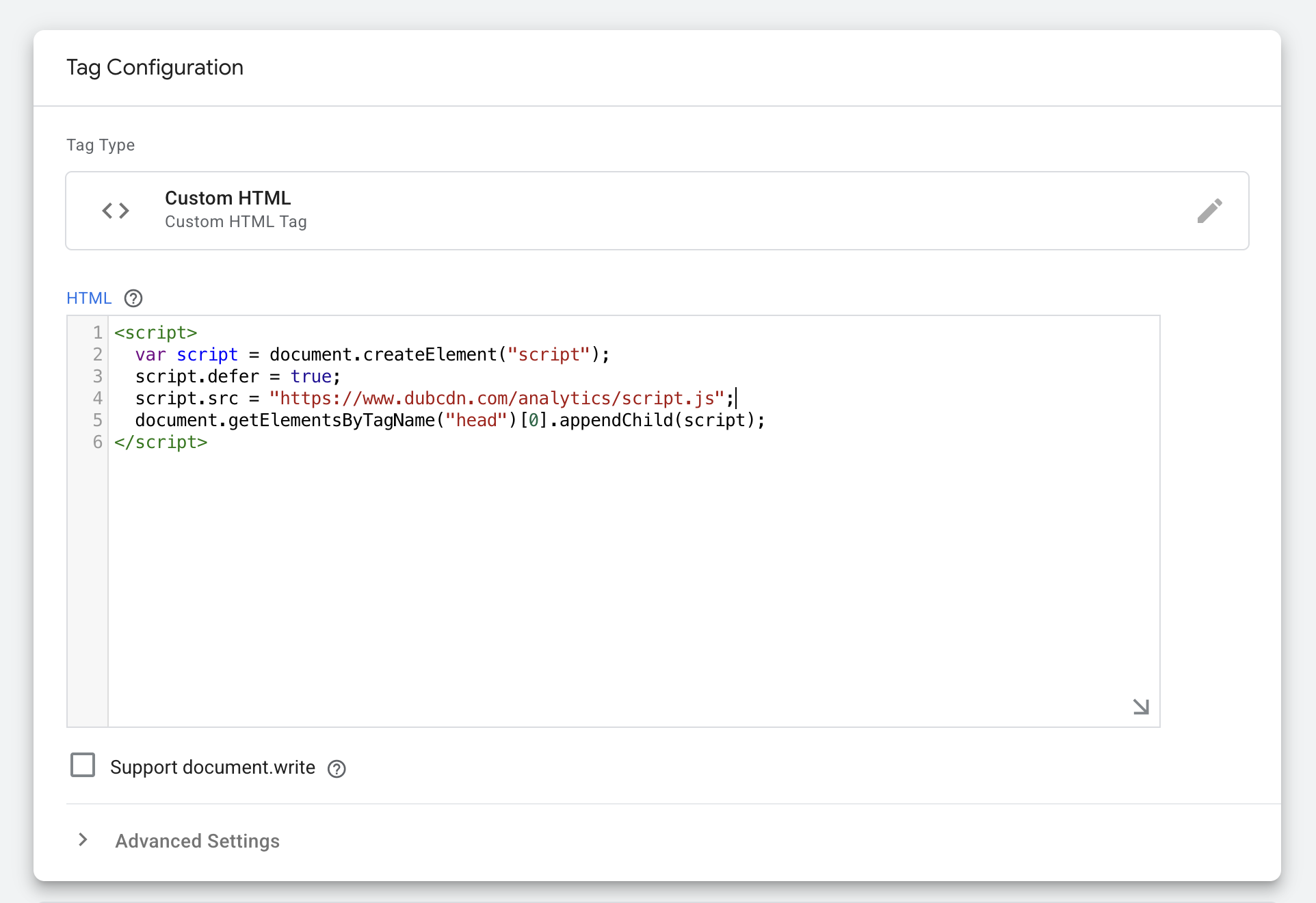-If you’re using [Dub Partners](https://dub.co/docs/partners/quickstart) for your affiliate program, you will also need to set up the `data-domains` property to enable [client-side click-tracking](https://dub.co/docs/sdks/client-side/features/click-tracking).--```js-<script>- var script = document.createElement("script");- script.defer = true;- script.src = "https://www.dubcdn.com/analytics/script.js";- script.dataset.domains = JSON.stringify({ refer: "yourcompany.link" });- document.getElementsByTagName("head")[0].appendChild(script);-</script>-```-## Step 3: Configure the TriggerTo ensure the analytics script loads on all pages: