
The modern link attribution platform. Loved by world-class engineering teams at Twilio, Zillow, Jobber, Vercel, Raycast, and more.
TypeScript clickhousemysqlnextjsopen-sourceplanetscaleprismatailwindcsstinybirdtypescriptupstashvercel
add gtm client sdk instructions
Steven Teyfa422c43f02d
diff --git a/apps/web/guides/gtm-client-sdk.md b/apps/web/guides/gtm-client-sdk.mdnew file mode 100644index 0000000000..ad9be6745b--- /dev/null+++ b/apps/web/guides/gtm-client-sdk.md@@ -0,0 +1,53 @@+This guide will walk you through the process of integrating Dub Analytics with Google Tag Manager (GTM).++## Step 1: Create a New Tag++First, navigate to your Google Tag Manager account and create a new tag:++- Click on **Tags** in the left sidebar+- Click the **New** button+- Select **Custom H**TML as the tag type++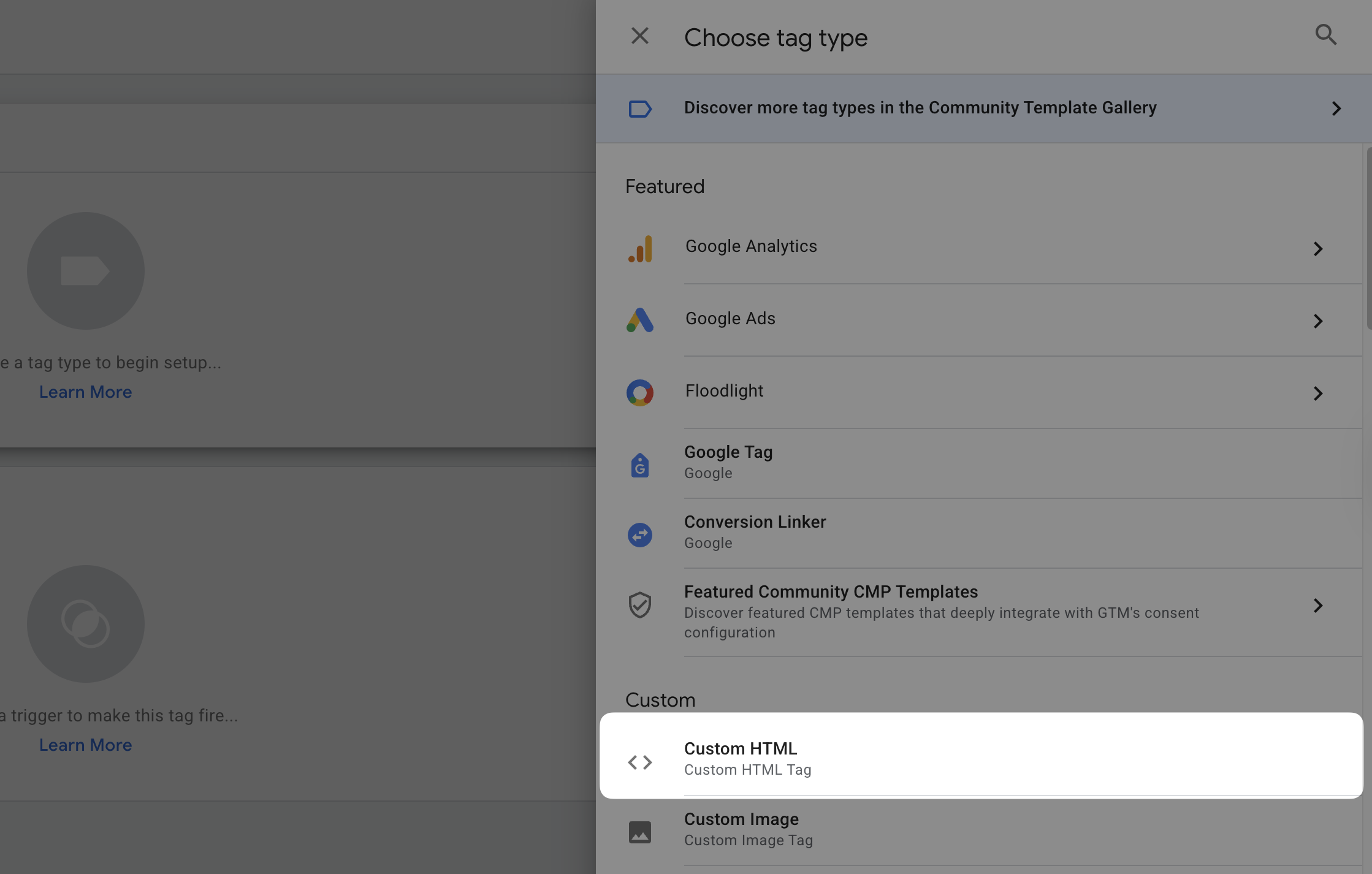++## Step 2: Add the Dub Analytics Script++In the Custom HTML section, you’ll need to add the Dub Analytics script. Copy and paste the following code into the **HTML** field:++```js+<script>+ var script = document.createElement("script"); script.defer = true; script.src+ = "https://www.dubcdn.com/analytics/script.js";+ document.getElementsByTagName("head")[0].appendChild(script);+</script>+```++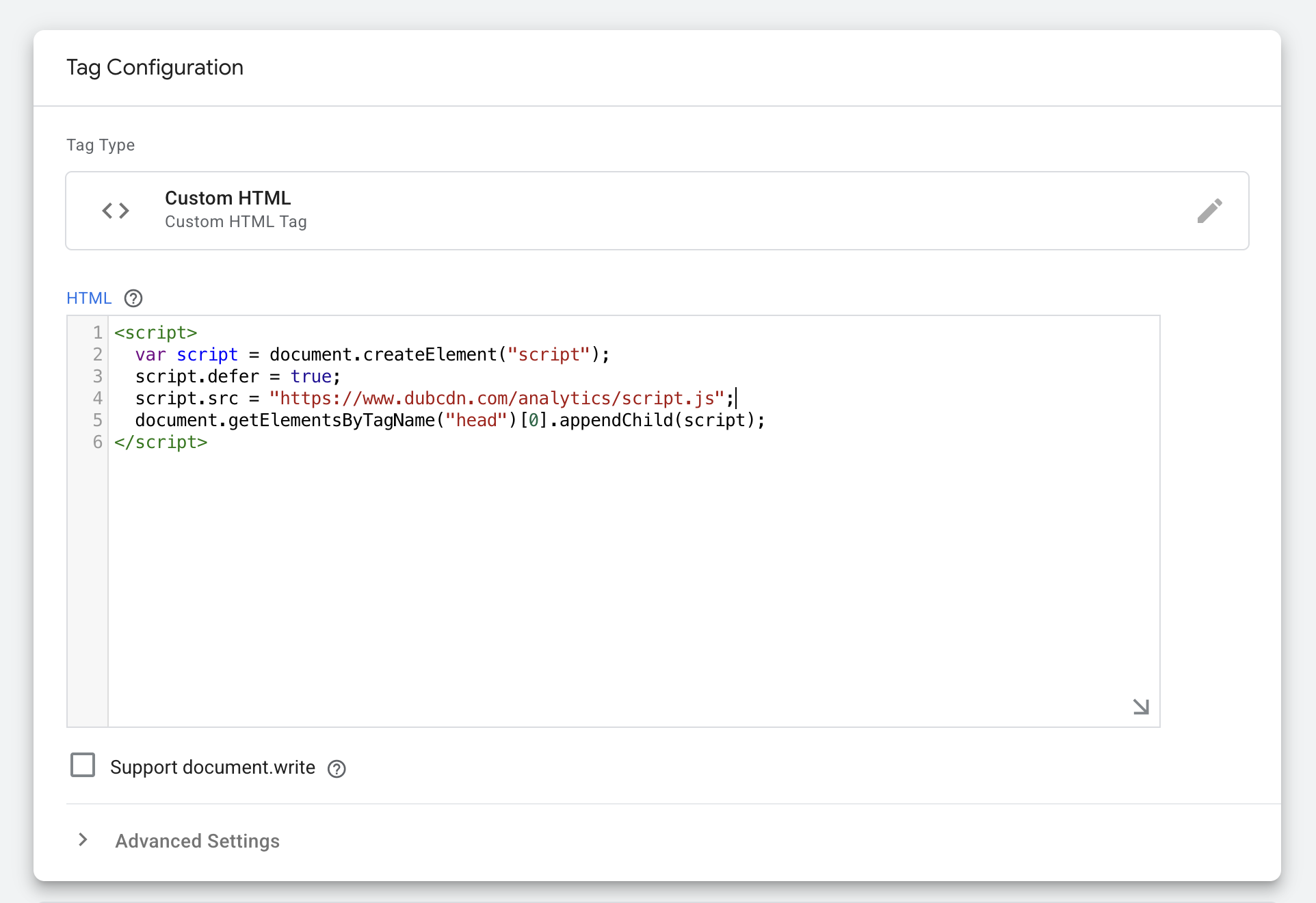++If you’re using [Dub Partners](https://dub.co/docs/partners/quickstart) for affiliate management, you will also need to set up the `data-domains` property to enable [client-side click-tracking](https://dub.co/docs/sdks/client-side/features/client-side-click-tracking).++```js+<script>+ ...+ var script = document.createElement("script");+ script.defer = true;+ script.src = "https://www.dubcdn.com/analytics/script.js";+ script.dataset.domains = JSON.stringify({ refer: "refer.yourdomain.com" }); // Add this line to match the short domain you're using for your referral links+ document.getElementsByTagName("head")[0].appendChild(script);+</script>+```++## Step 3: Configure the Trigger++To ensure the analytics script loads on all pages:++- Click on the **Triggering** section+- Select **All Pages** as the trigger type+- This will make the tag fire on every page load++## Step 4: Save and Publish++- Name your tag **Dub Analytics**+- Click **Save** to store your changes+- Click **Submit** to create a new version+- Finally, click **Publish** to activate the tag on your websitediff --git a/apps/web/ui/guides/integrations.ts b/apps/web/ui/guides/integrations.tsindex 7cc7e47bc2..d898957762 100644--- a/apps/web/ui/guides/integrations.ts+++ b/apps/web/ui/guides/integrations.ts@@ -62,6 +62,13 @@ export const guides: IntegrationGuide[] = [icon: React,url: "https://dub.co/docs/sdks/client-side/installation-guides/react",},+ {+ type: "client-sdk",+ key: "gtm-client-sdk",+ title: "Google Tag Manager",+ icon: GoogleTagManager,+ url: "https://dub.co/docs/sdks/client-side/installation-guides/google-tag-manager",+ },{type: "client-sdk",key: "framer",@@ -100,6 +107,20 @@ export const guides: IntegrationGuide[] = [},// Track Leads+ {+ type: "track-lead",+ key: "segment-track-lead",+ title: "Segment",+ icon: Segment,+ url: "https://dub.co/docs/conversions/leads/segment",+ },+ {+ type: "track-lead",+ key: "gtm-track-lead",+ title: "Google Tag Manager",+ icon: GoogleTagManager,+ url: "https://dub.co/docs/conversions/leads/google-tag-manager",+ },{type: "track-lead",key: "clerk",@@ -142,20 +163,6 @@ export const guides: IntegrationGuide[] = [icon: Appwrite,url: "https://dub.co/docs/conversions/leads/appwrite",},- {- type: "track-lead",- key: "segment-track-lead",- title: "Segment",- icon: Segment,- url: "https://dub.co/docs/conversions/leads/segment",- },- {- type: "track-lead",- key: "gtm-track-lead",- title: "Google Tag Manager",- icon: GoogleTagManager,- url: "https://dub.co/docs/conversions/leads/google-tag-manager",- },{type: "track-lead",key: "manual-track-lead",