
💚 End-to-end encrypted cloud for everything.
Dart 2faandroidauthye2eeencryptionend-to-end-encryptionfluttergolanggoogle-photosgoogle-photos-alternativeiosopensourcephotosprivacyprivacy-toolstypescriptzero-knowledge
[Docs] Match mobile public-link labels (#14334)
Shanthy0564b88220de
diff --git a/docs/docs/photos/features/sharing-and-collaboration/public-links.md b/docs/docs/photos/features/sharing-and-collaboration/public-links.mdindex 37511e338e..3d45b4796b 100644--- a/docs/docs/photos/features/sharing-and-collaboration/public-links.md+++ b/docs/docs/photos/features/sharing-and-collaboration/public-links.md@@ -19,8 +19,8 @@ Share an entire album via a public link:1. Open the album you want to share2. Tap the Share icon-3. Select "Create link" or "Share link"-4. Tap "Manage link" to configure optional [link features](#link-features) like album layout, password protection, link expiry, allow adding photos, etc+3. Tap "Create public link"+4. On the "Link settings" screen, configure optional [link features](#link-features) like album layout, password protection, link expiry, allow adding photos, etc5. Tap "Copy link" and share it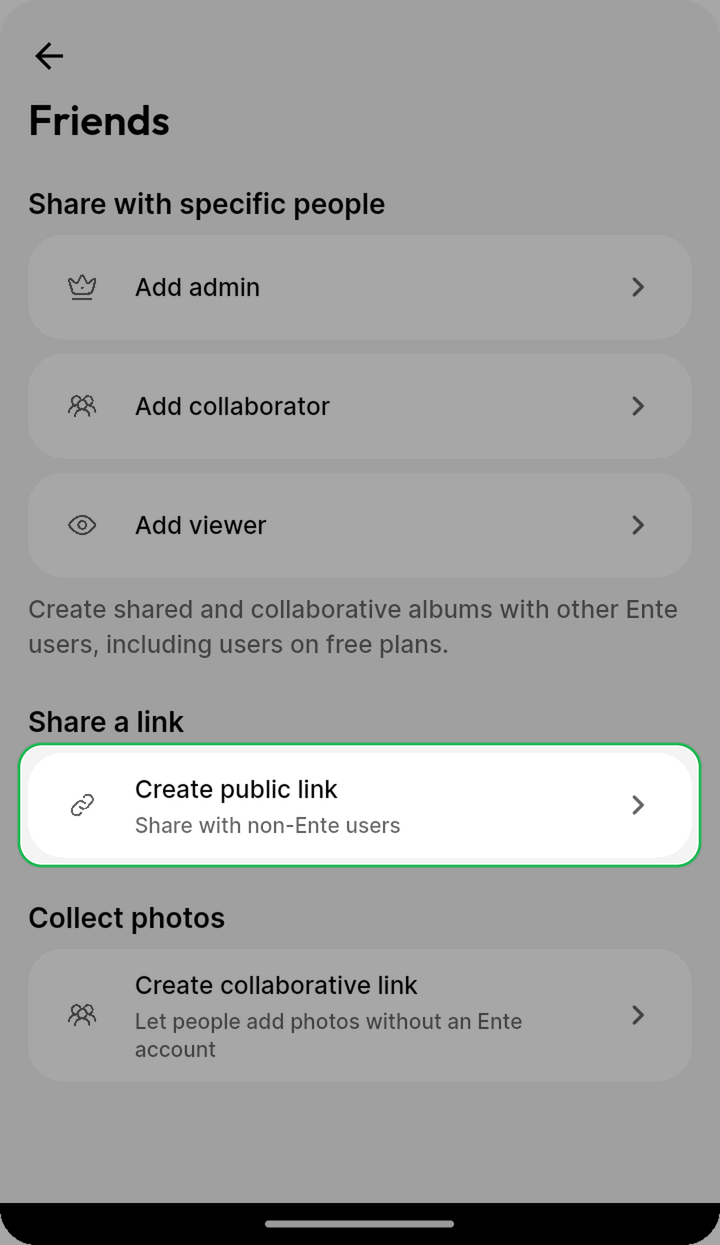{width=320px}