
A spy satellite simulator in your browser, except the data is real. Live open source spatial intelligence on a photorealistic 3D globe.
JavaScript 3d-globecesiumflight-trackinggeospatialgeospatial-intelligencegisosintphotogrammetrysatellite-trackingspatial-intelligencewebglworldview
Streamline README: AI-assisted setup instructions, walkthrough video, consolidated demo flow
Bilawal Sidhu314a0e1c2ef6
diff --git a/.env.example b/.env.exampleindex e5eb65448..83818911d 100644--- a/.env.example+++ b/.env.example@@ -1,6 +1,15 @@# God's Eye View — environment variables# Copy to .env and fill in your keys. On macOS the launcher can also read keys-# from the Keychain (see README); on Linux/Windows use this file or env vars.+# from the Keychain (see below); on Linux/Windows use this file or env vars.+#+# macOS Keychain: store any of these and ./scripts/dev-fresh.sh pulls them in.+# Each command prompts for the secret so it never lands in shell history:+# security add-generic-password -U -s "google-maps-api" -a "api-key" -w+# security add-generic-password -U -s "openai-api" -a "api-key" -w+# security add-generic-password -U -s "aisstream-api" -a "api-key" -w+# security add-generic-password -U -s "firms-map" -a "map-key" -w+# security add-generic-password -U -s "cesium-ion" -a "token" -w+# security add-generic-password -U -s "tomtom-api" -a "api-key" -w## NOTE ON CLIENT-EXPOSED KEYS: GOOGLE_MAPS_API_KEY and CESIUM_ION_TOKEN are# injected into the browser bundle by design (they're used client-side) anddiff --git a/README.md b/README.mdindex c041b8835..ff82dab65 100644--- a/README.md+++ b/README.md@@ -22,7 +22,7 @@ Photorealistic 3D globe. Live aircraft, ships, satellites, earthquakes, traffic,<div align="center">-**[Quick Start](#-quick-start) · [First Five Minutes](#-the-first-five-minutes) · [Talk to It](#-talk-to-it) · [What's Live](#-whats-on-the-globe) · [Under the Hood](#-under-the-hood) · [Keys & Costs](#-api-keys)**+**[Quick Start](#-quick-start) · [First Five Minutes](#-the-first-five-minutes) · [Talk to It](#-talk-to-it) · [What's Live](#-whats-on-the-globe) · [Under the Hood](#-under-the-hood) · [Keys](#-api-keys) · [Costs](#-what-it-actually-costs)**</div>@@ -42,6 +42,14 @@ The live layers are grounded in public feeds: the airliner crossing your screen## 🎛️ What This Thing Does+<div align="center">++[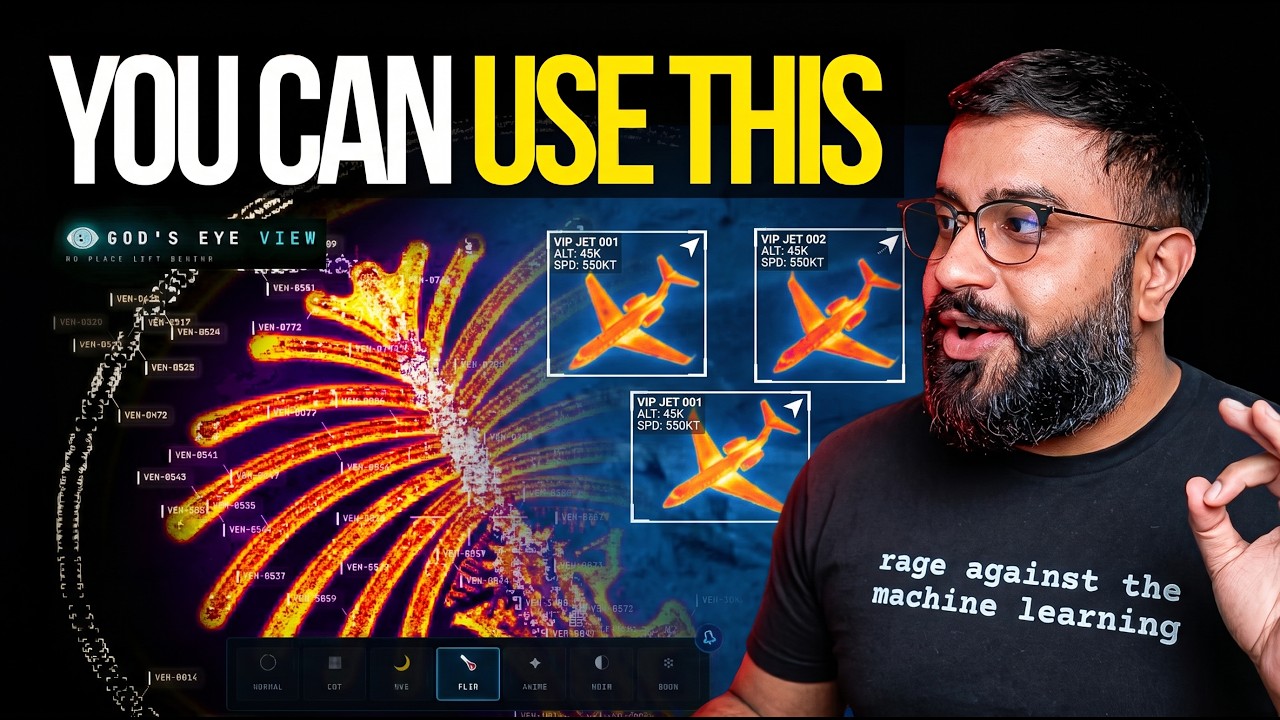](https://www.youtube.com/watch?v=GRJaKcXZS94)++▶️ **[The full walkthrough of everything below, on YouTube](https://www.youtube.com/watch?v=GRJaKcXZS94)**++</div>+- **🛩️ Cockpit view:** Ride inside a tracked flight — the camera holds the terrain under you all the way down.- **📡 Contacts:** A 250 km roster of everything near your target — step through live aircraft and drop into any cockpit.- **🎯 Click-to-track anything:** Camera locks on, draws a fading trail, surfaces full metadata — and a tracked fire or vessel hands you off to the nearest live camera in one click.@@ -71,9 +79,22 @@ npm run dev -- --host localhost --port 41733. Open **`http://localhost:4173`**. Cold start settles in under two seconds on a recent laptop (median 1.86 s in a point-in-time M5/Chrome capture — [docs/PERFORMANCE.md](docs/PERFORMANCE.md); a comparison baseline, not a hardware requirement). A first-run card offers to stage a mission for you — **Live Contacts**, **Space Missions**, **Environmental** — or leaves you to explore manually.-**That one key is the whole entry fee.** Everything in this README is color-coded — 🟢 needs nothing · 🟡 free key · 🔴 metered — and Google Maps is the only 🔴 you need: it buys the photorealistic planet, and most of the globe lights up 🟢 from there. Full map in [Keys & Costs](#-api-keys).+> [!TIP]+> **Not a coder? Have an AI do this whole page for you.** A one-click installer is in the works — until then, install a coding agent ([Claude Code](https://claude.com/claude-code), [Codex](https://openai.com/codex/), [Cursor](https://cursor.com), or [Antigravity](https://antigravity.google)) and paste this:+>+> ```text+> Clone https://github.com/bilawalsidhu/gods-eye-view and set it up on my machine.+> Install everything it needs, walk me through getting the required Google Maps API+> key step by step (plus any optional free keys I want), put the keys in .env, and+> help me set a billing alert and a usage quota on the Google key so I can't+> overspend. Then start the dev server and open it in my browser. I'm not a+> developer — explain what you're doing as you go, and ask me before any step+> that could cost money.+> ```++**That one key is the whole entry fee.** Everything in this README is color-coded — 🟢 needs nothing · 🟡 free key · 🔴 metered — and Google Maps is the only 🔴 you need: it buys the photorealistic planet, and most of the globe lights up 🟢 from there. For typical solo exploring, expect **$0 on most layers** and pocket change on the metered two: Google currently gives **1,000 free 3D-tile sessions a month** — each good for up to three hours of rendering, which is very hard for one person to exhaust — and voice carries a built-in $5 session cap. Full map in [Keys & Costs](#-api-keys), full honest breakdown in [What it actually costs](#-what-it-actually-costs).-The dev server binds to **localhost** — your keys stay on your machine. Sharing on a LAN and the cost rails live in [Keys & Costs](#-api-keys) and [SECURITY.md](SECURITY.md).+The dev server binds to **localhost** — your keys stay on your machine. Sharing on a LAN safely is covered in [Sharing an instance](#-sharing-an-instance) and [SECURITY.md](SECURITY.md).**macOS shortcut:** `./scripts/dev-fresh.sh` clears the Vite cache and pulls your keys straight from the Keychain.@@ -84,10 +105,12 @@ The dev server binds to **localhost** — your keys stay on your machine. SharinNo account, no signup. The first-run card will offer to stage a mission for you — or run this gauntlet yourself. Somewhere in these five minutes it stops feeling like a demo:1. **Light up the sky.** Take the **Live Contacts** mission (or turn on **Flights** yourself) — thousands of live aircraft, gliding on real telemetry, detection mesh already reading the scene. Click one: the camera locks on, a trail draws behind it, and its live telemetry card comes up.-2. **Take the controls.** Hit **COCKPIT** on your tracked plane and ride it down, switching sensors mid-flight: NVG into Ironbow FLIR.+2. **Take the controls.** Hit **COCKPIT** on your tracked plane and ride it down, switching sensors mid-flight: NVG into Ironbow FLIR. The cockpit carries its own briefing strip — nearby live signals, regional headlines, and real local weather, with an opt-in **WX** mode that renders volumetric clouds from actual observations around your aircraft — and **Contacts** keeps the 250 km roster one click (or one sentence) away: jump plane to plane and fall straight into the next cockpit.++3. **Drop into a busy airport.** Search one and descend to the taxiways with **3D** aircraft on — grounded contacts, taxi trails, the whole apron working in real time.@@ -96,37 +119,25 @@ No account, no signup. The first-run card will offer to stage a mission for you-5. **Track something in orbit.** Turn on **Satellites** and click the ISS — you ride along at orbital distance, orbit ring and all.+5. **Paint the streets with rush hour.** Turn on **Traffic** and dive below ~8 km — per-vehicle flow colors to the real jams (with a TomTom key; keyless it's a labeled simulation). Then hit **NEAREST** in the CCTV panel and watch the jam through the camera pointed at it.++++6. **Track something in orbit.** Turn on **Satellites** and click the ISS — you ride along at orbital distance, orbit ring and all.-6. **Switch the optics.** Tap `1`–`7` — CRT, NVG, FLIR — and the whole live planet re-renders through a different sensor.+7. **Switch the optics.** Tap `1`–`7` — CRT, NVG, FLIR — and the whole live planet re-renders through a different sensor.-7. **Talk to it** *(needs an OpenAI key)*: *"Take me to LAX and select the nearest airborne aircraft."*-8. **Come home.** Hit **Reset Globe** — or just say *"zoom out to a globe view."*+8. **Talk to it** *(needs an OpenAI key)*: *"Take me to LAX and select the nearest airborne aircraft."*+9. **Come home.** Hit **Reset Globe** — or just say *"zoom out to a globe view."***Keyboard:** `1`–`7` visual styles · `H` HUD · `D` detection · `C` cockpit · `Esc` out.----## 🛩️ The Cockpit--> Every plane should let you do this.--Real-time cockpit mode, built from live flight data: the camera rides your contact with real terrain holding underneath, all the way down — sensor styles come along for the ride, and **Contacts** keeps the 250 km roster one click away: jump plane to plane and fall straight into the next cockpit.----The cockpit even carries its own briefing strip: nearby live signals, regional headlines, and real local weather — with an opt-in **WX** mode that renders volumetric clouds from actual observations around your aircraft.----*Why cockpit mode exists: you're riding a real aircraft over real terrain — and you get to pick which sensor you see the world through.*------## 🎙️ Talk to It> Voice needs an **OpenAI key**. Without one the entire app still runs — the mic button just reports voice is unavailable. The same key drives the **AI HUD summary**: a terse, five-word intelligence-style readout of the current view that regenerates as you move.@@ -168,7 +179,7 @@ Twenty-eight tools, four jobs — the commands below come straight from the prod## 🛰️ What's on the Globe-Thirteen live layers. **Ten of them need nothing at all** — no key, no account, no signup. (🟢 nothing · 🟡 free key · 🔴 metered.)+Thirteen live layers. **Ten of them need nothing at all** — no key, no account, no signup.| Layer | What you get | Source | Auth ||-------|--------------|--------|------|@@ -186,14 +197,8 @@ Thirteen live layers. **Ten of them need nothing at all** — no key, no account| 🚀 **Space Missions** | Rolling 30-day launches with payload, stage, and recovery detail | Launch Library 2 | 🟢 (🟡 optional token raises the allowance) || 🎖️ **Mapped Installations** | Viewport-bounded military-site context from community mapping — incomplete by nature, and labeled that way | OpenStreetMap | 🟢 |---*The Space Missions layer replaying a Falcon 9 ascent — labeled `RECONSTRUCTED ESTIMATE`, scrubbable 0.25×–4×.*-**Also on the globe:** neighborhood overlays · an optional cockpit WX cloud effect. **Bundled static infrastructure:** Datacenters (4,351), Dams (704), and Submarine Cables (712).--**Missing a layer you want?** Open an issue — or add it and send the PR.---@@ -215,6 +220,7 @@ Once the basics click, run these:| **🚀 Launch replay** | Open **Space Missions**, pick a launch from the last 30 days, and ride the T-minus countdown through ascent to orbit — scrub it at 0.25×–4×. Labeled `RECONSTRUCTED ESTIMATE`, because it is one. || **🪦 Walk the boneyard** | Fly from regional context down into dense, fully resolved rows of retired aircraft. || **🏗️ Orbit Three Gorges** | Sweep the dam and its terrain at a glance — then flip on the **Dams** layer and find 703 more. |+| **🌊 Trace the backbone** | Dive to the Bahamas with **Submarine Cables** on — labeled routes reveal beneath the water, 712 of them worldwide. |*🎙️ = voice missions — they need an OpenAI key.*@@ -230,6 +236,14 @@ Once the basics click, run these:*Walk the boneyard: rows of retired airframes, fully resolved in 3D.*+++*Launch replay: a Falcon 9 ascent, labeled `RECONSTRUCTED ESTIMATE`, scrubbable 0.25×–4×.*++++*Trace the backbone: the submarine cable routes under the Bahamas.*+---## 🔧 Under the Hood@@ -279,9 +293,7 @@ Five keys cover the fully keyed experience. Three currently offer no-cost develo| 🟡 | **NASA FIRMS** | 🔥 Live active fires | [firms.modaps.eosdis.nasa.gov](https://firms.modaps.eosdis.nasa.gov/api/map_key/) — free || 🟡 | **TomTom** | 🚦 Real traffic instead of an approximate simulation | [developer.tomtom.com](https://developer.tomtom.com) — check the current developer allowance for your account |---*What the TomTom key buys you: rush-hour density painted on the city — then dive from the jam straight into the camera watching it.*+*What the TomTom key buys you: step 5 of [The First Five Minutes](#-the-first-five-minutes) for real — actual rush-hour density painted on the city instead of an approximate simulation.*### Cherry on top@@ -296,16 +308,10 @@ All of them are worth getting. None of them are required to start.```bash# Put keys in .env (see .env.example), or pass them as env vars:OPENAI_API_KEY="…" AISSTREAM_API_KEY="…" npm run dev -- --host localhost --port 4173--# On macOS, store any of them in the Keychain and dev-fresh.sh pulls them in:-security add-generic-password -U -s "google-maps-api" -a "api-key" -w-security add-generic-password -U -s "openai-api" -a "api-key" -w-security add-generic-password -U -s "aisstream-api" -a "api-key" -w-security add-generic-password -U -s "firms-map" -a "map-key" -w-security add-generic-password -U -s "cesium-ion" -a "token" -w-security add-generic-password -U -s "tomtom-api" -a "api-key" -w```+On macOS you can also keep any key in the Keychain and `./scripts/dev-fresh.sh` pulls them in — the `security add-generic-password` service names are documented in `.env.example`.+OpenSky can run fully anonymous (`OPENSKY_AUTH_MODE=anon`), or import OAuth credentials with `./scripts/opensky-import-client.sh /path/to/credentials.json`.### 💸 What it actually costs@@ -316,7 +322,7 @@ Honest numbers, roughly, as of mid-2026 — always check the provider pricing pa|---|---|| **🟢 Most layers** | **$0, no signup.** OpenSky anon, USGS, CelesTrak, adsb.lol, city CCTV, Radio Browser, GBFS, Launch Library 2, bundled datasets. || **🟡 Optional developer access** | AISStream, FIRMS, TomTom, Cesium ion, and authenticated OpenSky may offer no-cost access, but limits and permitted uses differ. Cesium ion and OpenSky in particular have plan or use restrictions; verify the current provider terms for your deployment. |-| **🔴 Google 3D tiles** | Map Tiles usage is billed by session, with current prices and free-usage caps varying by billing region. Check Google's pricing page, restrict the key, set quotas, and configure a budget alert before sustained use. |+| **🔴 Google 3D tiles** | More generous than you'd guess: billing counts **root tileset requests** — one buys up to **three hours** of unlimited tile rendering — and the first **1,000 per month are free**, then about **$6 per 1,000** (US pricing; [check the current page](https://developers.google.com/maps/billing-and-pricing/pricing), rates vary by billing region). A solo user rarely leaves the free tier. Still: restrict the key, set quotas, and configure a budget alert before sustained use. || **🔴 OpenAI voice** | Realtime audio is usage-metered and the total depends on the selected model, conversation length, and audio volume. The app shows a live session estimate, warns at $2, and applies a **$5 in-app session cap**; provider-side usage limits remain the billing backstop. |### 🧗 The floor is low on purpose