
🎬 火宝短剧 - 基于AI的一站式短剧生成平台 《一句话生成完整短剧,从剧本到成片全自动化》 Huobao Drama - An AI-Powered End-to-End Short Drama Generator "One Sentence to Complete Drama: Fully Automated from Script to Final Video"
TypeScript
chore: clean up project — rename server→backend, client→frontend
Connor4cdc81e115b4
diff --git a/.dockerignore b/.dockerignoredeleted file mode 100644index abf09f4..0000000--- a/.dockerignore+++ /dev/null@@ -1,61 +0,0 @@-# Git-.git-.gitignore-.gitattributes--# IDE-.idea-.vscode-*.swp-*.swo-*~--# OS-.DS_Store-Thumbs.db--# 构建产物-dist/-build/-*.exe-*.dll-*.so-*.dylib-huobao-drama-backend--# 依赖-node_modules/-**/node_modules/-vendor/--# 数据文件-data/-*.db-*.log--# 临时文件-tmp/-temp/--# 前端构建缓存-web/.vite/-web/dist/--# 测试-*.test-coverage/--# 文档-README.md-drama.png-*.md--# Docker-Dockerfile*-docker-compose*.yml-.dockerignore--# CI/CD-.github/-.gitlab-ci.ymldiff --git a/.env.example b/.env.exampledeleted file mode 100644index 67c530f..0000000--- a/.env.example+++ /dev/null@@ -1,67 +0,0 @@-# ========================================-# Docker 镜像源配置示例-# ========================================-#-# 【使用方法】-# 1. 复制此文件:cp .env.example .env-# 2. 编辑 .env 文件,删掉下面 4 个配置行前面的 # 号:-# - DOCKER_REGISTRY-# - NPM_REGISTRY-# - GO_PROXY-# - ALPINE_MIRROR-# 3. 保存后运行:docker-compose build-#-# 【注意】-# - 只删除配置行前面的 #,不要删除注释说明的 #-# - 国外用户请勿配置,使用默认官方源即可-#-# ========================================--# ------------------------------# Docker Hub 镜像源(末尾必须有斜杠 /)-# ------------------------------#-# 推荐镜像源:-# docker.1ms.run/ - 速度快,推荐-# dockerpull.org/ - 备用-# dockerproxy.cn/ - 备用-#-# 删除下面行首的 # 来启用:-# DOCKER_REGISTRY=docker.1ms.run/---# ------------------------------# npm 镜像源(末尾斜杠可选)-# ------------------------------#-# 推荐镜像源:-# https://registry.npmmirror.com/ - 淘宝镜像,推荐-#-# 删除下面行首的 # 来启用:-# NPM_REGISTRY=https://registry.npmmirror.com/---# ------------------------------# Go 模块代理(注意末尾不要斜杠)-# ------------------------------#-# 推荐镜像源:-# https://goproxy.cn,direct - 七牛云,推荐-# https://goproxy.io,direct - 备用-# https://mirrors.aliyun.com/goproxy/,direct - 阿里云-#-# 删除下面行首的 # 来启用:-# GO_PROXY=https://goproxy.cn,direct---# ------------------------------# Alpine apk 镜像源(末尾不要斜杠)-# ------------------------------#-# 推荐镜像源:-# mirrors.aliyun.com - 阿里云,推荐-# mirrors.tuna.tsinghua.edu.cn - 清华大学-# mirrors.ustc.edu.cn - 中科大-#-# 删除下面行首的 # 来启用:-# ALPINE_MIRROR=mirrors.aliyun.comdiff --git a/CLAUDE.md b/CLAUDE.mdindex 1045d38..b3c7941 100644--- a/CLAUDE.md+++ b/CLAUDE.md@@ -1,68 +1,52 @@# CLAUDE.md-This file provides guidance to Claude Code (claude.ai/code) when working with code in this repository.-## Project Overview-Huobao Drama is a full-stack AI-powered drama/video production tool. A Go backend (Gin + GORM) serves both a REST API and a Vue 3 SPA frontend as a single binary.--## Commands--### Backend (project root)-- `go run main.go` — start server (reads `configs/config.yaml`, serves on :5678)-- `go build -o huobao-drama .` — build binary-- `go run cmd/migrate/main.go` — run DB migrations-- `go test ./...` — run all Go tests--### Frontend (`web/` directory, uses pnpm)-- `pnpm dev` — Vite dev server on :3012, proxies `/api` and `/static` to :5678-- `pnpm build` — production build to `web/dist/`-- `pnpm build:check` — build with TypeScript type checking-- `pnpm lint` — ESLint+Huobao Drama — AI-powered drama/video production tool. Full TypeScript stack.-### Docker-- `docker-compose up --build` — full stack on port 5678+## Structure-## Architecture+```+backend/ — Hono + Drizzle ORM + Mastra (AI agents) + better-sqlite3+frontend/ — Vue 3 + TypeScript + Vite (pure CSS, no UI framework)+configs/ — config.yaml+data/ — SQLite database + static files+skills/ — Agent SKILL.md definitions+```-### Backend — DDD 4-layer structure-- `api/handlers/` — HTTP handlers (Gin). Call services, return JSON via `pkg/response/` helpers.-- `api/routes/routes.go` — all route definitions under `/api/v1`-- `api/middlewares/` — CORS, logging, rate limiting-- `application/services/` — business logic orchestration-- `domain/models/` — GORM models with soft deletes, JSON fields (`datatypes.JSON`), and `gorm:"-"` runtime fields-- `infrastructure/` — database (GORM + SQLite/MySQL), local file storage, FFmpeg wrapper, cron scheduler-- `pkg/` — shared packages: AI clients (text/image/video), config, logger (Zap), response helpers, utils+## Commands-Handlers never touch the DB directly. Services orchestrate between handlers and infrastructure.+### Backend (`backend/`)+- `npm run dev` — Start dev server with tsx watch (port 5679)+- `npm start` — Start production server+- `npm run typecheck` — TypeScript type checking-### Multi-provider AI abstraction-`pkg/ai/`, `pkg/image/`, `pkg/video/` each define a client interface with multiple provider implementations (OpenAI, Gemini, Volcengine/Doubao, MiniMax, Sora, Chatfire). Config in `configs/config.yaml` selects active providers.+### Frontend (`frontend/`)+- `npm run dev` — Vite dev server (port 3013, proxies /api to 5679)+- `npm run build` — Production build-### Frontend — Vue 3 SPA (`web/src/`)-- Vue 3 + TypeScript + Vite 5-- UI: Element Plus + Tailwind CSS 4 + SCSS-- State: Pinia (`stores/episode.ts`)-- Routing: Vue Router 4, all routes lazy-loaded (`router/index.ts`)-- HTTP: Axios with interceptors (`api/request.ts`), 13 API modules in `api/`-- i18n: vue-i18n (zh-CN, en-US) in `locales/`-- Dark mode: Tailwind `darkMode: 'class'`, persisted in localStorage-- Views organized by feature: `drama/`, `workflow/`, `storyboard/`, `settings/`-- Shared components in `components/common/` and `components/editor/`+## Architecture-### SPA serving-Go serves `web/dist/` as static files with a NoRoute fallback to `index.html` for client-side routing.--## Key Config-- `configs/config.yaml` — server port, DB type (sqlite/mysql), AI provider settings, storage paths-- `web/vite.config.ts` — dev proxy config, path aliases (`@` → `src/`)-- `web/tailwind.config.js` — custom color tokens for dark mode+### Backend+- **HTTP**: Hono framework with CORS, logger middleware+- **Database**: Drizzle ORM + better-sqlite3, WAL mode, schema in `src/db/schema.ts`+- **AI Agents**: Mastra framework with AI SDK (OpenAI compatible providers)+- **Agent Types**: script_rewriter, extractor, storyboard_breaker+- **SSE Streaming**: Hono streamSSE for agent chat responses+- **File Storage**: Local filesystem under `data/static/`++### Frontend+- **Vue 3** + TypeScript + Vite+- **Routing**: Vue Router (4 routes: list, detail, workbench, settings)+- **State**: Single composable `useWorkbench.ts` for workbench page+- **API**: Unified fetch client in `src/api/index.ts` with SSE async generator+- **Styling**: Pure CSS with CSS variables (dark theme)## Database-Default: SQLite (pure Go via `modernc.org/sqlite`, no CGO). Also supports MySQL. WAL mode enabled with connection pool tuning for SQLite's single-writer constraint. Auto-migration on startup in `infrastructure/database/`.+SQLite at `data/drama_generator.db`. Schema matches existing GORM-created tables.+Auto-WAL mode. No migrations needed — reads existing DB directly.-## Conventions-- Backend uses Chinese comments extensively-- Frontend i18n keys used throughout — both zh-CN and en-US supported-- API responses use standard format via `pkg/response/` (Success/Error helpers)-- Domain models use `gorm.Model` base (ID, CreatedAt, UpdatedAt, DeletedAt)+## Key Config+- `configs/config.yaml` — AI provider defaults+- AI service configs stored in DB (`ai_service_configs` table)+- Agent configs stored in DB (`agent_configs` table)diff --git a/DOCKER_HOST_ACCESS.md b/DOCKER_HOST_ACCESS.mddeleted file mode 100644index 3368f84..0000000--- a/DOCKER_HOST_ACCESS.md+++ /dev/null@@ -1,79 +0,0 @@-# Docker 容器访问宿主机服务指南--## 核心配置--Docker 容器内使用 `http://host.docker.internal:端口号` 访问宿主机服务。--### macOS / Windows--直接使用,无需额外配置。--### Linux--**docker-compose** - 已在 `docker-compose.yml` 配置:-```yaml-extra_hosts:- - "host.docker.internal:host-gateway"-```--**docker run** - 需添加参数:-```bash-docker run --add-host=host.docker.internal:host-gateway ...-```--## Ollama 配置示例--### 1. 宿主机启动服务--```bash-# 监听所有接口(重要)-export OLLAMA_HOST=0.0.0.0:11434-ollama serve-```--### 2. 前端 AI 服务配置--| 字段 | 值 |-|------|-----|-| Base URL | `http://host.docker.internal:11434/v1` |-| Provider | `openai` |-| Model | `qwen2.5:latest` |-| API Key | `ollama` 或留空 |--### 3. 其他服务端口--| 服务 | 默认端口 | Base URL |-|------|---------|----------|-| Ollama | 11434 | `http://host.docker.internal:11434/v1` |-| LM Studio | 1234 | `http://host.docker.internal:1234/v1` |-| vLLM | 8000 | `http://host.docker.internal:8000/v1` |--## 验证和故障排查--### 测试连接--```bash-# 进入容器测试-docker exec -it huobao-drama sh-wget -O- http://host.docker.internal:11434/api/tags--# 查看容器日志-docker logs huobao-drama -f-```--### 常见问题--**Connection refused**--1. **宿主机服务未运行** - 检查服务状态- ```bash- curl http://localhost:11434/api/tags- ```--2. **服务未监听 0.0.0.0** - Ollama 默认只监听 127.0.0.1- ```bash- export OLLAMA_HOST=0.0.0.0:11434- ollama serve- ```--3. **防火墙阻止** - 检查防火墙规则或临时关闭测试diff --git a/LICENSE b/LICENSEdeleted file mode 100644index dc30db2..0000000--- a/LICENSE+++ /dev/null@@ -1,53 +0,0 @@-Creative Commons Attribution-NonCommercial-ShareAlike 4.0 International Public License--Copyright (c) 2026 火宝 (Chatfire)--本作品采用知识共享署名-非商业性使用-相同方式共享 4.0 国际许可协议进行许可。--This work is licensed under the Creative Commons Attribution-NonCommercial-ShareAlike 4.0 International License.--要查看该许可协议,可访问:-To view a copy of this license, visit:-https://creativecommons.org/licenses/by-nc-sa/4.0/--或者写信到:-Or send a letter to:-Creative Commons, PO Box 1866, Mountain View, CA 94042, USA.-------个人使用许可 (Personal Use License)--您可以自由地:-You are free to:-- 分享 — 在任何媒介以任何形式复制、发行本作品- Share — copy and redistribute the material in any medium or format-- 演绎 — 修改、转换或以本作品为基础进行创作- Adapt — remix, transform, and build upon the material--惟须遵守下列条件:-Under the following terms:-- 署名 — 您必须给出适当的署名,提供指向本许可协议的链接- Attribution — You must give appropriate credit and provide a link to the license-- 非商业性使用 — 您不得将本作品用于商业目的- NonCommercial — You may not use the material for commercial purposes-- 相同方式共享 — 如果您再混合、转换或者基于本作品进行创作,您必须基于与原先许可协议相同的许可协议分发您贡献的作品- ShareAlike — If you remix, transform, or build upon the material, you must distribute your contributions under the same license-------商业授权 (Commercial License)--如需将本项目用于商业目的,请联系作者获取商业授权:-For commercial use, please contact the author for a commercial license:--Email: [email protected]-WeChat: dangbao1117-GitHub: https://github.com/chatfire-AI-------免责声明 (Disclaimer)--本软件按"原样"提供,不提供任何形式的明示或暗示担保。-THE SOFTWARE IS PROVIDED "AS IS", WITHOUT WARRANTY OF ANY KIND.diff --git a/MIGRATE_README.md b/MIGRATE_README.mddeleted file mode 100644index 0784de5..0000000--- a/MIGRATE_README.md+++ /dev/null@@ -1,120 +0,0 @@-# 数据清洗工具使用说明--## 使用方法--### 本地部署--```bash-# 在项目根目录执行-go run cmd/migrate/main.go-```--### Docker 部署--在 Docker 容器中,迁移脚本已经被编译为可执行文件 `migrate`。--```bash-# 进入容器-docker exec -it huobao-drama sh--# 在容器内执行迁移脚本-./migrate--# 执行完成后,退出容器-exit-```--或者直接执行(不进入容器):--```bash-docker exec huobao-drama ./migrate-```--## 配置要求--脚本会自动读取项目配置文件,确保以下配置正确:--- 数据库连接信息(`config/config.yaml` 或环境变量)-- 存储目录:`data/storage`(自动创建)--## 输出示例--```-=== 数据清洗工具:迁移 local_path ===-开始时间: 2026-01-27 14:30:00--INFO 初始化日志系统...-INFO 配置加载成功-INFO 数据库连接成功-INFO 开始数据清洗:迁移 local_path 为空的数据-INFO 存储目录创建成功 root=data/storage--INFO 开始迁移 assets 数据...-INFO 找到需要迁移的 assets 数量=5-INFO 处理 asset id=1 name=背景图 type=image url=https://...-INFO 开始下载文件 url=https://... filepath=data/storage/images/asset_1_1738048200.jpg-INFO 文件下载成功 filepath=data/storage/images/asset_1_1738048200.jpg size=245678-INFO 已缓存 URL 映射 url=https://... local_path=images/asset_1_1738048200.jpg-INFO asset 迁移成功 asset_id=1 local_path=images/asset_1_1738048200.jpg--INFO 开始迁移 character_libraries 数据...-INFO 找到需要迁移的 character_libraries 数量=3-INFO 使用缓存的本地路径 url=https://... local_path=characters/charlib_2_1738048201.jpg--INFO 开始迁移 image_generations 数据...-INFO 找到需要迁移的 image_generations 数量=10-INFO 处理 image_generation id=15 image_type=character image_url=https://...-INFO image_generation 迁移成功 imggen_id=15 local_path=characters/imggen_15_1738048205.jpg--INFO 数据清洗完成- 总耗时=25.5s- URL映射缓存数=8- Assets成功=5 Assets失败=0- 角色库成功=3 角色库失败=0- 角色成功=4 角色失败=0- 图片生成成功=10 图片生成失败=0- 场景成功=6 场景失败=0- 视频成功=2 视频失败=0--=== 数据清洗完成 ===-结束时间: 2026-01-27 14:30:25-```--## 注意事项--1. **运行前确保**:- - 数据库可访问- - 有足够的磁盘空间- - 网络连接正常--2. **安全提示**:- - 脚本会修改数据库中的 `local_path` 字段- - 建议先在测试环境运行- - 可以多次运行,已处理的数据会自动跳过--3. **性能优化**:- - URL 缓存机制避免重复下载- - 下载失败会跳过,不影响其他数据- - 超时时间设置为 60 秒--## 常见问题--### Q: 脚本可以重复运行吗?--A: 可以。脚本只处理 `local_path` 为空的记录,已处理的数据会自动跳过。--### Q: 下载失败怎么办?--A: 单个文件下载失败会记录错误日志并继续处理其他文件。可以查看日志定位问题后重新运行。--### Q: 如何查看详细日志?--A: 日志会实时输出到控制台,包含每个文件的处理状态和最终统计信息。--### Q: 存储路径可以修改吗?--A: 可以。修改脚本中的 `storageRoot` 变量(默认为 `data/storage`)。--## 技术支持--如有问题,请查看日志输出或联系开发团队。diff --git a/README-CN.md b/README-CN.mddeleted file mode 100644index 24055bf..0000000--- a/README-CN.md+++ /dev/null@@ -1,665 +0,0 @@-# 🎬 Huobao Drama - AI 短剧生成平台--<div align="center">--**基于 Go + Vue3 的全栈 AI 短剧自动化生产平台**--[](https://golang.org)-[](https://vuejs.org)-[](https://creativecommons.org/licenses/by-nc-sa/4.0/)--[功能特性](#功能特性) • [快速开始](#快速开始) • [部署指南](#部署指南)--[简体中文](README-CN.md) | [English](README.md) | [日本語](README-JA.md)--</div>-------## 📖 项目简介--Huobao Drama 是一个基于 AI 的短剧自动化生产平台,实现从剧本生成、角色设计、分镜制作到视频合成的全流程自动化。--火宝短剧商业版地址:[火宝短剧商业版](https://drama.chatfire.site/shortvideo)--火宝小说生成:[火宝小说生成](https://marketing.chatfire.site/huobao-novel/)--### 🎯 核心价值--- **🤖 AI 驱动**:使用大语言模型解析剧本,提取角色、场景和分镜信息-- **🎨 智能创作**:AI 绘图生成角色形象和场景背景-- **📹 视频生成**:基于文生视频和图生视频模型自动生成分镜视频-- **🔄 工作流**:完整的短剧制作工作流,从创意到成片一站式完成--### 🛠️ 技术架构--采用**DDD 领域驱动设计**,清晰分层:--```-├── API层 (Gin HTTP)-├── 应用服务层 (Business Logic)-├── 领域层 (Domain Models)-└── 基础设施层 (Database, External Services)-```--### 🎥 作品展示 / Demo Videos--体验 AI 短剧生成效果:--<div align="center">--**示例作品 1**--<video src="https://ffile.chatfire.site/cf/public/20260114094337396.mp4" controls width="640"></video>--**示例作品 2**--<video src="https://ffile.chatfire.site/cf/public/fcede75e8aeafe22031dbf78f86285b8.mp4" controls width="640"></video>--[点击观看视频 1](https://ffile.chatfire.site/cf/public/20260114094337396.mp4) | [点击观看视频 2](https://ffile.chatfire.site/cf/public/fcede75e8aeafe22031dbf78f86285b8.mp4)--</div>-------## ✨ 功能特性--### 🎭 角色管理--- ✅ AI 生成角色形象-- ✅ 批量角色生成-- ✅ 角色图片上传和管理--### 🎬 分镜制作--- ✅ 自动生成分镜脚本-- ✅ 场景描述和镜头设计-- ✅ 分镜图片生成(文生图)-- ✅ 帧类型选择(首帧/关键帧/尾帧/分镜板)--### 🎥 视频生成--- ✅ 图生视频自动生成-- ✅ 视频合成和剪辑-- ✅ 转场效果--### 📦 资源管理--- ✅ 素材库统一管理-- ✅ 本地存储支持-- ✅ 资源导入导出-- ✅ 任务进度追踪-------## 🚀 快速开始--### 📋 环境要求--| 软件 | 版本要求 | 说明 |-| ----------- | -------- | -------------------- |-| **Go** | 1.23+ | 后端运行环境 |-| **Node.js** | 18+ | 前端构建环境 |-| **npm** | 9+ | 包管理工具 |-| **FFmpeg** | 4.0+ | 视频处理(**必需**) |-| **SQLite** | 3.x | 数据库(已内置) |--#### 安装 FFmpeg--**macOS:**--```bash-brew install ffmpeg-```--**Ubuntu/Debian:**--```bash-sudo apt update-sudo apt install ffmpeg-```--**Windows:**-从 [FFmpeg 官网](https://ffmpeg.org/download.html) 下载并配置环境变量--验证安装:--```bash-ffmpeg -version-```--### ⚙️ 配置文件--复制并编辑配置文件:--```bash-cp configs/config.example.yaml configs/config.yaml-vim configs/config.yaml-```--配置文件格式(`configs/config.yaml`):--```yaml-app:- name: "Huobao Drama API"- version: "1.0.0"- debug: true # 开发环境设为true,生产环境设为false--server:- port: 5678- host: "0.0.0.0"- cors_origins:- - "http://localhost:3012"- read_timeout: 600- write_timeout: 600--database:- type: "sqlite"- path: "./data/drama_generator.db"- max_idle: 10- max_open: 100--storage:- type: "local"- local_path: "./data/storage"- base_url: "http://localhost:5678/static"--ai:- default_text_provider: "openai"- default_image_provider: "openai"- default_video_provider: "doubao"-```--**重要配置项:**--- `app.debug`: 调试模式开关(开发环境建议设为 true)-- `server.port`: 服务运行端口-- `server.cors_origins`: 允许跨域访问的前端地址-- `database.path`: SQLite 数据库文件路径-- `storage.local_path`: 本地文件存储路径-- `storage.base_url`: 静态资源访问 URL-- `ai.default_*_provider`: AI 服务提供商配置(在 Web 界面中配置具体的 API Key)--### 📥 安装依赖--```bash-# 克隆项目-git clone https://github.com/chatfire-AI/huobao-drama.git-cd huobao-drama--# 安装Go依赖-go mod download--# 安装前端依赖-cd web-npm install-cd ..-```--### 🎯 启动项目--#### 方式一:开发模式(推荐)--**前后端分离,支持热重载**--```bash-# 终端1:启动后端服务-go run main.go--# 终端2:启动前端开发服务器-cd web-npm run dev-```--- 前端地址: `http://localhost:3012`-- 后端 API: `http://localhost:5678/api/v1`-- 前端自动代理 API 请求到后端--#### 方式二:单服务模式--**后端同时提供 API 和前端静态文件**--```bash-# 1. 构建前端-cd web-npm run build-cd ..--# 2. 启动服务-go run main.go-```--访问: `http://localhost:5678`--### 🗄️ 数据库初始化--数据库表会在首次启动时自动创建(使用 GORM AutoMigrate),无需手动迁移。-------## 📦 部署指南--### ☁️ 云端一键部署(推荐 3080Ti)--👉 [优云智算,一键部署](https://www.compshare.cn/images/CaWEHpAA8t1H?referral_code=8hUJOaWz3YzG64FI2OlCiB&ytag=GPU_YY_YX_GitHub_huobaoai)--> ⚠️ **注意**:云端部署方案数据请及时存储到本地-------### 🐳 Docker 部署(推荐)--#### 方式一:Docker Compose(推荐)--#### 🚀 国内网络加速(可选)--如果您在国内网络环境下,Docker 拉取镜像和安装依赖可能较慢。可以通过配置镜像源加速构建过程。--**步骤 1:创建环境变量文件**--```bash-cp .env.example .env-```--**步骤 2:编辑 `.env` 文件,取消注释需要的镜像源**--```bash-# 启用 Docker Hub 镜像(推荐)-DOCKER_REGISTRY=docker.1ms.run/--# 启用 npm 镜像-NPM_REGISTRY=https://registry.npmmirror.com/--# 启用 Go 代理-GO_PROXY=https://goproxy.cn,direct--# 启用 Alpine 镜像-ALPINE_MIRROR=mirrors.aliyun.com-```--**步骤 3:使用 docker compose 构建(必须)**--```bash-docker compose build-```--> **重要说明**:->-> - ⚠️ 必须使用 `docker compose build` 才能自动加载 `.env` 文件中的镜像源配置-> - ❌ 如果使用 `docker build` 命令,需要手动传递 `--build-arg` 参数-> - ✅ 推荐始终使用 `docker compose build` 进行构建--**效果对比**:--| 操作 | 不配置镜像源 | 配置镜像源后 |-| ------------- | ------------ | ------------ |-| 拉取基础镜像 | 5-30 分钟 | 1-5 分钟 |-| 安装 npm 依赖 | 可能失败 | 快速成功 |-| 下载 Go 依赖 | 5-10 分钟 | 30 秒-1 分钟 |--> **注意**:国外用户请勿配置镜像源,使用默认配置即可。--```bash-# 启动服务-docker-compose up -d--# 查看日志-docker-compose logs -f--# 停止服务-docker-compose down-```--#### 方式二:Docker 命令--> **注意**:Linux 用户需添加 `--add-host=host.docker.internal:host-gateway` 以访问宿主机服务--```bash-# 从 Docker Hub 运行-docker run -d \- --name huobao-drama \- -p 5678:5678 \- -v $(pwd)/data:/app/data \- --restart unless-stopped \- huobao/huobao-drama:latest--# 查看日志-docker logs -f huobao-drama-```--**本地构建**(可选):--```bash-docker build -t huobao-drama:latest .-docker run -d --name huobao-drama -p 5678:5678 -v $(pwd)/data:/app/data huobao-drama:latest-```--**Docker 部署优势:**--- ✅ 开箱即用,内置默认配置-- ✅ 环境一致性,避免依赖问题-- ✅ 一键启动,无需安装 Go、Node.js、FFmpeg-- ✅ 易于迁移和扩展-- ✅ 自动健康检查和重启-- ✅ 自动处理文件权限,无需手动配置--#### 🔗 访问宿主机服务(Ollama/本地模型)--容器已配置支持访问宿主机服务,直接使用 `http://host.docker.internal:端口号` 即可。--**配置步骤:**--1. **宿主机启动服务(监听所有接口)**-- ```bash- export OLLAMA_HOST=0.0.0.0:11434 && ollama serve- ```--2. **前端 AI 服务配置**- - Base URL: `http://host.docker.internal:11434/v1`- - Provider: `openai`- - Model: `qwen2.5:latest`-------### 🏭 传统部署方式--#### 1. 编译构建--```bash-# 1. 构建前端-cd web-npm run build-cd ..--# 2. 编译后端-go build -o huobao-drama .-```--生成文件:--- `huobao-drama` - 后端可执行文件-- `web/dist/` - 前端静态文件(已嵌入后端)--#### 2. 准备部署文件--需要上传到服务器的文件:--```-huobao-drama # 后端可执行文件-configs/config.yaml # 配置文件-data/ # 数据目录(可选,首次运行自动创建)-```--#### 3. 服务器配置--```bash-# 上传文件到服务器-scp huobao-drama user@server:/opt/huobao-drama/-scp configs/config.yaml user@server:/opt/huobao-drama/configs/--# SSH登录服务器-ssh user@server--# 修改配置文件-cd /opt/huobao-drama-vim configs/config.yaml-# 设置mode为production-# 配置域名和存储路径--# 创建数据目录并设置权限(重要!)-# 注意:将 YOUR_USER 替换为实际运行服务的用户名(如 www-data、ubuntu、deploy 等)-sudo mkdir -p /opt/huobao-drama/data/storage-sudo chown -R YOUR_USER:YOUR_USER /opt/huobao-drama/data-sudo chmod -R 755 /opt/huobao-drama/data--# 赋予执行权限-chmod +x huobao-drama--# 启动服务-./huobao-drama-```--#### 4. 使用 systemd 管理服务--创建服务文件 `/etc/systemd/system/huobao-drama.service`:--```ini-[Unit]-Description=Huobao Drama Service-After=network.target--[Service]-Type=simple-User=YOUR_USER-WorkingDirectory=/opt/huobao-drama-ExecStart=/opt/huobao-drama/huobao-drama-Restart=on-failure-RestartSec=10--# 环境变量(可选)-# Environment="GIN_MODE=release"--[Install]-WantedBy=multi-user.target-```--启动服务:--```bash-sudo systemctl daemon-reload-sudo systemctl enable huobao-drama-sudo systemctl start huobao-drama-sudo systemctl status huobao-drama-```--**⚠️ 常见问题:SQLite 写权限错误**--如果遇到 `attempt to write a readonly database` 错误:--```bash-# 1. 确认当前运行服务的用户-sudo systemctl status huobao-drama | grep "Main PID"-ps aux | grep huobao-drama--# 2. 修复权限(将 YOUR_USER 替换为实际用户名)-sudo chown -R YOUR_USER:YOUR_USER /opt/huobao-drama/data-sudo chmod -R 755 /opt/huobao-drama/data--# 3. 验证权限-ls -la /opt/huobao-drama/data-# 应该显示所有者为运行服务的用户--# 4. 重启服务-sudo systemctl restart huobao-drama-```--**原因说明**:--- SQLite 需要对数据库文件 **和** 所在目录都有写权限-- 需要在目录中创建临时文件(如 `-wal`、`-journal`)-- **关键**:确保 systemd 配置中的 `User` 与数据目录所有者一致--**常用用户名**:--- Ubuntu/Debian: `www-data`、`ubuntu`-- CentOS/RHEL: `nginx`、`apache`-- 自定义部署: `deploy`、`app`、当前登录用户--#### 5. Nginx 反向代理--```nginx-server {- listen 80;- server_name your-domain.com;-- location / {- proxy_pass http://localhost:5678;- proxy_set_header Host $host;- proxy_set_header X-Real-IP $remote_addr;- proxy_set_header X-Forwarded-For $proxy_add_x_forwarded_for;- }-- # 静态文件直接访问- location /static/ {- alias /opt/huobao-drama/data/storage/;- }-}-```-------## 🎨 技术栈--### 后端技术--- **语言**: Go 1.23+-- **Web 框架**: Gin 1.9+-- **ORM**: GORM-- **数据库**: SQLite-- **日志**: Zap-- **视频处理**: FFmpeg-- **AI 服务**: OpenAI、Gemini、火山等--### 前端技术--- **框架**: Vue 3.4+-- **语言**: TypeScript 5+-- **构建工具**: Vite 5-- **UI 组件**: Element Plus-- **CSS 框架**: TailwindCSS-- **状态管理**: Pinia-- **路由**: Vue Router 4--### 开发工具--- **包管理**: Go Modules, npm-- **代码规范**: ESLint, Prettier-- **版本控制**: Git-------## 📝 常见问题--### Q: Docker 容器如何访问宿主机的 Ollama?--A: 使用 `http://host.docker.internal:11434/v1` 作为 Base URL。注意两点:--1. 宿主机 Ollama 需监听 `0.0.0.0`:`export OLLAMA_HOST=0.0.0.0:11434 && ollama serve`-2. Linux 用户使用 `docker run` 需添加:`--add-host=host.docker.internal:host-gateway`--详见:[DOCKER_HOST_ACCESS.md](docs/DOCKER_HOST_ACCESS.md)--### Q: FFmpeg 未安装或找不到?--A: 确保 FFmpeg 已安装并在 PATH 环境变量中。运行 `ffmpeg -version` 验证。--### Q: 前端无法连接后端 API?--A: 检查后端是否启动,端口是否正确。开发模式下前端代理配置在 `web/vite.config.ts`。--### Q: 数据库表未创建?--A: GORM 会在首次启动时自动创建表,检查日志确认迁移是否成功。-------## 📋 更新日志 / Changelog--### v1.0.5 (2026-02-06)--#### 🎨 重大功能--- **🎭 全局风格系统**:引入了项目级别的风格选择支持。用户现在可以在剧本层面定义自定义视觉风格,该风格将自动应用于所有 AI 生成的内容,包括角色、场景和分镜图像,确保整个制作过程中的艺术风格一致性。--- **✂️ 九宫格序列图裁剪**:新增裁剪工具,支持从动作序列图(3x3 网格布局)中提取单个帧,并将其指定为首帧、尾帧或关键帧用于视频生成,为镜头构图和连续性提供更大的灵活性。--#### 🚀 功能增强--- **📐 优化动作序列网格**:改进了九宫格动作序列图的视觉质量和布局,优化了间距、对齐和帧过渡效果。--- **🔧 手动网格拼接**:引入手动网格组合工具,支持 2x2(四宫格)、2x3(六宫格)和 3x3(九宫格)布局,允许用户从单个帧创建自定义动作序列。--- **🗑️ 内容管理**:新增图片和视频的删除功能,实现更好的素材组织和存储管理。--### v1.0.4 (2026-01-27)--#### 🚀 重大更新--- 引入本地存储策略,实现生成内容的本地化缓存管理,有效规避外部资源链接失效风险-- 采用 Base64 编码方案进行参考图像的嵌入式传输-- 修复镜头切换时镜头图片提示词状态未重置问题-- 修复视频添加素材库视频时长显示为0的问题-- 添加场景迁移至章节内--#### 历史数据清洗--- 增加清洗脚本,用于处理历史数据,具体操作请参考 [MIGRATE_README.md](MIGRATE_README.md)--### v1.0.3 (2026-01-16)--#### 🚀 重大更新--- SQLite 纯 Go 驱动(`modernc.org/sqlite`),支持 `CGO_ENABLED=0` 跨平台编译-- 优化并发性能(WAL 模式),解决 "database is locked" 错误-- Docker 跨平台支持 `host.docker.internal` 访问宿主机服务-- 精简文档和部署指南--### v1.0.2 (2026-01-14)--#### 🐛 Bug Fixes / 🔧 Improvements--- 修复视频生成 API 响应解析问题-- 添加 OpenAI Sora 视频端点配置-- 优化错误处理和日志输出-------## 🤝 贡献指南--欢迎提交 Issue 和 Pull Request!--1. Fork 本项目-2. 创建特性分支 (`git checkout -b feature/AmazingFeature`)-3. 提交改动 (`git commit -m 'Add some AmazingFeature'`)-4. 推送到分支 (`git push origin feature/AmazingFeature`)-5. 开启 Pull Request-------## API 配置站点--2 分钟完成配置:[API 聚合站点](https://api.chatfire.site/models)-------## 👨💻 关于我们--**AI 火宝 - AI 工作室创业中**--- 🏠 **位置**: 中国南京-- 🚀 **状态**: 创业中-- 📧 **Email**: [[email protected]](mailto:[email protected])-- 🐙 **GitHub**: [https://github.com/chatfire-AI/huobao-drama](https://github.com/chatfire-AI/huobao-drama)--> _"让 AI 帮我们做更有创造力的事"_--## 项目交流群----- 提交 [Issue](../../issues)-- 发送邮件至项目维护者-------<div align="center">--**⭐ 如果这个项目对你有帮助,请给一个 Star!**--## Star History--[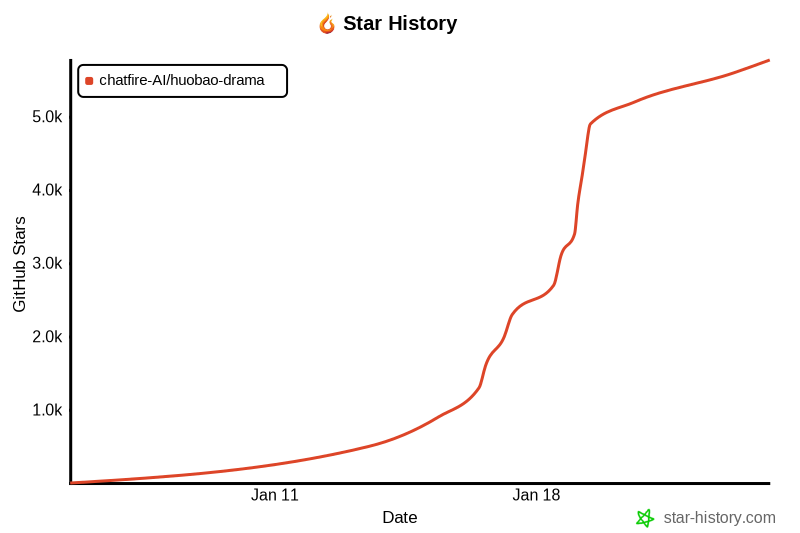](https://www.star-history.com/#chatfire-AI/huobao-drama&type=date&legend=top-left)-Made with ❤️ by Huobao Team--</div>diff --git a/README-JA.md b/README-JA.mddeleted file mode 100644index b9c554b..0000000--- a/README-JA.md+++ /dev/null@@ -1,667 +0,0 @@-# 🎬 Huobao Drama - AI ショートドラマ制作プラットフォーム--<div align="center">--**Go + Vue3 ベースのフルスタック AI ショートドラマ自動化プラットフォーム**--[](https://golang.org)-[](https://vuejs.org)-[](https://creativecommons.org/licenses/by-nc-sa/4.0/)--[機能](#機能) • [クイックスタート](#クイックスタート) • [デプロイ](#デプロイ)--[简体中文](README-CN.md) | [English](README.md) | [日本語](README-JA.md)--</div>-------## 📖 概要--Huobao Drama は、脚本生成、キャラクターデザイン、絵コンテ作成から動画合成までの全ワークフローを自動化する AI 駆動のショートドラマ制作プラットフォームです。--火宝短剧商业版地址:[火宝短剧商业版](https://drama.chatfire.site/shortvideo)--火宝小说生成:[火宝小说生成](https://marketing.chatfire.site/huobao-novel/)--### 🎯 主要機能--- **🤖 AI 駆動**: 大規模言語モデルを使用して脚本を解析し、キャラクター、シーン、絵コンテ情報を抽出-- **🎨 インテリジェント創作**: AI によるキャラクターポートレートとシーン背景の生成-- **📹 動画生成**: テキストから動画、画像から動画モデルによる絵コンテ動画の自動生成-- **🔄 完全なワークフロー**: アイデアから完成動画までのエンドツーエンド制作ワークフロー--### 🛠️ 技術アーキテクチャ--**DDD(ドメイン駆動設計)** に基づく明確なレイヤー構造:--```-├── APIレイヤー (Gin HTTP)-├── アプリケーションサービスレイヤー (ビジネスロジック)-├── ドメインレイヤー (ドメインモデル)-└── インフラストラクチャレイヤー (データベース、外部サービス)-```--### 🎥 デモ動画--AI ショートドラマ生成を体験:--<div align="center">--**サンプル作品 1**--<video src="https://ffile.chatfire.site/cf/public/20260114094337396.mp4" controls width="640"></video>--**サンプル作品 2**--<video src="https://ffile.chatfire.site/cf/public/fcede75e8aeafe22031dbf78f86285b8.mp4" controls width="640"></video>--[動画 1 を見る](https://ffile.chatfire.site/cf/public/20260114094337396.mp4) | [動画 2 を見る](https://ffile.chatfire.site/cf/public/fcede75e8aeafe22031dbf78f86285b8.mp4)--</div>-------## ✨ 機能--### 🎭 キャラクター管理--- ✅ AI 生成キャラクターポートレート-- ✅ バッチキャラクター生成-- ✅ キャラクター画像のアップロードと管理--### 🎬 絵コンテ制作--- ✅ 自動絵コンテスクリプト生成-- ✅ シーン説明とショットデザイン-- ✅ 絵コンテ画像生成(テキストから画像)-- ✅ フレームタイプ選択(先頭フレーム/キーフレーム/末尾フレーム/パネル)--### 🎥 動画生成--- ✅ 画像から動画の自動生成-- ✅ 動画合成と編集-- ✅ トランジション効果--### 📦 アセット管理--- ✅ 統合アセットライブラリ管理-- ✅ ローカルストレージサポート-- ✅ アセットのインポート/エクスポート-- ✅ タスク進捗トラッキング-------## 🚀 クイックスタート--### 📋 前提条件--| ソフトウェア | バージョン | 説明 |-| ------------ | ---------- | ------------------------ |-| **Go** | 1.23+ | バックエンドランタイム |-| **Node.js** | 18+ | フロントエンドビルド環境 |-| **npm** | 9+ | パッケージマネージャー |-| **FFmpeg** | 4.0+ | 動画処理(**必須**) |-| **SQLite** | 3.x | データベース(内蔵) |--#### FFmpeg のインストール--**macOS:**--```bash-brew install ffmpeg-```--**Ubuntu/Debian:**--```bash-sudo apt update-sudo apt install ffmpeg-```--**Windows:**-[FFmpeg 公式サイト](https://ffmpeg.org/download.html)からダウンロードし、環境変数を設定--インストール確認:--```bash-ffmpeg -version-```--### ⚙️ 設定--設定ファイルをコピーして編集:--```bash-cp configs/config.example.yaml configs/config.yaml-vim configs/config.yaml-```--設定ファイル形式(`configs/config.yaml`):--```yaml-app:- name: "Huobao Drama API"- version: "1.0.0"- debug: true # 開発環境ではtrue、本番環境ではfalseに設定--server:- port: 5678- host: "0.0.0.0"- cors_origins:- - "http://localhost:3012"- read_timeout: 600- write_timeout: 600--database:- type: "sqlite"- path: "./data/drama_generator.db"- max_idle: 10- max_open: 100--storage:- type: "local"- local_path: "./data/storage"- base_url: "http://localhost:5678/static"--ai:- default_text_provider: "openai"- default_image_provider: "openai"- default_video_provider: "doubao"-```--**主要設定項目:**--- `app.debug`: デバッグモードスイッチ(開発環境では true を推奨)-- `server.port`: サービスポート-- `server.cors_origins`: フロントエンドの許可 CORS オリジン-- `database.path`: SQLite データベースファイルパス-- `storage.local_path`: ローカルファイルストレージパス-- `storage.base_url`: 静的リソースアクセス URL-- `ai.default_*_provider`: AI サービスプロバイダー設定(API キーは Web UI で設定)--### 📥 インストール--```bash-# プロジェクトをクローン-git clone https://github.com/chatfire-AI/huobao-drama.git-cd huobao-drama--# Go依存関係をインストール-go mod download--# フロントエンド依存関係をインストール-cd web-npm install-cd ..-```--### 🎯 プロジェクトの起動--#### 方法 1: 開発モード(推奨)--**フロントエンドとバックエンドを分離、ホットリロード対応**--```bash-# ターミナル1: バックエンドサービスを起動-go run main.go--# ターミナル2: フロントエンド開発サーバーを起動-cd web-npm run dev-```--- フロントエンド: `http://localhost:3012`-- バックエンド API: `http://localhost:5678/api/v1`-- フロントエンドは API リクエストを自動的にバックエンドにプロキシ--#### 方法 2: シングルサービスモード--**バックエンドが API とフロントエンド静的ファイルの両方を提供**--```bash-# 1. フロントエンドをビルド-cd web-npm run build-cd ..--# 2. サービスを起動-go run main.go-```--アクセス: `http://localhost:5678`--### 🗄️ データベース初期化--データベーステーブルは初回起動時に自動作成されます(GORM AutoMigrate を使用)。手動マイグレーションは不要です。-------## 📦 デプロイ--### ☁️ クラウドワンクリックデプロイ(推奨 3080Ti)--👉 [优云智算,一键部署](https://www.compshare.cn/images/CaWEHpAA8t1H?referral_code=8hUJOaWz3YzG64FI2OlCiB&ytag=GPU_YY_YX_GitHub_huobaoai)--> ⚠️ **注意**:クラウドデプロイを使用する場合は、データを速やかにローカルストレージに保存してください-------### 🐳 Docker デプロイ(推奨)--#### 方法 1: Docker Compose(推奨)--#### 🚀 中国国内ネットワーク高速化(オプション)--中国国内のネットワーク環境では、Docker イメージのプルや依存関係のインストールが遅い場合があります。ミラーソースを設定することでビルドプロセスを高速化できます。--**ステップ 1: 環境変数ファイルを作成**--```bash-cp .env.example .env-```--**ステップ 2: `.env` ファイルを編集し、必要なミラーソースのコメントを解除**--```bash-# Docker Hub ミラーを有効化(推奨)-DOCKER_REGISTRY=docker.1ms.run/--# npm ミラーを有効化-NPM_REGISTRY=https://registry.npmmirror.com/--# Go プロキシを有効化-GO_PROXY=https://goproxy.cn,direct--# Alpine ミラーを有効化-ALPINE_MIRROR=mirrors.aliyun.com-```--**ステップ 3: docker compose でビルド(必須)**--```bash-docker compose build-```--> **重要な注意事項**:->-> - ⚠️ `.env` ファイルのミラーソース設定を自動的に読み込むには `docker compose build` を使用する必要があります-> - ❌ `docker build` コマンドを使用する場合は、手動で `--build-arg` パラメータを渡す必要があります-> - ✅ 常に `docker compose build` を使用してビルドすることを推奨--**パフォーマンス比較**:--| 操作 | ミラー未設定 | ミラー設定後 |-| ------------------------ | -------------- | ------------ |-| ベースイメージのプル | 5-30 分 | 1-5 分 |-| npm 依存関係インストール | 失敗する可能性 | 高速成功 |-| Go 依存関係ダウンロード | 5-10 分 | 30 秒-1 分 |--> **注意**: 中国国外のユーザーはミラーソースを設定せず、デフォルト設定を使用してください。--```bash-# サービスを起動-docker-compose up -d--# ログを表示-docker-compose logs -f--# サービスを停止-docker-compose down-```--#### 方法 2: Docker コマンド--> **注意**: Linux ユーザーはホストサービスにアクセスするために `--add-host=host.docker.internal:host-gateway` を追加する必要があります--```bash-# Docker Hubから実行-docker run -d \- --name huobao-drama \- -p 5678:5678 \- -v $(pwd)/data:/app/data \- --restart unless-stopped \- huobao/huobao-drama:latest--# ログを表示-docker logs -f huobao-drama-```--**ローカルビルド**(オプション):--```bash-docker build -t huobao-drama:latest .-docker run -d --name huobao-drama -p 5678:5678 -v $(pwd)/data:/app/data huobao-drama:latest-```--**Docker デプロイの利点:**--- ✅ デフォルト設定ですぐに使用可能-- ✅ 環境の一貫性、依存関係の問題を回避-- ✅ ワンクリック起動、Go、Node.js、FFmpeg のインストール不要-- ✅ 移行とスケーリングが容易-- ✅ 自動ヘルスチェックと再起動-- ✅ ファイル権限の自動処理--#### 🔗 ホストサービスへのアクセス(Ollama/ローカルモデル)--コンテナは `http://host.docker.internal:ポート番号` を使用してホストサービスにアクセスするよう設定されています。--**設定手順:**--1. **ホストでサービスを起動(全インターフェースでリッスン)**-- ```bash- export OLLAMA_HOST=0.0.0.0:11434 && ollama serve- ```--2. **フロントエンド AI サービス設定**- - Base URL: `http://host.docker.internal:11434/v1`- - Provider: `openai`- - Model: `qwen2.5:latest`-------### 🏭 従来のデプロイ方法--#### 1. ビルド--```bash-# 1. フロントエンドをビルド-cd web-npm run build-cd ..--# 2. バックエンドをコンパイル-go build -o huobao-drama .-```--生成ファイル:--- `huobao-drama` - バックエンド実行ファイル-- `web/dist/` - フロントエンド静的ファイル(バックエンドに埋め込み)--#### 2. デプロイファイルの準備--サーバーにアップロードするファイル:--```-huobao-drama # バックエンド実行ファイル-configs/config.yaml # 設定ファイル-data/ # データディレクトリ(オプション、初回実行時に自動作成)-```--#### 3. サーバー設定--```bash-# ファイルをサーバーにアップロード-scp huobao-drama user@server:/opt/huobao-drama/-scp configs/config.yaml user@server:/opt/huobao-drama/configs/--# サーバーにSSH接続-ssh user@server--# 設定ファイルを編集-cd /opt/huobao-drama-vim configs/config.yaml-# modeをproductionに設定-# ドメインとストレージパスを設定--# データディレクトリを作成し権限を設定(重要!)-# 注意: YOUR_USERを実際にサービスを実行するユーザー名に置き換え(例: www-data、ubuntu、deploy)-sudo mkdir -p /opt/huobao-drama/data/storage-sudo chown -R YOUR_USER:YOUR_USER /opt/huobao-drama/data-sudo chmod -R 755 /opt/huobao-drama/data--# 実行権限を付与-chmod +x huobao-drama--# サービスを起動-./huobao-drama-```--#### 4. systemd でサービス管理--サービスファイル `/etc/systemd/system/huobao-drama.service` を作成:--```ini-[Unit]-Description=Huobao Drama Service-After=network.target--[Service]-Type=simple-User=YOUR_USER-WorkingDirectory=/opt/huobao-drama-ExecStart=/opt/huobao-drama/huobao-drama-Restart=on-failure-RestartSec=10--# 環境変数(オプション)-# Environment="GIN_MODE=release"--[Install]-WantedBy=multi-user.target-```--サービスを起動:--```bash-sudo systemctl daemon-reload-sudo systemctl enable huobao-drama-sudo systemctl start huobao-drama-sudo systemctl status huobao-drama-```--**⚠️ よくある問題: SQLite 書き込み権限エラー**--`attempt to write a readonly database` エラーが発生した場合:--```bash-# 1. サービスを実行中のユーザーを確認-sudo systemctl status huobao-drama | grep "Main PID"-ps aux | grep huobao-drama--# 2. 権限を修正(YOUR_USERを実際のユーザー名に置き換え)-sudo chown -R YOUR_USER:YOUR_USER /opt/huobao-drama/data-sudo chmod -R 755 /opt/huobao-drama/data--# 3. 権限を確認-ls -la /opt/huobao-drama/data-# サービスを実行するユーザーが所有者として表示されるはず--# 4. サービスを再起動-sudo systemctl restart huobao-drama-```--**原因:**--- SQLite はデータベースファイル**と**そのディレクトリの両方に書き込み権限が必要-- ディレクトリ内に一時ファイル(例: `-wal`、`-journal`)を作成する必要がある-- **重要**: systemd の`User`がデータディレクトリの所有者と一致していることを確認--**一般的なユーザー名:**--- Ubuntu/Debian: `www-data`、`ubuntu`-- CentOS/RHEL: `nginx`、`apache`-- カスタムデプロイ: `deploy`、`app`、現在ログインしているユーザー--#### 5. Nginx リバースプロキシ--```nginx-server {- listen 80;- server_name your-domain.com;-- location / {- proxy_pass http://localhost:5678;- proxy_set_header Host $host;- proxy_set_header X-Real-IP $remote_addr;- proxy_set_header X-Forwarded-For $proxy_add_x_forwarded_for;- }-- # 静的ファイルへの直接アクセス- location /static/ {- alias /opt/huobao-drama/data/storage/;- }-}-```-------## 🎨 技術スタック--### バックエンド--- **言語**: Go 1.23+-- **Web フレームワーク**: Gin 1.9+-- **ORM**: GORM-- **データベース**: SQLite-- **ログ**: Zap-- **動画処理**: FFmpeg-- **AI サービス**: OpenAI、Gemini、Doubao など--### フロントエンド--- **フレームワーク**: Vue 3.4+-- **言語**: TypeScript 5+-- **ビルドツール**: Vite 5-- **UI コンポーネント**: Element Plus-- **CSS フレームワーク**: TailwindCSS-- **状態管理**: Pinia-- **ルーター**: Vue Router 4--### 開発ツール--- **パッケージ管理**: Go Modules、npm-- **コード規約**: ESLint、Prettier-- **バージョン管理**: Git-------## 📝 よくある質問--### Q: Docker コンテナからホストの Ollama にアクセスするには?--A: Base URL として `http://host.docker.internal:11434/v1` を使用します。注意点:--1. ホストの Ollama は `0.0.0.0` でリッスンする必要があります: `export OLLAMA_HOST=0.0.0.0:11434 && ollama serve`-2. `docker run` を使用する Linux ユーザーは追加が必要: `--add-host=host.docker.internal:host-gateway`--詳細: [DOCKER_HOST_ACCESS.md](docs/DOCKER_HOST_ACCESS.md)--### Q: FFmpeg がインストールされていない、または見つからない?--A: FFmpeg がインストールされ、PATH 環境変数に含まれていることを確認してください。`ffmpeg -version` で確認。--### Q: フロントエンドがバックエンド API に接続できない?--A: バックエンドが実行中で、ポートが正しいか確認してください。開発モードでは、フロントエンドプロキシ設定は `web/vite.config.ts` にあります。--### Q: データベーステーブルが作成されない?--A: GORM は初回起動時にテーブルを自動作成します。ログでマイグレーション成功を確認してください。-------## 📋 更新履歴--### v1.0.5 (2026-02-06)--#### 🎨 主要機能--- **🎭 グローバルスタイルシステム**:プロジェクト全体でスタイル選択をサポートする包括的なシステムを導入しました。ユーザーはドラマレベルでカスタムビジュアルスタイルを定義でき、キャラクター、シーン、ストーリーボードを含むすべてのAI生成コンテンツに自動的に適用され、制作全体で一貫した芸術的方向性を確保します。--- **✂️ 9グリッドシーケンス画像クロップ**:アクションシーケンス画像用のクロップツールを追加しました。3x3グリッドレイアウトから個別のフレームを抽出し、ビデオ生成用のファーストフレーム、ラストフレーム、またはキーフレームとして指定できるようになり、ショット構成と連続性においてより大きな柔軟性を提供します。--#### 🚀 機能強化--- **📐 アクションシーケンスグリッドの最適化**:9グリッドアクションシーケンス画像の視覚品質とレイアウトを改善し、間隔、配置、フレーム遷移を最適化しました。--- **🔧 手動グリッド組み立て**:2x2(4グリッド)、2x3(6グリッド)、3x3(9グリッド)レイアウトをサポートする手動グリッド構成ツールを導入し、個別のフレームからカスタムアクションシーケンスを作成できるようになりました。--- **🗑️ コンテンツ管理**:生成された画像とビデオの両方に削除機能を追加し、より良いアセット整理とストレージ管理を実現しました。--### v1.0.4 (2026-01-27)--#### 🚀 主要アップデート--- 生成コンテンツのローカルストレージ戦略を導入し、外部リソースリンクの有効期限切れリスクを効果的に軽減-- 参照画像の埋め込み転送用 Base64 エンコーディング方式を実装-- ショット切り替え時にショット画像プロンプト状態がリセットされない問題を修正-- ライブラリ動画追加時に動画の長さが 0 と表示される問題を修正-- シーンのエピソードへの移行機能を追加--#### 履歴データクリーニング--- 履歴データ処理用のマイグレーションスクリプトを追加。詳細な手順については [MIGRATE_README.md](MIGRATE_README.md) を参照してください--### v1.0.3 (2026-01-16)--#### 🚀 主要アップデート--- 純粋な Go SQLite ドライバー(`modernc.org/sqlite`)、`CGO_ENABLED=0` クロスプラットフォームコンパイルをサポート-- 並行性能を最適化(WAL モード)、"database is locked" エラーを解決-- ホストサービスへのアクセス用 `host.docker.internal` の Docker クロスプラットフォームサポート-- ドキュメントとデプロイガイドの簡素化--### v1.0.2 (2026-01-14)--#### 🐛 バグ修正 / 🔧 改善--- 動画生成 API レスポンスのパース問題を修正-- OpenAI Sora 動画エンドポイント設定を追加-- エラー処理とログ出力を最適化-------## 🤝 コントリビューション--Issue と Pull Request を歓迎します!--1. このプロジェクトをフォーク-2. フィーチャーブランチを作成 (`git checkout -b feature/AmazingFeature`)-3. 変更をコミット (`git commit -m 'Add some AmazingFeature'`)-4. ブランチにプッシュ (`git push origin feature/AmazingFeature`)-5. Pull Request を作成-------## API 設定サイト--2 分で設定完了: [API 集約サイト](https://api.chatfire.site/models)-------## 👨💻 私たちについて--**AI 火宝 - AI スタジオ起業中**--- 🏠 **所在地**: 中国南京-- 🚀 **ステータス**: 起業中-- 📧 **Email**: [[email protected]](mailto:[email protected])-- 💬 **WeChat**: dangbao1117 (個人 WeChat - 技術的な質問には対応しません)-- 🐙 **GitHub**: [https://github.com/chatfire-AI/huobao-drama](https://github.com/chatfire-AI/huobao-drama)--> _「AI に私たちのより創造的なことを手伝ってもらおう」_--## コミュニティグループ----- [Issue](../../issues)を提出-- プロジェクトメンテナにメール-------<div align="center">--**⭐ このプロジェクトが役に立ったら、Star をお願いします!**--## Star 履歴--[](https://www.star-history.com/#chatfire-AI/huobao-drama&type=date&legend=top-left)--Made with ❤️ by Huobao Team--</div>diff --git a/README.md b/README.mddeleted file mode 100644index c7743e3..0000000--- a/README.md+++ /dev/null@@ -1,666 +0,0 @@-# 🎬 Huobao Drama - AI Short Drama Production Platform--<div align="center">--**Full-stack AI Short Drama Automation Platform Based on Go + Vue3**--[](https://golang.org)-[](https://vuejs.org)-[](https://creativecommons.org/licenses/by-nc-sa/4.0/)--[Features](#features) • [Quick Start](#quick-start) • [Deployment](#deployment)--[简体中文](README-CN.md) | [English](README.md) | [日本語](README-JA.md)--</div>-------## 📖 About--Huobao Drama is an AI-powered short drama production platform that automates the entire workflow from script generation, character design, storyboarding to video composition.--火宝短剧商业版地址:[火宝短剧商业版](https://drama.chatfire.site/shortvideo)--火宝小说生成:[火宝小说生成](https://marketing.chatfire.site/huobao-novel/)--### 🎯 Core Features--- **🤖 AI-Driven**: Parse scripts using large language models to extract characters, scenes, and storyboards-- **🎨 Intelligent Creation**: AI-generated character portraits and scene backgrounds-- **📹 Video Generation**: Automatic storyboard video generation using text-to-video and image-to-video models-- **🔄 Complete Workflow**: End-to-end production workflow from idea to final video。--### 🛠️ Technical Architecture--Based on **DDD (Domain-Driven Design)** with clear layering:--```-├── API Layer (Gin HTTP)-├── Application Service Layer (Business Logic)-├── Domain Layer (Domain Models)-└── Infrastructure Layer (Database, External Services)-```--### 🎥 Demo Videos--Experience AI short drama generation:--<div align="center">--**Sample Work 1**--<video src="https://ffile.chatfire.site/cf/public/20260114094337396.mp4" controls width="640"></video>--**Sample Work 2**--<video src="https://ffile.chatfire.site/cf/public/fcede75e8aeafe22031dbf78f86285b8.mp4" controls width="640"></video>--[Watch Video 1](https://ffile.chatfire.site/cf/public/20260114094337396.mp4) | [Watch Video 2](https://ffile.chatfire.site/cf/public/fcede75e8aeafe22031dbf78f86285b8.mp4)--</div>-------## ✨ Features--### 🎭 Character Management--- ✅ AI-generated character portraits-- ✅ Batch character generation-- ✅ Character image upload and management--### 🎬 Storyboard Production--- ✅ Automatic storyboard script generation-- ✅ Scene descriptions and shot design-- ✅ Storyboard image generation (text-to-image)-- ✅ Frame type selection (first frame/key frame/last frame/panel)--### 🎥 Video Generation--- ✅ Automatic image-to-video generation-- ✅ Video composition and editing-- ✅ Transition effects--### 📦 Asset Management--- ✅ Unified asset library management-- ✅ Local storage support-- ✅ Asset import/export-- ✅ Task progress tracking-------## 🚀 Quick Start--### 📋 Prerequisites--| Software | Version | Description |-| ----------- | ------- | ------------------------------- |-| **Go** | 1.23+ | Backend runtime |-| **Node.js** | 18+ | Frontend build environment |-| **npm** | 9+ | Package manager |-| **FFmpeg** | 4.0+ | Video processing (**Required**) |-| **SQLite** | 3.x | Database (built-in) |--#### Installing FFmpeg--**macOS:**--```bash-brew install ffmpeg-```--**Ubuntu/Debian:**--```bash-sudo apt update-sudo apt install ffmpeg-```--**Windows:**-Download from [FFmpeg Official Site](https://ffmpeg.org/download.html) and configure environment variables--Verify installation:--```bash-ffmpeg -version-```--### ⚙️ Configuration--Copy and edit the configuration file:--```bash-cp configs/config.example.yaml configs/config.yaml-vim configs/config.yaml-```--Configuration file format (`configs/config.yaml`):--```yaml-app:- name: "Huobao Drama API"- version: "1.0.0"- debug: true # Set to true for development, false for production--server:- port: 5678- host: "0.0.0.0"- cors_origins:- - "http://localhost:3012"- read_timeout: 600- write_timeout: 600--database:- type: "sqlite"- path: "./data/drama_generator.db"- max_idle: 10- max_open: 100--storage:- type: "local"- local_path: "./data/storage"- base_url: "http://localhost:5678/static"--ai:- default_text_provider: "openai"- default_image_provider: "openai"- default_video_provider: "doubao"-```--**Key Configuration Items:**--- `app.debug`: Debug mode switch (recommended true for development)-- `server.port`: Service port-- `server.cors_origins`: Allowed CORS origins for frontend-- `database.path`: SQLite database file path-- `storage.local_path`: Local file storage path-- `storage.base_url`: Static resource access URL-- `ai.default_*_provider`: AI service provider configuration (API keys configured in Web UI)--### 📥 Installation--```bash-# Clone the project-git clone https://github.com/chatfire-AI/huobao-drama.git-cd huobao-drama--# Install Go dependencies-go mod download--# Install frontend dependencies-cd web-npm install-cd ..-```--### 🎯 Starting the Project--#### Method 1: Development Mode (Recommended)--**Frontend and backend separation with hot reload**--```bash-# Terminal 1: Start backend service-go run main.go--# Terminal 2: Start frontend dev server-cd web-npm run dev-```--- Frontend: `http://localhost:3012`-- Backend API: `http://localhost:5678/api/v1`-- Frontend automatically proxies API requests to backend--#### Method 2: Single Service Mode--**Backend serves both API and frontend static files**--```bash-# 1. Build frontend-cd web-npm run build-cd ..--# 2. Start service-go run main.go-```--Access: `http://localhost:5678`--### 🗄️ Database Initialization--Database tables are automatically created on first startup (using GORM AutoMigrate), no manual migration needed.-------## 📦 Deployment--### ☁️ Cloud One-Click Deployment (Recommended 3080Ti)--👉 [优云智算,一键部署](https://www.compshare.cn/images/CaWEHpAA8t1H?referral_code=8hUJOaWz3YzG64FI2OlCiB&ytag=GPU_YY_YX_GitHub_huobaoai)--> ⚠️ **Note**: Please save your data to local storage promptly when using cloud deployment-------### 🐳 Docker Deployment (Recommended)--#### Method 1: Docker Compose (Recommended)--#### 🚀 China Network Acceleration (Optional)--If you are in China, pulling Docker images and installing dependencies may be slow. You can speed up the build process by configuring mirror sources.--**Step 1: Create environment variable file**--```bash-cp .env.example .env-```--**Step 2: Edit `.env` file and uncomment the mirror sources you need**--```bash-# Enable Docker Hub mirror (recommended)-DOCKER_REGISTRY=docker.1ms.run/--# Enable npm mirror-NPM_REGISTRY=https://registry.npmmirror.com/--# Enable Go proxy-GO_PROXY=https://goproxy.cn,direct--# Enable Alpine mirror-ALPINE_MIRROR=mirrors.aliyun.com-```--**Step 3: Build with docker compose (required)**--```bash-docker compose build-```--> **Important Note**:->-> - ⚠️ You must use `docker compose build` to automatically load mirror source configurations from the `.env` file-> - ❌ If using `docker build` command, you need to manually pass `--build-arg` parameters-> - ✅ Always recommended to use `docker compose build` for building--**Performance Comparison**:--| Operation | Without Mirrors | With Mirrors |-| ---------------- | --------------- | ------------ |-| Pull base images | 5-30 minutes | 1-5 minutes |-| Install npm deps | May fail | Fast success |-| Download Go deps | 5-10 minutes | 30s-1 minute |--> **Note**: Users outside China should not configure mirror sources, use default settings.--```bash-# Start services-docker-compose up -d--# View logs-docker-compose logs -f--# Stop services-docker-compose down-```--#### Method 2: Docker Command--> **Note**: Linux users need to add `--add-host=host.docker.internal:host-gateway` to access host services--```bash-# Run from Docker Hub-docker run -d \- --name huobao-drama \- -p 5678:5678 \- -v $(pwd)/data:/app/data \- --restart unless-stopped \- huobao/huobao-drama:latest--# View logs-docker logs -f huobao-drama-```--**Local Build** (optional):--```bash-docker build -t huobao-drama:latest .-docker run -d --name huobao-drama -p 5678:5678 -v $(pwd)/data:/app/data huobao-drama:latest-```--**Docker Deployment Advantages:**--- ✅ Ready to use with default configuration-- ✅ Environment consistency, avoiding dependency issues-- ✅ One-click start, no need to install Go, Node.js, FFmpeg-- ✅ Easy to migrate and scale-- ✅ Automatic health checks and restarts-- ✅ Automatic file permission handling--#### 🔗 Accessing Host Services (Ollama/Local Models)--The container is configured to access host services using `http://host.docker.internal:PORT`.--**Configuration Steps:**--1. **Start service on host (listen on all interfaces)**-- ```bash- export OLLAMA_HOST=0.0.0.0:11434 && ollama serve- ```--2. **Frontend AI Service Configuration**- - Base URL: `http://host.docker.internal:11434/v1`- - Provider: `openai`- - Model: `qwen2.5:latest`-------### 🏭 Traditional Deployment--#### 1. Build--```bash-# 1. Build frontend-cd web-npm run build-cd ..--# 2. Compile backend-go build -o huobao-drama .-```--Generated files:--- `huobao-drama` - Backend executable-- `web/dist/` - Frontend static files (embedded in backend)--#### 2. Prepare Deployment Files--Files to upload to server:--```-huobao-drama # Backend executable-configs/config.yaml # Configuration file-data/ # Data directory (optional, auto-created on first run)-```--#### 3. Server Configuration--```bash-# Upload files to server-scp huobao-drama user@server:/opt/huobao-drama/-scp configs/config.yaml user@server:/opt/huobao-drama/configs/--# SSH to server-ssh user@server--# Modify configuration file-cd /opt/huobao-drama-vim configs/config.yaml-# Set mode to production-# Configure domain and storage path--# Create data directory and set permissions (Important!)-# Note: Replace YOUR_USER with actual user running the service (e.g., www-data, ubuntu, deploy)-sudo mkdir -p /opt/huobao-drama/data/storage-sudo chown -R YOUR_USER:YOUR_USER /opt/huobao-drama/data-sudo chmod -R 755 /opt/huobao-drama/data--# Grant execute permission-chmod +x huobao-drama--# Start service-./huobao-drama-```--#### 4. Manage Service with systemd--Create service file `/etc/systemd/system/huobao-drama.service`:--```ini-[Unit]-Description=Huobao Drama Service-After=network.target--[Service]-Type=simple-User=YOUR_USER-WorkingDirectory=/opt/huobao-drama-ExecStart=/opt/huobao-drama/huobao-drama-Restart=on-failure-RestartSec=10--# Environment variables (optional)-# Environment="GIN_MODE=release"--[Install]-WantedBy=multi-user.target-```--Start service:--```bash-sudo systemctl daemon-reload-sudo systemctl enable huobao-drama-sudo systemctl start huobao-drama-sudo systemctl status huobao-drama-```--**⚠️ Common Issue: SQLite Write Permission Error**--If you encounter `attempt to write a readonly database` error:--```bash-# 1. Check current user running the service-sudo systemctl status huobao-drama | grep "Main PID"-ps aux | grep huobao-drama--# 2. Fix permissions (replace YOUR_USER with actual username)-sudo chown -R YOUR_USER:YOUR_USER /opt/huobao-drama/data-sudo chmod -R 755 /opt/huobao-drama/data--# 3. Verify permissions-ls -la /opt/huobao-drama/data-# Should show owner as the user running the service--# 4. Restart service-sudo systemctl restart huobao-drama-```--**Reason:**--- SQLite requires write permission on both the database file **and** its directory-- Needs to create temporary files in the directory (e.g., `-wal`, `-journal`)-- **Key**: Ensure systemd `User` matches data directory owner--**Common Usernames:**--- Ubuntu/Debian: `www-data`, `ubuntu`-- CentOS/RHEL: `nginx`, `apache`-- Custom deployment: `deploy`, `app`, current logged-in user--#### 5. Nginx Reverse Proxy--```nginx-server {- listen 80;- server_name your-domain.com;-- location / {- proxy_pass http://localhost:5678;- proxy_set_header Host $host;- proxy_set_header X-Real-IP $remote_addr;- proxy_set_header X-Forwarded-For $proxy_add_x_forwarded_for;- }-- # Direct access to static files- location /static/ {- alias /opt/huobao-drama/data/storage/;- }-}-```-------## 🎨 Tech Stack--### Backend--- **Language**: Go 1.23+-- **Web Framework**: Gin 1.9+-- **ORM**: GORM-- **Database**: SQLite-- **Logging**: Zap-- **Video Processing**: FFmpeg-- **AI Services**: OpenAI, Gemini, Doubao, etc.--### Frontend--- **Framework**: Vue 3.4+-- **Language**: TypeScript 5+-- **Build Tool**: Vite 5-- **UI Components**: Element Plus-- **CSS Framework**: TailwindCSS-- **State Management**: Pinia-- **Router**: Vue Router 4--### Development Tools--- **Package Management**: Go Modules, npm-- **Code Standards**: ESLint, Prettier-- **Version Control**: Git-------## 📝 FAQ--### Q: How can Docker containers access Ollama on the host?--A: Use `http://host.docker.internal:11434/v1` as Base URL. Note two things:--1. Host Ollama needs to listen on `0.0.0.0`: `export OLLAMA_HOST=0.0.0.0:11434 && ollama serve`-2. Linux users using `docker run` need to add: `--add-host=host.docker.internal:host-gateway`--See: [DOCKER_HOST_ACCESS.md](docs/DOCKER_HOST_ACCESS.md)--### Q: FFmpeg not installed or not found?--A: Ensure FFmpeg is installed and in the PATH environment variable. Verify with `ffmpeg -version`.--### Q: Frontend cannot connect to backend API?--A: Check if backend is running and port is correct. In development mode, frontend proxy config is in `web/vite.config.ts`.--### Q: Database tables not created?--A: GORM automatically creates tables on first startup, check logs to confirm migration success.-------## 📋 Changelog--### v1.0.5 (2026-02-06)--#### 🎨 Major Features--- **🎭 Global Style System**: Introduced comprehensive style selection support across the entire project. Users can now define custom visual styles at the drama level, which automatically applies to all AI-generated content including characters, scenes, and storyboards, ensuring consistent artistic direction throughout the production.--- **✂️ Nine-Grid Sequence Image Cropping**: Added cropping tool for action sequence images. Users can now extract individual frames from 3x3 grid layouts and designate them as first frames, last frames, or keyframes for video generation, providing greater flexibility in shot composition and continuity.--#### 🚀 Enhancements--- **📐 Optimized Action Sequence Grid**: Enhanced the visual quality and layout of nine-grid action sequence images with improved spacing, alignment, and frame transitions.--- **🔧 Manual Grid Assembly**: Introduced manual grid composition tools supporting 2x2 (four-grid), 2x3 (six-grid), and 3x3 (nine-grid) layouts, allowing users to create custom action sequences from individual frames.--- **🗑️ Content Management**: Added delete functionality for both generated images and videos, enabling better asset organization and storage management.--### v1.0.4 (2026-01-27)--#### 🚀 Major Updates--- Introduced local storage strategy for generated content caching, effectively mitigating external resource link expiration risks-- Implemented Base64 encoding for embedded reference image transmission-- Fixed issue where shot image prompt state was not reset when switching shots-- Fixed issue where video duration displayed as 0 when adding library videos-- Added scene migration to episodes--#### Historical Data Migration--- Added migration script for processing historical data. For detailed instructions, please refer to [MIGRATE_README.md](MIGRATE_README.md)--### v1.0.3 (2026-01-16)--#### 🚀 Major Updates--- Pure Go SQLite driver (`modernc.org/sqlite`), supports `CGO_ENABLED=0` cross-platform compilation-- Optimized concurrency performance (WAL mode), resolved "database is locked" errors-- Docker cross-platform support for `host.docker.internal` to access host services-- Streamlined documentation and deployment guides--### v1.0.2 (2026-01-14)--#### 🐛 Bug Fixes / 🔧 Improvements--- Fixed video generation API response parsing issues-- Added OpenAI Sora video endpoint configuration-- Optimized error handling and logging-------## 🤝 Contributing--Issues and Pull Requests are welcome!--1. Fork this project-2. Create a feature branch (`git checkout -b feature/AmazingFeature`)-3. Commit your changes (`git commit -m 'Add some AmazingFeature'`)-4. Push to the branch (`git push origin feature/AmazingFeature`)-5. Open a Pull Request-------## API Configuration Site--Configure in 2 minutes: [API Aggregation Site](https://api.chatfire.site/models)-------## 👨💻 About Us--**AI Huobao - AI Studio Startup**--- 🏠 **Location**: Nanjing, China-- 🚀 **Status**: Startup in Progress-- 📧 **Email**: [[email protected]](mailto:[email protected])-- 🐙 **GitHub**: [https://github.com/chatfire-AI/huobao-drama](https://github.com/chatfire-AI/huobao-drama)--> _"Let AI help us do more creative things"_--## Community Group----- Submit [Issue](../../issues)-- Email project maintainers-------<div align="center">--**⭐ If this project helps you, please give it a Star!**--## Star History--[](https://www.star-history.com/#chatfire-AI/huobao-drama&type=date&legend=top-left)--Made with ❤️ by Huobao Team--</div>diff --git a/server/.gitignore b/backend/.gitignoresimilarity index 100%rename from server/.gitignorerename to backend/.gitignorediff --git a/server/package-lock.json b/backend/package-lock.jsonsimilarity index 100%rename from server/package-lock.jsonrename to backend/package-lock.jsondiff --git a/server/package.json b/backend/package.jsonsimilarity index 100%rename from server/package.jsonrename to backend/package.jsondiff --git a/server/src/agents/index.ts b/backend/src/agents/index.tssimilarity index 100%rename from server/src/agents/index.tsrename to backend/src/agents/index.tsdiff --git a/server/src/agents/tools/extract-tools.ts b/backend/src/agents/tools/extract-tools.tssimilarity index 100%rename from server/src/agents/tools/extract-tools.tsrename to backend/src/agents/tools/extract-tools.tsdiff --git a/server/src/agents/tools/script-tools.ts b/backend/src/agents/tools/script-tools.tssimilarity index 100%rename from server/src/agents/tools/script-tools.tsrename to backend/src/agents/tools/script-tools.tsdiff --git a/server/src/agents/tools/storyboard-tools.ts b/backend/src/agents/tools/storyboard-tools.tssimilarity index 100%rename from server/src/agents/tools/storyboard-tools.tsrename to backend/src/agents/tools/storyboard-tools.tsdiff --git a/server/src/db/index.ts b/backend/src/db/index.tssimilarity index 100%rename from server/src/db/index.tsrename to backend/src/db/index.tsdiff --git a/server/src/db/schema.ts b/backend/src/db/schema.tssimilarity index 100%rename from server/src/db/schema.tsrename to backend/src/db/schema.tsdiff --git a/server/src/index.ts b/backend/src/index.tssimilarity index 100%rename from server/src/index.tsrename to backend/src/index.tsdiff --git a/server/src/routes/agent.ts b/backend/src/routes/agent.tssimilarity index 100%rename from server/src/routes/agent.tsrename to backend/src/routes/agent.tsdiff --git a/server/src/routes/agentConfigs.ts b/backend/src/routes/agentConfigs.tssimilarity index 100%rename from server/src/routes/agentConfigs.tsrename to backend/src/routes/agentConfigs.tsdiff --git a/server/src/routes/aiConfigs.ts b/backend/src/routes/aiConfigs.tssimilarity index 100%rename from server/src/routes/aiConfigs.tsrename to backend/src/routes/aiConfigs.tsdiff --git a/server/src/routes/characters.ts b/backend/src/routes/characters.tssimilarity index 100%rename from server/src/routes/characters.tsrename to backend/src/routes/characters.tsdiff --git a/server/src/routes/dramas.ts b/backend/src/routes/dramas.tssimilarity index 100%rename from server/src/routes/dramas.tsrename to backend/src/routes/dramas.tsdiff --git a/server/src/routes/episodes.ts b/backend/src/routes/episodes.tssimilarity index 100%rename from server/src/routes/episodes.tsrename to backend/src/routes/episodes.tsdiff --git a/server/src/routes/images.ts b/backend/src/routes/images.tssimilarity index 100%rename from server/src/routes/images.tsrename to backend/src/routes/images.tsdiff --git a/server/src/routes/scenes.ts b/backend/src/routes/scenes.tssimilarity index 100%rename from server/src/routes/scenes.tsrename to backend/src/routes/scenes.tsdiff --git a/server/src/routes/storyboards.ts b/backend/src/routes/storyboards.tssimilarity index 100%rename from server/src/routes/storyboards.tsrename to backend/src/routes/storyboards.tsdiff --git a/server/src/routes/upload.ts b/backend/src/routes/upload.tssimilarity index 100%rename from server/src/routes/upload.tsrename to backend/src/routes/upload.tsdiff --git a/server/src/routes/videos.ts b/backend/src/routes/videos.tssimilarity index 100%rename from server/src/routes/videos.tsrename to backend/src/routes/videos.tsdiff --git a/server/src/services/ai.ts b/backend/src/services/ai.tssimilarity index 100%rename from server/src/services/ai.tsrename to backend/src/services/ai.tsdiff --git a/server/src/services/image-generation.ts b/backend/src/services/image-generation.tssimilarity index 100%rename from server/src/services/image-generation.tsrename to backend/src/services/image-generation.tsdiff --git a/server/src/services/video-generation.ts b/backend/src/services/video-generation.tssimilarity index 100%rename from server/src/services/video-generation.tsrename to backend/src/services/video-generation.tsdiff --git a/server/src/utils/response.ts b/backend/src/utils/response.tssimilarity index 100%rename from server/src/utils/response.tsrename to backend/src/utils/response.tsdiff --git a/server/src/utils/storage.ts b/backend/src/utils/storage.tssimilarity index 100%rename from server/src/utils/storage.tsrename to backend/src/utils/storage.tsdiff --git a/server/tsconfig.json b/backend/tsconfig.jsonsimilarity index 100%rename from server/tsconfig.jsonrename to backend/tsconfig.jsondiff --git a/data/drama.db b/data/drama.dbdeleted file mode 100644index e69de29..0000000diff --git a/data/drama_generator.db-shm b/data/drama_generator.db-shmdeleted file mode 100644index a589640..0000000Binary files a/data/drama_generator.db-shm and /dev/null differdiff --git a/data/drama_generator.db-wal b/data/drama_generator.db-waldeleted file mode 100644index 996e71d..0000000Binary files a/data/drama_generator.db-wal and /dev/null differdiff --git a/docs/DATA_MIGRATION.md b/docs/DATA_MIGRATION.mddeleted file mode 100644index 9096186..0000000--- a/docs/DATA_MIGRATION.md+++ /dev/null@@ -1,238 +0,0 @@-# 数据清洗服务文档--## 概述--数据清洗服务(Data Migration Service)用于自动下载并迁移数据库中 `local_path` 字段为空的数据。该服务会在应用启动时自动执行,将远程 URL 的文件下载到本地存储,并更新数据库中的 `local_path` 字段。--## 功能特性--- ✅ **自动执行**:服务启动时自动运行,无需手动干预-- ✅ **异步处理**:后台异步执行,不阻塞服务启动-- ✅ **多表支持**:支持场景、角色、视频、分镜等多个表-- ✅ **智能分类**:根据数据类型自动分类存储到不同目录-- ✅ **错误容忍**:单个文件下载失败不影响其他文件的处理-- ✅ **详细日志**:提供完整的执行日志和统计信息--## 处理的数据表--### 1. 场景表(scenes)--- **字段**:`image_url` → `local_path`-- **存储目录**:`data/storage/images/`-- **文件命名**:`scene_{id}_{timestamp}.{ext}`--### 2. 角色表(characters)--- **字段**:`image_url` → `local_path`-- **存储目录**:`data/storage/characters/`-- **文件命名**:`character_{id}_{timestamp}.{ext}`--### 3. 视频生成表(video_generations)--- **字段**:`video_url` → `local_path`-- **存储目录**:`data/storage/videos/`-- **文件命名**:`video_{id}_{timestamp}.{ext}`--### 4. 分镜表(storyboards)--- **字段**:`image_url` → `local_path`-- **存储目录**:`data/storage/images/`-- **文件命名**:`storyboard_{id}_{timestamp}.{ext}`--## 执行流程--```-1. 服务启动- ↓-2. 数据库连接和迁移- ↓-3. 启动数据清洗任务(异步)- ↓-4. 创建存储目录- ↓-5. 查询各表中 local_path 为空的数据- ↓-6. 遍历每条记录- ├─ 下载文件到本地- ├─ 更新 local_path 字段- └─ 记录成功/失败统计- ↓-7. 输出执行统计-```--## 日志示例--### 启动日志--```-INFO 启动数据清洗任务...-INFO 开始数据清洗:迁移 local_path 为空的数据-INFO 存储目录创建成功 root=data/storage-```--### 处理日志--```-INFO 开始迁移场景数据...-INFO 找到需要迁移的场景 数量=5-INFO 处理场景 id=1 location=大型超市 image_url=https://...-INFO 开始下载文件 url=https://... filepath=data/storage/images/scene_1_1706345678.jpg-INFO 文件下载成功 filepath=data/storage/images/scene_1_1706345678.jpg size=245678-INFO 场景迁移成功 scene_id=1 local_path=images/scene_1_1706345678.jpg-```--### 完成日志--```-INFO 数据清洗完成- 总耗时=15.234s- 场景成功=5 场景失败=0- 角色成功=3 角色失败=1- 视频成功=2 视频失败=0- 分镜成功=4 分镜失败=0-```--### 错误日志--```-ERROR 下载场景图片失败 scene_id=10 error=HTTP 状态码错误: 404-ERROR 更新角色 local_path 失败 character_id=5 error=database connection lost-```--## 配置说明--### 存储根目录--默认存储根目录为 `data/storage`,可在代码中修改:--```go-storageRoot: "data/storage" // 可自定义路径-```--### 下载超时设置--默认 HTTP 请求超时为 60 秒:--```go-client := &http.Client{- Timeout: 60 * time.Second, // 可根据需要调整-}-```--## 错误处理--### 跳过的情况--- URL 为空-- URL 已经是本地路径(以 `/static/` 或 `data/` 开头)-- HTTP 请求失败(404、超时等)-- 文件写入失败-- 数据库更新失败--### 错误不会导致--- ❌ 服务启动失败-- ❌ 其他数据处理中断-- ❌ 数据库回滚--## 手动触发--如果需要手动触发数据清洗(例如在运行时),可以通过以下方式:--```go-// 创建服务实例-migrationService := services.NewDataMigrationService(db, logger)--// 执行迁移-if err := migrationService.MigrateLocalPaths(); err != nil {- log.Printf("数据清洗失败: %v", err)-}-```--## 性能考虑--### 异步执行--数据清洗任务在后台异步执行,不会阻塞服务启动。服务可以立即开始处理用户请求。--### 网络带宽--- 大量文件下载可能占用网络带宽-- 建议在低峰期执行或限制并发下载数--### 存储空间--- 确保服务器有足够的磁盘空间-- 定期清理不再使用的文件--## 监控建议--### 关键指标--- 成功迁移数量-- 失败迁移数量-- 总执行时间-- 磁盘使用率--### 告警条件--- 失败率 > 10%-- 执行时间 > 5 分钟-- 磁盘使用率 > 90%--## 故障排查--### 问题:所有下载都失败--**可能原因**:--- 网络连接问题-- 防火墙阻止外部请求-- 源服务器不可用--**解决方案**:--- 检查网络连接-- 检查防火墙配置-- 验证源 URL 是否可访问--### 问题:部分下载失败--**可能原因**:--- 特定 URL 无效或过期-- 文件格式不支持-- 临时网络波动--**解决方案**:--- 查看错误日志定位具体 URL-- 手动验证 URL 有效性-- 重启服务重试--### 问题:数据库更新失败--**可能原因**:--- 数据库连接断开-- 权限不足-- 字段约束冲突--**解决方案**:--- 检查数据库连接-- 验证数据库用户权限-- 检查表结构和约束--## 代码位置--- **服务实现**:`application/services/data_migration_service.go`-- **集成代码**:`main.go`(第 45-55 行)-- **文档**:`docs/DATA_MIGRATION.md`--## 版本历史--- **v1.0.0** (2026-01-27)- - 初始版本- - 支持场景、角色、视频、分镜数据迁移- - 异步执行,详细日志diff --git a/docs/plans/2026-03-03-scene-editor-panel-reorganization-design.md b/docs/plans/2026-03-03-scene-editor-panel-reorganization-design.mddeleted file mode 100644index 34743cb..0000000--- a/docs/plans/2026-03-03-scene-editor-panel-reorganization-design.md+++ /dev/null@@ -1,72 +0,0 @@-# SceneEditorPanel 重组设计--**日期:** 2026-03-03-**状态:** 已批准,待实现--## 背景--当前 SceneEditorPanel 有 6 个顶层 PanelSection:场景要素、镜头设置、内容描述、音频氛围、图片生成、视频生成。前 4 个本质上是图片/视频生成的输入参数,不应单独存在,导致用户工作流割裂。--## 目标--将 6 个 section 合并为 2 个,内部平铺融合,减少认知负担。--## 新结构--### panel-scroll 顶层(仅 2 个 PanelSection)--```-PanelSection "📸 图片生成" default-open: true-PanelSection "🎬 视频生成" default-open: true-```--### 📸 图片生成 section — 内部平铺顺序--```-场景 背景预览图(可点击放大)+ "选择场景" 按钮-角色 头像 chip 行 + "添加角色" 按钮-道具 头像 chip 行 + "添加道具" 按钮-── 视觉分割线 ──-帧类型 first / last / action / key radio-button 组-提示词 textarea (4行) + "提取提示词" 按钮(右上角)-操作行 "生成图片" 按钮 + "上传图片" 按钮-结果 生成图片网格(有图时显示)-```--### 🎬 视频生成 section — 内部平铺顺序--```-镜头设置 shot_type / movement / angle 三列下拉(shot-row)-动作 action textarea (3行)-对白 dialogue textarea (2行)-动作结果 result textarea (2行)-镜头描述 description textarea (3行)-音频氛围 内联 toggle 折叠:sound_effect / bgm_prompt / atmosphere(默认折叠)-── 视觉分割线 ──-提示词预览 video_prompt 只读展示 + 复制按钮-模型选择 el-select-生成按钮 gen-btn-合成工作台 composition-link-btn-结果列表 video-result-list / empty-hint-```--## 音频氛围折叠方案--使用内联 toggle(`<details>` 原生元素或 `v-show` + 小箭头按钮),默认折叠,展开后显示 3 个 textarea。不使用嵌套 PanelSection 避免多层折叠。--## 代码清理--删除以下 i18n key(zh-CN.ts + en-US.ts):-- `sectionSceneElements`-- `sectionShotSettings`-- `sectionContent`-- `sectionAudio`--删除对应 SCSS(如有残留 `.section-*` 类)。--## 不改变的内容--- `panel-nav`(顶部分镜导航)保持不变-- 所有 emit 事件保持不变(`show-scene-selector`、`toggle-character` 等)-- 所有数据绑定和 save-field 逻辑保持不变-- PanelSection 组件本身不变diff --git a/docs/plans/2026-03-03-scene-editor-panel-reorganization.md b/docs/plans/2026-03-03-scene-editor-panel-reorganization.mddeleted file mode 100644index 74ca5bc..0000000--- a/docs/plans/2026-03-03-scene-editor-panel-reorganization.md+++ /dev/null@@ -1,533 +0,0 @@-# SceneEditorPanel 重组实现计划--> **For Claude:** REQUIRED SUB-SKILL: Use superpowers:executing-plans to implement this plan task-by-task.--**Goal:** 将 SceneEditorPanel 的 6 个顶层 section 合并为 2 个(图片生成 + 视频生成),原来的场景要素/镜头设置/内容描述/音频氛围四个独立 section 平铺融合进对应的生成区。--**Architecture:** 只修改 `SceneEditorPanel.vue` 模板和脚本,同步更新两个 i18n 文件删除废弃键。整个改动不涉及父组件 API(emit 不变、props 不变),不影响数据流。--**Tech Stack:** Vue 3 Composition API, TypeScript, Element Plus, vue-i18n, SCSS-------## 预读文件(实现前必读)--- `web/src/views/drama/professional/SceneEditorPanel.vue` — 主改文件-- `web/src/locales/zh-CN.ts` 第 628-645 行 — professionalEditor 块-- `web/src/locales/en-US.ts` 第 701-730 行 — professionalEditor 块-- `docs/plans/2026-03-03-scene-editor-panel-reorganization-design.md` — 设计文档-------## Task 1: 添加 i18n key + script ref--**Files:**-- Modify: `web/src/locales/zh-CN.ts`-- Modify: `web/src/locales/en-US.ts`-- Modify: `web/src/views/drama/professional/SceneEditorPanel.vue`--**Step 1: 在 zh-CN.ts 的 professionalEditor 块中把 sectionAudio 替换为 audioAtmosphere**--在 `web/src/locales/zh-CN.ts` 找到:-```ts- sectionAudio: '音频氛围',-```-替换为:-```ts- audioAtmosphere: '音频氛围',-```--同时删除其余三个废弃键(在同一块内):-```ts- sectionSceneElements: '场景要素', // 删除- sectionShotSettings: '镜头设置', // 删除- sectionContent: '内容描述', // 删除- sectionAudio: '音频氛围', // 已替换为 audioAtmosphere-```--**Step 2: 在 en-US.ts 做同样操作**--找到:-```ts- sectionSceneElements: 'Scene Elements',- sectionShotSettings: 'Shot Settings',- sectionContent: 'Content',- sectionAudio: 'Audio & Atmosphere',-```-替换为(只保留):-```ts- audioAtmosphere: 'Audio & Atmosphere',-```--**Step 3: 在 SceneEditorPanel.vue script 中添加 `ref` 导入和 `showAudio` 状态**--找到(约第 306 行):-```ts-import { computed } from 'vue'-```-改为:-```ts-import { computed, ref } from 'vue'-```--找到 imports 的 element-plus icons 行:-```ts- ArrowLeft, ArrowRight, Plus, Picture, Close, Box, Edit,- CopyDocument, VideoCamera, Loading, MagicStick, Upload, VideoPlay-```-改为:-```ts- ArrowLeft, ArrowRight, ArrowDown, Plus, Picture, Close, Box, Edit,- CopyDocument, VideoCamera, Loading, MagicStick, Upload, VideoPlay-```--在 `const isFirst = computed(...)` 之前添加:-```ts-const showAudio = ref(false)-```--**Step 4: 运行类型检查,确认无错误**-```bash-cd /Users/connor/AiProject/huobao-drama/web && pnpm build:check 2>&1 | tail -5-```-期望:`✓ built in X.XXs`--**Step 5: Commit**-```bash-git add web/src/locales/zh-CN.ts web/src/locales/en-US.ts web/src/views/drama/professional/SceneEditorPanel.vue-git commit -m "refactor(i18n): 删除废弃 section keys,添加 audioAtmosphere key 和 showAudio ref"-```-------## Task 2: 重构 panel-scroll 模板 — 图片生成 section--**Files:**-- Modify: `web/src/views/drama/professional/SceneEditorPanel.vue` 模板部分--**Step 1: 定位当前 panel-scroll 内容**--`panel-scroll` 从 `<div class="panel-scroll">` 开始,包含 6 个 PanelSection,到 `</div><!-- end panel-scroll -->` 结束。--**Step 2: 将图片生成 PanelSection 替换为融合后版本**--找到:-```html- <!-- 图片生成区(移植自 GenerationTab 的图片部分) -->- <PanelSection :title="$t('professionalEditor.imageGeneration')" icon="🖼️" :default-open="false">- <div class="field-group">- <div class="field-label">{{ $t('editor.selectFrameType') }}</div>-```-将整个图片生成 PanelSection(从开头到 `</PanelSection>`)替换为:--```html- <!-- ===== 图片生成 ===== -->- <PanelSection :title="$t('professionalEditor.imageGeneration')" icon="🖼️" :default-open="true">- <!-- 场景 -->- <div class="field-group">- <div class="field-label">- {{ $t('storyboard.scene') }}- <el-button size="small" text @click="$emit('show-scene-selector')">{{ $t('storyboard.selectScene') }}</el-button>- </div>- <div class="scene-preview-v2" v-if="hasImage(currentStoryboard.background)" @click="$emit('show-scene-image')">- <img :src="getImageUrl(currentStoryboard.background)" :alt="$t('storyboard.scene')" />- <div class="scene-info-overlay">- {{ currentStoryboard.background?.location }} · {{ currentStoryboard.background?.time }}- </div>- </div>- <div class="scene-preview-empty-v2" v-else>- <el-icon :size="24" color="#ccc"><Picture /></el-icon>- <span>{{ currentStoryboard.background ? $t('editor.sceneGenerating') : $t('editor.noBackground') }}</span>- </div>- </div>- <!-- 角色 -->- <div class="field-group">- <div class="field-label">- {{ $t('editor.cast') }}- <el-button size="small" text :icon="Plus" @click="$emit('show-character-selector')">{{ $t('editor.addCharacter') }}</el-button>- </div>- <div class="cast-row">- <div v-for="char in currentStoryboardCharacters" :key="char.id" class="cast-chip">- <div class="cast-chip-avatar" @click="$emit('show-character-image', char)">- <img v-if="hasImage(char)" :src="getImageUrl(char)" :alt="char.name" />- <span v-else>{{ char.name?.[0] || '?' }}</span>- </div>- <span class="cast-chip-name">{{ char.name }}</span>- <el-icon class="cast-chip-remove" @click.stop="$emit('toggle-character', char.id)"><Close /></el-icon>- </div>- <div v-if="!currentStoryboardCharacters.length" class="cast-empty-hint">{{ $t('editor.noCharacters') }}</div>- </div>- </div>- <!-- 道具 -->- <div class="field-group">- <div class="field-label">- {{ $t('editor.props') }}- <el-button size="small" text :icon="Plus" @click="$emit('show-prop-selector')">{{ $t('editor.addProp') }}</el-button>- </div>- <div class="cast-row">- <div v-for="prop in currentStoryboardProps" :key="prop.id" class="cast-chip">- <div class="cast-chip-avatar">- <img v-if="hasImage(prop)" :src="getImageUrl(prop)" :alt="prop.name" />- <el-icon v-else><Box /></el-icon>- </div>- <span class="cast-chip-name">{{ prop.name }}</span>- <el-icon class="cast-chip-remove" @click.stop="$emit('toggle-prop', prop.id)"><Close /></el-icon>- </div>- <div v-if="!currentStoryboardProps?.length" class="cast-empty-hint">{{ $t('editor.noProps') }}</div>- </div>- </div>- <!-- 分割线 -->- <div class="section-divider" />- <!-- 帧类型 -->- <div class="field-group">- <div class="field-label">{{ $t('editor.selectFrameType') }}</div>- <el-radio-group v-model="imageGen.selectedFrameType.value" size="small">- <el-radio-button value="first">{{ $t('editor.firstFrame') }}</el-radio-button>- <el-radio-button value="last">{{ $t('editor.lastFrame') }}</el-radio-button>- <el-radio-button value="action">{{ $t('editor.actionSequence') }}</el-radio-button>- <el-radio-button value="key">{{ $t('editor.keyFrame') }}</el-radio-button>- </el-radio-group>- </div>- <!-- 提示词 -->- <div class="field-group">- <div class="field-label">- {{ $t('editor.prompt') }}- <el-button- size="small" type="primary"- :disabled="imageGen.isGeneratingPrompt(currentStoryboard?.id, imageGen.selectedFrameType.value)"- :loading="imageGen.isGeneratingPrompt(currentStoryboard?.id, imageGen.selectedFrameType.value)"- @click="imageGen.extractFramePrompt()"- style="margin-left: 8px"- >{{ $t('editor.extractPrompt') }}</el-button>- </div>- <el-input v-model="imageGen.currentFramePrompt.value" type="textarea" :rows="4" :placeholder="$t('editor.promptPlaceholder')" />- </div>- <div class="gen-controls-row">- <el-button- type="success" :icon="MagicStick" :loading="imageGen.generatingImage.value"- :disabled="!imageGen.currentFramePrompt.value"- @click="$emit('generate-image')"- >{{ imageGen.generatingImage.value ? $t('editor.generating') : $t('editor.generateImage') }}</el-button>- <el-button :icon="Upload" @click="imageGen.uploadImage()">{{ $t('editor.uploadImage') }}</el-button>- </div>- <div v-if="imageGen.generatedImages.value.length > 0" class="field-group" style="margin-top:6px">- <div class="field-label">{{ $t('editor.generationResult') }} ({{ imageGen.generatedImages.value.length }})</div>- <div class="result-grid">- <div v-for="img in imageGen.generatedImages.value" :key="img.id" class="result-item">- <el-image- v-if="hasImage(img)"- :src="getImageUrl(img)"- fit="cover"- :preview-src-list="imageGen.generatedImages.value.filter((i: any) => hasImage(i)).map((i: any) => getImageUrl(i))"- preview-teleported- />- <div v-else class="result-placeholder">- <el-icon :size="16"><Picture /></el-icon>- <p>{{ imageGen.getStatusText(img.status) }}</p>- </div>- </div>- </div>- </div>- </PanelSection>-```--**Step 3: 运行类型检查**-```bash-pnpm build:check 2>&1 | tail -5-```-------## Task 3: 重构 panel-scroll 模板 — 视频生成 section--**Files:**-- Modify: `web/src/views/drama/professional/SceneEditorPanel.vue` 模板部分--**Step 1: 将视频生成 PanelSection 替换为融合后版本**--找到:-```html- <!-- 视频生成区(控制 + 结果列表) -->- <PanelSection :title="$t('professionalEditor.videoGeneration')" icon="🎬" :default-open="true">- <!-- 视频提示词预览 -->-```-将整个视频生成 PanelSection 替换为:--```html- <!-- ===== 视频生成 ===== -->- <PanelSection :title="$t('professionalEditor.videoGeneration')" icon="🎬" :default-open="true">- <!-- 镜头设置 -->- <div class="shot-row">- <div class="shot-item">- <label>{{ $t('editor.shotType') }}</label>- <el-select v-model="currentStoryboard.shot_type" clearable size="small" @change="$emit('save-field', 'shot_type')">- <el-option :label="$t('professionalEditor.shot.extremeLong')" value="大远景" />- <el-option :label="$t('professionalEditor.shot.long')" value="远景" />- <el-option :label="$t('professionalEditor.shot.full')" value="全景" />- <el-option :label="$t('professionalEditor.shot.mediumFull')" value="中全景" />- <el-option :label="$t('professionalEditor.shot.medium')" value="中景" />- <el-option :label="$t('professionalEditor.shot.mediumClose')" value="中近景" />- <el-option :label="$t('professionalEditor.shot.close')" value="近景" />- <el-option :label="$t('professionalEditor.shot.closeUp')" value="特写" />- <el-option :label="$t('professionalEditor.shot.extremeCloseUp')" value="大特写" />- </el-select>- </div>- <div class="shot-item">- <label>{{ $t('editor.movement') }}</label>- <el-select v-model="currentStoryboard.movement" clearable size="small" @change="$emit('save-field', 'movement')">- <el-option :label="$t('professionalEditor.movement.fixed')" value="固定镜头" />- <el-option :label="$t('professionalEditor.movement.push')" value="推镜" />- <el-option :label="$t('professionalEditor.movement.pull')" value="拉镜" />- <el-option :label="$t('professionalEditor.movement.pan')" value="摇镜" />- <el-option :label="$t('professionalEditor.movement.dolly')" value="移镜" />- <el-option :label="$t('professionalEditor.movement.tracking')" value="跟镜" />- <el-option :label="$t('professionalEditor.movement.crane')" value="升降镜头" />- <el-option :label="$t('professionalEditor.movement.orbit')" value="环绕" />- <el-option :label="$t('professionalEditor.movement.whip')" value="甩镜" />- <el-option :label="$t('professionalEditor.movement.zoom')" value="变焦" />- <el-option :label="$t('professionalEditor.movement.handheld')" value="手持晃动" />- <el-option :label="$t('professionalEditor.movement.aerial')" value="航拍" />- </el-select>- </div>- <div class="shot-item">- <label>{{ $t('editor.angle') }}</label>- <el-select v-model="currentStoryboard.angle" clearable size="small" @change="$emit('save-field', 'angle')">- <el-option :label="$t('professionalEditor.angle.eye')" value="平视" />- <el-option :label="$t('professionalEditor.angle.high')" value="俯视" />- <el-option :label="$t('professionalEditor.angle.low')" value="仰视" />- <el-option :label="$t('professionalEditor.angle.birdEye')" value="大俯视(鸟瞰)" />- <el-option :label="$t('professionalEditor.angle.extremeLow')" value="大仰视" />- <el-option :label="$t('professionalEditor.angle.side')" value="正侧面" />- <el-option :label="$t('professionalEditor.angle.oblique')" value="斜侧面" />- <el-option :label="$t('professionalEditor.angle.back')" value="背面" />- <el-option :label="$t('professionalEditor.angle.dutch')" value="倾斜(荷兰角)" />- <el-option :label="$t('professionalEditor.angle.pov')" value="主观视角" />- <el-option :label="$t('professionalEditor.angle.overShoulder')" value="过肩" />- </el-select>- </div>- </div>- <!-- 内容描述 -->- <div class="field-group" style="margin-top:8px">- <div class="field-label">{{ $t('editor.action') }}</div>- <el-input v-model="currentStoryboard.action" type="textarea" :rows="3" :placeholder="$t('editor.actionPlaceholder')" @blur="$emit('save-field', 'action')" />- </div>- <div class="field-group">- <div class="field-label">{{ $t('editor.dialogue') }}</div>- <el-input v-model="currentStoryboard.dialogue" type="textarea" :rows="2" :placeholder="$t('editor.dialoguePlaceholder')" @blur="$emit('save-field', 'dialogue')" />- </div>- <div class="field-group">- <div class="field-label">{{ $t('editor.result') }}</div>- <el-input v-model="currentStoryboard.result" type="textarea" :rows="2" :placeholder="$t('editor.resultPlaceholder')" @blur="$emit('save-field', 'result')" />- </div>- <div class="field-group">- <div class="field-label">{{ $t('editor.description') }}</div>- <el-input v-model="currentStoryboard.description" type="textarea" :rows="3" :placeholder="$t('editor.descriptionPlaceholder')" @blur="$emit('save-field', 'description')" />- </div>- <!-- 音频氛围 toggle -->- <button class="audio-toggle-btn" type="button" @click="showAudio = !showAudio">- 🔊 {{ $t('professionalEditor.audioAtmosphere') }}- <el-icon :class="{ 'audio-arrow-open': showAudio }"><ArrowDown /></el-icon>- </button>- <div v-show="showAudio" class="audio-fields">- <div class="field-group">- <div class="field-label">{{ $t('editor.soundEffects') }}</div>- <el-input v-model="currentStoryboard.sound_effect" type="textarea" :rows="2" :placeholder="$t('editor.soundEffectsPlaceholder')" @blur="$emit('save-field', 'sound_effect')" />- </div>- <div class="field-group">- <div class="field-label">{{ $t('editor.bgmPrompt') }}</div>- <el-input v-model="currentStoryboard.bgm_prompt" type="textarea" :rows="2" :placeholder="$t('editor.bgmPromptPlaceholder')" @blur="$emit('save-field', 'bgm_prompt')" />- </div>- <div class="field-group">- <div class="field-label">{{ $t('editor.atmosphere') }}</div>- <el-input v-model="currentStoryboard.atmosphere" type="textarea" :rows="2" :placeholder="$t('editor.atmospherePlaceholder')" @blur="$emit('save-field', 'atmosphere')" />- </div>- </div>- <!-- 分割线 -->- <div class="section-divider" />- <!-- 视频提示词预览 -->- <div class="prompt-preview" v-if="currentStoryboard.video_prompt">- <span class="prompt-text">{{ currentStoryboard.video_prompt }}</span>- <button class="copy-btn" type="button" @click="copyPrompt" :title="$t('common.copy')">- <el-icon><CopyDocument /></el-icon>- </button>- </div>- <!-- 模型选择 -->- <el-select- v-model="videoGen.selectedVideoModel.value"- :placeholder="$t('video.selectVideoModel')"- size="small"- style="width:100%;margin-top:6px"- >- <el-option- v-for="model in videoGen.videoModelCapabilities.value"- :key="model.id"- :label="model.name"- :value="model.id"- />- </el-select>- <!-- 生成按钮 -->- <button- class="gen-btn"- type="button"- @click="videoGen.generateVideo()"- :disabled="!videoGen.selectedVideoModel.value || videoGen.generatingVideo.value"- :class="{ loading: videoGen.generatingVideo.value }"- >- <el-icon v-if="!videoGen.generatingVideo.value"><VideoCamera /></el-icon>- <el-icon v-else class="rotating"><Loading /></el-icon>- {{ videoGen.generatingVideo.value ? $t('professionalEditor.generatingVideo') : $t('professionalEditor.generateVideo') }}- </button>- <!-- 合成工作台入口 -->- <button class="composition-link-btn" type="button" @click="$emit('go-to-composition')">- {{ $t('editor.compositionWorkbench') }}- <el-icon><ArrowRight /></el-icon>- </button>- <!-- 生成结果列表 -->- <div v-if="videoGen.generatedVideos.value?.length > 0" class="video-result-list">- <div- v-for="video in videoGen.generatedVideos.value"- :key="video.id"- class="video-result-item"- :class="'video-' + video.status"- >- <div class="video-thumb-wrap" @click="video.video_url && videoGen.playVideo(video)">- <video v-if="video.video_url" :src="getVideoUrl(video)" preload="metadata" class="video-thumb-media" />- <div v-else class="video-thumb-placeholder">- <el-icon :size="16"><VideoCamera /></el-icon>- </div>- <div class="video-thumb-overlay" v-if="video.video_url">- <el-icon color="white" :size="16"><VideoPlay /></el-icon>- </div>- </div>- <div class="video-result-info">- <el-tag- :type="video.status === 'completed' ? 'success' : video.status === 'failed' ? 'danger' : 'warning'"- size="small"- >{{ imageGen.getStatusText(video.status) }}</el-tag>- <span class="video-duration" v-if="video.duration">{{ video.duration }}s</span>- <span class="video-error" v-if="video.status === 'failed' && video.error_msg">{{ video.error_msg }}</span>- </div>- </div>- </div>- <div v-else class="video-empty-hint">- <el-icon :size="20" color="#c0c4cc"><VideoCamera /></el-icon>- <p>{{ $t('professionalEditor.noVideoGenerated') }}</p>- </div>- </PanelSection>-```--**Step 2: 运行类型检查确认无错误**-```bash-pnpm build:check 2>&1 | tail -5-```-------## Task 4: 删除废弃的 4 个独立 PanelSection--**Files:**-- Modify: `web/src/views/drama/professional/SceneEditorPanel.vue`--**Step 1: 定位并删除 Section 1 场景要素**--找到注释 `<!-- Section 1: 场景要素 -->` 开始的整个 PanelSection 块(到它的 `</PanelSection>` 结束),完整删除。--**Step 2: 删除 Section 2 镜头设置**--找到 `<!-- Section 2: 镜头设置 -->` 块,完整删除。--**Step 3: 删除 Section 3 内容描述**--找到 `<!-- Section 3: 内容描述 -->` 块,完整删除。--**Step 4: 删除 Section 4 音频氛围**--找到 `<!-- Section 4: 音频氛围 -->` 块(默认折叠那个),完整删除。--**Step 5: 运行类型检查确认无错误**-```bash-pnpm build:check 2>&1 | tail -5-```-------## Task 5: 添加新 CSS 样式--**Files:**-- Modify: `web/src/views/drama/professional/SceneEditorPanel.vue` `<style>` 块--**Step 1: 在 `.shot-item` 规则之后添加以下 CSS**--```scss-/* 两个 section 之间的视觉分割线 */-.section-divider {- height: 1px;- background: var(--border-primary, #e4e7ed);- margin: 10px 0;-}--/* 音频氛围折叠 toggle 按钮 */-.audio-toggle-btn {- width: 100%;- display: flex;- align-items: center;- gap: 5px;- padding: 5px 0;- border: none;- background: none;- cursor: pointer;- font-size: 11px;- font-weight: 500;- color: var(--text-secondary, #606266);- text-align: left;- margin: 4px 0;-- .el-icon {- margin-left: auto;- transition: transform 150ms;- }- &:hover { color: var(--accent, #e8a243); }-}--.audio-arrow-open {- transform: rotate(180deg);-}--.audio-fields {- padding-top: 4px;-}-```--**Step 2: 运行类型检查**-```bash-pnpm build:check 2>&1 | tail -5-```--**Step 3: Commit 所有改动**-```bash-git add web/src/views/drama/professional/SceneEditorPanel.vue \- web/src/locales/zh-CN.ts \- web/src/locales/en-US.ts-git commit -m "refactor(editor): 合并6个section为2个,场景/镜头/内容/音频融入生成区"-```-------## Task 6: 验证--**Step 1: 截图确认两个 PanelSection 在右侧面板中正确渲染**--使用 `preview_screenshot` 检查:-- 右侧面板显示"📸 图片生成"和"🎬 视频生成"两个 section-- 图片生成内显示场景/角色/道具 → 分割线 → 提示词 → 生成按钮-- 视频生成内显示镜头设置三下拉 → 内容描述 → 音频 toggle → 分割线 → 视频提示词 → 生成按钮--**Step 2: 检查无 console errors**-```-preview_console_logs level: error-```-期望:No console logs.--**Step 3: 点击音频 toggle 验证展开/折叠**--用 `preview_click` 点击音频折叠按钮,再截图确认展开效果。diff --git a/docs/superpowers/plans/2026-03-25-frontend-overhaul.md b/docs/superpowers/plans/2026-03-25-frontend-overhaul.mddeleted file mode 100644index 5286ef0..0000000--- a/docs/superpowers/plans/2026-03-25-frontend-overhaul.md+++ /dev/null@@ -1,1461 +0,0 @@-# Frontend Overhaul Implementation Plan--> **For agentic workers:** REQUIRED SUB-SKILL: Use superpowers:subagent-driven-development (recommended) or superpowers:executing-plans to implement this plan task-by-task. Steps use checkbox (`- [ ]`) syntax for tracking.--**Goal:** Replace Element Plus with Shadcn Vue, restructure routes to nested layout, and build a progressive panel-based EpisodeWorkbench with Agent integration.--**Architecture:** Panel-based workbench (left 20% resource panel + right 80% storyboard area) replacing the current linear EpisodeWorkflow + ProfessionalEditor. Nested routes under `/drama/:id` with shared DramaLayout. Shadcn Vue components styled via Glass Design System CSS variables.--**Tech Stack:** Vue 3, Shadcn Vue (Radix Vue), Tailwind CSS 4, Lucide Icons, Pinia, TypeScript, vee-validate--**Spec:** `docs/superpowers/specs/2026-03-25-frontend-overhaul-design.md`-------## Phase 1: Foundation (Shadcn Vue + Theme)--### Task 1: Initialize Shadcn Vue--**Files:**-- Modify: `web/package.json`-- Create: `web/components.json` (Shadcn Vue config)-- Create: `web/src/lib/utils.ts` (cn utility)-- Create: `web/src/components/ui/button/Button.vue`-- Create: `web/src/components/ui/button/index.ts`-- Create: `web/src/components/ui/input/Input.vue`-- Create: `web/src/components/ui/input/index.ts`--- [ ] **Step 1: Install Shadcn Vue dependencies**--```bash-cd web-pnpm add radix-vue class-variance-authority clsx tailwind-merge lucide-vue-next-pnpm add -D @types/node-```--- [ ] **Step 2: Create cn utility**--Create `web/src/lib/utils.ts`:-```typescript-import { type ClassValue, clsx } from 'clsx'-import { twMerge } from 'tailwind-merge'--export function cn(...inputs: ClassValue[]) {- return twMerge(clsx(inputs))-}-```--- [ ] **Step 3: Create components.json for Shadcn Vue**--Create `web/components.json`:-```json-{- "style": "default",- "typescript": true,- "tailwind": {- "config": "tailwind.config.js",- "css": "src/assets/styles/main.css",- "baseColor": "neutral"- },- "framework": "vite",- "aliases": {- "components": "@/components",- "utils": "@/lib/utils",- "ui": "@/components/ui"- }-}-```--- [ ] **Step 4: Generate initial Shadcn Vue components**--```bash-cd web-npx shadcn-vue@latest add button input dialog sheet tabs badge alert skeleton tooltip popover dropdown-menu select switch checkbox separator scroll-area-```--This generates component files into `web/src/components/ui/`.--- [ ] **Step 5: Verify generated components exist**--```bash-ls web/src/components/ui/-```--Expected: directories for each component (button/, input/, dialog/, sheet/, tabs/, etc.)--- [ ] **Step 6: Commit**--```bash-git add -A web/src/components/ui/ web/src/lib/ web/components.json web/package.json web/pnpm-lock.yaml-git commit -m "feat: initialize Shadcn Vue with base components and utilities"-```-------### Task 2: Map Glass Tokens to Shadcn CSS Variables--**Files:**-- Modify: `web/src/assets/styles/main.css`--- [ ] **Step 1: Add Shadcn CSS variable mappings after Glass token imports**--In `web/src/assets/styles/main.css`, add a new section after the existing `:root` block that maps Glass tokens to Shadcn's expected variable names:--```css-/* Shadcn Vue / Glass token bridge */-:root {- --background: var(--bg-primary);- --foreground: var(--text-primary);- --card: var(--bg-card);- --card-foreground: var(--text-primary);- --popover: var(--bg-elevated);- --popover-foreground: var(--text-primary);- --primary: var(--accent, #3b82f6);- --primary-foreground: var(--glass-text-on-accent, #ffffff);- --secondary: var(--bg-secondary);- --secondary-foreground: var(--text-secondary);- --muted: var(--bg-secondary);- --muted-foreground: var(--text-muted);- --accent: var(--bg-card-hover);- --accent-foreground: var(--text-primary);- --destructive: var(--error, #ef4444);- --destructive-foreground: #ffffff;- --border: var(--border-primary);- --input: var(--border-primary);- --ring: var(--border-focus);- --radius: var(--radius-md, 0.5rem);-}--.dark {- --background: var(--bg-primary);- --foreground: var(--text-primary);- --card: var(--bg-card);- --card-foreground: var(--text-primary);- --popover: var(--bg-elevated);- --popover-foreground: var(--text-primary);- --primary: var(--accent, #e8a243);- --primary-foreground: var(--glass-text-on-accent, #1a1614);- --secondary: var(--bg-secondary);- --secondary-foreground: var(--text-secondary);- --muted: var(--bg-secondary);- --muted-foreground: var(--text-muted);- --accent: var(--bg-card-hover);- --accent-foreground: var(--text-primary);- --destructive: var(--error, #fb8a8a);- --destructive-foreground: #1a1614;- --border: var(--border-primary);- --input: var(--border-primary);- --ring: var(--border-focus);-}-```--- [ ] **Step 2: Verify the app still renders with both theme modes**--```bash-cd web && pnpm dev-```--Open browser, toggle dark mode. Verify Glass styling is unchanged, no visual regression.--- [ ] **Step 3: Commit**--```bash-git add web/src/assets/styles/main.css-git commit -m "feat: bridge Glass design tokens to Shadcn Vue CSS variables"-```-------### Task 3: Install Toast Library and vee-validate--**Files:**-- Modify: `web/package.json`--- [ ] **Step 1: Install sonner (toast) and vee-validate**--```bash-cd web-pnpm add vue-sonner vee-validate @vee-validate/zod zod-```--Sonner replaces all `ElMessage` / `ElMessageBox` usage (33 files currently import these). vee-validate is required by Shadcn Vue's Form component.--- [ ] **Step 2: Add Toaster to App.vue**--In `web/src/App.vue`, add `<Toaster />` component from `vue-sonner` inside the template (after `<router-view />`).--- [ ] **Step 3: Commit**--```bash-git add web/package.json web/pnpm-lock.yaml web/src/App.vue-git commit -m "feat: add vue-sonner toast and vee-validate for Shadcn Vue forms"-```-------## Phase 2: Route Restructuring--### Task 4: Create DramaLayout with Left Sidebar Navigation--**Files:**-- Create: `web/src/views/drama/DramaLayout.vue`-- Modify: `web/src/stores/drama.ts`--- [ ] **Step 1: Extend drama store with `isLoaded` guard**--In `web/src/stores/drama.ts`, add an `isLoaded` computed to avoid redundant loads when navigating between child routes:--```typescript-const isLoaded = computed(() => currentDrama.value !== null && !loading.value)-```--Add to the return object: `isLoaded`.--- [ ] **Step 2: Create DramaLayout.vue**--Create `web/src/views/drama/DramaLayout.vue`:--```vue-<template>- <div class="drama-layout">- <aside class="drama-sidebar">- <div class="drama-sidebar-header">- <router-link to="/" class="back-link">- <el-icon><ArrowLeft /></el-icon>- </router-link>- <div class="drama-info">- <h2 class="drama-title">{{ drama?.title }}</h2>- <span class="drama-meta">{{ drama?.genre }}</span>- </div>- </div>- <nav class="drama-nav">- <router-link- v-for="item in navItems"- :key="item.name"- :to="item.to"- class="drama-nav-item"- active-class="active"- >- <el-icon :size="16"><component :is="item.icon" /></el-icon>- <span>{{ item.label }}</span>- <span v-if="item.count !== undefined" class="nav-count">{{ item.count }}</span>- </router-link>- </nav>- </aside>- <main class="drama-content">- <router-view v-if="!dramaStore.loading" />- <div v-else class="loading-state">Loading...</div>- </main>- </div>-</template>--<script setup lang="ts">-import { computed, onMounted, watch } from 'vue'-import { useRoute } from 'vue-router'-import { ArrowLeft, Document, User, Picture, Box, Setting, Grid } from '@element-plus/icons-vue'-import { useDramaStore } from '@/stores/drama'-import { useI18n } from 'vue-i18n'--const route = useRoute()-const dramaStore = useDramaStore()-const { t } = useI18n()--const dramaId = computed(() => String(route.params.id))-const drama = computed(() => dramaStore.currentDrama)--const navItems = computed(() => [- { name: 'overview', to: `/drama/${dramaId.value}`, icon: Grid, label: t('drama.management.overview') },- { name: 'episodes', to: `/drama/${dramaId.value}/episodes`, icon: Document, label: t('drama.management.episodes'), count: dramaStore.episodes.length },- { name: 'characters', to: `/drama/${dramaId.value}/characters`, icon: User, label: t('drama.management.characters'), count: dramaStore.characters.length },- { name: 'scenes', to: `/drama/${dramaId.value}/scenes`, icon: Picture, label: t('drama.management.sceneList'), count: dramaStore.scenes.length },- { name: 'props', to: `/drama/${dramaId.value}/props`, icon: Box, label: t('drama.management.propList'), count: dramaStore.props.length },- { name: 'settings', to: `/drama/${dramaId.value}/settings`, icon: Setting, label: t('drama.management.settings') },-])--onMounted(() => {- if (!dramaStore.isLoaded || String(dramaStore.dramaId) !== dramaId.value) {- dramaStore.loadDrama(dramaId.value)- }-})--watch(dramaId, (newId, oldId) => {- if (newId !== oldId) {- dramaStore.loadDrama(newId)- }-})-</script>--<style scoped>-.drama-layout {- display: flex;- height: 100%;- overflow: hidden;-}--.drama-sidebar {- width: 200px;- flex-shrink: 0;- background: var(--bg-card);- border-right: 1px solid var(--border-primary);- display: flex;- flex-direction: column;- overflow-y: auto;-}--.drama-sidebar-header {- display: flex;- align-items: center;- gap: 8px;- padding: 16px 12px;- border-bottom: 1px solid var(--border-primary);-}--.back-link {- color: var(--text-muted);- text-decoration: none;-}--.drama-title {- font-size: 14px;- font-weight: 600;- color: var(--text-primary);- margin: 0;- overflow: hidden;- text-overflow: ellipsis;- white-space: nowrap;-}--.drama-meta {- font-size: 11px;- color: var(--text-muted);-}--.drama-nav {- flex: 1;- display: flex;- flex-direction: column;- gap: 2px;- padding: 8px;-}--.drama-nav-item {- display: flex;- align-items: center;- gap: 8px;- padding: 8px 12px;- border-radius: var(--radius-md);- color: var(--text-secondary);- text-decoration: none;- font-size: 13px;- transition: all 150ms;-}--.drama-nav-item:hover {- background: var(--bg-card-hover);-}--.drama-nav-item.active {- background: var(--bg-card-hover);- color: var(--text-primary);- font-weight: 500;-}--.nav-count {- margin-left: auto;- font-size: 11px;- color: var(--text-muted);-}--.drama-content {- flex: 1;- overflow-y: auto;- padding: var(--space-6);-}--.loading-state {- display: flex;- align-items: center;- justify-content: center;- height: 100%;- color: var(--text-muted);-}-</style>-```--Note: This initially uses Element Plus icons — they will be migrated to Lucide in Phase 5.--- [ ] **Step 3: Verify DramaLayout renders**--```bash-cd web && pnpm dev-```--Visit `/drama/1` manually. Verify left sidebar renders with nav items.--- [ ] **Step 4: Commit**--```bash-git add web/src/views/drama/DramaLayout.vue web/src/stores/drama.ts-git commit -m "feat: create DramaLayout with left sidebar navigation"-```-------### Task 5: Refactor Routes to Nested Structure--**Files:**-- Modify: `web/src/router/index.ts`-- Create: `web/src/views/drama/management/SettingsTab.vue` (placeholder from existing DramaSettings)--- [ ] **Step 1: Create SettingsTab.vue placeholder**--Copy content from `web/src/views/workflow/DramaSettings.vue` into `web/src/views/drama/management/SettingsTab.vue`. If the original is simple, just create a minimal wrapper that imports and re-exports it.--- [ ] **Step 2: Rewrite router/index.ts with nested routes**--Replace `web/src/router/index.ts` with the new nested structure:--```typescript-import type { RouteRecordRaw } from 'vue-router'-import { createRouter, createWebHistory } from 'vue-router'--const routes: RouteRecordRaw[] = [- // Top-level pages- {- path: '/',- name: 'DramaList',- component: () => import('../views/drama/DramaList.vue')- },- {- path: '/library',- name: 'CharacterLibrary',- component: () => import('../views/library/CharacterLibrary.vue')- },- {- path: '/assets',- name: 'Assets',- component: () => import('../views/assets/Assets.vue')- },-- // Settings- {- path: '/settings',- redirect: '/settings/ai-config'- },- {- path: '/settings/ai-config',- name: 'AIConfig',- component: () => import('../views/settings/AIConfig.vue')- },- {- path: '/settings/agent-config',- name: 'AgentConfig',- component: () => import('../views/settings/AgentConfig.vue')- },- {- path: '/settings/agent-debug',- name: 'AgentDebug',- component: () => import('../views/settings/AgentDebug.vue')- },-- // Drama CRUD- {- path: '/drama/new',- name: 'DramaCreate',- component: () => import('../views/drama/DramaCreate.vue')- },-- // Drama management (nested under DramaLayout)- {- path: '/drama/:id',- component: () => import('../views/drama/DramaLayout.vue'),- children: [- {- path: '',- name: 'DramaOverview',- component: () => import('../views/drama/management/OverviewTab.vue')- },- {- path: 'episodes',- name: 'DramaEpisodes',- component: () => import('../views/drama/management/EpisodesTab.vue')- },- {- path: 'characters',- name: 'DramaCharacters',- component: () => import('../views/drama/management/CharactersTab.vue')- },- {- path: 'scenes',- name: 'DramaScenes',- component: () => import('../views/drama/management/ScenesTab.vue')- },- {- path: 'props',- name: 'DramaProps',- component: () => import('../views/drama/management/PropsTab.vue')- },- {- path: 'settings',- name: 'DramaSettings',- component: () => import('../views/drama/management/SettingsTab.vue')- }- ]- },-- // Episode workbench (fullscreen)- {- path: '/drama/:id/episode/:episodeNumber/workbench',- name: 'EpisodeWorkbench',- component: () => import('../views/drama/episode/EpisodeWorkbench.vue'),- meta: { fullscreen: true }- },-- // Composition workbench (fullscreen)- {- path: '/drama/:id/episode/:episodeNumber/compose',- name: 'CompositionWorkbench',- component: () => import('@/views/drama/composition/CompositionWorkbench.vue'),- meta: { fullscreen: true }- },-- // Backward compatibility redirects- { path: '/dramas/create', redirect: '/drama/new' },- { path: '/character-library', redirect: '/library' },- { path: '/dramas/:id', redirect: to => `/drama/${to.params.id}` },- { path: '/dramas/:id/episode/:episodeNumber', redirect: to => `/drama/${to.params.id}/episode/${to.params.episodeNumber}/workbench` },- { path: '/dramas/:dramaId/episode/:episodeNumber/professional', redirect: to => `/drama/${to.params.dramaId}/episode/${to.params.episodeNumber}/workbench` },- { path: '/dramas/:dramaId/episode/:episodeNumber/composition', redirect: to => `/drama/${to.params.dramaId}/episode/${to.params.episodeNumber}/compose` },-- // 404- {- path: '/:pathMatch(.*)*',- name: 'NotFound',- component: () => import('../views/NotFound.vue'),- meta: { fullscreen: true }- }-]--const router = createRouter({- history: createWebHistory(import.meta.env.BASE_URL),- routes-})--router.beforeEach((to) => {- document.title = to.name ? `${String(to.name)} - Huobao Drama` : 'Huobao Drama'-})--export default router-```--- [ ] **Step 3: Create placeholder EpisodeWorkbench.vue**--Create `web/src/views/drama/episode/EpisodeWorkbench.vue`:--```vue-<template>- <div class="episode-workbench">- <h1>Episode Workbench (placeholder)</h1>- <p>Drama: {{ $route.params.id }}, Episode: {{ $route.params.episodeNumber }}</p>- </div>-</template>--<script setup lang="ts">-</script>--<style scoped>-.episode-workbench {- height: 100vh;- display: flex;- flex-direction: column;- align-items: center;- justify-content: center;- color: var(--text-primary);-}-</style>-```--- [ ] **Step 4: Move CharacterLibrary.vue to library/ directory**--```bash-mkdir -p web/src/views/library-cp web/src/views/character-library/CharacterLibrary.vue web/src/views/library/CharacterLibrary.vue-```--- [ ] **Step 5: Move CompositionWorkbench.vue to composition/ directory**--```bash-mkdir -p web/src/views/drama/composition-cp web/src/views/drama/professional/CompositionWorkbench.vue web/src/views/drama/composition/CompositionWorkbench.vue-```--- [ ] **Step 6: Verify routes work**--```bash-cd web && pnpm dev-```--Test these URLs:-- `/` — DramaList-- `/drama/1` — DramaLayout with Overview-- `/drama/1/episodes` — EpisodesTab-- `/drama/1/characters` — CharactersTab-- `/drama/1/episode/1/workbench` — Placeholder workbench-- `/library` — CharacterLibrary-- `/dramas/1` — should redirect to `/drama/1`--- [ ] **Step 7: Commit**--```bash-git add web/src/router/index.ts web/src/views/drama/episode/ web/src/views/drama/management/SettingsTab.vue web/src/views/library/ web/src/views/drama/composition/-git commit -m "feat: restructure routes to nested layout with DramaLayout"-```-------### Task 6: Adapt Management Tab Components--**Files:**-- Modify: `web/src/views/drama/management/OverviewTab.vue`-- Modify: `web/src/views/drama/management/EpisodesTab.vue`-- Modify: `web/src/views/drama/management/CharactersTab.vue`-- Modify: `web/src/views/drama/management/ScenesTab.vue`-- Modify: `web/src/views/drama/management/PropsTab.vue`--- [ ] **Step 1: Refactor management tabs to use drama store instead of props**--Each management tab currently receives data via props from DramaManagement.vue. Refactor each to use `useDramaStore()` directly. For example, in `EpisodesTab.vue`:--Replace all prop-based data access with:-```typescript-import { useDramaStore } from '@/stores/drama'-const dramaStore = useDramaStore()-const episodes = computed(() => dramaStore.episodes)-```--Remove the props that were passed from DramaManagement. Replace `$emit` calls with direct store actions or router navigation.--Repeat for each management tab.--- [ ] **Step 2: Verify each tab renders correctly under DramaLayout**--Navigate to each tab under `/drama/:id/` and verify data loads from the store.--- [ ] **Step 3: Commit**--```bash-git add web/src/views/drama/management/-git commit -m "refactor: management tabs use drama store directly instead of props"-```-------## Phase 3: EpisodeWorkbench--> **Important:** All new components in this phase should use Shadcn Vue components (from `@/components/ui/`) directly — NOT Element Plus. Shadcn is already installed from Phase 1. Use Lucide icons. This avoids double-migration.--### Task 7: Create Workbench Composables--**Files:**-- Create: `web/src/composables/useResourcePanel.ts`-- Create: `web/src/composables/useStoryboardGrid.ts`-- Create: `web/src/composables/useEpisodeWorkbench.ts`--- [ ] **Step 1: Create useResourcePanel composable**--Create `web/src/composables/useResourcePanel.ts`.--**Important:** The drama API (`web/src/api/drama.ts`) does NOT have `getEpisode()` or `saveScript()` methods. Use the actual API surface:-- `dramaAPI.get(id)` returns Drama with nested episodes, characters, scenes-- `dramaAPI.getStoryboards(episodeId)` returns storyboards for an episode-- `dramaAPI.getCharacters(dramaId)` returns characters-- `dramaAPI.getBackgrounds(episodeId)` returns scenes/backgrounds-- `dramaAPI.saveEpisodes(dramaId, episodes)` saves episode data-- Episode script content is on `episode.script_content` field--```typescript-import { ref, computed } from 'vue'-import { dramaAPI } from '@/api/drama'-import type { Drama, Episode, Character, Scene, Storyboard } from '@/types/drama'--export type PipelineStage = 'script' | 'extracted' | 'storyboards'--export function useResourcePanel(dramaId: number, episodeNumber: number) {- const drama = ref<Drama | null>(null)- const episode = ref<Episode | null>(null)- const characters = ref<Character[]>([])- const scenes = ref<Scene[]>([])- const storyboards = ref<Storyboard[]>([])- const loading = ref(false)-- const expandedBlock = ref<'script' | 'characters' | 'scenes' | null>('script')-- const scriptContent = computed(() => episode.value?.script_content || '')- const hasScript = computed(() => !!scriptContent.value)- const hasCharacters = computed(() => characters.value.length > 0)- const hasScenes = computed(() => scenes.value.length > 0)-- const pipelineStage = computed<PipelineStage>(() => {- if (storyboards.value.length > 0) return 'storyboards'- if (hasCharacters.value || hasScenes.value) return 'extracted'- return 'script'- })-- function toggleBlock(block: 'script' | 'characters' | 'scenes') {- expandedBlock.value = expandedBlock.value === block ? null : block- }-- async function loadData() {- loading.value = true- try {- drama.value = await dramaAPI.get(String(dramaId))- const ep = drama.value.episodes?.find(e => e.episode_number === episodeNumber)- if (ep) {- episode.value = ep- characters.value = drama.value.characters || []- scenes.value = drama.value.scenes || []- // Load storyboards for this episode- storyboards.value = await dramaAPI.getStoryboards(String(ep.id))- }- } finally {- loading.value = false- }- }-- async function saveScript(content: string) {- if (!episode.value) return- // Update episode script via saveEpisodes- episode.value.script_content = content- await dramaAPI.saveEpisodes(String(dramaId), [- { id: episode.value.id, script_content: content }- ])- }-- return {- drama, episode, characters, scenes, storyboards, loading,- expandedBlock, scriptContent, hasScript, hasCharacters, hasScenes,- pipelineStage, toggleBlock, loadData, saveScript,- }-}-```--- [ ] **Step 2: Create useStoryboardGrid composable**--Create `web/src/composables/useStoryboardGrid.ts`:--```typescript-import { ref, computed } from 'vue'-import type { Storyboard } from '@/types/drama'--export type ViewMode = 'grid' | 'edit'--export interface StoryboardStatus {- hasImage: boolean- hasVideo: boolean- isGenerating: boolean-}--export function useStoryboardGrid(storyboards: () => Storyboard[]) {- const viewMode = ref<ViewMode>('grid')- const selectedStoryboardId = ref<string | null>(null)- const selectedIds = ref<Set<number>>(new Set())-- const currentStoryboard = computed(() => {- if (!selectedStoryboardId.value) return null- return storyboards().find(s => String(s.id) === selectedStoryboardId.value) || null- })-- const progress = computed(() => {- const all = storyboards()- const withImage = all.filter(s => s.image_url).length- const withVideo = all.filter(s => (s as any).videos?.length > 0).length- return { total: all.length, withImage, withVideo }- })-- function selectStoryboard(id: string) {- selectedStoryboardId.value = id- viewMode.value = 'edit'- }-- function backToGrid() {- viewMode.value = 'grid'- }-- function selectPrev() {- const all = storyboards()- const idx = all.findIndex(s => String(s.id) === selectedStoryboardId.value)- if (idx > 0) selectedStoryboardId.value = String(all[idx - 1].id)- }-- function selectNext() {- const all = storyboards()- const idx = all.findIndex(s => String(s.id) === selectedStoryboardId.value)- if (idx >= 0 && idx < all.length - 1) selectedStoryboardId.value = String(all[idx + 1].id)- }-- function toggleSelection(id: number) {- if (selectedIds.value.has(id)) {- selectedIds.value.delete(id)- } else {- selectedIds.value.add(id)- }- }-- return {- viewMode,- selectedStoryboardId,- selectedIds,- currentStoryboard,- progress,- selectStoryboard,- backToGrid,- selectPrev,- selectNext,- toggleSelection,- }-}-```--- [ ] **Step 3: Create useEpisodeWorkbench orchestrator**--Create `web/src/composables/useEpisodeWorkbench.ts`.--**Important notes:**-- `useProfessionalEditor()` reads `route.params.dramaId` internally (old route pattern). It MUST be refactored to accept `dramaId` and `episodeNumber` as parameters, since the new route uses `route.params.id` (not `dramaId`).-- `useVideoGenerationPro()` expects `Ref<Storyboard | null>` for currentStoryboard, `Ref<number>` for episodeId, and `Ref<Storyboard[]>` for storyboards — not plain values or getter functions. Wrap accordingly.-- `useFrameImageGeneration()` expects `Ref<Storyboard | null>` for currentStoryboard and a number for dramaId.--```typescript-import { ref, computed, onMounted, onBeforeUnmount } from 'vue'-import { useRoute } from 'vue-router'-import { useResourcePanel } from './useResourcePanel'-import { useStoryboardGrid } from './useStoryboardGrid'-import { useFrameImageGeneration } from './useFrameImageGeneration'-import { useVideoGenerationPro } from './useVideoGenerationPro'--export function useEpisodeWorkbench() {- const route = useRoute()- const dramaId = Number(route.params.id)- const episodeNumber = Number(route.params.episodeNumber)-- const resource = useResourcePanel(dramaId, episodeNumber)- const grid = useStoryboardGrid(() => resource.storyboards.value)-- // imageGen expects Ref<Storyboard | null> — grid.currentStoryboard is already a computed ref- const imageGen = useFrameImageGeneration(grid.currentStoryboard, dramaId)-- // videoGen expects Ref types — create ref wrappers- const episodeIdRef = computed(() => resource.episode.value?.id || 0)- const timelineEditorRef = ref(null)-- const videoGen = useVideoGenerationPro(- grid.currentStoryboard, // Ref<Storyboard | null>- dramaId, // number- episodeIdRef, // Ref<number>- resource.storyboards, // Ref<Storyboard[]>- imageGen.videoReferenceImages,- timelineEditorRef,- )-- onMounted(async () => {- await resource.loadData()- await videoGen.loadVideoModels()- })-- onBeforeUnmount(() => {- imageGen.stopPolling()- videoGen.stopVideoPolling()- })-- return {- dramaId,- episodeNumber,- resource,- grid,- imageGen,- videoGen,- }-}-```--**Pre-requisite:** Before using this composable, refactor `useProfessionalEditor.ts` to accept `(dramaId: number, episodeNumber: number)` as parameters instead of reading from `route.params.dramaId`. This is part of Task 7 Step 3.--- [ ] **Step 4: Commit**--```bash-git add web/src/composables/useResourcePanel.ts web/src/composables/useStoryboardGrid.ts web/src/composables/useEpisodeWorkbench.ts-git commit -m "feat: create workbench composables (resource panel, storyboard grid, orchestrator)"-```-------### Task 8: Build ResourcePanel Components--**Files:**-- Create: `web/src/views/drama/episode/workbench/ResourcePanel.vue`-- Create: `web/src/views/drama/episode/workbench/ScriptBlock.vue`-- Create: `web/src/views/drama/episode/workbench/CharacterBlock.vue`-- Create: `web/src/views/drama/episode/workbench/SceneBlock.vue`--- [ ] **Step 1: Create ScriptBlock.vue**--Left panel script section with collapsed/expanded states. When collapsed: icon + "剧本" + word count. When expanded: editable textarea + action buttons.--Reference `views/drama/workflow/ScriptStep.vue` for existing script logic (save, upload, agent rewrite).--- [ ] **Step 2: Create CharacterBlock.vue**--Character list with avatar, name, role. Collapsed: icon + count. Expanded: scrollable list with generation status per character. "Batch generate" button.--Reference `views/drama/management/CharactersTab.vue` for existing character rendering.--- [ ] **Step 3: Create SceneBlock.vue**--Scene list with thumbnail, location, time. Same collapsed/expanded pattern as CharacterBlock.--Reference `views/drama/management/ScenesTab.vue` for existing scene rendering.--- [ ] **Step 4: Create ResourcePanel.vue**--Container that stacks the three blocks vertically. Uses `useResourcePanel` composable. Manages block expand/collapse. Disabled/grayed-out blocks when no content yet.--```vue-<template>- <aside class="resource-panel">- <ScriptBlock- :script-content="resource.scriptContent.value"- :expanded="resource.expandedBlock.value === 'script'"- :has-content="resource.hasScript.value"- @toggle="resource.toggleBlock('script')"- @save="resource.saveScript"- />- <CharacterBlock- :characters="resource.characters.value"- :expanded="resource.expandedBlock.value === 'characters'"- :has-content="resource.hasCharacters.value"- @toggle="resource.toggleBlock('characters')"- />- <SceneBlock- :scenes="resource.scenes.value"- :expanded="resource.expandedBlock.value === 'scenes'"- :has-content="resource.hasScenes.value"- @toggle="resource.toggleBlock('scenes')"- />- </aside>-</template>-```--- [ ] **Step 5: Commit**--```bash-git add web/src/views/drama/episode/workbench/-git commit -m "feat: build ResourcePanel with script, character, and scene blocks"-```-------### Task 9: Build StoryboardGrid and StoryboardCard--**Files:**-- Create: `web/src/views/drama/episode/workbench/StoryboardGrid.vue`-- Create: `web/src/views/drama/episode/workbench/StoryboardCard.vue`--- [ ] **Step 1: Create StoryboardCard.vue**--Individual card showing: thumbnail area (image or placeholder), storyboard number, title, shot type + movement, border color by status (gray/blue/amber/green). Click emits `select`.--Reference existing card rendering in `views/drama/professional/StoryboardList.vue`.--- [ ] **Step 2: Create StoryboardGrid.vue**--5-column CSS grid of StoryboardCards. Toolbar with status summary badges + batch action buttons (add, batch generate images, batch generate videos). Empty state when no storyboards.--- [ ] **Step 3: Commit**--```bash-git add web/src/views/drama/episode/workbench/StoryboardGrid.vue web/src/views/drama/episode/workbench/StoryboardCard.vue-git commit -m "feat: build StoryboardGrid and StoryboardCard components"-```-------### Task 10: Build StoryboardEditor (Edit Mode)--**Files:**-- Create: `web/src/views/drama/episode/workbench/StoryboardEditor.vue`-- Create: `web/src/views/drama/episode/workbench/StoryboardStrip.vue`-- Create: `web/src/views/drama/episode/workbench/PreviewPane.vue`-- Create: `web/src/views/drama/episode/workbench/PropertiesPanel.vue`--- [ ] **Step 1: Create StoryboardStrip.vue**--Vertical thumbnail strip (left side of edit mode). Shows small preview cards for all storyboards, highlights current one. Click switches selection.--Reference `views/drama/professional/StoryboardList.vue` for existing strip layout.--- [ ] **Step 2: Create PreviewPane.vue**--Center preview area. Shows current storyboard's image (or video if available). Image gallery row below for multiple generated images. "Generate" button overlay when no image.--Reference `views/drama/professional/PreviewPane.vue` for existing preview logic.--- [ ] **Step 3: Create PropertiesPanel.vue**--Right properties panel. Tabs: Properties | Generation. Properties tab: scene selector, character tags, prop tags, shot type/angle/movement dropdowns, description, dialogue, image prompt, video prompt. Generation tab: generate image button, generate video button with model selector.--Reference `views/drama/professional/SceneEditorPanel.vue` and `GenerationTab.vue` for existing form fields and generation logic.--- [ ] **Step 4: Create StoryboardEditor.vue**--Combines strip + preview + properties in a flex layout. "Back to grid" button. Navigation (prev/next storyboard).--```vue-<template>- <div class="storyboard-editor">- <StoryboardStrip ... />- <PreviewPane ... />- <PropertiesPanel ... />- </div>-</template>-```--- [ ] **Step 5: Commit**--```bash-git add web/src/views/drama/episode/workbench/-git commit -m "feat: build StoryboardEditor with strip, preview, and properties panel"-```-------### Task 11: Assemble EpisodeWorkbench--**Files:**-- Modify: `web/src/views/drama/episode/EpisodeWorkbench.vue`--- [ ] **Step 1: Replace placeholder with full workbench**--Wire together ResourcePanel + StoryboardGrid/StoryboardEditor using useEpisodeWorkbench composable. Top bar with back button, title, progress bar, Agent button (disabled for now), compose button.--Progressive stages:-- `pipelineStage === 'script'`: ResourcePanel expanded + right side empty state-- `pipelineStage === 'extracted'`: ResourcePanel with data + right side "拆解分镜" prompt-- `pipelineStage === 'storyboards'` + `viewMode === 'grid'`: ResourcePanel compact + StoryboardGrid-- `pipelineStage === 'storyboards'` + `viewMode === 'edit'`: ResourcePanel compact + StoryboardEditor--- [ ] **Step 2: Test the full workbench flow**--```bash-cd web && pnpm dev-```--Navigate to `/drama/:id/episode/:num/workbench`. Verify:-- Resource panel shows on the left-- Script block expands/collapses-- If episode has storyboards, grid renders-- Clicking a card switches to edit mode-- Back to grid works--- [ ] **Step 3: Commit**--```bash-git add web/src/views/drama/episode/EpisodeWorkbench.vue-git commit -m "feat: assemble EpisodeWorkbench with progressive panel layout"-```-------## Phase 4: Agent Integration--### Task 12: Create Agent Types and API--**Files:**-- Create: `web/src/types/agent.ts`-- Create: `web/src/api/agent.ts`--- [ ] **Step 1: Create types/agent.ts**--```typescript-export interface AgentChatRequest {- message: string- drama_id?: number- episode_id?: number-}--export interface AgentSSEEvent {- type: 'tool_call' | 'tool_result' | 'content' | 'done' | 'error'- data: string- tool_name?: string-}--export type AgentType =- | 'script_rewriter'- | 'style_analyzer'- | 'extractor'- | 'voice_assigner'- | 'storyboard_breaker'- | 'prompt_generator'-```--- [ ] **Step 2: Create api/agent.ts with fetch + ReadableStream SSE**--```typescript-import type { AgentChatRequest, AgentSSEEvent } from '@/types/agent'--const BASE = import.meta.env.VITE_API_PREFIX || '/api/v1'--export const agentAPI = {- async *streamChat(agentType: string, data: AgentChatRequest): AsyncGenerator<AgentSSEEvent> {- const response = await fetch(`${BASE}/agent/${agentType}/chat`, {- method: 'POST',- headers: { 'Content-Type': 'application/json' },- body: JSON.stringify(data),- })-- if (!response.ok) throw new Error(`Agent request failed: ${response.status}`)- if (!response.body) throw new Error('No response body')-- const reader = response.body.getReader()- const decoder = new TextDecoder()- let buffer = ''-- while (true) {- const { done, value } = await reader.read()- if (done) break-- buffer += decoder.decode(value, { stream: true })- const lines = buffer.split('\n')- buffer = lines.pop() || ''-- for (const line of lines) {- if (line.startsWith('data: ')) {- try {- const event: AgentSSEEvent = JSON.parse(line.slice(6))- yield event- } catch {- // skip malformed lines- }- }- }- }- }-}-```--- [ ] **Step 3: Commit**--```bash-git add web/src/types/agent.ts web/src/api/agent.ts-git commit -m "feat: create agent types and SSE streaming API client"-```-------### Task 13: Create Agent Chat Composable and Components--**Files:**-- Create: `web/src/composables/useAgentChat.ts`-- Create: `web/src/components/agent/AgentDrawer.vue`-- Create: `web/src/components/agent/AgentChat.vue`-- Create: `web/src/components/agent/AgentTypeSwitcher.vue`-- Create: `web/src/components/agent/AgentResultAction.vue`--- [ ] **Step 1: Create useAgentChat composable**--Manages: current agent type, message history, streaming state, context injection. Uses `agentAPI.streamChat()` async generator.--- [ ] **Step 2: Create AgentTypeSwitcher.vue**--Dropdown/segmented control to switch between agent types. Labels from i18n.--- [ ] **Step 3: Create AgentChat.vue**--Chat message list + input area. Shows streaming content with typing indicator. Tool call/result events shown as collapsible sections. "Apply" button on content messages.--- [ ] **Step 4: Create AgentResultAction.vue**--"Apply" button component. Emits result data to parent for applying to workbench fields.--- [ ] **Step 5: Create AgentDrawer.vue**--Uses Shadcn Sheet component. Slides from right, ~400px wide. Contains AgentTypeSwitcher + AgentChat.--```vue-<template>- <Sheet v-model:open="modelValue">- <SheetContent side="right" class="agent-drawer">- <SheetHeader>- <SheetTitle>AI Agent</SheetTitle>- <AgentTypeSwitcher v-model="agentType" />- </SheetHeader>- <AgentChat- :agent-type="agentType"- :drama-id="dramaId"- :episode-id="episodeId"- @apply="$emit('apply', $event)"- />- </SheetContent>- </Sheet>-</template>-```--- [ ] **Step 6: Wire AgentDrawer into EpisodeWorkbench**--Add Agent button to top bar. Toggle drawer open/close. Handle `@apply` events to write agent results into workbench state.--- [ ] **Step 7: Commit**--```bash-git add web/src/composables/useAgentChat.ts web/src/components/agent/-git commit -m "feat: build Agent drawer with SSE chat and result application"-```-------## Phase 5: Component Migration (Element Plus → Shadcn Vue)--### Task 14: Migrate Common Components--**Files:**-- Modify: All files in `web/src/components/common/`-- Modify: `web/src/components/layout/AppSidebar.vue`-- Modify: `web/src/components/layout/SidebarItem.vue`--- [ ] **Step 1: Replace Element Plus icons with Lucide in layout components**--In `AppSidebar.vue` and `SidebarItem.vue`:-- Replace `import { Film, FolderOpened, ... } from '@element-plus/icons-vue'` with `import { Film, FolderOpen, ... } from 'lucide-vue-next'`-- Replace `<el-icon :size="24"><Film /></el-icon>` with `<Film :size="24" />`--**Element Plus → Lucide icon name mapping:**-| Element Plus | Lucide |-|---|---|-| `ArrowLeft` | `ArrowLeft` |-| `ArrowRight` | `ArrowRight` |-| `Document` | `FileText` |-| `FolderOpened` | `FolderOpen` |-| `User` | `User` |-| `Picture` | `Image` |-| `Box` | `Package` |-| `Setting` | `Settings` |-| `Film` | `Film` |-| `Grid` | `LayoutGrid` |-| `MagicStick` | `Wand2` |-| `VideoCamera` | `Video` |-| `DArrowLeft` | `ChevronsLeft` |-| `DArrowRight` | `ChevronsRight` |-| `Plus` | `Plus` |-| `Delete` | `Trash2` |-| `Edit` | `Pencil` |-| `Search` | `Search` |-| `Upload` | `Upload` |-| `Download` | `Download` |-| `Close` | `X` |-| `Check` | `Check` |-| `Warning` | `AlertTriangle` |-| `InfoFilled` | `Info` |--- [ ] **Step 2: Replace all ElMessage/ElMessageBox with vue-sonner toast**--33 files import `ElMessage` or `ElMessageBox` from Element Plus. These MUST be replaced before Element Plus removal. Key files:-- `web/src/utils/request.ts` (Axios interceptor uses `ElMessage.error`)-- All composables: `useProfessionalEditor.ts`, `useFrameImageGeneration.ts`, `useVideoGenerationPro.ts`, `useVideoMerge.ts`-- All dialog/view components--Replace pattern:-```typescript-// Before-import { ElMessage } from 'element-plus'-ElMessage.success('Done')-ElMessage.error('Failed')--// After-import { toast } from 'vue-sonner'-toast.success('Done')-toast.error('Failed')-```--For `ElMessageBox.confirm()`, replace with a custom confirm dialog using Shadcn `AlertDialog`, or use `window.confirm()` for simple cases.--- [ ] **Step 3: Migrate common components one by one**--For each file in `components/common/`, replace `el-*` components with Shadcn equivalents:-- `el-button` → `<Button>` from `@/components/ui/button`-- `el-dialog` → `<Dialog>` from `@/components/ui/dialog`-- `el-input` → `<Input>` from `@/components/ui/input`-- etc.--- [ ] **Step 3: Verify app still renders after each batch of migrations**--```bash-cd web && pnpm build:check-```--- [ ] **Step 4: Commit after each logical batch**--```bash-git commit -m "refactor: migrate common components from Element Plus to Shadcn Vue"-```-------### Task 15: Migrate Remaining Views--**Files:**-- Modify: `web/src/views/drama/DramaList.vue`-- Modify: `web/src/views/drama/DramaCreate.vue`-- Modify: `web/src/views/drama/DramaLayout.vue`-- Modify: All management tabs-- Modify: `web/src/views/library/CharacterLibrary.vue`-- Modify: `web/src/views/assets/Assets.vue`-- Modify: `web/src/views/settings/AIConfig.vue`--- [ ] **Step 1: Migrate each view file, replacing all el-* with Shadcn + Lucide**--Work through each view. Common patterns:-- `<el-button type="primary">` → `<Button variant="default">`-- `<el-button type="danger">` → `<Button variant="destructive">`-- `<el-button text>` → `<Button variant="ghost">`-- `<el-tabs v-model="tab">` → `<Tabs v-model="tab">`-- `<el-dialog v-model="show">` → `<Dialog v-model:open="show">`-- `<el-tag>` → `<Badge>`-- `<el-icon><IconName /></el-icon>` → `<IconName :size="16" />`--- [ ] **Step 2: Build check after all migrations**--```bash-cd web && pnpm build:check-```--- [ ] **Step 3: Commit**--```bash-git commit -m "refactor: migrate all views from Element Plus to Shadcn Vue"-```-------### Task 16: Remove Element Plus--**Files:**-- Modify: `web/src/main.ts`-- Modify: `web/package.json`-- Delete: `web/src/assets/styles/element/index.scss`-- Modify: `web/vite.config.ts`--- [ ] **Step 1: Remove Element Plus from main.ts**--Remove these lines from `web/src/main.ts`:-```typescript-import ElementPlus from 'element-plus'-import 'element-plus/dist/index.css'-import './assets/styles/element/index.scss'-import * as ElementPlusIconsVue from '@element-plus/icons-vue'-// ...-app.use(ElementPlus)-// ...-for (const [key, component] of Object.entries(ElementPlusIconsVue)) {- app.component(key, component)-}-```--- [ ] **Step 2: Remove Element Plus chunk from vite.config.ts**--Remove from `manualChunks`:-```typescript-'element-plus': ['element-plus', '@element-plus/icons-vue'],-```--- [ ] **Step 3: Uninstall packages**--```bash-cd web-pnpm remove element-plus @element-plus/icons-vue-```--- [ ] **Step 4: Delete Element Plus SCSS overrides**--```bash-rm -rf web/src/assets/styles/element/-```--- [ ] **Step 5: Verify build**--```bash-cd web && pnpm build:check-```--- [ ] **Step 6: Commit**--```bash-git add -A-git commit -m "feat: remove Element Plus — fully replaced by Shadcn Vue"-```-------## Phase 6: Cleanup--### Task 17: Remove Old Files and Directories--**Files:**-- Delete: `web/src/views/drama/EpisodeWorkflow.vue`-- Delete: `web/src/views/drama/ProfessionalEditor.vue`-- Delete: `web/src/views/drama/professional/` (entire directory)-- Delete: `web/src/views/drama/DramaManagement.vue`-- Delete: `web/src/views/drama/workflow/`-- Delete: `web/src/views/workflow/`-- Delete: `web/src/views/script/`-- Delete: `web/src/views/storyboard/`-- Delete: `web/src/views/generation/`-- Delete: `web/src/views/editor/`-- Delete: `web/src/views/character-library/` (moved to library/)-- Delete: `web/src/views/dashboard/` (if exists)--- [ ] **Step 1: Remove old view files**--```bash-rm web/src/views/drama/EpisodeWorkflow.vue-rm web/src/views/drama/ProfessionalEditor.vue-rm -rf web/src/views/drama/professional/-rm web/src/views/drama/DramaManagement.vue-rm -rf web/src/views/drama/workflow/-rm -rf web/src/views/workflow/-rm -rf web/src/views/script/-rm -rf web/src/views/storyboard/-rm -rf web/src/views/generation/-rm -rf web/src/views/editor/-rm -rf web/src/views/character-library/-rm -rf web/src/views/dashboard/-```--- [ ] **Step 2: Verify no broken imports**--```bash-cd web && pnpm build:check-```--Fix any broken imports that reference deleted files.--- [ ] **Step 3: Update i18n keys**--Review `web/src/locales/zh-CN.ts` and `en-US.ts`. Remove keys that are only used by deleted components. Add any new keys needed by workbench components.--- [ ] **Step 4: Final lint**--```bash-cd web && pnpm lint:fix-```--- [ ] **Step 5: Final build verification**--```bash-cd web && pnpm build-```--- [ ] **Step 6: Commit**--```bash-git add -A-git commit -m "chore: remove old views, clean up i18n keys, final build verified"-```diff --git a/docs/superpowers/plans/2026-03-26-filmstrip-workbench.md b/docs/superpowers/plans/2026-03-26-filmstrip-workbench.mddeleted file mode 100644index 9aa1d31..0000000--- a/docs/superpowers/plans/2026-03-26-filmstrip-workbench.md+++ /dev/null@@ -1,1909 +0,0 @@-# Filmstrip 工作台 Implementation Plan--> **For agentic workers:** REQUIRED SUB-SKILL: Use superpowers:subagent-driven-development (recommended) or superpowers:executing-plans to implement this plan task-by-task. Steps use checkbox (`- [ ]`) syntax for tracking.--**Goal:** Replace the existing Grid/Edit dual-mode EpisodeWorkbench with a Tab-based workbench (Script Tab + Storyboard Table Tab) featuring inline editing, collapsible icon sidebar, and updated pipeline flow.--**Architecture:** Two-tab layout with shared left sidebar. Script Tab handles script editing and pipeline operations (rewrite, extract). Storyboard Table Tab renders an inline-editable table with toolbar for batch operations. ResourcePanel collapses to icon-only rail by default.--**Tech Stack:** Vue 3, TypeScript, Shadcn Vue (tabs, select, checkbox, badge, button, tooltip, sheet), Lucide icons, existing composables and API layer.--**Spec:** `docs/superpowers/specs/2026-03-26-filmstrip-workbench-design.md`-------## File Structure--### New Files-- `web/src/views/drama/episode/workbench/ScriptTab.vue` — Script editing tab with pipeline operations-- `web/src/views/drama/episode/workbench/StoryboardTable.vue` — Table view with toolbar and status bar-- `web/src/views/drama/episode/workbench/StoryboardTableRow.vue` — Single table row with inline editing-- `web/src/views/drama/episode/workbench/TableToolbar.vue` — Batch operation toolbar-- `web/src/composables/useStoryboardTable.ts` — Table selection, sorting, batch state--### Modified Files-- `web/src/views/drama/episode/EpisodeWorkbench.vue` — Replace grid/edit with tab layout-- `web/src/views/drama/episode/workbench/ResourcePanel.vue` — Collapsible icon rail-- `web/src/composables/useEpisodeWorkbench.ts` — Wire new composable, remove grid-- `web/src/composables/useResourcePanel.ts` — Add pipeline stage for formatted script--### Deleted Files (after new components are working)-- `web/src/views/drama/episode/workbench/StoryboardGrid.vue`-- `web/src/views/drama/episode/workbench/StoryboardCard.vue`-- `web/src/views/drama/episode/workbench/StoryboardEditor.vue`-- `web/src/views/drama/episode/workbench/StoryboardStrip.vue`-- `web/src/views/drama/episode/workbench/PreviewPane.vue`-- `web/src/views/drama/episode/workbench/PropertiesPanel.vue`-------### Task 1: Create useStoryboardTable composable--**Files:**-- Create: `web/src/composables/useStoryboardTable.ts`--Replaces `useStoryboardGrid.ts`. Manages table selection state (multi-select via checkboxes), computed progress/status, and active tab.--- [ ] **Step 1: Create the composable**--```typescript-// web/src/composables/useStoryboardTable.ts-import { ref, computed, type Ref } from 'vue'-import type { Storyboard } from '@/types/drama'--export type WorkbenchTab = 'script' | 'storyboard'--export function useStoryboardTable(storyboards: Ref<Storyboard[]>) {- const activeTab = ref<WorkbenchTab>('script')- const selectedIds = ref<Set<string>>(new Set())-- const safeStoryboards = computed(() =>- Array.isArray(storyboards.value) ? storyboards.value : []- )-- const progress = computed(() => {- const all = safeStoryboards.value- const withImage = all.filter(s => s.image_url || s.local_path).length- const withVideo = all.filter(s => s.video_url).length- const generating = all.filter(s =>- s.image_generation_status === 'processing' ||- s.image_generation_status === 'generating' ||- s.status === 'processing' ||- s.status === 'generating'- ).length- const totalDuration = all.reduce((sum, s) => sum + (s.duration || 0), 0)- return { total: all.length, withImage, withVideo, generating, totalDuration }- })-- const allSelected = computed(() =>- safeStoryboards.value.length > 0 &&- safeStoryboards.value.every(s => selectedIds.value.has(s.id))- )-- const hasSelection = computed(() => selectedIds.value.size > 0)-- const selectedStoryboards = computed(() =>- safeStoryboards.value.filter(s => selectedIds.value.has(s.id))- )-- function toggleSelect(id: string) {- const next = new Set(selectedIds.value)- if (next.has(id)) next.delete(id)- else next.add(id)- selectedIds.value = next- }-- function toggleSelectAll() {- if (allSelected.value) {- selectedIds.value = new Set()- } else {- selectedIds.value = new Set(safeStoryboards.value.map(s => s.id))- }- }-- function clearSelection() {- selectedIds.value = new Set()- }-- return {- activeTab,- selectedIds,- safeStoryboards,- progress,- allSelected,- hasSelection,- selectedStoryboards,- toggleSelect,- toggleSelectAll,- clearSelection,- }-}-```--- [ ] **Step 2: Verify no TypeScript errors**--Run: `cd /Users/connor/AiProject/huobao-drama/web && npx tsc --noEmit --skipLibCheck 2>&1 | grep useStoryboardTable || echo "No errors"`--- [ ] **Step 3: Commit**--```bash-git add web/src/composables/useStoryboardTable.ts-git commit -m "feat: add useStoryboardTable composable for table selection and progress"-```-------### Task 2: Create TableToolbar component--**Files:**-- Create: `web/src/views/drama/episode/workbench/TableToolbar.vue`--Toolbar above the storyboard table with batch action buttons. Shows selection-aware actions when rows are selected.--- [ ] **Step 1: Create the component**--```vue-<!-- web/src/views/drama/episode/workbench/TableToolbar.vue -->-<script setup lang="ts">-import { Button } from '@/components/ui/button'-import { Badge } from '@/components/ui/badge'-import { Plus, Image, Video, Grid3X3, X } from 'lucide-vue-next'--defineProps<{- total: number- withImage: number- withVideo: number- generating: number- hasSelection: boolean- selectionCount: number-}>()--defineEmits<{- add: []- batchImages: []- batchVideos: []- generateGrid: []- clearSelection: []-}>()-</script>--<template>- <div class="table-toolbar">- <div class="toolbar-left">- <span class="toolbar-title">镜头 ({{ total }})</span>- <div class="toolbar-badges">- <Badge v-if="withVideo > 0" class="badge badge--complete">完成 {{ withVideo }}</Badge>- <Badge v-if="withImage - withVideo > 0" class="badge badge--image">有图 {{ withImage - withVideo }}</Badge>- <Badge v-if="generating > 0" class="badge badge--generating">生成中 {{ generating }}</Badge>- <Badge v-if="total - withImage - generating > 0" class="badge badge--pending">- 待处理 {{ total - withImage - generating }}- </Badge>- </div>- </div>- <div class="toolbar-actions">- <!-- Selection mode actions -->- <template v-if="hasSelection">- <span class="selection-count">已选 {{ selectionCount }}</span>- <Button variant="ghost" size="sm" class="toolbar-btn" @click="$emit('generateGrid')">- <Grid3X3 :size="14" />- 生成宫格图- </Button>- <Button variant="ghost" size="sm" class="toolbar-btn" @click="$emit('batchImages')">- <Image :size="14" />- 批量生成图片- </Button>- <Button variant="ghost" size="sm" class="toolbar-btn" @click="$emit('batchVideos')">- <Video :size="14" />- 批量生成视频- </Button>- <Button variant="ghost" size="icon" class="toolbar-btn toolbar-btn--clear" @click="$emit('clearSelection')">- <X :size="14" />- </Button>- </template>- <!-- Normal mode actions -->- <template v-else>- <Button variant="ghost" size="sm" class="toolbar-btn" @click="$emit('add')">- <Plus :size="14" />- 添加- </Button>- <Button variant="ghost" size="sm" class="toolbar-btn" @click="$emit('batchImages')">- <Image :size="14" />- 批量生成图片- </Button>- <Button variant="ghost" size="sm" class="toolbar-btn" @click="$emit('batchVideos')">- <Video :size="14" />- 批量生成视频- </Button>- </template>- </div>- </div>-</template>--<style scoped>-.table-toolbar {- display: flex;- align-items: center;- justify-content: space-between;- padding: 6px 12px;- border-bottom: 1px solid var(--border-primary, rgba(255, 255, 255, 0.06));- flex-shrink: 0;- gap: 8px;- flex-wrap: wrap;-}--.toolbar-left {- display: flex;- align-items: center;- gap: 8px;- flex-wrap: wrap;-}--.toolbar-title {- font-size: 13px;- font-weight: 600;- color: var(--text-primary);- white-space: nowrap;-}--.toolbar-badges {- display: flex;- align-items: center;- gap: 4px;-}--.badge {- font-size: 10px !important;- padding: 1px 7px !important;- height: auto !important;- border-radius: 9999px !important;- font-weight: 500 !important;- border: none !important;-}--.badge--complete {- background: rgba(94, 230, 176, 0.15) !important;- color: rgba(94, 230, 176, 0.9) !important;-}--.badge--image {- background: rgba(232, 162, 67, 0.15) !important;- color: rgba(232, 162, 67, 0.9) !important;-}--.badge--generating {- background: rgba(96, 165, 250, 0.15) !important;- color: rgba(96, 165, 250, 0.9) !important;-}--.badge--pending {- background: rgba(255, 255, 255, 0.06) !important;- color: rgba(255, 255, 255, 0.45) !important;-}--.toolbar-actions {- display: flex;- align-items: center;- gap: 2px;-}--.selection-count {- font-size: 12px;- font-weight: 500;- color: var(--accent, #e8a243);- margin-right: 4px;-}--.toolbar-btn {- font-size: 11px !important;- height: 28px !important;- padding: 0 8px !important;- color: var(--text-secondary) !important;-}--.toolbar-btn:hover {- color: var(--text-primary) !important;-}--.toolbar-btn--clear {- width: 28px !important;- padding: 0 !important;-}-</style>-```--- [ ] **Step 2: Commit**--```bash-git add web/src/views/drama/episode/workbench/TableToolbar.vue-git commit -m "feat: add TableToolbar component for storyboard batch operations"-```-------### Task 3: Create StoryboardTableRow component--**Files:**-- Create: `web/src/views/drama/episode/workbench/StoryboardTableRow.vue`--Single table row with inline editing. Each cell is editable: dropdowns for scene/shot_type, textareas for description/video_prompt/dialogue, multi-select tags for characters. Hover shows action buttons at row end.--- [ ] **Step 1: Create the component**--The row renders as a `<tr>` with inline-editable cells. Key behaviors:-- Checkbox cell for multi-select-- Sequence number cell (read-only, format S##-##)-- Thumbnail cell (160x90 image, read-only)-- Scene cell (dropdown from available scenes)-- Shot type cell (dropdown: 远景/全景/中景/近景/特写)-- Description cell (textarea, click to edit)-- Video prompt cell (textarea, click to edit)-- Characters cell (badge tags, click to open selector)-- Dialogue cell (textarea, click to edit)-- Status cell (badge indicator)-- Actions cell (hover: generate image/video buttons)--```vue-<!-- web/src/views/drama/episode/workbench/StoryboardTableRow.vue -->-<script setup lang="ts">-import { ref, computed } from 'vue'-import { Badge } from '@/components/ui/badge'-import { Button } from '@/components/ui/button'-import { Checkbox } from '@/components/ui/checkbox'-import {- Select,- SelectContent,- SelectItem,- SelectTrigger,- SelectValue,-} from '@/components/ui/select'-import { ImageIcon, Video, Loader2 } from 'lucide-vue-next'-import type { Storyboard, Character, Scene } from '@/types/drama'-import { getImageUrl } from '@/utils/image'--const props = defineProps<{- storyboard: Storyboard- index: number- selected: boolean- characters: Character[]- scenes: Scene[]-}>()--const emit = defineEmits<{- toggleSelect: [id: string]- saveField: [id: string, field: string, value: any]- generateImage: [id: string]- generateVideo: [id: string]-}>()--const shotTypeOptions = ['远景', '全景', '中景', '近景', '特写']--const editingField = ref<string | null>(null)-const editValue = ref('')--const thumbnailUrl = computed(() => getImageUrl(props.storyboard))--const hasImage = computed(() => !!props.storyboard.image_url || !!props.storyboard.local_path)-const hasVideo = computed(() => !!props.storyboard.video_url)-const isGenerating = computed(() =>- props.storyboard.image_generation_status === 'processing' ||- props.storyboard.image_generation_status === 'generating' ||- props.storyboard.status === 'processing' ||- props.storyboard.status === 'generating'-)--const statusText = computed(() => {- if (isGenerating.value) return '生成中'- if (hasVideo.value) return '有视频'- if (hasImage.value) return '有图'- return '待处理'-})--const statusClass = computed(() => {- if (isGenerating.value) return 'status--generating'- if (hasVideo.value) return 'status--complete'- if (hasImage.value) return 'status--image'- return 'status--pending'-})--const sceneDisplay = computed(() => {- const s = props.storyboard.scene- if (!s) return ''- return `${s.location || ''}${s.time ? ' · ' + s.time : ''}`-})--const storyboardCharacters = computed(() => {- if (!props.storyboard.character_ids?.length) return []- return props.characters.filter(c =>- props.storyboard.character_ids!.includes(c.id)- )-})--const sequenceNumber = computed(() => {- const sceneNum = props.storyboard.scene_id ? 'S' + String(props.storyboard.scene_id).padStart(2, '0') : 'S00'- return `${sceneNum}-${String(props.index + 1).padStart(2, '0')}`-})--function startEdit(field: string, currentValue: string) {- editingField.value = field- editValue.value = currentValue || ''-}--function commitEdit(field: string) {- if (editingField.value === field) {- emit('saveField', props.storyboard.id, field, editValue.value)- editingField.value = null- }-}--function onSelectChange(field: string, value: string) {- emit('saveField', props.storyboard.id, field, value)-}-</script>--<template>- <tr class="table-row" :class="{ 'table-row--selected': selected }">- <!-- Checkbox -->- <td class="cell cell--checkbox">- <Checkbox- :checked="selected"- @update:checked="emit('toggleSelect', storyboard.id)"- />- </td>-- <!-- Sequence number -->- <td class="cell cell--seq">- <span class="seq-num">{{ sequenceNumber }}</span>- </td>-- <!-- Thumbnail -->- <td class="cell cell--thumb">- <div class="thumb-wrapper">- <img v-if="thumbnailUrl" :src="thumbnailUrl" class="thumb-img" />- <div v-else-if="isGenerating" class="thumb-placeholder">- <Loader2 :size="16" class="animate-spin" />- </div>- <div v-else class="thumb-placeholder">- <ImageIcon :size="16" />- </div>- </div>- </td>-- <!-- Scene -->- <td class="cell cell--scene">- <Select- :model-value="storyboard.scene_id || ''"- @update:model-value="(v: string) => onSelectChange('scene_id', v)"- >- <SelectTrigger class="inline-select">- <SelectValue :placeholder="sceneDisplay || '选择场景'" />- </SelectTrigger>- <SelectContent>- <SelectItem v-for="s in scenes" :key="s.id" :value="s.id">- {{ s.location }}{{ s.time ? ' · ' + s.time : '' }}- </SelectItem>- </SelectContent>- </Select>- </td>-- <!-- Shot type -->- <td class="cell cell--shot">- <Select- :model-value="storyboard.shot_type || ''"- @update:model-value="(v: string) => onSelectChange('shot_type', v)"- >- <SelectTrigger class="inline-select">- <SelectValue placeholder="景别" />- </SelectTrigger>- <SelectContent>- <SelectItem v-for="opt in shotTypeOptions" :key="opt" :value="opt">- {{ opt }}- </SelectItem>- </SelectContent>- </Select>- </td>-- <!-- Description -->- <td class="cell cell--text" @dblclick="startEdit('description', storyboard.description || '')">- <textarea- v-if="editingField === 'description'"- v-model="editValue"- class="inline-textarea"- rows="2"- @blur="commitEdit('description')"- @keydown.enter.ctrl="commitEdit('description')"- ref="descInput"- />- <span v-else class="cell-text" :class="{ 'cell-text--empty': !storyboard.description }">- {{ storyboard.description || '双击编辑...' }}- </span>- </td>-- <!-- Video prompt -->- <td class="cell cell--text cell--prompt" @dblclick="startEdit('video_prompt', storyboard.video_prompt || '')">- <textarea- v-if="editingField === 'video_prompt'"- v-model="editValue"- class="inline-textarea"- rows="3"- @blur="commitEdit('video_prompt')"- @keydown.enter.ctrl="commitEdit('video_prompt')"- />- <span v-else class="cell-text" :class="{ 'cell-text--empty': !storyboard.video_prompt }">- {{ storyboard.video_prompt || '双击编辑...' }}- </span>- </td>-- <!-- Characters -->- <td class="cell cell--chars">- <div class="char-tags">- <Badge v-for="char in storyboardCharacters" :key="char.id" class="char-tag">- {{ char.name }}- </Badge>- <span v-if="!storyboardCharacters.length" class="cell-text--empty">-</span>- </div>- </td>-- <!-- Dialogue -->- <td class="cell cell--text" @dblclick="startEdit('dialogue', storyboard.dialogue || '')">- <textarea- v-if="editingField === 'dialogue'"- v-model="editValue"- class="inline-textarea"- rows="2"- @blur="commitEdit('dialogue')"- @keydown.enter.ctrl="commitEdit('dialogue')"- />- <span v-else class="cell-text" :class="{ 'cell-text--empty': !storyboard.dialogue }">- {{ storyboard.dialogue || '双击编辑...' }}- </span>- </td>-- <!-- Status -->- <td class="cell cell--status">- <Badge class="status-badge" :class="statusClass">- <Loader2 v-if="isGenerating" :size="10" class="animate-spin" />- {{ statusText }}- </Badge>- </td>-- <!-- Actions (visible on hover) -->- <td class="cell cell--actions">- <div class="row-actions">- <Button- variant="ghost"- size="icon"- class="action-btn"- title="生成图片"- @click="emit('generateImage', storyboard.id)"- >- <ImageIcon :size="14" />- </Button>- <Button- variant="ghost"- size="icon"- class="action-btn"- title="生成视频"- @click="emit('generateVideo', storyboard.id)"- >- <Video :size="14" />- </Button>- </div>- </td>- </tr>-</template>--<style scoped>-.table-row {- border-bottom: 1px solid var(--border-primary, rgba(255, 255, 255, 0.06));- transition: background 0.1s;-}--.table-row:hover {- background: rgba(255, 255, 255, 0.02);-}--.table-row--selected {- background: rgba(232, 162, 67, 0.06);-}--.cell {- padding: 6px 8px;- vertical-align: middle;- font-size: 12px;- color: var(--text-primary);-}--.cell--checkbox {- width: 32px;- text-align: center;-}--.cell--seq {- width: 64px;-}--.seq-num {- font-size: 11px;- font-weight: 600;- color: var(--text-secondary);- font-family: monospace;-}--.cell--thumb {- width: 168px;- padding: 4px 8px;-}--.thumb-wrapper {- width: 160px;- height: 90px;- border-radius: 6px;- overflow: hidden;- background: rgba(0, 0, 0, 0.2);- border: 1px solid var(--border-primary, rgba(255, 255, 255, 0.06));-}--.thumb-img {- width: 100%;- height: 100%;- object-fit: cover;-}--.thumb-placeholder {- width: 100%;- height: 100%;- display: flex;- align-items: center;- justify-content: center;- color: var(--text-muted);-}--.cell--scene {- width: 140px;-}--.cell--shot {- width: 80px;-}--.cell--text {- min-width: 120px;- max-width: 200px;-}--.cell--prompt {- min-width: 200px;- max-width: 300px;-}--.cell-text {- display: -webkit-box;- -webkit-line-clamp: 3;- -webkit-box-orient: vertical;- overflow: hidden;- line-height: 1.5;- cursor: default;-}--.cell-text--empty {- color: var(--text-muted, rgba(255, 255, 255, 0.3));- font-style: italic;-}--.inline-select {- height: 28px !important;- font-size: 11px !important;- background: transparent !important;- border-color: var(--border-primary) !important;-}--.inline-textarea {- width: 100%;- font-size: 12px;- line-height: 1.5;- padding: 4px 6px;- border-radius: 4px;- border: 1px solid var(--accent, #e8a243);- background: var(--bg-primary);- color: var(--text-primary);- resize: vertical;- font-family: inherit;- outline: none;-}--.cell--chars {- min-width: 100px;-}--.char-tags {- display: flex;- flex-wrap: wrap;- gap: 3px;-}--.char-tag {- font-size: 10px !important;- padding: 1px 6px !important;- height: auto !important;- border-radius: 9999px !important;- background: rgba(232, 162, 67, 0.15) !important;- color: rgba(232, 162, 67, 0.9) !important;- border: none !important;-}--.cell--status {- width: 72px;-}--.status-badge {- font-size: 10px !important;- padding: 1px 7px !important;- height: auto !important;- border-radius: 9999px !important;- border: none !important;- display: inline-flex;- align-items: center;- gap: 3px;-}--.status--pending {- background: rgba(255, 255, 255, 0.06) !important;- color: rgba(255, 255, 255, 0.45) !important;-}--.status--generating {- background: rgba(96, 165, 250, 0.15) !important;- color: rgba(96, 165, 250, 0.9) !important;-}--.status--image {- background: rgba(232, 162, 67, 0.15) !important;- color: rgba(232, 162, 67, 0.9) !important;-}--.status--complete {- background: rgba(94, 230, 176, 0.15) !important;- color: rgba(94, 230, 176, 0.9) !important;-}--.cell--actions {- width: 72px;-}--.row-actions {- display: flex;- gap: 2px;- opacity: 0;- transition: opacity 0.15s;-}--.table-row:hover .row-actions {- opacity: 1;-}--.action-btn {- width: 28px !important;- height: 28px !important;- padding: 0 !important;- color: var(--text-muted) !important;-}--.action-btn:hover {- color: var(--accent) !important;-}-</style>-```--- [ ] **Step 2: Commit**--```bash-git add web/src/views/drama/episode/workbench/StoryboardTableRow.vue-git commit -m "feat: add StoryboardTableRow with inline editing"-```-------### Task 4: Create StoryboardTable component--**Files:**-- Create: `web/src/views/drama/episode/workbench/StoryboardTable.vue`--Wraps TableToolbar + table header + StoryboardTableRow list + status bar.--- [ ] **Step 1: Create the component**--```vue-<!-- web/src/views/drama/episode/workbench/StoryboardTable.vue -->-<script setup lang="ts">-import { computed } from 'vue'-import { Checkbox } from '@/components/ui/checkbox'-import { Wand2 } from 'lucide-vue-next'-import { Button } from '@/components/ui/button'-import type { Storyboard, Character, Scene } from '@/types/drama'-import TableToolbar from './TableToolbar.vue'-import StoryboardTableRow from './StoryboardTableRow.vue'--const props = defineProps<{- storyboards: Storyboard[]- characters: Character[]- scenes: Scene[]- selectedIds: Set<string>- allSelected: boolean- hasSelection: boolean- progress: {- total: number- withImage: number- withVideo: number- generating: number- totalDuration: number- }-}>()--const emit = defineEmits<{- toggleSelect: [id: string]- toggleSelectAll: []- clearSelection: []- saveField: [id: string, field: string, value: any]- generateImage: [id: string]- generateVideo: [id: string]- add: []- batchImages: []- batchVideos: []- generateGrid: []- breakdown: []-}>()--const durationDisplay = computed(() => {- const secs = props.progress.totalDuration- const min = Math.floor(secs / 60)- const sec = secs % 60- return `${min}:${String(sec).padStart(2, '0')}`-})-</script>--<template>- <div class="storyboard-table-root">- <template v-if="storyboards.length > 0">- <TableToolbar- :total="progress.total"- :with-image="progress.withImage"- :with-video="progress.withVideo"- :generating="progress.generating"- :has-selection="hasSelection"- :selection-count="selectedIds.size"- @add="emit('add')"- @batch-images="emit('batchImages')"- @batch-videos="emit('batchVideos')"- @generate-grid="emit('generateGrid')"- @clear-selection="emit('clearSelection')"- />-- <div class="table-scroll">- <table class="sb-table">- <thead>- <tr class="table-header">- <th class="th th--checkbox">- <Checkbox :checked="allSelected" @update:checked="emit('toggleSelectAll')" />- </th>- <th class="th th--seq">#</th>- <th class="th th--thumb">缩略图</th>- <th class="th">场景</th>- <th class="th">景别</th>- <th class="th">描述</th>- <th class="th">视频提示词</th>- <th class="th">角色</th>- <th class="th">对白</th>- <th class="th">状态</th>- <th class="th th--actions">操作</th>- </tr>- </thead>- <tbody>- <StoryboardTableRow- v-for="(sb, idx) in storyboards"- :key="sb.id"- :storyboard="sb"- :index="idx"- :selected="selectedIds.has(sb.id)"- :characters="characters"- :scenes="scenes"- @toggle-select="emit('toggleSelect', $event)"- @save-field="(id, field, value) => emit('saveField', id, field, value)"- @generate-image="emit('generateImage', $event)"- @generate-video="emit('generateVideo', $event)"- />- </tbody>- </table>- </div>-- <!-- Status bar -->- <div class="status-bar">- <span>共 {{ progress.total }} 镜头</span>- <span class="status-sep">|</span>- <span>有图 {{ progress.withImage }}</span>- <span class="status-sep">|</span>- <span>有视频 {{ progress.withVideo }}</span>- <span class="status-sep">|</span>- <span>预计 {{ durationDisplay }}</span>- </div>- </template>-- <!-- Empty state -->- <div v-else class="table-empty">- <Wand2 :size="32" class="table-empty__icon" />- <p class="table-empty__text">暂无分镜</p>- <p class="table-empty__hint">请先在「剧本」页完成改写和角色场景提取,然后拆解分镜</p>- <Button variant="outline" size="sm" @click="emit('breakdown')">- <Wand2 :size="14" />- Agent 拆解分镜- </Button>- </div>- </div>-</template>--<style scoped>-.storyboard-table-root {- display: flex;- flex-direction: column;- height: 100%;- overflow: hidden;-}--.table-scroll {- flex: 1;- overflow: auto;-}--.sb-table {- width: 100%;- border-collapse: collapse;- table-layout: auto;-}--.table-header {- position: sticky;- top: 0;- z-index: 10;- background: var(--bg-card, rgba(255, 255, 255, 0.04));- border-bottom: 1px solid var(--border-primary, rgba(255, 255, 255, 0.08));-}--.th {- padding: 6px 8px;- font-size: 11px;- font-weight: 600;- color: var(--text-secondary);- text-align: left;- white-space: nowrap;- text-transform: uppercase;- letter-spacing: 0.3px;-}--.th--checkbox {- width: 32px;- text-align: center;-}--.th--seq {- width: 64px;-}--.th--thumb {- width: 168px;-}--.th--actions {- width: 72px;-}--/* Status bar */-.status-bar {- flex-shrink: 0;- display: flex;- align-items: center;- gap: 8px;- padding: 6px 12px;- border-top: 1px solid var(--border-primary, rgba(255, 255, 255, 0.06));- font-size: 11px;- color: var(--text-muted);- background: var(--bg-card);-}--.status-sep {- color: var(--border-primary);-}--/* Empty state */-.table-empty {- flex: 1;- display: flex;- flex-direction: column;- align-items: center;- justify-content: center;- gap: 12px;-}--.table-empty__icon {- color: var(--text-muted);-}--.table-empty__text {- font-size: 14px;- color: var(--text-secondary);- margin: 0;-}--.table-empty__hint {- font-size: 12px;- color: var(--text-muted);- margin: 0;-}-</style>-```--- [ ] **Step 2: Commit**--```bash-git add web/src/views/drama/episode/workbench/StoryboardTable.vue-git commit -m "feat: add StoryboardTable component with toolbar and status bar"-```-------### Task 5: Create ScriptTab component--**Files:**-- Create: `web/src/views/drama/episode/workbench/ScriptTab.vue`--Full-height script editing tab. Reuses the editing logic from ScriptBlock but in a full-page layout with larger textarea and pipeline action buttons.--- [ ] **Step 1: Create the component**--```vue-<!-- web/src/views/drama/episode/workbench/ScriptTab.vue -->-<script setup lang="ts">-import { ref, watch, computed } from 'vue'-import { Button } from '@/components/ui/button'-import { Badge } from '@/components/ui/badge'-import {- Upload,- Wand2,- FileText,- Save,- Users,- MapPin,-} from 'lucide-vue-next'--const props = defineProps<{- scriptContent: string- hasScript: boolean- hasCharacters: boolean- hasScenes: boolean- characterCount: number- sceneCount: number-}>()--const emit = defineEmits<{- save: [content: string]- upload: []- rewrite: []- extract: []-}>()--const localContent = ref(props.scriptContent)-const isDirty = ref(false)--watch(- () => props.scriptContent,- (val) => {- localContent.value = val- isDirty.value = false- },-)--function onInput(e: Event) {- localContent.value = (e.target as HTMLTextAreaElement).value- isDirty.value = localContent.value !== props.scriptContent-}--function handleSave() {- emit('save', localContent.value)- isDirty.value = false-}--const wordCount = computed(() => {- return localContent.value.replace(/\s/g, '').length-})--const pipelineHint = computed(() => {- if (!props.hasScript) return '上传或粘贴剧本内容开始制作'- if (!props.hasCharacters && !props.hasScenes) return '剧本就绪,可以改写为格式化剧本或提取角色场景'- return '角色场景已提取,可以切换到分镜 Tab 拆解分镜'-})-</script>--<template>- <div class="script-tab">- <!-- Toolbar -->- <div class="script-toolbar">- <div class="script-toolbar-left">- <span class="script-toolbar-title">剧本</span>- <Badge v-if="hasScript" variant="secondary" class="word-badge">{{ wordCount.toLocaleString() }}字</Badge>- <Badge v-if="hasCharacters" class="resource-badge resource-badge--char">- <Users :size="10" />- {{ characterCount }}- </Badge>- <Badge v-if="hasScenes" class="resource-badge resource-badge--scene">- <MapPin :size="10" />- {{ sceneCount }}- </Badge>- </div>- <div class="script-toolbar-right">- <Button variant="ghost" size="sm" class="tb-btn" @click="emit('upload')">- <Upload :size="13" />- 上传- </Button>- <Button variant="ghost" size="sm" class="tb-btn" :disabled="!hasScript" @click="emit('rewrite')">- <Wand2 :size="13" />- AI 改写- </Button>- <Button variant="ghost" size="sm" class="tb-btn" :disabled="!hasScript" @click="emit('extract')">- <FileText :size="13" />- 提取角色&场景- </Button>- <Button v-if="isDirty" size="sm" class="tb-btn tb-btn--save" @click="handleSave">- <Save :size="13" />- 保存- </Button>- </div>- </div>-- <!-- Editor -->- <div class="script-editor">- <textarea- class="script-textarea"- :value="localContent"- :placeholder="pipelineHint"- @input="onInput"- />- </div>-- <!-- Pipeline hint -->- <div class="script-hint">- {{ pipelineHint }}- </div>- </div>-</template>--<style scoped>-.script-tab {- display: flex;- flex-direction: column;- height: 100%;- overflow: hidden;-}--.script-toolbar {- flex-shrink: 0;- display: flex;- align-items: center;- justify-content: space-between;- padding: 6px 12px;- border-bottom: 1px solid var(--border-primary);- gap: 8px;- flex-wrap: wrap;-}--.script-toolbar-left {- display: flex;- align-items: center;- gap: 8px;-}--.script-toolbar-title {- font-size: 13px;- font-weight: 600;- color: var(--text-primary);-}--.word-badge {- font-size: 10px !important;- padding: 1px 7px !important;- height: auto !important;-}--.resource-badge {- font-size: 10px !important;- padding: 1px 7px !important;- height: auto !important;- border-radius: 9999px !important;- border: none !important;- display: inline-flex;- align-items: center;- gap: 3px;-}--.resource-badge--char {- background: rgba(232, 162, 67, 0.15) !important;- color: rgba(232, 162, 67, 0.9) !important;-}--.resource-badge--scene {- background: rgba(96, 165, 250, 0.15) !important;- color: rgba(96, 165, 250, 0.9) !important;-}--.script-toolbar-right {- display: flex;- align-items: center;- gap: 2px;-}--.tb-btn {- font-size: 11px !important;- height: 28px !important;- padding: 0 8px !important;- color: var(--text-secondary) !important;-}--.tb-btn:hover {- color: var(--text-primary) !important;-}--.tb-btn--save {- color: var(--text-inverse) !important;- background: var(--accent) !important;-}--.script-editor {- flex: 1;- min-height: 0;- padding: 12px;-}--.script-textarea {- width: 100%;- height: 100%;- padding: 16px;- font-size: 13px;- line-height: 1.8;- color: var(--text-primary);- background: var(--bg-card);- border: 1px solid var(--border-primary);- border-radius: 8px;- resize: none;- outline: none;- font-family: inherit;- transition: border-color 0.15s;-}--.script-textarea:focus {- border-color: var(--accent);-}--.script-textarea::placeholder {- color: var(--text-muted);-}--.script-hint {- flex-shrink: 0;- padding: 6px 12px;- border-top: 1px solid var(--border-primary);- font-size: 11px;- color: var(--text-muted);- background: var(--bg-card);-}-</style>-```--- [ ] **Step 2: Commit**--```bash-git add web/src/views/drama/episode/workbench/ScriptTab.vue-git commit -m "feat: add ScriptTab component for script editing and pipeline operations"-```-------### Task 6: Refactor ResourcePanel to collapsible icon rail--**Files:**-- Modify: `web/src/views/drama/episode/workbench/ResourcePanel.vue`--Replace the full-width sidebar with a narrow icon rail that expands on click. Default state: collapsed (only icons visible). Click icon → panel slides open to show content. Click again → collapse.--- [ ] **Step 1: Rewrite ResourcePanel.vue**--The component keeps the existing ScriptBlock, CharacterBlock, SceneBlock children but wraps them in a collapsible layout. In collapsed state, only 3 vertical icons are shown. Clicking one expands the panel to ~280px width showing that block's content.--Key changes from current:-- Remove the `resource` prop pattern — take individual props instead-- Add collapse/expand toggle-- Icon-only when collapsed-- Show block content when expanded--```vue-<!-- Rewrite web/src/views/drama/episode/workbench/ResourcePanel.vue -->-<script setup lang="ts">-import { ref } from 'vue'-import { FileText, User, MapPin } from 'lucide-vue-next'-import { Tooltip, TooltipContent, TooltipTrigger } from '@/components/ui/tooltip'-import CharacterBlock from './CharacterBlock.vue'-import SceneBlock from './SceneBlock.vue'-import type { Character, Scene } from '@/types/drama'--const props = defineProps<{- characters: Character[]- scenes: Scene[]- hasCharacters: boolean- hasScenes: boolean-}>()--defineEmits<{- generateCharacterImage: [id: number]- batchGenerateCharacters: []- generateSceneImage: [id: number]- batchGenerateScenes: []-}>()--type PanelBlock = 'characters' | 'scenes' | null-const activeBlock = ref<PanelBlock>(null)--function toggleBlock(block: PanelBlock) {- activeBlock.value = activeBlock.value === block ? null : block-}--const isExpanded = ref(false)-</script>--<template>- <aside class="resource-rail" :class="{ 'resource-rail--expanded': activeBlock }">- <!-- Icon rail -->- <div class="rail-icons">- <Tooltip>- <TooltipTrigger as-child>- <button- class="rail-icon-btn"- :class="{ active: activeBlock === 'characters' }"- @click="toggleBlock('characters')"- >- <User :size="18" />- <span v-if="hasCharacters" class="rail-dot" />- </button>- </TooltipTrigger>- <TooltipContent side="right">角色</TooltipContent>- </Tooltip>- <Tooltip>- <TooltipTrigger as-child>- <button- class="rail-icon-btn"- :class="{ active: activeBlock === 'scenes' }"- @click="toggleBlock('scenes')"- >- <MapPin :size="18" />- <span v-if="hasScenes" class="rail-dot" />- </button>- </TooltipTrigger>- <TooltipContent side="right">场景</TooltipContent>- </Tooltip>- </div>-- <!-- Expanded panel -->- <div v-if="activeBlock" class="rail-panel">- <CharacterBlock- v-if="activeBlock === 'characters'"- :characters="characters"- :expanded="true"- :has-content="hasCharacters"- @toggle="toggleBlock(null)"- @generate-image="$emit('generateCharacterImage', $event)"- @batch-generate="$emit('batchGenerateCharacters')"- />- <SceneBlock- v-if="activeBlock === 'scenes'"- :scenes="scenes"- :expanded="true"- :has-content="hasScenes"- @toggle="toggleBlock(null)"- @generate-image="$emit('generateSceneImage', $event)"- @batch-generate="$emit('batchGenerateScenes')"- />- </div>- </aside>-</template>--<style scoped>-.resource-rail {- display: flex;- flex-shrink: 0;- height: 100%;- border-right: 1px solid var(--border-primary);- background: var(--bg-card);- transition: width 0.2s ease;-}--.rail-icons {- width: 44px;- display: flex;- flex-direction: column;- align-items: center;- padding: 8px 0;- gap: 4px;- border-right: 1px solid var(--border-primary);-}--.rail-icon-btn {- position: relative;- width: 36px;- height: 36px;- display: flex;- align-items: center;- justify-content: center;- border: none;- border-radius: 8px;- background: transparent;- color: var(--text-muted);- cursor: pointer;- transition: all 0.15s;-}--.rail-icon-btn:hover {- background: var(--bg-card-hover);- color: var(--text-primary);-}--.rail-icon-btn.active {- background: var(--accent-light, rgba(232, 162, 67, 0.1));- color: var(--accent, #e8a243);-}--.rail-dot {- position: absolute;- top: 6px;- right: 6px;- width: 6px;- height: 6px;- border-radius: 50%;- background: var(--accent, #e8a243);-}--.rail-panel {- width: 260px;- overflow-y: auto;-}-</style>-```--- [ ] **Step 2: Commit**--```bash-git add web/src/views/drama/episode/workbench/ResourcePanel.vue-git commit -m "refactor: ResourcePanel to collapsible icon rail"-```-------### Task 7: Rewrite EpisodeWorkbench with tab layout--**Files:**-- Modify: `web/src/views/drama/episode/EpisodeWorkbench.vue`-- Modify: `web/src/composables/useEpisodeWorkbench.ts`--Replace the grid/edit pipeline-stage layout with a two-tab (Script/Storyboard) workbench.--- [ ] **Step 1: Update useEpisodeWorkbench.ts**--Replace `useStoryboardGrid` with `useStoryboardTable`:--```typescript-// web/src/composables/useEpisodeWorkbench.ts-import { ref, computed, onMounted, onBeforeUnmount } from 'vue'-import { useRoute } from 'vue-router'-import { useResourcePanel } from './useResourcePanel'-import { useStoryboardTable } from './useStoryboardTable'-import { useFrameImageGeneration } from './useFrameImageGeneration'-import { useVideoGenerationPro } from './useVideoGenerationPro'--export function useEpisodeWorkbench() {- const route = useRoute()- const dramaId = Number(route.params.id)- const episodeNumber = Number(route.params.episodeNumber)-- const resource = useResourcePanel(dramaId, episodeNumber)- const table = useStoryboardTable(resource.storyboards)-- // imageGen needs a current storyboard ref — use first selected or null- const currentStoryboard = computed(() => {- const selected = table.selectedStoryboards.value- return selected.length === 1 ? selected[0] : null- })-- const imageGen = useFrameImageGeneration(currentStoryboard, dramaId)-- const episodeIdRef = computed(() => resource.episode.value?.id || 0)- const timelineEditorRef = ref(null)-- const videoGen = useVideoGenerationPro(- currentStoryboard,- dramaId,- episodeIdRef,- resource.storyboards,- imageGen.videoReferenceImages,- timelineEditorRef,- )-- onMounted(async () => {- await resource.loadData()- await videoGen.loadVideoModels()- })-- onBeforeUnmount(() => {- imageGen.stopPolling()- videoGen.stopVideoPolling()- })-- return {- dramaId,- episodeNumber,- resource,- table,- imageGen,- videoGen,- }-}-```--- [ ] **Step 2: Rewrite EpisodeWorkbench.vue**--Replace the entire template and script with the new tab-based layout:--```vue-<!-- web/src/views/drama/episode/EpisodeWorkbench.vue -->-<template>- <div class="episode-workbench">- <!-- Top bar -->- <header class="wb-topbar">- <div class="wb-topbar-left">- <Button variant="ghost" size="sm" @click="goBack">- <ArrowLeft :size="16" />- 返回- </Button>- <span class="wb-title">{{ resource.drama?.title }} - 第{{ episodeNumber }}集</span>- </div>- <div class="wb-topbar-center">- <button- class="tab-btn"- :class="{ 'tab-btn--active': table.activeTab === 'script' }"- @click="table.activeTab = 'script'"- >- <FileText :size="14" />- 剧本- </button>- <button- class="tab-btn"- :class="{ 'tab-btn--active': table.activeTab === 'storyboard' }"- @click="table.activeTab = 'storyboard'"- >- <Clapperboard :size="14" />- 分镜- </button>- </div>- <div class="wb-topbar-right">- <div v-if="table.progress.total > 0" class="wb-progress">- <div class="progress-track">- <div class="progress-fill" :style="{ width: progressPct + '%' }"></div>- </div>- <span class="progress-label">{{ table.progress.withImage }}/{{ table.progress.total }}</span>- </div>- <Button variant="outline" size="sm" @click="agentOpen = true">- <Wand2 :size="14" />- Agent- </Button>- <Button size="sm" @click="goToCompose" class="compose-btn">- 合成- <ArrowRight :size="14" />- </Button>- </div>- </header>-- <!-- Main content -->- <div class="wb-body">- <ResourcePanel- :characters="resource.characters"- :scenes="resource.scenes"- :has-characters="resource.hasCharacters"- :has-scenes="resource.hasScenes"- @generate-character-image="handleGenerateCharacterImage"- @batch-generate-characters="handleBatchGenerateCharacters"- @generate-scene-image="handleGenerateSceneImage"- @batch-generate-scenes="handleBatchGenerateScenes"- />-- <div class="wb-main">- <!-- Script Tab -->- <ScriptTab- v-if="table.activeTab === 'script'"- :script-content="resource.scriptContent"- :has-script="resource.hasScript"- :has-characters="resource.hasCharacters"- :has-scenes="resource.hasScenes"- :character-count="resource.characters.length"- :scene-count="resource.scenes.length"- @save="resource.saveScript"- @upload="handleUploadScript"- @rewrite="handleRewriteScript"- @extract="handleExtract"- />-- <!-- Storyboard Tab -->- <StoryboardTable- v-else- :storyboards="resource.storyboards"- :characters="resource.characters"- :scenes="resource.scenes"- :selected-ids="table.selectedIds"- :all-selected="table.allSelected"- :has-selection="table.hasSelection"- :progress="table.progress"- @toggle-select="table.toggleSelect"- @toggle-select-all="table.toggleSelectAll"- @clear-selection="table.clearSelection"- @save-field="handleSaveField"- @generate-image="handleGenerateImage"- @generate-video="handleGenerateVideo"- @add="handleAddStoryboard"- @batch-images="handleBatchImages"- @batch-videos="handleBatchVideos"- @generate-grid="handleGenerateGrid"- @breakdown="handleBreakdown"- />- </div>- </div>-- <!-- Agent drawer -->- <AgentDrawer- v-model:open="agentOpen"- :drama-id="dramaId"- :episode-id="episodeNumber"- @apply="handleAgentApply"- />- </div>-</template>--<script setup lang="ts">-import { computed, ref, reactive } from 'vue'-import { useRouter } from 'vue-router'-import { ArrowLeft, ArrowRight, Wand2, Clapperboard, FileText } from 'lucide-vue-next'-import { Button } from '@/components/ui/button'-import ResourcePanel from './workbench/ResourcePanel.vue'-import ScriptTab from './workbench/ScriptTab.vue'-import StoryboardTable from './workbench/StoryboardTable.vue'-import { useEpisodeWorkbench } from '@/composables/useEpisodeWorkbench'-import AgentDrawer from '@/components/agent/AgentDrawer.vue'-import type { AgentType } from '@/types/agent'--const router = useRouter()-const wb = useEpisodeWorkbench()-const { dramaId, episodeNumber } = wb-const resource = reactive(wb.resource)-const table = reactive(wb.table)-const imageGen = reactive(wb.imageGen)-const videoGen = reactive(wb.videoGen)--const agentOpen = ref(false)--const progressPct = computed(() => {- const p = table.progress- return p.total > 0 ? Math.round((p.withImage / p.total) * 100) : 0-})--const goBack = () => router.push(`/drama/${dramaId}`)-const goToCompose = () => router.push(`/drama/${dramaId}/episode/${episodeNumber}/compose`)--// Action handlers-const handleExtract = () => { /* TODO: call extract agent */ }-const handleBreakdown = () => { /* TODO: call storyboard_breaker agent */ }-const handleAddStoryboard = () => { /* TODO: call dramaAPI to add storyboard */ }-const handleBatchImages = () => { /* TODO: batch image generation */ }-const handleBatchVideos = () => { /* TODO: batch video generation */ }-const handleGenerateGrid = () => { /* TODO: generate grid image from selected storyboards */ }-const handleSaveField = (id: string, field: string, value: any) => {- /* TODO: save via dramaAPI.updateStoryboard */-}-const handleGenerateImage = (id: string) => { imageGen.generateFrameImage([]) }-const handleGenerateVideo = (id: string) => { videoGen.generateVideo() }-const handleUploadScript = () => { /* TODO: upload script */ }-const handleRewriteScript = () => { /* TODO: rewrite script */ }-const handleGenerateCharacterImage = (_id: number) => { /* TODO */ }-const handleBatchGenerateCharacters = () => { /* TODO */ }-const handleGenerateSceneImage = (_id: number) => { /* TODO */ }-const handleBatchGenerateScenes = () => { /* TODO */ }-const handleAgentApply = (_data: { type: AgentType; content: string }) => { /* TODO */ }-</script>--<style scoped>-.episode-workbench {- display: flex;- flex-direction: column;- height: 100vh;- overflow: hidden;- background: var(--bg-primary);-}--.wb-topbar {- display: flex;- align-items: center;- justify-content: space-between;- padding: 8px 16px;- border-bottom: 1px solid var(--border-primary);- background: var(--bg-card);- gap: 12px;-}--.wb-topbar-left,-.wb-topbar-right {- display: flex;- align-items: center;- gap: 8px;-}--.wb-topbar-center {- display: flex;- align-items: center;- gap: 2px;- background: var(--bg-primary);- border-radius: 8px;- padding: 2px;-}--.tab-btn {- display: flex;- align-items: center;- gap: 5px;- padding: 5px 14px;- border: none;- border-radius: 6px;- background: transparent;- color: var(--text-muted);- font-size: 13px;- font-weight: 500;- cursor: pointer;- transition: all 0.15s;-}--.tab-btn:hover {- color: var(--text-primary);-}--.tab-btn--active {- background: var(--bg-card);- color: var(--text-primary);- box-shadow: 0 1px 3px rgba(0, 0, 0, 0.15);-}--.wb-title {- font-size: 14px;- font-weight: 600;- color: var(--text-primary);-}--.wb-body {- flex: 1;- display: flex;- overflow: hidden;-}--.wb-main {- flex: 1;- display: flex;- flex-direction: column;- overflow: hidden;-}--.wb-progress {- display: flex;- align-items: center;- gap: 6px;-}--.progress-track {- width: 80px;- height: 4px;- background: var(--border-primary);- border-radius: 2px;- overflow: hidden;-}--.progress-fill {- height: 100%;- background: linear-gradient(90deg, var(--accent, #e8a243), var(--glass-accent-to, #f0c060));- border-radius: 2px;- transition: width 400ms ease;-}--.progress-label {- font-size: 11px;- color: var(--text-muted);- font-weight: 600;-}--.compose-btn {- background: linear-gradient(135deg, var(--accent, #e8a243), var(--glass-accent-to, #f0c060));- color: var(--glass-text-on-accent, #1a1614);- font-weight: 600;- border: none;-}-</style>-```--- [ ] **Step 3: Verify build**--Run: `cd /Users/connor/AiProject/huobao-drama/web && pnpm build 2>&1 | tail -5`--- [ ] **Step 4: Commit**--```bash-git add web/src/views/drama/episode/EpisodeWorkbench.vue web/src/composables/useEpisodeWorkbench.ts-git commit -m "refactor: EpisodeWorkbench to tab layout with Script/Storyboard tabs"-```-------### Task 8: Delete old components--**Files:**-- Delete: `web/src/views/drama/episode/workbench/StoryboardGrid.vue`-- Delete: `web/src/views/drama/episode/workbench/StoryboardCard.vue`-- Delete: `web/src/views/drama/episode/workbench/StoryboardEditor.vue`-- Delete: `web/src/views/drama/episode/workbench/StoryboardStrip.vue`-- Delete: `web/src/views/drama/episode/workbench/PreviewPane.vue`-- Delete: `web/src/views/drama/episode/workbench/PropertiesPanel.vue`-- Delete: `web/src/composables/useStoryboardGrid.ts`--- [ ] **Step 1: Verify no remaining imports of old components**--Run: `cd /Users/connor/AiProject/huobao-drama/web && grep -r "StoryboardGrid\|StoryboardCard\|StoryboardEditor\|StoryboardStrip\|PreviewPane\|PropertiesPanel\|useStoryboardGrid" src/ --include="*.vue" --include="*.ts" -l`--If any files still import these, update them first.--- [ ] **Step 2: Delete old files**--```bash-cd /Users/connor/AiProject/huobao-drama-rm web/src/views/drama/episode/workbench/StoryboardGrid.vue-rm web/src/views/drama/episode/workbench/StoryboardCard.vue-rm web/src/views/drama/episode/workbench/StoryboardEditor.vue-rm web/src/views/drama/episode/workbench/StoryboardStrip.vue-rm web/src/views/drama/episode/workbench/PreviewPane.vue-rm web/src/views/drama/episode/workbench/PropertiesPanel.vue-rm web/src/composables/useStoryboardGrid.ts-```--- [ ] **Step 3: Verify build still passes**--Run: `cd /Users/connor/AiProject/huobao-drama/web && pnpm build 2>&1 | tail -5`--- [ ] **Step 4: Commit**--```bash-git add -A-git commit -m "chore: remove old Grid/Edit storyboard components replaced by table view"-```-------### Task 9: Final build verification and fix any issues--- [ ] **Step 1: Full build check**--Run: `cd /Users/connor/AiProject/huobao-drama/web && pnpm build:check 2>&1 | tail -20`--- [ ] **Step 2: Fix any TypeScript or build errors**--Address any issues found in the build output.--- [ ] **Step 3: Commit fixes if any**--```bash-git add -A-git commit -m "fix: resolve build errors in filmstrip workbench migration"-```diff --git a/docs/superpowers/specs/2026-03-25-frontend-overhaul-design.md b/docs/superpowers/specs/2026-03-25-frontend-overhaul-design.mddeleted file mode 100644index ac7a1a6..0000000--- a/docs/superpowers/specs/2026-03-25-frontend-overhaul-design.md+++ /dev/null@@ -1,510 +0,0 @@-# Frontend Overhaul Design--Date: 2026-03-25--## Overview--Comprehensive frontend restructuring of Huobao Drama covering three dimensions: UI/design system replacement, architecture reorganization, and feature redesign. The core change is replacing Element Plus with Shadcn Vue, restructuring routes and directories by domain, and replacing the linear 3-step EpisodeWorkflow + ProfessionalEditor with a unified progressive panel-based workbench.--## 1. UI System: Element Plus → Shadcn Vue--### What Gets Removed--- `element-plus` package and all `el-*` components-- `@element-plus/icons-vue` → replaced by `lucide-vue-next`-- `web/src/assets/styles/element/index.scss` (Element Plus overrides)-- All Element Plus CSS imports in `main.ts`--### What Gets Added--- `shadcn-vue` CLI-generated components in `web/src/components/ui/`-- `radix-vue` (Shadcn Vue's underlying headless library)-- `lucide-vue-next` for icons (tree-shakable)-- `class-variance-authority` + `clsx` + `tailwind-merge` (Shadcn Vue dependencies)--### Component Migration Map--| Element Plus | Shadcn Vue | Notes |-|---|---|---|-| el-button | Button | Glass variants via CVA |-| el-input | Input | |-| el-select | Select | Radix-based, fully accessible |-| el-dialog | Dialog | |-| el-drawer | Sheet | Used for Agent panel |-| el-tabs | Tabs | |-| el-form / el-form-item | Form (vee-validate based) | With FormField, FormItem |-| el-table | Table | |-| el-tag | Badge | |-| el-alert | Alert | |-| el-empty | Custom EmptyState | Keep existing component |-| el-loading | Skeleton | |-| el-image | Native img + custom | |-| el-upload | Custom upload | |-| el-tooltip | Tooltip | |-| el-popover | Popover | |-| el-dropdown | DropdownMenu | |-| el-switch | Switch | |-| el-checkbox | Checkbox | |-| el-radio | RadioGroup | |-| el-progress | Progress | |-| el-icon | Lucide icons directly | `<Film />` instead of `<el-icon><Film /></el-icon>` |--### Theme Integration Strategy--Shadcn Vue uses CSS variables (`--primary`, `--secondary`, `--accent`, etc.) defined in `:root` and `.dark`. Map Glass Design System tokens to Shadcn variables:--```css-:root {- --primary: var(--accent); /* Glass accent color */- --primary-foreground: var(--glass-text-on-accent);- --background: var(--bg-primary);- --foreground: var(--text-primary);- --card: var(--bg-card);- --card-foreground: var(--text-primary);- --border: var(--border-primary);- --ring: var(--border-focus);- --muted: var(--bg-secondary);- --muted-foreground: var(--text-muted);- /* ... remaining mappings */-}-```--Glass semantic classes (`.glass-surface`, `.glass-btn-*`, `.glass-list-row`, etc.) remain as project-specific composition utilities on top of Shadcn primitives. The Glass component files (`components/glass/`) are kept but refactored to use Shadcn primitives internally.--### Dark Mode--Continues using Tailwind `darkMode: 'class'` strategy. The amber warm-night theme (琥珀暖夜) is preserved through the existing `.dark` CSS variable overrides in `glass-tokens.css`. Shadcn Vue's dark mode maps to the same `.dark` class.--## 2. Route Architecture: Nested Routes--### Current State (14 flat routes)--All routes are top-level. Drama-related routes (7) and Episode-related routes (4) have no nesting. URL patterns are inconsistent (`/dramas/:id` vs `/episodes/:id`).--### New Route Structure--```-/ → DramaList (home)-/library → CharacterLibrary-/assets → Assets-/settings → AIConfig--/drama/new → DramaCreate-/drama/:id → DramaLayout (left sidebar nav)- ├ (index) → Overview- ├ episodes → EpisodeList- ├ characters → Characters- ├ scenes → Scenes- ├ props → Props- └ settings → DramaSettings--/drama/:id/episode/:num/workbench → EpisodeWorkbench (fullscreen)-/drama/:id/episode/:num/compose → CompositionWorkbench (fullscreen)--/settings → SettingsLayout (nested)- ├ (index) → AIConfig- ├ agent-config → AgentConfig- └ agent-debug → AgentDebug--/:pathMatch(.*)* → NotFound-```--### URL Redirects--Add redirects for backward compatibility:-- `/character-library` → `/library`-- `/dramas/:id` → `/drama/:id`-- `/dramas/:id/episode/:num` → `/drama/:id/episode/:num/workbench`--### Key Changes--- Drama management uses nested child routes under `/drama/:id` with a shared `DramaLayout`-- `DramaLayout` provides left sidebar navigation + shared drama data loading-- Episode workbench replaces both `EpisodeWorkflow` and `ProfessionalEditor`-- Script editing is absorbed into the workbench (no separate `/episodes/:id/edit` route)-- Storyboard editing is absorbed into the workbench (no separate `/episodes/:id/storyboard` route)-- Image generation is absorbed into the workbench (no separate `/episodes/:id/generate` route)-- Timeline editor route removed (functionality in composition workbench)--### Routes Removed--- `/dramas/:id` → replaced by `/drama/:id` (nested)-- `/dramas/:id/characters` → absorbed into `/drama/:id/characters`-- `/dramas/:id/images/characters` → absorbed into `/drama/:id/characters`-- `/dramas/:id/settings` → absorbed into `/drama/:id/settings`-- `/dramas/:id/episode/:num` (old EpisodeWorkflow) → replaced by `/drama/:id/episode/:num/workbench`-- `/dramas/:dramaId/episode/:num/professional` → merged into workbench-- `/episodes/:id/edit` → absorbed into workbench-- `/episodes/:id/storyboard` → absorbed into workbench-- `/episodes/:id/generate` → absorbed into workbench-- `/timeline/:id` → absorbed into composition workbench--## 3. Directory Structure--### New Layout--```-web/src/-├── components/-│ ├── ui/ ← Shadcn Vue components (CLI-generated)-│ │ ├── button/-│ │ ├── input/-│ │ ├── dialog/-│ │ ├── sheet/ ← Used for Agent drawer-│ │ ├── tabs/-│ │ ├── ...-│ │ └── index.ts-│ ├── glass/ ← Kept, refactored to use Shadcn internals-│ │ ├── GlassCard.vue-│ │ ├── GlassButton.vue ← Wraps Shadcn Button with Glass variants-│ │ └── ...-│ ├── common/ ← Shared business components-│ │ ├── AppHeader.vue-│ │ ├── ImageCropDialog.vue-│ │ ├── EmptyState.vue-│ │ ├── ErrorBoundary.vue-│ │ └── ...-│ ├── layout/-│ │ ├── AppLayout.vue-│ │ ├── AppSidebar.vue-│ │ └── SidebarItem.vue-│ ├── agent/ ← NEW: Agent interaction components-│ │ ├── AgentDrawer.vue ← Sheet-based slide-out panel-│ │ ├── AgentChat.vue ← SSE streaming chat UI-│ │ ├── AgentTypeSwitcher.vue ← Agent type selector-│ │ └── AgentResultAction.vue ← "Apply" button for agent results-│ └── editor/-│ ├── GridImageEditor.vue-│ └── VideoTimelineEditor.vue-├── views/-│ ├── drama/-│ │ ├── DramaList.vue-│ │ ├── DramaCreate.vue-│ │ ├── DramaLayout.vue ← NEW: left sidebar navigation layout-│ │ ├── management/-│ │ │ ├── OverviewTab.vue-│ │ │ ├── EpisodesTab.vue-│ │ │ ├── CharactersTab.vue-│ │ │ ├── ScenesTab.vue-│ │ │ ├── PropsTab.vue-│ │ │ └── SettingsTab.vue-│ │ ├── episode/-│ │ │ ├── EpisodeWorkbench.vue ← NEW: unified progressive workbench-│ │ │ └── workbench/-│ │ │ ├── ResourcePanel.vue ← Left 20%: script + characters + scenes-│ │ │ ├── ScriptBlock.vue ← Script section in resource panel-│ │ │ ├── CharacterBlock.vue ← Character list in resource panel-│ │ │ ├── SceneBlock.vue ← Scene list in resource panel-│ │ │ ├── StoryboardGrid.vue ← Right 80%: grid mode-│ │ │ ├── StoryboardCard.vue ← Individual storyboard card-│ │ │ ├── StoryboardEditor.vue ← Right 80%: edit mode (strip + preview + properties)-│ │ │ ├── StoryboardStrip.vue ← Vertical thumbnail strip in edit mode-│ │ │ ├── PreviewPane.vue ← Image/video preview in edit mode-│ │ │ └── PropertiesPanel.vue ← Properties + generation actions in edit mode-│ │ └── composition/-│ │ └── CompositionWorkbench.vue-│ ├── library/-│ │ └── CharacterLibrary.vue-│ ├── assets/-│ │ └── Assets.vue-│ └── settings/-│ ├── AIConfig.vue-│ ├── AgentConfig.vue ← Existing, kept-│ ├── AgentDebug.vue ← Existing, kept-│ └── components/-│ └── ProviderCard.vue-├── composables/-│ ├── useEpisodeWorkbench.ts ← NEW: workbench state orchestration-│ ├── useResourcePanel.ts ← NEW: resource panel (script + characters + scenes)-│ ├── useStoryboardGrid.ts ← NEW: grid/edit mode switching-│ ├── useProfessionalEditor.ts ← Kept, refactored for workbench-│ ├── useFrameImageGeneration.ts ← Kept-│ ├── useVideoGenerationPro.ts ← Kept-│ ├── useAgentChat.ts ← NEW: SSE agent communication-│ ├── usePolling.ts ← Kept-│ ├── useBatchSelection.ts ← Kept-│ ├── useFilteredList.ts ← Kept-│ └── useVideoMerge.ts ← Kept-├── stores/ ← Kept, drama store extended for DramaLayout-│ ├── drama.ts ← Extended: load once in DramaLayout, share via store-│ ├── episode.ts ← Kept-│ ├── aiConfig.ts ← Kept-│ └── ui.ts ← Kept-├── api/ ← Kept, add agent API-│ ├── agent.ts ← NEW: agent SSE endpoints-│ └── ... (existing)-├── types/ ← Kept, add agent types-│ ├── agent.ts ← NEW: agent types-│ └── ... (existing)-└── utils/ ← Kept-```--### Files Deleted--- `views/drama/EpisodeWorkflow.vue` (2499 lines) → replaced by EpisodeWorkbench-- `views/drama/ProfessionalEditor.vue` → merged into EpisodeWorkbench-- `views/drama/professional/` (entire directory) → components refactored into workbench/- - `PreviewPane.vue` → `workbench/PreviewPane.vue`- - `StoryboardList.vue` → `workbench/StoryboardStrip.vue`- - `PropertiesTab.vue` → `workbench/PropertiesPanel.vue`- - `SceneEditorPanel.vue` → absorbed into PropertiesPanel- - `GenerationTab.vue` → absorbed into PropertiesPanel- - `PanelSection.vue` → removed- - `CompositionTab.vue` → moved to composition/- - `CompositionWorkbench.vue` → moved to composition/- - `dialogs/` (SceneSelector, CharacterSelector, PropSelector) → kept as shared components under workbench/-- `views/drama/DramaManagement.vue` (1502 lines) → replaced by DramaLayout + management/ children-- `views/drama/workflow/ScriptStep.vue` → absorbed into workbench/ScriptBlock.vue-- `views/drama/workflow/ImageStep.vue` → absorbed into workbench grid operations-- `views/drama/workflow/VideoStep.vue` → absorbed into workbench grid operations-- `views/workflow/CharacterExtraction.vue` → absorbed into workbench-- `views/workflow/CharacterImages.vue` → absorbed into workbench-- `views/workflow/DramaSettings.vue` → moved to management/-- `views/script/ScriptEdit.vue` → absorbed into workbench-- `views/storyboard/StoryboardEdit.vue` → absorbed into workbench-- `views/generation/ImageGeneration.vue` → absorbed into workbench-- `views/generation/VideoGeneration.vue` → absorbed into workbench-- `views/editor/TimelineEditor.vue` → absorbed into composition-- `views/generation/components/` (4 dialog files) → refactored into workbench-- `assets/styles/element/index.scss` → removed with Element Plus--## 4. EpisodeWorkbench: Progressive Panel-Based Workbench--### Layout--```-┌──────────────────────────────────────────────────────┐-│ TopBar: ← Back | Title | Progress | 🤖 Agent | 合成→│-├────────────┬─────────────────────────────────────────┤-│ Resource │ Storyboard Area (~80%) │-│ Panel │ │-│ (~20%) │ Grid Mode: 5-col card grid │-│ │ Edit Mode: strip + preview + properties │-│ ┌────────┐ │ │-│ │ Script │ │ │-│ │(small) │ │ │-│ ├────────┤ │ │-│ │ Chars │ │ │-│ │ (list) │ │ │-│ ├────────┤ │ │-│ │ Scenes │ │ │-│ │ (list) │ │ │-│ └────────┘ │ │-└────────────┴─────────────────────────────────────────┘-```--### Progressive Fill Stages--**Stage 1 — Script Only (entry point)**-- Left: Script block expanded (editable textarea), characters and scenes are grayed-out placeholders-- Right: Empty state with guidance text-- Actions: Upload script, Agent rewrite, "Extract Characters & Scenes" button--**Stage 2 — Characters & Scenes Extracted**-- Left: Script block collapses to summary. Character list and scene list appear with content-- Right: Empty state with "Agent Storyboard Breakdown" button-- Actions: Generate character images, generate scene images, batch operations--**Stage 3 — Storyboards Created (full workbench)**-- Left: All three resource blocks populated and compact-- Right: Storyboard grid fills the area (5 columns)-- Each card shows: thumbnail/status, title, shot type, generation state-- Card border color indicates status: gray (text only), blue (generating), amber (has image), green (has image + video)-- Actions: Batch generate images, batch generate videos, add storyboard--**Stage 3b — Single Storyboard Edit Mode**-- Triggered by clicking a storyboard card-- Right area switches from grid to: vertical thumbnail strip + center preview + right properties panel-- Properties panel: scene, characters, props, shot parameters, prompts, generate buttons-- "Back to grid" button to return to grid mode--### Resource Panel Blocks--Each block in the left resource panel has two states:-- **Collapsed**: Single line showing icon, name, count/status-- **Expanded**: Shows full content (script text, character list with avatars, scene list with thumbnails)--Clicking a block toggles between collapsed and expanded. When a block has no content yet, it appears grayed-out/disabled.--### Agent Drawer--- Triggered by "🤖 Agent" button in top bar-- Slides in from the right as a Shadcn Sheet (~400px wide)-- Overlays the storyboard area (does not push layout)-- Components:- - **Top**: Agent type switcher (dropdown or segmented control)- - **Middle**: SSE streaming chat messages- - **Bottom**: Input field + send button-- Agent types: script_rewriter, style_analyzer, extractor, voice_assigner, storyboard_breaker, prompt_generator-- Context injection: automatically includes current storyboard, scene, characters in agent request-- Result actions: "Apply" button on agent responses maps results to workbench fields:- - prompt_generator → fills image_prompt / video_prompt fields- - storyboard_breaker → creates storyboard list- - script_rewriter → updates script content- - style_analyzer → fills style description- - extractor → populates characters and scenes--## 5. DramaLayout: Left Sidebar Navigation--### Layout--```-┌──────────┬─────────────┬──────────────────────┐-│ App │ Drama │ │-│ Sidebar │ Secondary │ Content Area │-│ (global) │ Nav │ (router-view) │-│ │ │ │-│ Projects │ Overview │ │-│ Library │ Episodes │ │-│ Assets │ Characters │ │-│ Settings │ Scenes │ │-│ │ Props │ │-│ │ Settings │ │-└──────────┴─────────────┴──────────────────────┘-```--### DramaLayout Component--- Wraps all `/drama/:id/*` child routes-- Loads drama data on mount, provides via `provide/inject` or Pinia store-- Left sidebar shows:- - Drama title and genre- - Navigation items with counts: Overview, Episodes (N), Characters (N), Scenes (N), Props (N), Settings- - Active item highlighted-- Each nav item corresponds to a nested child route-- Content area renders `<router-view />`--### Data Sharing--DramaLayout loads the drama and its related data (characters, scenes, props, episodes) once. Child components access this data through the drama Pinia store, avoiding redundant API calls. This replaces the current pattern where DramaManagement loads everything and passes via props/events.--## 6. New Composables--### useEpisodeWorkbench--Orchestrates the entire workbench state:-- Current pipeline stage (script → extracted → storyboards)-- View mode (grid vs edit)-- Selected storyboard ID-- Delegates to sub-composables: useResourcePanel, useStoryboardGrid, useProfessionalEditor--### useResourcePanel--Manages the left resource panel:-- Script content and editing state-- Characters list with generation status-- Scenes list with generation status-- Block expand/collapse state-- Extract characters & scenes action (calls agent or direct API)--### useStoryboardGrid--Manages the right storyboard area:-- Grid/edit mode toggle-- Storyboard list with status computation-- Batch selection for bulk operations-- Batch generate images/videos actions-- Progress tracking (how many have images, how many have videos)--### useAgentChat--Manages Agent drawer communication:-- SSE connection to `/api/v1/agent/:type/chat`-- Message history per agent type-- Streaming state-- Context building (current storyboard, scene, characters)-- Result parsing and apply actions--## 7. New API Module--### api/agent.ts--New module for SSE streaming only. Agent config CRUD already exists in `api/agentConfig.ts` and is kept as-is.--```typescript-export const agentAPI = {- // SSE streaming chat via fetch + ReadableStream (POST endpoint, cannot use EventSource)- streamChat(agentType: string, data: AgentChatRequest): Promise<ReadableStream<AgentSSEEvent>>-}-```--Note: The backend endpoint is `POST /api/v1/agent/:type/chat`. Native `EventSource` only supports GET, so this uses `fetch()` with `response.body.getReader()` to read the SSE stream.--### types/agent.ts--```typescript-interface AgentChatRequest {- message: string- drama_id?: number- episode_id?: number- // Note: backend AgentChatRequest currently only has Message, DramaID, EpisodeID.- // Context injection (current storyboard, scene, characters) is built into the- // message string client-side, or the backend struct needs to be extended with- // a Context field to support structured context passing.-}--interface AgentSSEEvent {- type: 'tool_call' | 'tool_result' | 'content' | 'done' | 'error'- data: string- tool_name?: string-}--interface AgentConfig {- id: number- agent_type: string- name: string- description: string- system_prompt: string- model: string- temperature: number- max_tokens: number- max_iterations: number- is_active: boolean- created_at: string- updated_at: string-}-```--## 8. Migration Strategy--### Phase 1: Foundation-1. Initialize Shadcn Vue: `npx shadcn-vue@latest init`, generate base components into `components/ui/`-2. Install `lucide-vue-next`, `class-variance-authority`, `clsx`, `tailwind-merge`-3. Map Glass tokens to Shadcn CSS variables-4. Audit and migrate `components/common/` (shared components used everywhere, must be migrated early)-5. Create `components/agent/` shell components--### Phase 2: Route Restructuring-6. Create `DramaLayout.vue` with left sidebar navigation-7. Extend `drama` Pinia store for DramaLayout data sharing pattern-8. Refactor routes to nested structure (including redirects for old URLs)-9. Move management tab components under `views/drama/management/`-10. Remove `DramaManagement.vue`--### Phase 3: Workbench-11. Create `EpisodeWorkbench.vue` and workbench sub-components-12. Build ResourcePanel (ScriptBlock, CharacterBlock, SceneBlock)-13. Build StoryboardGrid and StoryboardCard-14. Build StoryboardEditor (edit mode: strip + preview + properties)-15. Refactor components from `views/drama/professional/` into workbench sub-components-16. Create new composables (useEpisodeWorkbench, useResourcePanel, useStoryboardGrid)-17. Remove `EpisodeWorkflow.vue`, `ProfessionalEditor.vue`, and `professional/` directory--### Phase 4: Agent Integration-18. Build AgentDrawer, AgentChat, AgentTypeSwitcher-19. Create useAgentChat composable (fetch + ReadableStream for POST SSE)-20. Create api/agent.ts (streamChat only; keep existing agentConfig.ts)-21. Wire agent results to workbench actions--### Phase 5: Component Migration-22. Migrate remaining views from Element Plus to Shadcn Vue (view by view)-23. Replace `@element-plus/icons-vue` with Lucide icons across all files-24. Remove Element Plus package and all imports-25. Remove `assets/styles/element/index.scss`--### Phase 6: Cleanup-26. Remove deleted view files and unused composables-27. Remove empty directories (views/workflow/, views/script/, views/storyboard/, views/generation/, views/editor/)-28. Update i18n keys for renamed/removed components-29. Run `pnpm build:check` to verify no TypeScript errors-30. Run `pnpm lint:fix` to clean updiff --git a/docs/superpowers/specs/2026-03-26-filmstrip-workbench-design.md b/docs/superpowers/specs/2026-03-26-filmstrip-workbench-design.mddeleted file mode 100644index 6cfc6f5..0000000--- a/docs/superpowers/specs/2026-03-26-filmstrip-workbench-design.md+++ /dev/null@@ -1,207 +0,0 @@-# Filmstrip 工作台 — 设计文档--## 概述--重新设计 EpisodeWorkbench,将现有的 Grid/Edit 双模式替换为 Tab 切换的工作台:**剧本 Tab** + **分镜 Tab(表格视图)**。左侧资源面板改为可折叠图标栏,Agent 保持右侧抽屉。--## 整体布局--```-┌──────────────────────────────────────────────────────────┐-│ TopBar: ← 返回 | 标题·集数 | [剧本] [分镜] | Agent | 合成 → │-├───┬──────────────────────────────────────────────────────┤-│ │ │-│ 资 │ │-│ 源 │ Tab 内容区 │-│ 图 │ │-│ 标 │ │-│ 栏 │ │-│ │ │-└───┴──────────────────────────────────────────────────────┘-```--## 左侧资源面板--- 默认收起,只显示图标(剧本、角色、场景)-- 点击图标展开对应面板,再点收回-- 类似 VS Code 侧边栏交互--## 剧本 Tab--### 内容--剧本文本编辑区,显示和编辑剧本内容。--### 操作按钮--- **上传/粘贴** — 导入用户原始内容-- **AI 改写** — 调用 `script_rewriter` Agent,将原始内容改写为格式化剧本-- **提取角色/场景** — 调用 `extractor` Agent,从格式化剧本中提取角色和场景的视觉特征信息--### 格式化剧本格式--AI 改写后输出的格式:--```-## S01 | 内景 · 咖啡厅 | 黄昏--黄昏的光线透过落地窗洒进咖啡厅,吧台上咖啡杯热气升腾。--小明独自坐在角落卡座,低头看手机,神情有些焦虑。--门铃响起,小红推门而入,带进一阵冷风。她看到小明,微笑着走过去。--小红:(微笑)等很久了吗?-小明:(抬头)还好,刚到。-```--规则:-- `## S编号 | 内景/外景 · 地点 | 时间` — 场景头-- 动作描写自然段 — 不包含镜头语言-- `角色名:(状态)台词` — 对白格式--### Pipeline 阶段--| 阶段 | 界面状态 | 可用操作 |-|---|---|---|-| 无剧本 | 空状态引导 | 上传/粘贴 |-| 有原始剧本 | 显示原始内容 | AI 改写 |-| 有格式化剧本 | 显示格式化剧本 | 提取角色/场景 |-| 已提取 | 剧本 + 资源面板有数据 | 切到分镜 Tab 拆分 |--## 分镜 Tab--### 布局--```-┌──────────────────────────────────────────────────────────┐-│ 工具栏: 添加 | 生成宫格图 | 批量生成图片 | 批量生成视频 │-├──────────────────────────────────────────────────────────┤-│ ☑ | # | 缩略图 | 场景 | 景别 | 描述 | 视频提示词 | … │-│ □ | S01-01| [img] | … | … | … | … | … │-│ □ | S01-02| [img] | … | … | … | … | … │-│ ■ | S01-03| [img] | … | … | … | … | … │-│ … │-├──────────────────────────────────────────────────────────┤-│ 状态栏: 共 12 镜头 | 有图 8 | 有视频 3 | 预计 1:48 │-└──────────────────────────────────────────────────────────┘-```--### 表格列定义--| 列 | 类型 | 编辑方式 | 说明 |-|---|---|---|---|-| ☑ | checkbox | 点击 | 多选,用于批量操作 |-| # | 序号 | 不可编辑 | S01-01 格式 |-| 缩略图 | 图片 160x90 | 不可编辑 | 首帧/尾帧,由生成填充 |-| 场景 | 下拉 | 内联下拉 | 来自场景头 |-| 景别 | 下拉 | 内联下拉 | 远景/全景/中景/近景/特写 |-| 描述 | textarea | 内联编辑 | 中文画面描述 |-| 视频提示词 | textarea | 内联编辑 | 带时间段+标签的提示词 |-| 角色 | 多选标签 | 点击弹出 | 该镜头涉及的角色 |-| 对白 | textarea | 内联编辑 | 台词 |-| 状态 | 标识 | 自动 | 待处理/有图/有视频 |-| 操作 | 按钮 | hover 显示 | 生成图片/生成视频 |--### 表格交互--- **全内联编辑** — 点击单元格直接编辑-- **单行操作** — hover 行尾出现生成图片/生成视频按钮-- **多选批量操作** — checkbox 多选后,工具栏出现批量生成按钮-- **缩略图** — 160x90 行内显示,hover 弹出大图--### 工具栏操作--- **添加镜头** — 在表格末尾新增一行-- **生成宫格图** — 选中多个镜头 → 合并提示词生成宫格图 → 拆分回各镜头缩略图(首帧/尾帧)-- **批量生成图片** — 选中镜头批量生成首帧/尾帧图片-- **批量生成视频** — 选中镜头批量生成视频--### 空状态--分镜 Tab 在未拆分镜头时显示空状态引导,提示用户先完成剧本 Tab 的流程后点击"拆分镜头"按钮。--## 视频提示词格式--拆分镜头时 AI 生成的视频提示词沿用现有格式:--```-0-3秒:<location>咖啡厅</location>,近景,<role>小明</role>低头看手机,表情焦虑。-3-6秒:<location>咖啡厅</location>,全景,门铃响,<role>小红</role>推门走入。-6-9秒:<location>咖啡厅</location>,中景,<role>小红</role>微笑走向小明,坐下。-```--每个镜头约 10-15 秒,单次视频生成覆盖。--## 内容量参考--| 成片时长 | 镜头数 | 格式化剧本 | 用户原始内容 |-|---|---|---|---|-| 1 分钟 | 5-6 个 | ~600 字 | ~500 字 |-| 2 分钟 | 10-12 个 | ~1200 字 | ~1000 字 |-| 3 分钟 | 15-18 个 | ~1800 字 | ~1500 字 |--格式化剧本相比原始内容增加约 20-30%(场景头标记和对白格式化)。--## Agent 改动--| Agent | 改动 | 说明 |-|---|---|---|-| `script_rewriter` | 改 prompt 模板 | 输出格式化剧本格式 |-| `extractor` | 不变 | 提取角色/场景视觉特征 |-| `storyboard_breaker` | 改输出格式 | 同时生成视频提示词 |-| `prompt_generator` | 可能调整 | 视频提示词格式对齐 |-| `style_analyzer` | 不变 | — |-| `voice_assigner` | 不变 | — |--## Agent 交互--- 保持右侧抽屉-- 加快捷键触发-- 交互方式不变--## 删除的组件--- `StoryboardGrid.vue` — 表格替代-- `StoryboardEditor.vue` — 内联编辑替代-- `StoryboardStrip.vue` — 不再需要-- `PreviewPane.vue` — 缩略图 hover 替代-- `PropertiesPanel.vue` — 内联编辑替代-- `StoryboardCard.vue` — 表格行替代--## 新增/改造的组件--| 组件 | 类型 | 说明 |-|---|---|---|-| `ScriptTab.vue` | 新增 | 剧本 Tab 内容:编辑器 + 操作按钮 |-| `StoryboardTable.vue` | 新增 | 分镜 Tab 内容:表格 + 工具栏 + 状态栏 |-| `StoryboardTableRow.vue` | 新增 | 表格行:内联编辑 + hover 操作 |-| `TableToolbar.vue` | 新增 | 表格工具栏:批量操作按钮 |-| `EpisodeWorkbench.vue` | 改造 | Tab 切换布局替代现有 pipeline stage |-| `ResourcePanel.vue` | 改造 | 改为可折叠图标栏 |--## 前端文件变动清单--### 删除-- `web/src/views/drama/episode/workbench/StoryboardGrid.vue`-- `web/src/views/drama/episode/workbench/StoryboardEditor.vue`-- `web/src/views/drama/episode/workbench/StoryboardStrip.vue`-- `web/src/views/drama/episode/workbench/PreviewPane.vue`-- `web/src/views/drama/episode/workbench/PropertiesPanel.vue`-- `web/src/views/drama/episode/workbench/StoryboardCard.vue`--### 新增-- `web/src/views/drama/episode/workbench/ScriptTab.vue`-- `web/src/views/drama/episode/workbench/StoryboardTable.vue`-- `web/src/views/drama/episode/workbench/StoryboardTableRow.vue`-- `web/src/views/drama/episode/workbench/TableToolbar.vue`--### 改造-- `web/src/views/drama/episode/EpisodeWorkbench.vue`-- `web/src/views/drama/episode/workbench/ResourcePanel.vue`-- `web/src/composables/useStoryboardGrid.ts` → 改为 `useStoryboardTable.ts`-- `web/src/composables/useEpisodeWorkbench.ts`--### 后端改动-- `application/services/agent_tools_script.go` — 改写 prompt 模板-- `application/services/agent_tools_storyboard.go` — 拆分输出含视频提示词diff --git a/drama.png b/drama.pngdeleted file mode 100644index 4365548..0000000Binary files a/drama.png and /dev/null differdiff --git a/client/.gitignore b/frontend/.gitignoresimilarity index 100%rename from client/.gitignorerename to frontend/.gitignorediff --git a/client/env.d.ts b/frontend/env.d.tssimilarity index 100%rename from client/env.d.tsrename to frontend/env.d.tsdiff --git a/client/index.html b/frontend/index.htmlsimilarity index 100%rename from client/index.htmlrename to frontend/index.htmldiff --git a/client/package-lock.json b/frontend/package-lock.jsonsimilarity index 100%rename from client/package-lock.jsonrename to frontend/package-lock.jsondiff --git a/client/package.json b/frontend/package.jsonsimilarity index 100%rename from client/package.jsonrename to frontend/package.jsondiff --git a/client/src/App.vue b/frontend/src/App.vuesimilarity index 100%rename from client/src/App.vuerename to frontend/src/App.vuediff --git a/client/src/api/index.ts b/frontend/src/api/index.tssimilarity index 100%rename from client/src/api/index.tsrename to frontend/src/api/index.tsdiff --git a/client/src/assets/main.css b/frontend/src/assets/main.csssimilarity index 100%rename from client/src/assets/main.cssrename to frontend/src/assets/main.cssdiff --git a/client/src/composables/useWorkbench.ts b/frontend/src/composables/useWorkbench.tssimilarity index 100%rename from client/src/composables/useWorkbench.tsrename to frontend/src/composables/useWorkbench.tsdiff --git a/client/src/main.ts b/frontend/src/main.tssimilarity index 100%rename from client/src/main.tsrename to frontend/src/main.tsdiff --git a/client/src/router/index.ts b/frontend/src/router/index.tssimilarity index 100%rename from client/src/router/index.tsrename to frontend/src/router/index.tsdiff --git a/client/src/views/DramaDetail.vue b/frontend/src/views/DramaDetail.vuesimilarity index 100%rename from client/src/views/DramaDetail.vuerename to frontend/src/views/DramaDetail.vuediff --git a/client/src/views/DramaList.vue b/frontend/src/views/DramaList.vuesimilarity index 100%rename from client/src/views/DramaList.vuerename to frontend/src/views/DramaList.vuediff --git a/client/src/views/Settings.vue b/frontend/src/views/Settings.vuesimilarity index 100%rename from client/src/views/Settings.vuerename to frontend/src/views/Settings.vuediff --git a/client/src/views/Workbench.vue b/frontend/src/views/Workbench.vuesimilarity index 100%rename from client/src/views/Workbench.vuerename to frontend/src/views/Workbench.vuediff --git a/client/tsconfig.json b/frontend/tsconfig.jsonsimilarity index 100%rename from client/tsconfig.jsonrename to frontend/tsconfig.jsondiff --git a/client/vite.config.ts b/frontend/vite.config.tssimilarity index 100%rename from client/vite.config.tsrename to frontend/vite.config.tsdiff --git a/images/img.png b/images/img.pngdeleted file mode 100644index 6aac107..0000000Binary files a/images/img.png and /dev/null differdiff --git a/web/.vite/deps_temp_6e339e88/package.json b/web/.vite/deps_temp_6e339e88/package.jsondeleted file mode 100644index 3dbc1ca..0000000--- a/web/.vite/deps_temp_6e339e88/package.json+++ /dev/null@@ -1,3 +0,0 @@-{- "type": "module"-}