
The fastest, litest AI Gateway. Rust core with Python SDK. Call 100+ LLM APIs in OpenAI (or native) format with cost tracking, guardrails, load balancing, and logging [Bedrock, Azure, OpenAI, Anthropic, OpenAI, VertexAI, vLLM, Nvidia NIM]
Python ai-gatewayanthropicazure-openaibedrockgatewaylangchainlitellmllmllm-gatewayllmopsmcp-gatewayopenaiopenai-proxyrustrust-aivertex-ai
deleted keys and teams docs
yuneng-jiang19a69a89f0c3
diff --git a/docs/my-website/docs/proxy/deleted_keys_teams.md b/docs/my-website/docs/proxy/deleted_keys_teams.mdnew file mode 100644index 00000000000..a4736ed5ed2--- /dev/null+++ b/docs/my-website/docs/proxy/deleted_keys_teams.md@@ -0,0 +1,106 @@+import Image from '@theme/IdealImage';++# Deleted Keys & Teams Audit Logs++<Image img={require('../../img/ui_deleted_keys_table.png')} />++View deleted API keys and teams along with their spend and budget information at the time of deletion for auditing and compliance purposes.++## Overview++The Deleted Keys & Teams feature provides a comprehensive audit trail for deleted entities in your LiteLLM proxy. This feature was implemented to easily allow audits of which key or team was deleted along with the spend/budget at the time of deletion.++When a key or team is deleted, LiteLLM automatically captures:++- **Deletion timestamp** - When the entity was deleted+- **Deleted by** - Who performed the deletion action+- **Spend at deletion** - The total spend accumulated at the time of deletion+- **Original budget** - The budget that was set for the entity before deletion+- **Entity details** - Key or team identification information++This information is preserved even after deletion, allowing you to maintain accurate financial records and audit trails for compliance purposes.++## Viewing Deleted Keys++### Step 1: Navigate to API Keys Page++Navigate to the API Keys page in the LiteLLM UI:++```+http://localhost:4000/ui/?login=success&page=api-keys+```++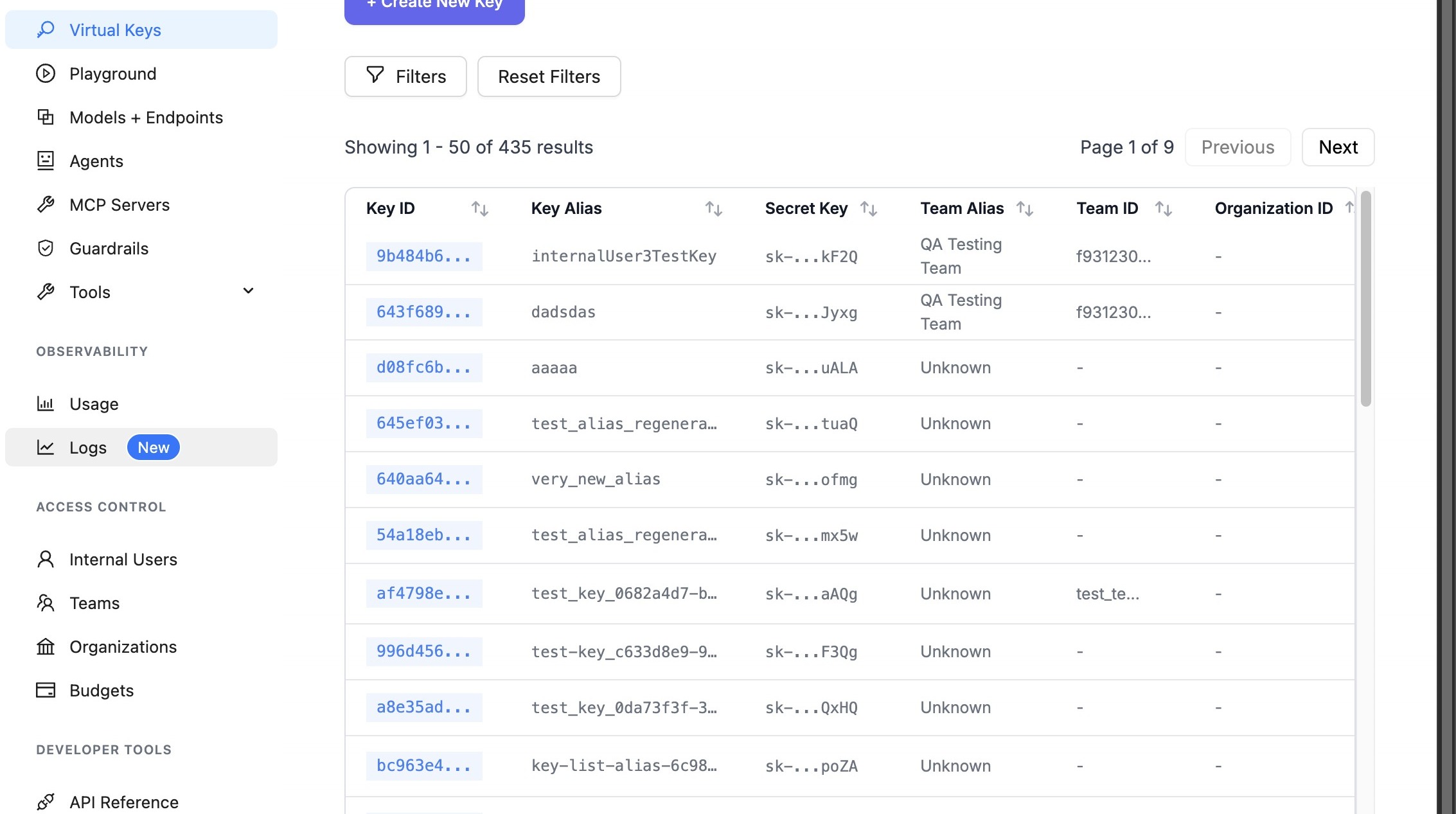++### Step 2: Access Logs Section++Click on the "Logs" menu item in the navigation.++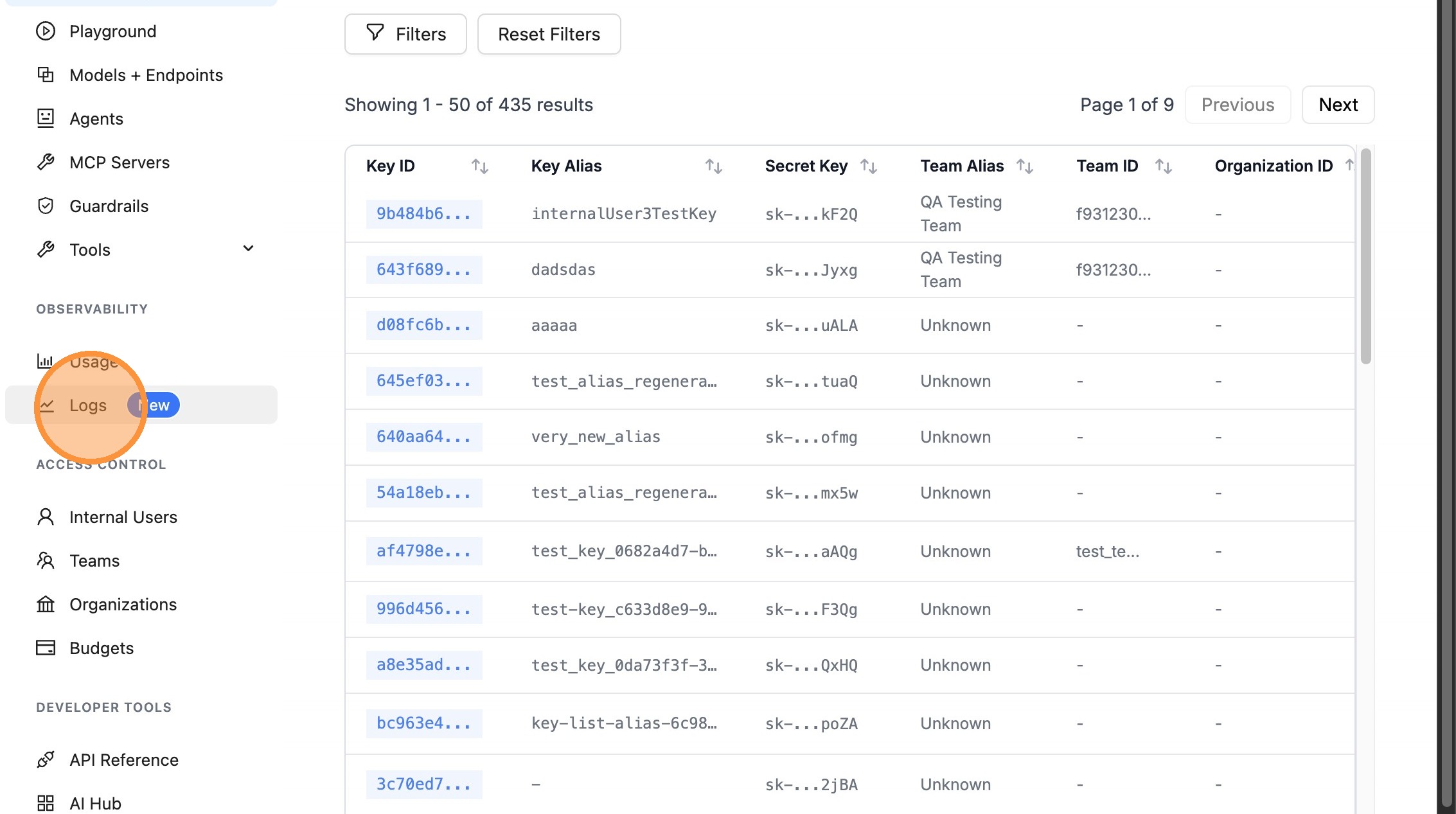++### Step 3: View Deleted Keys++Click on "Deleted Keys" to view the table of all deleted API keys.++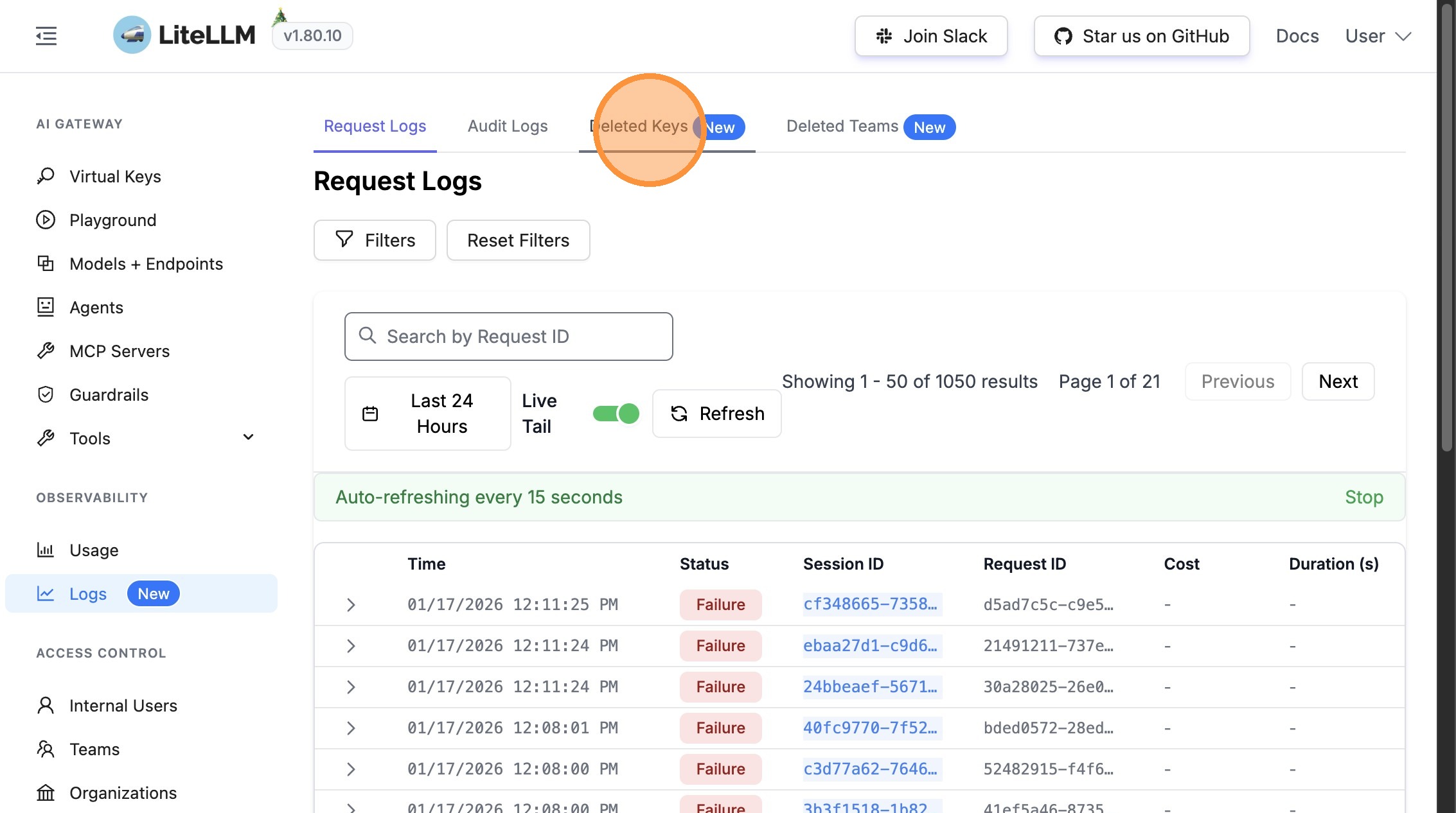++### Step 4: Review Deletion Information++The Deleted Keys table includes comprehensive information about each deleted key:++- **When** the key was deleted (timestamp)+- **Who** deleted the key (user/admin information)+- **Key identification** details++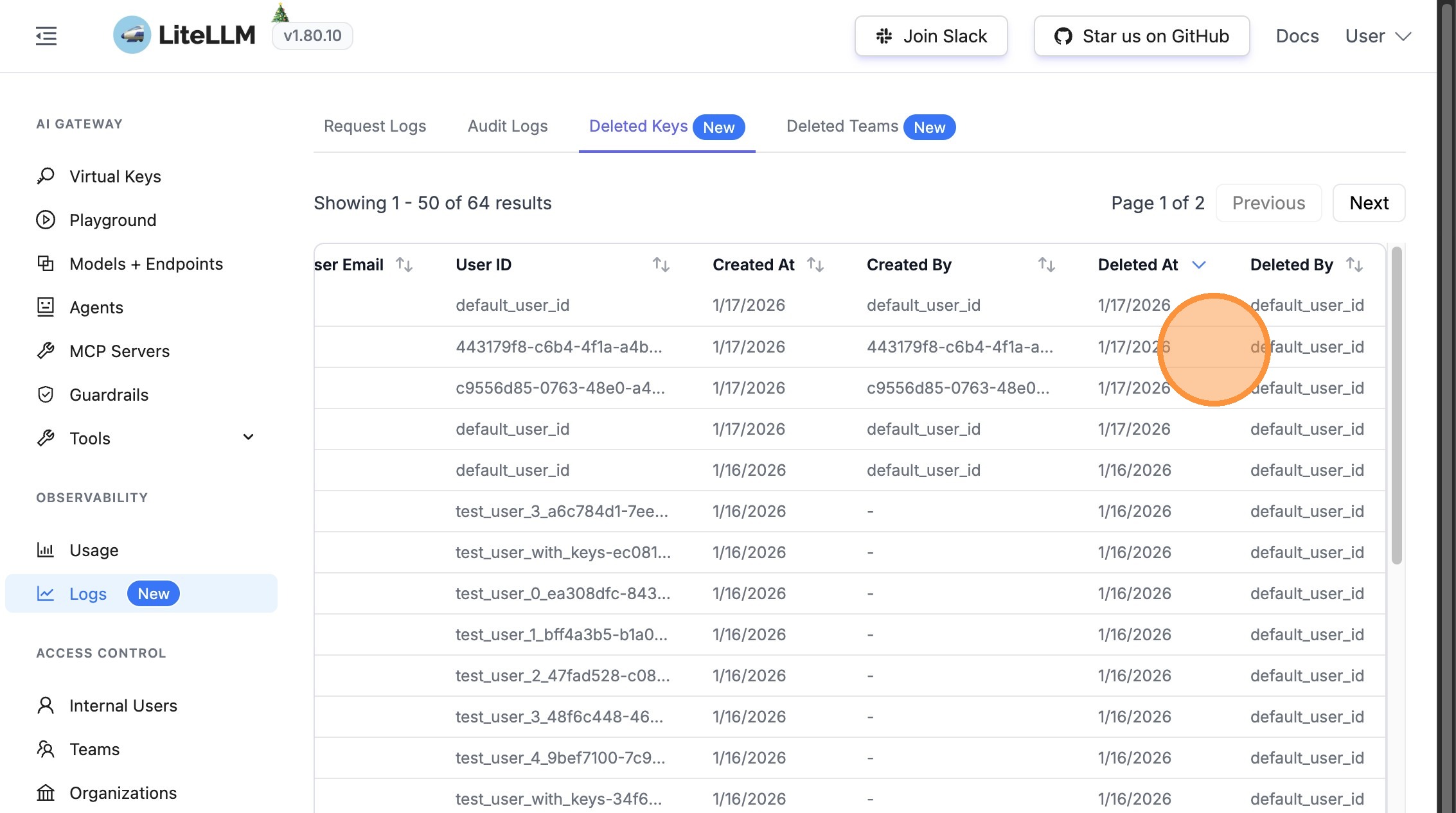++### Step 5: View Financial Information++The table also displays financial information captured at the time of deletion:++- **Spend at deletion** - Total spend accumulated when the key was deleted+- **Original budget** - The budget limit that was set for the key++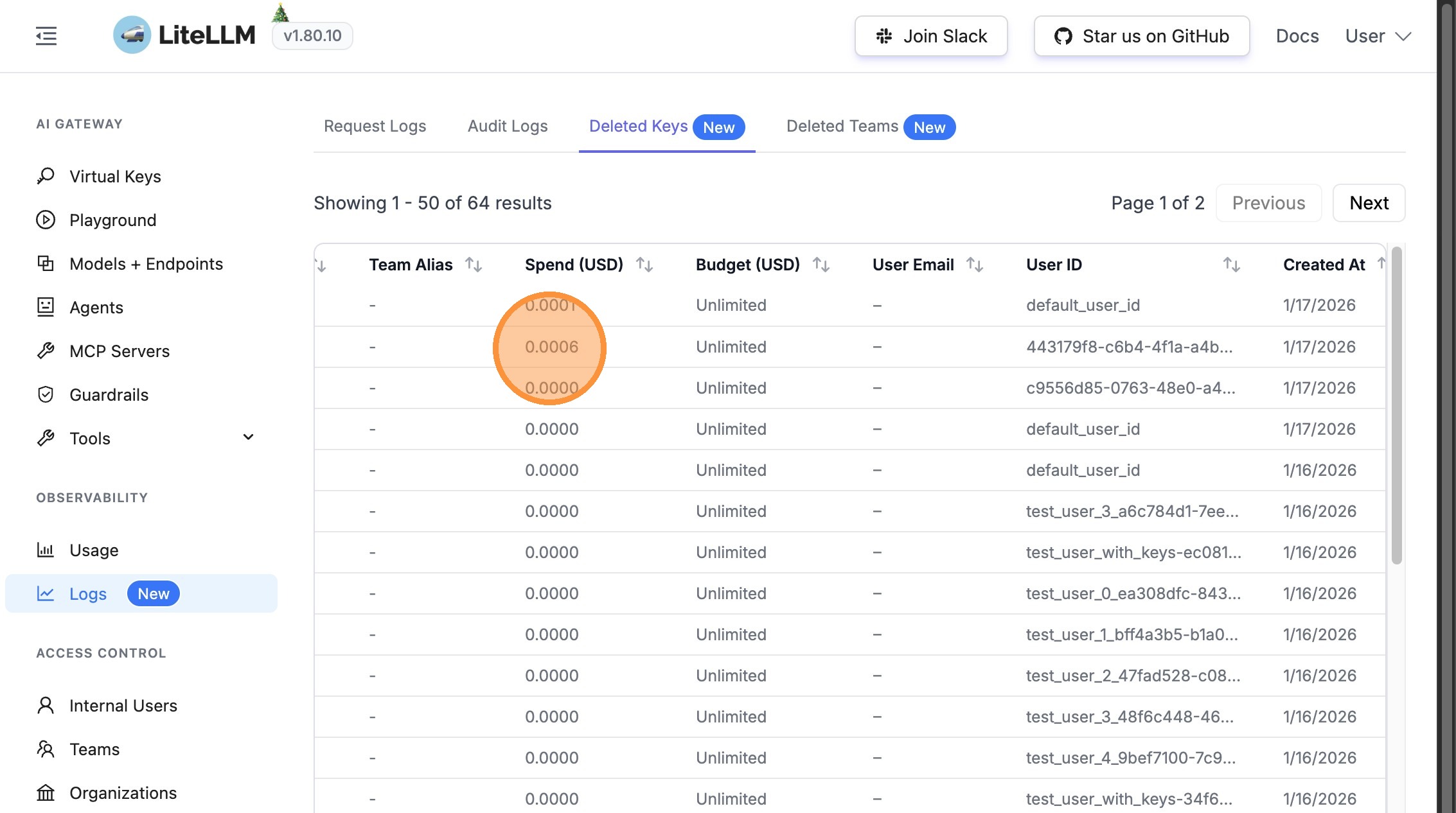++## Viewing Deleted Teams++### Step 1: Access Deleted Teams++From the Logs section, click on "Deleted Teams" to view all deleted teams.++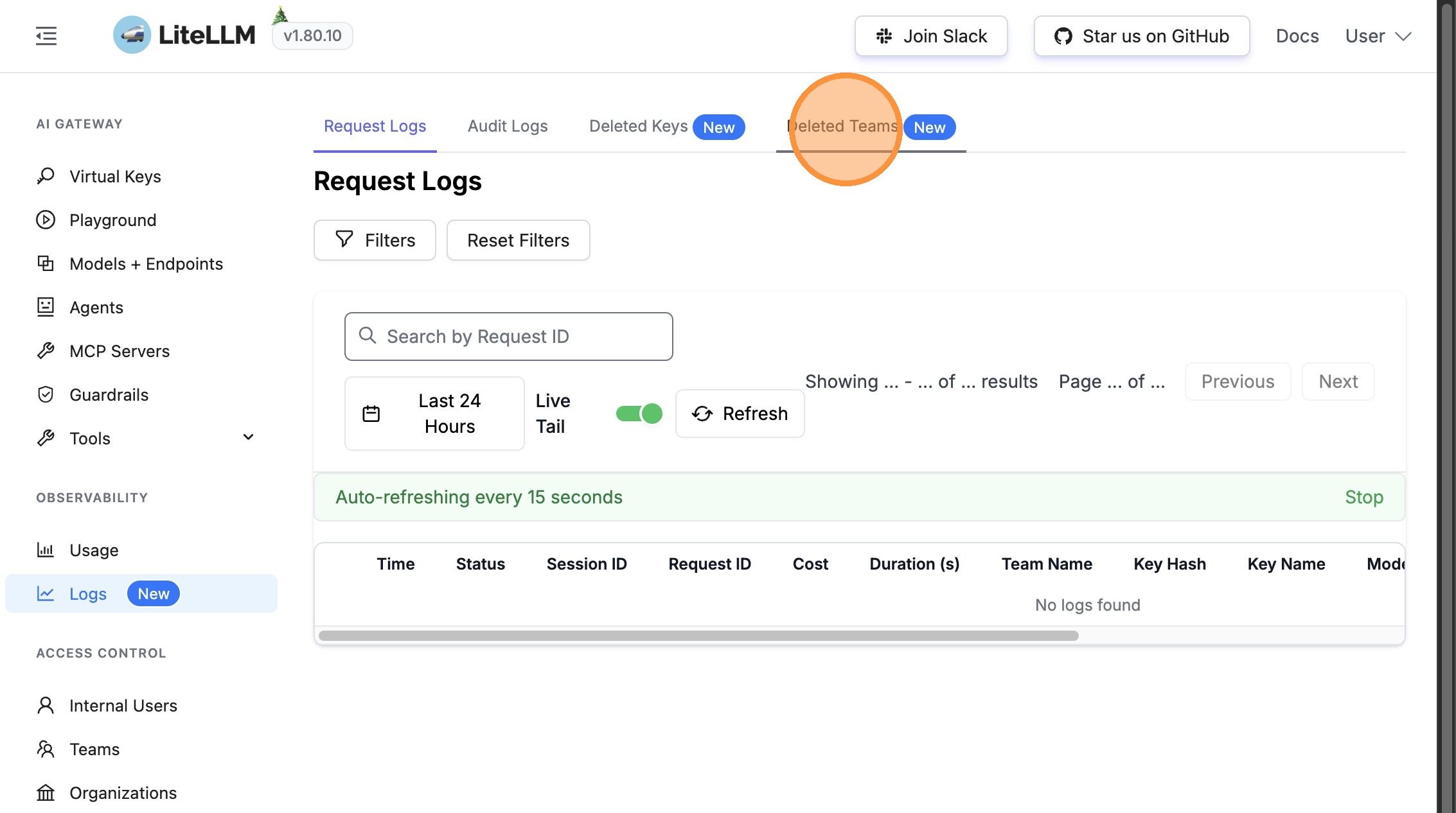++### Step 2: Review Team Deletion Information++The Deleted Teams table provides detailed information about each deleted team:++- **When** the team was deleted (timestamp)+- **Who** deleted the team (user/admin information)+- **Team identification** details++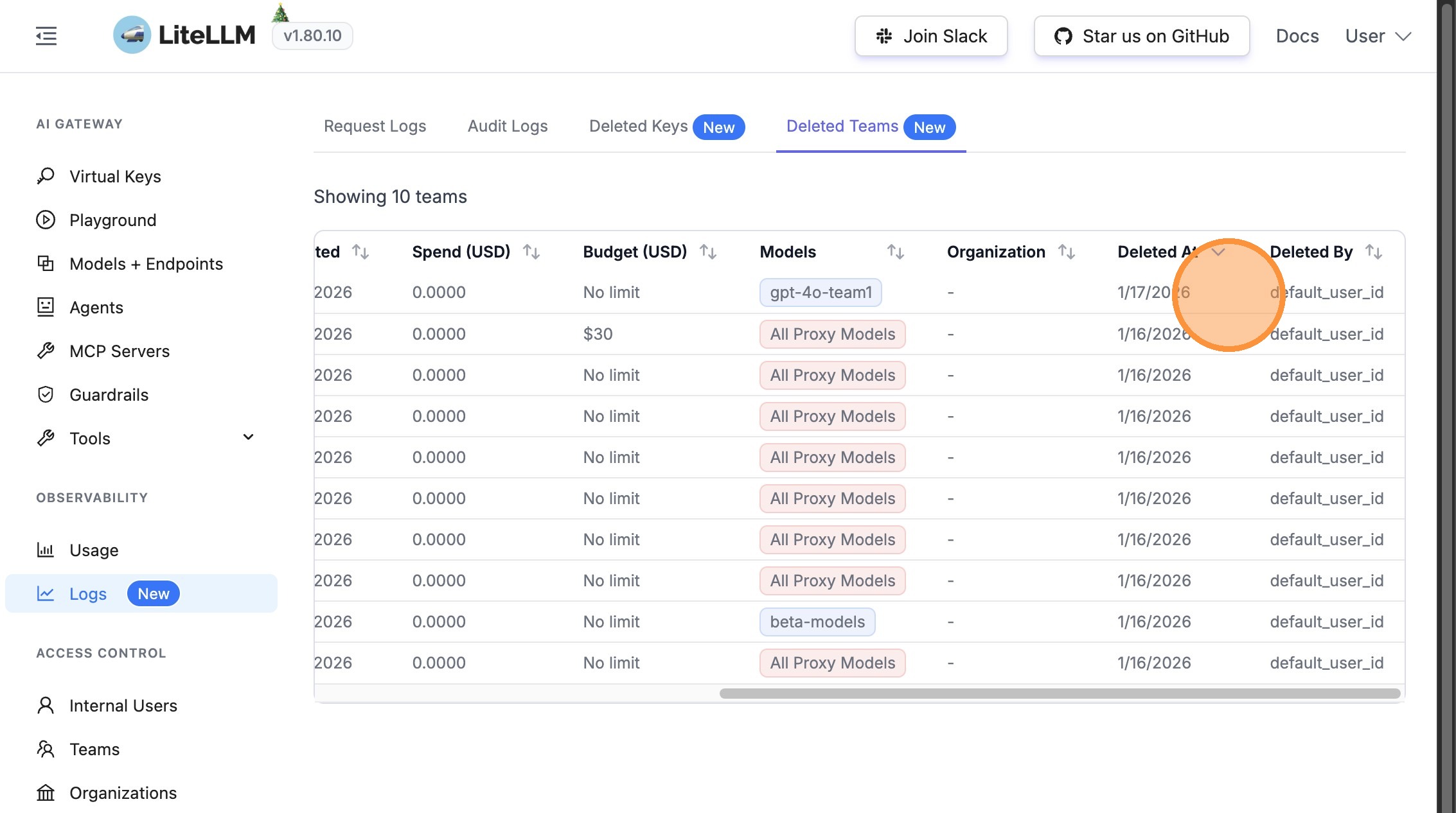++### Step 3: View Team Financial Information++Similar to deleted keys, the Deleted Teams table shows financial information:++- **Spend at deletion** - Total spend accumulated when the team was deleted+- **Original budget** - The budget limit that was set for the team++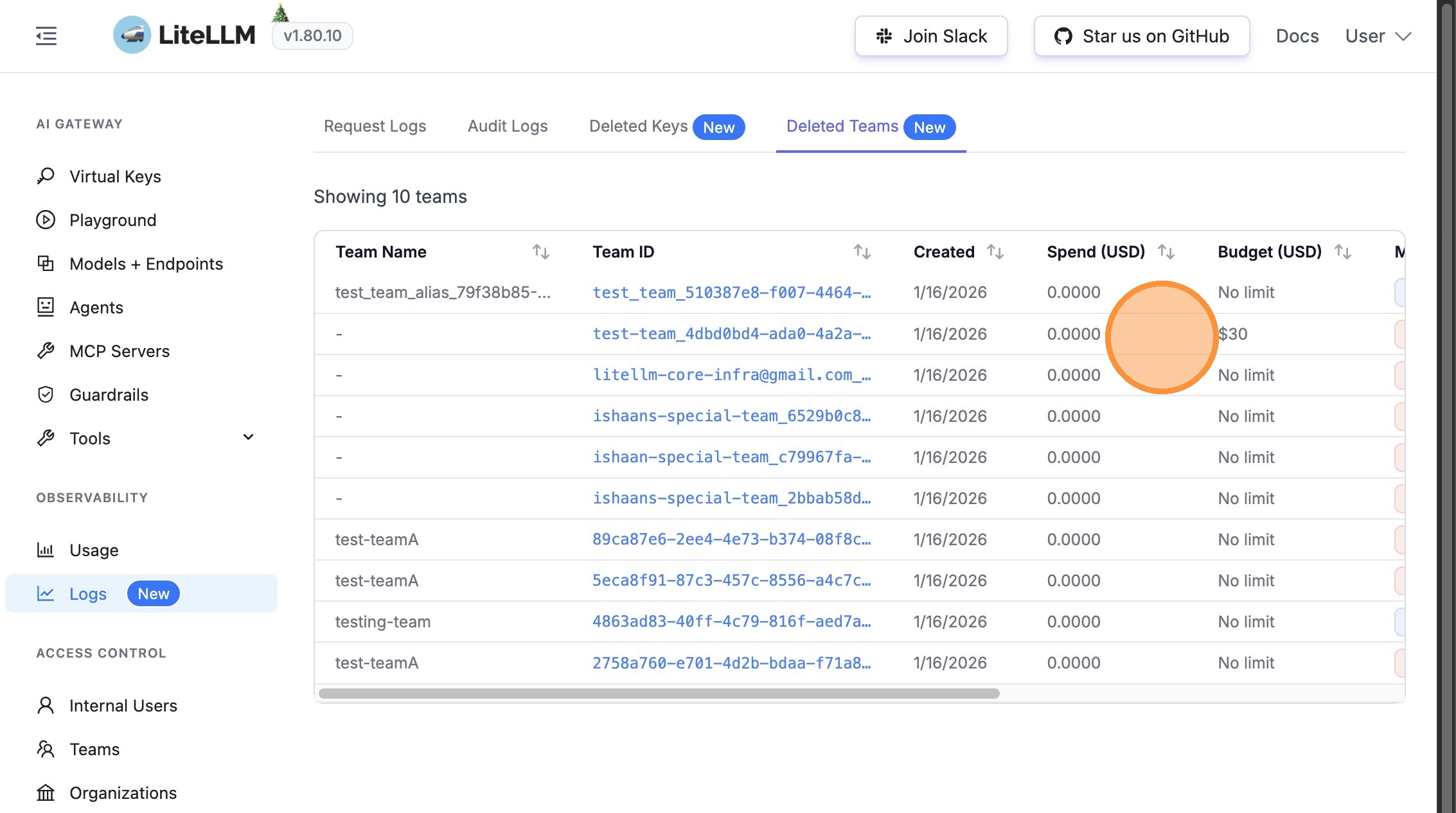++## Use Cases++This feature is particularly useful for:++- **Financial Auditing** - Track spend and budgets for deleted entities+- **Compliance** - Maintain records of who deleted what and when+- **Cost Analysis** - Understand spending patterns before deletion+- **Accountability** - Identify which admin or user performed deletions+- **Historical Records** - Preserve financial data even after entity deletion++## Related Features++- [Audit Logs](./multiple_admins.md) - View comprehensive audit logs for all entity changes+- [UI Logs](./ui_logs.md) - View request logs and spend trackingdiff --git a/docs/my-website/img/ui_deleted_keys_table.png b/docs/my-website/img/ui_deleted_keys_table.pngnew file mode 100644index 00000000000..9d7cf8455b3Binary files /dev/null and b/docs/my-website/img/ui_deleted_keys_table.png differdiff --git a/docs/my-website/sidebars.js b/docs/my-website/sidebars.jsindex 354641b2663..fd651c3adc5 100644--- a/docs/my-website/sidebars.js+++ b/docs/my-website/sidebars.js@@ -287,7 +287,8 @@ const sidebars = {label: "UI Logs",items: ["proxy/ui_logs",- "proxy/ui_logs_sessions"+ "proxy/ui_logs_sessions",+ "proxy/deleted_keys_teams"]}],