
The fastest, litest AI Gateway. Rust core with Python SDK. Call 100+ LLM APIs in OpenAI (or native) format with cost tracking, guardrails, load balancing, and logging [Bedrock, Azure, OpenAI, Anthropic, OpenAI, VertexAI, vLLM, Nvidia NIM]
Python ai-gatewayanthropicazure-openaibedrockgatewaylangchainlitellmllmllm-gatewayllmopsmcp-gatewayopenaiopenai-proxyrustrust-aivertex-ai
[Docs] Add docs guide for using policies (#20914)
Ishaan Jaff3407006120a2
diff --git a/docs/my-website/docs/proxy/guardrails/guardrail_policies.md b/docs/my-website/docs/proxy/guardrails/guardrail_policies.mdindex 56be11c85a7..e2cb839203e 100644--- a/docs/my-website/docs/proxy/guardrails/guardrail_policies.md+++ b/docs/my-website/docs/proxy/guardrails/guardrail_policies.md@@ -1,3 +1,7 @@+import Image from '@theme/IdealImage';+import Tabs from '@theme/Tabs';+import TabItem from '@theme/TabItem';+# [Beta] Guardrail PoliciesUse policies to group guardrails and control which ones run for specific teams, keys, or models.@@ -10,6 +14,9 @@ Use policies to group guardrails and control which ones run for specific teams,## Quick Start+<Tabs>+<TabItem value="config" label="config.yaml">+```yaml showLineNumbers title="config.yaml"model_list:- model_name: gpt-4@@ -43,6 +50,26 @@ policy_attachments:scope: "*" # apply to all requests```+</TabItem>+<TabItem value="ui" label="UI (LiteLLM Dashboard)">++**Step 1: Create a Policy**++Go to **Policies** tab and click **+ Create New Policy**. Fill in the policy name, description, and select guardrails to add.++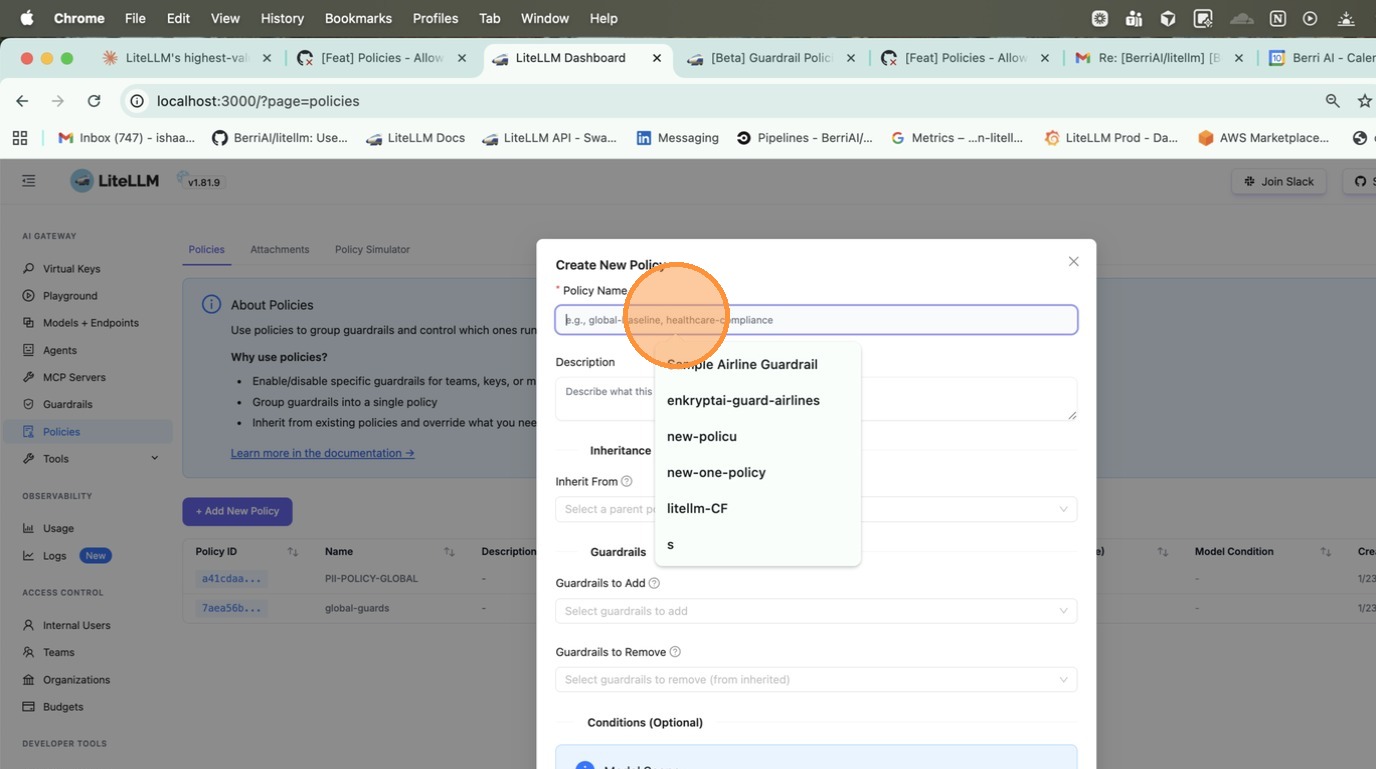++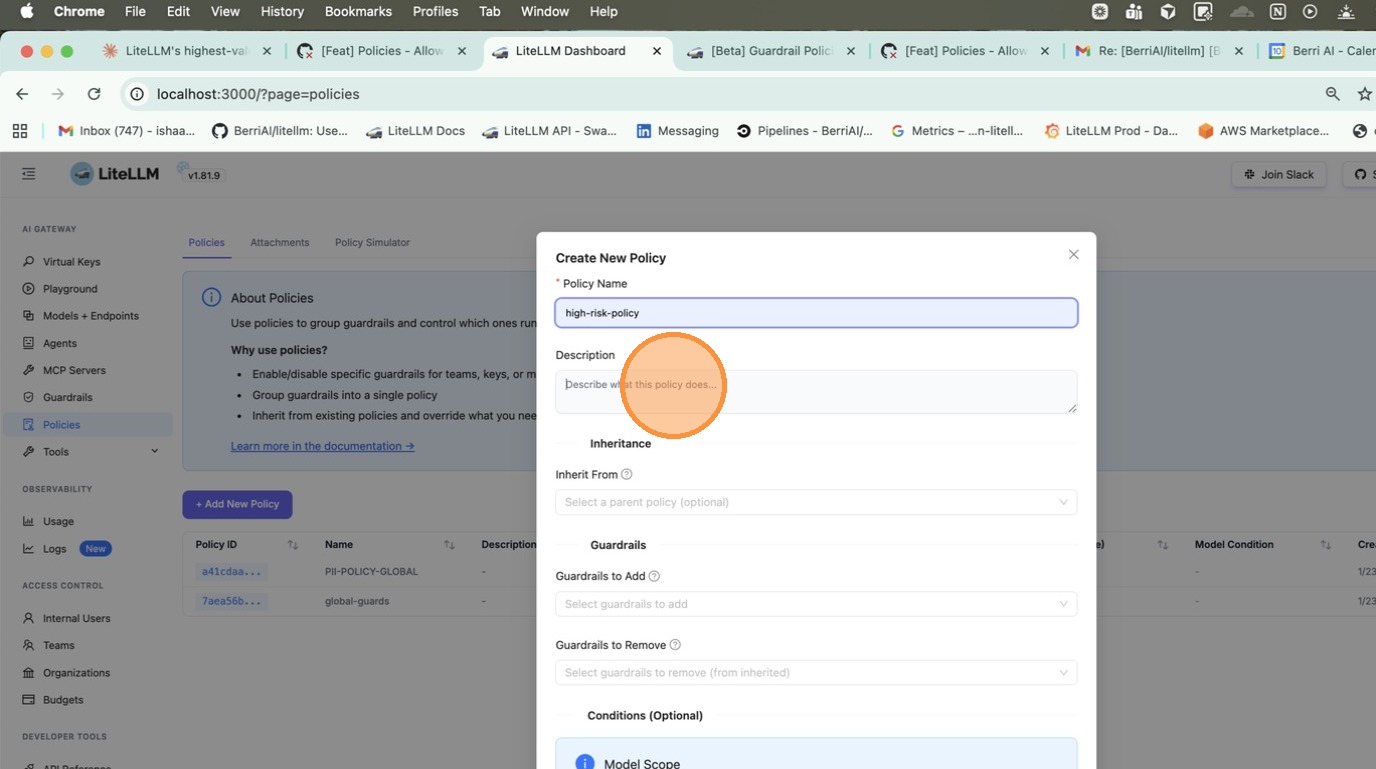++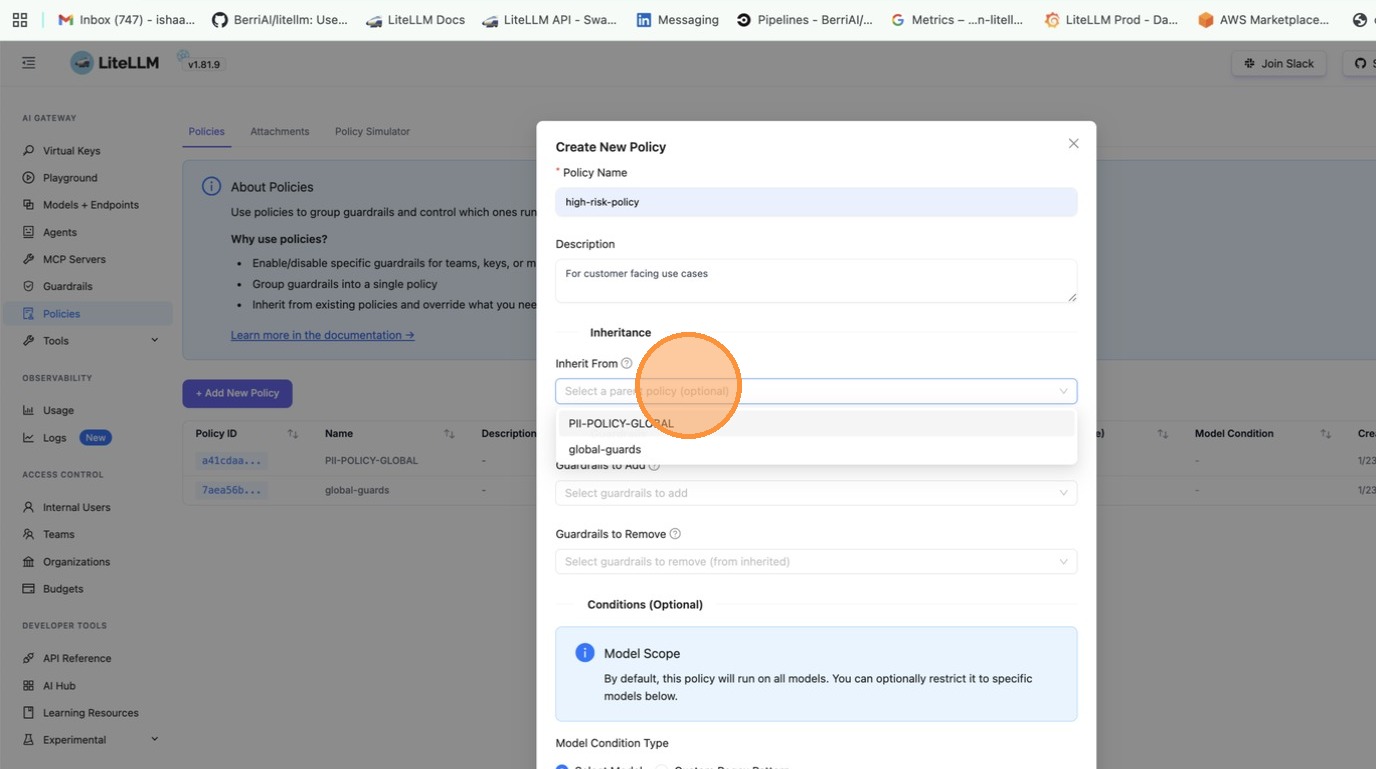++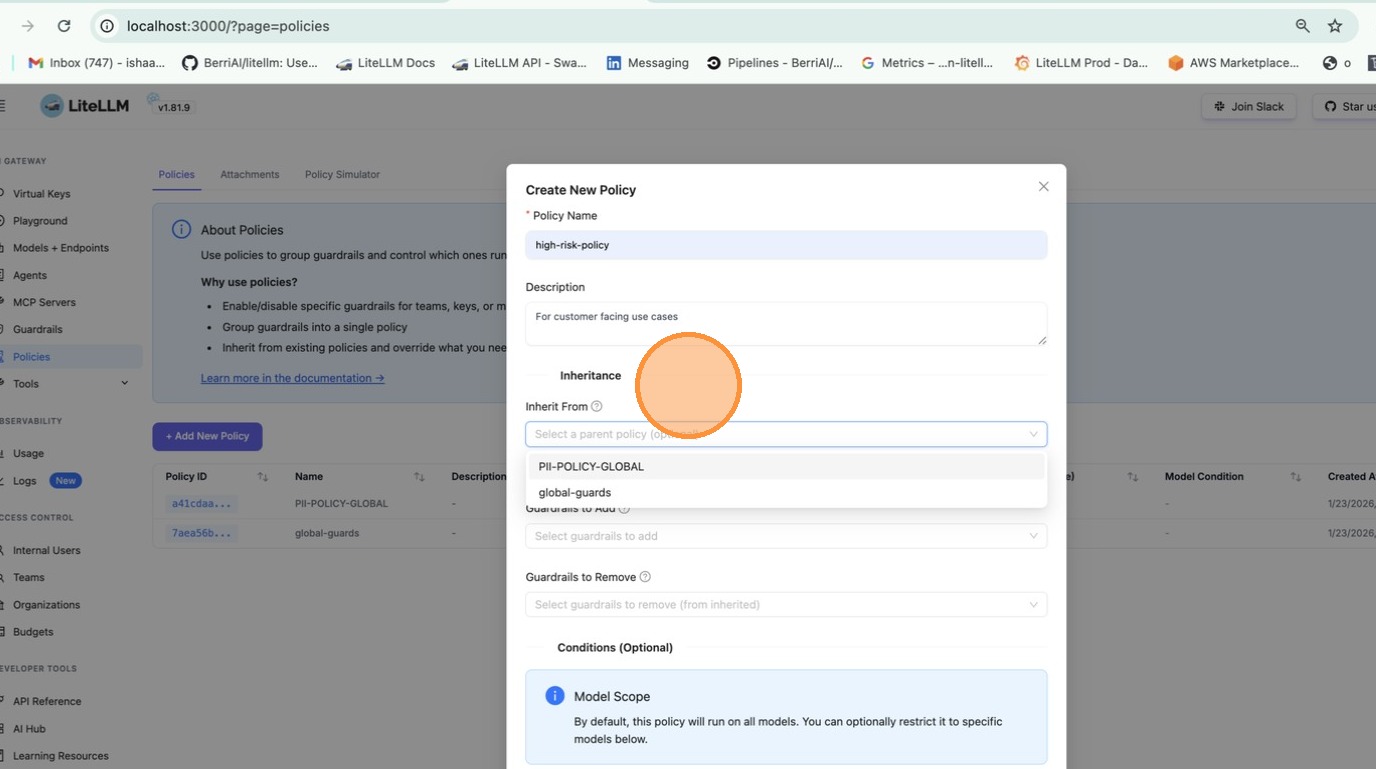++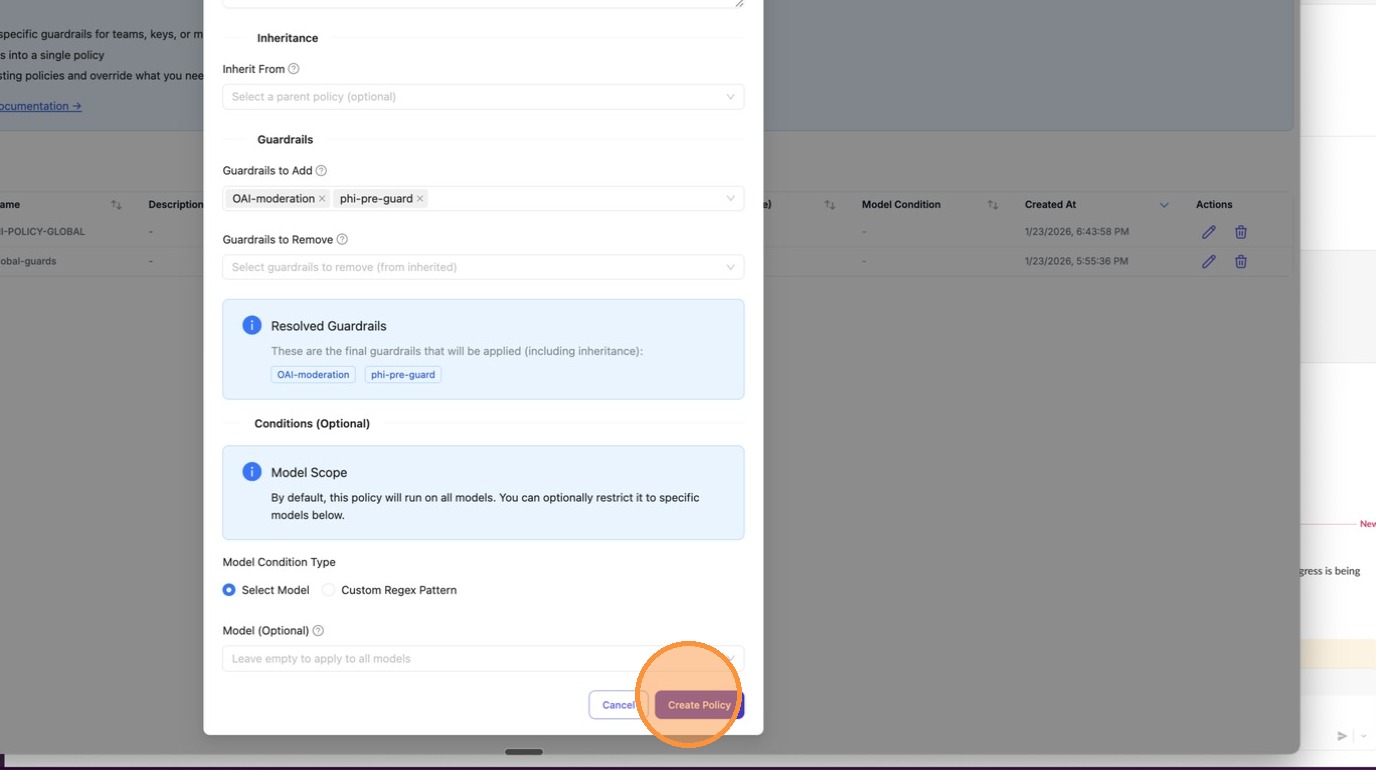++</TabItem>+</Tabs>+Response headers show what ran:```@@ -58,6 +85,9 @@ x-litellm-applied-guardrails: pii_masking,prompt_injectionYou have a global baseline, but want to add extra guardrails for a specific team.+<Tabs>+<TabItem value="config" label="config.yaml">+```yaml showLineNumbers title="config.yaml"policies:global-baseline:@@ -81,6 +111,30 @@ policy_attachments:- finance # team alias from /team/new```+</TabItem>+<TabItem value="ui" label="UI (LiteLLM Dashboard)">++**Option 1: Create a team-scoped attachment**++Go to **Policies** > **Attachments** tab and click **+ Create New Attachment**. Select the policy and the teams to scope it to.++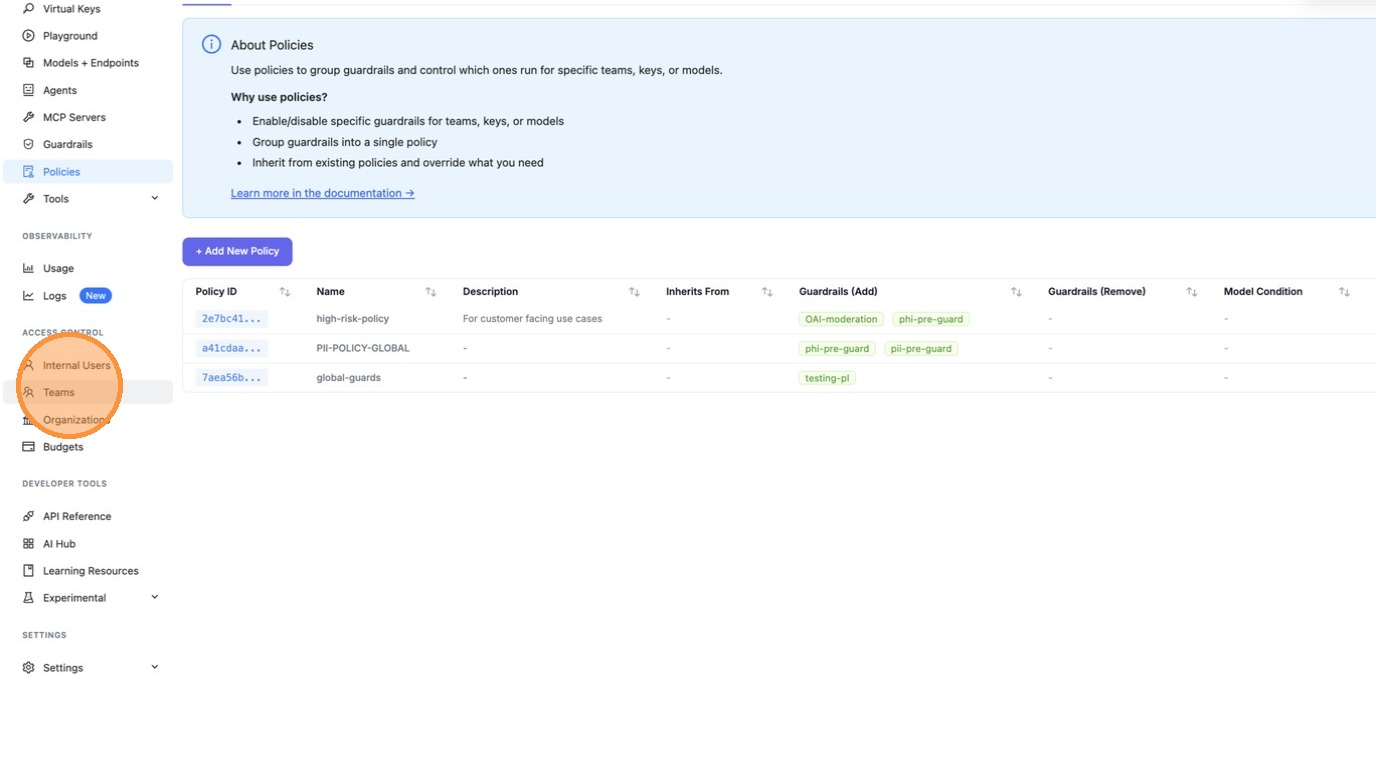++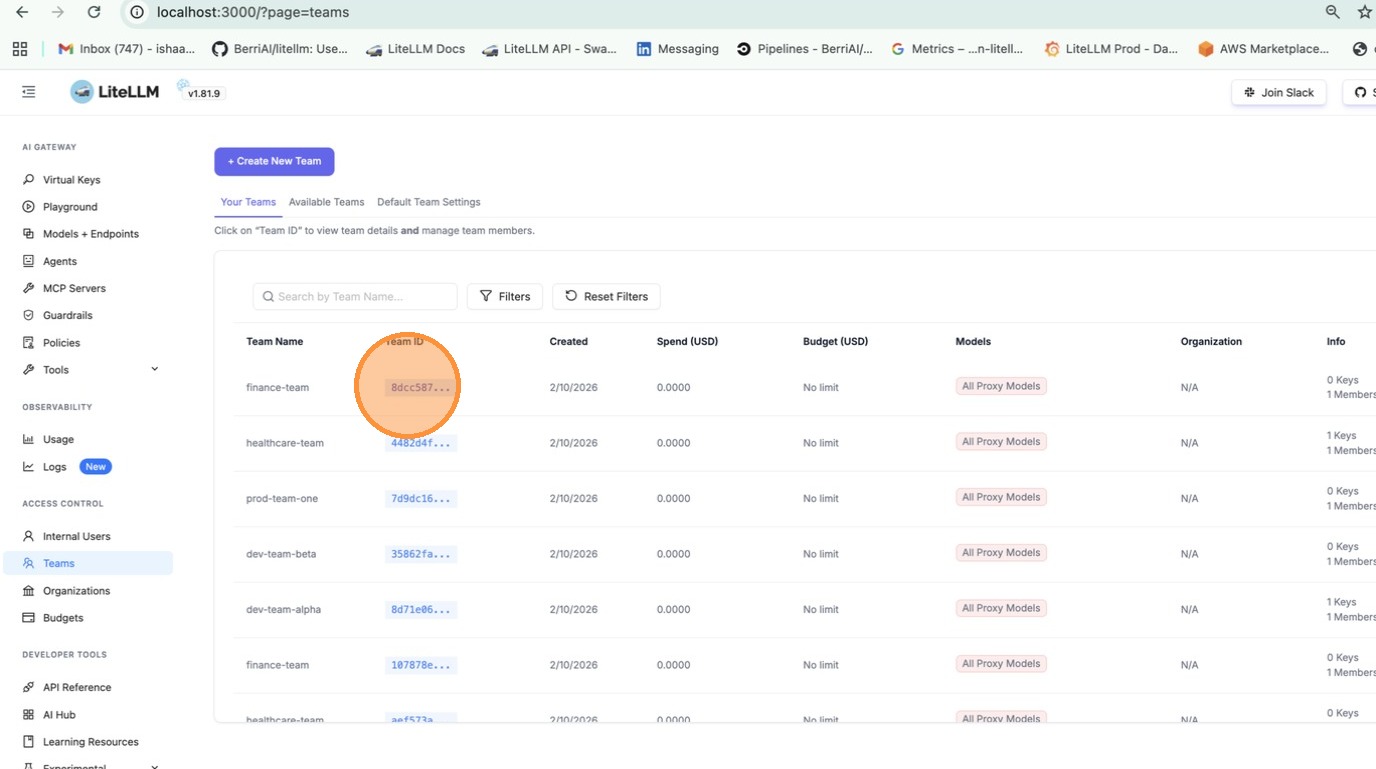++**Option 2: Attach from team settings**++Go to **Teams** > click on a team > **Settings** tab > under **Policies**, select the policies to attach.++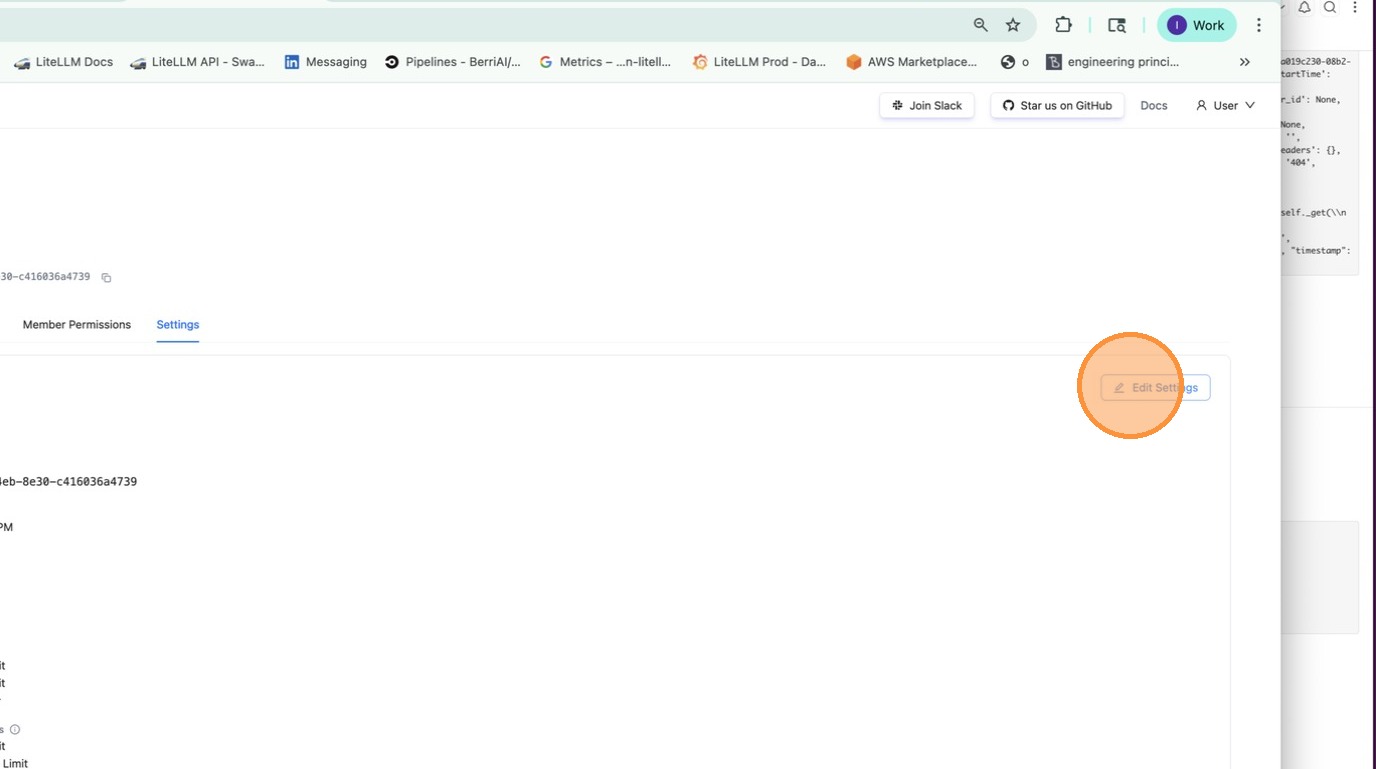++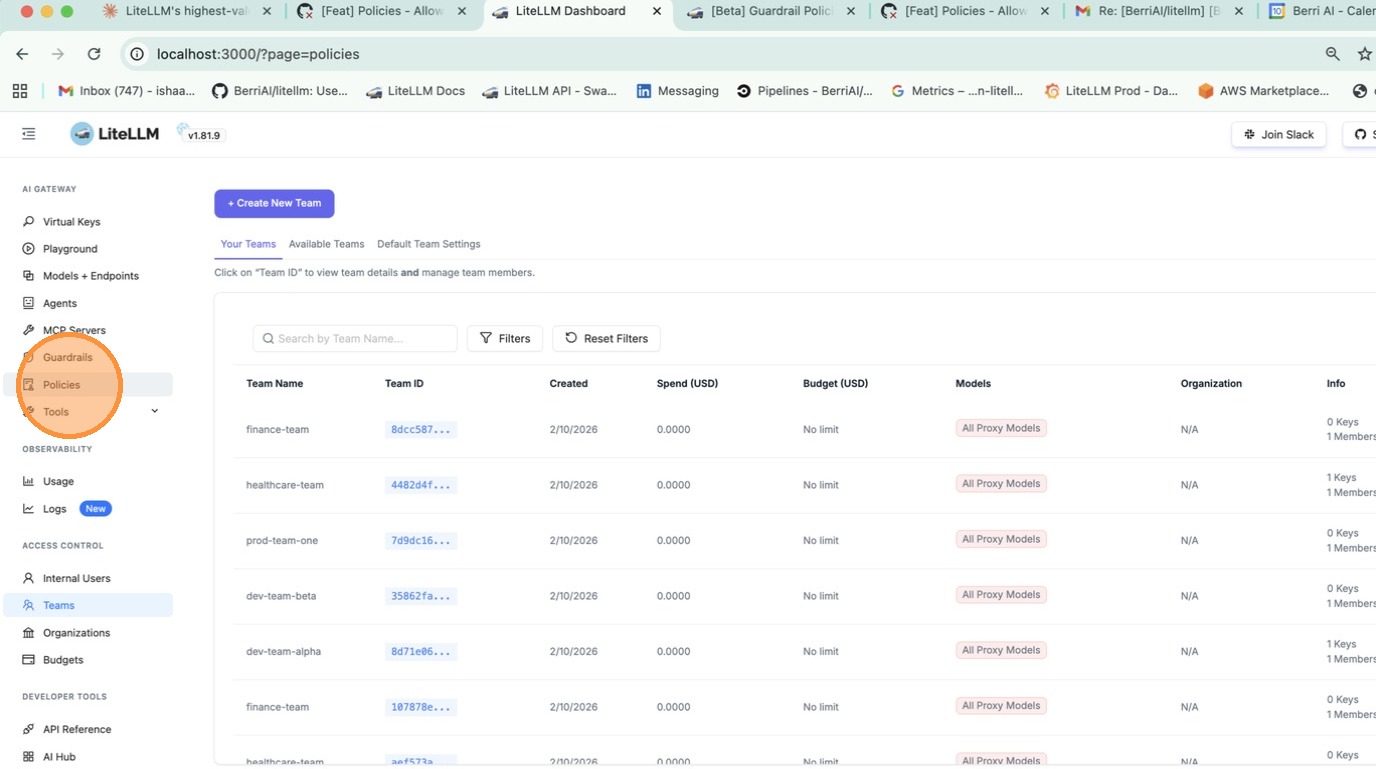++<Image img={require('../../../img/policy_team_attach.png')} />++</TabItem>+</Tabs>+Now the `finance` team gets `pii_masking` + `strict_compliance_check` + `audit_logger`, while everyone else just gets `pii_masking`.## Remove guardrails for a specific team@@ -201,6 +255,60 @@ policy_attachments:- "test-*" # key alias pattern```+**Tag-based** (matches keys/teams by metadata tags, wildcards supported):++```yaml showLineNumbers title="config.yaml"+policy_attachments:+ - policy: hipaa-compliance+ tags:+ - "healthcare"+ - "health-*" # wildcard - matches health-team, health-dev, etc.+```++Tags are read from key and team `metadata.tags`. For example, a key created with `metadata: {"tags": ["healthcare"]}` would match the attachment above.++## Test Policy Matching++Debug which policies and guardrails apply for a given context. Use this to verify your policy configuration before deploying.++<Tabs>+<TabItem value="ui" label="UI (LiteLLM Dashboard)">++Go to **Policies** > **Test** tab. Enter a team alias, key alias, model, or tags and click **Test** to see which policies match and what guardrails would be applied.++<Image img={require('../../../img/policy_test_matching.png')} />++</TabItem>+<TabItem value="api" label="API">++```bash+curl -X POST "http://localhost:4000/policies/resolve" \+ -H "Authorization: Bearer <your_api_key>" \+ -H "Content-Type: application/json" \+ -d '{+ "tags": ["healthcare"],+ "model": "gpt-4"+ }'+```++Response:++```json+{+ "effective_guardrails": ["pii_masking"],+ "matched_policies": [+ {+ "policy_name": "hipaa-compliance",+ "matched_via": "tag:healthcare",+ "guardrails_added": ["pii_masking"]+ }+ ]+}+```++</TabItem>+</Tabs>+## Config Reference### `policies`@@ -233,14 +341,18 @@ policy_attachments:scope: ...teams: [...]keys: [...]+ models: [...]+ tags: [...]```| Field | Type | Description ||-------|------|-------------|| `policy` | `string` | **Required.** Name of the policy to attach. || `scope` | `string` | Use `"*"` to apply globally. |-| `teams` | `list[string]` | Team aliases (from `/team/new`). |+| `teams` | `list[string]` | Team aliases (from `/team/new`). Supports `*` wildcard. || `keys` | `list[string]` | Key aliases (from `/key/generate`). Supports `*` wildcard. |+| `models` | `list[string]` | Model names. Supports `*` wildcard. |+| `tags` | `list[string]` | Tag patterns (from key/team `metadata.tags`). Supports `*` wildcard. |### Response Headers@@ -248,6 +360,7 @@ policy_attachments:|--------|-------------|| `x-litellm-applied-policies` | Policies that matched this request || `x-litellm-applied-guardrails` | Guardrails that actually ran |+| `x-litellm-policy-sources` | Why each policy matched (e.g., `hipaa=tag:healthcare; baseline=scope:*`) |## How it worksdiff --git a/docs/my-website/docs/proxy/guardrails/policy_tags.md b/docs/my-website/docs/proxy/guardrails/policy_tags.mdnew file mode 100644index 00000000000..11840116c31--- /dev/null+++ b/docs/my-website/docs/proxy/guardrails/policy_tags.md@@ -0,0 +1,139 @@+# Tag-Based Policy Attachments++Apply guardrail policies automatically to any key or team that has a specific tag. Instead of attaching policies one-by-one, tag your keys and let the policy engine handle the rest.++**Example:** Your security team requires all healthcare-related keys to run PII masking and PHI detection. Tag those keys with `health`, create a single tag-based attachment, and every matching key gets the guardrails automatically.++## 1. Create a Policy with Guardrails++Navigate to **Policies** in the left sidebar. You'll see a list of existing policies along with their guardrails.++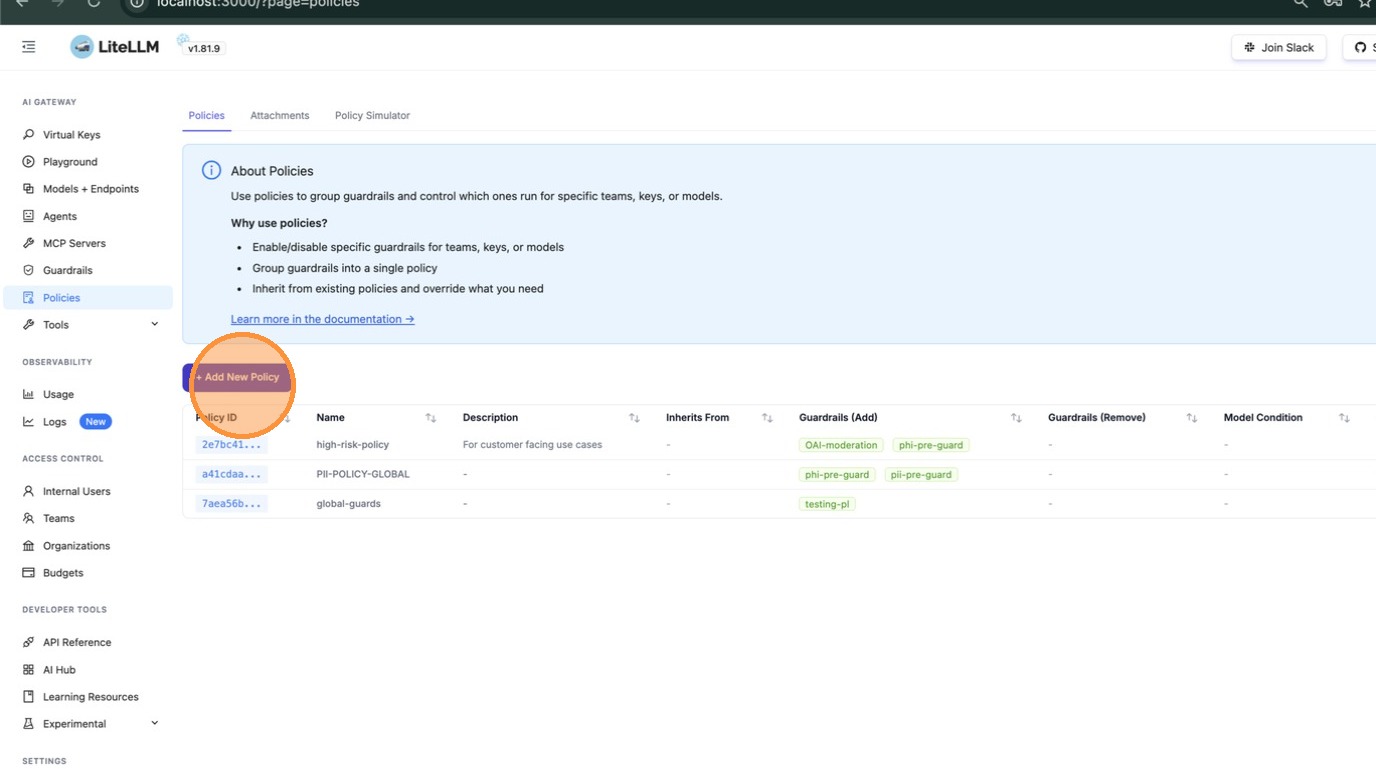++Click **+ Add New Policy**. In the modal, enter a name for your policy (e.g., `high-risk-policy2`). You can also type to search existing policy names if you want to reference them.++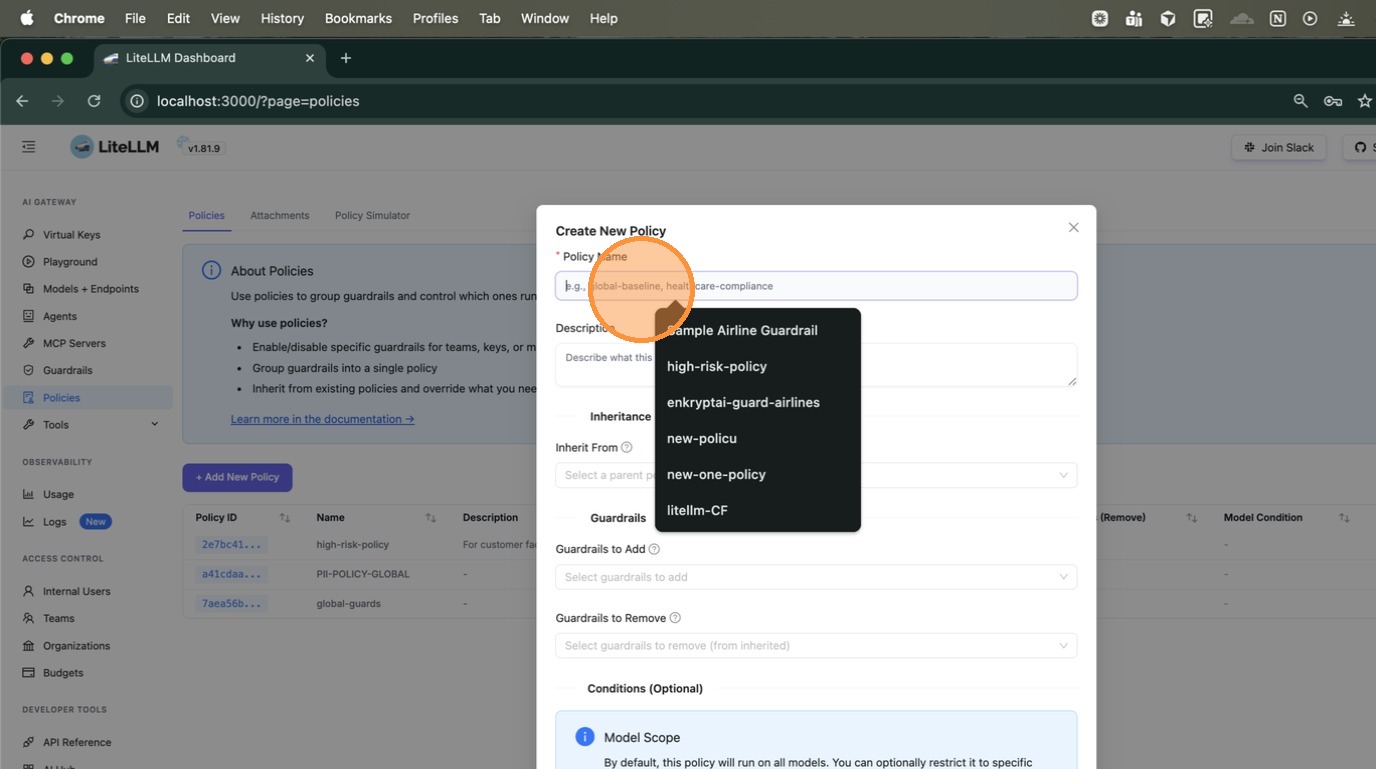++Scroll down to **Guardrails to Add**. Click the dropdown to see all available guardrails configured on your proxy — select the ones this policy should enforce.++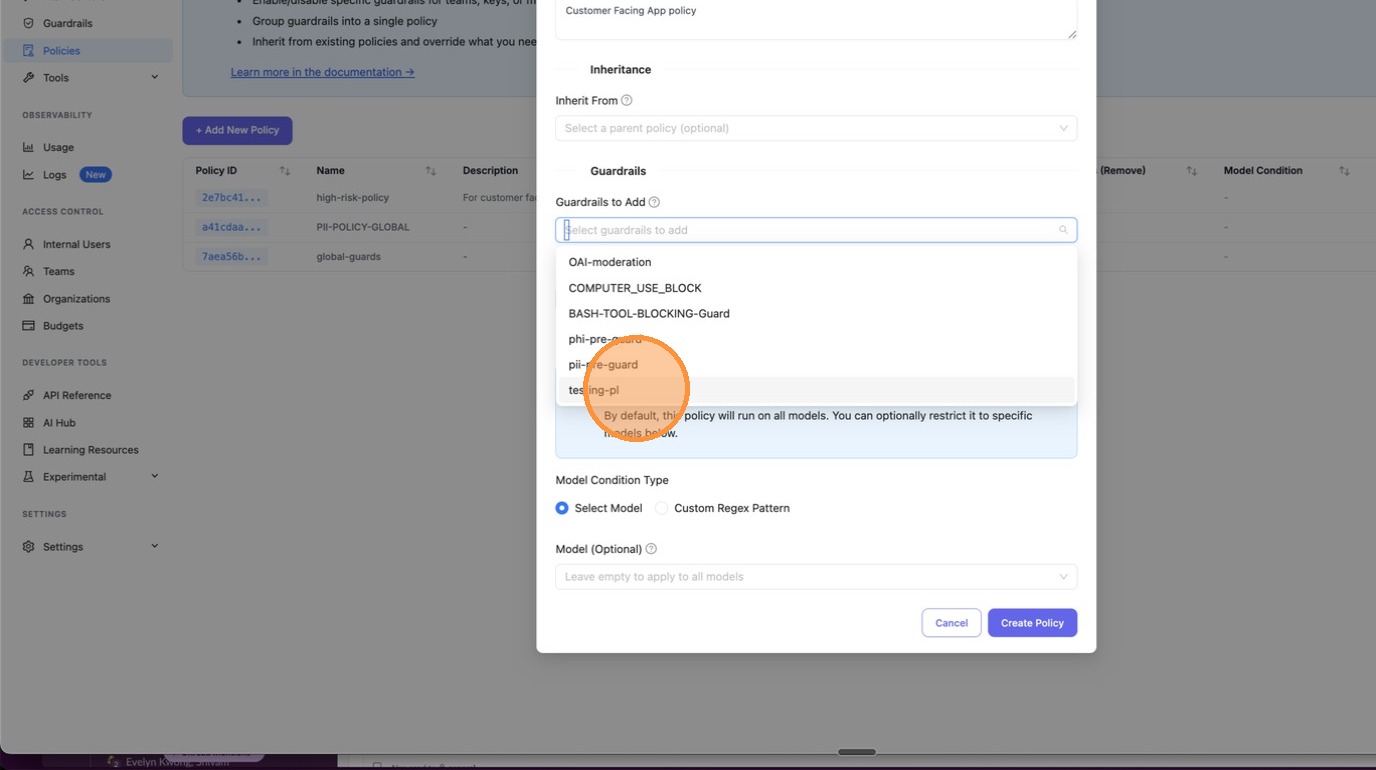++After selecting your guardrails, they appear as chips in the input field. The **Resolved Guardrails** section below shows the final set that will be applied (including any inherited from a parent policy).++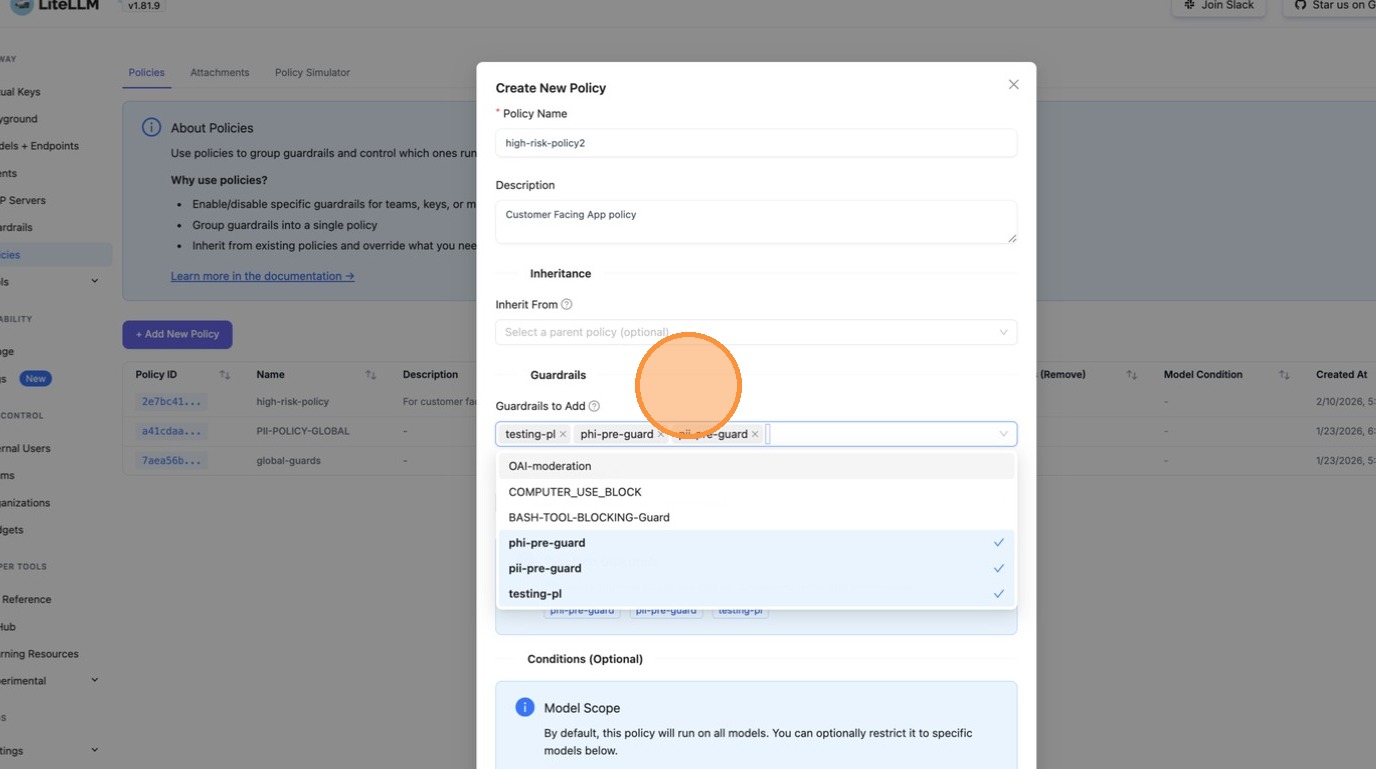++Click **Create Policy** to save.++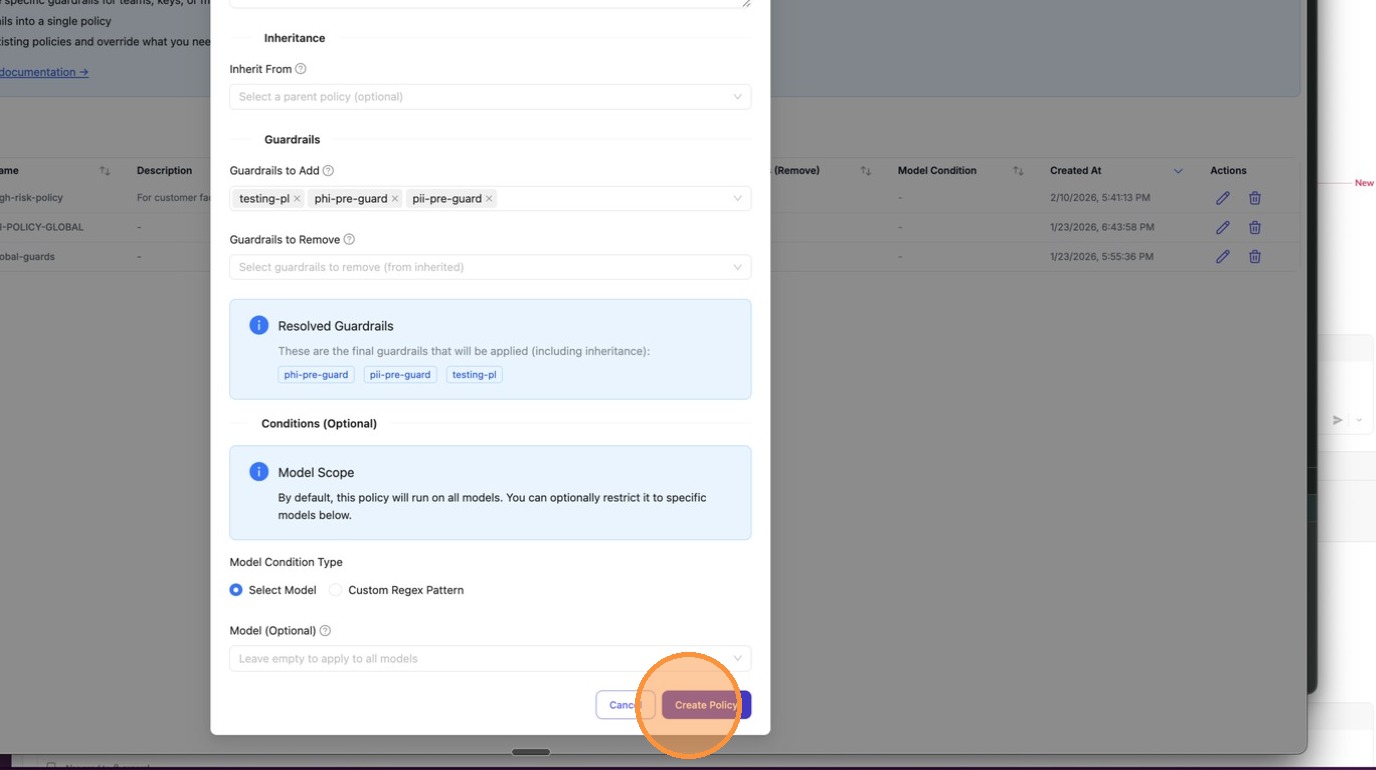++## 2. Add a Tag Attachment for the Policy++After creating the policy, switch to the **Attachments** tab. This is where you define *where* the policy applies.++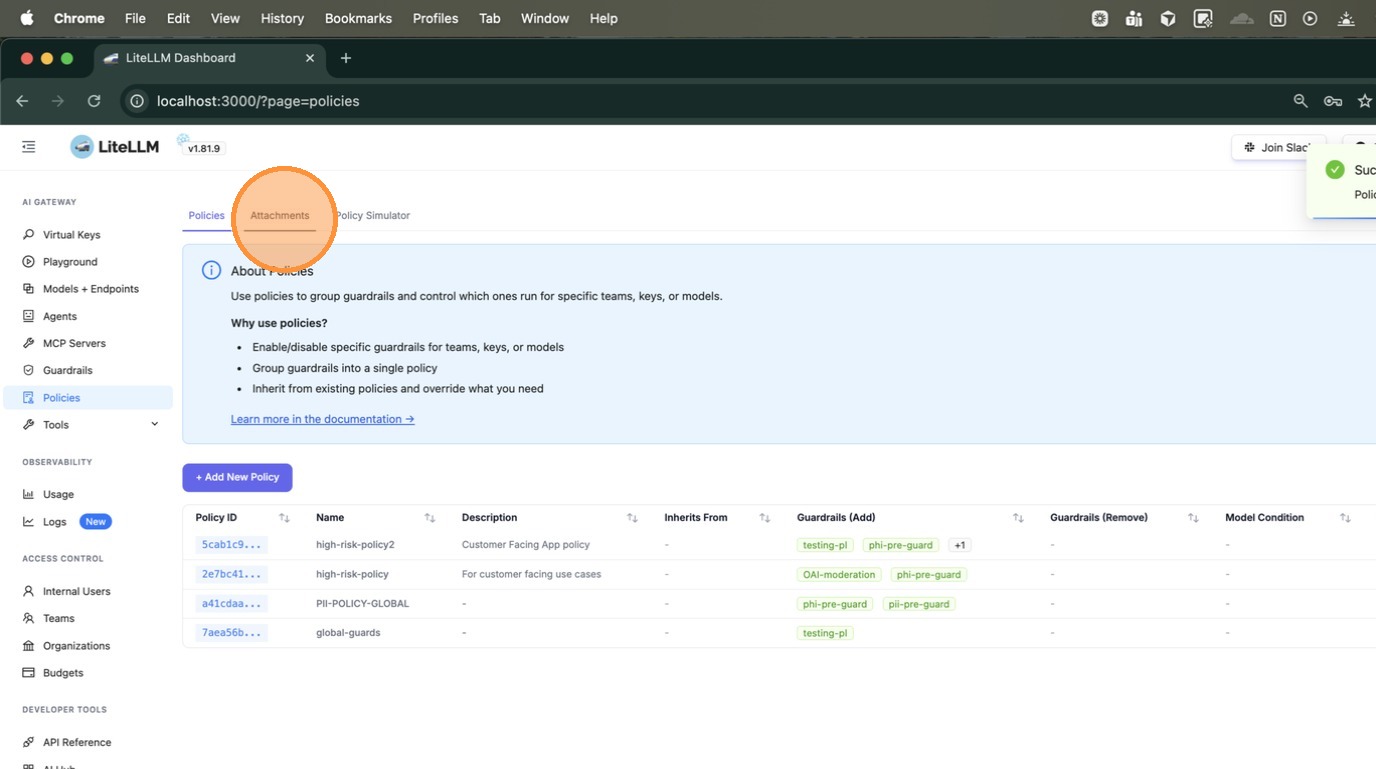++Click **+ Add New Attachment**. The Attachments page explains the available scopes: Global, Teams, Keys, Models, and **Tags**.++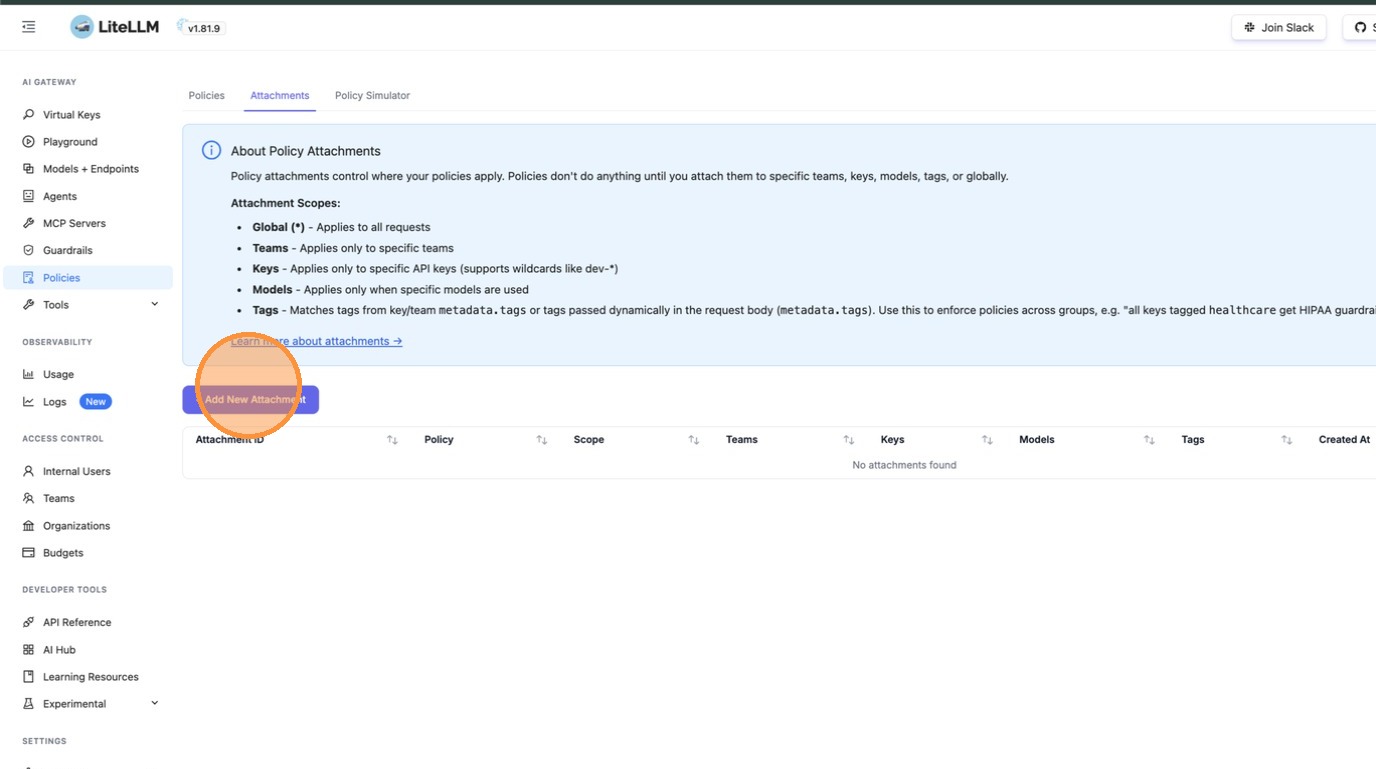++In the **Create Policy Attachment** modal, first select the policy you just created from the dropdown.++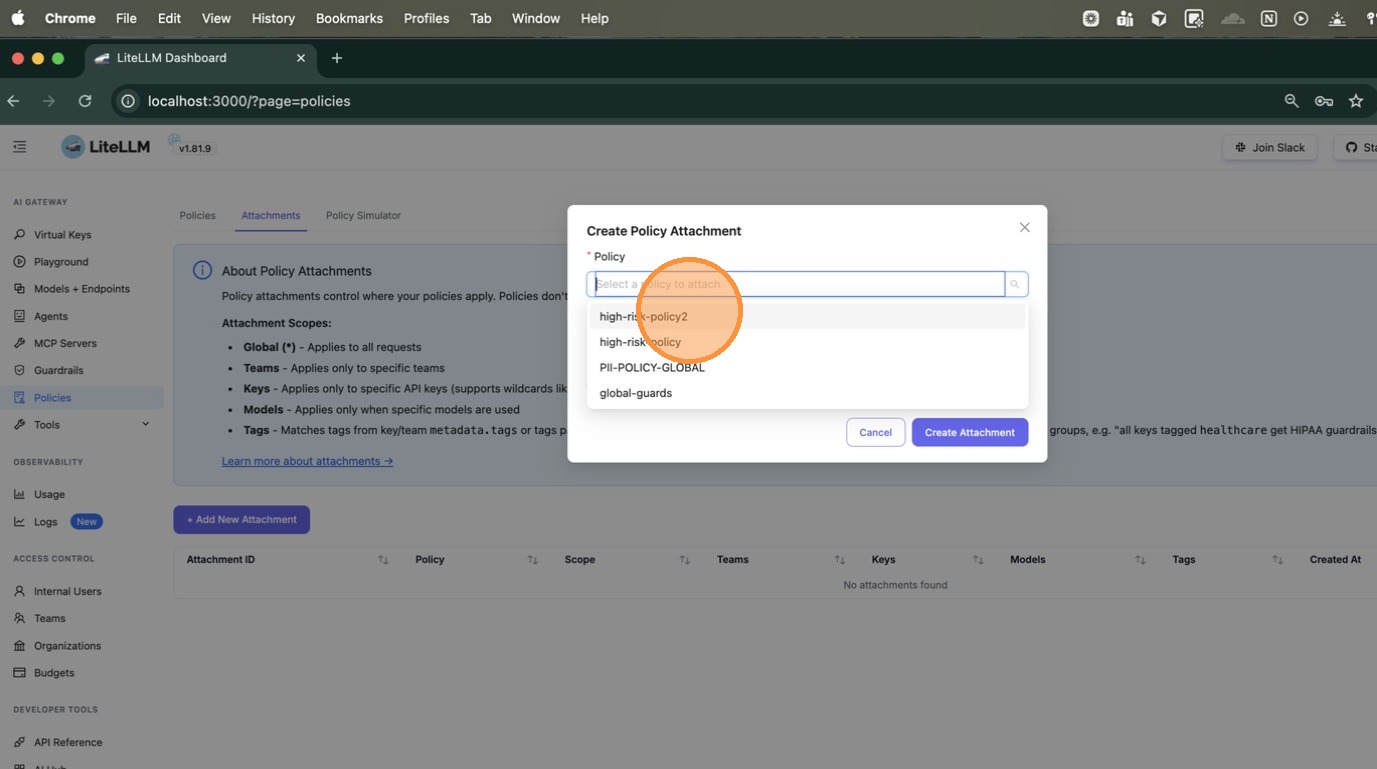++Choose **Specific (teams, keys, models, or tags)** as the scope type. This expands the form to show fields for Teams, Keys, Models, and Tags.++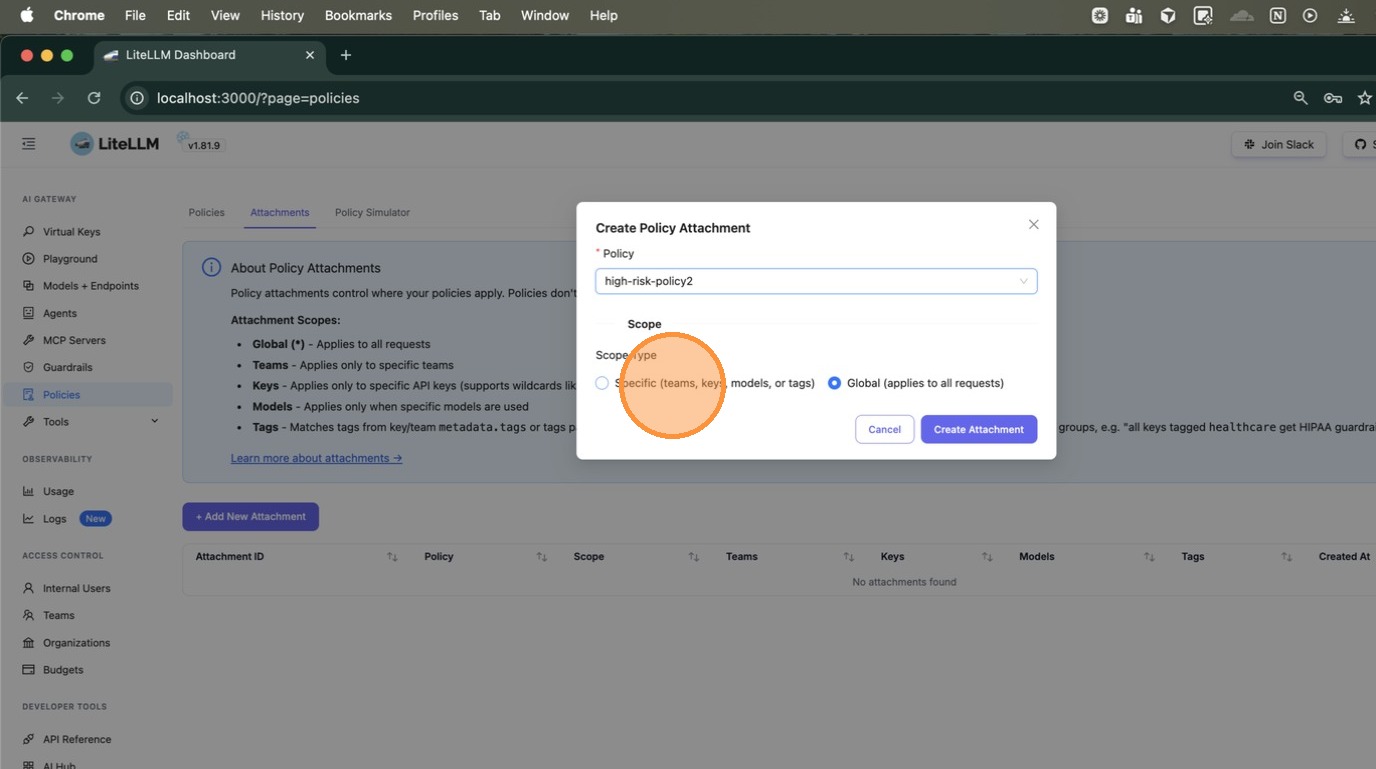++Scroll down to the **Tags** field and type the tag to match — here we enter `health`. You can enter any string, or use a wildcard pattern like `health-*` to match all tags starting with `health-` (e.g., `health-team`, `health-dev`).++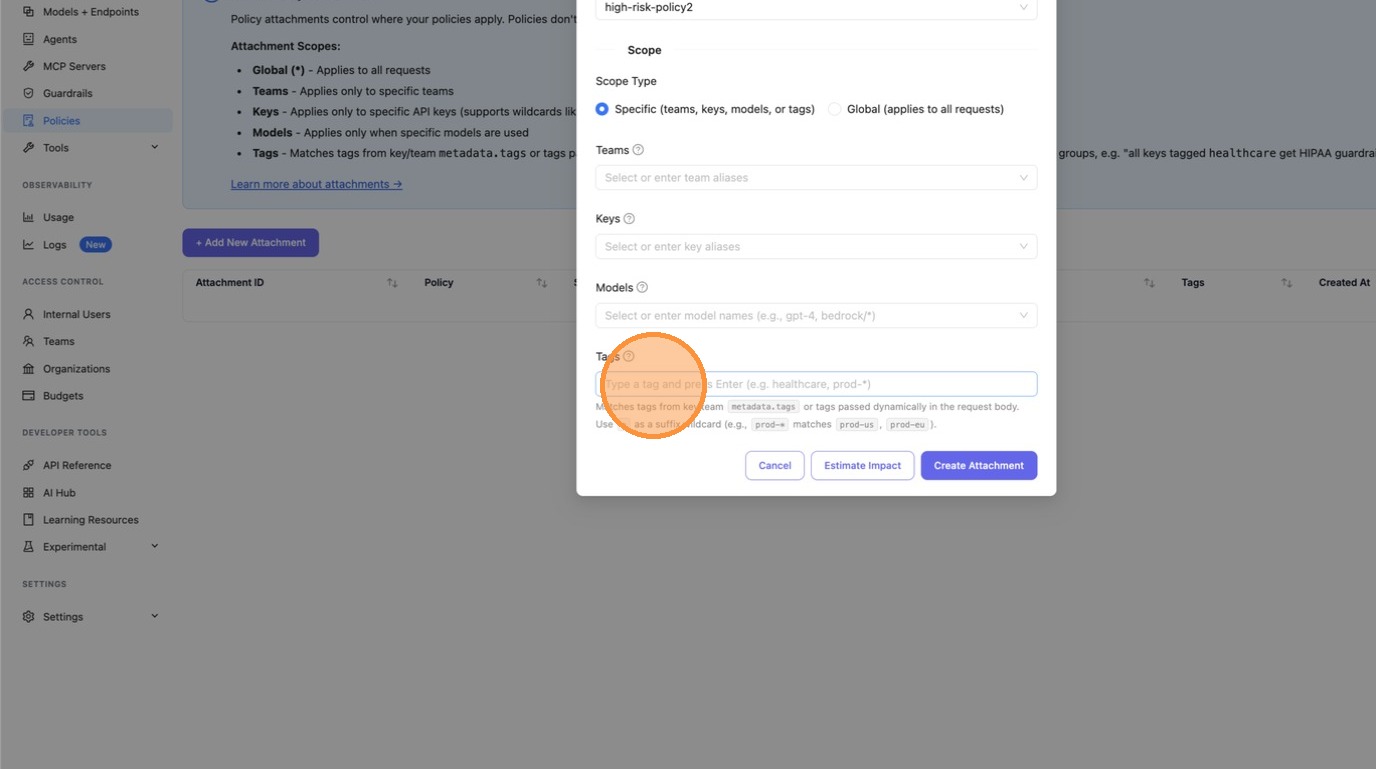++## 3. Check the Impact of the Attachment++Before creating the attachment, click **Estimate Impact** to preview how many keys and teams would be affected. This is your blast-radius check — make sure the scope is what you expect before applying.++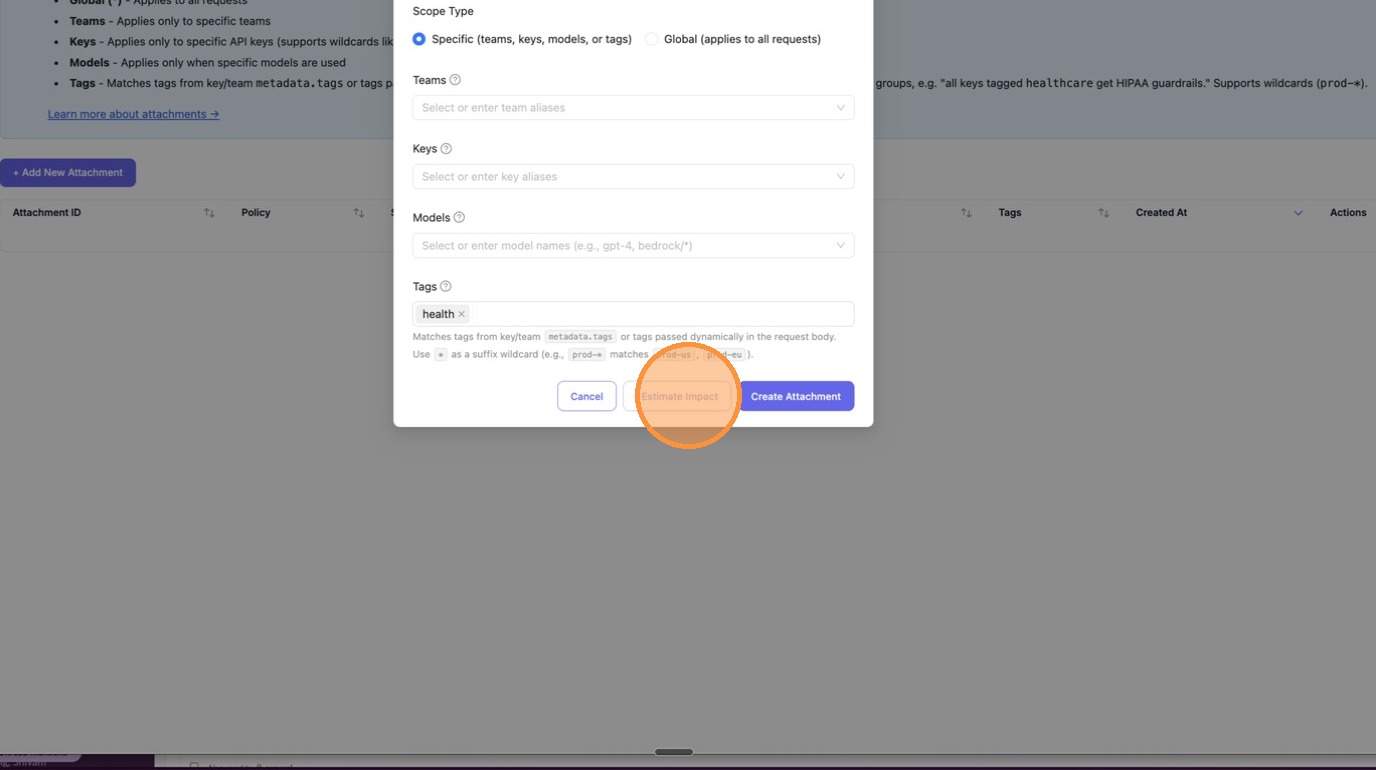++The **Impact Preview** appears inline, showing exactly how many keys and teams would be affected. In this example: "This attachment would affect **1 key** and **0 teams**", with the key alias `hi` listed.++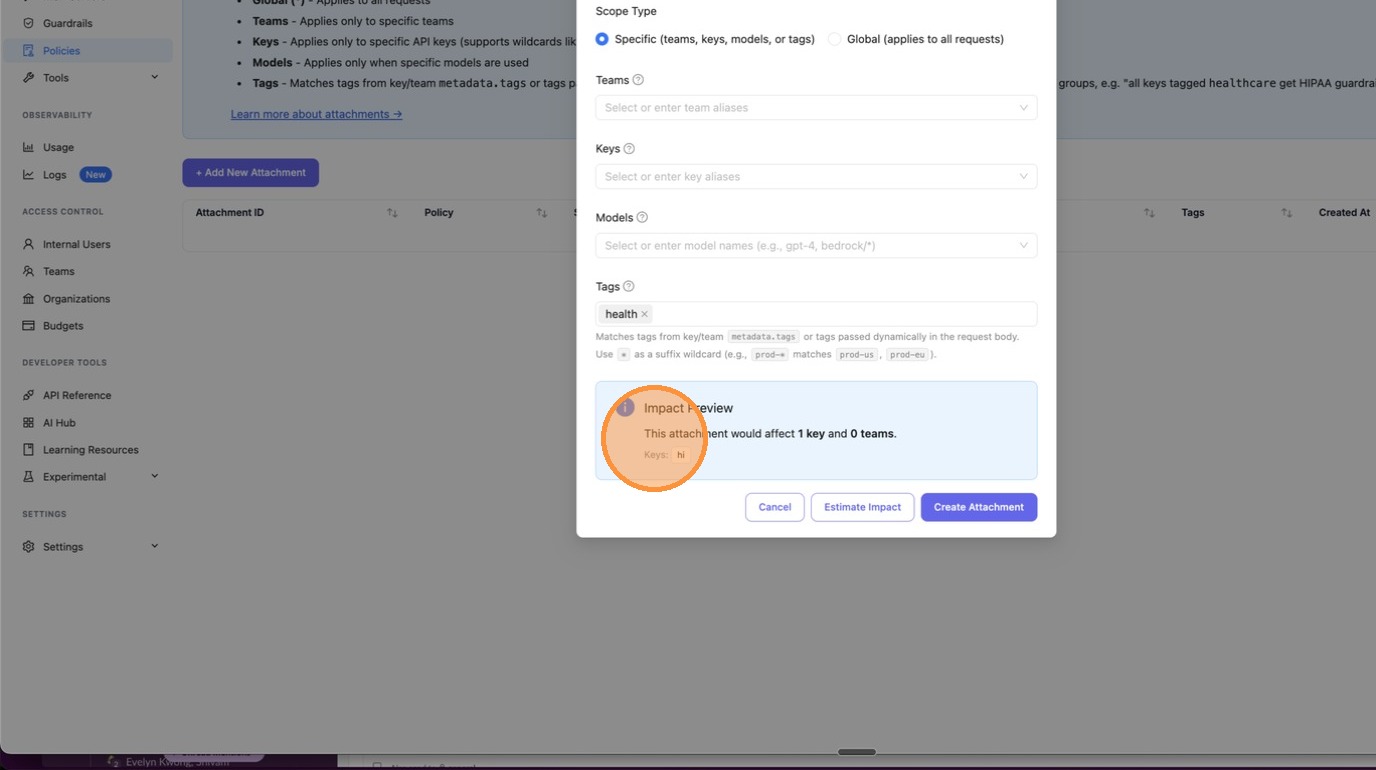++Once you're satisfied with the impact, click **Create Attachment** to save.++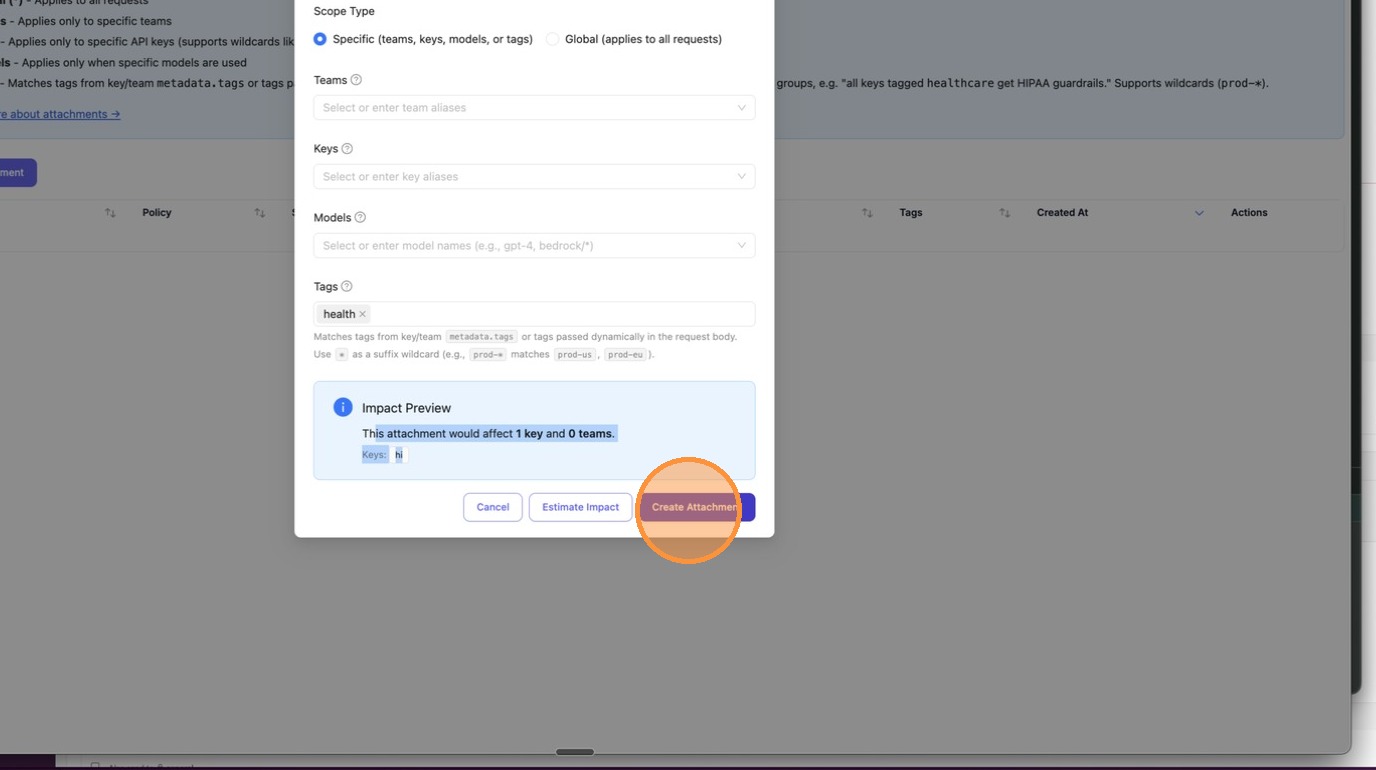++The attachment now appears in the table with the policy name `high-risk-policy2` and tag `health` visible.++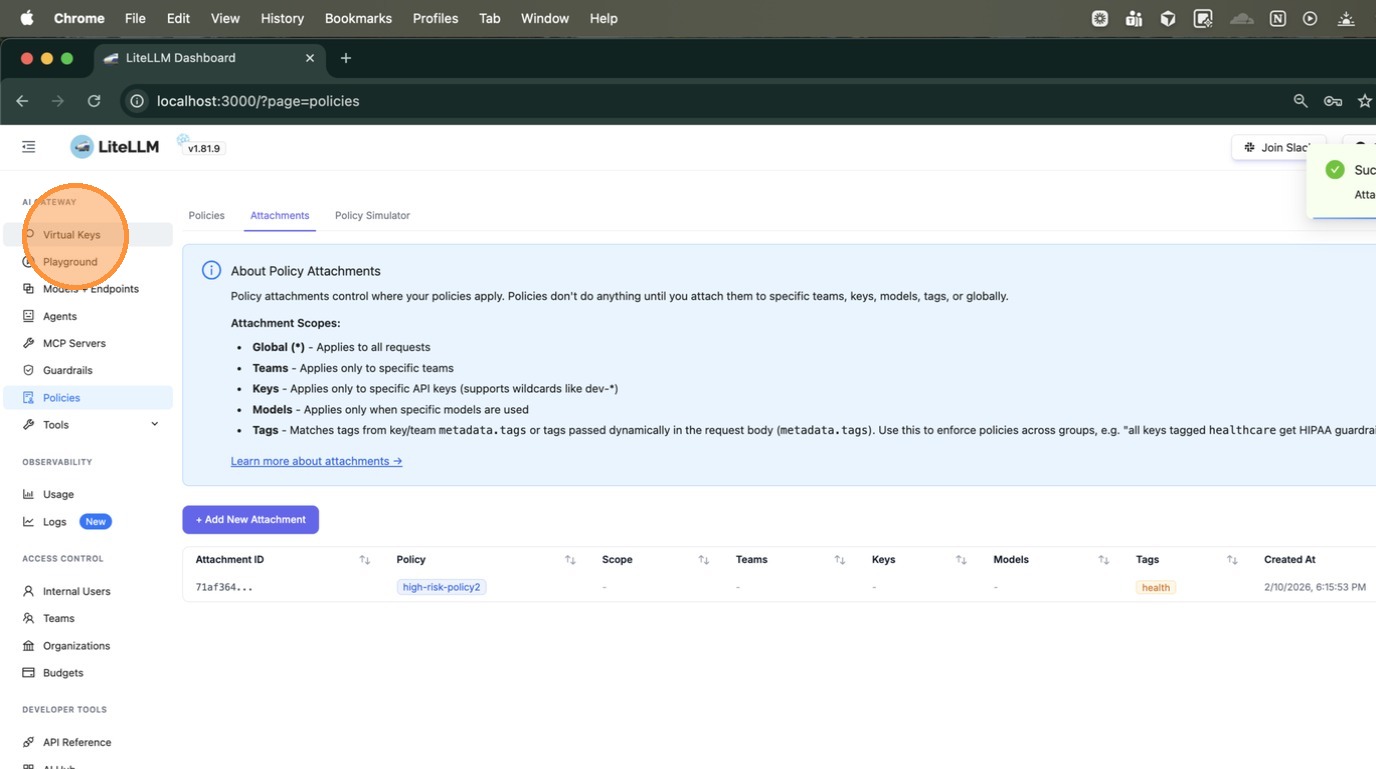++## 4. Create a Key with the Tag++Navigate to **Virtual Keys** in the left sidebar. Click **+ Create New Key**.++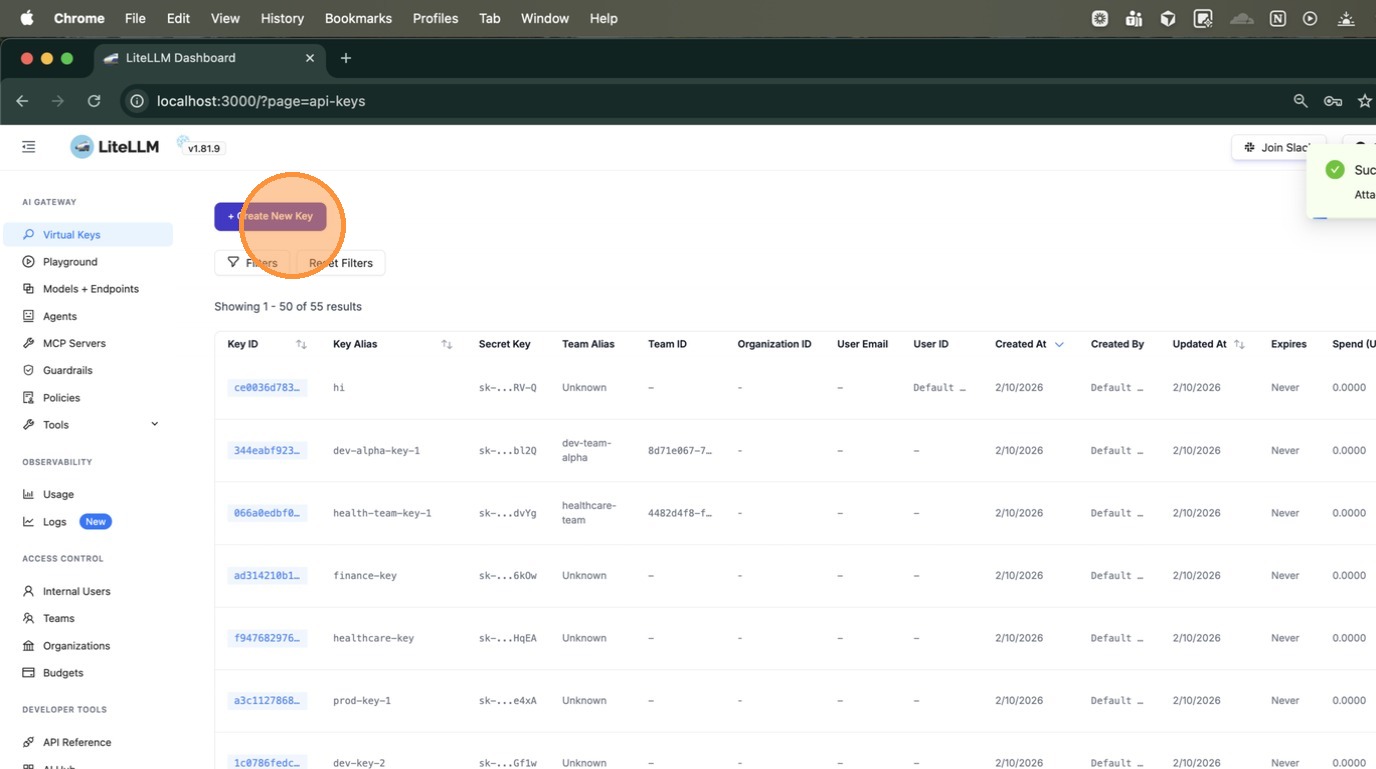++Enter a key name and select a model. Then expand **Optional Settings** and scroll down to the **Tags** field.++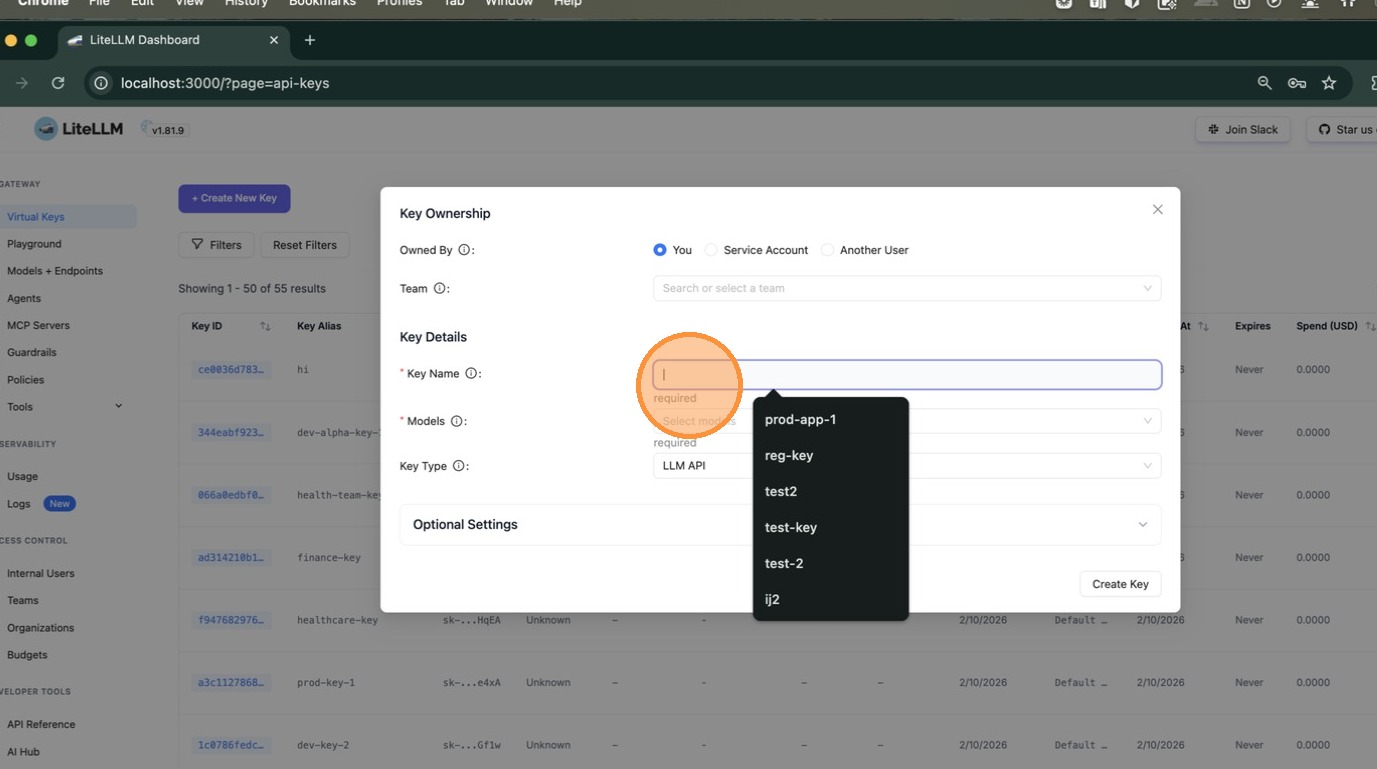++In the **Tags** field, type `health` and press Enter. This is the tag the policy engine will match against.++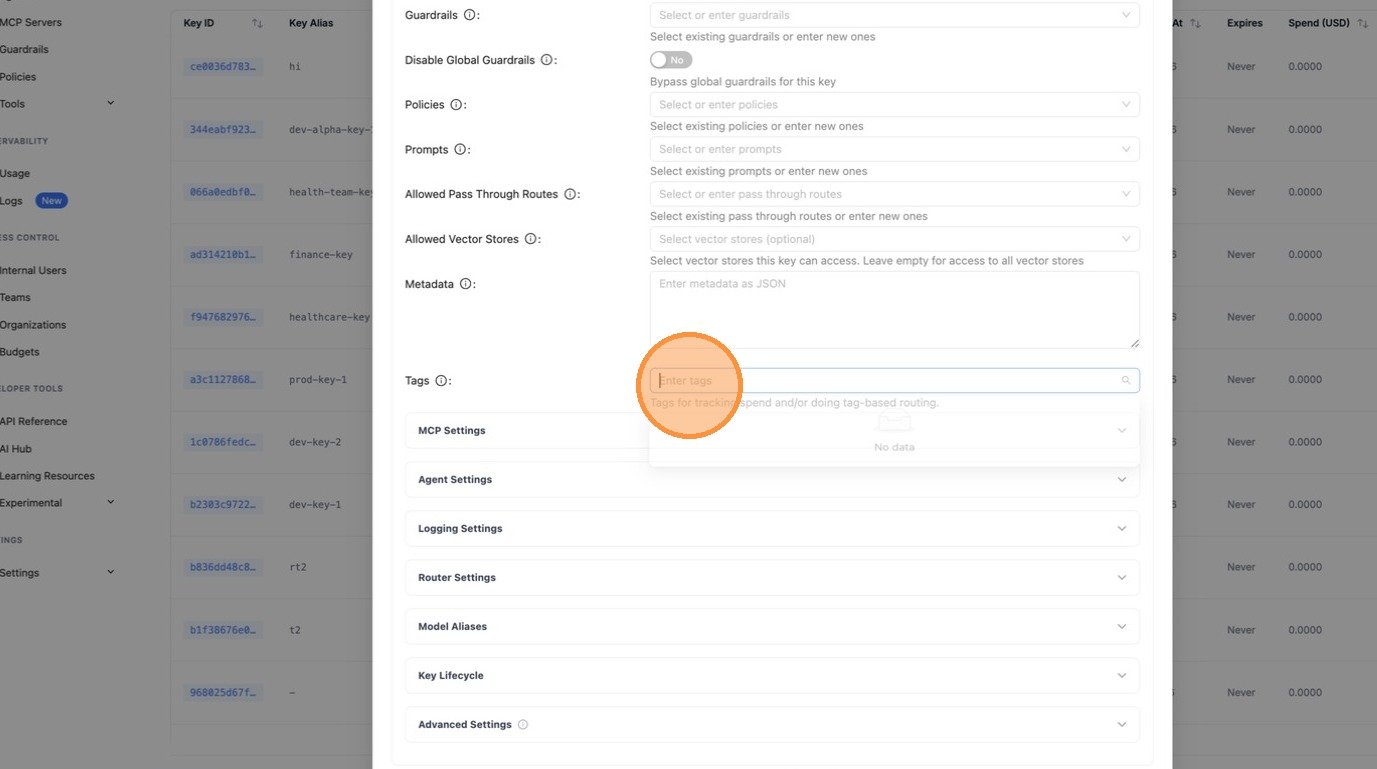++The tag `health` now appears as a chip in the Tags field. Confirm your settings look correct.++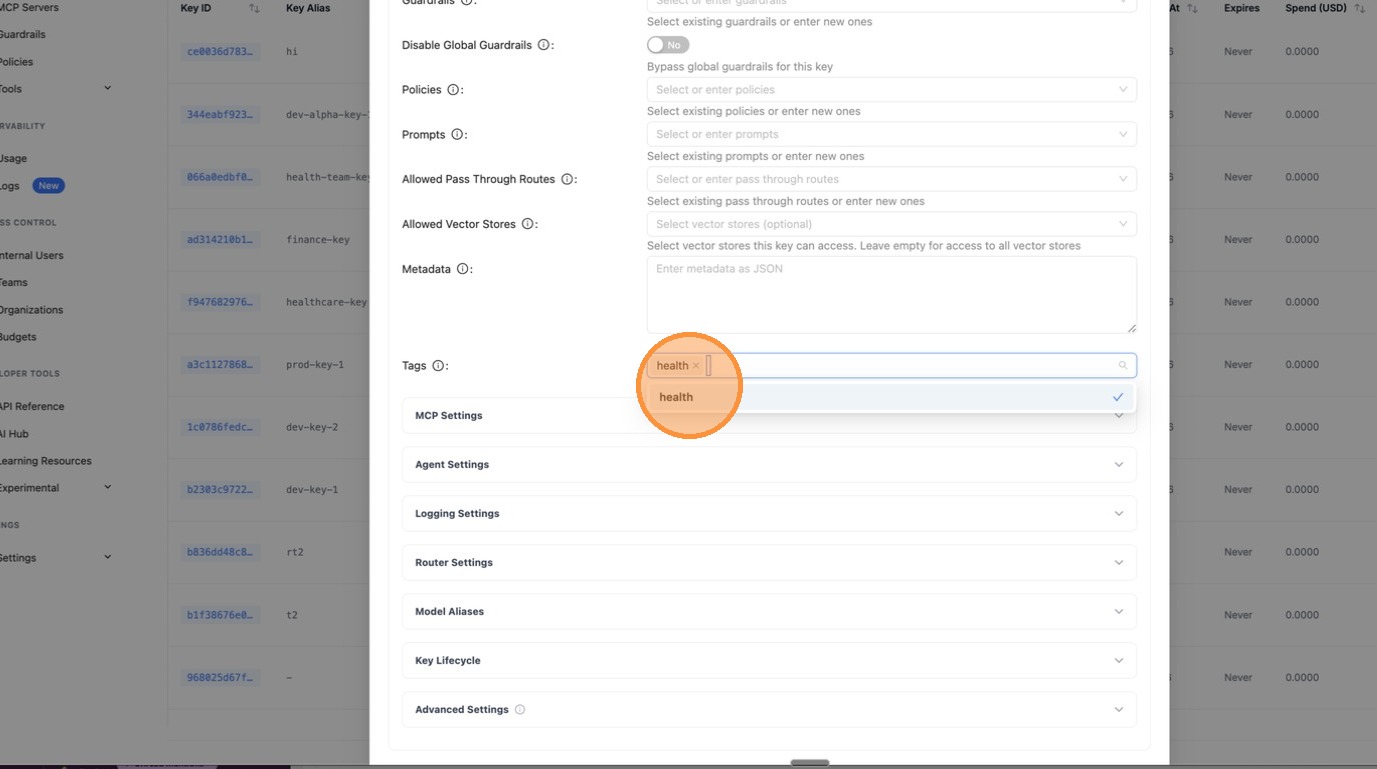++Click **Create Key** at the bottom of the form.++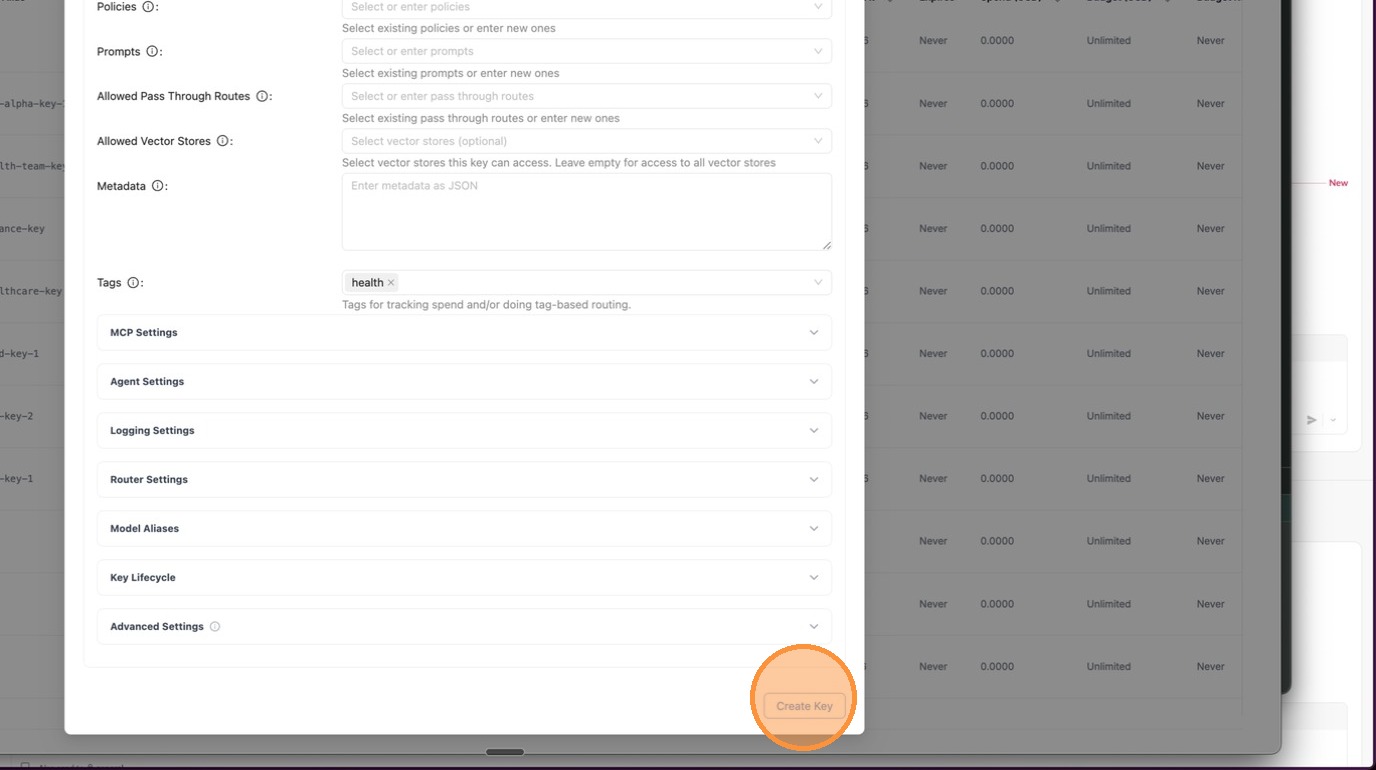++A dialog appears with your new virtual key. Click **Copy Virtual Key** — you'll need this to test in the next step.++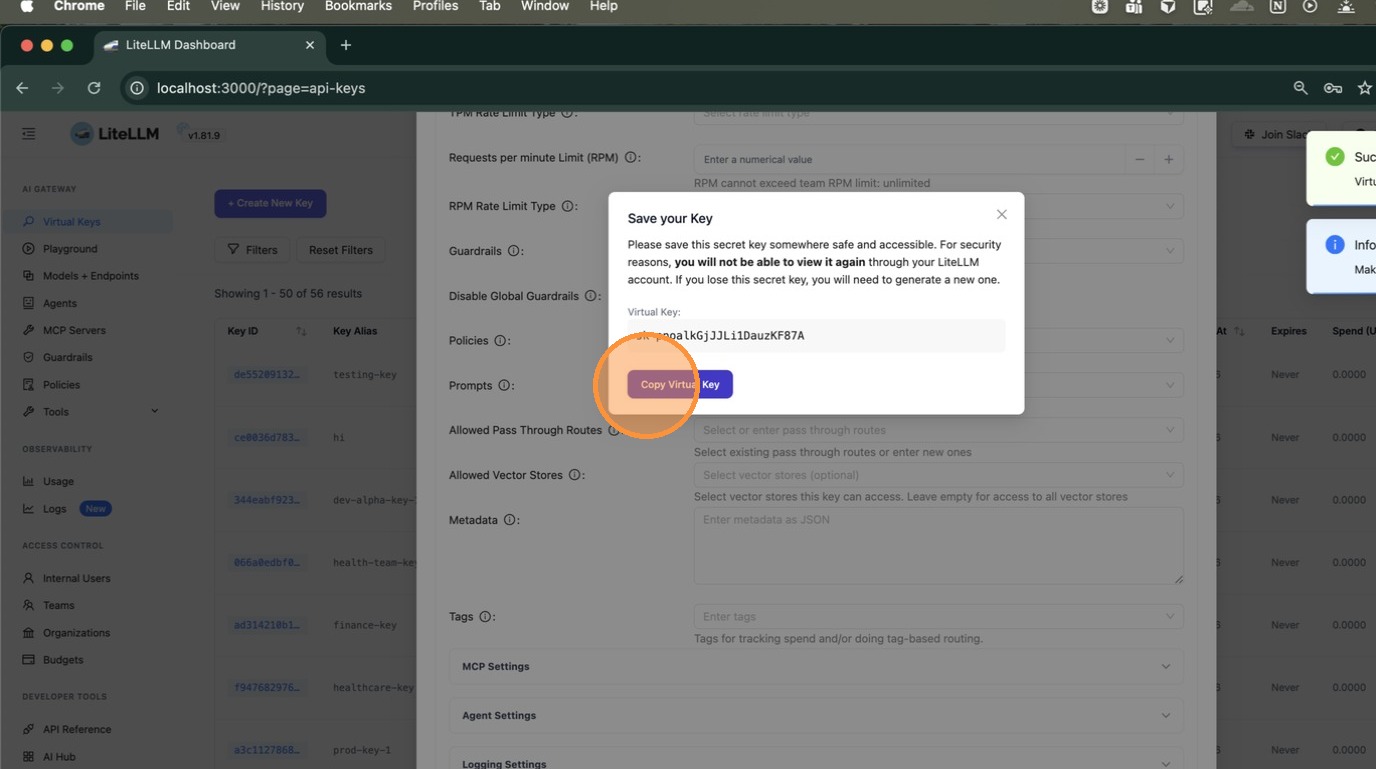++## 5. Test the Key and Validate the Policy is Applied++Navigate to **Playground** in the left sidebar to test the key interactively.++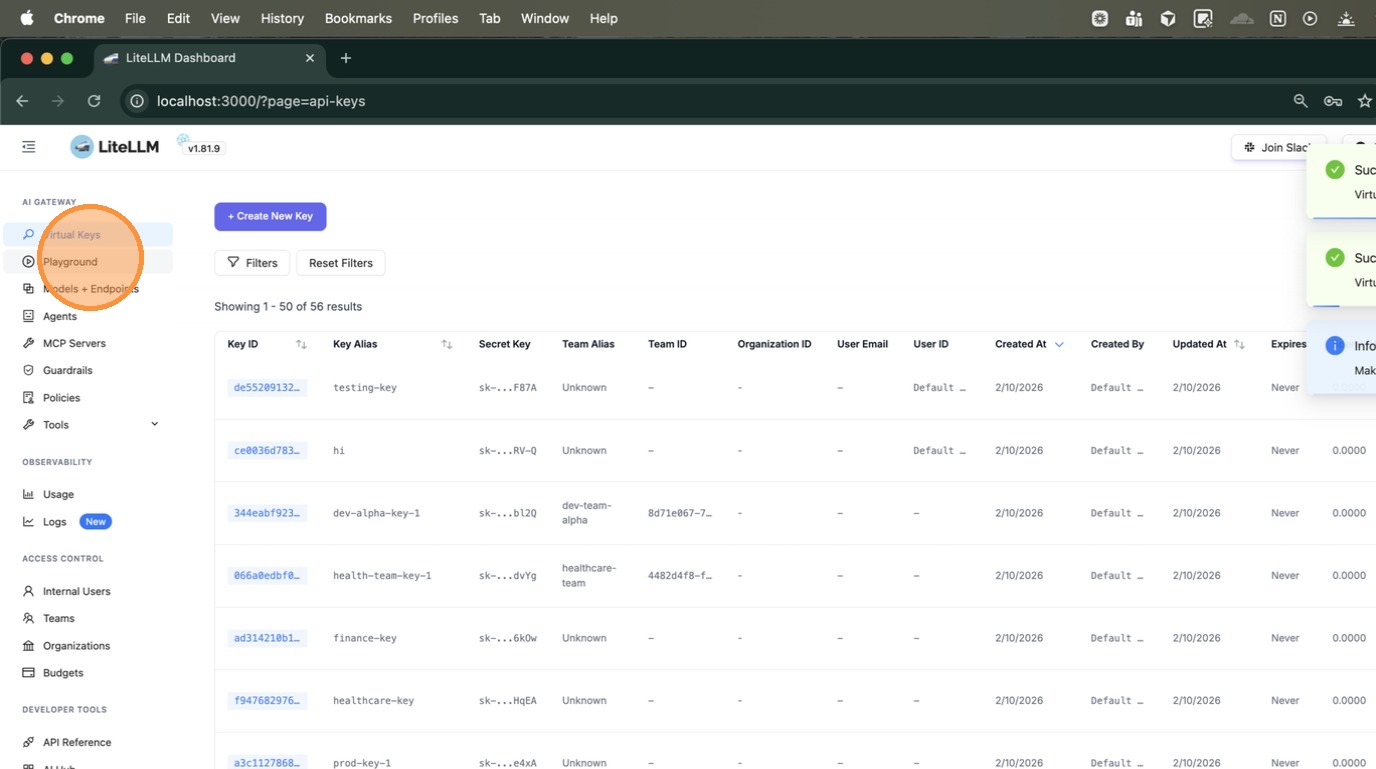++Under **Virtual Key Source**, select "Virtual Key" and paste the key you just copied into the input field.++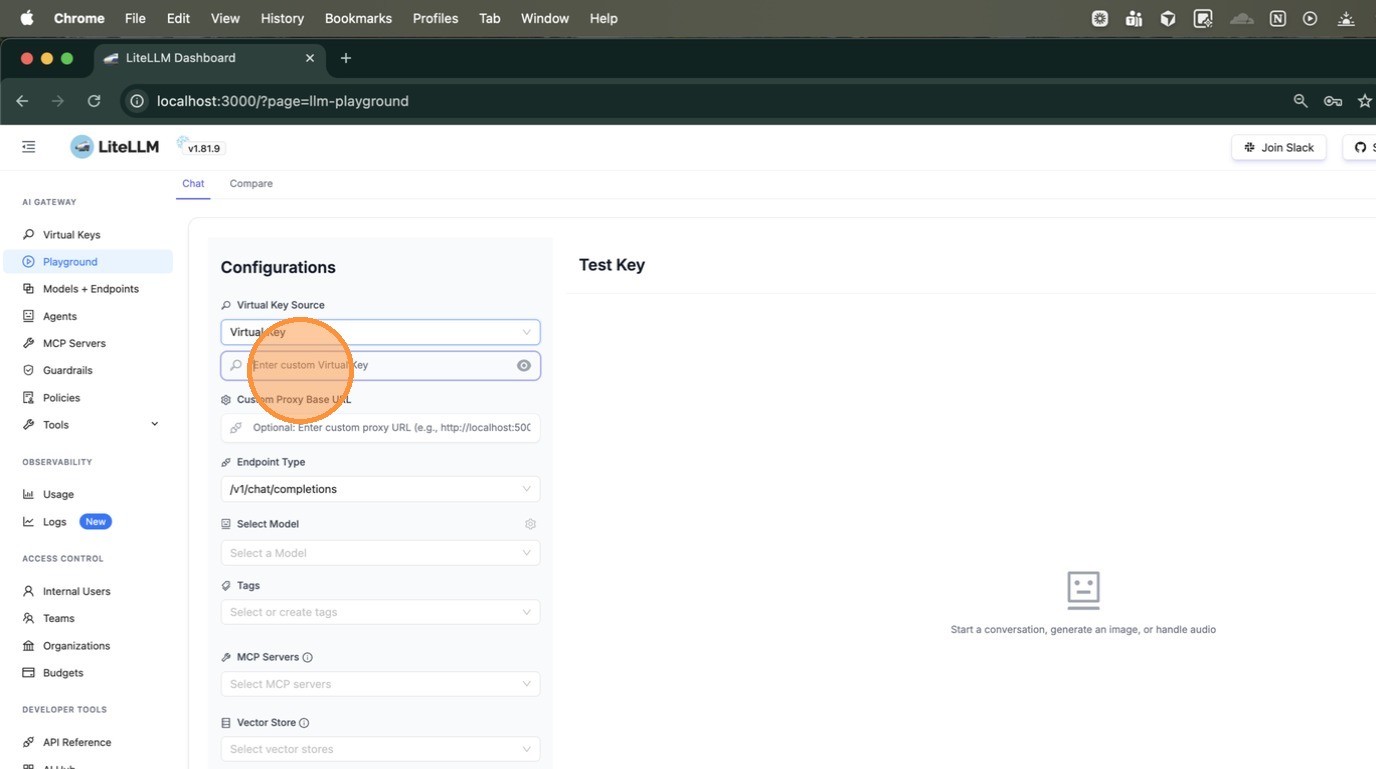++Select a model from the **Select Model** dropdown.++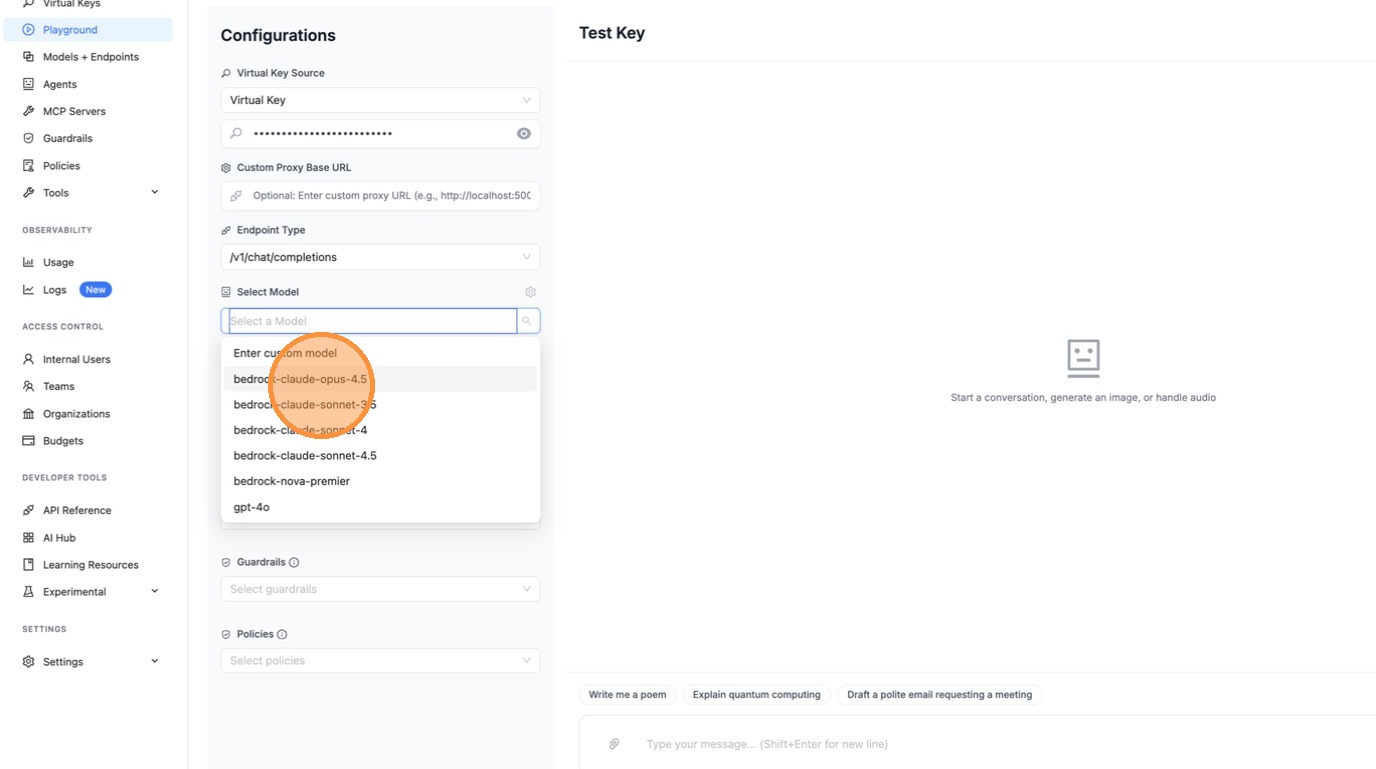++Type a message and press Enter. If a guardrail blocks the request, you'll see it in the response. In this example, the `testing-pl` guardrail detected an email pattern and returned a 403 error — confirming the policy is working.++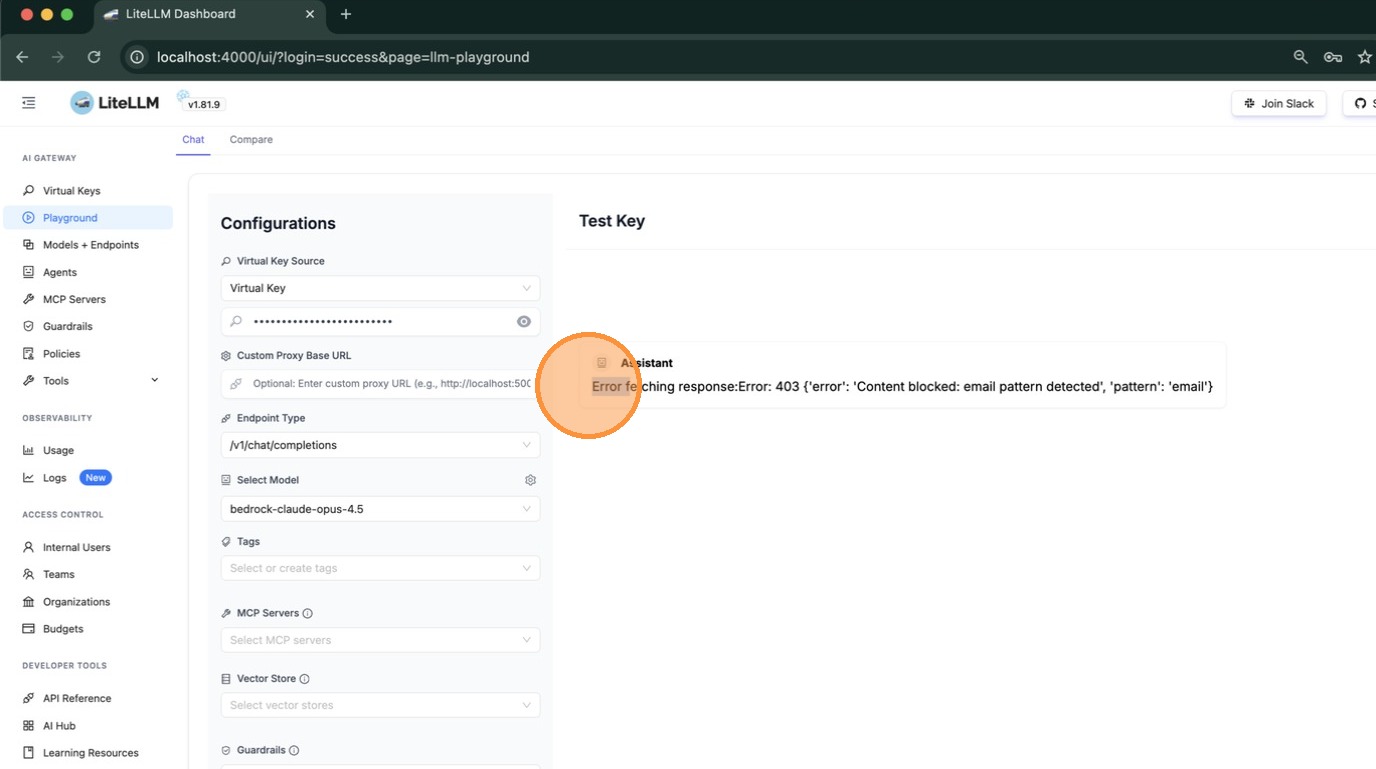++**Using curl:**++You can also verify via the command line. The response headers confirm which policies and guardrails were applied:++```bash+curl -v http://localhost:4000/chat/completions \+ -H "Authorization: Bearer <your-tagged-key>" \+ -H "Content-Type: application/json" \+ -d '{+ "model": "gpt-4o",+ "messages": [{"role": "user", "content": "say hi"}]+ }'+```++Check the response headers:++```+x-litellm-applied-policies: high-risk-policy2+x-litellm-applied-guardrails: pii-pre-guard,phi-pre-guard,testing-pl+x-litellm-policy-sources: high-risk-policy2=tag:health+```++| Header | What it tells you |+|--------|-------------------|+| `x-litellm-applied-policies` | Which policies matched this request |+| `x-litellm-applied-guardrails` | Which guardrails actually ran |+| `x-litellm-policy-sources` | **Why** each policy matched — `tag:health` confirms it was the tag |diff --git a/docs/my-website/img/policy_team_attach.png b/docs/my-website/img/policy_team_attach.pngnew file mode 100644index 00000000000..4e337931ed8Binary files /dev/null and b/docs/my-website/img/policy_team_attach.png differdiff --git a/docs/my-website/img/policy_test_matching.png b/docs/my-website/img/policy_test_matching.pngnew file mode 100644index 00000000000..5d024ae78b4Binary files /dev/null and b/docs/my-website/img/policy_test_matching.png differdiff --git a/docs/my-website/sidebars.js b/docs/my-website/sidebars.jsindex 28e1724ef82..579b5699101 100644--- a/docs/my-website/sidebars.js+++ b/docs/my-website/sidebars.js@@ -42,49 +42,62 @@ const sidebars = {label: "Guardrails",items: ["proxy/guardrails/quick_start",- "proxy/guardrails/guardrail_policies","proxy/guardrails/guardrail_load_balancing",+ "proxy/guardrails/test_playground",+ "proxy/guardrails/litellm_content_filter",{type: "category",- "label": "Contributing to Guardrails",+ label: "Providers",+ items: [+ ...[+ "proxy/guardrails/qualifire",+ "proxy/guardrails/aim_security",+ "proxy/guardrails/onyx_security",+ "proxy/guardrails/aporia_api",+ "proxy/guardrails/azure_content_guardrail",+ "proxy/guardrails/bedrock",+ "proxy/guardrails/enkryptai",+ "proxy/guardrails/ibm_guardrails",+ "proxy/guardrails/grayswan",+ "proxy/guardrails/hiddenlayer",+ "proxy/guardrails/lasso_security",+ "proxy/guardrails/guardrails_ai",+ "proxy/guardrails/lakera_ai",+ "proxy/guardrails/model_armor",+ "proxy/guardrails/noma_security",+ "proxy/guardrails/dynamoai",+ "proxy/guardrails/openai_moderation",+ "proxy/guardrails/pangea",+ "proxy/guardrails/pillar_security",+ "proxy/guardrails/pii_masking_v2",+ "proxy/guardrails/panw_prisma_airs",+ "proxy/guardrails/secret_detection",+ "proxy/guardrails/custom_guardrail",+ "proxy/guardrails/custom_code_guardrail",+ "proxy/guardrails/prompt_injection",+ "proxy/guardrails/tool_permission",+ "proxy/guardrails/zscaler_ai_guard",+ "proxy/guardrails/javelin"+ ].sort(),+ ],+ },+ {+ type: "category",+ label: "Contributing to Guardrails",items: ["adding_provider/generic_guardrail_api","adding_provider/simple_guardrail_tutorial","adding_provider/adding_guardrail_support",]},- "proxy/guardrails/test_playground",- "proxy/guardrails/litellm_content_filter",- ...[- "proxy/guardrails/qualifire",- "proxy/guardrails/aim_security",- "proxy/guardrails/onyx_security",- "proxy/guardrails/aporia_api",- "proxy/guardrails/azure_content_guardrail",- "proxy/guardrails/bedrock",- "proxy/guardrails/enkryptai",- "proxy/guardrails/ibm_guardrails",- "proxy/guardrails/grayswan",- "proxy/guardrails/hiddenlayer",- "proxy/guardrails/lasso_security",- "proxy/guardrails/guardrails_ai",- "proxy/guardrails/lakera_ai",- "proxy/guardrails/model_armor",- "proxy/guardrails/noma_security",- "proxy/guardrails/dynamoai",- "proxy/guardrails/openai_moderation",- "proxy/guardrails/pangea",- "proxy/guardrails/pillar_security",- "proxy/guardrails/pii_masking_v2",- "proxy/guardrails/panw_prisma_airs",- "proxy/guardrails/secret_detection",- "proxy/guardrails/custom_guardrail",- "proxy/guardrails/custom_code_guardrail",- "proxy/guardrails/prompt_injection",- "proxy/guardrails/tool_permission",- "proxy/guardrails/zscaler_ai_guard",- "proxy/guardrails/javelin"- ].sort(),+ ],+ },+ {+ type: "category",+ label: "Policies",+ items: [+ "proxy/guardrails/guardrail_policies",+ "proxy/guardrails/policy_tags",],},{@@ -396,6 +409,16 @@ const sidebars = {],},"proxy/caching",+ {+ type: "link",+ label: "Guardrails",+ href: "https://docs.litellm.ai/docs/proxy/guardrails/quick_start",+ },+ {+ type: "link",+ label: "Policies",+ href: "https://docs.litellm.ai/docs/proxy/guardrails/guardrail_policies",+ },{type: "category",label: "Create Custom Plugins",