
A modern and elegant dashboard for network traffic visualization and analysis.
feat: Add Husky Git hooks, GitHub issue templates, and update README with new images and improved Docker deployment instructions.
luolei578c68841c25
diff --git a/.github/ISSUE_TEMPLATE/bug_report.yml b/.github/ISSUE_TEMPLATE/bug_report.ymlnew file mode 100644index 0000000..651134d--- /dev/null+++ b/.github/ISSUE_TEMPLATE/bug_report.yml@@ -0,0 +1,95 @@+name: "Bug Report"+description: "Report a reproducible bug / 反馈可复现问题"+title: "[Bug] "+labels: ["bug", "needs-triage"]+body:+ - type: markdown+ attributes:+ value: |+ Thanks for reporting. Please provide enough detail so maintainers can reproduce quickly.+ 感谢反馈,请尽量提供可复现信息,方便快速定位。++ - type: checkboxes+ id: checklist+ attributes:+ label: Pre-check / 提交前确认+ options:+ - label: I have searched existing issues and did not find a duplicate. / 我已搜索现有 issue,确认不是重复问题。+ required: true+ - label: I have read README deployment and FAQ sections. / 我已阅读 README 的部署与 FAQ 部分。+ required: true++ - type: dropdown+ id: install_method+ attributes:+ label: Install Method / 部署方式+ options:+ - Docker Compose+ - Docker Run+ - Source (pnpm)+ - Other+ validations:+ required: true++ - type: input+ id: version+ attributes:+ label: Version / 版本+ description: "Image tag or commit hash, e.g. `foru17/neko-master:latest` or git SHA"+ placeholder: "foru17/neko-master:latest"+ validations:+ required: true++ - type: textarea+ id: env+ attributes:+ label: Environment / 运行环境+ description: "OS, browser, reverse proxy/tunnel, and key env vars (mask sensitive values)"+ placeholder: |+ - OS: Ubuntu 24.04+ - Browser: Chrome 132+ - Proxy/Tunnel: Nginx / Cloudflare Tunnel / None+ - Env: WEB_EXTERNAL_PORT=3000, WS_EXTERNAL_PORT=3002, COOKIE_SECRET=***+ validations:+ required: true++ - type: textarea+ id: reproduce_steps+ attributes:+ label: Steps to Reproduce / 复现步骤+ placeholder: |+ 1. Start service with ...+ 2. Open ...+ 3. Click ...+ 4. Observe ...+ validations:+ required: true++ - type: textarea+ id: expected+ attributes:+ label: Expected Behavior / 预期行为+ validations:+ required: true++ - type: textarea+ id: actual+ attributes:+ label: Actual Behavior / 实际行为+ validations:+ required: true++ - type: textarea+ id: logs+ attributes:+ label: Logs and Screenshots / 日志与截图+ description: "Please paste key logs (docker logs / browser console / network errors)."+ render: shell+ validations:+ required: false++ - type: textarea+ id: extra+ attributes:+ label: Additional Context / 补充信息+ description: "Any workaround, frequency, impact scope, etc."diff --git a/.github/ISSUE_TEMPLATE/config.yml b/.github/ISSUE_TEMPLATE/config.ymlnew file mode 100644index 0000000..b41c58e--- /dev/null+++ b/.github/ISSUE_TEMPLATE/config.yml@@ -0,0 +1,8 @@+blank_issues_enabled: false+contact_links:+ - name: Usage Questions / 使用问题+ url: https://github.com/foru17/neko-master/blob/main/README.md+ about: Please check deployment and FAQ sections before opening an issue.+ - name: Architecture Docs / 架构文档+ url: https://github.com/foru17/neko-master/blob/main/docs/architecture.md+ about: Read the architecture guide for system design details.diff --git a/.github/ISSUE_TEMPLATE/feature_request.yml b/.github/ISSUE_TEMPLATE/feature_request.ymlnew file mode 100644index 0000000..d576e19--- /dev/null+++ b/.github/ISSUE_TEMPLATE/feature_request.yml@@ -0,0 +1,62 @@+name: "Feature Request"+description: "Suggest an improvement / 功能建议"+title: "[Feature] "+labels: ["enhancement", "needs-triage"]+body:+ - type: markdown+ attributes:+ value: |+ Proposals with clear use-case and expected value are easier to evaluate.+ 说明清晰的使用场景和价值,有助于快速评估。++ - type: checkboxes+ id: checklist+ attributes:+ label: Pre-check / 提交前确认+ options:+ - label: I have searched existing issues and this request is not duplicated. / 我已搜索现有 issue,确认不是重复建议。+ required: true++ - type: textarea+ id: problem+ attributes:+ label: Problem Statement / 现存问题+ description: "What is difficult or missing today?"+ validations:+ required: true++ - type: textarea+ id: proposal+ attributes:+ label: Proposed Solution / 建议方案+ description: "Describe your expected behavior, UI flow, API changes, etc."+ validations:+ required: true++ - type: textarea+ id: alternatives+ attributes:+ label: Alternatives Considered / 备选方案+ description: "Any alternatives or workarounds you've considered."+ validations:+ required: false++ - type: textarea+ id: impact+ attributes:+ label: Expected Impact / 预期价值+ description: "Who benefits? Any performance/security/maintenance concerns?"+ validations:+ required: true++ - type: input+ id: scope+ attributes:+ label: Scope (Optional) / 影响范围(可选)+ placeholder: "frontend / backend / docs / deployment"++ - type: textarea+ id: extra+ attributes:+ label: Additional Context / 补充信息+ description: "Mockups, references, related links, etc."diff --git a/.github/ISSUE_TEMPLATE/support_question.yml b/.github/ISSUE_TEMPLATE/support_question.ymlnew file mode 100644index 0000000..33d6f49--- /dev/null+++ b/.github/ISSUE_TEMPLATE/support_question.yml@@ -0,0 +1,72 @@+name: "Support Question"+description: "Ask for help on usage/deployment / 使用与部署求助"+title: "[Support] "+labels: ["question", "needs-triage"]+body:+ - type: markdown+ attributes:+ value: |+ For faster help, include your deployment method, env, and exact error messages.+ 为了更快定位,请提供部署方式、环境和完整报错信息。++ - type: checkboxes+ id: checklist+ attributes:+ label: Pre-check / 提交前确认+ options:+ - label: I have read README and FAQ sections. / 我已阅读 README 与 FAQ。+ required: true+ - label: I have searched existing issues for similar questions. / 我已检索过相似问题。+ required: true++ - type: dropdown+ id: topic+ attributes:+ label: Topic / 问题类型+ options:+ - Deployment (Docker/Compose)+ - Reverse Proxy / Tunnel+ - Gateway Connection (Clash/Surge)+ - Authentication / Access Control+ - Data / Statistics+ - Other+ validations:+ required: true++ - type: textarea+ id: question+ attributes:+ label: Question / 具体问题+ description: "Describe what you are trying to do and where it fails."+ validations:+ required: true++ - type: textarea+ id: environment+ attributes:+ label: Environment / 运行环境+ placeholder: |+ - Install: Docker Compose+ - OS: Ubuntu 24.04+ - Proxy/Tunnel: Nginx / Cloudflare Tunnel / None+ - Browser: Chrome 132+ - Env: WEB_EXTERNAL_PORT=3000, WS_EXTERNAL_PORT=3002, COOKIE_SECRET=***+ validations:+ required: true++ - type: textarea+ id: tried+ attributes:+ label: What You Have Tried / 已尝试内容+ description: "Commands run, docs checked, workaround attempts, etc."+ validations:+ required: true++ - type: textarea+ id: logs+ attributes:+ label: Logs / 报错日志+ description: "Paste key outputs from docker logs / browser console / network errors."+ render: shell+ validations:+ required: falsediff --git a/.husky/pre-push b/.husky/pre-pushnew file mode 100755index 0000000..7921308--- /dev/null+++ b/.husky/pre-push@@ -0,0 +1,20 @@+#!/usr/bin/env sh++# Only run checks when pushing to main branch+while read local_ref local_oid remote_ref remote_oid; do+ if echo "$remote_ref" | grep -q "refs/heads/main$"; then+ echo "🔍 Pushing to main — running pre-push checks..."++ echo "→ Running collector type check..."+ pnpm --filter collector exec tsc --noEmit || exit 1++ echo "→ Building web app..."+ pnpm --filter @neko-master/web build || exit 1++ echo "✅ All checks passed."+ exit 0+ fi+done++# Not pushing to main, allow push+exit 0diff --git a/README.en.md b/README.en.mdindex 0b88528..1334e3d 100644--- a/README.en.md+++ b/README.en.md@@ -17,8 +17,11 @@<a href="https://github.com/foru17/neko-master/stargazers"><img src="https://img.shields.io/github/stars/foru17/neko-master?style=flat-square&color=yellow" alt="Stars"></a><a href="https://hub.docker.com/r/foru17/neko-master"><img src="https://img.shields.io/docker/pulls/foru17/neko-master?style=flat-square&color=blue&logo=docker" alt="Docker Pulls"></a><a href="https://hub.docker.com/r/foru17/neko-master"><img src="https://img.shields.io/docker/v/foru17/neko-master?style=flat-square&label=Docker&color=2496ED" alt="Docker Version"></a>+ <a href="https://hub.docker.com/r/foru17/neko-master"><img src="https://img.shields.io/docker/image-size/foru17/neko-master/latest?style=flat-square&logo=docker" alt="Image Size"></a><a href="https://github.com/foru17/neko-master/blob/main/LICENSE"><img src="https://img.shields.io/github/license/foru17/neko-master?style=flat-square&color=green" alt="License"></a><img src="https://img.shields.io/badge/Node.js-22-339933?style=flat-square&logo=node.js">+ <a href="https://github.com/foru17/neko-master/actions/workflows/docker-build.yml"><img src="https://img.shields.io/github/actions/workflow/status/foru17/neko-master/docker-build.yml?style=flat-square&label=Docker%20CI" alt="Docker CI"></a>+ <a href="./docs/architecture.md"><img src="https://img.shields.io/badge/docs-architecture-0ea5e9?style=flat-square" alt="Architecture Docs"></a></p>> [!IMPORTANT]@@ -33,9 +36,24 @@>> This project is open-sourced under the MIT License. We assume no responsibility for any consequences resulting from the use of this software. Please use it in compliance with applicable laws and regulations.---+<table>+ <tr>+ <td align="center" width="50%">+ <img src="./assets/neko-master-overview-light.png" alt="Neko Master Preview (Light 1)" />+ </td>+ <td align="center" width="50%">+ <img src="./assets/neko-master-regions-light.png" alt="Neko Master Preview (Light 2)" />+ </td>+ </tr>+ <tr>+ <td align="center" width="50%">+ <img src="./assets/neko-master-rules-dark.png" alt="Neko Master Preview (Dark 1)" />+ </td>+ <td align="center" width="50%">+ <img src="./assets/neko-master-domains-dark.png" alt="Neko Master Preview (Dark 2)" />+ </td>+ </tr>+</table>## About the Name@@ -53,9 +71,12 @@ It is a lightweight analytics dashboard designed for modern gateway environments- [🔧 Port Conflict Resolution](#-port-conflict-resolution)- [🐳 Docker Configuration](#-docker-configuration)- [🌐 Reverse Proxy & Tunnel](#-reverse-proxy--tunnel)+- [🔐 Authentication & Security](#-authentication--security)- [❓ FAQ](#-faq)+- [🏗️ Architecture Guide](#-architecture-guide)+- [🤝 Feedback & Issues](#-feedback--issues)- [📁 Project Structure](#-project-structure)-- [🛠️ Tech Stack](#️-tech-stack)+- [🛠️ Tech Stack](#-tech-stack)- [📄 License](#-license)## ✨ Features@@ -76,6 +97,9 @@ It is a lightweight analytics dashboard designed for modern gateway environments### Option 1: Docker Compose (Recommended)+> The repository's built-in `docker-compose.yml` maps `3000/3001/3002` by default.+> Scenarios A/B below are minimal templates for common deployments.+#### Scenario A: Minimal deployment (only expose 3000)```yaml@@ -91,8 +115,12 @@ services:environment:- NODE_ENV=production- DB_PATH=/app/data/stats.db+ - COOKIE_SECRET=${COOKIE_SECRET}```+> Recommended in `.env` (same directory as `docker-compose.yml`):+> `COOKIE_SECRET=<at least 32-byte random string>` (generate with `openssl rand -hex 32`)+> This mode is fully upgrade-compatible and works out of the box.> If WS is not routed, the app falls back to HTTP polling automatically.@@ -112,6 +140,7 @@ services:environment:- NODE_ENV=production- DB_PATH=/app/data/stats.db+ - COOKIE_SECRET=${COOKIE_SECRET}```Then run:@@ -122,14 +151,22 @@ docker compose up -dOpen <http://localhost:3000> to get started.+If you use the repository's built-in Compose file (default `3000/3001/3002`), run the same command.+### Option 2: Docker Run+```bash+# Generate a fixed cookie secret first (for session persistence)+export COOKIE_SECRET="$(openssl rand -hex 32)"+```+```bash# Minimal (only 3000)docker run -d \--name neko-master \-p 3000:3000 \-v $(pwd)/data:/app/data \+ -e COOKIE_SECRET="$COOKIE_SECRET" \--restart unless-stopped \foru17/neko-master:latest@@ -139,6 +176,7 @@ docker run -d \-p 3000:3000 \-p 3002:3002 \-v $(pwd)/data:/app/data \+ -e COOKIE_SECRET="$COOKIE_SECRET" \--restart unless-stopped \foru17/neko-master:latest```@@ -148,8 +186,8 @@ Open <http://localhost:3000> to get started.> The frontend uses same-origin `/api` by default, so port 3001 is usually not required externally.> For real-time WS, your reverse proxy/tunnel must be able to reach port `3002`. If not, the app falls back to ~5s HTTP polling.-> If you use custom external ports with `docker run`, also pass:-> `-e WEB_EXTERNAL_PORT=8080 -e API_EXTERNAL_PORT=8081 -e WS_EXTERNAL_PORT=8082`+> For `docker run`, change external ports using `-p` mappings directly.+> Only if you use direct WS access (no reverse proxy) and external WS port is not `3002`, also pass `-e WS_EXTERNAL_PORT=<external-ws-port>`.### Option 3: One-Click Script@@ -180,12 +218,19 @@ cd neko-master# 2. Install dependenciespnpm install-# 3. Start development services+# 3. Prepare collector env (source mode reads apps/collector/.env)+cp apps/collector/.env.example apps/collector/.env++# 4. Start development servicespnpm dev```Open <http://localhost:3000> to configure.+> In source mode: collector listens on `3001/3002`, web listens on `3000` by default.+> If you changed `API_PORT` (not 3001), set `API_URL` accordingly (for example `API_URL=http://localhost:4001`) so web `/api` rewrite targets the correct API.+> `apps/collector/.env.local` takes precedence over `apps/collector/.env`.+## 📖 First Use@@ -255,6 +300,7 @@ Create a `.env` file in the same directory as `docker-compose.yml`:WEB_EXTERNAL_PORT=8080 # Change Web UI portAPI_EXTERNAL_PORT=8081 # Change API portWS_EXTERNAL_PORT=8082 # Change WebSocket external port (only for direct access)+COOKIE_SECRET=your-long-random-secret # Strongly recommended to keep fixed```Then restart:@@ -274,7 +320,7 @@ ports:- "8082:3002" # External 8082 → Internal 3002 (for proxy/tunnel WS forwarding)```-> Note: the frontend reads external ports at runtime, so `NEXT_PUBLIC_WS_PORT` is no longer required.+> Note: if you use direct WS access (no reverse proxy) and external WS port is not `3002`, set `WS_EXTERNAL_PORT=<external-ws-port>`.### Solution 3: Use One-Click Script@@ -288,31 +334,71 @@ The script will automatically detect and suggest available ports.### Ports-| Port | Purpose | External Required | Description |-| :--: | :-------: | :---------------: | :------------------------------------------------------------------------------- |-| 3000 | Web UI | ✅ | Frontend entry point |-| 3001 | API | Optional | Frontend uses same-origin `/api` by default; usually no external exposure needed |-| 3002 | WebSocket | Optional | Real-time push endpoint; recommended to forward via reverse proxy/tunnel |--### Environment Variables (Docker)--| Variable | Default | Purpose | When to set |-| :-------------------- | :------------------- | :----------------------------------------- | :----------------------------------- |-| `WEB_PORT` | `3000` | Web service listen port (inside container) | Usually unchanged |-| `API_PORT` | `3001` | API service listen port (inside container) | Usually unchanged |-| `COLLECTOR_WS_PORT` | `3002` | WS service listen port (inside container) | Usually unchanged |-| `DB_PATH` | `/app/data/stats.db` | SQLite data path | Custom data path |-| `WEB_EXTERNAL_PORT` | `3000` | Runtime-exposed external web port | When external mapping changes |-| `API_EXTERNAL_PORT` | `3001` | Runtime-exposed external API port | Only for direct API access |-| `WS_EXTERNAL_PORT` | `3002` | Runtime-exposed external WS port | Only for direct WS access |-| `NEXT_PUBLIC_API_URL` | empty | Override frontend API base URL | When API is not same-origin |-| `NEXT_PUBLIC_WS_URL` | auto `/_cm_ws` | Override frontend WS URL | Only if you want custom WS path/host |+| Port | Purpose | External Required | Description |+| :--: | :-------: | :---------------: | :---------------------------------------------------------------------------------------------------------- |+| 3000 | Web UI | ✅ | Frontend entry point |+| 3001 | API | Optional | Frontend uses same-origin `/api` by default; usually no public exposure needed (default Compose maps it) |+| 3002 | WebSocket | Optional | Real-time push endpoint; recommended for reverse proxy/tunnel forwarding only (default Compose maps it) |++### Environment Variables (Deployment)++| Variable | Default | Purpose | When to set |+| :-- | :-- | :-- | :-- |+| `WEB_PORT` | `3000` | Web listen port (inside container) | Usually unchanged |+| `API_PORT` | `3001` | API listen port (inside container) | Usually unchanged |+| `COLLECTOR_WS_PORT` | `3002` | WS listen port (inside container) | Usually unchanged |+| `DB_PATH` | `/app/data/stats.db` | SQLite data path | Custom data path |+| `WEB_EXTERNAL_PORT` | `3000` | External web port mapping in `docker-compose.yml` | External web port changed |+| `API_EXTERNAL_PORT` | `3001` | External API port mapping in `docker-compose.yml` | Direct external API access needed |+| `WS_EXTERNAL_PORT` | `3002` | External WS port mapping in `docker-compose.yml`; also used for direct WS port inference | Direct WS access without proxy and external WS port changed |+| `NEXT_PUBLIC_API_URL` | empty | Override frontend API base URL (e.g. `https://api.example.com`) | API is not same-origin `/api` |+| `NEXT_PUBLIC_WS_URL` | empty | Override frontend WS URL (absolute URL or `/custom_ws`) | Custom WS path/domain |+| `NEXT_PUBLIC_WS_PORT` | `3002` | WS direct-connection fallback port (build-time exposed) | Direct WS mode needs explicit port |+| `API_URL` | `http://localhost:3001` | Next.js `/api` rewrite target (mainly source/custom builds) | API listen address changed |+| `COOKIE_SECRET` | auto-generated | Cookie signing secret; if not fixed, sessions can be invalidated after restart when data dir is not persisted | Strongly recommended in production |+| `FORCE_ACCESS_CONTROL_OFF` | `false` | Force disable access control (emergency recovery) | Temporary use only when token is lost |+| `SHOWCASE_SITE_MODE` | `false` | Read-only showcase mode (blocks sensitive write operations) | Public demo sites only |++### Advanced Tuning Variables (Optional)++| Variable | Default | Description |+| :-- | :-- | :-- |+| `FLUSH_INTERVAL_MS` | `30000` | Buffer flush interval for collector writes |+| `FLUSH_MAX_BUFFER_SIZE` | `5000` | Max buffer entries before early flush |+| `REALTIME_MAX_MINUTES` | `180` | Realtime in-memory window size (minutes) |+| `REALTIME_RANGE_END_TOLERANCE_MS` | `120000` | End-time tolerance for range queries |+| `SURGE_POLICY_SYNC_INTERVAL_MS` | `600000` | Surge policy sync interval |+| `DB_RANGE_QUERY_CACHE_TTL_MS` | `8000` | Range-query cache TTL |+| `DB_HISTORICAL_QUERY_CACHE_TTL_MS` | `300000` | Historical-query cache TTL |+| `DB_RANGE_QUERY_CACHE_MAX_ENTRIES` | `1024` | Max range-query cache entries |+| `DB_RANGE_QUERY_CACHE_DISABLED` | empty | Set `1` to disable range-query cache |+| `DEBUG_SURGE` | `false` | Enable Surge collector debug logs (`true`) |### API / WS Resolution Priority-1. API: `runtime-config(API_URL)` → `NEXT_PUBLIC_API_URL` → same-origin `/api`-2. WS: `runtime-config(WS_URL)` → `NEXT_PUBLIC_WS_URL` → auto detection-3. Default already uses same-origin `/_cm_ws`; no manual env required for normal deployments+1. API client base: `runtime-config.API_URL` → `NEXT_PUBLIC_API_URL` → same-origin `/api`+2. `/api` server-side rewrite target: `API_URL` (default `http://localhost:3001`, applied in Next.js rewrites)+3. WS URL: `runtime-config.WS_URL` → `NEXT_PUBLIC_WS_URL` → auto candidates (production prefers `/_cm_ws`, then direct port fallback)+4. WS port: `runtime-config.WS_PORT` (from `WS_EXTERNAL_PORT`) → `NEXT_PUBLIC_WS_PORT` → `3002`+5. In normal deployments, `NEXT_PUBLIC_WS_URL` is usually unnecessary unless you use a custom WS path/domain++### Production Environment Baseline (Recommended)++```env+NODE_ENV=production+DB_PATH=/app/data/stats.db+COOKIE_SECRET=<at least 32-byte random string>+# Keep false in normal operation+# FORCE_ACCESS_CONTROL_OFF=false+```++Use `openssl rand -hex 32` to generate `COOKIE_SECRET`.++Additional recommendations:++1. Mount persistent storage (for example `./data:/app/data`) to avoid data and secret loss.+2. If using direct WS access and external WS port is not `3002`, set `WS_EXTERNAL_PORT` accordingly.+3. If API port/address changes in source deployment, update `API_URL` as well.## 🌐 Reverse Proxy & Tunnel@@ -392,6 +478,8 @@ For Zero Trust dashboard-managed routes (token mode), configure the same two rou5. `beacon.min.js` failures (Cloudflare analytics script) are typically unrelated to app API/WS data flow6. No extra `/api` reverse-proxy rule is required in most setups; frontend uses same-origin `/api` and app handles internal forwarding to `3001`+> Note: `/_next/static/... 426 Upgrade Required` is common in **misconfigured reverse proxy / tunnel** setups; it is uncommon in direct local access without a proxy.+### Multi-Architecture SupportDocker images support both `linux/amd64` and `linux/arm64`.@@ -413,74 +501,155 @@ docker compose pulldocker compose up -d```-## ❓ FAQ+## 🔐 Authentication & Security-### Q: "Port already in use" error?+Neko Master supports access authentication to protect dashboard data.-**A:** See [Port Conflict Resolution](#-port-conflict-resolution) above. The simplest approach is to create a `.env` file with custom ports.+### Production Security Baseline-### Q: Cannot access after changing ports?+1. Set a fixed `COOKIE_SECRET` (otherwise sessions may be invalidated after restart).+2. Do not keep `FORCE_ACCESS_CONTROL_OFF=true` enabled in normal operation.+3. Use `SHOWCASE_SITE_MODE=true` only for public demo environments (write operations are restricted).-**A:** Make sure three things:+Example:-1. Ports are modified in `.env` file-2. Service is restarted: `docker compose restart`-3. You're using the new port (e.g., `http://localhost:8080`)+```env+COOKIE_SECRET=<at least 32-byte random string>+# FORCE_ACCESS_CONTROL_OFF=false+# SHOWCASE_SITE_MODE=false+```-### Q: Will upgrading break users who only expose `3000:3000`?+### Enable / Disable Authentication-**A:** No. Core functionality remains available.-If WS is not routed, the app automatically falls back to HTTP polling.+1. Open dashboard and click "Settings" in the lower-left sidebar.+2. Go to the "Security" tab.+3. Enable/disable access control and set your token.-### Q: If WS forwarding is not configured, will it affect usage?+### Forgot Token (Emergency Reset)-**A:** Core features and data display still work.-The difference is real-time experience: without WS, updates are polling-based (about every 5 seconds).+If you forgot the token, temporarily set `FORCE_ACCESS_CONTROL_OFF=true` to enter emergency mode.-### Q: Why do I see `/_next/static/... 426 Upgrade Required`?+#### Docker Compose-**A:** WS route matching is usually too broad and static assets are being forwarded to the WS port. Check:+1. Add to `docker-compose.yml`:-1. In Cloudflare Tunnel / Nginx, do not use `ws` as path; use `/_cm_ws*`-2. WS route priority must be above `/*`-3. If `NEXT_PUBLIC_WS_URL` is manually set, ensure it matches your proxy path (for example `/_cm_ws`)+ ```yaml+ environment:+ - FORCE_ACCESS_CONTROL_OFF=true+ ```-### Q: Failed to connect to OpenClash?+2. Restart:-**A:** Check the following:+ ```bash+ docker compose up -d+ ```-1. Is "External Control" enabled in OpenClash?-2. Is the OpenClash address correct? (Format: `IP:Port`)-3. If Secret is configured, is the Token correct?-4. Can the container access OpenClash's network? (Check firewall settings)+3. Open dashboard and reset token in "Settings -> Security".+4. Remove this env var immediately after reset, then restart again.-### Q: How to view service logs?+#### Docker CLI-**A:**+1. Stop and remove container:-```bash-# View all logs-docker logs -f neko-master+ ```bash+ docker stop neko-master+ docker rm neko-master+ ```++2. Re-run with emergency flag:++ ```bash+ docker run -d \+ --name neko-master \+ -p 3000:3000 \+ -v $(pwd)/data:/app/data \+ -e FORCE_ACCESS_CONTROL_OFF=true \+ foru17/neko-master:latest+ ```++3. Reset token, then remove this flag and restart normally.++## ❓ FAQ++### Q: Can I run normally with only `3000:3000` exposed?++**A:** Yes. Core features still work.+If WS is not routed, the app automatically falls back to HTTP polling.+For full realtime experience, route `/_cm_ws` to `3002`.-# View last 100 lines-docker logs --tail 100 neko-master+### Q: Port conflict or inaccessible after port changes?++**A:** Create/update `.env` (same directory as `docker-compose.yml`):++```env+WEB_EXTERNAL_PORT=8080+API_EXTERNAL_PORT=8081+WS_EXTERNAL_PORT=8082+```++Then restart:++```bash+docker compose down+docker compose up -d```-### Q: How to backup data?+### Q: Why does login/session disappear after restart?++**A:** Usually because `COOKIE_SECRET` is not fixed or data directory is not persisted.++1. Set a fixed `COOKIE_SECRET`+2. Mount `./data:/app/data`++### Q: Failed to connect OpenClash / gateway?++**A:** Check:-**A:** Data is stored in the mapped directory (default `./data/stats.db`):+1. External control is enabled on gateway side+2. Host/port is correct+3. Token/Secret is correct (if configured)+4. Container network can reach gateway++### Q: How to backup and restore data?++**A:** Backup first:```bashcp -r ./data ./data-backup-$(date +%Y%m%d)```-### Q: How to clean up historical data?+Restore:++```bash+docker compose down+cp -r ./data-backup-YYYYMMDD/. ./data/+docker compose up -d+```++## 🏗️ Architecture Guide++If you want to quickly understand the system design depth, read in this order:++1. **System Architecture Diagram**: end-to-end layering and module responsibilities+ Chinese: [`docs/architecture.md`](./docs/architecture.md)+ English: [`docs/architecture.en.md`](./docs/architecture.en.md)+2. **Data Flow**: Clash / Surge collection pipelines and aggregation+3. **Data Model & Storage**: SQLite schema, cache tables, retention+4. **Realtime Channel Design**: `RealtimeStore` merge strategy and WS push++> This documentation covers the core design of collection, aggregation, caching, realtime push, and multi-backend management.++## 🤝 Feedback & Issues++This project uses GitHub Issue Templates (Bug / Feature / Support).-**A:**+Please include at least:-1. Click "Settings" at the bottom of the left sidebar-2. Switch to the "Database" tab-3. Select cleanup range: 1 day / 7 days / 30 days / All+1. Deployment method (Compose / Docker Run / Source)+2. Version info (image tag or commit)+3. Key env vars (masked, e.g. `COOKIE_SECRET=***`)+4. Reproduction steps and expected vs actual behavior+5. Key logs (`docker logs`, browser console, network errors)## 📁 Project Structure@@ -491,6 +660,9 @@ neko-master/├── setup.sh # One-click setup script├── docker-start.sh # Docker container startup script├── start.sh # Source code dev startup script+├── docs/ # Architecture and design docs+│ ├── architecture.md # Chinese architecture docs+│ └── architecture.en.md # English architecture docs├── assets/ # Screenshots and icons├── apps/│ ├── collector/ # Data collection service (Node.js + WebSocket)diff --git a/README.md b/README.mdindex 261ab08..ae89344 100644--- a/README.md+++ b/README.md@@ -17,8 +17,11 @@<a href="https://github.com/foru17/neko-master/stargazers"><img src="https://img.shields.io/github/stars/foru17/neko-master?style=flat-square&color=yellow" alt="Stars"></a><a href="https://hub.docker.com/r/foru17/neko-master"><img src="https://img.shields.io/docker/pulls/foru17/neko-master?style=flat-square&color=blue&logo=docker" alt="Docker Pulls"></a><a href="https://hub.docker.com/r/foru17/neko-master"><img src="https://img.shields.io/docker/v/foru17/neko-master?style=flat-square&label=Docker&color=2496ED" alt="Docker Version"></a>+ <a href="https://hub.docker.com/r/foru17/neko-master"><img src="https://img.shields.io/docker/image-size/foru17/neko-master/latest?style=flat-square&logo=docker" alt="Image Size"></a><a href="https://github.com/foru17/neko-master/blob/main/LICENSE"><img src="https://img.shields.io/github/license/foru17/neko-master?style=flat-square&color=green" alt="License"></a><img src="https://img.shields.io/badge/Node.js-22-339933?style=flat-square&logo=node.js">+ <a href="https://github.com/foru17/neko-master/actions/workflows/docker-build.yml"><img src="https://img.shields.io/github/actions/workflow/status/foru17/neko-master/docker-build.yml?style=flat-square&label=Docker%20CI" alt="Docker CI"></a>+ <a href="./docs/architecture.md"><img src="https://img.shields.io/badge/docs-architecture-0ea5e9?style=flat-square" alt="Architecture Docs"></a></p>> [!IMPORTANT]@@ -32,9 +35,24 @@>> 本项目遵循 MIT 协议开源,不对因使用本软件产生的任何后果承担责任。请在合规范围内使用。---+<table>+ <tr>+ <td align="center" width="50%">+ <img src="./assets/neko-master-overview-light.png" alt="Neko Master Preview (Light 1)" />+ </td>+ <td align="center" width="50%">+ <img src="./assets/neko-master-regions-light.png" alt="Neko Master Preview (Light 2)" />+ </td>+ </tr>+ <tr>+ <td align="center" width="50%">+ <img src="./assets/neko-master-rules-dark.png" alt="Neko Master Preview (Dark 1)" />+ </td>+ <td align="center" width="50%">+ <img src="./assets/neko-master-domains-dark.png" alt="Neko Master Preview (Dark 2)" />+ </td>+ </tr>+</table>## 🌐 在线演示@@ -58,7 +76,10 @@ Neko Master 专注于对网络流量进行轻量、精确的分析与可视化- [🔧 端口冲突解决](#-端口冲突解决)- [🐳 Docker 配置](#-docker-配置)- [🌐 反向代理与 Tunnel](#-反向代理与-tunnel)+- [🔐 认证与安全](#-认证与安全)- [❓ 常见问题](#-常见问题)+- [🏗️ 架构文档指引](#️-架构文档指引)+- [🤝 反馈与 Issue](#-反馈与-issue)- [📁 项目结构](#-项目结构)- [🛠️ 技术栈](#️-技术栈)- [📝 更新日志](./CHANGELOG.md)@@ -68,6 +89,9 @@ Neko Master 专注于对网络流量进行轻量、精确的分析与可视化### 方式一:Docker Compose(推荐)+> 仓库内置的 `docker-compose.yml` 默认映射 `3000/3001/3002`。+> 下方场景 A/B 是更精简的常见部署模板,可按需选择。+#### 场景 A:最简部署(仅暴露 3000)```yaml@@ -83,8 +107,12 @@ services:environment:- NODE_ENV=production- DB_PATH=/app/data/stats.db+ - COOKIE_SECRET=${COOKIE_SECRET}```+> 建议在 `docker-compose.yml` 同目录的 `.env` 中配置:+> `COOKIE_SECRET=<至少32字节随机字符串>`(可用 `openssl rand -hex 32` 生成)+> 该模式完全兼容升级,页面可用。> 未打通 WS 时会自动回退到 HTTP 轮询刷新。@@ -104,6 +132,7 @@ services:environment:- NODE_ENV=production- DB_PATH=/app/data/stats.db+ - COOKIE_SECRET=${COOKIE_SECRET}```启动服务:@@ -114,14 +143,22 @@ docker compose up -d访问 <http://localhost:3000>+若你直接使用仓库内置 Compose 文件(默认暴露 `3000/3001/3002`),执行同一命令即可。+### 方式二:Docker 直接运行+```bash+# 建议先生成固定 Cookie 密钥(用于会话持久)+export COOKIE_SECRET="$(openssl rand -hex 32)"+```+```bash# 最简(仅 3000)docker run -d \--name neko-master \-p 3000:3000 \-v $(pwd)/data:/app/data \+ -e COOKIE_SECRET="$COOKIE_SECRET" \--restart unless-stopped \foru17/neko-master:latest@@ -131,6 +168,7 @@ docker run -d \-p 3000:3000 \-p 3002:3002 \-v $(pwd)/data:/app/data \+ -e COOKIE_SECRET="$COOKIE_SECRET" \--restart unless-stopped \foru17/neko-master:latest```@@ -140,8 +178,8 @@ docker run -d \访问 <http://localhost:3000>-> 如需自定义外部端口(docker run),请额外传入:-> `-e WEB_EXTERNAL_PORT=8080 -e API_EXTERNAL_PORT=8081 -e WS_EXTERNAL_PORT=8082`+> `docker run` 修改外部端口时,直接改 `-p` 映射即可。+> 仅在“非反代直连 WS 且外部 WS 端口不是 3002”时,额外传入 `-e WS_EXTERNAL_PORT=<外部WS端口>`。### 方式三:一键脚本@@ -172,12 +210,19 @@ cd neko-master# 2. 安装依赖pnpm install-# 3. 启动开发服务+# 3. 准备 collector 环境变量(源码模式读取 apps/collector/.env)+cp apps/collector/.env.example apps/collector/.env++# 4. 启动开发服务pnpm dev```访问 <http://localhost:3000>+> 源码模式下:`collector` 默认监听 `3001/3002`,`web` 默认监听 `3000`。+> 如果你修改了 `API_PORT`(非 3001),请同步设置 `API_URL`(例如 `API_URL=http://localhost:4001`)供 web 的 `/api` 转发使用。+> `apps/collector/.env.local` 的优先级高于 `apps/collector/.env`。+## 📖 首次使用@@ -246,6 +291,7 @@ http-api-web-dashboard = trueWEB_EXTERNAL_PORT=8080 # 修改 Web UI 端口API_EXTERNAL_PORT=8081 # 修改 API 端口WS_EXTERNAL_PORT=8082 # 修改 WebSocket 外部端口(仅直连时需要)+COOKIE_SECRET=your-long-random-secret # 强烈建议固定```然后重启:@@ -265,7 +311,7 @@ ports:- "8082:3002" # 外部 8082 → 内部 3002(给反代/Tunnel 转发 WS)```-> 说明:前端会在运行时读取外部端口配置,无需再设置 `NEXT_PUBLIC_WS_PORT`。+> 说明:如果你不走反代、直接让浏览器连 `ws://host:端口`,且外部 WS 端口不是 `3002`,请同时设置 `WS_EXTERNAL_PORT=<外部端口>`。### 方案 3:使用一键脚本@@ -282,28 +328,68 @@ curl -fsSL https://raw.githubusercontent.com/foru17/neko-master/main/setup.sh || 端口 | 用途 | 外部必需 | 说明 || :--: | :-------: | :------: | :----------------------------------------------- || 3000 | Web 界面 | ✅ | 前端访问入口 |-| 3001 | API 接口 | 可选 | 前端默认同域 `/api`,一般无需暴露 |-| 3002 | WebSocket | 可选 | 实时推送端口,建议仅给反代层转发,不直接公网暴露 |--### 环境变量说明(Docker)--| 变量名 | 默认值 | 作用 | 何时设置 |-| :-------------------- | :------------------- | :----------------------------------------- | :------------------------ |-| `WEB_PORT` | `3000` | 前端服务监听端口(容器内) | 一般不用改 |-| `API_PORT` | `3001` | API 服务监听端口(容器内) | 一般不用改 |-| `COLLECTOR_WS_PORT` | `3002` | WS 服务监听端口(容器内) | 一般不用改 |-| `DB_PATH` | `/app/data/stats.db` | SQLite 数据文件路径 | 自定义数据目录时 |-| `WEB_EXTERNAL_PORT` | `3000` | 运行时注入给前端显示/拼接用的外部 Web 端口 | 外部映射端口变更时 |-| `API_EXTERNAL_PORT` | `3001` | 运行时注入给前端的 API 外部端口 | 仅直连 API 时 |-| `WS_EXTERNAL_PORT` | `3002` | 运行时注入给前端的 WS 外部端口 | 仅直连 WS 时 |-| `NEXT_PUBLIC_API_URL` | 空 | 强制前端 API 基地址(覆盖默认 `/api`) | API 不走同域时 |-| `NEXT_PUBLIC_WS_URL` | 自动 `/_cm_ws` | 自定义前端 WS 地址(覆盖默认) | 仅在你想改默认路径/域名时 |+| 3001 | API 接口 | 可选 | 前端默认同域 `/api`,一般无需公网暴露(仓库默认 Compose 会映射) |+| 3002 | WebSocket | 可选 | 实时推送端口,建议仅给反代层转发,不直接公网暴露(仓库默认 Compose 会映射) |++### 环境变量说明(部署)++| 变量名 | 默认值 | 作用 | 何时设置 |+| :-- | :-- | :-- | :-- |+| `WEB_PORT` | `3000` | Web 服务监听端口(容器内) | 一般不改 |+| `API_PORT` | `3001` | API 服务监听端口(容器内) | 一般不改 |+| `COLLECTOR_WS_PORT` | `3002` | WS 服务监听端口(容器内) | 一般不改 |+| `DB_PATH` | `/app/data/stats.db` | SQLite 文件路径 | 自定义数据目录时 |+| `WEB_EXTERNAL_PORT` | `3000` | `docker-compose.yml` 的 Web 外部端口映射 | 外部 Web 端口变更时 |+| `API_EXTERNAL_PORT` | `3001` | `docker-compose.yml` 的 API 外部端口映射 | 需要外部直连 API 时 |+| `WS_EXTERNAL_PORT` | `3002` | `docker-compose.yml` 的 WS 外部端口映射;同时用于前端直连 WS 端口推断 | 非反代直连 WS 且外部端口变化时 |+| `NEXT_PUBLIC_API_URL` | 空 | 覆盖前端 API 基地址(如 `https://api.example.com`) | API 不走同域 `/api` 时 |+| `NEXT_PUBLIC_WS_URL` | 空 | 覆盖前端 WS 地址(支持绝对 URL 或 `/custom_ws`) | WS 路径/域名自定义时 |+| `NEXT_PUBLIC_WS_PORT` | `3002` | WS 直连端口兜底值(构建时注入) | 非反代直连 WS 且需显式指定端口时 |+| `API_URL` | `http://localhost:3001` | Next.js `/api` rewrite 目标(主要用于源码/自构建) | 你修改了 API 实际监听地址时 |+| `COOKIE_SECRET` | 自动生成 | Cookie 签名密钥;未固定时会自动生成(数据目录不持久化时重启后会话会失效) | 生产环境强烈建议固定配置 |+| `FORCE_ACCESS_CONTROL_OFF` | `false` | 强制关闭访问控制(紧急恢复) | 仅忘记密码临时使用 |+| `SHOWCASE_SITE_MODE` | `false` | 演示只读模式(禁用敏感写操作) | 仅公开演示站点 |++### 高级调优变量(可选)++| 变量名 | 默认值 | 说明 |+| :-- | :-- | :-- |+| `FLUSH_INTERVAL_MS` | `30000` | 采集缓冲区落库间隔 |+| `FLUSH_MAX_BUFFER_SIZE` | `5000` | 采集缓冲区最大条目,达到即提前落库 |+| `REALTIME_MAX_MINUTES` | `180` | 实时内存窗口大小(分钟) |+| `REALTIME_RANGE_END_TOLERANCE_MS` | `120000` | 查询结束时间容差,缓解边界抖动 |+| `SURGE_POLICY_SYNC_INTERVAL_MS` | `600000` | Surge 策略同步周期 |+| `DB_RANGE_QUERY_CACHE_TTL_MS` | `8000` | 范围查询缓存 TTL |+| `DB_HISTORICAL_QUERY_CACHE_TTL_MS` | `300000` | 历史查询缓存 TTL |+| `DB_RANGE_QUERY_CACHE_MAX_ENTRIES` | `1024` | 范围查询缓存最大条目 |+| `DB_RANGE_QUERY_CACHE_DISABLED` | 空 | 设为 `1` 可关闭范围查询缓存 |+| `DEBUG_SURGE` | `false` | Surge 采集调试日志开关(`true` 开启) |### API / WS 地址解析优先级-1. API:`runtime-config(API_URL)` → `NEXT_PUBLIC_API_URL` → 默认同域 `/api`-2. WS:`runtime-config(WS_URL)` → `NEXT_PUBLIC_WS_URL` → 自动推断-3. 默认即使用同域 `/_cm_ws`,无需手动配置;仅在自定义路由时再设置 `NEXT_PUBLIC_WS_URL`+1. API 客户端基址:`runtime-config.API_URL` → `NEXT_PUBLIC_API_URL` → 默认同域 `/api`+2. `/api` 的服务端转发目标:`API_URL`(默认 `http://localhost:3001`,在 Next.js rewrite 中生效)+3. WS URL:`runtime-config.WS_URL` → `NEXT_PUBLIC_WS_URL` → 自动候选(生产优先 `/_cm_ws`,失败再尝试直连端口)+4. WS 端口:`runtime-config.WS_PORT`(来自 `WS_EXTERNAL_PORT`)→ `NEXT_PUBLIC_WS_PORT` → `3002`+5. 默认部署下无需手动配置 `NEXT_PUBLIC_WS_URL`;仅当你自定义 WS 路径/域名时再设置++### 线上环境建议(强烈)++```env+NODE_ENV=production+DB_PATH=/app/data/stats.db+COOKIE_SECRET=<至少32字节随机字符串>+# 仅紧急恢复时临时开启,平时不要保留 true+# FORCE_ACCESS_CONTROL_OFF=false+```++可使用 `openssl rand -hex 32` 生成 `COOKIE_SECRET`。++补充建议:++1. 挂载持久化目录(如 `./data:/app/data`),避免数据库与自动生成密钥丢失。+2. 如果外部直连 WS 且端口非 `3002`,务必同步设置 `WS_EXTERNAL_PORT`。+3. 若源码部署修改了 API 端口或地址,记得同步设置 `API_URL`。## 🌐 反向代理与 Tunnel@@ -383,6 +469,8 @@ cloudflared tunnel --config ~/.cloudflared/config.yml run <your-tunnel-name-or-i5. `beacon.min.js` 等第三方脚本失败通常不影响主数据链路(API/WS)6. 默认不需要单独配置 `/api` 反代:前端会同域访问 `/api` 并由应用内部转发到 `3001`+> 说明:`/_next/static/... 426 Upgrade Required` 在 **反向代理 / Tunnel 配置错误** 时比较常见;本地直连(不经反代)通常不会遇到。+### 多架构支持Docker 镜像同时支持 `linux/amd64` 和 `linux/arm64`。@@ -408,6 +496,20 @@ docker compose up -dNeko Master 支持访问鉴权功能,保护你的面板数据安全。+### 生产环境安全基线++1. 固定配置 `COOKIE_SECRET`(否则重启后会话可能失效)。+2. 不要长期保留 `FORCE_ACCESS_CONTROL_OFF=true`。+3. `SHOWCASE_SITE_MODE=true` 仅用于演示站点(会限制写操作)。++示例:++```env+COOKIE_SECRET=<至少32字节随机字符串>+# FORCE_ACCESS_CONTROL_OFF=false+# SHOWCASE_SITE_MODE=false+```+### 开启/关闭鉴权1. 进入面板,点击左侧边栏底部的「设置」。@@ -461,37 +563,36 @@ Neko Master 支持访问鉴权功能,保护你的面板数据安全。## ❓ 常见问题-### Q: 提示 "端口已被占用" 怎么办?--**A:** 参考上方[端口冲突解决](#-端口冲突解决)部分。最简单的方式是创建 `.env` 文件修改端口。--### Q: 修改端口后无法访问?+### Q: 只映射 `3000:3000` 可以正常使用吗?-**A:** 确保三点:+**A:** 可以。页面功能仍可用,未打通 WS 时会自动回退为 HTTP 轮询。+如需完整实时能力,请按上文配置反代路径(如 `/_cm_ws`)并转发到 `3002`。-1. `.env` 文件中的端口已修改-2. 重启了服务:`docker compose restart`-3. 访问时使用了新端口(如 `http://localhost:8080`)+### Q: 端口冲突或改端口后无法访问怎么办?-### Q: 从旧版升级到 WebSocket 版,只映射 `3000:3000` 会不兼容吗?+**A:** 先在项目根目录创建 `.env`(与 `docker-compose.yml` 同目录):-**A:** 不会。页面功能仍可用,未打通 WS 时会自动回退为 HTTP 轮询。-如需完整实时能力,请按上文配置反代路径(如 `/_cm_ws`)并将其转发到 `3002`。+```env+WEB_EXTERNAL_PORT=8080+API_EXTERNAL_PORT=8081+WS_EXTERNAL_PORT=8082+```-### Q: 如果没有配置 WS 的外部转发,会影响使用吗?+然后重启并用新端口访问:-**A:** 不影响核心功能和数据展示。系统会自动回退到 HTTP 轮询刷新。-差异主要是实时体验:WS 模式更即时;未打通 WS 时刷新频率约为 5 秒级。+```bash+docker compose down+docker compose up -d+```-### Q: 为什么会出现 `/_next/static/... 426 Upgrade Required`?+### Q: 为什么重启后登录状态会失效?-**A:** 通常是 WS 路由匹配过宽,把静态资源误转发到 WS 端口了。请检查:+**A:** 通常是 `COOKIE_SECRET` 未固定或数据目录未持久化导致。建议:-1. Cloudflare Tunnel / Nginx 的 WS 路径不要写成 `ws`,应使用 `/_cm_ws*`-2. WS 路由优先级必须高于 `/*`-3. 若你手动设置了 `NEXT_PUBLIC_WS_URL`,需确保与反代路径一致(例如都为 `/_cm_ws`)+1. 设置固定 `COOKIE_SECRET`+2. 挂载 `./data:/app/data`-### Q: 连接 OpenClash 失败?+### Q: 连接 OpenClash / 网关失败?**A:** 检查以下几点:@@ -500,33 +601,46 @@ Neko Master 支持访问鉴权功能,保护你的面板数据安全。3. 如果配置了 Secret,Token 是否填写正确4. 容器是否能访问到 OpenClash 所在网络-### Q: 如何查看服务日志?+### Q: 如何备份和恢复数据?-**A:**+**A:** 数据默认在 `./data/stats.db`。先备份:```bash-# 查看所有日志-docker logs -f neko-master--# 只看最后 100 行-docker logs --tail 100 neko-master+cp -r ./data ./data-backup-$(date +%Y%m%d)```-### Q: 如何备份数据?--**A:** 数据存储在映射的目录中(默认 `./data/stats.db`):+恢复时停止服务、覆盖数据目录再启动:```bash-cp -r ./data ./data-backup-$(date +%Y%m%d)+docker compose down+cp -r ./data-backup-YYYYMMDD/. ./data/+docker compose up -d```-### Q: 如何清理历史数据?+## 🏗️ 架构文档指引++如果你想快速理解系统设计与实现深度,建议按下面顺序阅读:++1. **整体架构图**:端到端分层与模块职责+ 中文:[`docs/architecture.md`](./docs/architecture.md)+ English: [`docs/architecture.en.md`](./docs/architecture.en.md)+2. **数据流详解**:Clash / Surge 两条采集链路与聚合过程+3. **数据模型与存储**:SQLite 表结构、缓存表、保留策略+4. **实时通道设计**:`RealtimeStore` 合并策略与 WS 推送机制++> 该文档覆盖采集、聚合、缓存、实时推送与多后端管理的核心设计。++## 🤝 反馈与 Issue++本项目已启用 GitHub Issue 模板(Bug / Feature / Support)。-**A:**+建议提单时至少包含:-1. 点击左侧边栏底部的「设置」-2. 切换到「数据库」标签页-3. 选择清理范围:1天前 / 7天前 / 30天前 / 全部+1. 部署方式(Compose / Docker Run / 源码)+2. 版本信息(镜像 tag 或 commit)+3. 关键环境变量(请脱敏,如 `COOKIE_SECRET=***`)+4. 复现步骤与预期/实际结果+5. 关键日志(`docker logs`、浏览器 Console、网络报错)## 📁 项目结构@@ -537,6 +651,9 @@ neko-master/├── setup.sh # 一键配置脚本├── docker-start.sh # Docker 容器启动脚本├── start.sh # 源码开发启动脚本+├── docs/ # 架构与设计文档+│ ├── architecture.md # 中文架构文档+│ └── architecture.en.md # 英文架构文档├── assets/ # 预览图和图标├── apps/│ ├── collector/ # 数据收集服务(Node.js + WebSocket)diff --git a/README_EN.md b/README_EN.mdindex 3cdad6b..1334e3d 100644--- a/README_EN.md+++ b/README_EN.md@@ -5,64 +5,102 @@</p><p align="center">- <b>Visualize your network traffic at a glance.</b><br>- <span>Real-time Monitoring · Traffic Auditing · Multi-gateway Management</span>+ <b>See your network traffic clearly.</b><br>+ <span>Real-time monitoring · Traffic auditing · Multi-gateway support</span>+</p>++<p align="center">+ <b>English</b> | <a href="./README.md">中文</a></p><p align="center"><a href="https://github.com/foru17/neko-master/stargazers"><img src="https://img.shields.io/github/stars/foru17/neko-master?style=flat-square&color=yellow" alt="Stars"></a><a href="https://hub.docker.com/r/foru17/neko-master"><img src="https://img.shields.io/docker/pulls/foru17/neko-master?style=flat-square&color=blue&logo=docker" alt="Docker Pulls"></a><a href="https://hub.docker.com/r/foru17/neko-master"><img src="https://img.shields.io/docker/v/foru17/neko-master?style=flat-square&label=Docker&color=2496ED" alt="Docker Version"></a>+ <a href="https://hub.docker.com/r/foru17/neko-master"><img src="https://img.shields.io/docker/image-size/foru17/neko-master/latest?style=flat-square&logo=docker" alt="Image Size"></a><a href="https://github.com/foru17/neko-master/blob/main/LICENSE"><img src="https://img.shields.io/github/license/foru17/neko-master?style=flat-square&color=green" alt="License"></a><img src="https://img.shields.io/badge/Node.js-22-339933?style=flat-square&logo=node.js">+ <a href="https://github.com/foru17/neko-master/actions/workflows/docker-build.yml"><img src="https://img.shields.io/github/actions/workflow/status/foru17/neko-master/docker-build.yml?style=flat-square&label=Docker%20CI" alt="Docker CI"></a>+ <a href="./docs/architecture.md"><img src="https://img.shields.io/badge/docs-architecture-0ea5e9?style=flat-square" alt="Architecture Docs"></a></p>> [!IMPORTANT]> **Disclaimer**>-> This project is a **network traffic analysis and visualization tool**, designed to display and audit traffic data from your local gateway.+> This project is a traffic analysis and visualization tool+> for local gateway environments.>-> This project **does NOT provide any network access services, proxy subscriptions, or cross-network connection capabilities**.-> All data comes from the user's own network environment.+> It does not provide any network access service,+> proxy subscription, or cross-network connectivity.+> All data is collected from the user's own network environment.>-> Please use this software in compliance with local laws and regulations.------## 🌐 Live Demo--**Demo URL**: https://neko-master.is26.com-**Password**: `neko2026`--> The demo is in read-only showcase mode with limited functionality.+> This project is open-sourced under the MIT License. We assume no responsibility for any consequences resulting from the use of this software. Please use it in compliance with applicable laws and regulations.++<table>+ <tr>+ <td align="center" width="50%">+ <img src="./assets/neko-master-overview-light.png" alt="Neko Master Preview (Light 1)" />+ </td>+ <td align="center" width="50%">+ <img src="./assets/neko-master-regions-light.png" alt="Neko Master Preview (Light 2)" />+ </td>+ </tr>+ <tr>+ <td align="center" width="50%">+ <img src="./assets/neko-master-rules-dark.png" alt="Neko Master Preview (Dark 1)" />+ </td>+ <td align="center" width="50%">+ <img src="./assets/neko-master-domains-dark.png" alt="Neko Master Preview (Dark 2)" />+ </td>+ </tr>+</table>## About the Name-**Neko** (ねこ) means "cat" in Japanese, pronounced as **/ˈneɪkoʊ/** (NEH-ko).+**Neko** (ねこ) means _cat_ in Japanese.+Pronounced **/ˈneɪkoʊ/** (NEH-ko).-Just like a cat—quiet yet keen—Neko Master focuses on lightweight, precise analysis and visualization of network traffic.+Like a cat, Neko Master observes network traffic quietly and precisely.+It is a lightweight analytics dashboard designed for modern gateway environments.## 📋 Table of Contents+- [✨ Features](#-features)- [🚀 Quick Start](#-quick-start)-- [📖 First Time Setup](#-first-time-setup)+- [📖 First Use](#-first-use)- [🔧 Port Conflict Resolution](#-port-conflict-resolution)-- [🔐 Authentication & Security](#-authentication--security)- [🐳 Docker Configuration](#-docker-configuration)- [🌐 Reverse Proxy & Tunnel](#-reverse-proxy--tunnel)+- [🔐 Authentication & Security](#-authentication--security)- [❓ FAQ](#-faq)+- [🏗️ Architecture Guide](#-architecture-guide)+- [🤝 Feedback & Issues](#-feedback--issues)- [📁 Project Structure](#-project-structure)-- [🛠️ Tech Stack](#️-tech-stack)-- [📝 Changelog](./CHANGELOG.en.md)+- [🛠️ Tech Stack](#-tech-stack)- [📄 License](#-license)+## ✨ Features++| Feature | Description |+| --------------------------- | ------------------------------------------------------------- |+| 📊 **Real-time Monitoring** | WebSocket real-time collection with millisecond latency |+| 📈 **Trend Analysis** | Multi-dimensional traffic trends: 30min / 1h / 24h |+| 🌐 **Domain Analysis** | View traffic, associated IPs, and connection count per domain |+| 🗺️ **IP Analysis** | ASN, geo-location, and associated domain display |+| 🚀 **Proxy Statistics** | Traffic distribution and connection count per proxy node |+| 📱 **PWA Support** | Install as desktop app for native experience |+| 🌙 **Dark Mode** | Light / Dark / System theme support |+| 🌍 **i18n Support** | English / Chinese seamless switching |+| 🔄 **Multi-Backend** | Monitor multiple OpenClash backend instances simultaneously |+## 🚀 Quick Start-### Method 1: Docker Compose (Recommended)+### Option 1: Docker Compose (Recommended)++> The repository's built-in `docker-compose.yml` maps `3000/3001/3002` by default.+> Scenarios A/B below are minimal templates for common deployments.-#### Scenario A: Minimal Deployment (Expose 3000 Only)+#### Scenario A: Minimal deployment (only expose 3000)```yamlservices:@@ -77,12 +115,16 @@ services:environment:- NODE_ENV=production- DB_PATH=/app/data/stats.db+ - COOKIE_SECRET=${COOKIE_SECRET}```-> This mode is fully compatible with upgrades.-> It will automatically fall back to HTTP polling refreshing if WebSocket is not connected.+> Recommended in `.env` (same directory as `docker-compose.yml`):+> `COOKIE_SECRET=<at least 32-byte random string>` (generate with `openssl rand -hex 32`)++> This mode is fully upgrade-compatible and works out of the box.+> If WS is not routed, the app falls back to HTTP polling automatically.-#### Scenario B: Real-time WebSocket (Recommended with Reverse Proxy)+#### Scenario B: Real-time WebSocket (recommended with reverse proxy)```yamlservices:@@ -92,30 +134,39 @@ services:restart: unless-stoppedports:- "3000:3000" # Web UI- - "3002:3002" # WebSocket (For Nginx / Tunnel forwarding)+ - "3002:3002" # WebSocket (for Nginx / Tunnel forwarding)volumes:- ./data:/app/dataenvironment:- NODE_ENV=production- DB_PATH=/app/data/stats.db+ - COOKIE_SECRET=${COOKIE_SECRET}```-Start the service:+Then run:```bashdocker compose up -d```-Visit <http://localhost:3000>+Open <http://localhost:3000> to get started.-### Method 2: Docker Run+If you use the repository's built-in Compose file (default `3000/3001/3002`), run the same command.++### Option 2: Docker Run```bash-# Minimal (3000 only)+# Generate a fixed cookie secret first (for session persistence)+export COOKIE_SECRET="$(openssl rand -hex 32)"+```++```bash+# Minimal (only 3000)docker run -d \--name neko-master \-p 3000:3000 \-v $(pwd)/data:/app/data \+ -e COOKIE_SECRET="$COOKIE_SECRET" \--restart unless-stopped \foru17/neko-master:latest@@ -125,21 +176,22 @@ docker run -d \-p 3000:3000 \-p 3002:3002 \-v $(pwd)/data:/app/data \+ -e COOKIE_SECRET="$COOKIE_SECRET" \--restart unless-stopped \foru17/neko-master:latest```-> The API uses the same domain `/api` by default, so exposing 3001 is usually unnecessary.-> If you want Real-time WebSocket, ensure the reverse proxy can access `3002`. It falls back to HTTP polling (approx. 5s interval) if not connected.+Open <http://localhost:3000> to get started.-Visit <http://localhost:3000>+> The frontend uses same-origin `/api` by default, so port 3001 is usually not required externally.+> For real-time WS, your reverse proxy/tunnel must be able to reach port `3002`. If not, the app falls back to ~5s HTTP polling.-> To customize external ports (docker run), add:-> `-e WEB_EXTERNAL_PORT=8080 -e API_EXTERNAL_PORT=8081 -e WS_EXTERNAL_PORT=8082`+> For `docker run`, change external ports using `-p` mappings directly.+> Only if you use direct WS access (no reverse proxy) and external WS port is not `3002`, also pass `-e WS_EXTERNAL_PORT=<external-ws-port>`.-### Method 3: One-Click Script+### Option 3: One-Click Script-Automatically detects port conflicts and configures accordingly. Suitable for users unfamiliar with Docker:+Automatically detects port conflicts and configures everything:```bash# Using curl@@ -152,54 +204,103 @@ wget -qO- https://raw.githubusercontent.com/foru17/neko-master/main/setup.sh | bThe script will automatically:- ✅ Download `docker-compose.yml`-- ✅ Check if default ports (3000/3001/3002) are occupied-- ✅ Provide available alternative ports+- ✅ Check if default ports (3000/3001/3002) are in use+- ✅ Suggest available alternative ports- ✅ Create configuration file and start the service-### Method 4: Run from Source+### Option 4: Source Code```bash-# 1. Clone repo+# 1. Clone the repositorygit clone https://github.com/foru17/neko-master.gitcd neko-master# 2. Install dependenciespnpm install-# 3. Start development server+# 3. Prepare collector env (source mode reads apps/collector/.env)+cp apps/collector/.env.example apps/collector/.env++# 4. Start development servicespnpm dev```-Visit <http://localhost:3000>+Open <http://localhost:3000> to configure.++> In source mode: collector listens on `3001/3002`, web listens on `3000` by default.+> If you changed `API_PORT` (not 3001), set `API_URL` accordingly (for example `API_URL=http://localhost:4001`) so web `/api` rewrite targets the correct API.+> `apps/collector/.env.local` takes precedence over `apps/collector/.env`.-## 📖 First Time Setup+## 📖 First Use-+++### Connect Clash / Mihomo1. Open <http://localhost:3000>-2. A **Gateway Configuration** dialog will appear on first visit.+2. The **Gateway Configuration** dialog will appear on first visit3. Fill in your network gateway (e.g., OpenClash) connection info:- **Name**: Custom name (e.g., "Home Gateway")- - **Host**: Gateway backend IP (e.g., `192.168.101.1`)+ - **Type**: Select `Clash / Mihomo`+ - **Host**: Gateway backend address (e.g., `192.168.101.1`)- **Port**: Gateway backend port (e.g., `9090`)- - **Token**: Fill in if Secret is configured, otherwise leave empty-4. Click "Add Backend" to save.-5. The system will start collecting and analyzing traffic data.+ - **Token**: Fill if Secret is configured, otherwise leave empty+4. Click "Add Backend" to save+5. The system will automatically start collecting and analyzing traffic data++> 💡 **Get Gateway Address**: Go to your gateway control panel (e.g., OpenClash) → Enable "External Control" → Copy API address++### Connect Surge++++Neko Master supports connecting to Surge gateways for complete rule chain visualization and traffic analysis.++#### 1. Enable Surge HTTP API++Enable HTTP remote API in your Surge configuration:++```ini+[General]+http-api = 127.0.0.1:9091+http-api-tls = false+http-api-web-dashboard = true+```++Or configure via Surge's graphical interface:-> 💡 **Get Gateway Address**: Go to your gateway panel (e.g., OpenClash) → Open "External Control" → Copy API Address.+- **HTTP Remote API**: `Settings` → `General` → `HTTP Remote API`+- **Port**: Default `9091`+- **Authentication**: Recommended to set a password for enhanced security++#### 2. Add Surge Backend in Neko Master++1. Open Neko Master settings dialog+2. Click "Add Backend"+3. Fill in the connection info:+ - **Name**: Custom name (e.g., "Surge Home")+ - **Type**: Select `Surge`+ - **Host**: IP address where Surge is running (e.g., `192.168.1.1` or `127.0.0.1`)+ - **Port**: HTTP API port (default `9091`)+ - **Token**: HTTP API password (if configured)+4. Click "Test Connection" to verify the configuration+5. Save the configuration++> 💡 **Note**: Surge uses HTTP polling to fetch data (compared to Clash's WebSocket real-time stream), with a data refresh delay of approximately 2 seconds.## 🔧 Port Conflict Resolution-If you see an error about ports being occupied, here are the solutions:+If you see "port already in use" error, here are the solutions:-### Option 1: Use .env File+### Solution 1: Use .env File-Create a `.env` file (same directory as `docker-compose.yml`):+Create a `.env` file in the same directory as `docker-compose.yml`:```env-WEB_EXTERNAL_PORT=8080 # Modify Web UI port-API_EXTERNAL_PORT=8081 # Modify API port-WS_EXTERNAL_PORT=8082 # Modify WebSocket external port (for direct connection)+WEB_EXTERNAL_PORT=8080 # Change Web UI port+API_EXTERNAL_PORT=8081 # Change API port+WS_EXTERNAL_PORT=8082 # Change WebSocket external port (only for direct access)+COOKIE_SECRET=your-long-random-secret # Strongly recommended to keep fixed```Then restart:@@ -209,116 +310,102 @@ docker compose downdocker compose up -d```-Now visit <http://localhost:8080>+Now access <http://localhost:8080>-### Option 2: Modify docker-compose.yml Directly+### Solution 2: Directly Modify docker-compose.yml```yamlports:- - "8080:3000" # External 8080 -> Internal 3000- - "8082:3002" # External 8082 -> Internal 3002 (for reverse proxy/tunnel forwarding WS)+ - "8080:3000" # External 8080 → Internal 3000+ - "8082:3002" # External 8082 → Internal 3002 (for proxy/tunnel WS forwarding)```-> Note: The frontend reads the external port configuration at runtime, no need to set `NEXT_PUBLIC_WS_PORT` manually.+> Note: if you use direct WS access (no reverse proxy) and external WS port is not `3002`, set `WS_EXTERNAL_PORT=<external-ws-port>`.-### Option 3: Use One-Click Script+### Solution 3: Use One-Click Script```bashcurl -fsSL https://raw.githubusercontent.com/foru17/neko-master/main/setup.sh | bash```-The script automatically detects and provides available ports.--## 🔐 Authentication & Security--Neko Master supports access authentication to protect your dashboard data security.--### Enable/Disable Authentication--1. Enter the dashboard and click "Settings" at the bottom of the left sidebar.-2. Switch to the "Security" tab.-3. On this page, you can enable/disable access control and set an access token.--### Forgot Password (Reset Access Token)--If you forget your access token, you can force entering **Emergency Access Mode** via the environment variable `FORCE_ACCESS_CONTROL_OFF`.--#### Docker Compose Users--1. Modify `docker-compose.yml` and add under `environment`:-- ```yaml- environment:- - FORCE_ACCESS_CONTROL_OFF=true- ```--2. Restart the container:-- ```bash- docker compose up -d- ```--3. Refresh the page, and you will see an "Emergency Access Mode" warning. You can now reset a new token in "Settings -> Security" without the old password.--4. **IMPORTANT**: After resetting, make sure to remove this environment variable and restart the container again to restore access control.--#### Docker CLI Users--1. Stop and remove the old container (data in mounted volumes will not be lost):-- ```bash- docker stop neko-master- docker rm neko-master- ```--2. Add the `-e FORCE_ACCESS_CONTROL_OFF=true` parameter and restart:-- ```bash- docker run -d \- --name neko-master \- -p 3000:3000 \- -v $(pwd)/data:/app/data \- -e FORCE_ACCESS_CONTROL_OFF=true \- foru17/neko-master:latest- ```--3. After resetting the password, stop the container again, remove the parameter, and restart to restore normal protection mode.+The script will automatically detect and suggest available ports.## 🐳 Docker Configuration### Ports-| Port | Usage | Required Externally | Description |-| :--: | :---: | :---: | :--- |-| 3000 | Web UI | ✅ | Frontend access entry |-| 3001 | API | Optional | Default same-origin `/api`, usually no need to expose |-| 3002 | WebSocket | Optional | Real-time push port, recommended for reverse proxy forwarding only |+| Port | Purpose | External Required | Description |+| :--: | :-------: | :---------------: | :---------------------------------------------------------------------------------------------------------- |+| 3000 | Web UI | ✅ | Frontend entry point |+| 3001 | API | Optional | Frontend uses same-origin `/api` by default; usually no public exposure needed (default Compose maps it) |+| 3002 | WebSocket | Optional | Real-time push endpoint; recommended for reverse proxy/tunnel forwarding only (default Compose maps it) |++### Environment Variables (Deployment)++| Variable | Default | Purpose | When to set |+| :-- | :-- | :-- | :-- |+| `WEB_PORT` | `3000` | Web listen port (inside container) | Usually unchanged |+| `API_PORT` | `3001` | API listen port (inside container) | Usually unchanged |+| `COLLECTOR_WS_PORT` | `3002` | WS listen port (inside container) | Usually unchanged |+| `DB_PATH` | `/app/data/stats.db` | SQLite data path | Custom data path |+| `WEB_EXTERNAL_PORT` | `3000` | External web port mapping in `docker-compose.yml` | External web port changed |+| `API_EXTERNAL_PORT` | `3001` | External API port mapping in `docker-compose.yml` | Direct external API access needed |+| `WS_EXTERNAL_PORT` | `3002` | External WS port mapping in `docker-compose.yml`; also used for direct WS port inference | Direct WS access without proxy and external WS port changed |+| `NEXT_PUBLIC_API_URL` | empty | Override frontend API base URL (e.g. `https://api.example.com`) | API is not same-origin `/api` |+| `NEXT_PUBLIC_WS_URL` | empty | Override frontend WS URL (absolute URL or `/custom_ws`) | Custom WS path/domain |+| `NEXT_PUBLIC_WS_PORT` | `3002` | WS direct-connection fallback port (build-time exposed) | Direct WS mode needs explicit port |+| `API_URL` | `http://localhost:3001` | Next.js `/api` rewrite target (mainly source/custom builds) | API listen address changed |+| `COOKIE_SECRET` | auto-generated | Cookie signing secret; if not fixed, sessions can be invalidated after restart when data dir is not persisted | Strongly recommended in production |+| `FORCE_ACCESS_CONTROL_OFF` | `false` | Force disable access control (emergency recovery) | Temporary use only when token is lost |+| `SHOWCASE_SITE_MODE` | `false` | Read-only showcase mode (blocks sensitive write operations) | Public demo sites only |++### Advanced Tuning Variables (Optional)++| Variable | Default | Description |+| :-- | :-- | :-- |+| `FLUSH_INTERVAL_MS` | `30000` | Buffer flush interval for collector writes |+| `FLUSH_MAX_BUFFER_SIZE` | `5000` | Max buffer entries before early flush |+| `REALTIME_MAX_MINUTES` | `180` | Realtime in-memory window size (minutes) |+| `REALTIME_RANGE_END_TOLERANCE_MS` | `120000` | End-time tolerance for range queries |+| `SURGE_POLICY_SYNC_INTERVAL_MS` | `600000` | Surge policy sync interval |+| `DB_RANGE_QUERY_CACHE_TTL_MS` | `8000` | Range-query cache TTL |+| `DB_HISTORICAL_QUERY_CACHE_TTL_MS` | `300000` | Historical-query cache TTL |+| `DB_RANGE_QUERY_CACHE_MAX_ENTRIES` | `1024` | Max range-query cache entries |+| `DB_RANGE_QUERY_CACHE_DISABLED` | empty | Set `1` to disable range-query cache |+| `DEBUG_SURGE` | `false` | Enable Surge collector debug logs (`true`) |++### API / WS Resolution Priority++1. API client base: `runtime-config.API_URL` → `NEXT_PUBLIC_API_URL` → same-origin `/api`+2. `/api` server-side rewrite target: `API_URL` (default `http://localhost:3001`, applied in Next.js rewrites)+3. WS URL: `runtime-config.WS_URL` → `NEXT_PUBLIC_WS_URL` → auto candidates (production prefers `/_cm_ws`, then direct port fallback)+4. WS port: `runtime-config.WS_PORT` (from `WS_EXTERNAL_PORT`) → `NEXT_PUBLIC_WS_PORT` → `3002`+5. In normal deployments, `NEXT_PUBLIC_WS_URL` is usually unnecessary unless you use a custom WS path/domain++### Production Environment Baseline (Recommended)-### Environment Variables (Docker)+```env+NODE_ENV=production+DB_PATH=/app/data/stats.db+COOKIE_SECRET=<at least 32-byte random string>+# Keep false in normal operation+# FORCE_ACCESS_CONTROL_OFF=false+```-| Variable | Default | Description | When to Set |-| :-------------------- | :------------------- | :----------------------------------------------- | :------------------------ |-| `WEB_PORT` | `3000` | Web service listening port (internal) | Usually unchanged |-| `API_PORT` | `3001` | API service listening port (internal) | Usually unchanged |-| `COLLECTOR_WS_PORT` | `3002` | WS service listening port (internal) | Usually unchanged |-| `DB_PATH` | `/app/data/stats.db` | SQLite data file path | Custom data directory |-| `WEB_EXTERNAL_PORT` | `3000` | Injected external Web port for frontend display | External mapping change |-| `API_EXTERNAL_PORT` | `3001` | Injected external API port for frontend | Direct API connection |-| `WS_EXTERNAL_PORT` | `3002` | Injected external WS port for frontend | Direct WS connection |-| `NEXT_PUBLIC_API_URL` | Empty | Force frontend API base URL (override `/api`) | API not same-origin |-| `NEXT_PUBLIC_WS_URL` | Auto `/_cm_ws` | Custom frontend WS URL (override default) | Custom path/domain only |+Use `openssl rand -hex 32` to generate `COOKIE_SECRET`.-### API / WS Address Resolution Priority+Additional recommendations:-1. API: `runtime-config(API_URL)` → `NEXT_PUBLIC_API_URL` → Default same-origin `/api`-2. WS: `runtime-config(WS_URL)` → `NEXT_PUBLIC_WS_URL` → Auto-inferred-3. Default uses same-origin `/_cm_ws`, generally no manual config needed unless using custom routing.+1. Mount persistent storage (for example `./data:/app/data`) to avoid data and secret loss.+2. If using direct WS access and external WS port is not `3002`, set `WS_EXTERNAL_PORT` accordingly.+3. If API port/address changes in source deployment, update `API_URL` as well.## 🌐 Reverse Proxy & Tunnel-Recommended to host Web and WS under the same domain, forwarding via different paths: `/` → `3000`, `/_cm_ws` → `3002`.+Recommended approach: keep Web and WS under the same domain, with path routing:+`/` → `3000`, `/_cm_ws` → `3002`.-### Nginx Example (Recommended)+### Nginx Standard Example```nginxserver {@@ -349,15 +436,14 @@ server {}```-配套 Docker environment:+Optional env override:```env-# Default no config needed (defaults to /_cm_ws)-# If custom path needed:+# Not required by default (already /_cm_ws)# NEXT_PUBLIC_WS_URL=/custom_ws```-### Cloudflare Tunnel Example+### Cloudflare Tunnel Standard Example`~/.cloudflared/config.yml`:@@ -375,30 +461,32 @@ ingress:- service: http_status:404```-Start:+Run:```bashcloudflared tunnel --config ~/.cloudflared/config.yml run <your-tunnel-name-or-id>```-If using Zero Trust Dashboard, ensure `/_cm_ws*` rule is placed **before** `/*`.+For Zero Trust dashboard-managed routes (token mode), configure the same two routes and keep `/_cm_ws*` above `/*`.### Key Notes-1. Do NOT use `ws` (without leading `/`) for WS path, it may match static assets like `/_next/static/...` causing `426 Upgrade Required`.-2. WS route must have higher priority than catch-all route (`/*`).-3. `NEXT_PUBLIC_WS_URL` is usually not needed; if customized, restart frontend.-4. Mapping only `3000` works but falls back to HTTP polling (slower).-5. Third-party script failures (e.g., `beacon.min.js`) usually don't affect main functionality.-6. No separate `/api` proxy needed by default (frontend forwards `/api` internally to `3001`).+1. Do not use `ws` (without leading slash) as WS path; it can overmatch and cause `/_next/static/...` → `426 Upgrade Required`+2. WS route must be above catch-all `/*`+3. `NEXT_PUBLIC_WS_URL` is optional by default; if customized, restart frontend/container after changes+4. Mapping only `3000` still works, but falls back to HTTP polling (~5s), with less real-time responsiveness+5. `beacon.min.js` failures (Cloudflare analytics script) are typically unrelated to app API/WS data flow+6. No extra `/api` reverse-proxy rule is required in most setups; frontend uses same-origin `/api` and app handles internal forwarding to `3001`++> Note: `/_next/static/... 426 Upgrade Required` is common in **misconfigured reverse proxy / tunnel** setups; it is uncommon in direct local access without a proxy.-### Multi-Arch Support+### Multi-Architecture Support-Docker image supports both `linux/amd64` and `linux/arm64`.+Docker images support both `linux/amd64` and `linux/arm64`.### Data Persistence-Data defaults to `/app/data` inside container. Map it to host recommended:+Data is stored in `/app/data` inside the container. Mount it to host to prevent data loss:```yamlvolumes:@@ -408,80 +496,212 @@ volumes:### Update to Latest```bash+# Pull the latest image and restartdocker compose pulldocker compose up -d```+## 🔐 Authentication & Security++Neko Master supports access authentication to protect dashboard data.++### Production Security Baseline++1. Set a fixed `COOKIE_SECRET` (otherwise sessions may be invalidated after restart).+2. Do not keep `FORCE_ACCESS_CONTROL_OFF=true` enabled in normal operation.+3. Use `SHOWCASE_SITE_MODE=true` only for public demo environments (write operations are restricted).++Example:++```env+COOKIE_SECRET=<at least 32-byte random string>+# FORCE_ACCESS_CONTROL_OFF=false+# SHOWCASE_SITE_MODE=false+```++### Enable / Disable Authentication++1. Open dashboard and click "Settings" in the lower-left sidebar.+2. Go to the "Security" tab.+3. Enable/disable access control and set your token.++### Forgot Token (Emergency Reset)++If you forgot the token, temporarily set `FORCE_ACCESS_CONTROL_OFF=true` to enter emergency mode.++#### Docker Compose++1. Add to `docker-compose.yml`:++ ```yaml+ environment:+ - FORCE_ACCESS_CONTROL_OFF=true+ ```++2. Restart:++ ```bash+ docker compose up -d+ ```++3. Open dashboard and reset token in "Settings -> Security".+4. Remove this env var immediately after reset, then restart again.++#### Docker CLI++1. Stop and remove container:++ ```bash+ docker stop neko-master+ docker rm neko-master+ ```++2. Re-run with emergency flag:++ ```bash+ docker run -d \+ --name neko-master \+ -p 3000:3000 \+ -v $(pwd)/data:/app/data \+ -e FORCE_ACCESS_CONTROL_OFF=true \+ foru17/neko-master:latest+ ```++3. Reset token, then remove this flag and restart normally.+## ❓ FAQ-### Q: "Port already occupied" error?+### Q: Can I run normally with only `3000:3000` exposed?-**A:** See [Port Conflict Resolution](#-port-conflict-resolution). Easiest way is to modify ports via `.env`.+**A:** Yes. Core features still work.+If WS is not routed, the app automatically falls back to HTTP polling.+For full realtime experience, route `/_cm_ws` to `3002`.-### Q: Cannot access after changing port?+### Q: Port conflict or inaccessible after port changes?-**A:** Ensure:-1. `.env` file updated.-2. Service restarted: `docker compose restart`.-3. Visiting with new port (e.g., `http://localhost:8080`).+**A:** Create/update `.env` (same directory as `docker-compose.yml`):-### Q: Upgrading from old version, only mapping 3000?+```env+WEB_EXTERNAL_PORT=8080+API_EXTERNAL_PORT=8081+WS_EXTERNAL_PORT=8082+```-**A:** Compatible. Page works, automatically falls back to HTTP polling if WS not connected.-For real-time experience, configure reverse proxy path (e.g., `/_cm_ws`) to `3002`.+Then restart:-### Q: Unstable connection / Upgrade Required error?+```bash+docker compose down+docker compose up -d+```++### Q: Why does login/session disappear after restart?++**A:** Usually because `COOKIE_SECRET` is not fixed or data directory is not persisted.-**A:** Often due to WS route matching too broadly (catching static files). Check:-1. Use `/_cm_ws*` path for WS.-2. Priority higher than `/*`.+1. Set a fixed `COOKIE_SECRET`+2. Mount `./data:/app/data`-### Q: OpenClash connection failed?+### Q: Failed to connect OpenClash / gateway?**A:** Check:-1. OpenClash "External Control" enabled.-2. Correct Host/Port.-3. Secret Token matches (if set).-4. Container network connectivity to OpenClash.-### Q: How to view logs?+1. External control is enabled on gateway side+2. Host/port is correct+3. Token/Secret is correct (if configured)+4. Container network can reach gateway-**A:** `docker logs -f neko-master`+### Q: How to backup and restore data?-### Q: How to backup data?+**A:** Backup first:-**A:** Backup the mapped directory (default `./data/stats.db`).+```bash+cp -r ./data ./data-backup-$(date +%Y%m%d)+```-### Q: How to clear history?+Restore:-**A:** Settings -> Database -> Select range to clear.+```bash+docker compose down+cp -r ./data-backup-YYYYMMDD/. ./data/+docker compose up -d+```++## 🏗️ Architecture Guide++If you want to quickly understand the system design depth, read in this order:++1. **System Architecture Diagram**: end-to-end layering and module responsibilities+ Chinese: [`docs/architecture.md`](./docs/architecture.md)+ English: [`docs/architecture.en.md`](./docs/architecture.en.md)+2. **Data Flow**: Clash / Surge collection pipelines and aggregation+3. **Data Model & Storage**: SQLite schema, cache tables, retention+4. **Realtime Channel Design**: `RealtimeStore` merge strategy and WS push++> This documentation covers the core design of collection, aggregation, caching, realtime push, and multi-backend management.++## 🤝 Feedback & Issues++This project uses GitHub Issue Templates (Bug / Feature / Support).++Please include at least:++1. Deployment method (Compose / Docker Run / Source)+2. Version info (image tag or commit)+3. Key env vars (masked, e.g. `COOKIE_SECRET=***`)+4. Reproduction steps and expected vs actual behavior+5. Key logs (`docker logs`, browser console, network errors)## 📁 Project Structure```neko-master/├── docker-compose.yml # Docker Compose config-├── Dockerfile # Docker build-├── setup.sh # Setup script-├── docker-start.sh # Container start script-├── start.sh # Dev start script-├── assets/ # Assets+├── Dockerfile # Docker image build+├── setup.sh # One-click setup script+├── docker-start.sh # Docker container startup script+├── start.sh # Source code dev startup script+├── docs/ # Architecture and design docs+│ ├── architecture.md # Chinese architecture docs+│ └── architecture.en.md # English architecture docs+├── assets/ # Screenshots and icons├── apps/-│ ├── collector/ # Node.js + WebSocket service-│ └── web/ # Next.js frontend+│ ├── collector/ # Data collection service (Node.js + WebSocket)+│ └── web/ # Next.js frontend app└── packages/- └── shared/ # Shared types+ └── shared/ # Shared types and utilities```## 🛠️ Tech Stack-- **Frontend**: Next.js 16 + React 19 + TypeScript + Tailwind CSS-- **UI**: shadcn/ui-- **Collector**: Node.js + Fastify + WebSocket + SQLite-- **Viz**: Recharts + D3.js-- **i18n**: next-intl-- **Deploy**: Docker + Docker Compose+- **Frontend**: [Next.js 16](https://nextjs.org/) + [React 19](https://react.dev/) + [TypeScript](https://www.typescriptlang.org/)+- **Styling**: [Tailwind CSS](https://tailwindcss.com/) + [shadcn/ui](https://ui.shadcn.com/)+- **Charts**: [Recharts](https://recharts.org/)+- **i18n**: [next-intl](https://next-intl-docs.vercel.app/)+- **Backend**: [Node.js](https://nodejs.org/) + [Fastify](https://www.fastify.io/) + WebSocket+- **Database**: [SQLite](https://www.sqlite.org/) ([better-sqlite3](https://github.com/WiseLibs/better-sqlite3))+- **Build**: [pnpm](https://pnpm.io/) + [Turborepo](https://turbo.build/)++## 🤝 Contributing++Contributions are welcome!++- 🐛 [Submit Bug](https://github.com/foru17/neko-master/issues/new)+- 💡 [Request Feature](https://github.com/foru17/neko-master/issues/new)+- 🔧 [Contribute Code](https://github.com/foru17/neko-master/pulls)## 📄 License-MIT License © 2024 [foru17](https://github.com/foru17)+[MIT](LICENSE) © [foru17](https://github.com/foru17)++---++## ⭐ Star History++[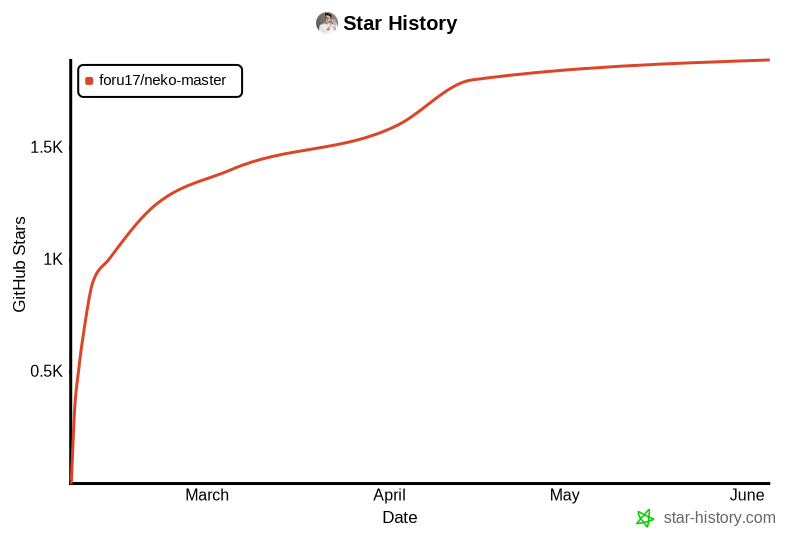](https://www.star-history.com/#foru17/neko-master&type=date&legend=top-left)++---++<p align="center">+ <sub>Made with ❤️ by <a href="https://github.com/foru17">@foru17</a></sub><br>+ <sub>If this project helps you, please consider giving it a ⭐</sub>+</p>diff --git a/apps/web/app/manifest.ts b/apps/web/app/manifest.tsindex ffc9bc1..5ec61ea 100644--- a/apps/web/app/manifest.ts+++ b/apps/web/app/manifest.ts@@ -9,7 +9,7 @@ export default function manifest(): MetadataRoute.Manifest {scope: "/",display: "standalone",background_color: "#0B0F19",- theme_color: "#3B82F6",+ theme_color: "#0B0F19",orientation: "natural",categories: ["utilities", "network"],icons: [diff --git a/assets/neko-master-domains-dark.png b/assets/neko-master-domains-dark.pngnew file mode 100644index 0000000..f05e0d5Binary files /dev/null and b/assets/neko-master-domains-dark.png differdiff --git a/assets/neko-master-overview-light.png b/assets/neko-master-overview-light.pngnew file mode 100644index 0000000..5598038Binary files /dev/null and b/assets/neko-master-overview-light.png differdiff --git a/assets/neko-master-overview.png b/assets/neko-master-overview.pngdeleted file mode 100644index 256f2c1..0000000Binary files a/assets/neko-master-overview.png and /dev/null differdiff --git a/assets/neko-master-regions-light.png b/assets/neko-master-regions-light.pngnew file mode 100644index 0000000..62ea025Binary files /dev/null and b/assets/neko-master-regions-light.png differdiff --git a/assets/neko-master-regions.png b/assets/neko-master-regions.pngdeleted file mode 100644index 5945be3..0000000Binary files a/assets/neko-master-regions.png and /dev/null differdiff --git a/assets/neko-master-rules-dark.png b/assets/neko-master-rules-dark.pngnew file mode 100644index 0000000..31e1a25Binary files /dev/null and b/assets/neko-master-rules-dark.png differdiff --git a/assets/neko-master-rules.png b/assets/neko-master-rules.pngdeleted file mode 100644index 3e50552..0000000Binary files a/assets/neko-master-rules.png and /dev/null differdiff --git a/package.json b/package.jsonindex 8c75dce..78b60e6 100644--- a/package.json+++ b/package.json@@ -12,9 +12,11 @@"build": "turbo build","dev": "turbo dev","lint": "turbo lint",- "check:api-routes": "node scripts/check-api-routes.mjs"+ "check:api-routes": "node scripts/check-api-routes.mjs",+ "prepare": "husky"},"devDependencies": {+ "husky": "^9.1.7","turbo": "^2.8.0"}}diff --git a/pnpm-lock.yaml b/pnpm-lock.yamlindex fb2bd67..32cfda4 100644--- a/pnpm-lock.yaml+++ b/pnpm-lock.yaml@@ -8,6 +8,9 @@ importers:.:devDependencies:+ husky:+ specifier: ^9.1.7+ version: 9.1.7turbo:specifier: ^2.8.0version: 2.8.3@@ -3697,6 +3700,11 @@ packages:resolution: {integrity: sha512-6pEjquH3rqaI6cYAXYPcz9MS4rY6R4ngRgrgfDshRptUZIc3lw0MCIJIGDj9++mfySOuPTHB4nrSW99BCvOPIA==}+ resolution: {integrity: sha512-5gs5ytaNjBrh5Ow3zrvdUUY+0VxIuWVL4i9irt6friV+BqdCfmV11CQTWMiBYWHbXhco+J1kHfTOUkePhCDvMA==}+ engines: {node: '>=18'}+ hasBin: true+resolution: {integrity: sha512-LHBQV+skKkjZSPd590pZ7ZAHftUgda3eFjeuNwA8/15L8T8loCNBktKQyTlkodAU86KovFXeg/9WntlAo5wA5A==}@@ -9035,6 +9043,8 @@ snapshots:dependencies:hermes-estree: 0.25.1+ [email protected]: {}+dependencies:'@formatjs/icu-messageformat-parser': 3.5.1