
Peach: Local-first video metadata scraper and media manager.
docs(readme): 按使用者口吻重写两份 README,嵌入介绍视频与截图
longmeidaode53079820fd
diff --git a/README.en.md b/README.en.mdindex c403208eb..4bacf52f3 100644--- a/README.en.md+++ b/README.en.md@@ -4,60 +4,70 @@<h1 align="center">Peach</h1>-<p align="center">Turn media on disks, mounted drives and followed sources into a private library of your own.</p>+<p align="center">A private video library for yourself: local drives, cloud drives and the creators you follow, all in one place.</p><p align="center">- <a href="https://github.com/longmeidao/peach/releases">Download the Windows test package</a> ·+ <a href="https://github.com/longmeidao/peach/releases">Download for Windows</a> ·+ <a href="https://github.com/longmeidao/peach/releases/tag/intro-video">Intro video</a> ·+ <a href="https://github.com/longmeidao/peach/issues">Report a problem</a> ·<a href="#documentation">Documentation</a> ·<a href="README.md">中文</a></p>-Peach is a single-user, local-first media library. It brings search, playback, organization and followed updates into one browser interface, while the catalog, watch history and review decisions stay in a local SQLite ledger.+https://github.com/user-attachments/assets/40f7fb76-fece-4af9-86e1-e0279cc525af-> **18+** Intended for adults managing adult-content collections. The repository contains no media or site datasets. Source connectors require the user's own access rights and do not bypass paywalls, bot checks or other access controls.+> **18+** For adults managing their own adult-content collections. The repository contains no media or site data. When Peach connects to outside sites it uses your own accounts and access rights, and it does not get around paywalls, bot checks or other access controls.-## What it does+- **Already-organized videos just work**: scanning reads the NFO files and posters that already sit next to your videos, so nothing needs to be scraped again.+- **Your files stay put**: scanning is read-only and files stay where they are. Renaming or moving only happens when you start it, with a preview first and an undo afterwards.+- **Cloud and local together**: once 115 or PikPak is mounted as a local drive with CloudDrive2, its videos join the same library as your hard drives.+- **Your data stays on your computer**: watch history, favorites and settings are stored locally. When filling in details, Peach only sends the video code to source sites.++## Screenshots<table>- <thead>- <tr>- <th width="180" nowrap>Capability</th>- <th>Summary</th>- </tr>- </thead>- <tbody>- <tr>- <td width="180" nowrap><strong>Visual library</strong></td>- <td>Browse videos and photo collections by cover; search by work, performer, studio, creator, series or tag; use library filters, identity completion and large-cover mode from the same page.</td>- </tr>- <tr>- <td width="180" nowrap><strong>Playback and links</strong></td>- <td>Play media from local disks and mounted drives, with people, studios, tags and related works beside the player; keep watch-later items, viewing state, Mixes, playlists and a corner miniplayer.</td>- </tr>- <tr>- <td width="180" nowrap><strong>People and identity</strong></td>- <td>Collect portraits, aliases, external links and work relationships on performer profiles, while external identity candidates retain provenance and wait for review.</td>- </tr>- <tr>- <td width="180" nowrap><strong>Collection and enrichment</strong></td>- <td>Scan folders for NFO files, local posters and existing metadata; fetch missing covers, portraits and metadata, then write reviewed results to the library. Turn on push discovery and new files reach the library within seconds — local folders through filesystem events, cloud mounts through CloudDrive2 notifications — and periodic scans pick up any file the push missed.</td>- </tr>- <tr>- <td width="180" nowrap><strong>Multi-source following</strong></td>- <td>Register official or archive sources, see one creator's updates across sites and save content inside Peach.</td>- </tr>- <tr>- <td width="180" nowrap><strong>Interface and devices</strong></td>- <td>Use light or dark themes, custom colors and responsive pages on desktop, tablet and phone; review duplicates, unavailable files, trash and external candidates in one place.</td>- </tr>- </tbody>+ <tr>+ <td><img src="https://github.com/longmeidao/peach/releases/download/intro-video/peach-home.jpg" alt="Home"></td>+ <td><img src="https://github.com/longmeidao/peach/releases/download/intro-video/peach-performer.jpg" alt="Performer page"></td>+ </tr>+ <tr>+ <td align="center">Home: filter by source, length and tags</td>+ <td align="center">Performer page: profile, aliases, links and every video</td>+ </tr>+ <tr>+ <td><img src="https://github.com/longmeidao/peach/releases/download/intro-video/peach-follow.jpg" alt="Following"></td>+ <td><img src="https://github.com/longmeidao/peach/releases/download/intro-video/peach-stats.jpg" alt="Statistics"></td>+ </tr>+ <tr>+ <td align="center">Following: one creator's updates from several sites in one feed</td>+ <td align="center">Statistics: where your videos live and how much you have watched</td>+ </tr></table>-## Get Peach+## What it does++- **Search**: type a few characters and performers, codes and videos show up together.+- **Performer pages**: aliases, birthday and measurements, social accounts and JavDB and MISSAV links on one page, above every video of hers in your library and her photos. You can pick an avatar by drawing a box on any cover.+- **Filling in details**: by video code, Peach fills in titles, performers, studios and high-resolution covers from studio sites, DMM, JavBus, JavDB and others. It only fills empty fields and never overwrites your edits.+- **Playback**: play in the browser and pick up where you left off. Like, rate, save for later, add to a playlist, or "log a climax".+- **New releases**: turn on a subscription on a performer page and Peach checks for her new titles regularly. Creators can be followed across 11 sites such as FANBOX, Patreon and Kemono, and the same post on different sites shows up as one card.+- **Statistics**: which drive holds what, how much you have watched and which tags dominate, on one page.+- **Appearance**: light or dark, accent color and sidebar order are all yours to set.+- **Any screen**: works in the browser on desktop, tablet and phone.++## Download and use++### Windows++1. Download `Peach-<version>-windows-x64.zip` from [Releases](https://github.com/longmeidao/peach/releases), right-click it and choose "Extract All".+2. Double-click `Peach.exe`. Your browser opens the first-run setup page.+3. Pick your media folders and who may access Peach, then start the scan.++The test package is not code-signed yet. If Windows says "Windows protected your PC", make sure the file came from this project's Releases, then choose "More info → Run anyway". Transcoding and thumbnails need FFmpeg; without it you can still browse and play MP4 and WebM. See [Windows test build](docs/TESTING_DESKTOP.md) for how to install it.-The standalone Windows x64 test package is available from [GitHub Releases](https://github.com/longmeidao/peach/releases); Windows and macOS can also run Peach from source, which requires Git, [uv](https://docs.astral.sh/uv/getting-started/installation/) and Python 3.12 or newer. See [Windows testing](docs/TESTING_DESKTOP.md) and [operations](docs/OPERATIONS.md) for downloads, verification and configuration.+### Run from source (Windows, macOS)-Running from source (the example uses Python 3.14; uv downloads a missing interpreter):+You need Git, [uv](https://docs.astral.sh/uv/getting-started/installation/) and Python 3.12 or newer (uv downloads a missing interpreter for you):```powershellgit clone https://github.com/longmeidao/peach.git peach-app@@ -66,26 +76,46 @@ uv sync --locked --python 3.14& .\.venv\Scripts\peach-tray.exe```-On macOS replace the last two commands with `uv sync --locked --python 3.14 --extra macos` and `./.venv/bin/peach-tray`. The tray opens the first-run setup page, where you pick media folders, access scope and port.+On macOS, replace the last two lines with `uv sync --locked --python 3.14 --extra macos` and `./.venv/bin/peach-tray`.-FFmpeg and ffprobe are installed separately: without them you can still browse and play browser-compatible formats, while transcoding, probing and thumbnails stay unavailable. Source deployments keep data in `peach-data/` next to the repository, the standalone package uses `%LOCALAPPDATA%\Peach\peach-data`, and `PEACH_DATA_ROOT` points either one elsewhere. LAN and HTTPS access are covered in [operations](docs/OPERATIONS.md); updates and uninstall live under Manage → Configuration → Updates and maintenance, with the standalone steps in [Windows testing](docs/TESTING_DESKTOP.md).+LAN access, access passwords, updates and uninstalling are covered in [Operations](docs/OPERATIONS.md).-## Data boundaries+## FAQ-Media stays in its original folders by default; organizing is an explicit action you start yourself, with a preview first and a rollback afterwards. The catalog, identities, viewing history and human decisions stay in a local SQLite ledger. External metadata and AI output enter as candidates with provenance and confidence; credentials stay outside Git, logs and API responses. Peach is for single-user self-hosting and does not provide a public-site or team permission model.+**Will it change my files?**+Scanning and filling in details never touch the original files. Only two things do: running an organize job you started (rename or move, with a preview and an undo for the last batch), and emptying the trash (which really deletes).-Each release ships a seed of entity facts: aliases, site identifiers, official and social links, profiles, agency memberships and label-to-maker relations for performers, studios and agencies, with no images. After a scan it only fills blanks on entities already in your ledger; the only rows it replaces are the ones an older seed wrote itself. Anything that disagrees with a human decision goes to a review file, and every batch can be reverted.+**I already organized my videos with another scraper. Can Peach use that?**+Peach reads the Kodi and Jellyfin layout: an `.nfo` named after the video and posters such as `<title>-poster.jpg`. Existing titles, performers, studios and posters show up right away.++**Which cloud drives are supported?**+115 and PikPak, mounted as local drives with CloudDrive2. Peach reads them like ordinary folders and does not store your cloud account.++**How do I watch on my phone?**+Choose "devices on the same network" during first-run setup, connect your phone to the same network and open the address shown on the setup page. Setting an access password is a good idea.++**Where is my data?**+In the `peach-data` folder on your computer. The Windows build keeps it in `%LOCALAPPDATA%\Peach\peach-data` by default.++## Reporting problems++Open an [issue](https://github.com/longmeidao/peach/issues) with the version, what you did, what you expected and what actually happened, ideally with a screenshot. Before taking screenshots, hide passwords, cookies, LAN addresses and full file paths, and do not upload database files or media. Report security issues privately as described in the [security policy](SECURITY.md).## Documentation-Using Peach: [Windows testing](docs/TESTING_DESKTOP.md) · [Operations](docs/OPERATIONS.md) · [Sources](docs/SOURCING.md) · [Project status](docs/STATUS.md) · [Changelog](CHANGELOG.md) · [Security policy](SECURITY.md)+Using Peach: [Windows test build](docs/TESTING_DESKTOP.md) · [Operations](docs/OPERATIONS.md) · [Sourcing](docs/SOURCING.md) · [Cloud drive mounts](docs/CLOUDDRIVE.md) · [Changelog](CHANGELOG.md)-Developing Peach: [Development agreement](AGENTS.md) · [Architecture](docs/ARCHITECTURE.md) · [Testing and dependencies](docs/TESTING.md) · [Frontend](docs/FRONTEND.md) · [Product backlog](docs/PRODUCT_BACKLOG.md) · [Handover notes](docs/HANDOFF.md) · [Reuse list](docs/REUSE.md) · [README maintenance](docs/README_MAINTENANCE.md) · [Architecture decisions](docs/adr/)+Contributing: [Development guide](AGENTS.md) · [Architecture](docs/ARCHITECTURE.md) · [Testing and dependencies](docs/TESTING.md) · [Frontend](docs/FRONTEND.md) · [Reuse inventory](docs/REUSE.md) · [README maintenance](docs/README_MAINTENANCE.md). Verify changes with Windows `& .\scripts\test.ps1` or macOS/Linux `./scripts/test.sh`.-Run development checks through `& .\scripts\test.ps1` on Windows or `./scripts/test.sh` on macOS/Linux. File issues with the version, the steps, and the expected and actual results; never attach a real ledger, media, cookies or private keys. Report security problems through the [security policy](SECURITY.md).+## Related projects-## License+- [amane](https://github.com/sqzw-x/amane): Peach reaches studio sites and other sources through it.+- [Gfriends](https://github.com/gfriends/gfriends): performer avatar collection.+- [CloudDrive2](https://www.clouddrive2.com/): mounts cloud drives as local disks.+- [OpenAver](https://github.com/slive777/OpenAver), [Javinizer-Go](https://github.com/javinizer/javinizer-go), [MetaTube](https://github.com/metatube-community/metatube-sdk-go), [MDCx](https://github.com/sqzw-x/mdcx): Peach learned from their source parsing and recommendation approaches.-[AGPL-3.0-or-later](LICENSE) · Copyright (C) 2026 longmeidao.+The full reuse and credits list is in the [reuse inventory](docs/REUSE.md).++## License-Vendored frontend files retain their upstream licenses and provenance under [web/vendor](web/vendor/).+[AGPL-3.0-or-later](LICENSE) · Copyright (C) 2026 longmeidao. Bundled third-party frontend files keep their own licenses; see [web/vendor](web/vendor/).diff --git a/README.md b/README.mdindex 856269b55..e0c5bfde2 100644--- a/README.md+++ b/README.md@@ -4,60 +4,70 @@<h1 align="center">Peach</h1>-<p align="center">把磁盘、挂载网盘与关注来源里的媒体,整理成只属于自己的私人馆藏。</p>+<p align="center">给自己用的私人影片馆藏:本地硬盘、网盘和关注的创作者,放在一个地方看。</p><p align="center">- <a href="https://github.com/longmeidao/peach/releases">下载 Windows 测试包</a> ·+ <a href="https://github.com/longmeidao/peach/releases">下载 Windows 版</a> ·+ <a href="https://github.com/longmeidao/peach/releases/tag/intro-video">介绍视频</a> ·+ <a href="https://github.com/longmeidao/peach/issues">问题反馈</a> ·<a href="#文档">文档</a> ·<a href="README.en.md">English</a></p>-Peach 是面向单人的本地优先媒体馆藏应用。它在浏览器里统一搜索、播放、整理和追更已有媒体,馆藏、观看记录与复核决定保存在本机 SQLite ledger 中。+https://github.com/user-attachments/assets/40f7fb76-fece-4af9-86e1-e0279cc525af-> **18+** 面向管理成人内容馆藏的成年人。仓库不包含媒体或站点数据;来源连接器要求使用者拥有相应访问权,不绕过付费墙、机器人验证或其他访问控制。+> **18+** 仅供成年人管理自己的成人内容馆藏。仓库不含任何媒体或站点数据;连接外部站点时用的是你自己的账号和访问权,不绕过付费墙、人机验证或其他访问限制。-## 能做什么+- **整理过的片子直接用**:扫描时读取片子旁边已有的 NFO 和海报,不用重新刮削。+- **不动你的文件**:扫描只读,文件留在原处;改名、移动由你手动发起,先看预览,做完可以撤回。+- **网盘和本地一起看**:115、PikPak 用 CloudDrive2 挂载成本地磁盘后,和硬盘里的片子进同一个馆藏。+- **数据留在自己电脑上**:观看记录、收藏和设置都存在本机;补资料时只向来源站点发送番号。++## 截图<table>- <thead>- <tr>- <th width="180" nowrap>功能</th>- <th>简介</th>- </tr>- </thead>- <tbody>- <tr>- <td width="180" nowrap><strong>视觉馆藏</strong></td>- <td>以封面浏览视频与图集,按作品、女优、厂牌、创作者、系列和标签搜索;馆藏筛选、身份补全与大图模式在同一页完成。</td>- </tr>- <tr>- <td width="180" nowrap><strong>播放与关联</strong></td>- <td>播放本地磁盘和挂载网盘媒体,在详情页查看人物、厂牌、标签与相关作品;支持稍后看、观看状态、Mix、播放列表和角落小窗。</td>- </tr>- <tr>- <td width="180" nowrap><strong>人物与身份</strong></td>- <td>把头像、别名、外部链接与作品关系整理到人物资料页,外部身份候选保留来源并交给用户复核。</td>- </tr>- <tr>- <td width="180" nowrap><strong>采集与补全</strong></td>- <td>扫描文件夹并识别 NFO、本地海报和已有资料;从来源补充封面、头像与元数据,确认后才写入馆藏。开启推送发现后,本机新文件与 CloudDrive2 通知到的网盘新文件几秒内入库,推送漏掉的文件由定期扫描补上。</td>- </tr>- <tr>- <td width="180" nowrap><strong>多来源关注</strong></td>- <td>登记官方或归档来源,集中查看同一创作者在不同站点的更新,并在 Peach 内保存内容。</td>- </tr>- <tr>- <td width="180" nowrap><strong>界面与多端</strong></td>- <td>支持明暗主题、自定义配色和响应式页面,可在桌面、平板与手机浏览;重复项、失效文件、回收站和外部候选集中复核。</td>- </tr>- </tbody>+ <tr>+ <td><img src="https://github.com/longmeidao/peach/releases/download/intro-video/peach-home.jpg" alt="首页"></td>+ <td><img src="https://github.com/longmeidao/peach/releases/download/intro-video/peach-performer.jpg" alt="女优页"></td>+ </tr>+ <tr>+ <td align="center">首页:按来源、时长、标签筛选</td>+ <td align="center">女优页:资料、别名、外部链接和全部作品</td>+ </tr>+ <tr>+ <td><img src="https://github.com/longmeidao/peach/releases/download/intro-video/peach-follow.jpg" alt="关注"></td>+ <td><img src="https://github.com/longmeidao/peach/releases/download/intro-video/peach-stats.jpg" alt="统计"></td>+ </tr>+ <tr>+ <td align="center">关注:一个创作者在多个站点的更新汇到一起</td>+ <td align="center">统计:片子存在哪、看了多少</td>+ </tr></table>-## 获取 Peach+## 能做什么++- **搜索**:输入几个字,女优、番号和影片一起出来。+- **女优页**:别名、生日身材、社媒和 JavDB、MISSAV 链接汇在一页,下面是她在你馆藏里的全部作品和照片;头像可以直接在作品封面上框一块。+- **补资料**:按番号从片商官网、DMM、JavBus、JavDB 等站点补标题、女优、厂牌和高清封面;只填空着的,不覆盖你改过的。+- **播放**:在浏览器里直接播放,记下看到哪;可以点喜欢、打分、稍后看、加进播放列表,也能「记一次高潮」。+- **追新作**:在女优页打开订阅,Peach 会定期查她的新作;创作者可以跨 FANBOX、Patreon、Kemono 等 11 个站点一起关注,不同站点上的同一个作品合成一张卡。+- **统计**:片子存在哪块盘、看过多少、标签分布,一页看完。+- **外观**:深色浅色、主题色、侧栏顺序都能自己调。+- **多端**:电脑、平板、手机的浏览器都能用。++## 下载与使用++### Windows++1. 从 [Releases](https://github.com/longmeidao/peach/releases) 下载 `Peach-<版本>-windows-x64.zip`,右键「全部解压」。+2. 双击 `Peach.exe`,浏览器会打开首次设置页。+3. 选好媒体文件夹和谁能访问,开始扫描。++测试包还没有代码签名。Windows 提示「已保护你的电脑」时,确认文件来自本项目的 Release,再点「更多信息 → 仍要运行」。转码和缩略图要用到 FFmpeg,没装也能浏览和播放 MP4、WebM,安装方法见 [Windows 测试版](docs/TESTING_DESKTOP.md)。-Windows x64 独立测试包在 [GitHub Releases](https://github.com/longmeidao/peach/releases) 提供;Windows 与 macOS 也可从源码运行,源码方式需要 Git、[uv](https://docs.astral.sh/uv/getting-started/installation/) 和 Python 3.12 或更高。下载、校验与配置见 [Windows 测试版](docs/TESTING_DESKTOP.md) 和 [运行与配置](docs/OPERATIONS.md)。+### 从源码运行(Windows、macOS)-源码运行(下例用 Python 3.14,uv 会自动下载缺失的解释器):+需要 Git、[uv](https://docs.astral.sh/uv/getting-started/installation/) 和 Python 3.12 或更高(uv 会自动下载缺的解释器):```powershellgit clone https://github.com/longmeidao/peach.git peach-app@@ -66,26 +76,46 @@ uv sync --locked --python 3.14& .\.venv\Scripts\peach-tray.exe```-macOS 把后两条换成 `uv sync --locked --python 3.14 --extra macos` 和 `./.venv/bin/peach-tray`。托盘会打开首次设置页,在那里选媒体文件夹、访问范围和端口。+macOS 把后两条换成 `uv sync --locked --python 3.14 --extra macos` 和 `./.venv/bin/peach-tray`。-FFmpeg 与 ffprobe 需自行安装:缺少时仍可浏览和播放浏览器兼容格式,转码、探测与缩略图不可用。源码部署的数据默认在仓库同级的 `peach-data/`,独立测试包放在 `%LOCALAPPDATA%\Peach\peach-data`,`PEACH_DATA_ROOT` 可指定其他位置。局域网与 HTTPS 访问见 [运行与配置](docs/OPERATIONS.md);更新与卸载在管理菜单「配置 → 更新与维护」,独立包的步骤见 [Windows 测试版](docs/TESTING_DESKTOP.md)。+局域网访问、访问密码、更新和卸载见 [运行与配置](docs/OPERATIONS.md)。-## 数据边界+## 常见问题-媒体默认保留在原目录,整理是用户显式发起、可预览可回滚的操作;馆藏、身份、观看记录和人工决定保存在本机 SQLite ledger;外部元数据与 AI 结果先作为带来源和置信度的候选,凭据不进入 Git、日志或 API 返回。Peach 面向单人自托管,不提供公开站点或团队权限模型。+**会改我的文件吗?**+扫描、补资料都不碰原文件。只有两件事会动文件:你在整理里点了执行(改名或移动,先给预览,可以撤回上一批),以及你清空回收站(真的删除)。-随版本附带一份实体事实种子(女优、厂牌与事务所的别名、站上编号、官网与社媒链接、资料表、所属事务所与 label 的片商,不含任何图像)。扫描结束后它只给账本里已有的实体填空,换掉的只有旧版种子自己写下的行,与人工判断不一致的记进复核产物,整批可撤回。+**之前用别的刮削器整理过,能直接用吗?**+能读的是 Kodi、Jellyfin 那种格式:和视频同名的 `.nfo`,以及 `<片名>-poster.jpg` 这样的海报。已有的标题、女优、厂牌和海报会直接显示。++**支持哪些网盘?**+目前是 115 和 PikPak,用 CloudDrive2 挂载成本地磁盘。Peach 只把它当普通文件夹读,不保存网盘账号。++**手机上怎么看?**+首次设置时选「同一局域网的设备」,手机和电脑连同一个网络,用浏览器打开设置页给出的地址。建议顺手设一个访问密码。++**数据存在哪?**+都在本机的 `peach-data` 文件夹里,Windows 版默认在 `%LOCALAPPDATA%\Peach\peach-data`。++## 问题反馈++在 [Issues](https://github.com/longmeidao/peach/issues) 里写清楚版本号、做了什么、想要的结果和实际看到的结果,最好附截图。截图前遮掉密码、Cookie、局域网地址和文件完整路径,不要上传数据库文件或媒体。安全问题请按 [安全政策](SECURITY.md) 私下报告。## 文档-使用:[Windows 测试版](docs/TESTING_DESKTOP.md) · [运行与配置](docs/OPERATIONS.md) · [来源采集](docs/SOURCING.md) · [项目状态](docs/STATUS.md) · [变更日志](CHANGELOG.md) · [安全政策](SECURITY.md)+使用:[Windows 测试版](docs/TESTING_DESKTOP.md) · [运行与配置](docs/OPERATIONS.md) · [来源采集](docs/SOURCING.md) · [网盘挂载](docs/CLOUDDRIVE.md) · [变更日志](CHANGELOG.md)-开发:[开发约定](AGENTS.md) · [总体架构](docs/ARCHITECTURE.md) · [测试与依赖](docs/TESTING.md) · [前端开发](docs/FRONTEND.md) · [产品待办](docs/PRODUCT_BACKLOG.md) · [交接说明](docs/HANDOFF.md) · [复用清单](docs/REUSE.md) · [README 维护](docs/README_MAINTENANCE.md) · [架构决策](docs/adr/)+参与开发:[开发约定](AGENTS.md) · [总体架构](docs/ARCHITECTURE.md) · [测试与依赖](docs/TESTING.md) · [前端开发](docs/FRONTEND.md) · [复用清单](docs/REUSE.md) · [README 维护](docs/README_MAINTENANCE.md)。改完用 Windows `& .\scripts\test.ps1` 或 macOS/Linux `./scripts/test.sh` 验证。-开发验证统一使用 Windows `& .\scripts\test.ps1` 或 macOS/Linux `./scripts/test.sh`。提交问题请附版本、操作步骤、预期与实际结果,不要附带真实账本、媒体、Cookie 或私钥;安全问题按[安全政策](SECURITY.md)报告。+## 相关项目-## 许可证+- [amane](https://github.com/sqzw-x/amane):Peach 通过它接入片商官网等来源。+- [Gfriends](https://github.com/gfriends/gfriends):女优头像图库。+- [CloudDrive2](https://www.clouddrive2.com/):把网盘挂载成本地磁盘。+- [OpenAver](https://github.com/slive777/OpenAver)、[Javinizer-Go](https://github.com/javinizer/javinizer-go)、[MetaTube](https://github.com/metatube-community/metatube-sdk-go)、[MDCx](https://github.com/sqzw-x/mdcx):Peach 参考过它们的来源解析和推荐做法。-[AGPL-3.0-or-later](LICENSE) · Copyright (C) 2026 longmeidao。+完整的复用与致谢见 [复用清单](docs/REUSE.md)。++## 许可证-固定的第三方前端文件保留上游许可证与来源记录,见 [web/vendor](web/vendor/)。+[AGPL-3.0-or-later](LICENSE) · Copyright (C) 2026 longmeidao。随附的第三方前端文件保留各自的许可证,见 [web/vendor](web/vendor/)。diff --git a/docs/README_MAINTENANCE.md b/docs/README_MAINTENANCE.mdindex 5ea216566..d6647debb 100644--- a/docs/README_MAINTENANCE.md+++ b/docs/README_MAINTENANCE.md@@ -1,7 +1,8 @@# README 维护-README 面向初次访问项目的人,依次解释定位、核心能力、开始使用、数据边界和文档入口。-中英文同批维护,平台支持、安装方式和能力限制保持一致。主线能力、已安装运行态和发行制品分别+README 面向初次访问项目的人,依次讲它是什么、介绍视频与截图、能做什么、怎么装、常见问题、+问题反馈和文档入口。用使用者的话写:说能做什么、会不会动文件,不写账本、候选、实体这类内部+概念,内部机制与开发流程只留链接。中英文同批维护,平台支持、安装方式和能力限制保持一致。主线能力、已安装运行态和发行制品分别以实现、STATUS 和 Releases 为准,README 不填写本机 IP、端口归属、真实馆藏数字或动态版本号。| 内容 | 核验入口 |@@ -44,8 +45,9 @@ README、教程与网站的截图默认取自演示库。用分类模型从真替代方案:筛出来的多是黑场与标题卡,卡片上的番号、姓名与厂牌照样泄露来源。逐段确认过的真实馆藏画面可以用,条件是画面里不出现访问凭据、局域网地址、隧道地址-和文件系统完整路径;这四样一旦入镜就是把本机坐标发到公网,撤不回来。介绍视频这类少量演示-媒体放 `docs/assets/`,单个文件压到 8 MB 以内(`tests/test_repo_hygiene.py`)。+和文件系统完整路径;这四样一旦入镜就是把本机坐标发到公网,撤不回来。README 的介绍视频和截图+挂在 `intro-video` Release 的附件上,不进仓库:`resources/` 会被整个打进安装包。仓库里确需+留存的少量演示媒体放 `docs/assets/`,单个文件压到 8 MB 以内(`tests/test_repo_hygiene.py`)。生成器是 `scripts/demo_dataset.py`,只写目标目录,不碰任何账本:@@ -97,5 +99,9 @@ SHA-256 对不上是硬错误,不降级放行。URL、日期与 SHA-256 见 `docs/reference-sources.json` 的 `readme-*` 条目。采用短定位、小尺寸具象 Logo、集中下载导航和精简能力分组;仅沿用 Peach 自有图标,不复制外部商标、截图、功能承诺或宣传内容。上游快照仅为取证,保留原文及上游许可入口。+- **同类项目的 README(2026-09-26)**:映库、OpenAver、amane、Stash、MetaTube、MDCx,+ 登记同在 `docs/reference-sources.json`。借的是信息顺序:页头链接行、+ 视频与截图靠前、功能一行一条、下载三步走、常见问题、反馈要附什么。不借文案、截图和附加+ 使用条款,Peach 的边界以 AGPL 与 `SECURITY.md` 为准。- **演示素材**:README 里任何截图或视频都按上面「演示数据集」一节的边界取图,换素材时重新核对那几条边界。diff --git a/docs/reference-snapshots/upstream/readme-amane.md b/docs/reference-snapshots/upstream/readme-amane.mdnew file mode 100644index 000000000..4b92d05a9--- /dev/null+++ b/docs/reference-snapshots/upstream/readme-amane.md@@ -0,0 +1,52 @@+# Amane++++AI 时代的私人影库++## 功能特性++- **自动监控** — 实时监控磁盘文件变化并自动刮削+- **本地优先** — 持久化存储已获取数据, 构建个人影片仓库+- **多源择优** — 聚合多个数据源的元数据, 逐字段择优+- **目录管理** — 自定义命名规则, 整理本地文件结构+- **图片增强** — 内置超分工具优化低清海报图+- **AI 智能助理** — 自然语言检索片库、批量整理、发起刮削+- **Web 界面** — 海报墙、任务队列、结构化日志、可视化设置++## 安装++- [桌面应用 (macOS / Windows)](https://github.com/sqzw-x/amane/releases) — 下载即用+- [Docker](https://sqzw-x.github.io/amane/user/#docker) — 服务端部署++更多说明见 [用户文档](https://sqzw-x.github.io/amane/).++## 反馈++缺陷与功能请求请使用 [Issue 模板](https://github.com/sqzw-x/amane/issues/new/choose). AI 使用见 [AI_POLICY.md](AI_POLICY.md).++## 参与开发++前置依赖: [uv](https://github.com/astral-sh/uv), [pnpm](https://pnpm.io/), [just](https://github.com/casey/just)++```bash+just setup # 同步依赖+just dev # 启动 API 与前端+```++开发入口见 [AGENTS.md](AGENTS.md).++## 社区生态++可与本项目集成的外部工具或插件:++| 类型 | 标签 |+|------|------|+| 社区项目 | [`eco:project`](https://github.com/sqzw-x/amane/issues?q=is%3Aissue+label%3Aeco%3Aproject) |++这些项目由社区开发维护, 请自行评估其功能与安全性, 除公共 API 外不提供任何支持与保证.++## 相关项目++- [yoshiko2/Movie_Data_Capture](https://github.com/yoshiko2/Movie_Data_Capture)+- [moyy996/AVDC](https://github.com/moyy996/AVDC)diff --git a/docs/reference-snapshots/upstream/readme-mdcx.md b/docs/reference-snapshots/upstream/readme-mdcx.mdnew file mode 100644index 000000000..5b2eaa8d2--- /dev/null+++ b/docs/reference-snapshots/upstream/readme-mdcx.md@@ -0,0 +1,65 @@+> [!WARNING]+> **仓库即将归档 (Archive)**+>+> 由于此项目技术债严重, 架构陈旧, 重构工作量过大, 因此决定放弃维护并归档+>+> **查看替代项目:[Amane - AI 时代的私人影库](<https://github.com/sqzw-x/amane>)**+>+> ### 功能特性+>+> - **自动监控** — 实时监控磁盘文件变化并自动刮削+> - **本地优先** — 持久化存储已获取数据,构建个人影片仓库+> - **多源择优** — 聚合多个数据源的元数据,逐字段择优+> - **目录管理** — 自定义命名规则,整理本地文件结构+> - **图片增强** — 内置超分工具优化低清海报图+> - **AI 智能助理** — 自然语言检索片库、批量整理、发起刮削+> - **Web 界面** — 海报墙、任务队列、结构化日志、可视化设置+> - **跨平台支持** — macOS、Windows 桌面应用 + Docker 服务端部署+> - **插件系统** — 支持社区开发刮削插件扩展数据源+> - **LLM 集成** — 支持 OpenAI/Anthropic 等大语言模型进行智能翻译和辅助功能+>++# MDCx++++## 上游项目++- [yoshiko2/Movie_Data_Capture](https://github.com/yoshiko2/Movie_Data_Capture): CLI 工具,+ 开源版本现已不活跃, 新版本已闭源商业化.+- [moyy996/AVDC](https://github.com/moyy996/AVDC): 上述项目早期的一个 Fork, 使用 PyQt 实现了图形界面, 已停止维护+- @Hermit/MDCx: AVDC 的 Fork, 一度在 [anyabc/something](https://github.com/anyabc/something/releases) 分发源代码及可执行文件.+- 2023-11-3 @anyabc 因未知原因销号删库, 其分发的最后一个版本号为 20231014.+- 本项目基于 @Hermit/MDCx, 对代码进行了大幅的重构与拆分, 以提高可维护性++向相关开发者表示敬意.++## 构建++> 一般情况请勿自行构建, 至 [Release](https://github.com/sqzw-x/mdcx/releases) 下载最新版++### Windows 7++> 即将放弃对 Windows 7 的支持. [#494](https://github.com/sqzw-x/mdcx/issues/494)++Windows 7 上需使用 Python 3.8 构建, 代码及依赖均兼容, 可在本地自行构建. 也可使用 GitHub Actions 构建:++1. fork 本仓库, 在仓库设置中启用 Actions+2. 参考 [为存储库创建配置变量](https://docs.github.com/zh/actions/learn-github-actions/variables#creating-configuration-variables-for-a-repository), 设置 `BUILD_FOR_WINDOWS_LEGACY` 变量, 值非空即可+3. 在 Actions 中手动运行 `Build and Release`++### macOS++低版本 macOS: 需注意 opencv 兼容性问题, 参考 [issue #82](https://github.com/sqzw-x/mdcx/issues/82#issuecomment-1947973961).+也可使用 GitHub Actions 构建, 步骤同上, 需设置 `BUILD_FOR_MACOS_LEGACY` 变量, 值非空即可;+以及 `MACOS_LEGACY_CV_VERSION` 变量, 值为兼容的 `opencv-contrib-python-headless` 版本++## 授权许可++本插件项目在 GPLv3 许可授权下发行。此外,如果使用本项目表明还额外接受以下条款:++- 本项目仅供学习以及技术交流使用+- 请勿在公共社交平台上宣传此项目+- 使用本软件时请遵守当地法律法规+- 法律及使用后果由使用者自己承担+- 禁止将本软件用于任何的商业用途\ No newline at end of filediff --git a/docs/reference-snapshots/upstream/readme-metatube.md b/docs/reference-snapshots/upstream/readme-metatube.mdnew file mode 100644index 000000000..4fff0fb23--- /dev/null+++ b/docs/reference-snapshots/upstream/readme-metatube.md@@ -0,0 +1,70 @@+<h1 align="center">Jellyfin Plugin MetaTube</h1>+<p align="center"><b>English | <a href="README.ja.md">日本語</a></b></p>++<p align="center">+<img alt="Plugin Banner" src="https://metatube-community.github.io/images/banner-dark.png"/>+<br/>+<br/>++<a href="https://github.com/metatube-community/jellyfin-plugin-metatube/actions">+<img alt="GitHub Workflow Status" src="https://img.shields.io/github/actions/workflow/status/metatube-community/jellyfin-plugin-metatube/dotnetcore.yml?branch=main&logo=github">+</a>+<a href="https://github.com/metatube-community/jellyfin-plugin-metatube/search?l=c%23">+<img alt="GitHub top language" src="https://img.shields.io/github/languages/top/metatube-community/jellyfin-plugin-metatube?color=%23239120&label=.NET&logo=csharp">+</a>+<a href="https://github.com/metatube-community/jellyfin-plugin-metatube/blob/main/LICENSE">+<img alt="License" src="https://img.shields.io/github/license/metatube-community/jellyfin-plugin-metatube">+</a>+<a href="https://github.com/metatube-community/jellyfin-plugin-metatube">+<img alt="gitHub Stars" src="https://img.shields.io/github/stars/metatube-community/jellyfin-plugin-metatube?style=flat">+</a>+<a href="https://github.com/metatube-community/jellyfin-plugin-metatube">+<img alt="Downloads" src="https://img.shields.io/github/downloads/metatube-community/jellyfin-plugin-metatube/total">+</a>+<a href="https://github.com/metatube-community/jellyfin-plugin-metatube/releases">+<img alt="Releases" src="https://img.shields.io/github/v/release/metatube-community/jellyfin-plugin-metatube?include_prereleases&logo=smartthings">+</a>+</p>++## About++MetaTube Plugin for Jellyfin/Emby.++## Features++- Full Metadata: Including title, overview, genres, director, actors, and studio.+- Full Search: Support searching for movies and actors across various providers.+- Trailer Video: Support trailers without downloading the full trailer videos.+- Scheduled Task: Automatically organize metadata genres and update plugin.+- Face Detection: Cut primary image with face centered by face detection engine.+- Auto Translation: Support translate certain metadata to preferred language.++## Platforms++[](https://jellyfin.org/)+[](https://emby.media/)++_NOTE: This project will only support stable versions._++## Documentation++- [Plugin installation](https://metatube-community.github.io/wiki/plugin-installation/)+- [Server deployment](https://metatube-community.github.io/wiki/server-deployment/)+- [File naming rules](https://metatube-community.github.io/wiki/naming-rules/)+- [Auto translation](https://metatube-community.github.io/wiki/auto-translation/)+- [Build from source](https://metatube-community.github.io/wiki/build-from-source/)+- [Metadata providers](https://metatube-community.github.io/wiki/metadata-providers/)++Full documentation and examples can be found at [Wiki](https://metatube-community.github.io/wiki/).++## Community++Welcome and feel free to ask any questions at [Discussions](https://github.com/metatube-community/jellyfin-plugin-metatube/discussions).++## Licence++This plugin is released under the [MIT](https://github.com/metatube-community/jellyfin-plugin-metatube/blob/main/LICENSE) License.++## Star History++[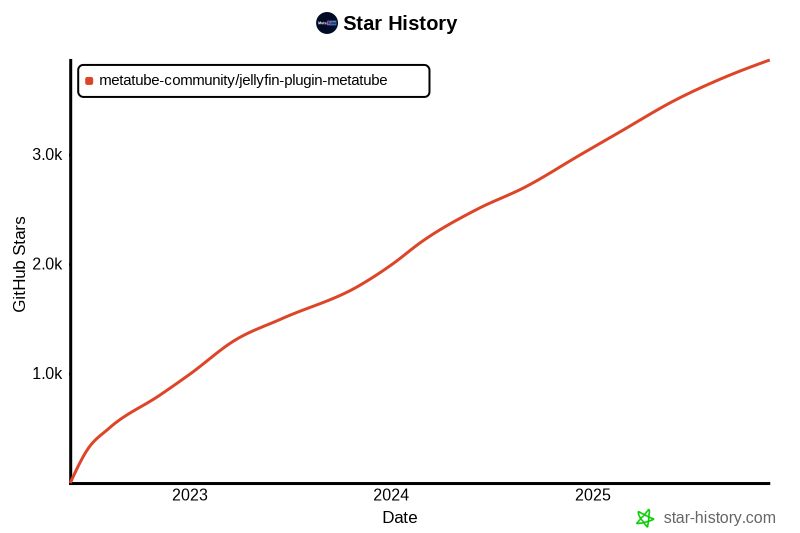](https://star-history.com/#metatube-community/jellyfin-plugin-metatube&Date)diff --git a/docs/reference-snapshots/upstream/readme-openaver.md b/docs/reference-snapshots/upstream/readme-openaver.mdnew file mode 100644index 000000000..56d1554cf--- /dev/null+++ b/docs/reference-snapshots/upstream/readme-openaver.md@@ -0,0 +1,391 @@+<!-- OpenAver: free open-source desktop GUI JAV metadata scraper & manager.+No Docker, no CLI, one-line install (Windows/macOS). Scans folders already organized by+JavSP / EverAver / MDCX / Jellyfin / Emby and reuses their NFO + cover art without re-scraping.+A cover-wall browser built for how this genre is actually browsed — navigate by cover + tag,+actress as a first-class entity (profile cards, cup/age/height sort, cross-language alias).+8 built-in scrape sources (JavBus/Jav321/JavDB/DMM/D2Pass/HEYZO/FC2/AVSOX) plus optional+Metatube federation (30+ providers). Optionally exports NFO + cover art (poster/fanart) to+Jellyfin / Emby / Kodi. AI-operable REST API with capabilities manifest, 8,000+ tests, MIT license. -->++<h1 align="center">OpenAver</h1>++<p align="center">+ <strong>你的番號收藏,用封面逛、用女優找。</strong><br>+ Windows / Mac 裝好就能用,不用 Docker、用的時候不用打指令 · 以前整理好的片直接拿來逛,不必重新抓資料+</p>+++++++++**[English](README_EN.md)** | 繁體中文++把放片的資料夾指給 OpenAver,它會做成一面封面牆。點封面看劇照和標籤,點女優看她的所有片,點標籤找同類。哪部片資料不全,按一下就從網路補上。++**已經整理過的片,不用重新抓資料。** 影片旁邊如果已經有資料檔(NFO,記著片名、女優、標籤的小檔案)和封面圖,掃描時直接讀進來,檔案原封不動。不管是 JavSP、EverAver、MDCX,還是 Jellyfin/Emby 整理的,都一樣。++**可以只用這一個,也可以跟電視上的播放軟體一起用。** 想在客廳看,整理時順便產出 Jellyfin/Emby/Kodi 要的資料檔和封面;不想裝那些,在 OpenAver 裡就能把收藏逛完。++**預設不改、不搬、不刪你的影片。** 補資料只會在影片旁邊新增資料檔和圖。只有你按「整理」,才會依你定的規則改名或搬家,而且絕不刪除。程式在你自己的電腦跑,不用註冊。++**100% 本地運行** — 不蒐集資料、不上傳任何檔案資訊,網路請求僅用於刮削公開元數據。++⚡ **[Live Demo → openaver.slive.uk](https://openaver.slive.uk/)**++*裡面只有 mecha 反派與虛構電影海報,零 NSFW。老闆從你身後走過也沒事。*++## 規格速覽++| 項目 | 內容 |+|------|------|+| **平台** | Windows 10/11 · macOS(Apple 晶片 M1 之後) |+| **安裝** | 一行指令或雙擊安裝,免 Docker;裝好後全程圖形介面 |+| **接手既有收藏** | 影片旁已有的資料檔(NFO)和封面圖直接讀,掃描不改你的檔 |+| **收藏瀏覽** | 封面牆逛影片,條件可疊加篩選;女優另有一面牆,可依罩杯/年齡/身高排序 |+| **手機平板** | 同 Wi-Fi 的手機/平板用瀏覽器就能逛;預設不對外,可設密碼 |+| **抓資料的來源** | 同時查 8 家(JavBus / Jav321 / JavDB / DMM / D2Pass / HEYZO / FC2 / AVSOX);另 2 家備份站要手動點驗證;進階可接 Metatube,合計 30+ |+| **給播放軟體用** | 整理時可產出 Jellyfin / Emby / Kodi 要的 NFO 與封面;NAS 上的片不搬也能用 |+| **AI 操作** | Claude Code / Cursor 等 AI 工具可以直接下指令整理片庫 |+| **AI 翻譯** | Ollama(本地免費)/ Gemini / OpenAI 相容端點 |+| **授權** | MIT,100% 本機,無帳號、無雲端 |++## 截圖預覽++| 搜尋頁 | 女優收藏 |+|--------|---------|+|  |  |++<details>+<summary>更多截圖</summary>++| Search Demo | 女優搜尋 Gallery |+|-------------|------------------|+|  |  |++| Showcase 影片模式 | Showcase 詳細 |+|-------------------|---------------|+|  |  |++</details>++---++## 安裝++### 一行安裝++**macOS**(打開「終端機」貼上):+```bash+curl -fsSL https://raw.githubusercontent.com/slive777/OpenAver/main/install.sh | bash+```++**Windows**(打開 PowerShell 貼上):+```powershell+irm https://raw.githubusercontent.com/slive777/OpenAver/main/install.ps1 | iex+```++> 💡 Windows 不想開 PowerShell:到 [Releases](https://github.com/slive777/OpenAver/releases/latest) 下載 `OpenAver-Windows-Setup.bat`,雙擊就是同一套安裝。++安裝指令會自動下載最新版、解除系統的安全限制、建立桌面捷徑(Windows),升級時保留你的設定。安裝畫面跟著系統語言走(繁中/簡中/日文/英文)。++### 手動下載 ZIP++從 [GitHub Releases](https://github.com/slive777/OpenAver/releases/latest) 下載:++| 平台 | 檔案 |+|------|------|+| **Windows x64** | `OpenAver-vX.X.X-Windows-x64.zip` |+| **macOS arm64** | `OpenAver-vX.X.X-macOS-arm64.zip` |++> ⚠️ 手動 ZIP 要多一步解除安全限制,見 ZIP 內附的疑難排解文件。macOS 只支援 Apple 晶片。++第一次打開會有新手導覽,帶你指定資料夾、按下「產生網頁」,不用先讀文件。++> 🐧 **Linux**:沒有官方安裝程式,但可以自己架成區網伺服器用瀏覽器操作,步驟見 [`docs/linux-server.md`](docs/linux-server.md)(需要命令列)。++---++## 三個頁面++OpenAver 只有三個主要頁面,照順序用就對了:++1. **📋 Scanner(掃描)**:把放片的資料夾加進來,按「產生網頁」。有資料檔的片直接入庫,缺資料的列出來,一鍵補完。+2. **🎬 Showcase(瀏覽)**:封面牆。逛收藏、篩選、看劇照、找相似、管理女優。+3. **🔍 Search(搜尋)**:新下載的片從這裡處理。拖進來,查資料,按「整理」改名搬到收藏。++---++## 核心功能++### 📋 Scanner:先把現有收藏接進來++- **認得別人整理過的東西**:影片旁有 `.nfo` 就讀它的片名、女優、標籤、片商、系列、日期。封面認同名圖、`-poster`/`-fanart` 後綴、資料夾裡的 `poster`/`fanart`/`cover`/`folder`,還有 NFO 裡寫的圖片路徑;`extrafanart/` 劇照夾一併讀。+- **掃描只讀不寫**:來源資料夾一個位元組都不動。+- **缺什麼補什麼**:掃完列出「缺 NFO」「缺封面」的片,一鍵從網路補齊。補完只填空的欄位,已有的資料不覆蓋;新增的 NFO 與封面放在影片旁,影片本身不動。+- **女優/標籤別名**:在畫面裡直接加別名,不用手改設定檔。搜尋時中日英同義詞自動展開(「女僕=Maid=メイド」),同一人的藝名與退休名收成一張卡。+- **來源順序自己排**:拖曳排出你偏好的來源順序(想要哪家的封面就排前面);一鍵切「無碼模式」只用無碼來源。+- **搬檔時帶走字幕、保留 VR 標籤**:整理時同目錄的字幕檔跟著走;VR 檔名裡的投影標籤(`_180_LR`、`mkx200`)保留,Skybox / DeoVR / HereSphere 才認得。++### 🎬 Showcase:用封面逛、用女優找++**播放軟體用片名和資料夾找片;這裡用封面、標籤、女優。**++- **封面牆+大圖**:點封面看劇照、標籤、女優資料。無碼片的封面自動對準人臉裁切,不會切掉半張臉;不滿意可以手動拖。+- **條件可以疊**:大圖裡點女優、標籤、片商、導演、系列,搜尋框就多一枚可按掉的條件,多枚同時存在時取交集。點出來的是精準比對(點「巨乳」不會撈到「巨乳痴女」),自己打字才是模糊比對。+- **橫式封面↔直式卡片一鍵切**:JAV 橫式封面的正面在右半邊,切成直式卡片一列放更多。只是畫面變形,不會多產生檔案。+- **女優模式**:女優自己一面牆。資料卡有身高、罩杯、三圍、年齡、別名歷史;可依罩杯/年齡/身高/片數排序,也能用「165 以下」「B 罩杯」直接篩。+- **從自己的片庫補女優牆**:按 `+` 就是一份「庫裡有誰、各幾片」的清單,別名自動合併成同一人,逐列點愛心加入。+- **相似探索**:大圖點魔杖,同類的片環繞主圖,點任一顆繼續往下鑽。純本機規則比對(標籤、系列、片商、女優),離線即時、免 GPU。+- **整理完馬上出現**:在 Search 整理成功的片,目標在掃描範圍內就直接飛進 Showcase,不必重掃。+- **連不到的位置會說**:片庫放 NAS 或外接碟,連不到時底部狀態列直接寫出是哪一個。+- **手機、平板也能逛**:設定裡一鍵切「伺服器」,同 Wi-Fi 的裝置用瀏覽器打開網址就能逛;用完切回「單機」立刻關閉對外。介面為觸控重做,封面可左右滑。++### 🔍 Search:新片從這裡進來++- **8 家一次查**:JavBus、Jav321、JavDB、DMM、D2Pass、HEYZO、FC2、AVSOX 同時查,結果自動比對片庫、標示已收藏。JavDB 走它官方 App 用的資料通道,被擋、安裝路徑含中日韓文字的情況大多也查得到,封面沒有浮水印。+- **拖檔案或資料夾進來**:自動認番號、批次查資料、拉封面和劇照。番號、女優名、系列、片商都能搜;UC / LEAK / 4K 這類版本自動變成標籤。+- **看完再整理**:查到的資料先看大圖(封面、劇照、演員、標籤),確認了才按「整理」改名、建資料夾、寫 NFO、下載封面。+- **書籤**:想看但還沒入手的片先收起來,封面當下存本機,原站掛了也不破圖。片子入庫後書籤自動消失。+- **定時整理**:「我的最愛」(你指定的下載完成資料夾)旁一顆開關,開著之後每 12 小時自動對那個資料夾跑一輪「查資料 → 整理」,人不必在場;也能按「立刻執行一次」。+- **進階重刮**:刮錯片或想換來源時,改番號、指定來源重抓,先看預覽再決定要不要覆蓋。++### 📀 唯讀來源:NAS 上的片不搬、不改,也能進播放軟體++想把 NAS、雲端掛載,或任何「不想被工具碰」的收藏掛進 Jellyfin/Emby/Kodi,又不想複製幾 TB 的原檔:把那個來源標成**唯讀**。++- **來源一個位元組都不動**:只讀。抓好的 NFO、封面、劇照全部寫到你指定的本地輸出夾。+- **`.strm` 直接餵播放軟體**:`.strm` 是一個只寫著「影片在哪裡」的小檔案,Emby / Jellyfin / Kodi 掃到就能直接播原檔,不用複製。+- **兩台電腦路徑不一樣也行**:OpenAver 這台看到的路徑跟播放軟體那台不一樣時(不同掛載點、Windows 網芳路徑 UNC、Windows 裡的 Linux 路徑 WSL),設一組替換規則自動改寫;改規則時既有的 `.strm` 一併更新。++### 🌐 AI 翻譯++- 日文片名一鍵翻成你的介面語言(繁中/簡中/英文)。+- 支援 **Ollama**(本地 GPU,免費)、**Gemini Flash**(有免費額度)、**OpenAI 相容端點**(OpenRouter 等)。++### ⚙️ Settings++- 四種語言即時切換(繁中/簡中/日文/英文)。+- 命名規則自己定:資料夾層級、檔名格式、變數,設定頁即時預覽結果。+- 「我的最愛資料夾」:指向下載器的已完成夾(不是女優收藏),Search 頁按「我的最愛」一鍵載入裡面全部影片。+- 播放軟體模式(選配):選 Jellyfin / Emby / Kodi,整理時自動產出它們認得的 poster+fanart 檔名與 NFO。(`{stem}-fanart` 只有 Jellyfin/Kodi 讀,Emby 不認。)+- 靜態 HTML 匯出:產生一個獨立的 HTML 檔,不開程式也能離線翻。++### 🔌 Metatube 聯邦(進階選配)++內建 8 家開箱即用。想要更多來源:在進階設定接上你自架的 [Metatube](https://github.com/metatube-community/metatube-sdk-go),來源合計就有 **30+ 個社群維護的 provider**,無碼與小眾片商一次補強。Metatube 要自己架(Docker 或執行檔);不啟用完全不影響預設體驗。++### 🤖 AI-Ready API++本機提供一份說明檔(capabilities manifest),AI 工具讀完就能自己串多個步驟,做那些人做起來瑣碎到放棄的事:++- **「幫我把片子最多的 top 20 女優加入收藏,跳過已收藏的。」**+ <sub>SQL 統計 → 查重 → 批次收藏 → 下載照片</sub>+- **「橋本ありな 跟 新ありな 是同一人而且退休了,幫我加 tag。」**+ <sub>建立別名 → 搜出兩個名字的所有片 → 批次加「引退」標籤</sub>+- **「這篇文章提到的番號,做成有封面的 HTML 頁面。」**+ <sub>解析番號 → 批次搜尋 → 下載封面 → 生成 Gallery HTML</sub>++一行 curl 讓 AI 自學所有端點(Port 在 Settings 頁的「AI API」區塊):++```bash+curl http://localhost:<port>/api/capabilities+```++<details>+<summary>支援的 AI 工具 · 進階用法 · 玩家彩蛋</summary>++支援任何 function-calling 相容的 AI 工具:++| 使用方式 | 工具 | 說明 |+|----------|------|------|+| **CLI** | Claude Code, Codex CLI, Gemini CLI, Aider 等 | 終端機直接 `curl`,所有 CLI agent 皆支援 |+| **IDE** | Cursor, GitHub Copilot in VS Code, Windsurf, Trae 等 | Agent 模式呼叫本地 REST API |+| **桌面 App** | Codex App, Google Antigravity 2.0, Claude Cowork, OpenClaw | 不需開發環境,開箱即用 |++> 💡 對話內想看到封面:**Codex App(對話內嵌)** 或 **Google Antigravity 2.0(artifact 面板)** 兩款桌面 app 都能在對話中向你展示封面。++> ⚡ **小模型友善**:capabilities manifest 已針對輕量模型優化,Gemini Flash / GPT mini / Claude Haiku 皆可正確操作所有端點。++> 💻 **想讓 AI 預讀 repo、或自己擴充端點?** 所有端點定義在 [`web/routers/capabilities.py`](web/routers/capabilities.py),AI agent clone repo 時會優先讀這個檔,不需要啟動服務就能學會所有工具。++> 🪄 **進階玩家彩蛋:FC2 自動找女優。** FC2 影片幾乎都沒女優標記,但其中不少是後來轉有碼出道的熟面孔(白上咲花就是經典案例)。SQL 撈 actress 為空的片 → DeepFace(RetinaFace + ArcFace)對 Gfriends 庫比對 → `POST /api/user-tags` 寫回標記。50 行 Python 一個週末跑完全庫,發現喜歡的手動加收藏;未識別素人 DBSCAN 自建群組下次直接配對。++</details>++---++## 常見問題(FAQ)++**從 JavSP、MDCX 或 EverAver 換過來,已經整理好的資料夾會怎樣?**+不用重刮,影片旁的資料檔(NFO)和封面會直接讀進來,已有的內容不會被覆蓋。把原資料夾加進 Scanner、按一次「產生網頁」就好。++**用 OpenAver 整理好的片,可以直接給 Jellyfin / Emby / Kodi 用嗎?**+可以。整理時一併產出它們要讀的 NFO 和封面圖(poster / fanart),影片留在原地,Jellyfin / Emby / Kodi 掃到那個資料夾就會正確顯示封面和資料。++**OpenAver 可以和 Jellyfin / Emby / Kodi 一起用嗎?**+可以一起用。OpenAver 負責找片、抓資料、用封面和女優逛收藏;它們負責在電視上播放。不裝它們也行,OpenAver 本身就能把收藏逛完。++**片子在 NAS 或雲端硬碟上,不想搬也不想被改,可以用嗎?**+可以,把那個資料夾設成「唯讀」,原檔不搬不改、不寫入任何東西,抓好的資料檔和封面另外放到本機輸出夾,還能產生 `.strm` 讓播放軟體直接串流原檔。NAS、掛載成磁碟的雲端硬碟、外接碟都適用。++**OpenAver 會搬移、改名或刪除我的檔案嗎?**+只有你主動按「整理」才會依你設定的規則搬移或重新命名影片檔,而且絕不刪除;目標位置已有同名檔會先提醒你。搜尋、瀏覽、掃描都是純讀取;補資料只在影片旁新增 NFO 與封面,影片本身不動。++**Mac 可以用嗎?要裝 Docker 嗎?**+Mac 可以用,限 Apple 晶片(M1 之後),一行指令或下載 ZIP 就裝好。不需要 Docker,Windows 與 Mac 都是桌面程式,裝好後用滑鼠操作。++**有沒有可以靠封面和女優找片、不用翻資料夾的 JAV 管理軟體?**+OpenAver 就是為這個做的:收藏做成封面牆,點封面看劇照和標籤,點女優看她的全部片子;檔名和資料夾不再是主要找片方式。++**電腦裡的片子可以用手機或平板逛嗎?**+可以,同一個 Wi-Fi 下在設定裡打開「伺服器」,手機瀏覽器打開那個網址就能逛;用完關掉,預設不會暴露到外網。++**如果內建的刮削來源(Scraper)失效了怎麼辦?**+內建 8 家來源彼此備援,一家暫時失效其他家會補上;JavDB 另有官方 App 用的資料通道,被擋時多半仍查得到。進階玩家可接自架的 Metatube 聯邦再擴 30+ 家,等於替片庫多買一份保險。++**官方站已經下架的片還查得到資料嗎?**+查得到,桌面版接了 JavLibrary 與 FC2-javten 兩個備份站。它們在 Cloudflare 人機驗證後面,OpenAver 選擇尊重它:會彈出一個真的瀏覽器視窗讓你手動點一次,之後自動重試回填。所以這兩家只支援桌面版的手動精確番號查詢,不參與批次搜尋、也不開放給 AI。++**可以讓 AI 工具操作 OpenAver 嗎?**+可以,本機提供一份說明檔(capabilities manifest),Claude Code、Cursor 等 AI 工具用一行 curl 讀完就能下指令整理片庫、批次收藏女優、加標籤。++**會收集隱私或上傳我的檔案嗎?**+不會上傳你的影片或片庫清單,也沒有帳號和遙測;連網只為了抓公開的片名、封面、女優資料。++**Windows 關閉視窗後可以在背景跑嗎?**+可以縮到右下角系統匣繼續跑,點圖示再打開。點右上角 X 時會問你要退出還是縮小,可勾「不再顯示」記住;之後到「設定 → 系統設定 → 關閉視窗時」調整。++---++## 開發者指南++<details>+<summary>技術架構 · 從原始碼執行 · 目錄結構 · 打包</summary>++### 技術架構++| 層級 | 技術 |+|------|------|+| **Backend** | FastAPI (Python 3.12) |+| **Frontend** | Jinja2 + DaisyUI + Tailwind CSS + Alpine.js 3.x + Fluent Design 2 |+| **Animation** | GSAP 3.14+ + Motion Adapter (reduced-motion support) |+| **Desktop** | PyWebView (Windows/macOS) |+| **Database** | SQLite (WAL mode) |+| **Testing** | Pytest (8,000+ tests) |++### 從原始碼執行++**前置需求**: Python 3.12(與打包版本一致)、Chrome/Edge、[WebView2 Runtime](https://go.microsoft.com/fwlink/p/?LinkId=2124703) (Windows 10/VM)++```bash+git clone https://github.com/slive777/OpenAver.git+cd OpenAver+python3 -m venv venv+source venv/bin/activate # Windows: venv\Scripts\activate+pip install -r requirements.txt++# 開發模式 (Hot Reload)+uvicorn web.app:app --reload --reload-include 'locales/*.json' --host 127.0.0.1 --port 8000++# 桌面模式 (Windows)+python windows/launcher.py+```++### 執行測試++```bash+source venv/bin/activate+pytest+```++### 目錄結構++```+OpenAver/+├── web/ # Web GUI (FastAPI)+│ ├── routers/+│ │ ├── capabilities.py # 🌟 AI Manifest — 所有端點的自描述定義(單檔全貌)+│ │ └── ... # 其餘業務端點(search / scanner / scraper / actress / ...)+│ ├── templates/ # HTML Templates (DaisyUI + Fluent Design 2)+│ └── static/ # CSS/JS Assets (Modular JS, Theme CSS)+├── core/ # 核心邏輯+│ ├── scrapers/ # 模組化爬蟲 (JavBus/JavDB/Jav321/FC2/AVSOX/DMM/D2Pass/HEYZO + 手動來源 JavLibrary/FC2-javten)+│ ├── database/ # SQLite 資料層套件 (connection/video/actress/alias/tag_alias/migrate, WAL)+│ ├── metatube/ # Metatube 聯邦整合+│ ├── similar/ # 規則式相似片排序 (tag IDF + 系列/片商/女優)+│ ├── focal/ # 無碼封面人臉對焦裁切+│ ├── gallery_scanner.py # 資料夾掃描入庫(讀既有 NFO/封面)+│ ├── organizer.py # 檔案整理 + fallback 空值防護+│ ├── readonly_producer.py # 唯讀來源 → NFO/封面/.strm 輸出+│ ├── path_utils.py # 跨平台路徑處理 (file:// URI)+│ ├── i18n.py # 多語系翻譯核心 (t() / fallback chain)+│ └── translate_service.py # AI 翻譯 (Ollama/Gemini/OpenAI Compatible)+├── locales/ # 四語系 JSON (zh_TW/zh_CN/ja/en)+├── tests/ # 測試代碼 (Pytest)+└── windows/ # Windows 啟動器 (PyWebView)+```++### 打包應用程式++```bash+source venv/bin/activate+python build.py # Windows+python build_macos.py # macOS+```++</details>++---++## 疑難排解++> 💡 疑難排解請參閱打包版 ZIP 內附的「疑難排解」文件,或查看 [GitHub Wiki](https://github.com/slive777/OpenAver/wiki)。++---++## 社群與回報問題++加入 [Telegram 群組](https://t.me/+J-U2l96gv0FjZTBl) 與其他使用者交流討論!++| 管道 | 適用情境 |+|------|----------|+| [GitHub Issues](https://github.com/slive777/OpenAver/issues) | Bug 回報、功能建議、開發討論 |+| [Telegram 群組](https://t.me/+J-U2l96gv0FjZTBl) | 隱私敏感問題、截圖/影片直傳 |++**回報時請附上**: 問題描述、重現步驟、OS 版本、日誌檔案(執行 Debug 版啟動腳本取得)。++---++## 致謝++OpenAver 使用並感謝以下開源專案:++- **[FastAPI](https://fastapi.tiangolo.com/)** - 現代化的 Python Web 框架+- **[PyWebView](https://pywebview.flowrl.com/)** - 輕量級的跨平台桌面應用框架+- **[GSAP](https://gsap.com/)** - 高效能 JavaScript 動畫引擎+- **[DaisyUI](https://daisyui.com/)** - Tailwind CSS 元件庫+- **[Tailwind CSS](https://tailwindcss.com/)** - Utility-first CSS 框架+- **[Alpine.js](https://alpinejs.dev/)** - 輕量級 JavaScript 框架++完整的第三方套件版本與授權清單見 [`docs/THIRD_PARTY.md`](docs/THIRD_PARTY.md)。++## License++MIT License++---++<details>+<summary>⚠️ 免責聲明</summary>++本專案僅供個人學習研究使用,請使用者遵守:+- 尊重網站服務條款+- 合理控制請求頻率+- 不用於商業目的++使用本專案造成的任何後果由使用者自行承擔。++</details>diff --git a/docs/reference-snapshots/upstream/readme-stash.md b/docs/reference-snapshots/upstream/readme-stash.mdnew file mode 100644index 000000000..eb981ea1d--- /dev/null+++ b/docs/reference-snapshots/upstream/readme-stash.md@@ -0,0 +1,119 @@+# Stash++[](https://github.com/stashapp/stash/actions/workflows/build.yml)+[](https://hub.docker.com/r/stashapp/stash 'DockerHub')+[](https://github.com/sponsors/stashapp)+[](https://opencollective.com/stashapp)+[](https://goreportcard.com/report/github.com/stashapp/stash)+[](https://discord.gg/2TsNFKt)+[](https://github.com/stashapp/stash/releases/latest)+[](https://translate.codeberg.org/engage/stash/)+[](https://github.com/stashapp/stash/labels/bounty)++<h3>Stash is a self-hosted webapp written in Go which organizes and serves your diverse content collection, catering to both your SFW and NSFW needs.</h3>++++- Stash gathers information about videos in your collection from the internet, and is extensible through the use of community-built plugins for a large number of content producers and sites.+- Stash supports a wide variety of both video and image formats.+- You can tag videos and find them later.+- Stash provides statistics about performers, tags, studios and more.++You can [watch a SFW demo video](https://vimeo.com/545323354) to see it in action.++For further information see [Support & Resources](#support--resources) section.++## Installing Stash++> [!tip]+Step-by-step instructions are available at [docs.stashapp.cc/installation](https://docs.stashapp.cc/installation/).++> [!important]+> **Windows Users**+>+> As of version 0.27.0, Stash no longer supports _Windows 7, 8, Server 2008 and Server 2012._+> At least Windows 10 or Server 2016 is required.+>+> **macOS Users**+>+> As of version 0.29.0, Stash requires _macOS 11 Big Sur_ or later.+> As of version 0.32.0, Stash requires _macOS 12 Monterey_ or later.+> Older versions can still be run through Docker.++<img src="docs/readme_assets/windows_logo.svg" width="100%" height="75"> Windows | <img src="docs/readme_assets/mac_logo.svg" width="100%" height="75"> macOS | <img src="docs/readme_assets/linux_logo.svg" width="100%" height="75"> Linux | <img src="docs/readme_assets/docker_logo.svg" width="100%" height="75"> Docker+:---:|:---:|:---:|:---:+[Latest Release](https://github.com/stashapp/stash/releases/latest/download/stash-win.exe) <br /> <sup><sub>[Development Preview](https://github.com/stashapp/stash/releases/download/latest_develop/stash-win.exe)</sub></sup> | [Latest Release](https://github.com/stashapp/stash/releases/latest/download/Stash.app.zip) <br /> <sup><sub>[Development Preview](https://github.com/stashapp/stash/releases/download/latest_develop/Stash.app.zip)</sub></sup> | [Latest Release (amd64)](https://github.com/stashapp/stash/releases/latest/download/stash-linux) <br /> <sup><sub>[Development Preview (amd64)](https://github.com/stashapp/stash/releases/download/latest_develop/stash-linux)</sub></sup> <br /> [More Architectures...](https://github.com/stashapp/stash/releases/latest) | [Instructions](docker/production/README.md) <br /> <sup><sub>[Sample docker-compose.yml](docker/production/docker-compose.yml)</sub></sup>++Download links for other platforms and architectures are available on the [Releases](https://github.com/stashapp/stash/releases) page.++### First Run++#### Windows/macOS Users: Security Prompt++On Windows or macOS, running the app might present a security prompt since the application binary isn't yet signed.++- On Windows, bypass this by clicking "more info" and then the "run anyway" button.+- On macOS, Control+Click the app, click "Open", and then "Open" again.++#### ffmpeg++Stash requires FFmpeg. If you don't have it installed, Stash will prompt you to download a copy during setup. It is recommended that Linux users install `ffmpeg` from their distro's package manager.++## Usage++### Quickstart Guide++Stash is a web-based application. Once the application is running, the interface is available (by default) from `http://localhost:9999`.++On first run, Stash will prompt you for some configuration options and media directories to index, called "Scanning" in Stash. After scanning, your media will be available for browsing, curating, editing, and tagging.++Stash can pull metadata (performers, tags, descriptions, studios, and more) directly from many sites through the use of [scrapers](https://github.com/stashapp/stash/blob/develop/ui/v2.5/src/docs/en/Manual/Scraping.md), which integrate directly into Stash. Identifying an entire collection will typically require a mix of multiple sources:+- The stashapp team maintains [StashDB](https://stashdb.org/), a crowd-sourced repository of scene, studio, and performer information. Connecting it to Stash will allow you to automatically identify much of a typical media collection. It runs on our stash-box software and is primarily focused on mainstream digital scenes and studios. Instructions, invite codes, and more can be found in this guide to [Accessing StashDB](https://guidelines.stashdb.org/docs/faq_getting-started/stashdb/accessing-stashdb/).+- Several community-managed stash-box databases can also be connected to Stash in a similar manner. Each one serves a slightly different niche and follows their own methodology. A rundown of each stash-box, their differences, and the information you need to sign up can be found in the [Metadata Sources](https://docs.stashapp.cc/metadata-sources/stash-box-instances/) section of the documentation.+- Many community-maintained scrapers can also be downloaded, installed, and updated from within Stash, allowing you to pull data from a wide range of other websites and databases. They can be found by navigating to `Settings → Metadata Providers → Available Scrapers → Community (stable)`. These can be trickier to use than a stash-box because every scraper works a little differently. For more information, please visit the [CommunityScrapers repository](https://github.com/stashapp/CommunityScrapers).+- All of the above methods of scraping data into Stash are also covered in more detail in our [Guide to Scraping](https://docs.stashapp.cc/beginner-guides/guide-to-scraping/).++<sub>[StashDB](http://stashdb.org) is the canonical instance of our open source metadata API, [stash-box](https://github.com/stashapp/stash-box).</sub>++## Support & Resources++Need help or want to get involved? Start with the documentation, then reach out to the community if you need further assistance.++### Documentation++- [Official documentation](https://docs.stashapp.cc) - official guides guides and troubleshooting.+- [In-app manual](https://docs.stashapp.cc/in-app-manual) press <kbd>Shift</kbd> + <kbd>?</kbd> in the app or view the manual online.+- [FAQ](https://discourse.stashapp.cc/c/support/faq/28) - common questions and answers.+- [Community wiki](https://discourse.stashapp.cc/tags/c/community-wiki/22/stash) - guides, how-to’s and tips.++### Community & Discussion++- [Community forum](https://discourse.stashapp.cc) - community support, feature requests and discussions.+- [Discord](https://discord.gg/2TsNFKt) - real-time chat and community support.+- [GitHub discussions](https://github.com/stashapp/stash/discussions) - community support and feature discussions.+- [Lemmy community](https://discuss.online/c/stashapp) - board-style community space.++### Community Scrapers & Plugins++- [Metadata sources](https://docs.stashapp.cc/metadata-sources/)+- [Plugins](https://docs.stashapp.cc/plugins/)+- [Themes](https://docs.stashapp.cc/themes/)+- [Other projects](https://docs.stashapp.cc/other-projects/)++## Architecture++You can find an overview of Stash's architecture in the [ARCHITECTURE.md](docs/ARCHITECTURE.md) document.++## Contributing++We welcome contributions and help from all humans who want to improve the project.++Before contributing, please read the [Contributing](docs/CONTRIBUTING.md) document to understand our guidelines and processes for contributing to the project.++You can learn about setting up a local development environment in the [Development](docs/DEVELOPMENT.md) document.++## Translation++The widget below shows the current translation status of Stash across all supported languages. If you want to help us translate Stash, you can make an account at [Codeberg Translate](https://translate.codeberg.org/projects/stash/stash/) to contribute to new or existing languages. Thanks!++[](https://translate.codeberg.org/engage/stash/)\ No newline at end of filediff --git a/docs/reference-sources.json b/docs/reference-sources.jsonindex 9ebc38ace..8d99ea5dc 100644--- a/docs/reference-sources.json+++ b/docs/reference-sources.json@@ -393,9 +393,101 @@"ref": "refs/heads/main","revision": "c3c0e41d21f4ae6538217a2c5d5dd12de0a2bb68"},- "role": "同类本地馆藏管理器的信息组织:人物页三个直达入口、本地作品与作品总数并列、页头的数据质量计数。源码未公开(README 自己写着这一条),结论来自 README 与它挂的 5 张演示图,加上论坛帖里 8 张真实截图的测读;截图给不出可哈希的上游字节,登记的是 README 本体。Peach 不复制它的界面,只取这三处的组织方式。",+ "role": "同类本地馆藏管理器的信息组织:人物页三个直达入口、本地作品与作品总数并列、页头的数据质量计数。源码未公开(README 自己写着这一条),结论来自 README 与它挂的 5 张演示图,加上论坛帖里 8 张真实截图的测读;截图给不出可哈希的上游字节,登记的是 README 本体。Peach 不复制它的界面,只取这三处的组织方式。README 另取它的页头链接行、粗体引导的主要功能短列表和「问题反馈要附什么、遮盖什么」的写法。","consumers": [- "docs/HANDOFF.md"+ "docs/HANDOFF.md",+ "README.md",+ "README.en.md"+ ]+ },+ {+ "id": "readme-openaver",+ "name": "OpenAver 说明",+ "url": "https://raw.githubusercontent.com/slive777/OpenAver/main/README.md",+ "snapshot": "docs/reference-snapshots/upstream/readme-openaver.md",+ "checked_on": "2026-09-26",+ "sha256": "b3ed679a14afa9483ac83c7aa8d907c7e1bf588a7439c445dac810f8952f2cfe",+ "git": {+ "repository": "https://github.com/slive777/OpenAver.git",+ "ref": "refs/heads/main",+ "revision": "7ebc659c3806a870e1edfa26beedfecfd0508580"+ },+ "role": "同类本地影片管理器的 README 信息结构:页头几条粗体承诺、规格速览表、截图表与常见问题。Peach 只借结构,不复制文案、截图、功能承诺与免责声明条款。",+ "consumers": [+ "README.md",+ "README.en.md"+ ]+ },+ {+ "id": "readme-amane",+ "name": "amane 说明",+ "url": "https://raw.githubusercontent.com/sqzw-x/amane/main/README.md",+ "snapshot": "docs/reference-snapshots/upstream/readme-amane.md",+ "checked_on": "2026-09-26",+ "sha256": "ccb5d984e258a689389df70d117b8bddd31e1eded466f98db18f4a2d9db73cd2",+ "git": {+ "repository": "https://github.com/sqzw-x/amane.git",+ "ref": "refs/heads/main",+ "revision": "56ff8b49a014832fa49a3d6345a31da16c778bda"+ },+ "role": "同类项目的极简 README:一行一个功能、安装只给入口、开发说明压到最后。Peach 只借篇幅控制,不复制文案。",+ "consumers": [+ "README.md",+ "README.en.md"+ ]+ },+ {+ "id": "readme-stash",+ "name": "Stash 说明",+ "url": "https://raw.githubusercontent.com/stashapp/stash/develop/README.md",+ "snapshot": "docs/reference-snapshots/upstream/readme-stash.md",+ "checked_on": "2026-09-26",+ "sha256": "9919670b3e5813dcd1175cc0fe3cf0fcf5092aa8a2e17446b22d2d7d32eeeb98",+ "git": {+ "repository": "https://github.com/stashapp/stash.git",+ "ref": "refs/heads/develop",+ "revision": "b6b09dd5fd9b6be6e36deb3d20bc5c4cf52450a6"+ },+ "role": "自托管成人馆藏应用的 README:一句定位加大截图、演示视频入口、首次运行的未签名提示与 FFmpeg 说明。Peach 只借这几处的位置,不复制文案与截图。",+ "consumers": [+ "README.md",+ "README.en.md"+ ]+ },+ {+ "id": "readme-metatube",+ "name": "MetaTube Jellyfin 插件说明",+ "url": "https://raw.githubusercontent.com/metatube-community/jellyfin-plugin-metatube/main/README.md",+ "snapshot": "docs/reference-snapshots/upstream/readme-metatube.md",+ "checked_on": "2026-09-26",+ "sha256": "71548894457ccba2c55665923c179e0711b69e75e5ecf3c75d64cc747c281113",+ "git": {+ "repository": "https://github.com/metatube-community/jellyfin-plugin-metatube.git",+ "ref": "refs/heads/main",+ "revision": "f7c1f336fc2bd3b35b82af7c6e69da09a196e3d2"+ },+ "role": "同类元数据插件的 README:功能一行一条、详细说明全部链到文档。Peach 只借「README 不展开细节」的做法。",+ "consumers": [+ "README.md",+ "README.en.md"+ ]+ },+ {+ "id": "readme-mdcx",+ "name": "MDCx 说明",+ "url": "https://raw.githubusercontent.com/sqzw-x/mdcx/master/README.md",+ "snapshot": "docs/reference-snapshots/upstream/readme-mdcx.md",+ "checked_on": "2026-09-26",+ "sha256": "d3a1f722660278be9f65e102e627c65d197aaa1460a2346b3d49aacc8f0307c7",+ "git": {+ "repository": "https://github.com/sqzw-x/mdcx.git",+ "ref": "refs/heads/master",+ "revision": "58e3f930f2e864fceb8a53ceef818716e2a6413d"+ },+ "role": "同类刮削器的 README:上游项目谱系与致谢写法。Peach 只借致谢的位置,不复制附加使用条款。",+ "consumers": [+ "README.md",+ "README.en.md"]},{diff --git a/tests/test_reference_updates.py b/tests/test_reference_updates.pyindex 59a603a00..7bde3849f 100644--- a/tests/test_reference_updates.py+++ b/tests/test_reference_updates.py@@ -46,6 +46,8 @@ class ReferenceUpdateTests(unittest.TestCase):"boardui-auth-card","amane-content-routes","readme-yingku",+ "readme-openaver", "readme-amane",+ "readme-stash", "readme-metatube", "readme-mdcx","evilcharts-registry","youtube-stats-buffer-20260829"},)