
Build AI methods with your coding agent, then run them anywhere: as an MCP for chatbots, as a webapp for people, or via API for your software.
feature/Hosted-first-docs · L-260921-6a2e9f — quick start opens on the mthds CLI (#1246)
Louis Choquel45468f2704b5
diff --git a/CHANGELOG.md b/CHANGELOG.mdindex 6d293fd54..a21dcbff5 100644--- a/CHANGELOG.md+++ b/CHANGELOG.md@@ -5,6 +5,7 @@### Changed- **The README leads with the hosted route**: its quick start is the onboarding region included from `Pipelex/.github` — sign up at app.pipelex.com, then the Pipelex plugin in Claude Code or Codex or the Pipelex MCP in ChatGPT or Claude — and the runtime's own install, configuration and first run follow under their own heading, **Run it yourself**. The CV batch screening walkthrough moved from the README to the cookbook in the documentation. Its hero is the website's line, "Turn your expertise into an AI-powered App, MCP or API", with a paragraph on building a method with your coding agent and where it runs, and **What a method looks like** and **Why methods?** follow the install instead of preceding it. **Configure AI Access** no longer offers the Pipelex Gateway: it names your own provider keys or a local model.+- **The documentation site leads with the hosted route**: its getting-started opens on a new **Quick Start** page — sign up at app.pipelex.com, the Pipelex plugin in Claude Code or Codex, the Pipelex MCP in ChatGPT or Claude, then a webapp from the method-app template or the hosted API over HTTP, TypeScript or Python — and the runtime's own install moves to **Run It Yourself**. **Build with Claude Code** and its `npm install -g mthds` route are retired, and **Claude Code Skills Plugin** becomes **Pipelex Plugin**, which documents the Pipelex plugin instead of the MTHDS plugin; the old addresses redirect. The front page's buttons and the site's description lead with what Pipelex lets you do.- **`mthds` version**: The pin moves to `mthds==0.16.0`, the release adding a `User-Agent` on every `MthdsAPIClient` request and the `mthds.version` module. Nothing in pipelex uses either, and the MTHDS standard version stays at `2.0.0`, but the pin is exact, so everyone downstream inherits `mthds` 0.16.0 and a consumer depending on `mthds` directly must move in step.## [v0.64.0] - 2026-09-24diff --git a/README.md b/README.mdindex d48c88395..7ba5df2c4 100644--- a/README.md+++ b/README.md@@ -131,6 +131,13 @@ Save the method shown under [What a method looks like](#what-a-method-looks-like}```+The method names no model, so it runs on the deck's `default-general` alias, which `pipelex init` points at an OpenAI model. With a provider other than OpenAI or Azure OpenAI, point that alias at one of your provider's models first, by adding it to `~/.pipelex/inference/deck/x_custom_llm_deck.toml` — the models each provider serves are listed under `~/.pipelex/inference/backends/`:++```toml+[llm.aliases]+default-general = "claude-5-sonnet" # an Anthropic model, for example+```+Then run it:```bashdiff --git a/docs/.meta.yml b/docs/.meta.ymlindex b8bb8184f..cb9f3d1c3 100644--- a/docs/.meta.yml+++ b/docs/.meta.yml@@ -1,3 +1,3 @@image: https://d2cinlfp2qnig1.cloudfront.net/docs/pipelex_banner_1200x630.png?v=1-description: "Pipelex documentation — build executable AI methods with structured validation, pipeline orchestration, and 60+ model support."+description: "The Pipelex documentation. Pipelex lets you build AI methods with your coding agent and run them anywhere — from your agent or your chatbot via MCP, as a webapp, or via API in any software."keywords: [pipelex, ai, llm, methods, executable methods, pipelines, deterministic, structured outputs, declarative, workflows]diff --git a/docs/features/claude-code-skills-plugin.md b/docs/features/claude-code-skills-plugin.mddeleted file mode 100644index 459a41233..000000000--- a/docs/features/claude-code-skills-plugin.md+++ /dev/null@@ -1,51 +0,0 @@-----title: "Claude Code Skills Plugin"-description: "Build, run, validate, and edit AI methods directly from Claude Code. 10+ slash commands for the full Pipelex method lifecycle using the MTHDS skills plugin."------# Claude Code Skills Plugin--Build, run, validate, and edit AI methods directly from Claude Code.--## Overview--The **MTHDS skills plugin** for Claude Code brings the full Pipelex workflow into your AI coding assistant. Build methods from natural language, validate them, run them, and iterate through conversational slash commands. The plugin leverages the `pipelex-agent` CLI under the hood.--Install from [mthds-ai/mthds-plugins](https://github.com/mthds-ai/mthds-plugins).--## Available Commands--| Command | Description |-|---------|-------------|-| `/mthds-build` | Build new AI method bundles from scratch |-| `/mthds-check` | Validate workflow bundles for issues (read-only) |-| `/mthds-edit` | Modify existing bundles — change pipes, update prompts, add or remove steps |-| `/mthds-explain` | Explain and document existing workflows in plain language |-| `/mthds-fix` | Automatically fix validation errors in a loop |-| `/mthds-run` | Execute methods and interpret the results (supports dry runs and graph generation) |-| `/mthds-inputs` | Prepare inputs: placeholder templates, synthetic test data, or user-provided files |-| `/mthds-install` | Install method packages from GitHub or local directories |-| `/mthds-pkg` | Manage package manifests and related package workflows |-| `/mthds-publish` | Publish methods to mthds.sh |--## Getting Started--```-/plugin marketplace add mthds-ai/mthds-plugins-```--then:--```-/plugin install mthds@mthds-plugins-```--Then reload plugins with `/reload-plugins` (or exit and reopen Claude Code if that doesn't work).--Once installed, type `/mthds-build` in Claude Code to create your first method from a natural language description.--## Related Documentation--- [Agent CLI](../tools/cli/agent-cli.md) - Machine-oriented interface used under the hood-- [Packages](../building-methods/packages.md) - `METHODS.toml` manifest workflow-- [Package Commands](../tools/cli/pkg.md) - Current `mthds package` commandsdiff --git a/docs/features/index.md b/docs/features/index.mdindex ebf10d2c5..936749e6c 100644--- a/docs/features/index.md+++ b/docs/features/index.md@@ -67,9 +67,9 @@ This section covers all Pipelex capabilities, organized by area.<div class="grid cards" markdown>-- **[Claude Code Skills Plugin](claude-code-skills-plugin.md)**+- **[Pipelex Plugin](pipelex-plugin.md)**- Build, run, validate, and edit AI methods directly from Claude Code with the MTHDS skills plugin. Slash commands cover the full method lifecycle.+ The Pipelex plugin for Claude Code and Codex: skills that build and run methods, a hook that checks every edit, and the Pipelex tools.- **[CLI](cli.md)**diff --git a/docs/features/pipelex-plugin.md b/docs/features/pipelex-plugin.mdnew file mode 100644index 000000000..10f5905dc--- /dev/null+++ b/docs/features/pipelex-plugin.md@@ -0,0 +1,77 @@+---+title: "Pipelex Plugin"+description: "The Pipelex plugin for Claude Code and Codex: skills that build and run methods, a hook that checks every edit, and the Pipelex tools."+---++<!--+The install commands and the sentences around them are adapted from the onboarding source's+front-door assembly, last re-read against the rendered file at Pipelex/.github@81a3728+(onboarding/rendered/front-door.md): the blocks install/claude-code.md and install/codex.md, copied+verbatim. The Node.js sentence is this page's own: the blocks do not say it yet, and it goes once they+do. The skills, the hook and the tools summarize the plugin's own README, which stays their+reference.+-->++# Pipelex Plugin++The Pipelex plugin is how you build methods with your coding agent, Claude Code or Codex: it gives your agent the skills that write and run them, a hook that checks every edit, and the Pipelex tools. It works against the hosted Pipelex API, so you need an account at [app.pipelex.com](https://app.pipelex.com) and an API key from your console there. The plugin's hook and the Pipelex tools run on Node.js, so you need Node.js on your `PATH`.++Its source, its full documentation and its release notes are at [github.com/Pipelex/pipelex-plugins](https://github.com/Pipelex/pipelex-plugins).++## Install++=== "Claude Code"++ ```bash+ claude plugin marketplace add Pipelex/pipelex-plugins+ claude plugin install pipelex@pipelex-plugins+ ```++ Claude Code asks for an API key when you enable the plugin, and stores it in your OS keychain — create one in your console at [app.pipelex.com](https://app.pipelex.com). The skills, the hook that checks every edit and the Pipelex tools load with it; nothing else to install.++ Claude Code also loads what you have added to your Claude account, so if the Pipelex MCP is there, turn it off in Claude Code with `/mcp`: an agent with the plugin never takes both, since they register the same tool names.++=== "Codex"++ ```bash+ codex plugin marketplace add Pipelex/pipelex-plugins+ export PIPELEX_API_KEY=plx_sk_... # create one in your console at app.pipelex.com+ ```++ Restart Codex, run `/plugins` to install `pipelex`, and trust the plugin hook on first run. Requires Codex 0.141 or later.++Then ask your agent for the method you want, as in step 3 of the [Quick Start](../get-started/quick-start.md#3-ask-your-agent-for-the-method-you-want).++## Skills++Your agent picks the skill your request calls for, and you can also name one yourself.++| Skill | What it does |+|-------|--------------|+| `/pipelex-design` | Designs a method contract-first and writes it as `.mthds` files |+| `/pipelex-edit` | Makes an edit that keeps a method's contract, and proves it with a validation before and after |+| `/pipelex-organize` | Regroups a method's files into a layout you can browse, without changing what the method does |+| `/pipelex-explain` | Explains a method in plain language — its contract, its flow and every pipe — and writes nothing |+| `/pipelex-inputs` | Prepares a method's inputs from your files, from synthetic data or from a template |+| `/pipelex-synthetic-inputs` | Makes the test files a method needs when you have none |+| `/pipelex-run` | Runs a method on the hosted Pipelex API and follows the run to its status, its results and its files |+| `/pipelex-catalog` | Saves a method to your Pipelex account, lists what is saved there, and pulls a saved method back to disk |+| `/pipelex-lab` | Frames a use case into candidate methods, then runs, scores and fixes them round after round within a budget you agree |+| `/pipelex-integrate` | Wires a method into your TypeScript or Python code, with generated types and one typed call through an SDK |+| `/pipelex-scaffold` | Starts a new project around a method, such as a web app from the method-app template |++[Each skill in detail, and what it needs](https://github.com/Pipelex/pipelex-plugins/blob/main/docs/skills.md).++## The hook++After every edit to a `.mthds` file, the hook lints it and formats it in place on your machine, offline, then validates the whole method on the hosted Pipelex API when a key is set. A failed check returns to your agent with the line to fix. Without a key, the hook still lints and formats every edit and skips only the validation. [How the hook works](https://github.com/Pipelex/pipelex-plugins/blob/main/docs/hooks.md).++## The Pipelex tools++The tools the skills call to validate a method, prepare its inputs, run it, generate typed code and reach your saved methods start with your agent, on Node.js. [The tools, one by one](https://github.com/Pipelex/pipelex-plugins/blob/main/docs/skills.md#the-pipelex-tools).++## Related Documentation++- [Quick Start](../get-started/quick-start.md) — sign up, install the plugin and run your first method, then run it from your chatbot, as a webapp or via API+- [MTHDS Language](mthds-language.md) — the language the plugin's skills write+- [Run It Yourself](../get-started/run-it-yourself.md) — the Pipelex runtime on your own machinediff --git a/docs/get-started/build-with-claude-code.md b/docs/get-started/build-with-claude-code.mddeleted file mode 100644index 847f2a260..000000000--- a/docs/get-started/build-with-claude-code.md+++ /dev/null@@ -1,52 +0,0 @@-----title: "Build with Claude Code"-description: "Build and run Pipelex methods using Claude Code and the MTHDS skills plugin."------# Build with Claude Code--Install the `mthds` CLI:--```bash-npm install -g mthds-```--Launch Claude Code and tell it to install the MTHDS plugin:--```-/plugin marketplace add mthds-ai/mthds-plugins-```--```-/plugin install mthds@mthds-plugins-```--then reload plugins:--```-/reload-plugins-```--If that doesn't work, exit Claude Code and reopen it:--```-/exit-```--Build your first method:--```-/mthds-build A method to analyze a Job offer to build a scorecard, then batch process CVs to score them-```--Run it:--```-/mthds-run-```--That's it — Claude writes the `.mthds` file, creates inputs, and runs the method for you. See the [Claude Code Skills Plugin](../features/claude-code-skills-plugin.md) documentation for the full list of commands (`/mthds-edit`, `/mthds-check`, `/mthds-fix`, `/mthds-explain`, and more).--See [Configure AI Providers](./configure-ai-providers.md) for other options: bring your own keys, local AI, etc.--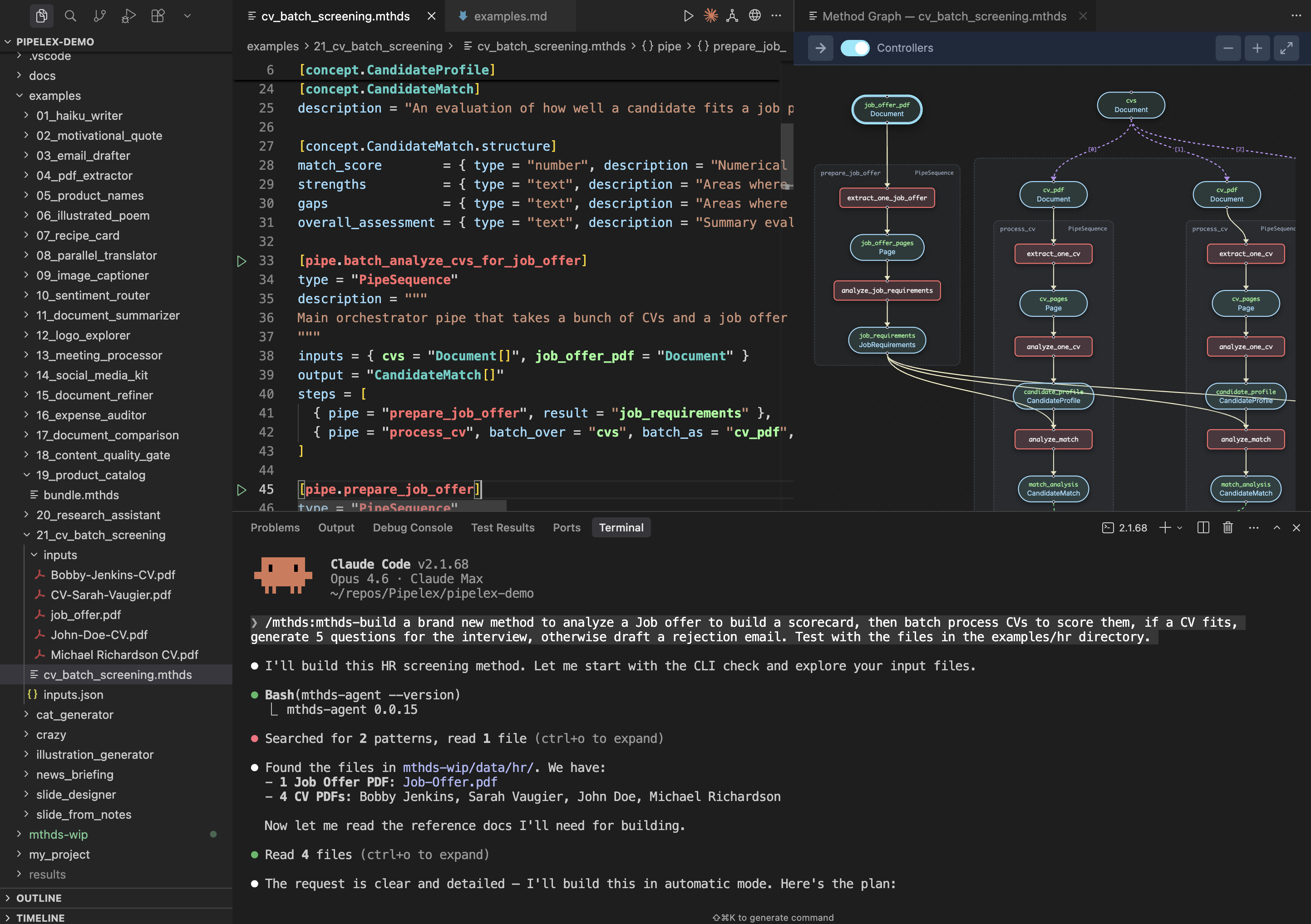diff --git a/docs/get-started/quick-start.md b/docs/get-started/quick-start.mdnew file mode 100644index 000000000..97da5a4bf--- /dev/null+++ b/docs/get-started/quick-start.md@@ -0,0 +1,186 @@+---+title: "Quick Start"+description: "Pipelex lets you build AI methods with your coding agent and run them anywhere — from your agent or your chatbot via MCP, as a webapp, or via API in any software."+---++<!--+Adapted from the onboarding source's front-door assembly, last re-read against the rendered file at+Pipelex/.github@81a3728 (onboarding/rendered/front-door.md). Every paragraph and every command is a+block's own words, so a change lands in the blocks first and is then carried here. Step 3 takes the+longer first-run/agent.md rather than the assembly's agent-short.md, and the webapp and API sections+take first-run/webapp.md, key.md, first-run/api-http.md, first-run/api-typescript.md and+first-run/api-python.md, where the assembly only links to them. This page's own are the headings, the+content tabs standing in for the assembly's <details> wrappers, the Node.js sentence in step 2 (the+blocks do not say it yet, and it goes once they do), the sentences pointing at other pages (the SDK references are the links-tail blocks), and the closing section, since the assembly's+last block describes the runtime repository that carries it. The Python sample's inputs dict is+wrapped by this repository's ruff format, which formats Python fences in Markdown; the code is the+block's.+-->++# Quick Start++Pipelex lets you build AI methods with your coding agent and run them anywhere — from your agent or your chatbot via MCP, as a webapp, or via API in any software.++## 1. Sign up++Sign up at [app.pipelex.com](https://app.pipelex.com).++## 2. Install the Pipelex plugin in your coding agent++The plugin is how you build methods: it gives your agent the skills that write and run them, a hook that checks every edit, and the Pipelex tools. The plugin's hook and the Pipelex tools run on Node.js, so you need Node.js on your `PATH`.++=== "Claude Code"++ ```bash+ claude plugin marketplace add Pipelex/pipelex-plugins+ claude plugin install pipelex@pipelex-plugins+ ```++ Claude Code asks for an API key when you enable the plugin, and stores it in your OS keychain — create one in your console at [app.pipelex.com](https://app.pipelex.com). The skills, the hook that checks every edit and the Pipelex tools load with it; nothing else to install.++ Claude Code also loads what you have added to your Claude account, so if the Pipelex MCP is there, turn it off in Claude Code with `/mcp`: an agent with the plugin never takes both, since they register the same tool names.++=== "Codex"++ ```bash+ codex plugin marketplace add Pipelex/pipelex-plugins+ export PIPELEX_API_KEY=plx_sk_... # create one in your console at app.pipelex.com+ ```++ Restart Codex, run `/plugins` to install `pipelex`, and trust the plugin hook on first run. Requires Codex 0.141 or later.++What the plugin holds, skill by skill, is on the [Pipelex Plugin](../features/pipelex-plugin.md) page.++## 3. Ask your agent for the method you want++> Design a method that reads an invoice PDF and returns the supplier, the total and the line items. Then run it on `~/Downloads/invoice.pdf` and save it to my Pipelex account.++`/pipelex-design` writes the method, the hook checks it on every edit, `/pipelex-inputs` gets your file ready, and `/pipelex-run` starts it and prints a run id. Come back to that id for the status, the results or the files it produced, days later if you want. `/pipelex-catalog` saves the method to your account, where your chatbot can run it too.++## Run your methods from your chatbot++The Pipelex MCP is a connector for your chatbot (ChatGPT, Claude): it gives it access to the Pipelex service, so it can list the methods saved in your account and run them right in the conversation. Your methods become your chatbot's tools. To build a method, use the Pipelex plugin in a coding agent such as Claude Code or Codex, as in steps 2 and 3 above.++Add the Pipelex MCP in your chatbot's settings by the address below — in Claude, that is **Add custom connector** — then sign in with your Pipelex account when asked. Nothing to install and no key: the Pipelex MCP runs on your signed-in session.++```+https://mcp.pipelex.com/mcp+```++Then ask your chatbot:++> What methods do I have?+>+> Run the invoice method on https://example.com/invoice.pdf++You get a run id straight away, and you can ask for its status, its results or the files it produced at any time.++Give the file as a URL the Pipelex MCP can reach. In ChatGPT you can attach it to the conversation instead and ask for a run on it; Claude has no way yet to hand the Pipelex MCP a file you attached.++## The other two ways++### As a webapp++Turn the method into a webapp with the [method-app template](https://github.com/Pipelex/pipelex-method-apps):++```bash+src=$(mktemp -d)+git clone --depth 1 https://github.com/Pipelex/pipelex-method-apps.git "$src"+mkdir -p my-app && cp -R "$src/webapp-js/." my-app/+cd my-app && git init++export PIPELEX_API_KEY=plx_sk_...+make create METHOD=path/to/my_method.mthds+make dev+```++The app calls Pipelex from its own server code, so it needs a key of its own — create one in your console at [app.pipelex.com](https://app.pipelex.com). `METHOD` is a `.mthds` file, a directory of them, a method id from your catalog (`mt_…`), or a published address. The form and the result view are rendered from the method's own contract, so adding a method writes no form fields.++### Via API++Use the method via API in any software through `POST /v1/start` — in TypeScript with [`@pipelex/sdk`](https://www.npmjs.com/package/@pipelex/sdk), in Python with [`pipelex-sdk`](https://pypi.org/project/pipelex-sdk/), or with any HTTP client.++Create an API key in your console at [app.pipelex.com](https://app.pipelex.com) and give it to your program as `PIPELEX_API_KEY` — the only thing to configure, since `PIPELEX_BASE_URL` already points at the hosted API.++```bash+export PIPELEX_API_KEY=plx_sk_...+```++=== "HTTP"++ ```bash+ curl -s https://api.pipelex.com/v1/start \+ -H "Authorization: Bearer $PIPELEX_API_KEY" \+ -H "Content-Type: application/json" \+ -d '{+ "method_ref": "github.com/Pipelex/methods/[email protected]",+ "inputs": {"document": {"url": "https://raw.githubusercontent.com/Pipelex/pipelex-cookbook/main/assets/extract_proof_of_purchase/restaurant_invoice.pdf", "mime_type": "application/pdf"}}+ }'+ # 202 → {"pipeline_run_id": "..."}++ RUN_ID=... # the pipeline_run_id the start returned+ curl -s https://api.pipelex.com/v1/runs/$RUN_ID/results \+ -H "Authorization: Bearer $PIPELEX_API_KEY"+ ```++ The start returns immediately and the run is durable — poll the results route, or fetch them hours later by the same id.++=== "TypeScript"++ ```bash+ npm install @pipelex/sdk+ ```++ ```ts+ import { PipelexApiClient } from "@pipelex/sdk";++ const client = new PipelexApiClient({ apiKey: process.env.PIPELEX_API_KEY });++ const result = await client.startAndWaitForResult({+ method_ref: "github.com/Pipelex/methods/[email protected]",+ inputs: {+ document: { url: "https://raw.githubusercontent.com/Pipelex/pipelex-cookbook/main/assets/extract_proof_of_purchase/restaurant_invoice.pdf", mime_type: "application/pdf" },+ },+ });++ console.log(result.main_stuff);+ ```++ More in the [`@pipelex/sdk` reference](https://github.com/Pipelex/pipelex-sdk-js/tree/main/docs).++=== "Python"++ ```bash+ pip install pipelex-sdk+ ```++ ```python+ import asyncio++ from pipelex_sdk.client import PipelexAPIClient+++ async def main() -> None:+ async with PipelexAPIClient() as client:+ result = await client.start_and_wait(+ method_ref="github.com/Pipelex/methods/[email protected]",+ inputs={+ "document": {+ "url": "https://raw.githubusercontent.com/Pipelex/pipelex-cookbook/main/assets/extract_proof_of_purchase/restaurant_invoice.pdf",+ "mime_type": "application/pdf",+ }+ },+ )+ print(result.main_stuff)+++ asyncio.run(main())+ ```++ More in the [`pipelex-sdk` reference](https://github.com/Pipelex/pipelex-sdk-python/tree/main/docs).++**Next:** [what Pipelex is](https://go.pipelex.com/product) · [documentation](https://go.pipelex.com/docs) · [your console](https://app.pipelex.com) · [Discord](https://go.pipelex.com/discord)++## Prefer to run it yourself?++The Pipelex runtime runs your methods on your own machine, against the model providers you choose. [Run It Yourself](./run-it-yourself.md) installs it, and [The MTHDS Language Tutorial](./mthds-language-tutorial.md) walks through writing a method by hand.diff --git a/docs/get-started/run-it-yourself.md b/docs/get-started/run-it-yourself.mdnew file mode 100644index 000000000..c43a6d802--- /dev/null+++ b/docs/get-started/run-it-yourself.md@@ -0,0 +1,84 @@+---+title: "Run It Yourself"+description: "Install the Pipelex runtime and run MTHDS methods on your own machine, against the model providers you choose."+---++# Run It Yourself++The Pipelex runtime is the Python package that reads a `.mthds` file and runs it. Install it and everything happens on your own machine, against the model providers you choose. If you would rather not run anything yourself, the [Quick Start](./quick-start.md) builds methods with your coding agent and runs them on the hosted API.++## Install++```bash+uv tool install pipelex+pipelex init+pipelex doctor+```++`pipelex init` writes your `~/.pipelex` configuration and offers to install the editor extension; `pipelex doctor` reports what is configured and what is missing.++Some providers and features need an extra:++- `anthropic`: Anthropic/Claude support for text generation+- `google`: Google models (Vertex) support for text generation+- `google-genai`: Google Gemini API support for text and image generation+- `mistralai`: Mistral AI support for text generation and OCR+- `bedrock`: Amazon Bedrock support for text generation+- `fal`: Image generation through fal+- `linkup`: Web search with Linkup+- `docling`: OCR with Docling++Name the ones you need when you install, or take them all:++```bash+uv tool install "pipelex[anthropic,google,google-genai,mistralai,bedrock,fal,linkup,docling]"+```++## Configure AI access++- **Bring Your Own Keys** — Use existing API keys from OpenAI, Anthropic, Google, Mistral, etc. See [Configure AI Providers](./configure-ai-providers.md).+- **Local AI** — Ollama, vLLM, LM Studio, or llama.cpp — no API keys required. See [Configure AI Providers](./configure-ai-providers.md).++## Run a method++Save this method as `summarize.mthds`:++```toml+domain = "articles"+main_pipe = "summarize_article"++[pipe.summarize_article]+type = "PipeLLM"+description = "Summarize an article for a given audience"+inputs = { article = "Text", audience = "Text" }+output = "Text"+prompt = "Summarize $article in three bullet points for $audience."+```++Save its inputs as `inputs.json`:++```json+{+ "article": "Paste the text of an article here.",+ "audience": "busy executives"+}+```++The method names no model, so it runs on the deck's `default-general` alias, which `pipelex init` points at an OpenAI model. With a provider other than OpenAI or Azure OpenAI, point that alias at one of your provider's models first, by adding it to `~/.pipelex/inference/deck/x_custom_llm_deck.toml` — the models each provider serves are listed under `~/.pipelex/inference/backends/`:++```toml+[llm.aliases]+default-general = "claude-5-sonnet" # an Anthropic model, for example+```++Then run it:++```bash+pipelex run bundle summarize.mthds --inputs inputs.json+```++The result is written under `results/`. From here, [The MTHDS Language Tutorial](./mthds-language-tutorial.md) builds a method step by step, and [CV batch screening](../cookbook/cv-batch-screening.md) runs a method with several steps, typed concepts and a batch, from the CLI and from Python.++## Editor extension++`.mthds` syntax highlighting and flowchart visualization: the [VS Code Marketplace](https://marketplace.visualstudio.com/items?itemName=pipelex.pipelex), or the [Open VSX Registry](https://open-vsx.org/extension/Pipelex/pipelex) for Cursor, Windsurf and other VS Code forks. `pipelex init` offers to install it when it detects your IDE.diff --git a/docs/index.md b/docs/index.mdindex d26781c77..fc4ac61ee 100644--- a/docs/index.md+++ b/docs/index.md@@ -1,16 +1,18 @@---title: "Build & Run AI Methods"-description: "Methods are reusable, typed AI procedures written in MTHDS and executed by Pipelex. Build repeatable AI know-how with structured concepts, focused pipes, and 60+ models."+description: "Pipelex lets you build AI methods with your coding agent and run them anywhere — from your agent or your chatbot via MCP, as a webapp, or via API in any software."---# Build & Run AI Methods+Pipelex lets you build AI methods with your coding agent and run them anywhere — from your agent or your chatbot via MCP, as a webapp, or via API in any software.+A method is a reusable, typed AI procedure — declared in a `.mthds` file and executed by Pipelex. Each step is explicit, each output is structured, and every run is repeatable.-[:material-robot-outline: Claude Code](./get-started/build-with-claude-code.md){ .md-button .md-button--primary }-[:material-school: MTHDS Tutorial](./get-started/mthds-language-tutorial.md){ .md-button }+[:material-rocket-launch: Quick Start](./get-started/quick-start.md){ .md-button .md-button--primary }+[:material-account-plus: Sign up at app.pipelex.com](https://app.pipelex.com){ .md-button }[:material-book-open-variant: Cookbook](./cookbook/index.md){ .md-button }---@@ -87,15 +89,19 @@ From here, Pipelex handles model routing across 60+ models, structured output pa----## The MTHDS Ecosystem+## The EcosystemMTHDS is the open standard behind Pipelex methods. It defines the language, the file format, and the ecosystem for sharing methods.-!!! info "Explore the ecosystem"+!!! info "Explore the MTHDS ecosystem"- **[mthds.ai](https://mthds.ai/latest/)** — The MTHDS language specification- **[mthds.sh](https://mthds.sh)** — The Methods Hub for discovering and sharing methods- - **[MTHDS Plugins](https://github.com/mthds-ai/mthds-plugins)** — Claude Code plugin for building, running, and validating methods++!!! info "Build and run methods with Pipelex"++ - **[Pipelex plugin](./features/pipelex-plugin.md)** — The Pipelex plugin for Claude Code and Codex: skills that build and run methods, a hook that checks every edit, and the Pipelex tools+ - **[Pipelex MCP](https://github.com/Pipelex/pipelex-mcp)** — The Pipelex MCP, which ChatGPT or Claude adds to run the methods saved in your account---@@ -103,9 +109,13 @@ MTHDS is the open standard behind Pipelex methods. It defines the language, the<div class="grid cards" markdown>-- :material-robot-outline: **[Build with Claude Code](./get-started/build-with-claude-code.md)**+- :material-rocket-launch: **[Quick Start](./get-started/quick-start.md)**++ Sign up, install the Pipelex plugin in Claude Code or Codex, and ask your agent for the method you want — then run it from your chatbot, as a webapp, or via API.++- :material-laptop: **[Run It Yourself](./get-started/run-it-yourself.md)**- Describe what you want in natural language — Claude writes, runs, and iterates on your method for you.+ Install the Pipelex runtime and run methods on your own machine, against the model providers you choose.- :material-school: **[MTHDS Language Tutorial](./get-started/mthds-language-tutorial.md)**diff --git a/docs/root-index.html b/docs/root-index.htmlindex 881af48ba..49af63840 100644--- a/docs/root-index.html+++ b/docs/root-index.html@@ -5,9 +5,9 @@<meta http-equiv="refresh" content="0;url=/latest/"><link rel="canonical" href="https://__SITE_DOMAIN__/latest/"><title>Pipelex — Build & Run AI Methods</title>-<meta name="description" content="Pipelex is a source-available library and CLI for building and running executable AI methods. Methods are reusable, typed AI procedures declared in MTHDS and executed across 60+ models.">+<meta name="description" content="Pipelex lets you build AI methods with your coding agent and run them anywhere — from your agent or your chatbot via MCP, as a webapp, or via API in any software."><meta property="og:title" content="Pipelex — Build & Run AI Methods">-<meta property="og:description" content="Pipelex is a source-available library and CLI for building and running executable AI methods. Methods are reusable, typed AI procedures declared in MTHDS and executed across 60+ models.">+<meta property="og:description" content="Pipelex lets you build AI methods with your coding agent and run them anywhere — from your agent or your chatbot via MCP, as a webapp, or via API in any software."><meta property="og:url" content="https://__SITE_DOMAIN__/latest/"><meta property="og:type" content="website"><style>@@ -29,6 +29,7 @@</head><body><h1>Pipelex: Build & Run AI Methods</h1>+<p>Pipelex lets you build AI methods with your coding agent and run them anywhere — from your agent or your chatbot via MCP, as a webapp, or via API in any software.</p><p>A method is a reusable, typed AI procedure declared in a .mthds file and executed by Pipelex. Each step is explicit, each output is structured, and every run is repeatable.</p><h2>What a Method Looks Like</h2><pre><code>[pipe.summarize_article]@@ -56,7 +57,8 @@ prompt = "Summarize $article in three bullet points for $audience."</ul><h2>Get Started</h2><ul>-<li><a href="/latest/get-started/build-with-claude-code/">Build with Claude Code</a> — Describe what you want in natural language.</li>+<li><a href="/latest/get-started/quick-start/">Quick Start</a> — Sign up at <a href="https://app.pipelex.com">app.pipelex.com</a>, install the Pipelex plugin in Claude Code or Codex, and ask your agent for the method you want.</li>+<li><a href="/latest/get-started/run-it-yourself/">Run It Yourself</a> — Install the Pipelex runtime and run methods on your own machine.</li><li><a href="/latest/get-started/mthds-language-tutorial/">MTHDS Language Tutorial</a> — Learn concepts, pipes, sequences, and structured outputs.</li><li><a href="/latest/cookbook/">Cookbook Examples</a> — From Hello World to document extraction and image generation.</li></ul>diff --git a/mkdocs.yml b/mkdocs.ymlindex d6fbd556e..d7a2131be 100644--- a/mkdocs.yml+++ b/mkdocs.yml@@ -4,7 +4,7 @@ site_name: Pipelex Documentation# already contains /latest/, mike produces broken double paths like /latest/0.20.9/page/.# Canonical URLs are forced to /latest/ via a template override in docs/overrides/main.html.site_url: https://docs.pipelex.com/-site_description: "Official documentation for Pipelex, a source-available library/CLI for building and running executable AI methods."+site_description: "The Pipelex documentation. Pipelex lets you build AI methods with your coding agent and run them anywhere — from your agent or your chatbot via MCP, as a webapp, or via API in any software."docs_dir: docsrepo_url: "https://github.com/Pipelex/pipelex"repo_name: "Pipelex on GitHub"@@ -69,7 +69,8 @@ plugins:'distributed-execution/observability.md': 'distributed-execution/index.md''under-the-hood/temporal-integration.md': 'under-the-hood/runtime-bridge-and-transport.md''home/1-features/advanced-customizations.md': 'features/advanced-customizations.md'- 'home/1-features/claude-code-skills-plugin.md': 'features/claude-code-skills-plugin.md'+ 'home/1-features/claude-code-skills-plugin.md': 'features/pipelex-plugin.md'+ 'features/claude-code-skills-plugin.md': 'features/pipelex-plugin.md''home/1-features/cli.md': 'features/cli.md''home/1-features/cloud-storage.md': 'features/cloud-storage.md''home/1-features/concepts.md': 'features/concepts.md'@@ -112,11 +113,12 @@ plugins:'home/4-cookbook-examples/write-tweet.md': 'cookbook/write-tweet.md''home/5-setup/configure-ai-providers.md': 'get-started/configure-ai-providers.md''home/5-setup/gateway-models.md': 'setup/gateway-models.md'- 'home/5-setup/index.md': 'get-started/build-with-claude-code.md'- 'home/5-setup/project-organization.md': 'get-started/build-with-claude-code.md'+ 'home/5-setup/index.md': 'get-started/quick-start.md'+ 'home/5-setup/project-organization.md': 'get-started/quick-start.md''home/5-setup/telemetry.md': 'setup/telemetry.md'- 'setup/index.md': 'get-started/build-with-claude-code.md'- 'setup/project-organization.md': 'get-started/build-with-claude-code.md'+ 'setup/index.md': 'get-started/quick-start.md'+ 'setup/project-organization.md': 'get-started/quick-start.md'+ 'get-started/build-with-claude-code.md': 'get-started/quick-start.md''setup/configure-ai-providers.md': 'get-started/configure-ai-providers.md''home/6-build-reliable-ai-workflows/adapt-to-llm-prompting-style-openai-anthropic-mistral.md': 'building-methods/templating-style.md''building-methods/adapt-to-llm-prompting-style-openai-anthropic-mistral.md': 'building-methods/templating-style.md'@@ -194,7 +196,8 @@ plugins:sections:Get Started:- index.md: "Build & Run AI Methods (landing page)"- - get-started/build-with-claude-code.md: "Build with Claude Code"+ - get-started/quick-start.md: "Quick Start"+ - get-started/run-it-yourself.md: "Run It Yourself"- get-started/mthds-language-tutorial.md: "The MTHDS Language Tutorial"- get-started/configure-ai-providers.md: "Configure AI Providers"Cookbook Examples:@@ -228,7 +231,7 @@ plugins:- features/document-extraction.md: "Document Extraction"- features/image-generation.md: "Image Generation"- features/web-search.md: "Web Search"- - features/claude-code-skills-plugin.md: "Claude Code Skills Plugin"+ - features/pipelex-plugin.md: "Pipelex Plugin"- features/cli.md: "CLI"- features/plxt.md: "plxt Formatter & Linter"- features/execution-graph.md: "Execution Graph Visualization"@@ -369,6 +372,8 @@ markdown_extensions:- name: mermaidclass: mermaidformat: !!python/name:pymdownx.superfences.fence_code_format+ - pymdownx.tabbed:+ alternate_style: true- pymdownx.snippets:base_path: .check_paths: true@@ -406,7 +411,8 @@ not_in_nav: |nav:- Get Started:- Build & Run AI Methods: index.md- - Build with Claude Code: get-started/build-with-claude-code.md+ - Quick Start: get-started/quick-start.md+ - Run It Yourself: get-started/run-it-yourself.md- The MTHDS Language Tutorial: get-started/mthds-language-tutorial.md- Configure AI Providers: get-started/configure-ai-providers.md- Cookbook Examples:@@ -454,7 +460,7 @@ nav:- Image Generation: features/image-generation.md- Web Search: features/web-search.md- Developer Tools:- - Claude Code Skills Plugin: features/claude-code-skills-plugin.md+ - Pipelex Plugin: features/pipelex-plugin.md- CLI: features/cli.md- plxt Formatter & Linter: features/plxt.md- Execution Graph Visualization: features/execution-graph.md