
Playwright is a framework for Web Testing and Automation. It allows testing Chromium, Firefox and WebKit with a single API.
TypeScript automationchromechromiume2e-testingelectronend-to-end-testingfirefoxjavascriptplaywrighttesttest-automationtestingtesting-toolswebwebkit
docs: update intro for js (#26959)
Debbie O'Brien4d488b464ac2
diff --git a/docs/src/intro-js.md b/docs/src/intro-js.mdindex 30dbfb8abf..3c29376060 100644--- a/docs/src/intro-js.md+++ b/docs/src/intro-js.md@@ -3,6 +3,8 @@ id: introtitle: "Installation"---+## Introduction+Playwright Test was created specifically to accommodate the needs of end-to-end testing. Playwright supports all modern rendering engines including Chromium, WebKit, and Firefox. Test on Windows, Linux, and macOS, locally or on CI, headless or headed with native mobile emulation of Google Chrome for Android and Mobile Safari.**You will learn**@@ -57,7 +59,6 @@ Run the install command and select the following to get started:- Add a GitHub Actions workflow to easily run tests on CI- Install Playwright browsers (default is true)-## What's InstalledPlaywright will download the browsers needed as well as create the following files.@@ -84,13 +85,18 @@ By default tests will be run on all 3 browsers, chromium, firefox and webkit usinpx playwright test```+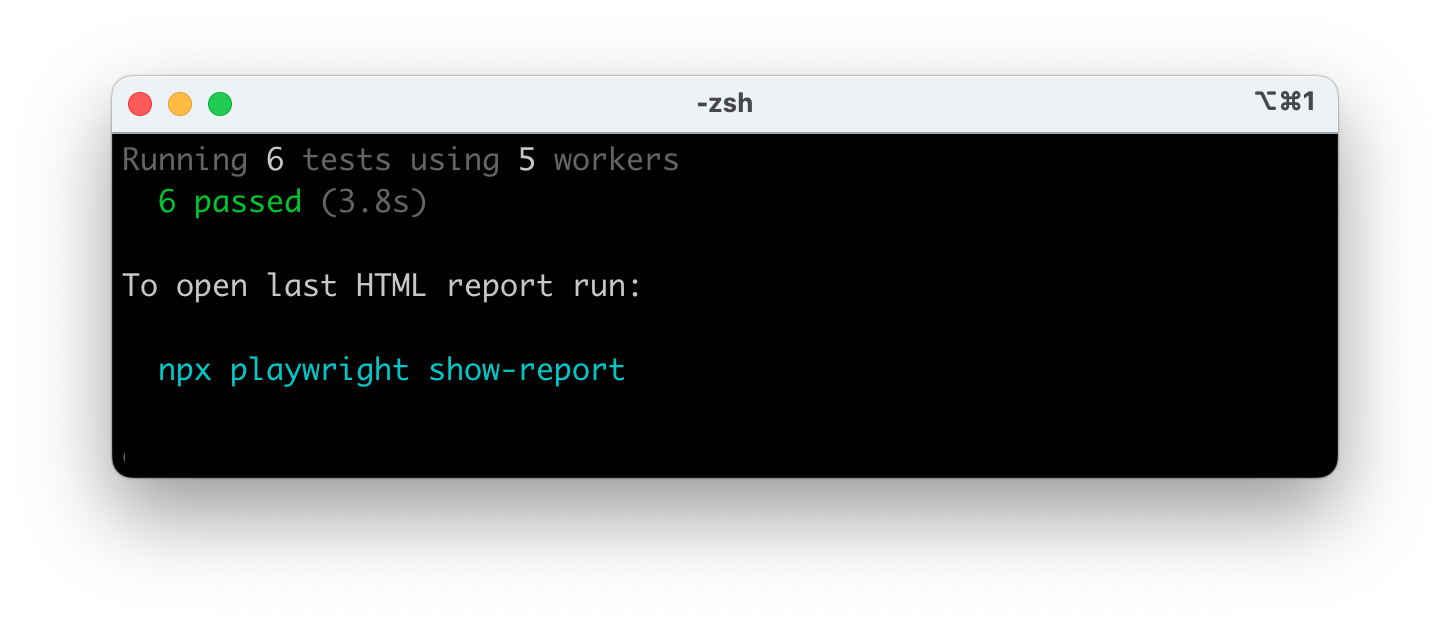See our doc on [Running Tests](./running-tests.md) to learn more about running tests in headed mode, running multiple tests, running specific tests etc.+## Running the Example Test in UI ModeRun your tests with [UI Mode](./test-ui-mode.md) for a better developer experience with time travel debugging, watch mode and more.```bashnpx playwright test --ui```+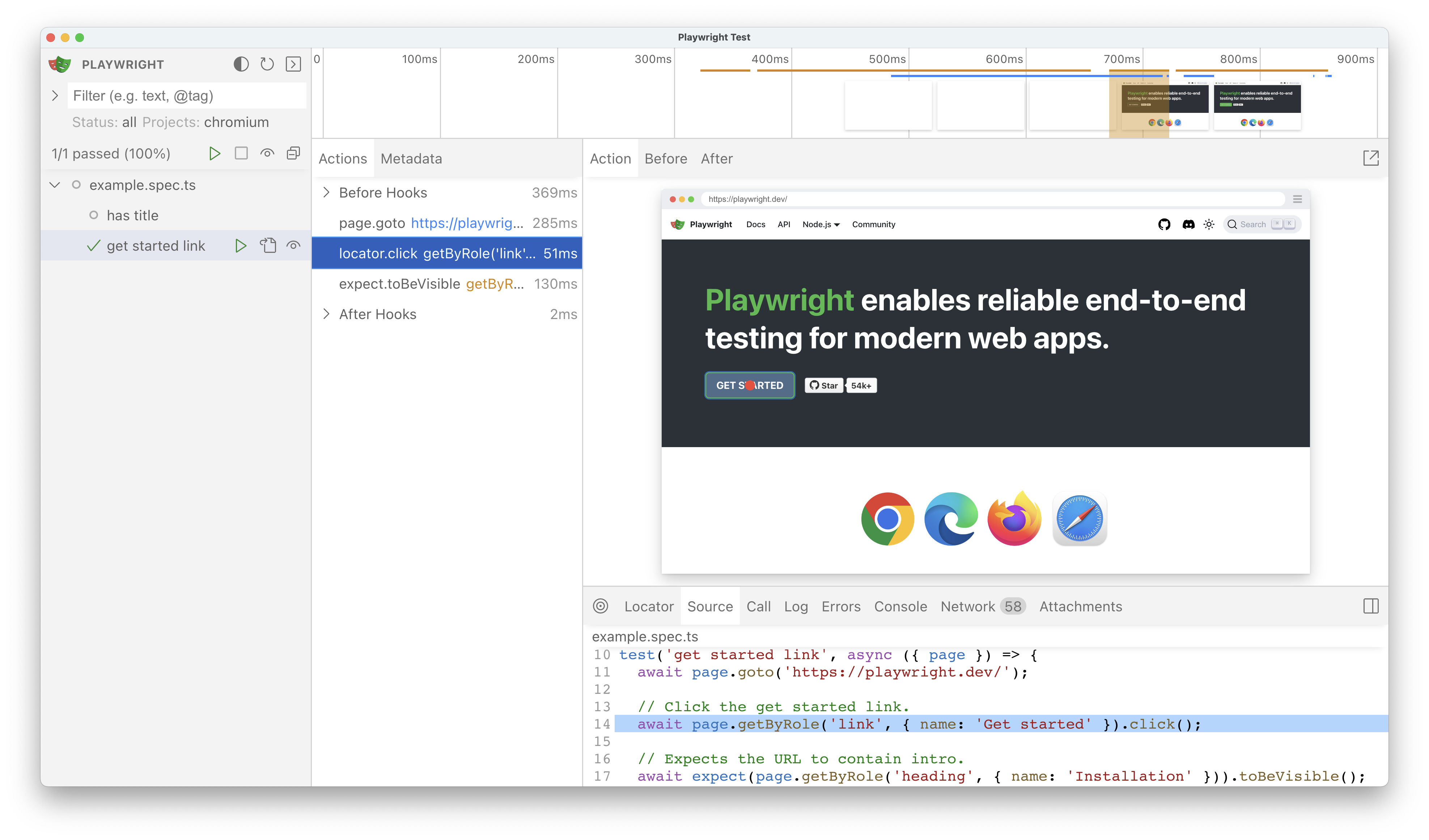++Check out or [detailed guide on UI Mode](./test-ui-mode.md) to learn more about it's features.## HTML Test Reports@@ -100,7 +106,20 @@ Once your test has finished running a [HTML Reporter](./test-reporters.md#html-rnpx playwright show-report```-<img width="1392" alt="HTML Reporter" src="https://user-images.githubusercontent.com/13063165/212743312-edf1e8ed-3fc2-48aa-9c93-24ae3e36504d.png" />+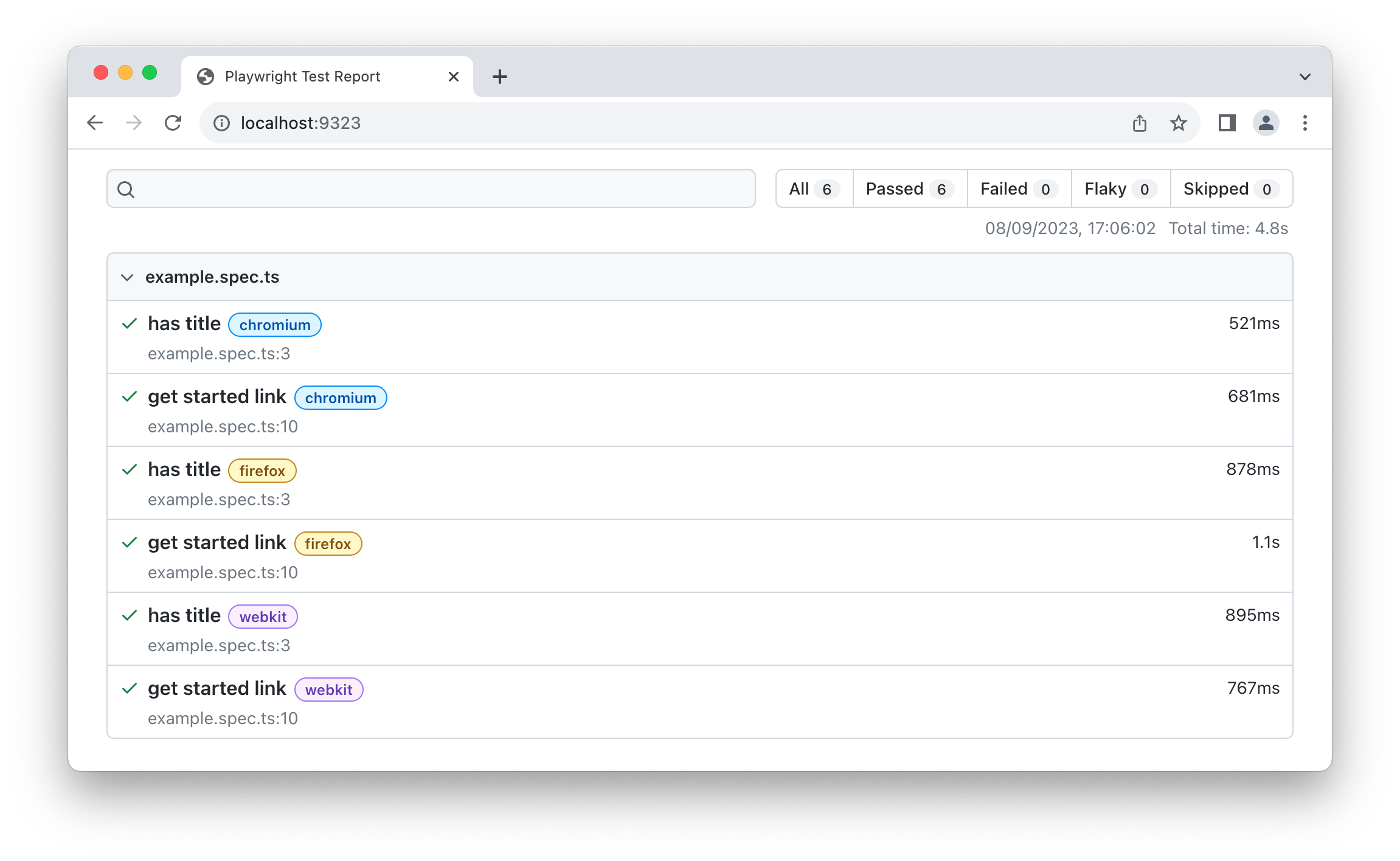++## Updating Playwright++To update Playwright to the latest version run the following command:++```bash+npm install -D @playwright/test@latest+```+You can always check which version of Playwright you have by running the following command:++```bash+npx playwright --version+```## System requirements