
Playwright is a framework for Web Testing and Automation. It allows testing Chromium, Firefox and WebKit with a single API.
TypeScript automationchromechromiume2e-testingelectronend-to-end-testingfirefoxjavascriptplaywrighttesttest-automationtestingtesting-toolswebwebkit
docs(intro): adds all three package manager commands (#30884)
Atmaram Naik7fd3539ebd13
diff --git a/docs/src/intro-js.md b/docs/src/intro-js.mdindex d6ac4a3e10..c742ce6fa8 100644--- a/docs/src/intro-js.md+++ b/docs/src/intro-js.md@@ -50,6 +50,7 @@ pnpm create playwright```</TabItem>+</Tabs>@@ -81,10 +82,40 @@ The `tests` folder contains a basic example test to help you get started with teBy default tests will be run on all 3 browsers, chromium, firefox and webkit using 3 workers. This can be configured in the [playwright.config file](./test-configuration.md). Tests are run in headless mode meaning no browser will open up when running the tests. Results of the tests and test logs will be shown in the terminal.+<Tabs+ defaultValue="npm"+ values={[+ {label: 'npm', value: 'npm'},+ {label: 'yarn', value: 'yarn'},+ {label: 'pnpm', value: 'pnpm'}+ ]+}>+<TabItem value="npm">+```bashnpx playwright test```+</TabItem>++<TabItem value="yarn">++```bash+yarn playwright test+```++</TabItem>++<TabItem value="pnpm">++```bash+pnpm exec playwright test+```++</TabItem>++</Tabs>+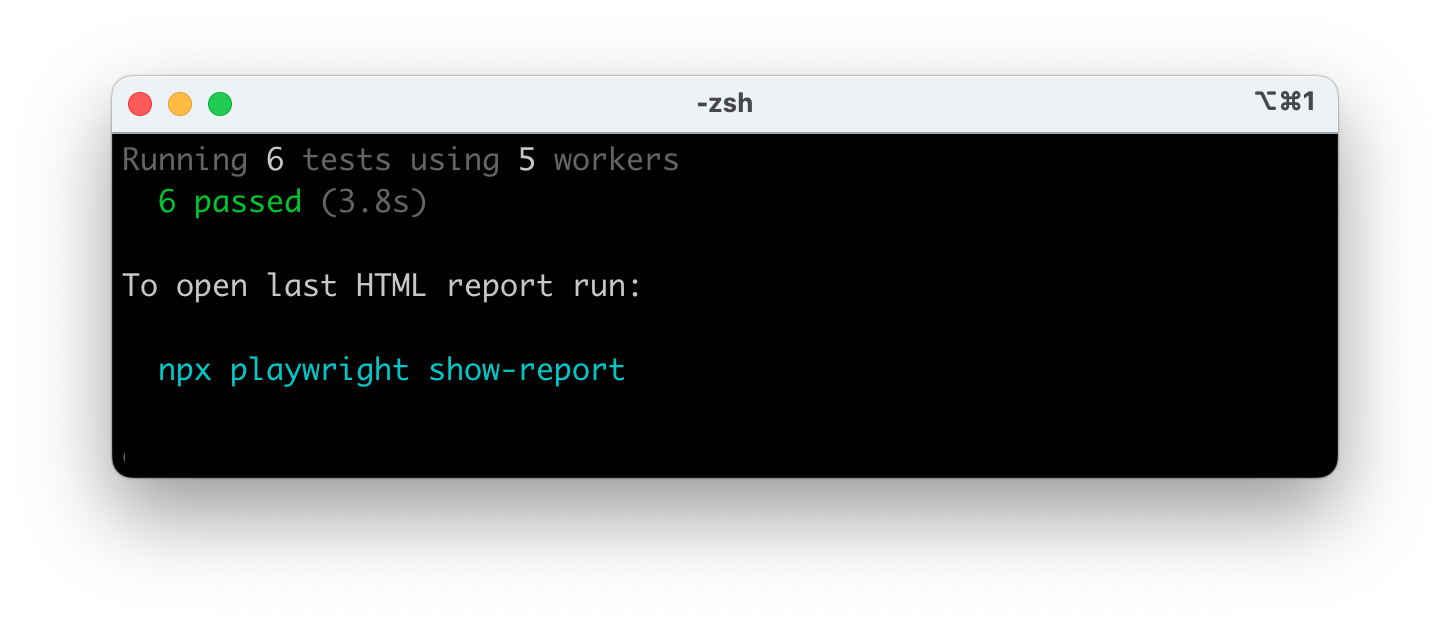See our doc on [Running Tests](./running-tests.md) to learn more about running tests in headed mode, running multiple tests, running specific tests etc.@@ -92,19 +123,81 @@ See our doc on [Running Tests](./running-tests.md) to learn more about running tAfter your test completes, an [HTML Reporter](./test-reporters.md#html-reporter) will be generated, which shows you a full report of your tests allowing you to filter the report by browsers, passed tests, failed tests, skipped tests and flaky tests. You can click on each test and explore the test's errors as well as each step of the test. By default, the HTML report is opened automatically if some of the tests failed.+<Tabs+ defaultValue="npm"+ values={[+ {label: 'npm', value: 'npm'},+ {label: 'yarn', value: 'yarn'},+ {label: 'pnpm', value: 'pnpm'}+ ]+}>+<TabItem value="npm">+```bashnpx playwright show-report```+</TabItem>++<TabItem value="yarn">++```bash+yarn playwright show-report+```++</TabItem>++<TabItem value="pnpm">++```bash+pnpm exec playwright show-report+```++</TabItem>++</Tabs>+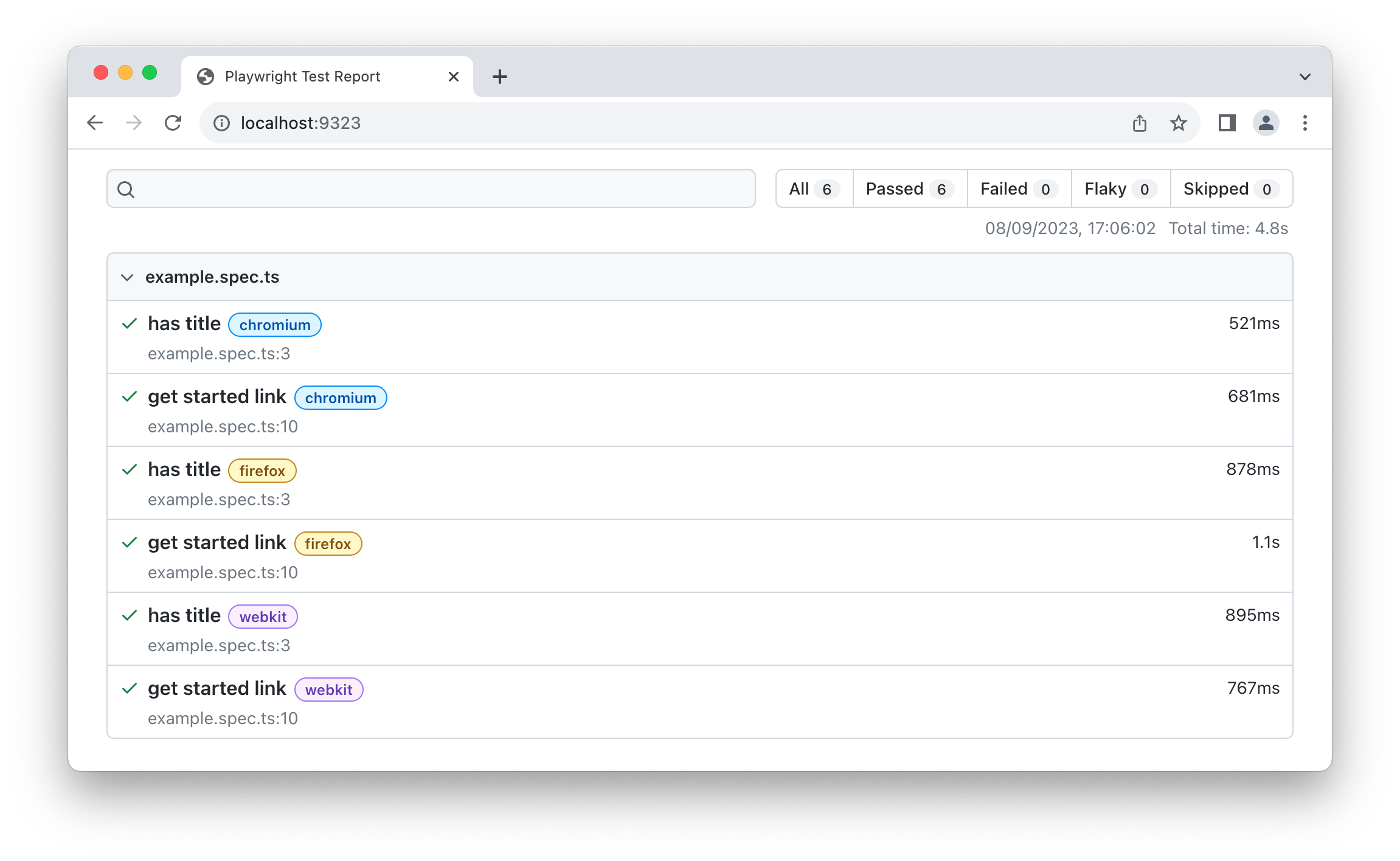## Running the Example Test in UI ModeRun your tests with [UI Mode](./test-ui-mode.md) for a better developer experience with time travel debugging, watch mode and more.+<Tabs+ defaultValue="npm"+ values={[+ {label: 'npm', value: 'npm'},+ {label: 'yarn', value: 'yarn'},+ {label: 'pnpm', value: 'pnpm'}+ ]+}>++<TabItem value="npm">+```bashnpx playwright test --ui```++</TabItem>++<TabItem value="yarn">++```bash+yarn playwright test --ui+```++</TabItem>++<TabItem value="pnpm">++```bash+pnpm exec playwright test --ui+```++</TabItem>++</Tabs>+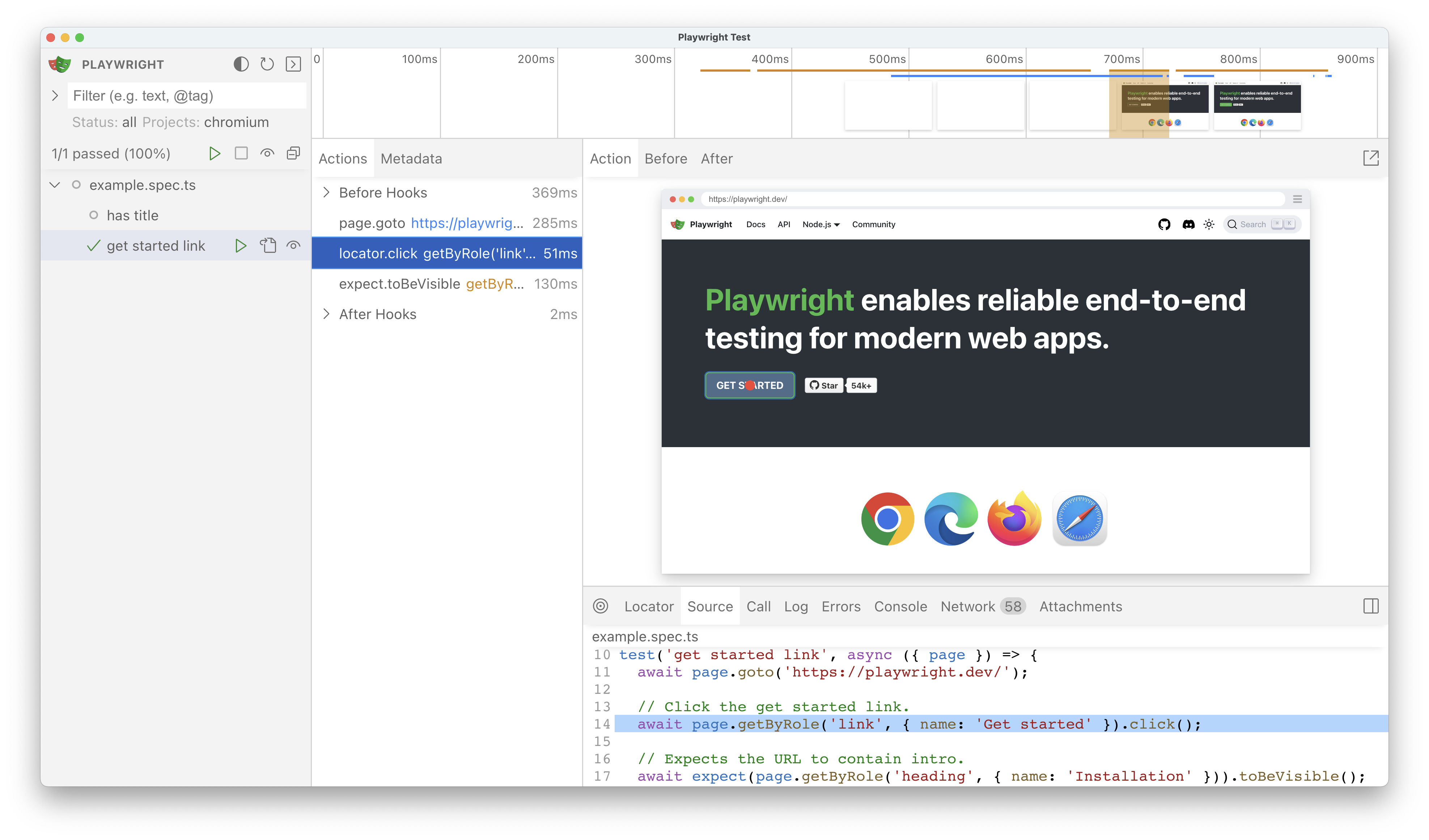Check out or [detailed guide on UI Mode](./test-ui-mode.md) to learn more about its features.@@ -113,17 +206,84 @@ Check out or [detailed guide on UI Mode](./test-ui-mode.md) to learn more aboutTo update Playwright to the latest version run the following command:+<Tabs+ defaultValue="npm"+ values={[+ {label: 'npm', value: 'npm'},+ {label: 'yarn', value: 'yarn'},+ {label: 'pnpm', value: 'pnpm'}+ ]+}>++<TabItem value="npm">+```bashnpm install -D @playwright/test@latest# Also download new browser binaries and their dependencies:npx playwright install --with-deps```++</TabItem>++<TabItem value="yarn">++```bash+yarn add --dev @playwright/test@latest+# Also download new browser binaries and their dependencies:+yarn playwright install --with-deps+```++</TabItem>++<TabItem value="pnpm">++```bash+pnpm install --save-dev @playwright/test@latest+# Also download new browser binaries and their dependencies:+pnpm exec playwright install --with-deps+```++</TabItem>++</Tabs>+You can always check which version of Playwright you have by running the following command:+<Tabs+ defaultValue="npm"+ values={[+ {label: 'npm', value: 'npm'},+ {label: 'yarn', value: 'yarn'},+ {label: 'pnpm', value: 'pnpm'}+ ]+}>++<TabItem value="npm">+```bashnpx playwright --version```+</TabItem>++<TabItem value="yarn">++```bash+yarn playwright --version+```++</TabItem>++<TabItem value="pnpm">++```bash+pnpm exec playwright --version+```++</TabItem>++</Tabs>+## System requirements- Node.js 18+