
Playwright is a framework for Web Testing and Automation. It allows testing Chromium, Firefox and WebKit with a single API.
TypeScript automationchromechromiume2e-testingelectronend-to-end-testingfirefoxjavascriptplaywrighttesttest-automationtestingtesting-toolswebwebkit
docs: add screenshot for attachments (#27076)
Debbie O'Brien993f952d6a0d
diff --git a/docs/src/test-ui-mode-js.md b/docs/src/test-ui-mode-js.mdindex a644911f4e..9e7f01ad4f 100644--- a/docs/src/test-ui-mode-js.md+++ b/docs/src/test-ui-mode-js.md@@ -101,7 +101,7 @@ The Network tab shows you all the network requests that were made during your teThe "Attachments" tab allows you to explore attachments. If you're doing [visual regression testing](./test-snapshots.md), you'll be able to compare screenshots by examining the image diff, the actual image and the expected image. When you click on the expected image you can use the slider to slide one image over the other so you can easily see the differences in your screenshots.-+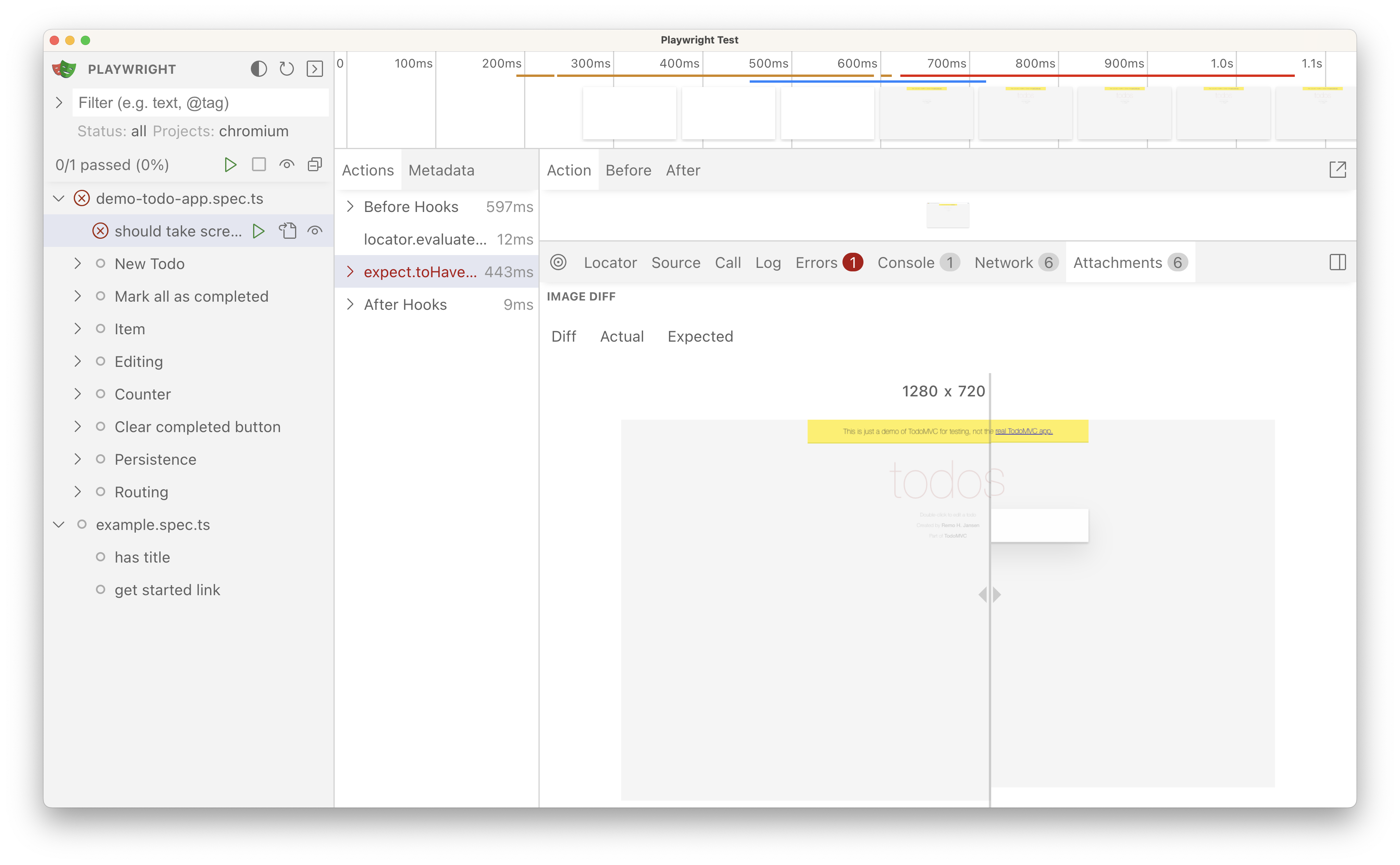### Metadata