
RAGFlow is an agent-native database: a Retrieval-Augmented Generation (RAG) engine that grew into context infrastructure.
sidebar_position: 5 title: Embed Workflows into Web Pages sidebar_label: Embed Workflows into Web Pages slug: /embed_into_web_pages sidebar_custom_props: { categoryIcon: RagAiAgent }
Embed Workflows into Web Pages
Embed a Workflow into a Webpage
Embed a Workflow Agent in a website as a fullscreen chat or floating widget.
Follow these steps to embed an Agent from a self-managed deployment. Obtain an API key under User settings > API before configuring the embed; see Acquire a RAGFlow API key.
Steps:
On the Agent page, click the target Agent to open its editing page.
Click Management > Embed into webpage in the upper right corner of the canvas to open the embedding settings.
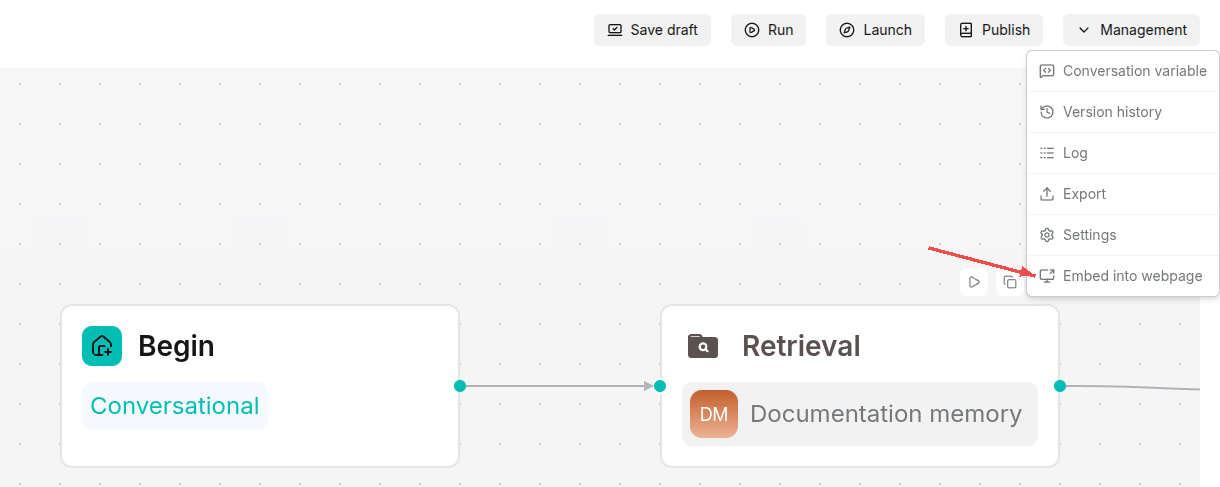
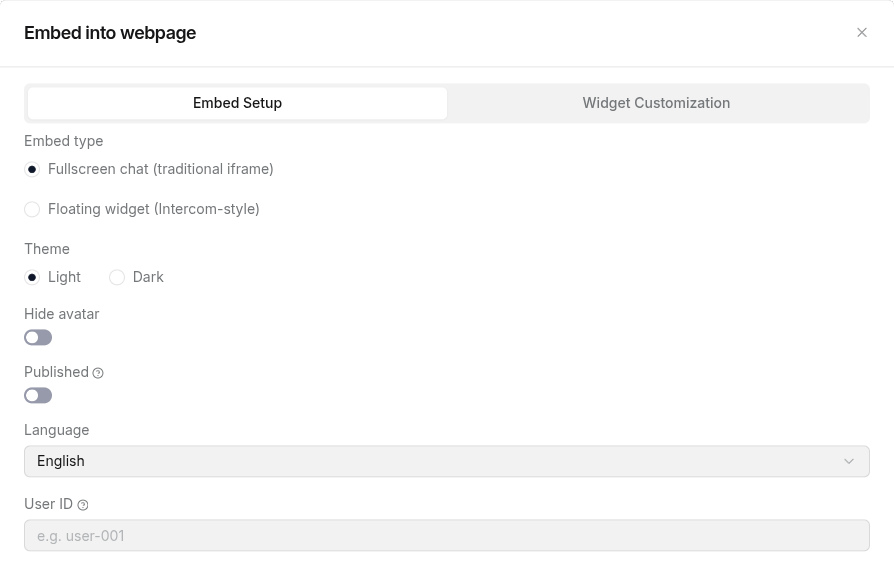
In Embed Setup, choose Fullscreen chat (traditional iframe) or Floating widget (Intercom-style).
Set Language, User ID, and display options as needed. Enable Published to use the published version of the Agent.
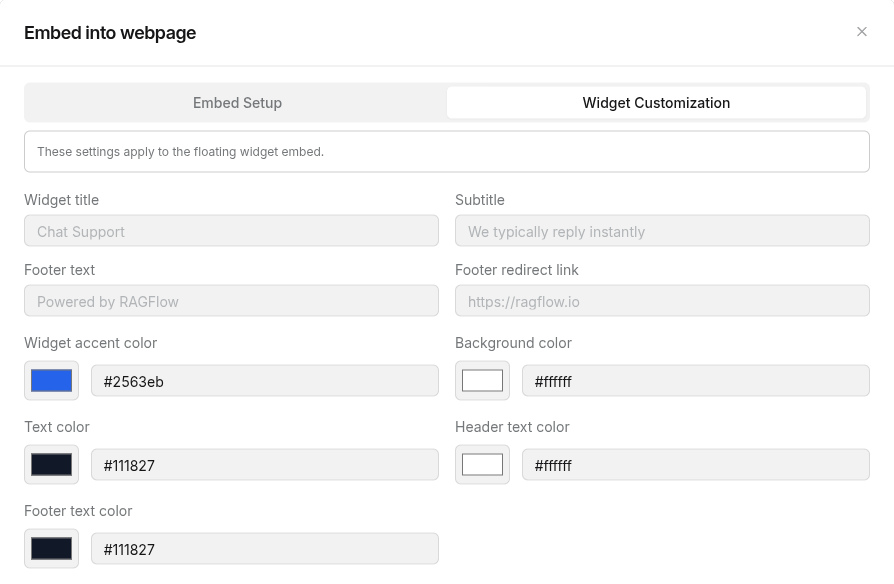
For a floating widget, use Widget Customization to adjust its title, text, and colors. Click Save widget settings to save the settings.
Copy Embed code into your webpage. Use Open in new tab to preview the result.