
RAGFlow is an agent-native database: a Retrieval-Augmented Generation (RAG) engine that grew into context infrastructure.
Go agent-harnessagent-native-databaseagentic-aiagentic-retrievalagentic-searchaiai-agentscontext-enginecontext-engineeringcontext-managementharness-engineeringknowledge-compilationragretrieval-augmented-generationretrieval-harnesssearch-harness
Docs: Added configure memory (#12665)
writinwaters067ddcbf23f0
diff --git a/docs/guides/memory/use_memory.md b/docs/guides/memory/use_memory.mdindex a1586d51da..3979ea5589 100644--- a/docs/guides/memory/use_memory.md+++ b/docs/guides/memory/use_memory.md@@ -23,6 +23,44 @@ When creating a Memory, users can precisely define which types of information to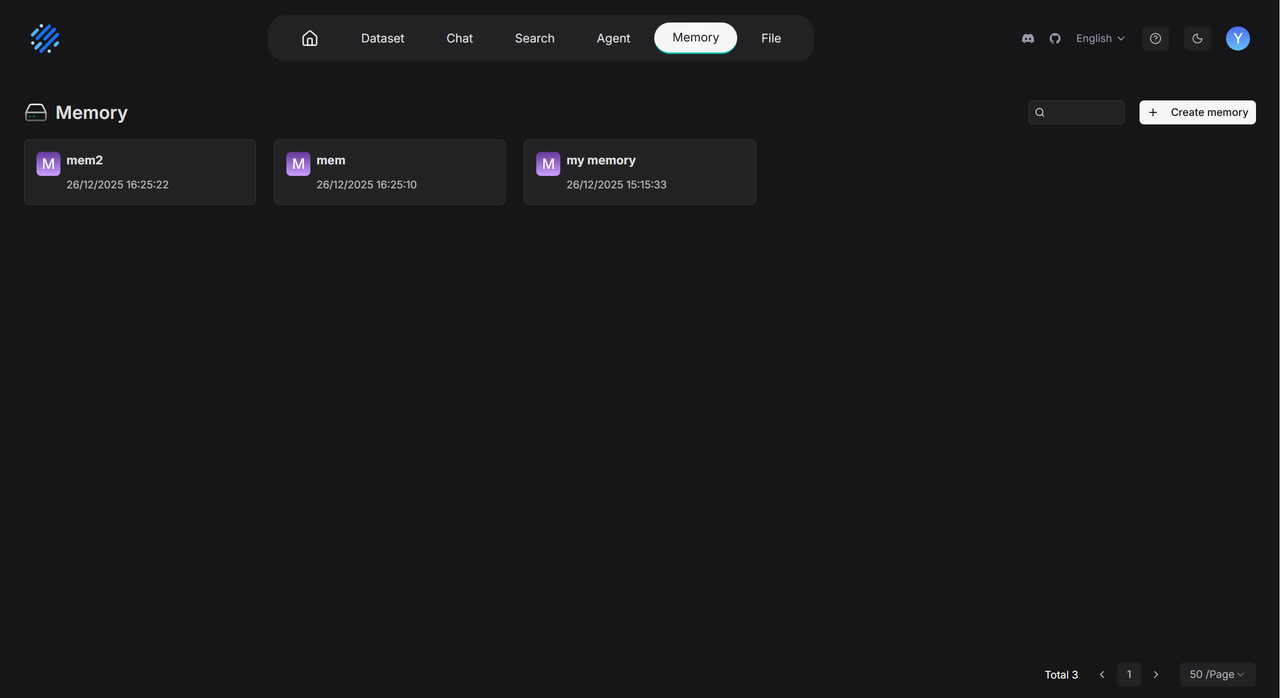+## Configure memory++On the **Memory** page, click the intended memory **>** **Configuration** to view and update its settings.++### Name++The unique name of the memory created.++### Embedding model++The embedding model for converting the memory into embeddings.++### LLM++The chat model for extracting knowledge from the memory.++### Memory type++What is stored in the memory:++`Raw`: The raw dialogue between the user and the Agent (Required by default).+`Semantic Memory`: General knowledge and facts about the user and world.+`Episodic Memory`: Time-stamped records of specific events and experiences.+`Procedural Memory`: Learned skills, habits, and automated procedures.++### Memory size++The default capacity allocated to the memory and the corresponding embeddings in bytes. Defaults to `5242880` (5MB).++:::tip NOTE+A 1KB message with a 1024-dimension embedding occupies approximately 9KB of memory (1KB + 1024 x 8Bytes = 9KB). With a default limit of 5 MB, the system can store roughly 500 such messages.+:::++### Permission++- **Only me**: Exclusive to the user.+- **Team**: Share this memory with the team members.+## Manage memory@@ -58,7 +96,12 @@ At the same time you have finished **Retrieval** component settings, select the### Can I share my memory?-Yes, you can. Your memory can be shared between Agents. If you wish to share your memory with your team members, please ensure you have configured its team permissions. See [Share memory](../team/share_memory.md) for details.+Yes, you can. Your memory can be shared between Agents. See these topics:++- [Create memory](#create-memory)+- [Enhance Agent context](#enhance-agent-context)++If you wish to share your memory with your team members, please ensure you have configured its team permissions. See [Share memory](../team/share_memory.md) for details.diff --git a/docs/guides/team/share_memory.md b/docs/guides/team/share_memory.mdindex 2c41db492e..fa7a1c51b0 100644--- a/docs/guides/team/share_memory.md+++ b/docs/guides/team/share_memory.md@@ -13,9 +13,8 @@ Share a memory with your team members.When ready, you may share your memory with your team members so that they can use it. Please note that your memories are not shared automatically; you must manually enable sharing by selecting the corresponding **Permissions** radio button:-1. Click the intended memory to open its editing canvas.+1. Navigate to the **Memory** page, find the intended memory, and click to open its editing canvas.2. Click **Configurations**.3. Change **Permissions** from **Only me** to **Team**.-4. Click **Save** to apply your changes.--*When completed, your team members will see your shared memories.*\ No newline at end of file+4. Click **Save** to apply your changes.+ *When completed, your team members will see your shared memories.*\ No newline at end of file