
RAGFlow is an agent-native database: a Retrieval-Augmented Generation (RAG) engine that grew into context infrastructure.
Go agent-harnessagent-native-databaseagentic-aiagentic-retrievalagentic-searchaiai-agentscontext-enginecontext-engineeringcontext-managementharness-engineeringknowledge-compilationragretrieval-augmented-generationretrieval-harnesssearch-harness
Fixed a docusaurus display issue (#1431)
writinwaters3413f43b47d4
diff --git a/docs/guides/deploy_local_llm.md b/docs/guides/deploy_local_llm.mdindex 8b184e3af2..1326125b3b 100644--- a/docs/guides/deploy_local_llm.md+++ b/docs/guides/deploy_local_llm.md@@ -236,32 +236,28 @@ You may launch the Ollama service as below:ollama serve```-> [!NOTE]+> Please set environment variable `OLLAMA_NUM_GPU` to `999` to make sure all layers of your model are running on Intel GPU, otherwise, some layers may run on CPU.-> [!TIP]+> If your local LLM is running on Intel Arc™ A-Series Graphics with Linux OS (Kernel 6.2), it is recommended to additionaly set the following environment variable for optimal performance before executing `ollama serve`:>> ```bash> export SYCL_PI_LEVEL_ZERO_USE_IMMEDIATE_COMMANDLISTS=1> ```-> [!NOTE]+> To allow the service to accept connections from all IP addresses, use `OLLAMA_HOST=0.0.0.0 ./ollama serve` instead of just `./ollama serve`.The console will display messages similar to the following:-<a href="https://llm-assets.readthedocs.io/en/latest/_images/ollama_serve.png" target="_blank">- <img src="https://llm-assets.readthedocs.io/en/latest/_images/ollama_serve.png" width=100%; />-</a>+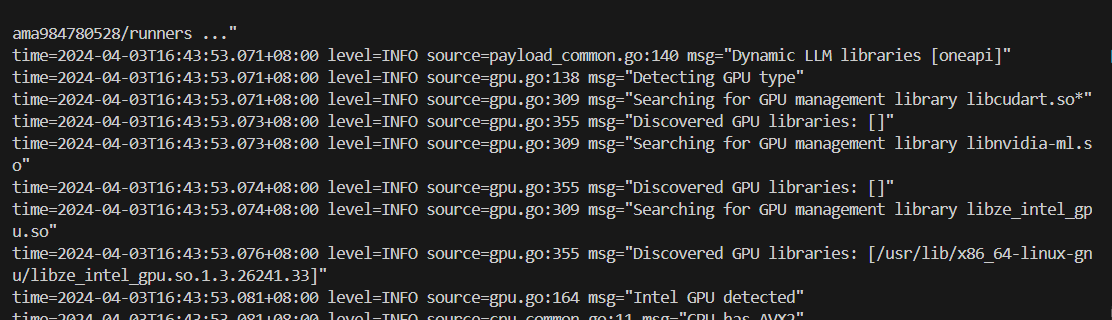### 3. Pull and Run Ollama ModelKeep the Ollama service on and open another terminal and run `./ollama pull <model_name>` in Linux (`ollama.exe pull <model_name>` in Windows) to automatically pull a model. e.g. `qwen2:latest`:-<a href="https://llm-assets.readthedocs.io/en/latest/_images/ollama_pull.png" target="_blank">- <img src="https://llm-assets.readthedocs.io/en/latest/_images/ollama_pull.png" width=100%; />-</a>+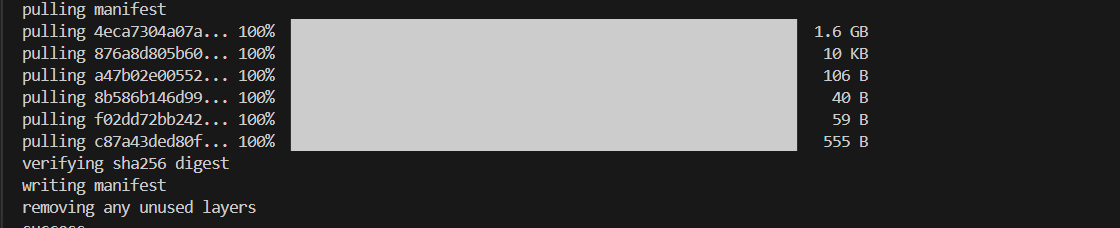#### Run Ollama Model