
RAGFlow is an agent-native database: a Retrieval-Augmented Generation (RAG) engine that grew into context infrastructure.
Go agent-harnessagent-native-databaseagentic-aiagentic-retrievalagentic-searchaiai-agentscontext-enginecontext-engineeringcontext-managementharness-engineeringknowledge-compilationragretrieval-augmented-generationretrieval-harnesssearch-harness
Update README (#3092)
Jin Hai3fb2bc761356
diff --git a/README.md b/README.mdindex 027420a4d9..33ce52ccdb 100644--- a/README.md+++ b/README.md@@ -12,16 +12,21 @@</p><p align="center">- <a href="https://github.com/infiniflow/ragflow/releases/latest">- <img src="https://img.shields.io/github/v/release/infiniflow/ragflow?color=blue&label=Latest%20Release" alt="Latest Release">+ <a href="https://x.com/intent/follow?screen_name=infiniflowai" target="_blank">+ <img src="https://img.shields.io/twitter/follow/infiniflow?logo=X&color=%20%23f5f5f5" alt="follow on X(Twitter)"></a><a href="https://demo.ragflow.io" target="_blank">- <img alt="Static Badge" src="https://img.shields.io/badge/Online-Demo-4e6b99"></a>+ <img alt="Static Badge" src="https://img.shields.io/badge/Online-Demo-4e6b99">+ </a><a href="https://hub.docker.com/r/infiniflow/ragflow" target="_blank">- <img src="https://img.shields.io/badge/docker_pull-ragflow:v0.12.0-brightgreen" alt="docker pull infiniflow/ragflow:v0.12.0"></a>+ <img src="https://img.shields.io/badge/docker_pull-ragflow:v0.12.0-brightgreen" alt="docker pull infiniflow/ragflow:v0.12.0">+ </a>+ <a href="https://github.com/infiniflow/ragflow/releases/latest">+ <img src="https://img.shields.io/github/v/release/infiniflow/ragflow?color=blue&label=Latest%20Release" alt="Latest Release">+ </a><a href="https://github.com/infiniflow/ragflow/blob/main/LICENSE">- <img height="21" src="https://img.shields.io/badge/License-Apache--2.0-ffffff?labelColor=d4eaf7&color=2e6cc4" alt="license">- </a>+ <img height="21" src="https://img.shields.io/badge/License-Apache--2.0-ffffff?labelColor=d4eaf7&color=2e6cc4" alt="license">+ </a></p><h4 align="center">@@ -34,7 +39,7 @@<details open><summary></b>📕 Table of Contents</b></summary>-+- 💡 [What is RAGFlow?](#-what-is-ragflow)- 🎮 [Demo](#-demo)- 📌 [Latest Updates](#-latest-updates)@@ -54,7 +59,10 @@## 💡 What is RAGFlow?-[RAGFlow](https://ragflow.io/) is an open-source RAG (Retrieval-Augmented Generation) engine based on deep document understanding. It offers a streamlined RAG workflow for businesses of any scale, combining LLM (Large Language Models) to provide truthful question-answering capabilities, backed by well-founded citations from various complex formatted data.+[RAGFlow](https://ragflow.io/) is an open-source RAG (Retrieval-Augmented Generation) engine based on deep document+understanding. It offers a streamlined RAG workflow for businesses of any scale, combining LLM (Large Language Models)+to provide truthful question-answering capabilities, backed by well-founded citations from various complex formatted+data.## 🎮 Demo@@ -64,7 +72,6 @@ Try our demo at [https://demo.ragflow.io](https://demo.ragflow.io).<img src="https://github.com/infiniflow/ragflow/assets/12318111/b083d173-dadc-4ea9-bdeb-180d7df514eb" width="1200"/></div>-## 🔥 Latest Updates- 2024-09-29 Optimizes multi-round conversations.@@ -74,7 +81,9 @@ Try our demo at [https://demo.ragflow.io](https://demo.ragflow.io).- 2024-08-02 Supports GraphRAG inspired by [graphrag](https://github.com/microsoft/graphrag) and mind map.## 🎉 Stay Tuned-⭐️ Star our repository to stay up-to-date with exciting new features and improvements! Get instant notifications for new releases! 🌟++⭐️ Star our repository to stay up-to-date with exciting new features and improvements! Get instant notifications for new+releases! 🌟<div align="center" style="margin-top:20px;margin-bottom:20px;"><img src="https://github.com/user-attachments/assets/18c9707e-b8aa-4caf-a154-037089c105ba" width="1200"/></div>@@ -83,7 +92,8 @@ Try our demo at [https://demo.ragflow.io](https://demo.ragflow.io).### 🍭 **"Quality in, quality out"**-- [Deep document understanding](./deepdoc/README.md)-based knowledge extraction from unstructured data with complicated formats.+- [Deep document understanding](./deepdoc/README.md)-based knowledge extraction from unstructured data with complicated+ formats.- Finds "needle in a data haystack" of literally unlimited tokens.### 🍱 **Template-based chunking**@@ -121,7 +131,8 @@ Try our demo at [https://demo.ragflow.io](https://demo.ragflow.io).- RAM >= 16 GB- Disk >= 50 GB- Docker >= 24.0.0 & Docker Compose >= v2.26.1- > If you have not installed Docker on your local machine (Windows, Mac, or Linux), see [Install Docker Engine](https://docs.docker.com/engine/install/).+ > If you have not installed Docker on your local machine (Windows, Mac, or Linux),+ see [Install Docker Engine](https://docs.docker.com/engine/install/).### 🚀 Start up the server@@ -140,7 +151,8 @@ Try our demo at [https://demo.ragflow.io](https://demo.ragflow.io).> $ sudo sysctl -w vm.max_map_count=262144> ```>- > This change will be reset after a system reboot. To ensure your change remains permanent, add or update the `vm.max_map_count` value in **/etc/sysctl.conf** accordingly:+ > This change will be reset after a system reboot. To ensure your change remains permanent, add or update the+ `vm.max_map_count` value in **/etc/sysctl.conf** accordingly:>> ```bash> vm.max_map_count=262144@@ -154,18 +166,27 @@ Try our demo at [https://demo.ragflow.io](https://demo.ragflow.io).3. Build the pre-built Docker images and start up the server:- > The command below downloads the dev version Docker image for RAGFlow slim (`dev-slim`). Note that RAGFlow slim Docker images do not include embedding models or Python libraries and hence are approximately 1GB in size.+ > The command below downloads the dev version Docker image for RAGFlow slim (`dev-slim`). Note that RAGFlow slim+ Docker images do not include embedding models or Python libraries and hence are approximately 1GB in size.```bash$ cd ragflow/docker$ docker compose -f docker-compose.yml up -d```- > - To download a RAGFlow slim Docker image of a specific version, update the `RAGFlow_IMAGE` variable in **docker/.env** to your desired version. For example, `RAGFLOW_IMAGE=infiniflow/ragflow:v0.12.0-slim`. After making this change, rerun the command above to initiate the download.- > - To download the dev version of RAGFlow Docker image *including* embedding models and Python libraries, update the `RAGFlow_IMAGE` variable in **docker/.env** to `RAGFLOW_IMAGE=infiniflow/ragflow:dev`. After making this change, rerun the command above to initiate the download.- > - To download a specific version of RAGFlow Docker image *including* embedding models and Python libraries, update the `RAGFlow_IMAGE` variable in **docker/.env** to your desired version. For example, `RAGFLOW_IMAGE=infiniflow/ragflow:v0.12.0`. After making this change, rerun the command above to initiate the download.-- > **NOTE:** A RAGFlow Docker image that includes embedding models and Python libraries is approximately 9GB in size and may take significantly longer time to load.+ > - To download a RAGFlow slim Docker image of a specific version, update the `RAGFlow_IMAGE` variable in *+ *docker/.env** to your desired version. For example, `RAGFLOW_IMAGE=infiniflow/ragflow:v0.12.0-slim`. After+ making this change, rerun the command above to initiate the download.+ > - To download the dev version of RAGFlow Docker image *including* embedding models and Python libraries, update the+ `RAGFlow_IMAGE` variable in **docker/.env** to `RAGFLOW_IMAGE=infiniflow/ragflow:dev`. After making this change,+ rerun the command above to initiate the download.+ > - To download a specific version of RAGFlow Docker image *including* embedding models and Python libraries, update+ the `RAGFlow_IMAGE` variable in **docker/.env** to your desired version. For example,+ `RAGFLOW_IMAGE=infiniflow/ragflow:v0.12.0`. After making this change, rerun the command above to initiate the+ download.++ > **NOTE:** A RAGFlow Docker image that includes embedding models and Python libraries is approximately 9GB in size+ and may take significantly longer time to load.4. Check the server status after having the server up and running:@@ -188,11 +209,14 @@ Try our demo at [https://demo.ragflow.io](https://demo.ragflow.io).* Running on http://x.x.x.x:9380INFO:werkzeug:Press CTRL+C to quit```- > If you skip this confirmation step and directly log in to RAGFlow, your browser may prompt a `network abnormal` error because, at that moment, your RAGFlow may not be fully initialized.+ > If you skip this confirmation step and directly log in to RAGFlow, your browser may prompt a `network abnormal`+ error because, at that moment, your RAGFlow may not be fully initialized.5. In your web browser, enter the IP address of your server and log in to RAGFlow.- > With the default settings, you only need to enter `http://IP_OF_YOUR_MACHINE` (**sans** port number) as the default HTTP serving port `80` can be omitted when using the default configurations.-6. In [service_conf.yaml](./docker/service_conf.yaml), select the desired LLM factory in `user_default_llm` and update the `API_KEY` field with the corresponding API key.+ > With the default settings, you only need to enter `http://IP_OF_YOUR_MACHINE` (**sans** port number) as the default+ HTTP serving port `80` can be omitted when using the default configurations.+6. In [service_conf.yaml](./docker/service_conf.yaml), select the desired LLM factory in `user_default_llm` and update+ the `API_KEY` field with the corresponding API key.> See [llm_api_key_setup](https://ragflow.io/docs/dev/llm_api_key_setup) for more information.@@ -202,15 +226,22 @@ Try our demo at [https://demo.ragflow.io](https://demo.ragflow.io).When it comes to system configurations, you will need to manage the following files:-- [.env](./docker/.env): Keeps the fundamental setups for the system, such as `SVR_HTTP_PORT`, `MYSQL_PASSWORD`, and `MINIO_PASSWORD`.+- [.env](./docker/.env): Keeps the fundamental setups for the system, such as `SVR_HTTP_PORT`, `MYSQL_PASSWORD`, and+ `MINIO_PASSWORD`.- [service_conf.yaml](./docker/service_conf.yaml): Configures the back-end services.-- [docker-compose.yml](./docker/docker-compose.yml): The system relies on [docker-compose.yml](./docker/docker-compose.yml) to start up.+- [docker-compose.yml](./docker/docker-compose.yml): The system relies+ on [docker-compose.yml](./docker/docker-compose.yml) to start up.-You must ensure that changes to the [.env](./docker/.env) file are in line with what are in the [service_conf.yaml](./docker/service_conf.yaml) file.+You must ensure that changes to the [.env](./docker/.env) file are in line with what are in+the [service_conf.yaml](./docker/service_conf.yaml) file.-> The [./docker/README](./docker/README.md) file provides a detailed description of the environment settings and service configurations, and you are REQUIRED to ensure that all environment settings listed in the [./docker/README](./docker/README.md) file are aligned with the corresponding configurations in the [service_conf.yaml](./docker/service_conf.yaml) file.+> The [./docker/README](./docker/README.md) file provides a detailed description of the environment settings and service+> configurations, and you are REQUIRED to ensure that all environment settings listed in+> the [./docker/README](./docker/README.md) file are aligned with the corresponding configurations in+> the [service_conf.yaml](./docker/service_conf.yaml) file.-To update the default HTTP serving port (80), go to [docker-compose.yml](./docker/docker-compose.yml) and change `80:80` to `<YOUR_SERVING_PORT>:80`.+To update the default HTTP serving port (80), go to [docker-compose.yml](./docker/docker-compose.yml) and change `80:80`+to `<YOUR_SERVING_PORT>:80`.Updates to the above configurations require a reboot of all containers to take effect:@@ -232,7 +263,7 @@ docker build -f Dockerfile.slim -t infiniflow/ragflow:dev-slim .## 🔧 Build a Docker image including embedding models-This image is approximately 9 GB in size. As it includes embedding models, it relies on external LLM services only.+This image is approximately 9 GB in size. As it includes embedding models, it relies on external LLM services only.```bashgit clone https://github.com/infiniflow/ragflow.git@@ -244,12 +275,12 @@ docker build -f Dockerfile -t infiniflow/ragflow:dev .## 🔨 Launch service from source for development-1. Install Poetry, or skip this step if it is already installed:+1. Install Poetry, or skip this step if it is already installed:```bashcurl -sSL https://install.python-poetry.org | python3 -```-2. Clone the source code and install Python dependencies:+2. Clone the source code and install Python dependencies:```bashgit clone https://github.com/infiniflow/ragflow.gitcd ragflow/@@ -257,42 +288,42 @@ docker build -f Dockerfile -t infiniflow/ragflow:dev .~/.local/bin/poetry install --sync --no-root # install RAGFlow dependent python modules```-3. Launch the dependent services (MinIO, Elasticsearch, Redis, and MySQL) using Docker Compose:+3. Launch the dependent services (MinIO, Elasticsearch, Redis, and MySQL) using Docker Compose:```bashdocker compose -f docker/docker-compose-base.yml up -d```- Add the following line to `/etc/hosts` to resolve all hosts specified in **docker/service_conf.yaml** to `127.0.0.1`:+ Add the following line to `/etc/hosts` to resolve all hosts specified in **docker/service_conf.yaml** to `127.0.0.1`:```127.0.0.1 es01 mysql minio redis```In **docker/service_conf.yaml**, update mysql port to `5455` and es port to `1200`, as specified in **docker/.env**.-4. If you cannot access HuggingFace, set the `HF_ENDPOINT` environment variable to use a mirror site:-+4. If you cannot access HuggingFace, set the `HF_ENDPOINT` environment variable to use a mirror site:+```bashexport HF_ENDPOINT=https://hf-mirror.com```-5. Launch backend service:+5. Launch backend service:```bashsource .venv/bin/activateexport PYTHONPATH=$(pwd)bash docker/launch_backend_service.sh```-6. Install frontend dependencies:+6. Install frontend dependencies:```bashcd webnpm install --force```7. Configure frontend to update `proxy.target` in **.umirc.ts** to `http://127.0.0.1:9380`:-8. Launch frontend service:+8. Launch frontend service:```bashnpm run dev```- _The following output confirms a successful launch of the system:_+ _The following output confirms a successful launch of the system:_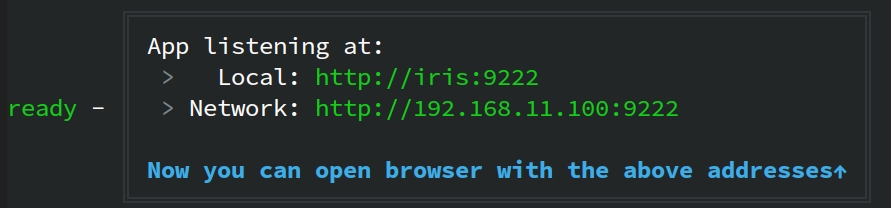@@ -315,4 +346,5 @@ See the [RAGFlow Roadmap 2024](https://github.com/infiniflow/ragflow/issues/162)## 🙌 Contributing-RAGFlow flourishes via open-source collaboration. In this spirit, we embrace diverse contributions from the community. If you would like to be a part, review our [Contribution Guidelines](./CONTRIBUTING.md) first.+RAGFlow flourishes via open-source collaboration. In this spirit, we embrace diverse contributions from the community.+If you would like to be a part, review our [Contribution Guidelines](./CONTRIBUTING.md) first.diff --git a/README_ja.md b/README_ja.mdindex e22955d38d..8e38ea8d7b 100644--- a/README_ja.md+++ b/README_ja.md@@ -12,19 +12,24 @@</p><p align="center">- <a href="https://github.com/infiniflow/ragflow/releases/latest">- <img src="https://img.shields.io/github/v/release/infiniflow/ragflow?color=blue&label=Latest%20Release" alt="Latest Release">+ <a href="https://x.com/intent/follow?screen_name=infiniflowai" target="_blank">+ <img src="https://img.shields.io/twitter/follow/infiniflow?logo=X&color=%20%23f5f5f5" alt="follow on X(Twitter)"></a><a href="https://demo.ragflow.io" target="_blank">- <img alt="Static Badge" src="https://img.shields.io/badge/Online-Demo-4e6b99"></a>+ <img alt="Static Badge" src="https://img.shields.io/badge/Online-Demo-4e6b99">+ </a><a href="https://hub.docker.com/r/infiniflow/ragflow" target="_blank">- <img src="https://img.shields.io/badge/docker_pull-ragflow:v0.12.0-brightgreen"- alt="docker pull infiniflow/ragflow:v0.12.0"></a>- <a href="https://github.com/infiniflow/ragflow/blob/main/LICENSE">- <img height="21" src="https://img.shields.io/badge/License-Apache--2.0-ffffff?labelColor=d4eaf7&color=2e6cc4" alt="license">- </a>+ <img src="https://img.shields.io/badge/docker_pull-ragflow:v0.12.0-brightgreen" alt="docker pull infiniflow/ragflow:v0.12.0">+ </a>+ <a href="https://github.com/infiniflow/ragflow/releases/latest">+ <img src="https://img.shields.io/github/v/release/infiniflow/ragflow?color=blue&label=Latest%20Release" alt="Latest Release">+ </a>+ <a href="https://github.com/infiniflow/ragflow/blob/main/LICENSE">+ <img height="21" src="https://img.shields.io/badge/License-Apache--2.0-ffffff?labelColor=d4eaf7&color=2e6cc4" alt="license">+ </a></p>+<h4 align="center"><a href="https://ragflow.io/docs/dev/">Document</a> |<a href="https://github.com/infiniflow/ragflow/issues/162">Roadmap</a> |diff --git a/README_ko.md b/README_ko.mdindex 1c89a5c693..5e639e5578 100644--- a/README_ko.md+++ b/README_ko.md@@ -12,18 +12,24 @@</p><p align="center">- <a href="https://github.com/infiniflow/ragflow/releases/latest">- <img src="https://img.shields.io/github/v/release/infiniflow/ragflow?color=blue&label=Latest%20Release" alt="Latest Release">+ <a href="https://x.com/intent/follow?screen_name=infiniflowai" target="_blank">+ <img src="https://img.shields.io/twitter/follow/infiniflow?logo=X&color=%20%23f5f5f5" alt="follow on X(Twitter)"></a><a href="https://demo.ragflow.io" target="_blank">- <img alt="Static Badge" src="https://img.shields.io/badge/Online-Demo-4e6b99"></a>+ <img alt="Static Badge" src="https://img.shields.io/badge/Online-Demo-4e6b99">+ </a><a href="https://hub.docker.com/r/infiniflow/ragflow" target="_blank">- <img src="https://img.shields.io/badge/docker_pull-ragflow:v0.12.0-brightgreen" alt="docker pull infiniflow/ragflow:v0.12.0"></a>+ <img src="https://img.shields.io/badge/docker_pull-ragflow:v0.12.0-brightgreen" alt="docker pull infiniflow/ragflow:v0.12.0">+ </a>+ <a href="https://github.com/infiniflow/ragflow/releases/latest">+ <img src="https://img.shields.io/github/v/release/infiniflow/ragflow?color=blue&label=Latest%20Release" alt="Latest Release">+ </a><a href="https://github.com/infiniflow/ragflow/blob/main/LICENSE">- <img height="21" src="https://img.shields.io/badge/License-Apache--2.0-ffffff?labelColor=d4eaf7&color=2e6cc4" alt="license">- </a>+ <img height="21" src="https://img.shields.io/badge/License-Apache--2.0-ffffff?labelColor=d4eaf7&color=2e6cc4" alt="license">+ </a></p>+<h4 align="center"><a href="https://ragflow.io/docs/dev/">Document</a> |<a href="https://github.com/infiniflow/ragflow/issues/162">Roadmap</a> |diff --git a/README_zh.md b/README_zh.mdindex fb1b71d166..1a94a0e3b8 100644--- a/README_zh.md+++ b/README_zh.md@@ -12,18 +12,24 @@</p><p align="center">- <a href="https://github.com/infiniflow/ragflow/releases/latest">- <img src="https://img.shields.io/github/v/release/infiniflow/ragflow?color=blue&label=Latest%20Release" alt="Latest Release">+ <a href="https://x.com/intent/follow?screen_name=infiniflowai" target="_blank">+ <img src="https://img.shields.io/twitter/follow/infiniflow?logo=X&color=%20%23f5f5f5" alt="follow on X(Twitter)"></a><a href="https://demo.ragflow.io" target="_blank">- <img alt="Static Badge" src="https://img.shields.io/badge/Online-Demo-4e6b99"></a>+ <img alt="Static Badge" src="https://img.shields.io/badge/Online-Demo-4e6b99">+ </a><a href="https://hub.docker.com/r/infiniflow/ragflow" target="_blank">- <img src="https://img.shields.io/badge/docker_pull-ragflow:v0.12.0-brightgreen" alt="docker pull infiniflow/ragflow:v0.12.0"></a>+ <img src="https://img.shields.io/badge/docker_pull-ragflow:v0.12.0-brightgreen" alt="docker pull infiniflow/ragflow:v0.12.0">+ </a>+ <a href="https://github.com/infiniflow/ragflow/releases/latest">+ <img src="https://img.shields.io/github/v/release/infiniflow/ragflow?color=blue&label=Latest%20Release" alt="Latest Release">+ </a><a href="https://github.com/infiniflow/ragflow/blob/main/LICENSE">- <img height="21" src="https://img.shields.io/badge/License-Apache--2.0-ffffff?labelColor=d4eaf7&color=2e6cc4" alt="license">- </a>+ <img height="21" src="https://img.shields.io/badge/License-Apache--2.0-ffffff?labelColor=d4eaf7&color=2e6cc4" alt="license">+ </a></p>+<h4 align="center"><a href="https://ragflow.io/docs/dev/">Document</a> |<a href="https://github.com/infiniflow/ragflow/issues/162">Roadmap</a> |