
RAGFlow is an agent-native database: a Retrieval-Augmented Generation (RAG) engine that grew into context infrastructure.
Go agent-harnessagent-native-databaseagentic-aiagentic-retrievalagentic-searchaiai-agentscontext-enginecontext-engineeringcontext-managementharness-engineeringknowledge-compilationragretrieval-augmented-generationretrieval-harnesssearch-harness
Docs: update 7 readme (#7639)
Chenzy5a0273e3ead6
diff --git a/README.md b/README.mdindex 3940064368..06ec4c674e 100644--- a/README.md+++ b/README.md@@ -327,7 +327,8 @@ docker build --platform linux/amd64 -f Dockerfile -t infiniflow/ragflow:nightlyexport HF_ENDPOINT=https://hf-mirror.com```-5. If your operating system does not have jemalloc, please install it as follows,+5. If your operating system does not have jemalloc, please install it as follows:+```bash# ubuntusudo apt-get install libjemalloc-dev@@ -343,12 +344,13 @@ docker build --platform linux/amd64 -f Dockerfile -t infiniflow/ragflow:nightlybash docker/launch_backend_service.sh```-7. Install frontend dependencies:+```bashcd webnpm install```+8. Launch frontend service:```bash@@ -359,6 +361,13 @@ docker build --platform linux/amd64 -f Dockerfile -t infiniflow/ragflow:nightly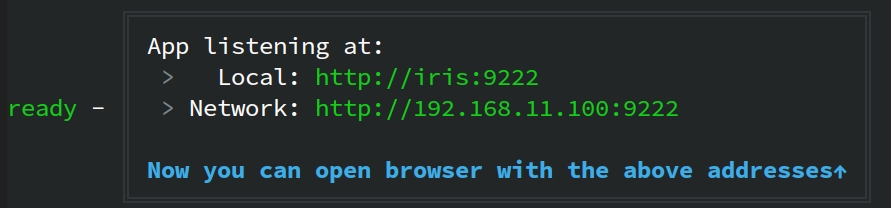+9. Stop RAGFlow front-end and back-end service after development is complete:++ ```bash+ pkill -f "ragflow_server.py|task_executor.py"+ ```++## 📚 Documentation- [Quickstart](https://ragflow.io/docs/dev/)diff --git a/README_id.md b/README_id.mdindex 9dcea4eb2a..7e044ca8d4 100644--- a/README_id.md+++ b/README_id.md@@ -293,7 +293,16 @@ docker build --platform linux/amd64 -f Dockerfile -t infiniflow/ragflow:nightlyexport HF_ENDPOINT=https://hf-mirror.com```-5. Jalankan aplikasi backend:+5. Jika sistem operasi Anda tidak memiliki jemalloc, instal sebagai berikut:++ ```bash+ # ubuntu+ sudo apt-get install libjemalloc-dev+ # centos+ sudo yum install jemalloc+ ```++6. Jalankan aplikasi backend:```bashsource .venv/bin/activate@@ -301,12 +310,14 @@ docker build --platform linux/amd64 -f Dockerfile -t infiniflow/ragflow:nightlybash docker/launch_backend_service.sh```-6. Instal dependensi frontend:+7. Instal dependensi frontend:+```bashcd webnpm install```-7. Jalankan aplikasi frontend:++8. Jalankan aplikasi frontend:```bashnpm run dev@@ -316,6 +327,14 @@ docker build --platform linux/amd64 -f Dockerfile -t infiniflow/ragflow:nightly++9. Hentikan layanan front-end dan back-end RAGFlow setelah pengembangan selesai:++ ```bash+ pkill -f "ragflow_server.py|task_executor.py"+ ```++## 📚 Dokumentasi- [Quickstart](https://ragflow.io/docs/dev/)diff --git a/README_ja.md b/README_ja.mdindex 66c7dde77e..d1ec5d9717 100644--- a/README_ja.md+++ b/README_ja.md@@ -289,7 +289,16 @@ docker build --platform linux/amd64 -f Dockerfile -t infiniflow/ragflow:nightlyexport HF_ENDPOINT=https://hf-mirror.com```-5. バックエンドサービスを起動する:+5. オペレーティングシステムにjemallocがない場合は、次のようにインストールします:++ ```bash+ # ubuntu+ sudo apt-get install libjemalloc-dev+ # centos+ sudo yum install jemalloc+ ```++6. バックエンドサービスを起動する:```bashsource .venv/bin/activate@@ -297,12 +306,14 @@ docker build --platform linux/amd64 -f Dockerfile -t infiniflow/ragflow:nightlybash docker/launch_backend_service.sh```-6. フロントエンドの依存関係をインストールする:+7. フロントエンドの依存関係をインストールする:+```bashcd webnpm install```-7. フロントエンドサービスを起動する:++8. フロントエンドサービスを起動する:```bashnpm run dev@@ -312,6 +323,13 @@ docker build --platform linux/amd64 -f Dockerfile -t infiniflow/ragflow:nightly+9. 開発が完了したら、RAGFlow のフロントエンド サービスとバックエンド サービスを停止します:++ ```bash+ pkill -f "ragflow_server.py|task_executor.py"+ ```++## 📚 ドキュメンテーション- [Quickstart](https://ragflow.io/docs/dev/)diff --git a/README_ko.md b/README_ko.mdindex 7664e2e42c..d888e03417 100644--- a/README_ko.md+++ b/README_ko.md@@ -288,7 +288,16 @@ docker build --platform linux/amd64 -f Dockerfile -t infiniflow/ragflow:nightlyexport HF_ENDPOINT=https://hf-mirror.com```-5. 백엔드 서비스를 시작합니다:+5. 만약 운영 체제에 jemalloc이 없으면 다음 방식으로 설치하세요:++ ```bash+ # ubuntu+ sudo apt-get install libjemalloc-dev+ # centos+ sudo yum install jemalloc+ ```++6. 백엔드 서비스를 시작합니다:```bashsource .venv/bin/activate@@ -296,12 +305,14 @@ docker build --platform linux/amd64 -f Dockerfile -t infiniflow/ragflow:nightlybash docker/launch_backend_service.sh```-6. 프론트엔드 의존성을 설치합니다:+7. 프론트엔드 의존성을 설치합니다:+```bashcd webnpm install```-7. 프론트엔드 서비스를 시작합니다:++8. 프론트엔드 서비스를 시작합니다:```bashnpm run dev@@ -311,6 +322,14 @@ docker build --platform linux/amd64 -f Dockerfile -t infiniflow/ragflow:nightly++9. 개발이 완료된 후 RAGFlow 프론트엔드 및 백엔드 서비스를 중지합니다.++ ```bash+ pkill -f "ragflow_server.py|task_executor.py"+ ```++## 📚 문서- [Quickstart](https://ragflow.io/docs/dev/)diff --git a/README_pt_br.md b/README_pt_br.mdindex 630af7741d..d9555894bb 100644--- a/README_pt_br.md+++ b/README_pt_br.md@@ -312,7 +312,16 @@ docker build --platform linux/amd64 -f Dockerfile -t infiniflow/ragflow:nightlyexport HF_ENDPOINT=https://hf-mirror.com```-5. Lance o serviço de back-end:+5. Se o seu sistema operacional não tiver jemalloc, instale-o da seguinte maneira:++ ```bash+ # ubuntu+ sudo apt-get install libjemalloc-dev+ # centos+ sudo yum instalar jemalloc+ ```++6. Lance o serviço de back-end:```bashsource .venv/bin/activate@@ -320,14 +329,14 @@ docker build --platform linux/amd64 -f Dockerfile -t infiniflow/ragflow:nightlybash docker/launch_backend_service.sh```-6. Instale as dependências do front-end:+7. Instale as dependências do front-end:```bashcd webnpm install```-7. Lance o serviço de front-end:+8. Lance o serviço de front-end:```bashnpm run dev@@ -337,6 +346,13 @@ docker build --platform linux/amd64 -f Dockerfile -t infiniflow/ragflow:nightly+9. Pare os serviços de front-end e back-end do RAGFlow após a conclusão do desenvolvimento:++ ```bash+ pkill -f "ragflow_server.py|task_executor.py"+ ```++## 📚 Documentação- [Quickstart](https://ragflow.io/docs/dev/)diff --git a/README_tzh.md b/README_tzh.mdindex 060922002d..edb4b057df 100644--- a/README_tzh.md+++ b/README_tzh.md@@ -301,24 +301,34 @@ docker build --platform linux/amd64 --build-arg NEED_MIRROR=1 -f Dockerfile -t iexport HF_ENDPOINT=https://hf-mirror.com```-5.啟動後端服務:-『`bash-source .venv/bin/activate-export PYTHONPATH=$(pwd)-bash docker/launch_backend_service.sh+5. 如果你的操作系统没有 jemalloc,请按照如下方式安装:-```+ ```bash+ # ubuntu+ sudo apt-get install libjemalloc-dev+ # centos+ sudo yum install jemalloc+ ```-6. 安裝前端依賴:-『`bash-cd web-npm install-```+6. 啟動後端服務:-7. 啟動前端服務:- 『`bash- npm run dev+ ```bash+ source .venv/bin/activate+ export PYTHONPATH=$(pwd)+ bash docker/launch_backend_service.sh+ ```++7. 安裝前端依賴:+ ```bash+ cd web+ npm install+ ```++8. 啟動前端服務:++ ```bash+ npm run dev```以下界面說明系統已成功啟動:_@@ -326,6 +336,13 @@ npm install```+9. 開發完成後停止 RAGFlow 前端和後端服務:++ ```bash+ pkill -f "ragflow_server.py|task_executor.py"+ ```++## 📚 技術文檔- [Quickstart](https://ragflow.io/docs/dev/)diff --git a/README_zh.md b/README_zh.mdindex 04bd4d2954..ae7d3af56d 100644--- a/README_zh.md+++ b/README_zh.md@@ -301,7 +301,16 @@ docker build --platform linux/amd64 --build-arg NEED_MIRROR=1 -f Dockerfile -t iexport HF_ENDPOINT=https://hf-mirror.com```-5. 启动后端服务:+5. 如果你的操作系统没有 jemalloc,请按照如下方式安装:++ ```bash+ # ubuntu+ sudo apt-get install libjemalloc-dev+ # centos+ sudo yum install jemalloc+ ```++6. 启动后端服务:```bashsource .venv/bin/activate@@ -309,12 +318,14 @@ docker build --platform linux/amd64 --build-arg NEED_MIRROR=1 -f Dockerfile -t ibash docker/launch_backend_service.sh```-6. 安装前端依赖:+7. 安装前端依赖:+```bashcd webnpm install```-7. 启动前端服务:++8. 启动前端服务:```bashnpm run dev@@ -323,12 +334,14 @@ docker build --platform linux/amd64 --build-arg NEED_MIRROR=1 -f Dockerfile -t i_以下界面说明系统已经成功启动:_-8. 开发完成后停止 RAGFlow 服务- 停止 RAGFlow 前端和后端服务:++9. 开发完成后停止 RAGFlow 前端和后端服务:+```bashpkill -f "ragflow_server.py|task_executor.py"```+## 📚 技术文档- [Quickstart](https://ragflow.io/docs/dev/)