
RAGFlow is an agent-native database: a Retrieval-Augmented Generation (RAG) engine that grew into context infrastructure.
Go agent-harnessagent-native-databaseagentic-aiagentic-retrievalagentic-searchaiai-agentscontext-enginecontext-engineeringcontext-managementharness-engineeringknowledge-compilationragretrieval-augmented-generationretrieval-harnesssearch-harness
Docs: Fix normalization of case and some code blocks (#13520)
foyouf75dc6a4520f
diff --git a/docs/guides/models/deploy_local_llm.mdx b/docs/guides/models/deploy_local_llm.mdxindex 0971925ede..2109ab5588 100644--- a/docs/guides/models/deploy_local_llm.mdx+++ b/docs/guides/models/deploy_local_llm.mdx@@ -9,11 +9,11 @@ sidebar_custom_props: {import Tabs from '@theme/Tabs';import TabItem from '@theme/TabItem';-Deploy and run local models using Ollama, Xinference, Vllm ,Sglang , Gpustack or other frameworks.+Deploy and run local models using Ollama, Xinference, vLLM ,SGLang , GPUStack or other frameworks.----RAGFlow supports deploying models locally using Ollama, Xinference, IPEX-LLM, Vllm ,Sglang , Gpustack or jina. If you have locally deployed models to leverage or wish to enable GPU or CUDA for inference acceleration, you can bind Ollama or Xinference into RAGFlow and use either of them as a local "server" for interacting with your local models.+RAGFlow supports deploying models locally using Ollama, Xinference, IPEX-LLM, vLLM ,SGLang , GPUStack or jina. If you have locally deployed models to leverage or wish to enable GPU or CUDA for inference acceleration, you can bind Ollama or Xinference into RAGFlow and use either of them as a local "server" for interacting with your local models.RAGFlow seamlessly integrates with Ollama and Xinference, without the need for further environment configurations. You can use them to deploy two types of local models in RAGFlow: chat models and embedding models.@@ -316,28 +316,28 @@ To enable IPEX-LLM accelerated Ollama in RAGFlow, you must also complete the con3. [Update System Model Settings](#6-update-system-model-settings)4. [Update Chat Configuration](#7-update-chat-configuration)-### 5. Deploy VLLM+### 5. Deploy vLLMubuntu 22.04/24.04```bash- pip install vllm- ```+pip install vllm+```### 5.1 RUN VLLM WITH BEST PRACTISE```bashnohup vllm serve /data/Qwen3-8B --served-model-name Qwen3-8B-FP8 --dtype auto --port 1025 --gpu-memory-utilization 0.90 --tool-call-parser hermes --enable-auto-tool-choice > /var/log/vllm_startup1.log 2>&1 &- ```+```you can get log info```bash- tail -f -n 100 /var/log/vllm_startup1.log- ```+tail -f -n 100 /var/log/vllm_startup1.log+```when see the follow ,it means vllm engine is ready for access```bashStarting vLLM API server 0 on http://0.0.0.0:1025Started server process [19177]Application startup complete.- ```+```### 5.2 INTERGRATEING RAGFLOW WITH VLLM CHAT/EM/RERANK LLM WITH WEBUIsetting->model providers->search->vllm->add ,configure as follow:@@ -350,11 +350,11 @@ select vllm chat model as default llm model as follow:create chat->create conversations-chat as follow: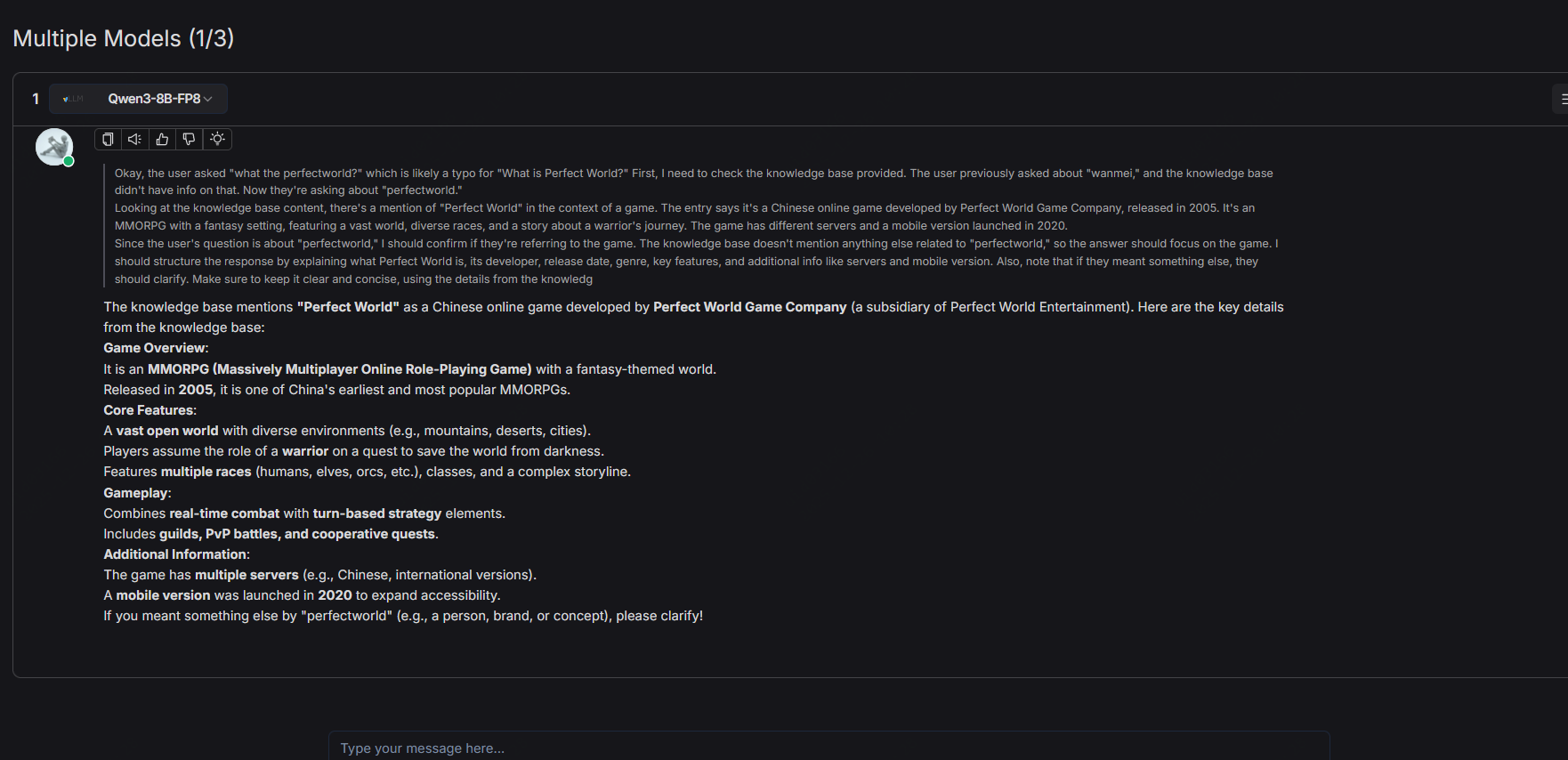-### 6. Deploy Gpustack+### 6. Deploy GPUStackubuntu 22.04/24.04-### 6.1 RUN Gpustack WITH BEST PRACTISE+### 6.1 RUN GPUStack WITH BEST PRACTISE```bashsudo docker run -d --name gpustack \@@ -363,17 +363,17 @@ sudo docker run -d --name gpustack \-p 10161:10161 \--volume gpustack-data:/var/lib/gpustack \gpustack/gpustack- ```+```you can get docker info```bash- docker ps- ```+docker ps+```when see the follow ,it means vllm engine is ready for access```bashroot@gpustack-prod:~# docker psCONTAINER ID IMAGE COMMAND CREATED STATUS PORTS NAMESabf59be84b1a gpustack/gpustack "/usr/bin/entrypoint…" 6 hours ago Up 6 hours 0.0.0.0:80->80/tcp, [::]:80->80/tcp, 0.0.0.0:10161->10161/tcp, [::]:10161->10161/tcp gpustack- ```+```### 6.2 INTERGRATEING RAGFLOW WITH GPUSTACK CHAT/EM/RERANK LLM WITH WEBUIsetting->model providers->search->gpustack->add ,configure as follow: