
Open Source Platform for DTC, B2B Commerce, Marketplaces & Omnichannel. REST APIs, TypeScript SDKs, and production-ready Next.js storefront. Self-host it. Own your data. No vendor lock-in. Zero platform fees.
Ruby b2b-commercee-commerceecommerceecommerce-apiecommerce-frameworkecommerce-platformheadlessheadless-commerceheadless-ecommercemarketplacemulti-tenantmulti-vendormulti-vendor-ecommerceopen-sourcespree-commerce
---
title: "Rails Storefront Overview"
sidebarTitle: "Overview"
description: "Install and configure the Spree Rails Storefront, a mobile-first, themeable storefront built with Tailwind CSS, Turbo, Stimulus, and Importmaps."
canonical: "https://spreecommerce.org/docs/v5/developer/storefront/rails/storefront"
---
<Warning>
We recommend using [Next.js Storefront](/developer/storefront/nextjs) for new projects, as it offers better performance and a more modern developer experience.
</Warning>
Rails Storefront is a mobile-first storefront that is fully customizable & themeable.
### Tech Stack
- [Ruby on Rails](https://rubyonrails.org/)
- [Tailwind CSS v4](https://tailwindcss.com/) — Responsive, mobile-first design
- [Turbo / Hotwire](https://turbo.hotwired.dev/) — Fast, SPA-like navigation
- [StimulusJS](https://stimulus.hotwired.dev/) — JavaScript controllers for interactivity
- [Importmaps](https://github.com/rails/importmap-rails) - NodeJS not required
### Installation
You can install it by running
<CodeGroup>
```bash Spree CLI (Docker)
spree bundle add spree_storefront
```
```bash Without Spree CLI
bundle add spree_storefront
```
</CodeGroup>
Then run the install generator:
<CodeGroup>
```bash Spree CLI (Docker)
spree generate spree:storefront:install
```
```bash Without Spree CLI
bin/rails g spree:storefront:install
```
</CodeGroup>
This will set up the storefront views, Tailwind CSS configuration, and page builder migrations.
You will also need to create your first theme. Open the Rails console:
<CodeGroup>
```bash Spree CLI (Docker)
spree console
```
```bash Without Spree CLI
bin/rails console
```
</CodeGroup>
And run:
```ruby
Spree::Store.default.send(:create_default_theme)
```
### Architecture
Rails Storefront consists of:
<CardGroup>
<Card title="Themes" href="/developer/storefront/rails/themes">
Themes are a collection of styles, scripts and templates that are used to style and layout the storefront.
</Card>
<Card title="Pages" href="/developer/storefront/rails/pages">
Pages are the main building blocks of the storefront. They are used to create the structure of the storefront. Each Theme comes with a set of default pages such as Home Page, Product Listing Page, Product Page, etc, but you can create your own custom landing pages as well.
</Card>
<Card title="Sections" href="/developer/storefront/rails/sections">
Sections are the building blocks of the pages. They are used to create the structure of the pages. Each Section is a collection of Blocks.
</Card>
<Card title="Blocks" href="/developer/storefront/rails/blocks">
Blocks are the smallest building blocks of the storefront. They are used to create the content of the pages.
</Card>
<Card title="Links" href="/developer/storefront/rails/links">
Links are used to create the navigation of the storefront. They can be assigned to Sections and Blocks.
</Card>
</CardGroup>
### Page Builder
The storefront comes with a visual Page Builder that allows non-developers to build pages using a drag-and-drop interface. This allows your team to create new pages and sections, modify existing ones, and add new blocks to the pages in a no-code way.
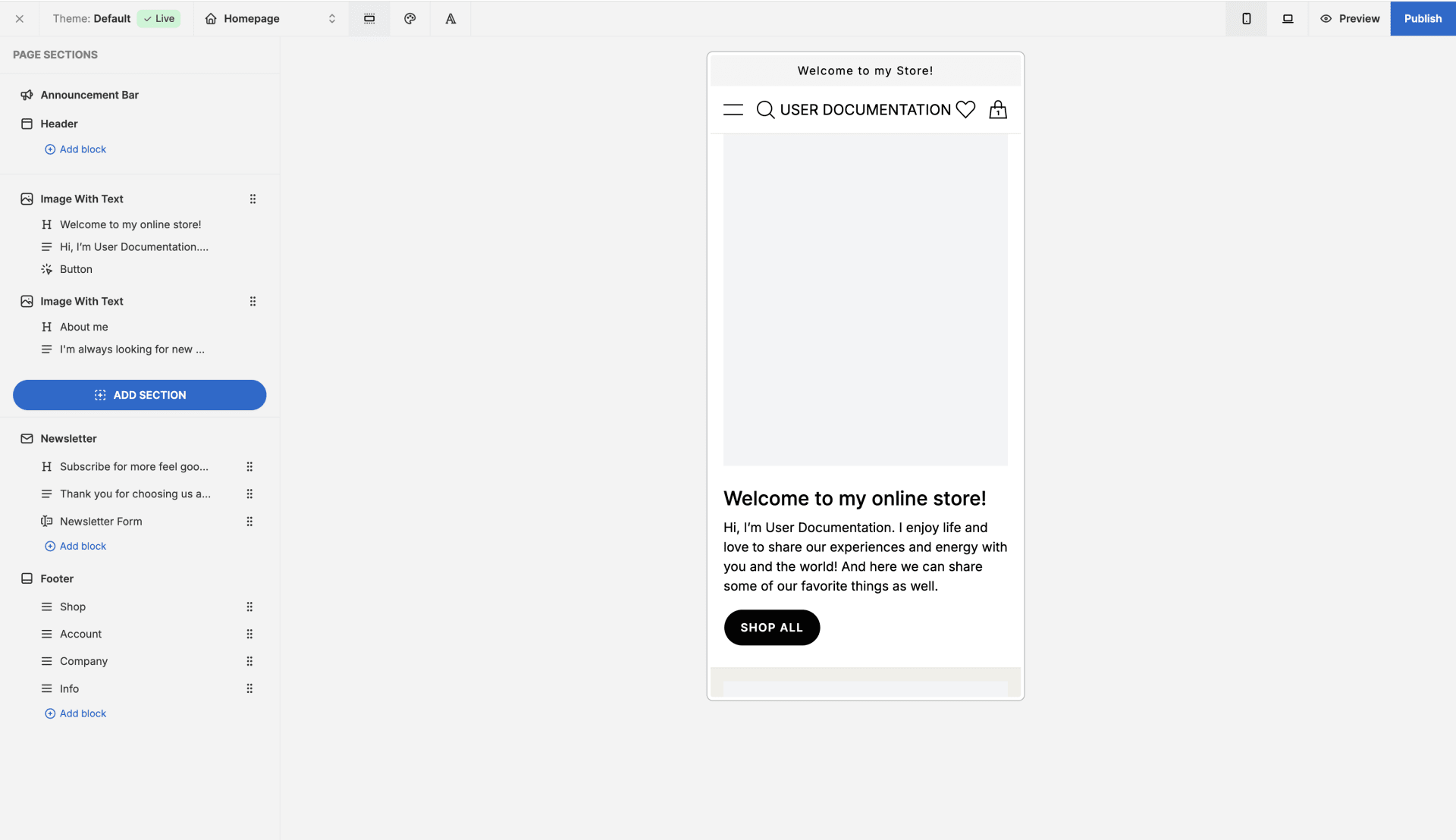
You can learn more about the Page Builder in the [User Documentation](/user/storefront/theme-editor).