
The Postgres development platform. Supabase gives you a dedicated Postgres database to build your web, mobile, and AI applications.
TypeScript aialternativeauthdatabasedenoembeddingsexamplefirebasenextjsoauth2pgvectorpostgispostgrespostgresqlpostgrestrealtimesupabasevectorswebsockets
Revert "Revert "docs: Remove Auth Helpers"" (#41441)
Chris Chinchilla6bdfca6de486
diff --git a/apps/docs/components/Navigation/NavigationMenu/NavigationMenu.constants.ts b/apps/docs/components/Navigation/NavigationMenu/NavigationMenu.constants.tsindex 9fc45bcbbde..02c547ae4ee 100644--- a/apps/docs/components/Navigation/NavigationMenu/NavigationMenu.constants.ts+++ b/apps/docs/components/Navigation/NavigationMenu/NavigationMenu.constants.ts@@ -925,18 +925,6 @@ export const auth: NavMenuConstant = {},],},- {- name: 'Auth UI',- url: undefined,- enabled: allAuthProvidersEnabled,- items: [- { name: 'Auth UI (Deprecated)', url: '/guides/auth/auth-helpers/auth-ui' },- {- name: 'Flutter Auth UI',- url: '/guides/auth/auth-helpers/flutter-auth-ui' as `/${string}`,- },- ],- },],}diff --git a/apps/docs/content/_partials/auth_helpers.mdx b/apps/docs/content/_partials/auth_helpers.mdxdeleted file mode 100644index ccbf1888699..00000000000--- a/apps/docs/content/_partials/auth_helpers.mdx+++ /dev/null@@ -1,5 +0,0 @@-<Admonition type="caution">--The Auth helpers package is deprecated. Use the new `@supabase/ssr` package for Server Side Authentication. `@supabase/ssr` takes the core concepts of the Auth Helpers package and makes them available to any server framework. Read out the [migration doc](/docs/guides/auth/server-side/migrating-to-ssr-from-auth-helpers) to learn more.--</Admonition>diff --git a/apps/docs/content/guides/auth/auth-helpers.mdx b/apps/docs/content/guides/auth/auth-helpers.mdxdeleted file mode 100644index 9c1d1653e9a..00000000000--- a/apps/docs/content/guides/auth/auth-helpers.mdx+++ /dev/null@@ -1,50 +0,0 @@-----id: 'index'-title: 'Auth Helpers'-description: 'Server-Side Auth guides and utilities for working with Supabase.'-sidebar_label: 'Overview'------<$Partial-path="auth_helpers.mdx"-/>--Working with server-side frameworks is slightly different to client-side frameworks. In this section we cover the various ways of handling server-side authentication and demonstrate how to use the Supabase helper-libraries to make the process more seamless.--<div className="container" style={{ padding: 0 }}>- <div className="grid md:grid-cols-12 gap-4">- {/* Next.js */}- <div className="col-span-6">- <ButtonCard- to={'/guides/auth/auth-helpers/nextjs'}- title={'Next.js'}- description={'Helpers for authenticating users in Next.js applications.'}- />- </div>- {/* SvelteKit */}- <div className="col-span-6">- <ButtonCard- to={'/guides/auth/auth-helpers/sveltekit'}- title={'SvelteKit'}- description={'Helpers for authenticating users in SvelteKit applications.'}- />- </div>- {/* Remix */}- <div className="col-span-6">- <ButtonCard- to={'/guides/auth/auth-helpers/remix'}- title={'Remix'}- description={'Helpers for authenticating users in Remix applications.'}- />- </div>- </div>-</div>--## Status--The Auth Helpers are `deprecated`. Use the new `@supabase/ssr` package for Server Side Authentication. Use the [migration doc](/docs/guides/auth/server-side/migrating-to-ssr-from-auth-helpers) to learn more.--## Additional links--- [Source code](https://github.com/supabase/auth-helpers)-- [Known bugs and issues](https://github.com/supabase/auth-helpers/issues)diff --git a/apps/docs/content/guides/auth/auth-helpers/auth-ui.mdx b/apps/docs/content/guides/auth/auth-helpers/auth-ui.mdxdeleted file mode 100644index 2debcbdc92c..00000000000--- a/apps/docs/content/guides/auth/auth-helpers/auth-ui.mdx+++ /dev/null@@ -1,492 +0,0 @@-----id: 'auth-ui'-title: 'Auth UI'-description: 'A prebuilt, customizable React component for authenticating users.'-sitemapPriority: 0.3------<Admonition type="caution">--As of 7th Feb 2024, [this repository](https://github.com/supabase-community/auth-ui) is no longer maintained by the Supabase Team. At the moment, the team does not have capacity to give the expected level of care to this repository. We may revisit Auth UI in the future but regrettably have to leave it on hold for now as we focus on other priorities such as improving the Server-Side Rendering (SSR) package and advanced Auth primitives.--As an alternative you can use the [Supabase UI Library](/ui) which has auth ready blocks to use in your projects.--</Admonition>--Auth UI is a pre-built React component for authenticating users.-It supports custom themes and extensible styles to match your brand and aesthetic.--<video width="99%" muted playsInline controls={true}>- <source src="https://supabase.com/images/blog/lw5-one-more/auth-ui-demo.mp4" type="video/mp4" />-</video>--## Set up Auth UI--Install the latest version of [supabase-js](/docs/reference/javascript) and the Auth UI package:--```bash-npm install @supabase/supabase-js @supabase/auth-ui-react @supabase/auth-ui-shared-```--### Import the Auth component--Pass `supabaseClient` from `@supabase/supabase-js` as a prop to the component.--```js /src/index.js-import { createClient } from '@supabase/supabase-js'-import { Auth } from '@supabase/auth-ui-react'--const supabase = createClient('<INSERT PROJECT URL>', '<INSERT PROJECT ANON API KEY>')--const App = () => <Auth supabaseClient={supabase} />-```--This renders the Auth component without any styling.-We recommend using one of the predefined themes to style the UI.-Import the theme you want to use and pass it to the `appearance.theme` prop.--```js-import { Auth } from '@supabase/auth-ui-react'-import {- // Import predefined theme- ThemeSupa,-} from '@supabase/auth-ui-shared'--const supabase = createClient(- '<INSERT PROJECT URL>',- '<INSERT PROJECT ANON API KEY>'-)--const App = () => (- <Auth- supabaseClient={supabase}- {/* Apply predefined theme */}- appearance={{ theme: ThemeSupa }}- />-)-```--### Social providers--The Auth component also supports login with [official social providers](../../auth#providers).--```js-import { createClient } from '@supabase/supabase-js'-import { Auth } from '@supabase/auth-ui-react'-import { ThemeSupa } from '@supabase/auth-ui-shared'--const supabase = createClient('<INSERT PROJECT URL>', '<INSERT PROJECT ANON API KEY>')--const App = () => (- <Auth- supabaseClient={supabase}- appearance={{ theme: ThemeSupa }}- providers={['google', 'facebook', 'twitter']}- />-)-```--### Options--Options are available via `queryParams`:--```jsx-<Auth- supabaseClient={supabase}- providers={['google']}- queryParams={{- access_type: 'offline',- prompt: 'consent',- hd: 'domain.com',- }}- onlyThirdPartyProviders-/>-```--### Provider scopes--Provider Scopes can be requested through `providerScope`;--```jsx-<Auth- supabaseClient={supabase}- providers={['google']}- queryParams={{- access_type: 'offline',- prompt: 'consent',- hd: 'domain.com',- }}- providerScopes={{- google: 'https://www.googleapis.com/auth/calendar.readonly',- }}-/>-```--### Supported views--The Auth component is currently shipped with the following views:--- [Email Login](../auth-email)-- [Magic Link login](../auth-magic-link)-- [Social Login](../social-login)-- Update password-- Forgotten password--We are planning on adding more views in the future. Follow along on that [repo](https://github.com/supabase/auth-ui).--## Customization--There are several ways to customize Auth UI:--- Use one of the [predefined themes](#predefined-themes) that comes with Auth UI-- Extend a theme by [overriding the variable tokens](#override-themes) in a theme-- [Create your own theme](#create-theme)-- [Use your own CSS classes](#custom-css-classes)-- [Use inline styles](#custom-inline-styles)-- [Use your own labels](#custom-labels)--### Predefined themes--Auth UI comes with several themes to customize the appearance. Each predefined theme comes with at least two variations, a `default` variation, and a `dark` variation. You can switch between these themes using the `theme` prop. Import the theme you want to use and pass it to the `appearance.theme` prop.--```js-import { createClient } from '@supabase/supabase-js'-import { Auth } from '@supabase/auth-ui-react'-import { ThemeSupa } from '@supabase/auth-ui-shared'--const supabase = createClient(- '<INSERT PROJECT URL>',- '<INSERT PROJECT ANON API KEY>'-)--const App = () => (- <Auth- supabaseClient={supabase}- {/* Apply predefined theme */}- appearance={{ theme: ThemeSupa }}- />-)-```--<Admonition type="note">--Currently there is only one predefined theme available, but we plan to add more.--</Admonition>--### Switch theme variations--Auth UI comes with two theme variations: `default` and `dark`. You can switch between these themes with the `theme` prop.--```js-import { createClient } from '@supabase/supabase-js'-import { Auth } from '@supabase/auth-ui-react'-import { ThemeSupa } from '@supabase/auth-ui-shared'--const supabase = createClient(- '<INSERT PROJECT URL>',- '<INSERT PROJECT ANON API KEY>'-)--const App = () => (- <Auth- supabaseClient={supabase}- appearance={{ theme: ThemeSupa }}- {/* Set theme to dark */}- theme="dark"- />-)-```--If you don't pass a value to `theme` it uses the `"default"` theme. You can pass `"dark"` to the theme prop to switch to the `dark` theme. If your theme has other variations, use the name of the variation in this prop.--### Override themes--Auth UI themes can be overridden using variable tokens. See the [list of variable tokens](https://github.com/supabase/auth-ui/blob/main/packages/shared/src/theming/Themes.ts).--```js-import { createClient } from '@supabase/supabase-js'-import { Auth } from '@supabase/auth-ui-react'-import { ThemeSupa } from '@supabase/auth-ui-shared'--const supabase = createClient('<INSERT PROJECT URL>', '<INSERT PROJECT ANON API KEY>')--const App = () => (- <Auth- supabaseClient={supabase}- appearance={{- theme: ThemeSupa,- variables: {- default: {- colors: {- brand: 'red',- brandAccent: 'darkred',- },- },- },- }}- />-)-```--If you created your own theme, you may not need to override any of them.--### Create your own theme [#create-theme]--You can create your own theme by following the same structure within a `appearance.theme` property.-See the list of [tokens within a theme](https://github.com/supabase/auth-ui/blob/main/packages/shared/src/theming/Themes.ts).--```js /src/index.js-import { createClient } from '@supabase/supabase-js'-import { Auth } from '@supabase/auth-ui-react'--const supabase = createClient('<INSERT PROJECT URL>', '<INSERT PROJECT ANON API KEY>')--const customTheme = {- default: {- colors: {- brand: 'hsl(153 60.0% 53.0%)',- brandAccent: 'hsl(154 54.8% 45.1%)',- brandButtonText: 'white',- // ..- },- },- dark: {- colors: {- brandButtonText: 'white',- defaultButtonBackground: '#2e2e2e',- defaultButtonBackgroundHover: '#3e3e3e',- //..- },- },- // You can also add more theme variations with different names.- evenDarker: {- colors: {- brandButtonText: 'white',- defaultButtonBackground: '#1e1e1e',- defaultButtonBackgroundHover: '#2e2e2e',- //..- },- },-}--const App = () => (- <Auth- supabaseClient={supabase}- theme="default" // can also be "dark" or "evenDarker"- appearance={{ theme: customTheme }}- />-)-```--You can switch between different variations of your theme with the ["theme" prop](#switch-theme-variations).--### Custom CSS classes [#custom-css-classes]--You can use custom CSS classes for the following elements:-`"button"`, `"container"`, `"anchor"`, `"divider"`, `"label"`, `"input"`, `"loader"`, `"message"`.--```js /src/index.js-import { createClient } from '@supabase/supabase-js'-import { Auth } from '@supabase/auth-ui-react'--const supabase = createClient('<INSERT PROJECT URL>', '<INSERT PROJECT ANON API KEY>')--const App = () => (- <Auth- supabaseClient={supabase}- appearance={{- // If you want to extend the default styles instead of overriding it, set this to true- extend: false,- // Your custom classes- className: {- anchor: 'my-awesome-anchor',- button: 'my-awesome-button',- //..- },- }}- />-)-```--### Custom inline CSS [#custom-inline-styles]--You can use custom CSS inline styles for the following elements:-`"button"`, `"container"`, `"anchor"`, `"divider"`, `"label"`, `"input"`, `"loader"`, `"message"`.--```js /src/index.js-import { createClient } from '@supabase/supabase-js'-import { Auth } from '@supabase/auth-ui-react'--const supabase = createClient('<INSERT PROJECT URL>', '<INSERT PROJECT ANON API KEY>')--const App = () => (- <Auth- supabaseClient={supabase}- appearance={{- style: {- button: { background: 'red', color: 'white' },- anchor: { color: 'blue' },- //..- },- }}- />-)-```--### Custom labels [#custom-labels]--You can use custom labels with `localization.variables` like so:--```js-import { createClient } from '@supabase/supabase-js'-import { Auth } from '@supabase/auth-ui-react'--const supabase = createClient('<INSERT PROJECT URL>', '<INSERT PROJECT ANON API KEY>')--const App = () => (- <Auth- supabaseClient={supabase}- localization={{- variables: {- sign_in: {- email_label: 'Your email address',- password_label: 'Your strong password',- },- },- }}- />-)-```--A full list of the available variables is below:--<Tabs- scrollable- size="small"- type="underlined"- defaultActiveId="sign-up"->-<TabPanel id="sign-up" label="Sign Up">--| Label Tag | Default Label |-| ---------------------------- | ------------------------------------------ |-| `email_label` | Email address |-| `password_label` | Create a Password |-| `email_input_placeholder` | Your email address |-| `password_input_placeholder` | Your password |-| `button_label` | Sign up |-| `loading_button_label` | Signing up ... |-| `social_provider_text` | Sign in with `{{provider}}` |-| `link_text` | Don't have an account? Sign up |-| `confirmation_text` | Check your email for the confirmation link |--</TabPanel>--<TabPanel id="sign-in" label="Sign In">--| Label Tag | Default Label |-| ---------------------------- | -------------------------------- |-| `email_label` | Email address |-| `password_label` | Your Password |-| `email_input_placeholder` | Your email address |-| `password_input_placeholder` | Your password |-| `button_label` | Sign in |-| `loading_button_label` | Signing in ... |-| `social_provider_text` | Sign in with `{{provider}}` |-| `link_text` | Already have an account? Sign in |--</TabPanel>--<TabPanel id="magic_link" label="Magic Link">--| Label Tag | Default Label |-| ------------------------- | ----------------------------------- |-| `email_input_label` | Email address |-| `email_input_placeholder` | Your email address |-| `button_label` | Sign in |-| `loading_button_label` | Signing in ... |-| `link_text` | Send a magic link email |-| `confirmation_text` | Check your email for the magic link |--</TabPanel>--<TabPanel id="forgotten-password" label="Forgotten Password">--| Label Tag | Default Label |-| ------------------------- | -------------------------------------------- |-| `email_label` | Email address |-| `password_label` | Your Password |-| `email_input_placeholder` | Your email address |-| `button_label` | Send reset password instructions |-| `loading_button_label` | Sending reset instructions ... |-| `link_text` | Forgot your password? |-| `confirmation_text` | Check your email for the password reset link |--</TabPanel>--<TabPanel id="update-password" label="Update Password">--| Label Tag | Default Label |-| ---------------------------- | ------------------------------ |-| `password_label` | New Password |-| `password_input_placeholder` | Your new password |-| `button_label` | Update password |-| `loading_button_label` | Updating password ... |-| `confirmation_text` | Your password has been updated |--</TabPanel>--<TabPanel id="verify-otp" label="Verify OTP">--| Label Tag | Default Label |-| ------------------------- | ------------------ |-| `email_input_label` | Email address |-| `email_input_placeholder` | Your email address |-| `phone_input_label` | Phone number |-| `phone_input_placeholder` | Your phone number |-| `token_input_label` | Token |-| `token_input_placeholder` | Your OTP token |-| `button_label` | Verify token |-| `loading_button_label` | Signing in ... |--</TabPanel>--</Tabs>--<Admonition type="caution">--Currently, translating error messages (e.g. "Invalid credentials") is not supported. Check [related issue.](https://github.com/supabase-community/auth-ui/issues/86)--</Admonition>--### Hiding links [#hiding-links]--You can hide links by setting the `showLinks` prop to `false`--```js-import { createClient } from '@supabase/supabase-js'-import { Auth } from '@supabase/auth-ui-react'--const supabase = createClient('<INSERT PROJECT URL>', '<INSERT PROJECT ANON API KEY>')--const App = () => <Auth supabaseClient={supabase} showLinks={false} />-```--Setting `showLinks` to `false` will hide the following links:--- Don't have an account? Sign up-- Already have an account? Sign in-- Send a magic link email-- Forgot your password?--### Sign in and sign up views--Add `sign_in` or `sign_up` views with the `view` prop:--```-<Auth- supabaseClient={supabase}- view="sign_up"-/>-```diff --git a/apps/docs/content/guides/auth/auth-helpers/flutter-auth-ui.mdx b/apps/docs/content/guides/auth/auth-helpers/flutter-auth-ui.mdxdeleted file mode 100644index 2c82ecfb496..00000000000--- a/apps/docs/content/guides/auth/auth-helpers/flutter-auth-ui.mdx+++ /dev/null@@ -1,122 +0,0 @@-----id: 'flutter-auth-ui'-title: 'Flutter Auth UI'-description: 'Prebuilt, customizable Flutter widgets for authenticating users.'-sitemapPriority: 0.3------Flutter Auth UI is a Flutter package containing pre-built widgets for authenticating users.-It is unstyled and can match your brand and aesthetic.--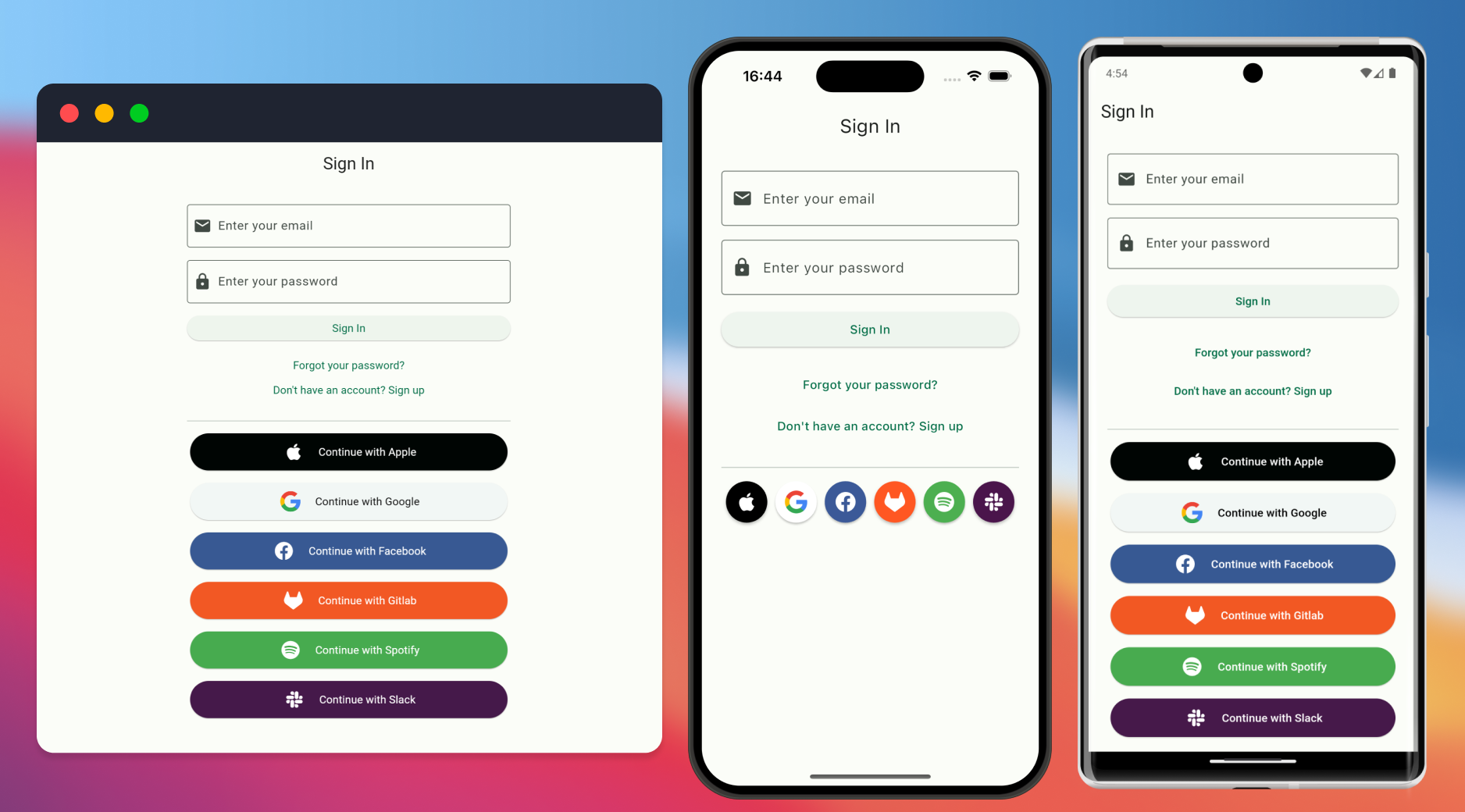--## Add Flutter Auth UI--Add the latest version of the package [supabase-auth-ui](https://pub.dev/packages/supabase_auth_ui) to pubspec.yaml:--```bash-flutter pub add supabase_auth_ui-```--### Initialize the Flutter Auth package--```dart-import 'package:flutter/material.dart';-import 'package:supabase_auth_ui/supabase_auth_ui.dart';--void main() async {- await Supabase.initialize(- url: dotenv.get('SUPABASE_URL'),- anonKey: dotenv.get('SUPABASE_PUBLISHABLE_KEY'),- );-- runApp(const MyApp());-}-```--### Email Auth--Use a `SupaEmailAuth` widget to create an email and password signin and signup form. It also contains a button to toggle to display a forgot password form.--You can pass `metadataFields` to add additional fields to the form to pass as metadata to Supabase.--```dart-SupaEmailAuth(- redirectTo: kIsWeb ? null : 'io.mydomain.myapp://callback',- onSignInComplete: (response) {},- onSignUpComplete: (response) {},- metadataFields: [- MetaDataField(- prefixIcon: const Icon(Icons.person),- label: 'Username',- key: 'username',- validator: (val) {- if (val == null || val.isEmpty) {- return 'Please enter something';- }- return null;- },- ),- ],-)-```--### Magic link Auth--Use `SupaMagicAuth` widget to create a magic link signIn form.--```dart-SupaMagicAuth(- redirectUrl: kIsWeb ? null : 'io.mydomain.myapp://callback',- onSuccess: (Session response) {},- onError: (error) {},-)-```--### Reset password--Use `SupaResetPassword` to create a password reset form.--```dart-SupaResetPassword(- accessToken: supabase.auth.currentSession?.accessToken,- onSuccess: (UserResponse response) {},- onError: (error) {},-)-```--### Phone Auth--Use `SupaPhoneAuth` to create a phone authentication form.--```dart-SupaPhoneAuth(- authAction: SupaAuthAction.signUp,- onSuccess: (AuthResponse response) {},-),-```--### Social Auth--The package supports login with [official social providers](../../auth#providers).--Use `SupaSocialsAuth` to create list of social login buttons.--```dart-SupaSocialsAuth(- socialProviders: [- OAuthProvider.apple,- OAuthProvider.google,- ],- colored: true,- redirectUrl: kIsWeb- ? null- : 'io.mydomain.myapp://callback',- onSuccess: (Session response) {},- onError: (error) {},-)-```--### Theming--This package uses plain Flutter components allowing you to control the appearance of the components using your own theme.diff --git a/apps/docs/content/guides/auth/auth-helpers/nextjs-pages.mdx b/apps/docs/content/guides/auth/auth-helpers/nextjs-pages.mdxdeleted file mode 100644index 71e00402d78..00000000000--- a/apps/docs/content/guides/auth/auth-helpers/nextjs-pages.mdx+++ /dev/null@@ -1,941 +0,0 @@-----id: 'nextjs-pages'-title: 'Supabase Auth with Next.js Pages Directory'-description: 'Authentication helpers for Next.js API routes, middleware, and SSR in the Pages Directory.'-sidebar_label: 'Next.js (pages)'-sitemapPriority: 0.3------<Admonition type="caution">--The Auth helpers package is deprecated. Use the new `@supabase/ssr` package for Server Side Authentication. `@supabase/ssr` takes the core concepts of the Auth Helpers package and makes them available to any server framework. Read the [migration doc](/docs/guides/auth/server-side/migrating-to-ssr-from-auth-helpers) to learn more.--We recommend setting up Auth for your Next.js app with `@supabase/ssr` instead. Read the [Next.js Server-Side Auth guide](/docs/guides/auth/server-side/nextjs?router=pages) to learn how.--</Admonition>--<Accordion- type="default"- openBehaviour="multiple"- chevronAlign="right"- justified- size="medium"- className="text-foreground-light border-b mt-8 pb-2"- >-- <AccordionItem- header="See legacy docs"- id="legacy-docs"- >--This submodule provides convenience helpers for implementing user authentication in Next.js applications using the pages directory.--<Admonition type="note">--Note: As of [Next.js 13.4](https://nextjs.org/blog/next-13-4), the App Router has reached stable status. This is now the recommended path for new Next.js app. Check out our guide on using [Auth Helpers with the Next.js App Directory](/docs/guides/auth/auth-helpers/nextjs).--</Admonition>--## Install the Next.js helper library--```sh Terminal-npm install @supabase/auth-helpers-nextjs @supabase/supabase-js-```--This library supports the following tooling versions:--- Node.js: `^10.13.0 || >=12.0.0`-- Next.js: `>=10`--Additionally, install the **React Auth Helpers** for components and hooks that can be used across all React-based frameworks.--```sh Terminal-npm install @supabase/auth-helpers-react-```--## Set up environment variables--Retrieve your project URL and anon key in your project's [API settings](/dashboard/project/_/settings/api) in the Dashboard to set up the following environment variables. For local development you can set them in a `.env.local` file. See an [example](https://github.com/supabase/auth-helpers/blob/main/examples/nextjs/.env.local.example).--```bash .env.local-NEXT_PUBLIC_SUPABASE_URL=your-supabase-url-NEXT_PUBLIC_SUPABASE_PUBLISHABLE_KEY=your-supabase-publishable-key-```--## Basic setup--<Tabs- scrollable- size="small"- type="underlined"- defaultActiveId="js"- queryGroup="language"->-<TabPanel id="js" label="JavaScript">--Wrap your `pages/_app.js` component with the `SessionContextProvider` component:--```jsx pages/_app.js-import { createPagesBrowserClient } from '@supabase/auth-helpers-nextjs'-import { SessionContextProvider } from '@supabase/auth-helpers-react'-import { useState } from 'react'--function MyApp({ Component, pageProps }) {- // Create a new supabase browser client on every first render.- const [supabaseClient] = useState(() => createPagesBrowserClient())-- return (- <SessionContextProvider- supabaseClient={supabaseClient}- initialSession={pageProps.initialSession}- >- <Component {...pageProps} />- </SessionContextProvider>- )-}-```--</TabPanel>-<TabPanel id="ts" label="TypeScript">--Wrap your `pages/_app.tsx` component with the `SessionContextProvider` component:--```tsx-import { type AppProps } from 'next/app'-import { createPagesBrowserClient } from '@supabase/auth-helpers-nextjs'-import { SessionContextProvider, Session } from '@supabase/auth-helpers-react'-import { useState } from 'react'--function MyApp({- Component,- pageProps,-}: AppProps<{- initialSession: Session-}>) {- // Create a new supabase browser client on every first render.- const [supabaseClient] = useState(() => createPagesBrowserClient())-- return (- <SessionContextProvider- supabaseClient={supabaseClient}- initialSession={pageProps.initialSession}- >- <Component {...pageProps} />- </SessionContextProvider>- )-}-export default MyApp-```--</TabPanel>-</Tabs>--You can now determine if a user is authenticated by checking that the `user` object returned by the `useUser()` hook is defined.--### Code Exchange API route--The `Code Exchange` API route is required for the [server-side auth flow](/docs/guides/auth/server-side-rendering) implemented by the Next.js Auth Helpers. It exchanges an auth `code` for the user's `session`, which is set as a cookie for future requests made to Supabase.--<Tabs- scrollable- size="small"- type="underlined"- defaultActiveId="js"- queryGroup="language"->-<TabPanel id="js" label="JavaScript">--Create a new file at `pages/api/auth/callback.js` and populate with the following:--```jsx pages/api/auth/callback.js-import { NextApiHandler } from 'next'-import { createPagesServerClient } from '@supabase/auth-helpers-nextjs'--const handler = async (req, res) => {- const { code } = req.query-- if (code) {- const supabase = createPagesServerClient({ req, res })- await supabase.auth.exchangeCodeForSession(String(code))- }-- res.redirect('/')-}--export default handler-```--</TabPanel>--<TabPanel id="ts" label="TypeScript">--Create a new file at `pages/api/auth/callback.ts` and populate with the following:--```tsx pages/api/auth/callback.ts-import { NextApiHandler } from 'next'-import { createPagesServerClient } from '@supabase/auth-helpers-nextjs'--const handler: NextApiHandler = async (req, res) => {- const { code } = req.query-- if (code) {- const supabase = createPagesServerClient({ req, res })- await supabase.auth.exchangeCodeForSession(String(code))- }-- res.redirect('/')-}--export default handler-```--</TabPanel>-</Tabs>--## Usage with TypeScript--You can pass types that were [generated with the Supabase CLI](/docs/reference/javascript/typescript-support#generating-types) to the Supabase Client to get enhanced type safety and auto completion:--### Browser client--Creating a new `supabase` client object:--```tsx-import { createPagesBrowserClient } from '@supabase/auth-helpers-nextjs'-import { Database } from '../database.types'--const supabaseClient = createPagesBrowserClient<Database>()-```--Retrieving a `supabase` client object from the `SessionContext`:--```tsx-import { useSupabaseClient } from '@supabase/auth-helpers-react'-import { Database } from '../database.types'--const supabaseClient = useSupabaseClient<Database>()-```--### Server client--```tsx-// Creating a new supabase server client object (e.g. in API route):-import { createPagesServerClient } from '@supabase/auth-helpers-nextjs'-import type { NextApiRequest, NextApiResponse } from 'next'-import type { Database } from 'types_db'--export default async (req: NextApiRequest, res: NextApiResponse) => {- const supabaseServerClient = createPagesServerClient<Database>({- req,- res,- })- const {- data: { user },- } = await supabaseServerClient.auth.getUser()-- res.status(200).json({ name: user?.name ?? '' })-}-```--## Client-side data fetching with RLS--For [row level security](/docs/learn/auth-deep-dive/auth-row-level-security) to work properly when fetching data client-side, you need to make sure to use the `supabaseClient` from the `useSupabaseClient` hook and only run your query once the user is defined client-side in the `useUser()` hook:--```jsx-import { Auth } from '@supabase/auth-ui-react'-import { ThemeSupa } from '@supabase/auth-ui-shared'-import { useUser, useSupabaseClient } from '@supabase/auth-helpers-react'-import { useEffect, useState } from 'react'--const LoginPage = () => {- const supabaseClient = useSupabaseClient()- const user = useUser()- const [data, setData] = useState()-- useEffect(() => {- async function loadData() {- const { data } = await supabaseClient.from('test').select('*')- setData(data)- }- // Only run query once user is logged in.- if (user) loadData()- }, [user])-- if (!user)- return (- <Auth- redirectTo="http://localhost:3000/"- appearance={{ theme: ThemeSupa }}- supabaseClient={supabaseClient}- providers={['google', 'github']}- socialLayout="horizontal"- />- )-- return (- <>- <button onClick={() => supabaseClient.auth.signOut()}>Sign out</button>- <p>user:</p>- <pre>{JSON.stringify(user, null, 2)}</pre>- <p>client-side data fetching with RLS</p>- <pre>{JSON.stringify(data, null, 2)}</pre>- </>- )-}--export default LoginPage-```--## Server-side rendering (SSR)--Create a server Supabase client to retrieve the logged in user's session:--```jsx pages/profile.js-import { createPagesServerClient } from '@supabase/auth-helpers-nextjs'--export default function Profile({ user }) {- return <div>Hello {user.name}</div>-}--export const getServerSideProps = async (ctx) => {- // Create authenticated Supabase Client- const supabase = createPagesServerClient(ctx)- // Check if we have a user- const {- data: { user },- } = await supabase.auth.getUser()-- if (!user)- return {- redirect: {- destination: '/',- permanent: false,- },- }-- return {- props: {- user,- },- }-}-```--## Server-side data fetching with RLS--You can use the server Supabase client to run [row level security](/docs/learn/auth-deep-dive/auth-row-level-security) authenticated queries server-side:--<Tabs- scrollable- size="small"- type="underlined"- defaultActiveId="js"- queryGroup="language"->-<TabPanel id="js" label="JavaScript">--```jsx-import { createPagesServerClient } from '@supabase/auth-helpers-nextjs'--export default function ProtectedPage({ user, data }) {- return (- <>- <div>Protected content for {user.email}</div>- <pre>{JSON.stringify(data, null, 2)}</pre>- <pre>{JSON.stringify(user, null, 2)}</pre>- </>- )-}--export const getServerSideProps = async (ctx) => {- // Create authenticated Supabase Client- const supabase = createPagesServerClient(ctx)- // Check if we have a session- const {- data: { user },- } = await supabase.auth.getUser()-- if (!session)- return {- redirect: {- destination: '/',- permanent: false,- },- }-- // Run queries with RLS on the server- const { data } = await supabase.from('users').select('*')-- return {- props: {- user,- data: data ?? [],- },- }-}-```--</TabPanel>-<TabPanel id="ts" label="TypeScript">--```tsx-import { User, createPagesServerClient } from '@supabase/auth-helpers-nextjs'-import { GetServerSidePropsContext } from 'next'--export default function ProtectedPage({ user, data }: { user: User; data: any }) {- return (- <>- <div>Protected content for {user.email}</div>- <pre>{JSON.stringify(data, null, 2)}</pre>- <pre>{JSON.stringify(user, null, 2)}</pre>- </>- )-}--export const getServerSideProps = async (ctx: GetServerSidePropsContext) => {- // Create authenticated Supabase Client- const supabase = createPagesServerClient(ctx)- // Check if we have a session- const {- data: { user },- } = await supabase.auth.getUser()-- if (!user)- return {- redirect: {- destination: '/',- permanent: false,- },- }-- // Run queries with RLS on the server- const { data } = await supabase.from('users').select('*')-- return {- props: {- user,- data: data ?? [],- },- }-}-```--</TabPanel>-</Tabs>--## Server-side data fetching to OAuth APIs using `provider token` {`#oauth-provider-token`}--When using third-party auth providers, sessions are initiated with an additional `provider_token` field which is persisted in the auth cookie and can be accessed within the session object. The `provider_token` can be used to make API requests to the OAuth provider's API endpoints on behalf of the logged-in user.--Note that the server accesses data on the session object returned by `auth.getSession`. This data should normally not be trusted, because it is read from the local storage medium. It is not revalidated against the Auth server unless the session is expired, which means the sender can tamper with it.--In this case, the third-party API will validate the `provider_token`, and a malicious actor is unable to forge one.--<Tabs- scrollable- size="small"- type="underlined"- defaultActiveId="js"- queryGroup="language"->-<TabPanel id="js" label="JavaScript">--```jsx-import { createPagesServerClient } from '@supabase/auth-helpers-nextjs'--export default function ProtectedPage({ user, allRepos }) {- return (- <>- <div>Protected content for {user.email}</div>- <p>Data fetched with provider token:</p>- <pre>{JSON.stringify(allRepos, null, 2)}</pre>- <p>user:</p>- <pre>{JSON.stringify(user, null, 2)}</pre>- </>- )-}--export const getServerSideProps = async (ctx) => {- // Create authenticated Supabase Client- const supabase = createPagesServerClient(ctx)- // Check if we have a session- const {- data: { session },- } = await supabase.auth.getSession()-- if (!session)- return {- redirect: {- destination: '/',- permanent: false,- },- }-- // Retrieve provider_token & logged in user's third-party id from metadata- const { provider_token, user } = session- const userId = user.user_metadata.user_name-- const allRepos = await (- await fetch(`https://api.github.com/search/repositories?q=user:${userId}`, {- method: 'GET',- headers: {- Authorization: `token ${provider_token}`,- },- })- ).json()-- return { props: { user, allRepos } }-}-```--</TabPanel>-<TabPanel id="ts" label="TypeScript">--```tsx-import { User, createPagesServerClient } from '@supabase/auth-helpers-nextjs'-import { GetServerSidePropsContext } from 'next'--export default function ProtectedPage({ user, allRepos }: { user: User; allRepos: any }) {- return (- <>- <div>Protected content for {user.email}</div>- <p>Data fetched with provider token:</p>- <pre>{JSON.stringify(allRepos, null, 2)}</pre>- <p>user:</p>- <pre>{JSON.stringify(user, null, 2)}</pre>- </>- )-}--export const getServerSideProps = async (ctx: GetServerSidePropsContext) => {- // Create authenticated Supabase Client- const supabase = createPagesServerClient(ctx)- // Check if we have a session- const {- data: { session },- } = await supabase.auth.getSession()-- if (!session)- return {- redirect: {- destination: '/',- permanent: false,- },- }-- // Retrieve provider_token & logged in user's third-party id from metadata- const { provider_token, user } = session- const userId = user.user_metadata.user_name-- const allRepos = await (- await fetch(`https://api.github.com/search/repositories?q=user:${userId}`, {- method: 'GET',- headers: {- Authorization: `token ${provider_token}`,- },- })- ).json()-- return { props: { user, allRepos } }-}-```--</TabPanel>-</Tabs>--## Protecting API routes--Create a server Supabase client to retrieve the logged in user's session:--<Tabs- scrollable- size="small"- type="underlined"- defaultActiveId="js"- queryGroup="language"->-<TabPanel id="js" label="JavaScript">--```jsx pages/api/protected-route.js-import { createPagesServerClient } from '@supabase/auth-helpers-nextjs'--const ProtectedRoute = async (req, res) => {- // Create authenticated Supabase Client- const supabase = createPagesServerClient({ req, res })- // Check if we have a user- const {- data: { user },- } = await supabase.auth.getUser()-- if (!user)- return res.status(401).json({- error: 'not_authenticated',- description: 'The user does not have an active session or is not authenticated',- })-- // Run queries with RLS on the server- const { data } = await supabase.from('test').select('*')- res.json(data)-}--export default ProtectedRoute-```--</TabPanel>-<TabPanel id="ts" label="TypeScript">--```tsx pages/api/protected-route.ts-import { NextApiHandler } from 'next'-import { createPagesServerClient } from '@supabase/auth-helpers-nextjs'--const ProtectedRoute: NextApiHandler = async (req, res) => {- // Create authenticated Supabase Client- const supabase = createPagesServerClient({ req, res })- // Check if we have a session- const {- data: { user },- } = await supabase.auth.getUser()-- if (!user)- return res.status(401).json({- error: 'not_authenticated',- description: 'The user does not have an active session or is not authenticated',- })-- // Run queries with RLS on the server- const { data } = await supabase.from('test').select('*')- res.json(data)-}--export default ProtectedRoute-```--</TabPanel>-</Tabs>--## Auth with Next.js proxy--As an alternative to protecting individual pages you can use a [Next.js Proxy](https://nextjs.org/docs/app/getting-started/proxy) to protect the entire directory or those that match the config object. In the following example, all requests to `/middleware-protected/*` will check whether a user is signed in, if successful the request will be forwarded to the destination route, otherwise the user will be redirected:--```ts middleware.ts-import { createMiddlewareClient } from '@supabase/auth-helpers-nextjs'-import { NextResponse } from 'next/server'-import type { NextRequest } from 'next/server'--export async function middleware(req: NextRequest) {- // We need to create a response and hand it to the supabase client to be able to modify the response headers.- const res = NextResponse.next()- // Create authenticated Supabase Client.- const supabase = createMiddlewareClient({ req, res })- // Check if we have a session- const {- data: { user },- } = await supabase.auth.getUser()-- // Check auth condition- if (user?.email?.endsWith('@gmail.com')) {- // Authentication successful, forward request to protected route.- return res- }-- // Auth condition not met, redirect to home page.- const redirectUrl = req.nextUrl.clone()- redirectUrl.pathname = '/'- redirectUrl.searchParams.set(`redirectedFrom`, req.nextUrl.pathname)- return NextResponse.redirect(redirectUrl)-}--export const config = {- matcher: '/middleware-protected/:path*',-}-```--## Migration guide--### Migrating to v0.7.X--#### PKCE Auth flow--PKCE is the new server-side auth flow implemented by the Next.js Auth Helpers. It requires a new API route for `/api/auth/callback` that exchanges an auth `code` for the user's `session`.--Check the [Code Exchange API Route steps](/docs/guides/auth/auth-helpers/nextjs-pages#code-exchange-api-route) above to implement this route.--#### Authentication--For authentication methods that have a `redirectTo` or `emailRedirectTo`, this must be set to this new code exchange API Route - `/api/auth/callback`. This is an example with the `signUp` function:--```jsx-supabase.auth.signUp({- email: '[email protected]',- password: 'sup3rs3cur3',- options: {- emailRedirectTo: 'http://localhost:3000/auth/callback',- },-})-```--#### Deprecated functions--With v0.7.x of the Next.js Auth Helpers a new naming convention has been implemented for `createClient` functions. The `createBrowserSupabaseClient` and `createServerSupabaseClient` functions have been marked as deprecated, and will be removed in a future version of the Auth Helpers.--- `createBrowserSupabaseClient` has been replaced with `createPagesBrowserClient`-- `createServerSupabaseClient` has been replaced with `createPagesServerClient`--### Migrating to v0.5.X--To make these helpers more flexible as well as more maintainable and easier to upgrade for new versions of Next.js, we're stripping them down to the most useful part which is managing the cookies and giving you an authenticated supabase-js client in any environment (client, server, middleware/edge).--Therefore we're marking the `withApiAuth`, `withPageAuth`, and `withMiddlewareAuth` higher order functions as deprecated and they will be removed in the next **minor** release (v0.6.X).--Follow the steps below to update your API routes, pages, and middleware handlers. Thanks!--#### `withApiAuth` deprecated!--Use `createPagesServerClient` within your `NextApiHandler`:--<Tabs- scrollable- size="small"- type="underlined"- defaultActiveId="before"- queryGroup="migration-side"->-<TabPanel id="before" label="Before">--```tsx pages/api/protected-route.ts-import { withApiAuth } from '@supabase/auth-helpers-nextjs'--export default withApiAuth(async function ProtectedRoute(req, res, supabase) {- // Run queries with RLS on the server- const { data } = await supabase.from('test').select('*')- res.json(data)-})-```--</TabPanel>-<TabPanel id="after" label="After">--```tsx pages/api/protected-route.ts-import { NextApiHandler } from 'next'-import { createPagesServerClient } from '@supabase/auth-helpers-nextjs'--const ProtectedRoute: NextApiHandler = async (req, res) => {- // Create authenticated Supabase Client- const supabase = createPagesServerClient({ req, res })- // Check if we have a session- const {- data: { user },- } = await supabase.auth.getUser()-- if (!user)- return res.status(401).json({- error: 'not_authenticated',- description: 'The user does not have an active session or is not authenticated',- })-- // Run queries with RLS on the server- const { data } = await supabase.from('test').select('*')- res.json(data)-}--export default ProtectedRoute-```--</TabPanel>-</Tabs>--#### `withPageAuth` deprecated!--Use `createPagesServerClient` within `getServerSideProps`:--<Tabs- scrollable- size="small"- type="underlined"- defaultActiveId="before"- queryGroup="migration-side"->-<TabPanel id="before" label="Before">--```tsx pages/profile.tsx-import { withPageAuth, User } from '@supabase/auth-helpers-nextjs'--export default function Profile({ user }: { user: User }) {- return <pre>{JSON.stringify(user, null, 2)}</pre>-}--export const getServerSideProps = withPageAuth({ redirectTo: '/' })-```--</TabPanel>-<TabPanel id="after" label="After">--```tsx pages/profile.js-import { createPagesServerClient, User } from '@supabase/auth-helpers-nextjs'-import { GetServerSidePropsContext } from 'next'--export default function Profile({ user }: { user: User }) {- return <pre>{JSON.stringify(user, null, 2)}</pre>-}--export const getServerSideProps = async (ctx: GetServerSidePropsContext) => {- // Create authenticated Supabase Client- const supabase = createPagesServerClient(ctx)- // Check if we have a session- const {- data: { user },- } = await supabase.auth.getUser()-- if (!user)- return {- redirect: {- destination: '/',- permanent: false,- },- }-- return {- props: {- initialSession: session,- user: session.user,- },- }-}-```--</TabPanel>-</Tabs>--#### `withMiddlewareAuth` deprecated!--<Tabs- scrollable- size="small"- type="underlined"- defaultActiveId="before"- queryGroup="migration-side"->-<TabPanel id="before" label="Before">--```tsx middleware.ts-import { withMiddlewareAuth } from '@supabase/auth-helpers-nextjs'--export const middleware = withMiddlewareAuth({- redirectTo: '/',- authGuard: {- isPermitted: async (user) => {- return user.email?.endsWith('@gmail.com') ?? false- },- redirectTo: '/insufficient-permissions',- },-})--export const config = {- matcher: '/middleware-protected',-}-```--</TabPanel>-<TabPanel id="after" label="After">--```tsx middleware.ts-import { createMiddlewareClient } from '@supabase/auth-helpers-nextjs'-import { NextResponse } from 'next/server'-import type { NextRequest } from 'next/server'--export async function middleware(req: NextRequest) {- // We need to create a response and hand it to the supabase client to be able to modify the response headers.- const res = NextResponse.next()- // Create authenticated Supabase Client.- const supabase = createMiddlewareClient({ req, res })- // Check if we have a session- const {- data: { user },- } = await supabase.auth.getUser()-- // Check auth condition- if (user?.email?.endsWith('@gmail.com')) {- // Authentication successful, forward request to protected route.- return res- }-- // Auth condition not met, redirect to home page.- const redirectUrl = req.nextUrl.clone()- redirectUrl.pathname = '/'- redirectUrl.searchParams.set(`redirectedFrom`, req.nextUrl.pathname)- return NextResponse.redirect(redirectUrl)-}--export const config = {- matcher: '/middleware-protected',-}-```--</TabPanel>-</Tabs>--### Migrating to v0.4.X and supabase-js v2--With the update to `supabase-js` v2 the `auth` API routes are no longer required, therefore you can go ahead and delete your `auth` directory under the `/pages/api/` directory. Refer to the [v2 migration guide](/docs/reference/javascript/v1/upgrade-guide) for the full set of changes within supabase-js.--The `/api/auth/logout` API route has been removed, use the `signout` method instead:--```jsx-<button- onClick={async () => {- await supabaseClient.auth.signOut()- router.push('/')- }}->- Logout-</button>-```--The `supabaseClient` and `supabaseServerClient` have been removed in favor of the `createPagesBrowserClient` and `createPagesServerClient` methods. This allows you to provide the CLI-generated types to the client:--```tsx-// client-side-import type { Database } from 'types_db'-const [supabaseClient] = useState(() => createPagesBrowserClient<Database>())--// server-side API route-import type { NextApiRequest, NextApiResponse } from 'next'-import type { Database } from 'types_db'--export default async (req: NextApiRequest, res: NextApiResponse) => {- const supabaseServerClient = createPagesServerClient<Database>({- req,- res,- })- const {- data: { user },- } = await supabaseServerClient.auth.getUser()-- res.status(200).json({ name: user?.name ?? '' })-}-```--- The `UserProvider` has been replaced by the `SessionContextProvider`. Make sure to wrap your `pages/_app.js` component with the `SessionContextProvider`. Then, throughout your application you can use the `useSessionContext` hook to get the `session` and the `useSupabaseClient` hook to get an authenticated `supabaseClient`.-- The `useUser` hook now returns the `user` object or `null`.-- Usage with TypeScript: You can pass types that were [generated with the Supabase CLI](/docs/reference/javascript/typescript-support#generating-types) to the Supabase Client to get enhanced type safety and auto completion:--Creating a new `supabase` client object:--```tsx-import { Database } from '../database.types'--const [supabaseClient] = useState(() => createPagesBrowserClient<Database>())-```--Retrieving a `supabase` client object from the `SessionContext`:--```tsx-import { useSupabaseClient } from '@supabase/auth-helpers-react'-import { Database } from '../database.types'--const supabaseClient = useSupabaseClient<Database>()-```--</AccordionItem>--</Accordion>diff --git a/apps/docs/content/guides/auth/auth-helpers/nextjs.mdx b/apps/docs/content/guides/auth/auth-helpers/nextjs.mdxdeleted file mode 100644index 9eaab4f00aa..00000000000--- a/apps/docs/content/guides/auth/auth-helpers/nextjs.mdx+++ /dev/null@@ -1,1335 +0,0 @@-----id: 'nextjs'-title: 'Supabase Auth with the Next.js App Router'-description: 'Authentication and Authorization helpers for creating an authenticated Supabase client with the Next.js 13 App Router.'-sidebar_label: 'Next.js'-sitemapPriority: 0.3------<Admonition type="caution">--The Auth helpers package is deprecated. Use the new `@supabase/ssr` package for Server Side Authentication. `@supabase/ssr` takes the core concepts of the Auth Helpers package and makes them available to any server framework. Read the [migration doc](/docs/guides/auth/server-side/migrating-to-ssr-from-auth-helpers) to learn more.--We recommend setting up Auth for your Next.js app with `@supabase/ssr` instead. Read the [Next.js Server-Side Auth guide](/docs/guides/auth/server-side/nextjs?router=pages) to learn how.--</Admonition>--<Accordion- type="default"- openBehaviour="multiple"- chevronAlign="right"- justified- size="medium"- className="text-foreground-light border-b mt-8 pb-2"- >-- <AccordionItem- header="See legacy docs"- id="legacy-docs"- >--The [Next.js Auth Helpers package](https://github.com/supabase/auth-helpers) configures Supabase Auth to store the user's `session` in a `cookie`, rather than `localStorage`. This makes it available across the client and server of the App Router - [Client Components](/docs/guides/auth/auth-helpers/nextjs#client-components), [Server Components](/docs/guides/auth/auth-helpers/nextjs#server-components), [Server Actions](/docs/guides/auth/auth-helpers/nextjs#server-actions), [Route Handlers](/docs/guides/auth/auth-helpers/nextjs#route-handlers) and [Middleware](/docs/guides/auth/auth-helpers/nextjs#middleware). The `session` is automatically sent along with any requests to Supabase.--<div className="video-container">- <iframe- src="https://www.youtube-nocookie.com/embed/w3LD0Z73vgU"- frameBorder="1"- allow="accelerometer; autoplay; clipboard-write; encrypted-media; gyroscope; picture-in-picture"- allowFullScreen- ></iframe>-</div>--<Admonition type="note">--If you are using the `pages` directory, check out [Auth Helpers in Next.js Pages Directory](/docs/guides/auth/auth-helpers/nextjs-pages).--</Admonition>--## Install Next.js Auth helpers library--```sh Terminal-npm install @supabase/auth-helpers-nextjs @supabase/supabase-js-```--## Declare environment variables--Retrieve your project's URL and anon key from your [API settings](/dashboard/project/_/settings/api), and create a `.env.local` file with the following environment variables:--```bash .env.local-NEXT_PUBLIC_SUPABASE_URL=your-supabase-url-NEXT_PUBLIC_SUPABASE_PUBLISHABLE_KEY=your-supabase-publishable-key-```--## Managing session with middleware--When using the Supabase client on the server, you must perform extra steps to ensure the user's auth session remains active. Since the user's session is tracked in a cookie, we need to read this cookie and update it if necessary.--Next.js Server Components allow you to read a cookie but not write back to it. Middleware on the other hand allow you to both read and write to cookies.--Next.js [Middleware](https://nextjs.org/docs/app/building-your-application/routing/middleware) runs immediately before each route is rendered. To avoid unnecessary execution, we include a matcher config to decide when the middleware should run. You can read more on matching paths in the Next.js [documentation](https://nextjs.org/docs/app/building-your-application/routing/middleware#matching-paths). We'll use Middleware to refresh the user's session before loading Server Component routes.--<Tabs- scrollable- size="small"- type="underlined"- defaultActiveId="js"- queryGroup="language"->-<TabPanel id="js" label="JavaScript">--Create a new `middleware.js` file in the root of your project and populate with the following:--```js middleware.js-import { createMiddlewareClient } from '@supabase/auth-helpers-nextjs'-import { NextResponse } from 'next/server'--export async function middleware(req) {- const res = NextResponse.next()-- // Create a Supabase client configured to use cookies- const supabase = createMiddlewareClient({ req, res })-- // Refresh session if expired - required for Server Components- await supabase.auth.getUser()-- return res-}--// Ensure the middleware is only called for relevant paths.-export const config = {- matcher: [- /*- * Match all request paths except for the ones starting with:- * - _next/static (static files)- * - _next/image (image optimization files)- * - favicon.ico (favicon file)- * Feel free to modify this pattern to include more paths.- */- '/((?!_next/static|_next/image|favicon.ico).*)',- ],-}-```--</TabPanel>--<TabPanel id="ts" label="TypeScript">--Create a new `middleware.ts` file in the root of your project and populate with the following:--```ts middleware.ts-import { createMiddlewareClient } from '@supabase/auth-helpers-nextjs'-import { NextResponse } from 'next/server'--import type { NextRequest } from 'next/server'-import type { Database } from '@/lib/database.types'--export async function middleware(req: NextRequest) {- const res = NextResponse.next()-- // Create a Supabase client configured to use cookies- const supabase = createMiddlewareClient<Database>({ req, res })-- // Refresh session if expired - required for Server Components- await supabase.auth.getSession()-- return res-}--// Ensure the middleware is only called for relevant paths.-export const config = {- matcher: [- /*- * Match all request paths except for the ones starting with:- * - _next/static (static files)- * - _next/image (image optimization files)- * - favicon.ico (favicon file)- */- '/((?!_next/static|_next/image|favicon.ico).*)',- ],-}-```--<Admonition type="note">--TypeScript types can be [generated with the Supabase CLI](/docs/reference/javascript/typescript-support) and passed to `createMiddlewareClient` to add type support to the Supabase client.--</Admonition>--</TabPanel>-</Tabs>--<Admonition type="note">--The `getSession` function must be called for any Server Component routes that use a Supabase client.--</Admonition>--## Managing sign-in with Code Exchange--The Next.js Auth Helpers are configured to use the [server-side auth flow](/docs/guides/auth/server-side-rendering) to sign users into your application. This requires you to setup a `Code Exchange` route, to exchange an auth `code` for the user's `session`, which is set as a cookie for future requests made to Supabase.--To make this work with Next.js, we create a callback Route Handler that performs this exchange:--<Tabs- scrollable- size="small"- type="underlined"- defaultActiveId="js"- queryGroup="language"->-<TabPanel id="js" label="JavaScript">--Create a new file at `app/auth/callback/route.js` and populate with the following:--```js app/auth/callback/route.js-import { createRouteHandlerClient } from '@supabase/auth-helpers-nextjs'-import { cookies } from 'next/headers'-import { NextResponse } from 'next/server'--export async function GET(request) {- const requestUrl = new URL(request.url)- const code = requestUrl.searchParams.get('code')-- if (code) {- const cookieStore = cookies()- const supabase = createRouteHandlerClient({ cookies: () => cookieStore })- await supabase.auth.exchangeCodeForSession(code)- }-- // URL to redirect to after sign in process completes- return NextResponse.redirect(requestUrl.origin)-}-```--</TabPanel>--<TabPanel id="ts" label="TypeScript">--Create a new file at `app/auth/callback/route.ts` and populate with the following:--```ts app/auth/callback/route.ts-import { createRouteHandlerClient } from '@supabase/auth-helpers-nextjs'-import { cookies } from 'next/headers'-import { NextResponse } from 'next/server'--import type { NextRequest } from 'next/server'-import type { Database } from '@/lib/database.types'--export async function GET(request: NextRequest) {- const requestUrl = new URL(request.url)- const code = requestUrl.searchParams.get('code')-- if (code) {- const cookieStore = await cookies()- const supabase = createRouteHandlerClient<Database>({ cookies: () => cookieStore })- await supabase.auth.exchangeCodeForSession(code)- }-- // URL to redirect to after sign in process completes- return NextResponse.redirect(requestUrl.origin)-}-```--<Admonition type="note">--TypeScript types can be [generated with the Supabase CLI](/docs/reference/javascript/typescript-support) and passed to `createRouteHandlerClient` to add type support to the Supabase client.--</Admonition>--</TabPanel>-</Tabs>--## Authentication--<div className="video-container">- <iframe- src="https://www.youtube-nocookie.com/embed/-7K6DRWfEGM"- frameBorder="1"- allow="accelerometer; autoplay; clipboard-write; encrypted-media; gyroscope; picture-in-picture"- allowFullScreen- ></iframe>-</div>--Authentication can be initiated [client](/docs/guides/auth/auth-helpers/nextjs#client-side) or [server-side](/docs/guides/auth/auth-helpers/nextjs#server-side). All of the [supabase-js authentication strategies](/docs/reference/javascript/auth-api) are supported with the Auth Helpers client.--<Admonition type="note">--The authentication flow requires the [Code Exchange Route](/docs/guides/auth/auth-helpers/nextjs#managing-sign-in-with-code-exchange) to exchange a `code` for the user's `session`.--</Admonition>--### Client-side--Client Components can be used to trigger the authentication process from event handlers.--<Tabs- scrollable- size="small"- type="underlined"- defaultActiveId="js"- queryGroup="language"->-<TabPanel id="js" label="JavaScript">--```jsx app/login/page.jsx-'use client'--import { createClientComponentClient } from '@supabase/auth-helpers-nextjs'-import { useRouter } from 'next/navigation'-import { useState } from 'react'--export default function Login() {- const [email, setEmail] = useState('')- const [password, setPassword] = useState('')- const router = useRouter()- const supabase = createClientComponentClient()-- const handleSignUp = async () => {- await supabase.auth.signUp({- email,- password,- options: {- emailRedirectTo: `${location.origin}/auth/callback`,- },- })- router.refresh()- }-- const handleSignIn = async () => {- await supabase.auth.signInWithPassword({- email,- password,- })- router.refresh()- }-- const handleSignOut = async () => {- await supabase.auth.signOut()- router.refresh()- }-- return (- <>- <input name="email" onChange={(e) => setEmail(e.target.value)} value={email} />- <input- type="password"- name="password"- onChange={(e) => setPassword(e.target.value)}- value={password}- />- <button onClick={handleSignUp}>Sign up</button>- <button onClick={handleSignIn}>Sign in</button>- <button onClick={handleSignOut}>Sign out</button>- </>- )-}-```--</TabPanel>--<TabPanel id="ts" label="TypeScript">--```tsx app/login/page.tsx-'use client'--import { createClientComponentClient } from '@supabase/auth-helpers-nextjs'-import { useRouter } from 'next/navigation'-import { useState } from 'react'--import type { Database } from '@/lib/database.types'--export default function Login() {- const [email, setEmail] = useState('')- const [password, setPassword] = useState('')- const router = useRouter()- const supabase = createClientComponentClient<Database>()-- const handleSignUp = async () => {- await supabase.auth.signUp({- email,- password,- options: {- emailRedirectTo: `${location.origin}/auth/callback`,- },- })- router.refresh()- }-- const handleSignIn = async () => {- await supabase.auth.signInWithPassword({- email,- password,- })- router.refresh()- }-- const handleSignOut = async () => {- await supabase.auth.signOut()- router.refresh()- }-- return (- <>- <input name="email" onChange={(e) => setEmail(e.target.value)} value={email} />- <input- type="password"- name="password"- onChange={(e) => setPassword(e.target.value)}- value={password}- />- <button onClick={handleSignUp}>Sign up</button>- <button onClick={handleSignIn}>Sign in</button>- <button onClick={handleSignOut}>Sign out</button>- </>- )-}-```--<Admonition type="note">--TypeScript types can be [generated with the Supabase CLI](/docs/reference/javascript/typescript-support) and passed to `createClientComponentClient` to add type support to the Supabase client.--</Admonition>--</TabPanel>-</Tabs>--### Server-side--The combination of [Server Components](https://nextjs.org/docs/getting-started/react-essentials#server-components) and [Route Handlers](https://nextjs.org/docs/app/building-your-application/routing/route-handlers) can be used to trigger the authentication process from form submissions.--#### Sign up route--<Tabs- scrollable- size="small"- type="underlined"- defaultActiveId="js"- queryGroup="language"->-<TabPanel id="js" label="JavaScript">--```jsx app/auth/sign-up/route.js-import { createRouteHandlerClient } from '@supabase/auth-helpers-nextjs'-import { cookies } from 'next/headers'-import { NextResponse } from 'next/server'--export async function POST(request) {- const requestUrl = new URL(request.url)- const formData = await request.formData()- const email = formData.get('email')- const password = formData.get('password')- const cookieStore = cookies()- const supabase = createRouteHandlerClient({ cookies: () => cookieStore })-- await supabase.auth.signUp({- email,- password,- options: {- emailRedirectTo: `${requestUrl.origin}/auth/callback`,- },- })-- return NextResponse.redirect(requestUrl.origin, {- status: 301,- })-}-```--</TabPanel>--<TabPanel id="ts" label="TypeScript">--```tsx app/auth/sign-up/route.ts-import { createRouteHandlerClient } from '@supabase/auth-helpers-nextjs'-import { cookies } from 'next/headers'-import { NextResponse } from 'next/server'--import type { Database } from '@/lib/database.types'--export async function POST(request: Request) {- const requestUrl = new URL(request.url)- const formData = await request.formData()- const email = String(formData.get('email'))- const password = String(formData.get('password'))- const cookieStore = cookies()- const supabase = createRouteHandlerClient<Database>({ cookies: () => cookieStore })-- await supabase.auth.signUp({- email,- password,- options: {- emailRedirectTo: `${requestUrl.origin}/auth/callback`,- },- })-- return NextResponse.redirect(requestUrl.origin, {- status: 301,- })-}-```--<Admonition type="note">--TypeScript types can be [generated with the Supabase CLI](/docs/reference/javascript/typescript-support) and passed to `createRouteHandlerClient` to add type support to the Supabase client.--</Admonition>--</TabPanel>-</Tabs>--<Admonition type="note">--Returning a `301` status redirects from a POST to a GET route--</Admonition>--#### Login route--<Tabs- scrollable- size="small"- type="underlined"- defaultActiveId="js"- queryGroup="language"->-<TabPanel id="js" label="JavaScript">--```jsx app/auth/login/route.js-import { createRouteHandlerClient } from '@supabase/auth-helpers-nextjs'-import { cookies } from 'next/headers'-import { NextResponse } from 'next/server'--export async function POST(request) {- const requestUrl = new URL(request.url)- const formData = await request.formData()- const email = formData.get('email')- const password = formData.get('password')- const cookieStore = cookies()- const supabase = createRouteHandlerClient({ cookies: () => cookieStore })-- await supabase.auth.signInWithPassword({- email,- password,- })-- return NextResponse.redirect(requestUrl.origin, {- status: 301,- })-}-```--</TabPanel>--<TabPanel id="ts" label="TypeScript">--```tsx app/auth/login/route.ts-import { createRouteHandlerClient } from '@supabase/auth-helpers-nextjs'-import { cookies } from 'next/headers'-import { NextResponse } from 'next/server'--import type { Database } from '@/lib/database.types'--export async function POST(request: Request) {- const requestUrl = new URL(request.url)- const formData = await request.formData()- const email = String(formData.get('email'))- const password = String(formData.get('password'))- const cookieStore = cookies()- const supabase = createRouteHandlerClient<Database>({ cookies: () => cookieStore })-- await supabase.auth.signInWithPassword({- email,- password,- })-- return NextResponse.redirect(requestUrl.origin, {- status: 301,- })-}-```--<Admonition type="note">--TypeScript types can be [generated with the Supabase CLI](/docs/reference/javascript/typescript-support) and passed to `createRouteHandlerClient` to add type support to the Supabase client.--</Admonition>--</TabPanel>-</Tabs>--<Admonition type="note">--Returning a `301` status redirects from a POST to a GET route--</Admonition>--#### Logout route--<Tabs- scrollable- size="small"- type="underlined"- defaultActiveId="js"- queryGroup="language"->-<TabPanel id="js" label="JavaScript">--```jsx app/auth/logout/route.js-import { createRouteHandlerClient } from '@supabase/auth-helpers-nextjs'-import { cookies } from 'next/headers'-import { NextResponse } from 'next/server'--export async function POST(request) {- const requestUrl = new URL(request.url)- const cookieStore = cookies()- const supabase = createRouteHandlerClient({ cookies: () => cookieStore })-- await supabase.auth.signOut()-- return NextResponse.redirect(`${requestUrl.origin}/login`, {- status: 301,- })-}-```--</TabPanel>--<TabPanel id="ts" label="TypeScript">--```tsx app/auth/logout/route.ts-import { createRouteHandlerClient } from '@supabase/auth-helpers-nextjs'-import { cookies } from 'next/headers'-import { NextResponse } from 'next/server'--import type { Database } from '@/lib/database.types'--export async function POST(request: Request) {- const requestUrl = new URL(request.url)- const cookieStore = cookies()- const supabase = createRouteHandlerClient<Database>({ cookies: () => cookieStore })-- await supabase.auth.signOut()-- return NextResponse.redirect(`${requestUrl.origin}/login`, {- status: 301,- })-}-```--<Admonition type="note">--TypeScript types can be [generated with the Supabase CLI](/docs/reference/javascript/typescript-support) and passed to `createRouteHandlerClient` to add type support to the Supabase client.--</Admonition>--</TabPanel>-</Tabs>--#### Login page--<Tabs- scrollable- size="small"- type="underlined"- defaultActiveId="js"- queryGroup="language"->-<TabPanel id="js" label="JavaScript">--```jsx app/login/page.jsx-export default function Login() {- return (- <form action="/auth/login" method="post">- <label htmlFor="email">Email</label>- <input name="email" />- <label htmlFor="password">Password</label>- <input type="password" name="password" />- <button>Sign In</button>- <button formAction="/auth/sign-up">Sign Up</button>- <button formAction="/auth/logout">Sign Out</button>- </form>- )-}-```--</TabPanel>--<TabPanel id="ts" label="TypeScript">--```tsx app/login/page.tsx-export default function Login() {- return (- <form action="/auth/login" method="post">- <label htmlFor="email">Email</label>- <input name="email" />- <label htmlFor="password">Password</label>- <input type="password" name="password" />- <button>Sign In</button>- <button formAction="/auth/sign-up">Sign Up</button>- </form>- )-}-```--</TabPanel>-</Tabs>--## Creating a Supabase client--There are 5 ways to access the Supabase client with the Next.js Auth Helpers:--- [Client Components](/docs/guides/auth/auth-helpers/nextjs#client-components) — `createClientComponentClient` in Client Components-- [Server Components](/docs/guides/auth/auth-helpers/nextjs#server-components) — `createServerComponentClient` in Server Components-- [Server Actions](/docs/guides/auth/auth-helpers/nextjs#server-actions) — `createServerActionClient` in Server Actions-- [Route Handlers](/docs/guides/auth/auth-helpers/nextjs#route-handlers) — `createRouteHandlerClient` in Route Handlers-- [Middleware](/docs/guides/auth/auth-helpers/nextjs#middleware) — `createMiddlewareClient` in Middleware--This allows for the Supabase client to be instantiated in the correct context. All you need to change is the context in the middle `create[ClientComponent|ServerComponent|ServerAction|RouteHandler|Middleware]Client` and the Auth Helpers will take care of the rest.--### Client components--<div className="video-container">- <iframe- src="https://www.youtube-nocookie.com/embed/6Sb8R1PYhTY"- frameBorder="1"- allow="accelerometer; autoplay; clipboard-write; encrypted-media; gyroscope; picture-in-picture"- allowFullScreen- ></iframe>-</div>--[Client Components](https://nextjs.org/docs/getting-started/react-essentials#client-components) allow the use of client-side hooks - such as `useEffect` and `useState`. They can be used to request data from Supabase client-side, and [subscribe to realtime events](https://github.com/supabase/supabase/tree/master/examples/auth/nextjs/app/realtime-posts.tsx).--<Tabs- scrollable- size="small"- type="underlined"- defaultActiveId="js"- queryGroup="language"->-<TabPanel id="js" label="JavaScript">--```jsx app/client/page.jsx-'use client'--import { createClientComponentClient } from '@supabase/auth-helpers-nextjs'-import { useEffect, useState } from 'react'--export default function Page() {- const [todos, setTodos] = useState()- const supabase = createClientComponentClient()-- useEffect(() => {- const getData = async () => {- const { data } = await supabase.from('todos').select()- setTodos(data)- }-- getData()- }, [])-- return todos ? <pre>{JSON.stringify(todos, null, 2)}</pre> : <p>Loading todos...</p>-}-```--</TabPanel>--<TabPanel id="ts" label="TypeScript">--```tsx app/client/page.tsx-'use client'--import { createClientComponentClient } from '@supabase/auth-helpers-nextjs'-import { useEffect, useState } from 'react'--import type { Database } from '@/lib/database.types'--type Todo = Database['public']['Tables']['todos']['Row']--export default function Page() {- const [todos, setTodos] = useState<Todo[] | null>(null)- const supabase = createClientComponentClient<Database>()-- useEffect(() => {- const getData = async () => {- const { data } = await supabase.from('todos').select()- setTodos(data)- }-- getData()- }, [])-- return todos ? <pre>{JSON.stringify(todos, null, 2)}</pre> : <p>Loading todos...</p>-}-```--<Admonition type="note">--TypeScript types can be [generated with the Supabase CLI](/docs/reference/javascript/typescript-support) and passed to `createClientComponentClient` to add type support to the Supabase client.--</Admonition>--</TabPanel>-</Tabs>--<Admonition type="note">--Check out the [Next.js auth example repo](https://github.com/supabase/supabase/tree/master/examples/auth/nextjs) for more examples, including [realtime subscriptions](https://github.com/supabase/supabase/tree/master/examples/auth/nextjs/app/realtime-posts.tsx).--</Admonition>--#### Singleton--The `createClientComponentClient` function implements a [Singleton pattern](https://en.wikipedia.org/wiki/Singleton_pattern) by default, meaning that all invocations will return the same Supabase client instance. If you need multiple Supabase instances across Client Components, you can pass an additional configuration option `{ isSingleton: false }` to get a new client every time this function is called.--```jsx-const supabase = createClientComponentClient({ isSingleton: false })-```--### Server components--<div className="video-container">- <iframe- src="https://www.youtube-nocookie.com/embed/ywvXGW6P4Gs"- frameBorder="1"- allow="accelerometer; autoplay; clipboard-write; encrypted-media; gyroscope; picture-in-picture"- allowFullScreen- ></iframe>-</div>--[Server Components](https://nextjs.org/docs/getting-started/react-essentials#server-components) allow for asynchronous data to be fetched server-side.--<Admonition type="note">--In order to use Supabase in Server Components, you need to have implemented the [Middleware](/docs/guides/auth/auth-helpers/nextjs#managing-session-with-middleware) steps above.--</Admonition>--<Tabs- scrollable- size="small"- type="underlined"- defaultActiveId="js"- queryGroup="language"->-<TabPanel id="js" label="JavaScript">--```jsx app/page.jsx-import { cookies } from 'next/headers'-import { createServerComponentClient } from '@supabase/auth-helpers-nextjs'--export default async function Page() {- const cookieStore = cookies()- const supabase = createServerComponentClient({ cookies: () => cookieStore })- const { data } = await supabase.from('todos').select()- return <pre>{JSON.stringify(data, null, 2)}</pre>-}-```--</TabPanel>--<TabPanel id="ts" label="TypeScript">--```tsx app/page.tsx-import { cookies } from 'next/headers'-import { createServerComponentClient } from '@supabase/auth-helpers-nextjs'--import type { Database } from '@/lib/database.types'--export default async function ServerComponent() {- const cookieStore = cookies()- const supabase = createServerComponentClient<Database>({ cookies: () => cookieStore })- const { data } = await supabase.from('todos').select()- return <pre>{JSON.stringify(data, null, 2)}</pre>-}-```--<Admonition type="note">--TypeScript types can be [generated with the Supabase CLI](/docs/reference/javascript/typescript-support) and passed to `createServerComponentClient` to add type support to the Supabase client.--</Admonition>--</TabPanel>-</Tabs>--<Admonition type="note">--Check out the [Next.js auth example repo](https://github.com/supabase/supabase/tree/master/examples/auth/nextjs) for more examples, including redirecting unauthenticated users - [protected pages](https://github.com/supabase/supabase/tree/master/examples/auth/nextjs/app/[id]/page.tsx).--</Admonition>--### Server actions--<div className="video-container">- <iframe- src="https://www.youtube-nocookie.com/embed/4_epZIxqCho"- frameBorder="1"- allow="accelerometer; autoplay; clipboard-write; encrypted-media; gyroscope; picture-in-picture"- allowFullScreen- ></iframe>-</div>--[Server Actions](https://nextjs.org/docs/app/building-your-application/data-fetching/server-actions) allow mutations to be performed server-side.--<Admonition type="note">--Next.js Server Actions are currently in `alpha` so may change without notice.--</Admonition>--<Tabs- scrollable- size="small"- type="underlined"- defaultActiveId="js"- queryGroup="language"->-<TabPanel id="js" label="JavaScript">--```jsx app/new-post/page.jsx-import { cookies } from 'next/headers'-import { createServerActionClient } from '@supabase/auth-helpers-nextjs'-import { revalidatePath } from 'next/cache'--export default async function NewTodo() {- const addTodo = async (formData) => {- 'use server'-- const title = formData.get('title')- const supabase = createServerActionClient({ cookies })- await supabase.from('todos').insert({ title })- revalidatePath('/')- }-- return (- <form action={addTodo}>- <input name="title" />- </form>- )-}-```--</TabPanel>--<TabPanel id="ts" label="TypeScript">--```tsx app/new-post/page.tsx-import { cookies } from 'next/headers'-import { createServerActionClient } from '@supabase/auth-helpers-nextjs'-import { revalidatePath } from 'next/cache'--import type { Database } from '@/lib/database.types'--export default async function NewTodo() {- const addTodo = async (formData: FormData) => {- 'use server'-- const title = formData.get('title')- const cookieStore = cookies()- const supabase = createServerActionClient<Database>({ cookies: () => cookieStore })- await supabase.from('todos').insert({ title })- revalidatePath('/')- }-- return (- <form action={addTodo}>- <input name="title" />- </form>- )-}-```--<Admonition type="note">--TypeScript types can be [generated with the Supabase CLI](/docs/reference/javascript/typescript-support) and passed to `createServerActionClient` to add type support to the Supabase client.--</Admonition>--</TabPanel>-</Tabs>--### Route handlers--<div className="video-container">- <iframe- src="https://www.youtube-nocookie.com/embed/r6q7ypXbPFI"- frameBorder="1"- allow="accelerometer; autoplay; clipboard-write; encrypted-media; gyroscope; picture-in-picture"- allowFullScreen- ></iframe>-</div>--[Route Handlers](https://nextjs.org/docs/app/building-your-application/routing/router-handlers) replace API Routes and allow for logic to be performed server-side. They can respond to `GET`, `POST`, `PUT`, `PATCH`, `DELETE`, `HEAD`, and `OPTIONS` requests.--<Tabs- scrollable- size="small"- type="underlined"- defaultActiveId="js"- queryGroup="language"->-<TabPanel id="js" label="JavaScript">--```jsx app/api/todos/route.js-import { createRouteHandlerClient } from '@supabase/auth-helpers-nextjs'-import { NextResponse } from 'next/server'-import { cookies } from 'next/headers'--export async function POST(request) {- const { title } = await request.json()- const cookieStore = cookies()- const supabase = createRouteHandlerClient({ cookies: () => cookieStore })- const { data } = await supabase.from('todos').insert({ title }).select()- return NextResponse.json(data)-}-```--</TabPanel>--<TabPanel id="ts" label="TypeScript">--```tsx app/api/todos/route.ts-import { createRouteHandlerClient } from '@supabase/auth-helpers-nextjs'-import { NextResponse } from 'next/server'-import { cookies } from 'next/headers'--import type { Database } from '@/lib/database.types'--export async function POST(request: Request) {- const { title } = await request.json()- const cookieStore = cookies()- const supabase = createRouteHandlerClient<Database>({ cookies: () => cookieStore })- const { data } = await supabase.from('todos').insert({ title }).select()- return NextResponse.json(data)-}-```--<Admonition type="note">--TypeScript types can be [generated with the Supabase CLI](/docs/reference/javascript/typescript-support) and passed to `createRouteHandlerClient` to add type support to the Supabase client.--</Admonition>--</TabPanel>-</Tabs>--### Middleware--See [refreshing session example](/docs/guides/auth/auth-helpers/nextjs#managing-session-with-middleware) above.--### Edge runtime--The Next.js Edge Runtime allows you to host Server Components and Route Handlers from Edge nodes, serving the routes as close as possible to your user's location.--A route can be configured to use the Edge Runtime by exporting a `runtime` variable set to `edge`. Additionally, the `cookies()` function must be called from the Edge route, before creating a Supabase Client.--#### Server components--<Tabs- scrollable- size="small"- type="underlined"- defaultActiveId="js"- queryGroup="language"->-<TabPanel id="js" label="JavaScript">--```jsx app/page.jsx-import { cookies } from 'next/headers'-import { createServerComponentClient } from '@supabase/auth-helpers-nextjs'--export const runtime = 'edge'-export const dynamic = 'force-dynamic'--export default async function Page() {- const cookieStore = cookies()-- const supabase = createServerComponentClient({- cookies: () => cookieStore,- })-- const { data } = await supabase.from('todos').select()- return <pre>{JSON.stringify(data, null, 2)}</pre>-}-```--</TabPanel>--<TabPanel id="ts" label="TypeScript">--```tsx app/page.tsx-import { cookies } from 'next/headers'-import { createServerComponentClient } from '@supabase/auth-helpers-nextjs'--import type { Database } from '@/lib/database.types'--export const runtime = 'edge'-export const dynamic = 'force-dynamic'--export default async function Page() {- const cookieStore = cookies()-- const supabase = createServerComponentClient<Database>({- cookies: () => cookieStore,- })-- const { data } = await supabase.from('todos').select()- return <pre>{JSON.stringify(data, null, 2)}</pre>-}-```--<Admonition type="note">--TypeScript types can be [generated with the Supabase CLI](/docs/reference/javascript/typescript-support) and passed to `createServerComponentClient` to add type support to the Supabase client.--</Admonition>--</TabPanel>-</Tabs>--#### Route handlers--<Tabs- scrollable- size="small"- type="underlined"- defaultActiveId="js"- queryGroup="language"->-<TabPanel id="js" label="JavaScript">--```jsx app/api/todos/route.js-import { createRouteHandlerClient } from '@supabase/auth-helpers-nextjs'-import { NextResponse } from 'next/server'-import { cookies } from 'next/headers'--export const runtime = 'edge'-export const dynamic = 'force-dynamic'--export async function POST(request) {- const { title } = await request.json()- const cookieStore = cookies()- const supabase = createRouteHandlerClient({ cookies: () => cookieStore })-- const { data } = await supabase.from('todos').insert({ title }).select()- return NextResponse.json(data)-}-```--</TabPanel>--<TabPanel id="ts" label="TypeScript">--```tsx app/api/todos/route.ts-import { createRouteHandlerClient } from '@supabase/auth-helpers-nextjs'-import { NextResponse } from 'next/server'-import { cookies } from 'next/headers'--import type { Database } from '@/lib/database.types'--export const runtime = 'edge'-export const dynamic = 'force-dynamic'--export async function POST(request: Request) {- const { title } = await request.json()- const cookieStore = cookies()-- const supabase = createRouteHandlerClient<Database>({- cookies: () => cookieStore,- })-- const { data } = await supabase.from('todos').insert({ title }).select()- return NextResponse.json(data)-}-```--<Admonition type="note">--TypeScript types can be [generated with the Supabase CLI](/docs/reference/javascript/typescript-support) and passed to `createRouteHandlerClient` to add type support to the Supabase client.--</Admonition>--</TabPanel>-</Tabs>--### Static routes--Server Components and Route Handlers are static by default - data is fetched once at build time and the value is cached. Since the request to Supabase now happens at build time, there is no user, session or cookie to pass along with the request to Supabase. Therefore, the `createClient` function from `supabase-js` can be used to fetch data for static routes.--#### Server components--<Tabs- scrollable- size="small"- type="underlined"- defaultActiveId="js"- queryGroup="language"->-<TabPanel id="js" label="JavaScript">--```jsx app/page.jsx-import { createClient } from '@supabase/supabase-js'--export default async function Page() {- const supabase = createClient(- process.env.NEXT_PUBLIC_SUPABASE_URL,- process.env.NEXT_PUBLIC_SUPABASE_PUBLISHABLE_KEY- )-- const { data } = await supabase.from('todos').select()- return <pre>{JSON.stringify(data, null, 2)}</pre>-}-```--</TabPanel>--<TabPanel id="ts" label="TypeScript">--```tsx app/page.tsx-import { createClient } from '@supabase/supabase-js'--import type { Database } from '@/lib/database.types'--export default async function Page() {- const supabase = createClient<Database>(- process.env.NEXT_PUBLIC_SUPABASE_URL!,- process.env.NEXT_PUBLIC_SUPABASE_PUBLISHABLE_KEY!- )-- const { data } = await supabase.from('todos').select()- return <pre>{JSON.stringify(data, null, 2)}</pre>-}-```--<Admonition type="note">--TypeScript types can be [generated with the Supabase CLI](/docs/reference/javascript/typescript-support) and passed to `createClient` to add type support to the Supabase client.--</Admonition>--</TabPanel>-</Tabs>--#### Route handlers--<Tabs- scrollable- size="small"- type="underlined"- defaultActiveId="js"- queryGroup="language"->-<TabPanel id="js" label="JavaScript">--```jsx app/api/todos/route.js-import { createClient } from '@supabase/supabase-js'-import { NextResponse } from 'next/server'--export async function POST(request) {- const { title } = await request.json()-- const supabase = createClient(- process.env.NEXT_PUBLIC_SUPABASE_URL,- process.env.NEXT_PUBLIC_SUPABASE_PUBLISHABLE_KEY- )-- const { data } = await supabase.from('todos').insert({ title }).select()- return NextResponse.json(data)-}-```--</TabPanel>--<TabPanel id="ts" label="TypeScript">--```tsx app/api/todos/route.ts-import { createClient } from '@supabase/supabase-js'-import { NextResponse } from 'next/server'--import type { Database } from '@/lib/database.types'--export async function POST(request: Request) {- const { title } = await request.json()-- const supabase = createClient<Database>(- process.env.NEXT_PUBLIC_SUPABASE_URL!,- process.env.NEXT_PUBLIC_SUPABASE_PUBLISHABLE_KEY!- )-- const { data } = await supabase.from('todos').insert({ title }).select()- return NextResponse.json(data)-}-```--<Admonition type="note">--TypeScript types can be [generated with the Supabase CLI](/docs/reference/javascript/typescript-support) and passed to `createClient` to add type support to the Supabase client.--</Admonition>--</TabPanel>-</Tabs>--## More examples--- [Build a Twitter Clone with the Next.js App Router and Supabase - free egghead course](https://egghead.io/courses/build-a-twitter-clone-with-the-next-js-app-router-and-supabase-19bebadb)-- [Cookie-based Auth and the Next.js 13 App Router (free course)](https://youtube.com/playlist?list=PL5S4mPUpp4OtMhpnp93EFSo42iQ40XjbF)-- [Full App Router example](https://github.com/supabase/supabase/tree/master/examples/auth/nextjs)-- [Realtime Subscriptions](https://github.com/supabase/supabase/tree/master/examples/auth/nextjs/app/realtime-posts.tsx)-- [Protected Routes](https://github.com/supabase/supabase/tree/master/examples/auth/nextjs/app/[id]/page.tsx)-- [Conditional Rendering in Client Components with SSR](https://github.com/supabase/supabase/tree/master/examples/auth/nextjs/app/login-form.tsx)--## Migration guide--### Migrating to v0.7.X--#### PKCE Auth flow--PKCE is the new server-side auth flow implemented by the Next.js Auth Helpers. It requires a new Route Handler for `/auth/callback` that exchanges an auth `code` for the user's `session`.--Check the [Code Exchange Route steps](/docs/guides/auth/auth-helpers/nextjs#managing-sign-in-with-code-exchange) above to implement this Route Handler.--#### Authentication--For authentication methods that have a `redirectTo` or `emailRedirectTo`, this must be set to this new code exchange Route Handler - `/auth/callback`. This is an example with the `signUp` function:--```jsx-supabase.auth.signUp({- email: '[email protected]',- password: 'sup3rs3cur3',- options: {- emailRedirectTo: 'http://localhost:3000/auth/callback',- },-})-```--#### Deprecated functions--With v0.7.x of the Next.js Auth Helpers a new naming convention has been implemented for `createClient` functions. The `createMiddlewareSupabaseClient`, `createBrowserSupabaseClient`, `createServerComponentSupabaseClient` and `createRouteHandlerSupabaseClient` functions have been marked as deprecated, and will be removed in a future version of the Auth Helpers.--- `createMiddlewareSupabaseClient` has been replaced with `createMiddlewareClient`-- `createBrowserSupabaseClient` has been replaced with `createClientComponentClient`-- `createServerComponentSupabaseClient` has been replaced with `createServerComponentClient`-- `createRouteHandlerSupabaseClient` has been replaced with `createRouteHandlerClient`--#### `createClientComponentClient` returns singleton--You no longer need to implement logic to ensure there is only a single instance of the Supabase Client shared across all Client Components - this is now the default and handled by the `createClientComponentClient` function. Call it as many times as you want!--```jsx-"use client";--import { createClientComponentClient } from "@supabase/auth-helpers-nextjs";--export default function() {- const supabase = createClientComponentClient();- return ...-}-```--For an example of creating multiple Supabase clients, check [Singleton section](/docs/guides/auth/auth-helpers/nextjs#singleton) above.--</AccordionItem>--</Accordion>diff --git a/apps/docs/content/guides/auth/auth-helpers/remix.mdx b/apps/docs/content/guides/auth/auth-helpers/remix.mdxdeleted file mode 100644index a8b7074c9ec..00000000000--- a/apps/docs/content/guides/auth/auth-helpers/remix.mdx+++ /dev/null@@ -1,855 +0,0 @@-----id: 'remix'-title: 'Supabase Auth with Remix'-description: 'Authentication helpers for loaders and actions in Remix.'-sidebar_label: 'Remix'-sitemapPriority: 0.3------<Admonition type="caution">--The Auth helpers package is deprecated. Use the new `@supabase/ssr` package for Server Side Authentication. `@supabase/ssr` takes the core concepts of the Auth Helpers package and makes them available to any server framework. Read the [migration doc](/docs/guides/auth/server-side/migrating-to-ssr-from-auth-helpers) to learn more.--</Admonition>--<Accordion- type="default"- openBehaviour="multiple"- chevronAlign="right"- justified- size="medium"- className="text-foreground-light border-b mt-8 pb-2"- >-- <AccordionItem- header="See legacy docs"- id="legacy-docs"- >--This submodule provides convenience helpers for implementing user authentication in Remix applications.--<div className="video-container">- <iframe- src="https://www.youtube-nocookie.com/embed/Viaed7XWCY8"- frameBorder="1"- allow="accelerometer; autoplay; clipboard-write; encrypted-media; gyroscope; picture-in-picture"- allowFullScreen- ></iframe>-</div>--<Admonition type="tip">--For a complete implementation example, check out [this free egghead course](https://egghead.io/courses/build-a-realtime-chat-app-with-remix-and-supabase-d36e2618) or [this GitHub repo](https://github.com/supabase/auth-helpers/tree/main/examples/remix).--</Admonition>--## Install the Remix helper library--```sh Terminal-npm install @supabase/auth-helpers-remix @supabase/supabase-js-```--This library supports the following tooling versions:--- Remix: `>=1.7.2`--## Set up environment variables--Retrieve your project URL and anon key in your project's [API settings](/dashboard/project/_/settings/api) in the Dashboard to set up the following environment variables. For local development you can set them in a `.env` file. See an [example](https://github.com/supabase/auth-helpers/blob/main/examples/remix/.env.example).--```bash .env-SUPABASE_URL=YOUR_SUPABASE_URL-SUPABASE_PUBLISHABLE_KEY=YOUR_SUPABASE_PUBLISHABLE_KEY-```--### Code Exchange route--The `Code Exchange` route is required for the [server-side auth flow](/docs/guides/auth/server-side-rendering) implemented by the Remix Auth Helpers. It exchanges an auth `code` for the user's `session`, which is set as a cookie for future requests made to Supabase.--<Tabs- scrollable- size="small"- type="underlined"- defaultActiveId="js"- queryGroup="language"->-<TabPanel id="js" label="JavaScript">--Create a new file at `app/routes/auth.callback.jsx` and populate with the following:--```jsx app/routes/auth.callback.jsx-import { redirect } from '@remix-run/node'-import { createServerClient } from '@supabase/auth-helpers-remix'--export const loader = async ({ request }) => {- const response = new Response()- const url = new URL(request.url)- const code = url.searchParams.get('code')-- if (code) {- const supabaseClient = createServerClient(- process.env.SUPABASE_URL,- process.env.SUPABASE_PUBLISHABLE_KEY,- { request, response }- )- await supabaseClient.auth.exchangeCodeForSession(code)- }-- return redirect('/', {- headers: response.headers,- })-}-```--</TabPanel>--<TabPanel id="ts" label="TypeScript">--Create a new file at `app/routes/auth.callback.tsx` and populate with the following:--```tsx app/routes/auth.callback.tsx-import { redirect } from '@remix-run/node'-import { createServerClient } from '@supabase/auth-helpers-remix'--import type { Database } from 'db_types'-import type { LoaderFunctionArgs } from '@remix-run/node'--export const loader = async ({ request }: LoaderFunctionArgs) => {- const response = new Response()- const url = new URL(request.url)- const code = url.searchParams.get('code')-- if (code) {- const supabaseClient = createServerClient<Database>(- process.env.SUPABASE_URL!,- process.env.SUPABASE_PUBLISHABLE_KEY!,- { request, response }- )- await supabaseClient.auth.exchangeCodeForSession(code)- }-- return redirect('/', {- headers: response.headers,- })-}-```--> `Database` is a TypeScript definitions file [generated by the Supabase CLI](/docs/reference/javascript/typescript-support#generating-types).--</TabPanel>-</Tabs>--## Server-side--The Supabase client can now be used server-side - in loaders and actions - by calling the `createServerClient` function.--### Loader--Loader functions run on the server immediately before the component is rendered. They respond to all GET requests on a route. You can create an authenticated Supabase client by calling the `createServerClient` function and passing it your `SUPABASE_URL`, `SUPABASE_PUBLISHABLE_KEY`, and a `Request` and `Response`.--<Tabs- scrollable- size="small"- type="underlined"- defaultActiveId="js"- queryGroup="language"->-<TabPanel id="js" label="JavaScript">--```jsx-import { json } from '@remix-run/node' // change this import to whatever runtime you are using-import { createServerClient } from '@supabase/auth-helpers-remix'--export const loader = async ({ request }) => {- const response = new Response()- // an empty response is required for the auth helpers- // to set cookies to manage auth-- const supabaseClient = createServerClient(- process.env.SUPABASE_URL,- process.env.SUPABASE_PUBLISHABLE_KEY,- { request, response }- )-- const { data } = await supabaseClient.from('test').select('*')-- // in order for the set-cookie header to be set,- // headers must be returned as part of the loader response- return json(- { data },- {- headers: response.headers,- }- )-}-```--<Admonition type="tip">--Supabase will set cookie headers to manage the user's auth session, therefore, the `response.headers` must be returned from the `Loader` function.--</Admonition>--</TabPanel>-<TabPanel id="ts" label="TypeScript">--```jsx-import { json } from '@remix-run/node' // change this import to whatever runtime you are using-import { createServerClient } from '@supabase/auth-helpers-remix'--import type { LoaderFunctionArgs } from '@remix-run/node' // change this import to whatever runtime you are using--export const loader = async ({ request }: LoaderFunctionArgs) => {- const response = new Response()- const supabaseClient = createServerClient(- process.env.SUPABASE_URL!,- process.env.SUPABASE_PUBLISHABLE_KEY!,- { request, response }- )-- const { data } = await supabaseClient.from('test').select('*')-- return json(- { data },- {- headers: response.headers,- }- )-}-```--<Admonition type="tip">--Supabase will set cookie headers to manage the user's auth session, therefore, the `response.headers` must be returned from the `Loader` function.--</Admonition>--</TabPanel>-</Tabs>--### Action--Action functions run on the server and respond to HTTP requests to a route, other than GET - POST, PUT, PATCH, DELETE etc. You can create an authenticated Supabase client by calling the `createServerClient` function and passing it your `SUPABASE_URL`, `SUPABASE_PUBLISHABLE_KEY`, and a `Request` and `Response`.--<Tabs- scrollable- size="small"- type="underlined"- defaultActiveId="js"- queryGroup="language"->-<TabPanel id="js" label="JavaScript">--```jsx-import { json } from '@remix-run/node' // change this import to whatever runtime you are using-import { createServerClient } from '@supabase/auth-helpers-remix'--export const action = async ({ request }) => {- const response = new Response()-- const supabaseClient = createServerClient(- process.env.SUPABASE_URL,- process.env.SUPABASE_PUBLISHABLE_KEY,- { request, response }- )-- const { data } = await supabaseClient.from('test').select('*')-- return json(- { data },- {- headers: response.headers,- }- )-}-```--<Admonition type="tip">--Supabase will set cookie headers to manage the user's auth session, therefore, the `response.headers` must be returned from the `Action` function.--</Admonition>--</TabPanel>-<TabPanel id="ts" label="TypeScript">--```jsx-import { json } from '@remix-run/node' // change this import to whatever runtime you are using-import { createServerClient } from '@supabase/auth-helpers-remix'--import type { ActionFunctionArgs } from '@remix-run/node' // change this import to whatever runtime you are using--export const action = async ({ request }: ActionFunctionArgs) => {- const response = new Response()-- const supabaseClient = createServerClient(- process.env.SUPABASE_URL!,- process.env.SUPABASE_PUBLISHABLE_KEY!,- { request, response }- )-- const { data } = await supabaseClient.from('test').select('*')-- return json(- { data },- {- headers: response.headers,- }- )-}-```--<Admonition type="tip">--Supabase will set cookie headers to manage the user's auth session, therefore, the `response.headers` must be returned from the `Action` function.--</Admonition>--</TabPanel>-</Tabs>--## Session and user--You can determine if a user is authenticated by checking their session using the `getSession` function.--```jsx-const {- data: { session },-} = await supabaseClient.auth.getSession()-```--The session contains a user property. This is the user metadata saved, unencoded, to the local storage medium. It's unverified and can be tampered by the user, so don't use it for authorization or sensitive purposes.--<$Partial path="get_session_warning.mdx" />--```jsx-const user = session?.user-```--Or, if you need trusted user data, you can call the `getUser()` function, which retrieves the trusted user data by making a request to the Supabase Auth server.--```jsx-const {- data: { user },-} = await supabaseClient.auth.getUser()-```--## Client-side--We still need to use Supabase client-side for things like authentication and realtime subscriptions. Anytime we use Supabase client-side it needs to be a single instance.--### Creating a singleton Supabase client--Since our environment variables are not available client-side, we need to plumb them through from the loader.--<Tabs- scrollable- size="small"- type="underlined"- defaultActiveId="js"- queryGroup="language"->-<TabPanel id="js" label="JavaScript">--```jsx app/root.jsx-export const loader = () => {- const env = {- SUPABASE_URL: process.env.SUPABASE_URL,- SUPABASE_PUBLISHABLE_KEY: process.env.SUPABASE_PUBLISHABLE_KEY,- }-- return json({ env })-}-```--<Admonition type="tip">--These may not be stored in `process.env` for environments other than Node.--</Admonition>--Next, we call the `useLoaderData` hook in our component to get the `env` object.--```jsx app/root.jsx-const { env } = useLoaderData()-```--We then want to instantiate a single instance of a Supabase browser client, to be used across our client-side components.--```jsx app/root.jsx-const [supabase] = useState(() =>- createBrowserClient(env.SUPABASE_URL, env.SUPABASE_PUBLISHABLE_KEY)-)-```--And then we can share this instance across our application with Outlet Context.--```jsx app/root.jsx-<Outlet context={{ supabase }} />-```--</TabPanel>-<TabPanel id="ts" label="TypeScript">--```tsx app/root.tsx-export const loader = ({}: LoaderFunctionArgs) => {- const env = {- SUPABASE_URL: process.env.SUPABASE_URL!,- SUPABASE_PUBLISHABLE_KEY: process.env.SUPABASE_PUBLISHABLE_KEY!,- }-- return json({ env })-}-```--<Admonition type="tip">--These may not be stored in `process.env` for environments other than Node.--</Admonition>--Next, we call the `useLoaderData` hook in our component to get the `env` object.--```tsx app/root.tsx-const { env } = useLoaderData<typeof loader>()-```--We then want to instantiate a single instance of a Supabase browser client, to be used across our client-side components.--```tsx app/root.tsx-const [supabase] = useState(() =>- createBrowserClient<Database>(env.SUPABASE_URL, env.SUPABASE_PUBLISHABLE_KEY)-)-```--And then we can share this instance across our application with Outlet Context.--```tsx app/root.tsx-<Outlet context={{ supabase }} />-```--</TabPanel>-</Tabs>--### Syncing server and client state--Since authentication happens client-side, we need to tell Remix to re-call all active loaders when the user signs in or out.--Remix provides a hook `useRevalidator` that can be used to revalidate all loaders on the current route.--Now to determine when to submit a post request to this action, we need to compare the server and client state for the user's access token.--Let's pipe that through from our loader.--<Tabs- scrollable- size="small"- type="underlined"- defaultActiveId="js"- queryGroup="language"->--<TabPanel id="js" label="JavaScript">--```jsx app/root.jsx-export const loader = async ({ request }) => {- const env = {- SUPABASE_URL: process.env.SUPABASE_URL,- SUPABASE_PUBLISHABLE_KEY: process.env.SUPABASE_PUBLISHABLE_KEY,- }-- const response = new Response()-- const supabase = createServerClient(- process.env.SUPABASE_URL,- process.env.SUPABASE_PUBLISHABLE_KEY,- {- request,- response,- }- )-- const {- data: { session },- } = await supabase.auth.getSession()-- return json(- {- env,- session,- },- {- headers: response.headers,- }- )-}-```--</TabPanel>--<TabPanel id="ts" label="TypeScript">--```tsx app/root.tsx-export const loader = async ({ request }: LoaderFunctionArgs) => {- const env = {- SUPABASE_URL: process.env.SUPABASE_URL!,- SUPABASE_PUBLISHABLE_KEY: process.env.SUPABASE_PUBLISHABLE_KEY!,- }-- const response = new Response()-- const supabase = createServerClient(- process.env.SUPABASE_URL!,- process.env.SUPABASE_PUBLISHABLE_KEY!,- {- request,- response,- }- )-- const {- data: { session },- } = await supabase.auth.getSession()-- return json(- {- env,- session,- },- {- headers: response.headers,- }- )-}-```--</TabPanel>--</Tabs>--And then use the revalidator, inside the `onAuthStateChange` hook.--<Tabs- scrollable- size="small"- type="underlined"- defaultActiveId="js"- queryGroup="language"->--<TabPanel id="js" label="JavaScript">--```jsx app/root.jsx-const { env, session } = useLoaderData()-const { revalidate } = useRevalidator()--const [supabase] = useState(() =>- createBrowserClient(env.SUPABASE_URL, env.SUPABASE_PUBLISHABLE_KEY)-)--const serverAccessToken = session?.access_token--useEffect(() => {- const {- data: { subscription },- } = supabase.auth.onAuthStateChange((event, session) => {- if (session?.access_token !== serverAccessToken) {- // server and client are out of sync.- revalidate()- }- })-- return () => {- subscription.unsubscribe()- }-}, [serverAccessToken, supabase, revalidate])-```--</TabPanel>--<TabPanel id="ts" label="TypeScript">--```tsx app/root.tsx-const { env, session } = useLoaderData<typeof loader>()-const { revalidate } = useRevalidator()--const [supabase] = useState(() =>- createBrowserClient<Database>(env.SUPABASE_URL, env.SUPABASE_PUBLISHABLE_KEY)-)--const serverAccessToken = session?.access_token--useEffect(() => {- const {- data: { subscription },- } = supabase.auth.onAuthStateChange((event, session) => {- if (event !== 'INITIAL_SESSION' && session?.access_token !== serverAccessToken) {- // server and client are out of sync.- revalidate()- }- })-- return () => {- subscription.unsubscribe()- }-}, [serverAccessToken, supabase, revalidate])-```--</TabPanel>--</Tabs>--<Admonition type="tip">--Check out [this repo](https://github.com/supabase/auth-helpers/tree/main/examples/remix) for full implementation example--</Admonition>--### Authentication--Now we can use our outlet context to access our single instance of Supabase and use any of the [supported authentication strategies from `supabase-js`](/docs/reference/javascript/auth-signup).--<Tabs- scrollable- size="small"- type="underlined"- defaultActiveId="js"- queryGroup="language"->--<TabPanel id="js" label="JavaScript">--```jsx app/components/login.jsx-export default function Login() {- const { supabase } = useOutletContext()-- const handleEmailLogin = async () => {- await supabase.auth.signInWithPassword({- email: '[email protected]',- password: 'password',- })- }-- const handleGitHubLogin = async () => {- await supabase.auth.signInWithOAuth({- provider: 'github',- options: {- redirectTo: 'http://localhost:3000/auth/callback',- },- })- }-- const handleLogout = async () => {- await supabase.auth.signOut()- }-- return (- <>- <button onClick={handleEmailLogin}>Email Login</button>- <button onClick={handleGitHubLogin}>GitHub Login</button>- <button onClick={handleLogout}>Logout</button>- </>- )-}-```--</TabPanel>--<TabPanel id="ts" label="TypeScript">--```tsx app/components/login.tsx-export default function Login() {- const { supabase } = useOutletContext<{ supabase: SupabaseClient<Database> }>()-- const handleEmailLogin = async () => {- await supabase.auth.signInWithPassword({- email: '[email protected]',- password: 'password',- })- }-- const handleGitHubLogin = async () => {- await supabase.auth.signInWithOAuth({- provider: 'github',- options: {- redirectTo: 'http://localhost:3000/auth/callback',- },- })- }-- const handleLogout = async () => {- await supabase.auth.signOut()- }-- return (- <>- <button onClick={handleEmailLogin}>Email Login</button>- <button onClick={handleGitHubLogin}>GitHub Login</button>- <button onClick={handleLogout}>Logout</button>- </>- )-}-```--</TabPanel>--</Tabs>--### Subscribe to realtime events--<Tabs- scrollable- size="small"- type="underlined"- defaultActiveId="js"- queryGroup="language"->--<TabPanel id="js" label="JavaScript">--```jsx app/routes/realtime.jsx-import { useLoaderData, useOutletContext } from '@remix-run/react'-import { createServerClient } from '@supabase/auth-helpers-remix'-import { json } from '@remix-run/node'-import { useEffect, useState } from 'react'--export const loader = async ({ request }) => {- const response = new Response()- const supabase = createServerClient(- process.env.SUPABASE_URL,- process.env.SUPABASE_PUBLISHABLE_KEY,- {- request,- response,- }- )-- const { data } = await supabase.from('posts').select()-- return json({ serverPosts: data ?? [] }, { headers: response.headers })-}--export default function Index() {- const { serverPosts } = useLoaderData()- const [posts, setPosts] = useState(serverPosts)- const { supabase } = useOutletContext()-- useEffect(() => {- setPosts(serverPosts)- }, [serverPosts])-- useEffect(() => {- const channel = supabase- .channel('*')- .on('postgres_changes', { event: 'INSERT', schema: 'public', table: 'posts' }, (payload) =>- setPosts([...posts, payload.new])- )- .subscribe()-- return () => {- supabase.removeChannel(channel)- }- }, [supabase, posts, setPosts])-- return <pre>{JSON.stringify(posts, null, 2)}</pre>-}-```--</TabPanel>--<TabPanel id="ts" label="TypeScript">--```tsx app/routes/realtime.tsx-import { useLoaderData, useOutletContext } from '@remix-run/react'-import { createServerClient } from '@supabase/auth-helpers-remix'-import { json } from '@remix-run/node'-import { useEffect, useState } from 'react'--import type { SupabaseClient } from '@supabase/auth-helpers-remix'-import type { Database } from 'db_types'--type Post = Database['public']['Tables']['posts']['Row']--import type { LoaderFunctionArgs } from '@remix-run/node'--export const loader = async ({ request }: LoaderFunctionArgs) => {- const response = new Response()- const supabase = createServerClient<Database>(- process.env.SUPABASE_URL!,- process.env.SUPABASE_PUBLISHABLE_KEY!,- {- request,- response,- }- )-- const { data } = await supabase.from('posts').select()-- return json({ serverPosts: data ?? [] }, { headers: response.headers })-}--export default function Index() {- const { serverPosts } = useLoaderData<typeof loader>()- const [posts, setPosts] = useState(serverPosts)- const { supabase } = useOutletContext<{ supabase: SupabaseClient<Database> }>()-- useEffect(() => {- setPosts(serverPosts)- }, [serverPosts])-- useEffect(() => {- const channel = supabase- .channel('*')- .on('postgres_changes', { event: 'INSERT', schema: 'public', table: 'posts' }, (payload) =>- setPosts([...posts, payload.new as Post])- )- .subscribe()-- return () => {- supabase.removeChannel(channel)- }- }, [supabase, posts, setPosts])-- return <pre>{JSON.stringify(posts, null, 2)}</pre>-}-```--> `Database` is a TypeScript definitions file [generated by the Supabase CLI](/docs/reference/javascript/typescript-support#generating-types).--</TabPanel>--</Tabs>--<Admonition type="tip">--Ensure you have [enabled replication](/dashboard/project/_/database/publications) on the table you are subscribing to.--</Admonition>--## Migration guide--### Migrating to v0.2.0--#### PKCE Auth flow--PKCE is the new server-side auth flow implemented by the Remix Auth Helpers. It requires a new `loader` route for `/auth/callback` that exchanges an auth `code` for the user's `session`.--Check the [Code Exchange Route steps](/docs/guides/auth/auth-helpers/remix#code-exchange-route) above to implement this route.--#### Authentication--For authentication methods that have a `redirectTo` or `emailRedirectTo`, this must be set to this new code exchange API Route - `/api/auth/callback`. This is an example with the `signUp` function:--```jsx-supabaseClient.auth.signUp({- email: '[email protected]',- password: 'sup3rs3cur3',- options: {- emailRedirectTo: 'http://localhost:3000/auth/callback',- },-})-```--</AccordionItem>--</Accordion>diff --git a/apps/docs/content/guides/auth/auth-helpers/sveltekit.mdx b/apps/docs/content/guides/auth/auth-helpers/sveltekit.mdxdeleted file mode 100644index 9a2e26f1354..00000000000--- a/apps/docs/content/guides/auth/auth-helpers/sveltekit.mdx+++ /dev/null@@ -1,2051 +0,0 @@-----id: 'sveltekit'-title: 'Supabase Auth with SvelteKit'-description: 'Convenience helpers for implementing user authentication in SvelteKit.'-sidebar_label: 'SvelteKit'-sitemapPriority: 0.3------<Admonition type="caution">--The Auth helpers package is deprecated. Use the new `@supabase/ssr` package for Server Side Authentication. `@supabase/ssr` takes the core concepts of the Auth Helpers package and makes them available to any server framework. Read the [migration doc](/docs/guides/auth/server-side/migrating-to-ssr-from-auth-helpers) to learn more.--</Admonition>--<Accordion- type="default"- openBehaviour="multiple"- chevronAlign="right"- justified- size="medium"- className="text-foreground-light border-b mt-8 pb-2"- >-- <AccordionItem- header="See legacy docs"- id="legacy-docs"- >--This submodule provides convenience helpers for implementing user authentication in [SvelteKit](https://kit.svelte.dev/) applications.--## Configuration--### Install SvelteKit Auth helpers library--This library supports Node.js `^16.15.0`.--```sh Terminal-npm install @supabase/auth-helpers-sveltekit @supabase/supabase-js-```--### Declare environment variables--Retrieve your project's URL and anon key from your [API settings](/dashboard/project/_/settings/api), and create a `.env.local` file with the following environment variables:--```bash .env.local-# Find these in your Supabase project settings https://supabase.com/dashboard/project/_/settings/api-PUBLIC_SUPABASE_URL=https://your-project.supabase.co-PUBLIC_SUPABASE_PUBLISHABLE_KEY=sb_publishable_... or anon key-```--### Creating a Supabase client--<Tabs- scrollable- size="small"- type="underlined"- defaultActiveId="js"- queryGroup="language"->-<TabPanel id="js" label="JavaScript">--Create a new `hooks.server.js` file in the root of your project and populate with the following to retrieve the user session.--<$Partial path="get_session_warning.mdx" />--```js src/hooks.server.js-// src/hooks.server.js-import { PUBLIC_SUPABASE_URL, PUBLIC_SUPABASE_PUBLISHABLE_KEY } from '$env/static/public'-import { createSupabaseServerClient } from '@supabase/auth-helpers-sveltekit'--export const handle = async ({ event, resolve }) => {- event.locals.supabase = createSupabaseServerClient({- supabaseUrl: PUBLIC_SUPABASE_URL,- supabaseKey: PUBLIC_SUPABASE_PUBLISHABLE_KEY,- event,- })-- /**- * Unlike `supabase.auth.getSession`, which is unsafe on the server because it- * doesn't validate the JWT, this function validates the JWT by first calling- * `getUser` and aborts early if the JWT signature is invalid.- */- event.locals.safeGetSession = async () => {- const {- data: { user },- error,- } = await supabase.auth.getUser()- if (error) {- return { session: null, user: null }- }-- const {- data: { session },- } = await event.locals.supabase.auth.getSession()- return { session, user }- }-- return resolve(event, {- filterSerializedResponseHeaders(name) {- return name === 'content-range' || name === 'x-supabase-api-version'- },- })-}-```--</TabPanel>--<TabPanel id="ts" label="TypeScript">--Create a new `hooks.server.ts` file in the root of your project and populate with the following:--```ts src/hooks.server.ts-// src/hooks.server.ts-import { PUBLIC_SUPABASE_URL, PUBLIC_SUPABASE_PUBLISHABLE_KEY } from '$env/static/public'-import { createSupabaseServerClient } from '@supabase/auth-helpers-sveltekit'-import type { Handle } from '@sveltejs/kit'--export const handle: Handle = async ({ event, resolve }) => {- event.locals.supabase = createSupabaseServerClient({- supabaseUrl: PUBLIC_SUPABASE_URL,- supabaseKey: PUBLIC_SUPABASE_PUBLISHABLE_KEY,- event,- })-- /**- * Unlike `supabase.auth.getSession`, which is unsafe on the server because it- * doesn't validate the JWT, this function validates the JWT by first calling- * `getUser` and aborts early if the JWT signature is invalid.- */- event.locals.safeGetSession = async () => {- const {- data: { user },- error,- } = await supabase.auth.getUser()- if (error) {- return { session: null, user: null }- }-- const {- data: { session },- } = await event.locals.supabase.auth.getSession()- return { session, user }- }-- return resolve(event, {- filterSerializedResponseHeaders(name) {- return name === 'content-range' || name === 'x-supabase-api-version'- },- })-}-```--</TabPanel>-</Tabs>--<Admonition type="note">--Note that we are specifying `filterSerializedResponseHeaders` here. We need to tell SvelteKit that Supabase needs the `content-range` and `x-supabase-api-version` headers.--</Admonition>--### Code Exchange route--The `Code Exchange` route is required for the [server-side auth flow](/docs/guides/auth/server-side-rendering) implemented by the SvelteKit Auth Helpers. It exchanges an auth `code` for the user's `session`, which is set as a cookie for future requests made to Supabase.--<Tabs- scrollable- size="small"- type="underlined"- defaultActiveId="js"- queryGroup="language"->-<TabPanel id="js" label="JavaScript">--Create a new file at `src/routes/auth/callback/+server.js` and populate with the following:--```js src/routes/auth/callback/+server.js-import { redirect } from '@sveltejs/kit'--export const GET = async ({ url, locals: { supabase } }) => {- const code = url.searchParams.get('code')-- if (code) {- await supabase.auth.exchangeCodeForSession(code)- }-- redirect(303, '/')-}-```--</TabPanel>--<TabPanel id="ts" label="TypeScript">--Create a new file at `src/routes/auth/callback/+server.ts` and populate with the following:--```ts src/routes/auth/callback/+server.ts-import { redirect } from '@sveltejs/kit'--export const GET = async ({ url, locals: { supabase } }) => {- const code = url.searchParams.get('code')-- if (code) {- await supabase.auth.exchangeCodeForSession(code)- }-- redirect(303, '/')-}-```--</TabPanel>-</Tabs>--### Generate types from your database--In order to get the most out of TypeScript and its IntelliSense, you should import the generated Database types into the `app.d.ts` type definition file that comes with your SvelteKit project, where `import('./DatabaseDefinitions')` points to the generated types file outlined in [v2 docs here](/docs/reference/javascript/release-notes#typescript-support) after you have logged in, linked, and generated types through the Supabase CLI.--```ts src/app.d.ts-// src/app.d.ts--import { SupabaseClient, Session, User } from '@supabase/supabase-js'-import { Database } from './DatabaseDefinitions'--declare global {- namespace App {- interface Locals {- supabase: SupabaseClient<Database>- safeGetSession(): Promise<{ session: Session | null; user: User | null }>- }- interface PageData {- session: Session | null- user: User | null- }- // interface Error {}- // interface Platform {}- }-}-```--## Authentication--Authentication can be initiated [client](/docs/guides/auth/auth-helpers/sveltekit#client-side) or [server-side](/docs/guides/auth/auth-helpers/sveltekit#server-side). All of the [supabase-js authentication strategies](/docs/reference/javascript/auth-api) are supported with the Auth Helpers client.--<Admonition type="note">--Note: The authentication flow requires the [Code Exchange Route](/docs/guides/auth/auth-helpers/sveltekit#code-exchange-route) to exchange a `code` for the user's `session`.--</Admonition>--### Client-side--#### Send session to client--To make the session available across the UI, including pages and layouts, it is crucial to pass the session as a parameter in the root layout's server load function.--<Tabs- scrollable- size="small"- type="underlined"- defaultActiveId="js"- queryGroup="language"->-<TabPanel id="js" label="JavaScript">--```js src/routes/+layout.server.js-// src/routes/+layout.server.js-export const load = async ({ locals: { safeGetSession } }) => {- const { session, user } = await safeGetSession()-- return {- session,- user,- }-}-```--</TabPanel>-<TabPanel id="ts" label="TypeScript">--```ts src/routes/+layout.server.ts-// src/routes/+layout.server.ts-export const load = async ({ locals: { safeGetSession } }) => {- const { session, user } = await safeGetSession()-- return {- session,- user,- }-}-```--</TabPanel>-</Tabs>--#### Shared load functions and pages--To utilize Supabase in shared load functions and within pages, it is essential to create a Supabase client in the root layout load.--<Tabs- scrollable- size="small"- type="underlined"- defaultActiveId="js"- queryGroup="language"->-<TabPanel id="js" label="JavaScript">--```ts src/routes/+layout.js-// src/routes/+layout.js-import { PUBLIC_SUPABASE_PUBLISHABLE_KEY, PUBLIC_SUPABASE_URL } from '$env/static/public'-import { createSupabaseLoadClient } from '@supabase/auth-helpers-sveltekit'--export const load = async ({ fetch, data, depends }) => {- depends('supabase:auth')-- const supabase = createSupabaseLoadClient({- supabaseUrl: PUBLIC_SUPABASE_URL,- supabaseKey: PUBLIC_SUPABASE_PUBLISHABLE_KEY,- event: { fetch },- serverSession: data.session,- })-- /**- * It's fine to use `getSession` here, because on the client, `getSession` is- * safe, and on the server, it reads `session` from the `LayoutData`, which- * safely checked the session using `safeGetSession`.- */- const {- data: { session },- } = await supabase.auth.getSession()-- return { supabase, session }-}-```--</TabPanel>--<TabPanel id="ts" label="TypeScript">--```ts src/routes/+layout.ts-// src/routes/+layout.ts-import { PUBLIC_SUPABASE_PUBLISHABLE_KEY, PUBLIC_SUPABASE_URL } from '$env/static/public'-import { createSupabaseLoadClient } from '@supabase/auth-helpers-sveltekit'-import type { Database } from '../DatabaseDefinitions'--export const load = async ({ fetch, data, depends }) => {- depends('supabase:auth')-- const supabase = createSupabaseLoadClient<Database>({- supabaseUrl: PUBLIC_SUPABASE_URL,- supabaseKey: PUBLIC_SUPABASE_PUBLISHABLE_KEY,- event: { fetch },- serverSession: data.session,- })-- /**- * It's fine to use `getSession` here, because on the client, `getSession` is- * safe, and on the server, it reads `session` from the `LayoutData`, which- * safely checked the session using `safeGetSession`.- */- const {- data: { session },- } = await supabase.auth.getSession()-- return { supabase, session }-}-```--<Admonition type="note">--TypeScript types can be [generated with the Supabase CLI](/docs/reference/javascript/typescript-support) and passed to `createSupabaseLoadClient` to add type support to the Supabase client.--</Admonition>--</TabPanel>-</Tabs>--Access the client inside pages by `$page.data.supabase` or `data.supabase` when using `export let data`.--The usage of `depends` tells SvelteKit that this load function should be executed whenever `invalidate` is called to keep the page store in sync.--`createSupabaseLoadClient` caches the client when running in a browser environment and therefore does not create a new client for every time the load function runs.--#### Setting up the event listener on the client side--We need to create an event listener in the root `+layout.svelte` file in order to catch Supabase events being triggered.--```svelte src/routes/+layout.svelte-<!-- src/routes/+layout.svelte -->-<script lang="ts">- import { invalidate } from '$app/navigation'- import { onMount } from 'svelte'-- export let data-- let { supabase, session } = data- $: ({ supabase, session } = data)-- onMount(() => {- const {- data: { subscription },- } = supabase.auth.onAuthStateChange((event, _session) => {- if (_session?.expires_at !== session?.expires_at) {- invalidate('supabase:auth')- }- })-- return () => subscription.unsubscribe()- });-</script>--<slot />-```--The usage of `invalidate` tells SvelteKit that the root `+layout.ts` load function should be executed whenever the session updates to keep the page store in sync.--#### Sign in / sign up / sign out--We can access the Supabase instance in our `+page.svelte` file through the data object.--```svelte src/routes/auth/+page.svelte-<!-- // src/routes/auth/+page.svelte -->-<script>- export let data- let { supabase } = data- $: ({ supabase } = data)-- let email- let password-- const handleSignUp = async () => {- await supabase.auth.signUp({- email,- password,- options: {- emailRedirectTo: `${location.origin}/auth/callback`,- },- })- }-- const handleSignIn = async () => {- await supabase.auth.signInWithPassword({- email,- password,- })- }-- const handleSignOut = async () => {- await supabase.auth.signOut()- }-</script>--<form on:submit="{handleSignUp}">- <input name="email" bind:value="{email}" />- <input type="password" name="password" bind:value="{password}" />- <button>Sign up</button>-</form>--<button on:click="{handleSignIn}">Sign in</button>-<button on:click="{handleSignOut}">Sign out</button>-```--### Server-side--[Form Actions](https://kit.svelte.dev/docs/form-actions) can be used to trigger the authentication process from form submissions.--<Tabs- scrollable- size="small"- type="underlined"- defaultActiveId="js"- queryGroup="language"->-<TabPanel id="js" label="JavaScript">--```js src/routes/login/+page.server.js-// src/routes/login/+page.server.js-import { fail } from '@sveltejs/kit'--export const actions = {- default: async ({ request, url, locals: { supabase } }) => {- const formData = await request.formData()- const email = formData.get('email')- const password = formData.get('password')-- const { error } = await supabase.auth.signUp({- email,- password,- options: {- emailRedirectTo: `${url.origin}/auth/callback`,- },- })-- if (error) {- return fail(500, { message: 'Server error. Try again later.', success: false, email })- }-- return {- message: 'Please check your email for a magic link to log into the website.',- success: true,- }- },-}-```--```svelte src/routes/login/+page.svelte-<!-- // src/routes/login/+page.svelte -->-<script>- import { enhance } from '$app/forms'- export let form-</script>--<form method="post" use:enhance>- <input name="email" value={form?.email ?? ''} />- <input type="password" name="password" />- <button>Sign up</button>-</form>-```--</TabPanel>--<TabPanel id="ts" label="TypeScript">--```js src/routes/login/+page.server.ts-// src/routes/login/+page.server.ts-import { fail } from '@sveltejs/kit'--export const actions = {- default: async ({ request, url, locals: { supabase } }) => {- const formData = await request.formData()- const email = formData.get('email') as string- const password = formData.get('password') as string-- const { error } = await supabase.auth.signUp({- email,- password,- options: {- emailRedirectTo: `${url.origin}/auth/callback`,- },- })-- if (error) {- return fail(500, { message: 'Server error. Try again later.', success: false, email })- }-- return {- message: 'Please check your email for a magic link to log into the website.',- success: true,- }- },-}-```--```svelte src/routes/login/+page.svelte-<!-- // src/routes/login/+page.svelte -->-<script lang="ts">- import { enhance } from '$app/forms'- export let form-</script>--<form method="post" use:enhance>- <input name="email" value={form?.email ?? ''} />- <input type="password" name="password" />- <button>Sign up</button>-</form>-```--</TabPanel>-</Tabs>--## Authorization--### Protecting API routes--Wrap an API Route to check that the user has a valid session. If they're not logged in the session is `null`.--```ts src/routes/api/protected-route/+server.ts-// src/routes/api/protected-route/+server.ts-import { json, error } from '@sveltejs/kit'--export const GET = async ({ locals: { supabase, safeGetSession } }) => {- const { session } = await safeGetSession()- if (!session) {- // the user is not signed in- throw error(401, { message: 'Unauthorized' })- }- const { data } = await supabase.from('test').select('*')-- return json({ data })-}-```--If you visit `/api/protected-route` without a valid session cookie, you will get a 401 response.--### Protecting actions--Wrap an Action to check that the user has a valid session. If they're not logged in the session is `null`.--```ts src/routes/posts/+page.server.ts-// src/routes/posts/+page.server.ts-import { error, fail } from '@sveltejs/kit'--export const actions = {- createPost: async ({ request, locals: { supabase, safeGetSession } }) => {- const { session } = await safeGetSession()-- if (!session) {- // the user is not signed in- throw error(401, { message: 'Unauthorized' })- }- // we are save, let the user create the post- const formData = await request.formData()- const content = formData.get('content')-- const { error: createPostError, data: newPost } = await supabase- .from('posts')- .insert({ content })-- if (createPostError) {- return fail(500, {- supabaseErrorMessage: createPostError.message,- })- }- return {- newPost,- }- },-}-```--If you try to submit a form with the action `?/createPost` without a valid session cookie, you will get a 401 error response.--### Protecting multiple routes--To avoid writing the same auth logic in every single route you can also use the handle hook to-protect multiple routes at once. For this to work with your Supabase session, you need to use-SvelteKit's [sequence helper](https://kit.svelte.dev/docs/modules#sveltejs-kit-hooks) function.-Edit your `/src/hooks.server.js` with the below:--<Tabs- scrollable- size="small"- type="underlined"- defaultActiveId="js"- queryGroup="language"->-<TabPanel id="js" label="JavaScript">--```js src/hooks.server.js-// src/hooks.server.js-import { PUBLIC_SUPABASE_URL, PUBLIC_SUPABASE_PUBLISHABLE_KEY } from '$env/static/public'-import { createSupabaseServerClient } from '@supabase/auth-helpers-sveltekit'-import { redirect, error } from '@sveltejs/kit'-import { sequence } from '@sveltejs/kit/hooks'--async function supabase({ event, resolve }) {- event.locals.supabase = createSupabaseServerClient({- supabaseUrl: PUBLIC_SUPABASE_URL,- supabaseKey: PUBLIC_SUPABASE_PUBLISHABLE_KEY,- event,- })-- /**- * Unlike `supabase.auth.getSession`, which is unsafe on the server because it- * doesn't validate the JWT, this function validates the JWT by first calling- * `getUser` and aborts early if the JWT signature is invalid.- */- event.locals.safeGetSession = async () => {- const {- data: { user },- error,- } = await event.locals.supabase.auth.getUser()- if (error) return { session: null, user: null }-- const {- data: { session },- } = await event.locals.supabase.auth.getSession()- return { session, user }- }-- return resolve(event, {- filterSerializedResponseHeaders(name) {- return name === 'content-range' || name === 'x-supabase-api-version'- },- })-}--async function authorization({ event, resolve }) {- // protect requests to all routes that start with /protected-routes- if (event.url.pathname.startsWith('/protected-routes') && event.request.method === 'GET') {- const { session } = await event.locals.safeGetSession()- if (!session) {- // the user is not signed in- redirect(303, '/')- }- }-- // protect POST requests to all routes that start with /protected-posts- if (event.url.pathname.startsWith('/protected-posts') && event.request.method === 'POST') {- const { session } = await event.locals.safeGetSession()- if (!session) {- // the user is not signed in- throw error(303, '/')- }- }-- return resolve(event)-}--export const handle = sequence(supabase, authorization)-```--</TabPanel>--<TabPanel id="ts" label="TypeScript">--```ts src/hooks.server.ts-// src/hooks.server.ts-import { type Handle, redirect, error } from '@sveltejs/kit'-import { PUBLIC_SUPABASE_URL, PUBLIC_SUPABASE_PUBLISHABLE_KEY } from '$env/static/public'-import { createSupabaseServerClient } from '@supabase/auth-helpers-sveltekit'-import { sequence } from '@sveltejs/kit/hooks'--async function supabase({ event, resolve }) {- event.locals.supabase = createSupabaseServerClient({- supabaseUrl: PUBLIC_SUPABASE_URL,- supabaseKey: PUBLIC_SUPABASE_PUBLISHABLE_KEY,- event,- })-- /**- * Unlike `supabase.auth.getSession`, which is unsafe on the server because it- * doesn't validate the JWT, this function validates the JWT by first calling- * `getUser` and aborts early if the JWT signature is invalid.- */- event.locals.safeGetSession = async () => {- const {- data: { user },- error,- } = await event.locals.supabase.auth.getUser()- if (error) return { session: null, user: null }-- const {- data: { session },- } = await event.locals.supabase.auth.getSession()- return { session, user }- }-- return resolve(event, {- filterSerializedResponseHeaders(name) {- return name === 'content-range' || name === 'x-supabase-api-version'- },- })-}--async function authorization({ event, resolve }) {- // protect requests to all routes that start with /protected-routes- if (event.url.pathname.startsWith('/protected-routes') && event.request.method === 'GET') {- const { session } = await event.locals.safeGetSession()- if (!session) {- // the user is not signed in- redirect(303, '/')- }- }-- // protect POST requests to all routes that start with /protected-posts- if (event.url.pathname.startsWith('/protected-posts') && event.request.method === 'POST') {- const { session } = await event.locals.safeGetSession()- if (!session) {- // the user is not signed in- throw error(303, '/')- }- }-- return resolve(event)-}--export const handle: Handle = sequence(supabase, authorization)-```--</TabPanel>-</Tabs>--## Data fetching--### Client-side data fetching with RLS--For [row level security](/docs/guides/database/postgres/row-level-security) to work properly when fetching data client-side, you need to use `supabaseClient` from `PageData` and only run your query once the session is defined client-side:--```svelte src/routes/+page.svelte-<script lang="ts">- export let data-- let loadedData = []- async function loadData() {- const { data: result } = await data.supabase.from('test').select('*').limit(20)- loadedData = result- }-- $: if (data.session) {- loadData()- }-</script>--{#if data.session}-<p>client-side data fetching with RLS</p>-<pre>{JSON.stringify(loadedData, null, 2)}</pre>-{/if}-```--### Server-side data fetching with RLS--```svelte src/routes/profile/+page.svelte-<!-- src/routes/profile/+page.svelte -->-<script lang="ts">- export let data-- let { user, tableData } = data- $: ({ user, tableData } = data)-</script>--<div>Protected content for {user.email}</div>-<pre>{JSON.stringify(tableData, null, 2)}</pre>-<pre>{JSON.stringify(user, null, 2)}</pre>-```--```ts src/routes/profile/+page.ts-// src/routes/profile/+page.ts-import { redirect } from '@sveltejs/kit'--export const load = async ({ parent }) => {- const { supabase, session } = await parent()- if (!session) {- redirect(303, '/')- }- const { data: tableData } = await supabase.from('test').select('*')-- return {- user: session.user,- tableData,- }-}-```--## Saving and deleting the session--```ts-import { fail, redirect } from '@sveltejs/kit'-import { AuthApiError } from '@supabase/supabase-js'--export const actions = {- signin: async ({ request, locals: { supabase } }) => {- const formData = await request.formData()-- const email = formData.get('email') as string- const password = formData.get('password') as string-- const { error } = await supabase.auth.signInWithPassword({- email,- password,- })-- if (error) {- if (error instanceof AuthApiError && error.status === 400) {- return fail(400, {- error: 'Invalid credentials.',- values: {- email,- },- })- }- return fail(500, {- error: 'Server error. Try again later.',- values: {- email,- },- })- }-- redirect(303, '/dashboard')- },-- signout: async ({ locals: { supabase } }) => {- await supabase.auth.signOut()- redirect(303, '/')- },-}-```--## Migration guide [#migration]--### Migrate to 0.10--#### PKCE Auth flow--Proof Key for Code Exchange (PKCE) is the new server-side auth flow implemented by the SvelteKit Auth Helpers. It requires a server endpoint for `/auth/callback` that exchanges an auth `code` for the user's `session`.--Check the [Code Exchange Route steps](/docs/guides/auth/auth-helpers/sveltekit#code-exchange-route) above to implement this server endpoint.--#### Authentication--For authentication methods that have a `redirectTo` or `emailRedirectTo`, this must be set to this new code exchange route handler - `/auth/callback`. This is an example with the `signUp` function:--```ts-await supabase.auth.signUp({- email: '[email protected]',- password: 'sup3rs3cur3',- options: {- emailRedirectTo: 'http://localhost:3000/auth/callback',- },-})-```--### Migrate from 0.8.x to 0.9 [#migration-0-9]--#### Set up the Supabase client [#migration-set-up-supabase-client]--In version 0.9 we now setup our Supabase client for the server inside of a `hooks.server.ts` file.--<Tabs- scrollable- size="small"- type="underlined"- defaultActiveId="older-0.8"- queryGroup="migration-version"->-<TabPanel id="older-0.8" label="0.8.x">--```js src/lib/db.ts-// src/lib/db.ts-import { createClient } from '@supabase/auth-helpers-sveltekit'-import { env } from '$env/dynamic/public'-// or use the static env--// import { PUBLIC_SUPABASE_URL, PUBLIC_SUPABASE_PUBLISHABLE_KEY } from '$env/static/public';--export const supabaseClient = createClient(- env.PUBLIC_SUPABASE_URL,- env.PUBLIC_SUPABASE_PUBLISHABLE_KEY-)-```--</TabPanel>-<TabPanel id="0.9.0" label="0.9.0">--```js src/hooks.server.ts-// src/hooks.server.ts-import { PUBLIC_SUPABASE_URL, PUBLIC_SUPABASE_PUBLISHABLE_KEY } from '$env/static/public'-import { createSupabaseServerClient } from '@supabase/auth-helpers-sveltekit'-import type { Handle } from '@sveltejs/kit'--export const handle: Handle = async ({ event, resolve }) => {- event.locals.supabase = createSupabaseServerClient({- supabaseUrl: PUBLIC_SUPABASE_URL,- supabaseKey: PUBLIC_SUPABASE_PUBLISHABLE_KEY,- event,- })-- /**- * Unlike `supabase.auth.getSession`, which is unsafe on the server because it- * doesn't validate the JWT, this function validates the JWT by first calling- * `getUser` and aborts early if the JWT signature is invalid.- */- event.locals.safeGetSession = async () => {- const {- data: { user },- error,- } = await event.locals.supabase.auth.getUser()- if (error) return { session: null, user: null }-- const {- data: { session },- } = await event.locals.supabase.auth.getSession()- return { session, user }- }-- return resolve(event, {- filterSerializedResponseHeaders(name) {- return name === 'content-range' || name === 'x-supabase-api-version'- },- })-}-```--</TabPanel>-</Tabs>--#### Initialize the client [#migration-initialize-client]--In order to use the Supabase library in your client code you will need to setup a shared load function inside the root `+layout.ts` and create a `+layout.svelte` to handle our event listening for Auth events.--<Tabs- scrollable- size="small"- type="underlined"- defaultActiveId="older-0.8"- queryGroup="migration-version"->-<TabPanel id="older-0.8" label="0.8.x">--```svelte src/routes/+layout.svelte-<!-- src/routes/+layout.svelte -->-<script lang="ts">- import { supabaseClient } from '$lib/db'- import { invalidate } from '$app/navigation'- import { onMount } from 'svelte'-- onMount(() => {- const {- data: { subscription },- } = supabaseClient.auth.onAuthStateChange(() => {- invalidate('supabase:auth')- })-- return () => {- subscription.unsubscribe()- }- })-</script>--<slot />-```--</TabPanel>-<TabPanel id="0.9.0" label="0.9.0">--```ts src/routes/+layout.ts-// src/routes/+layout.ts-import { invalidate } from '$app/navigation'-import { PUBLIC_SUPABASE_PUBLISHABLE_KEY, PUBLIC_SUPABASE_URL } from '$env/static/public'-import { createSupabaseLoadClient } from '@supabase/auth-helpers-sveltekit'-import type { LayoutLoad } from './$types'-import type { Database } from '../DatabaseDefinitions'--export const load: LayoutLoad = async ({ fetch, data, depends }) => {- depends('supabase:auth')-- const supabase = createSupabaseLoadClient<Database>({- supabaseUrl: PUBLIC_SUPABASE_URL,- supabaseKey: PUBLIC_SUPABASE_PUBLISHABLE_KEY,- event: { fetch },- serverSession: data.session,- })-- const {- data: { session },- } = await supabase.auth.getSession()-- return { supabase, session }-}-```--```svelte src/routes/+layout.svelte-<!-- src/routes/+layout.svelte -->-<script lang="ts">- import { invalidate } from '$app/navigation';- import { onMount } from 'svelte';- import type { LayoutData } from './$types';-- export let data: LayoutData;-- $: ({ supabase, session } = data);-- onMount(() => {- const {- data: { subscription },- } = supabase.auth.onAuthStateChange((event, _session) => {- if (_session?.expires_at !== session?.expires_at) {- invalidate('supabase:auth')- }- });-- return () => subscription.unsubscribe();- });-</script>--<slot />-```--</TabPanel>-</Tabs>--#### Set up hooks [#migration-set-up-hooks]--Since version 0.9 relies on `hooks.server.ts` to setup our client, we no longer need the `hooks.client.ts` in our project for Supabase related code.--#### Types [#migration-typings]--<Tabs- scrollable- size="small"- type="underlined"- defaultActiveId="older-0-8"- queryGroup="migration-version"->-<TabPanel id="older-0-8" label="0.8.x">--```ts src/app.d.ts-// src/app.d.ts-/// <reference types="@sveltejs/kit" />--// See https://kit.svelte.dev/docs/types#app-// for information about these interfaces-// and what to do when importing types-declare namespace App {- interface Supabase {- Database: import('./DatabaseDefinitions').Database- SchemaName: 'public'- }-- // interface Locals {}- interface PageData {- session: import('@supabase/auth-helpers-sveltekit').SupabaseSession- }- // interface Error {}- // interface Platform {}-}-```--</TabPanel>-<TabPanel id="0.9.0" label="0.9.0">--```ts src/app.d.ts-// src/app.d.ts-import { SupabaseClient, Session, User } from '@supabase/supabase-js'-import { Database } from './DatabaseDefinitions'--declare global {- namespace App {- interface Locals {- supabase: SupabaseClient<Database>- safeGetSession(): Promise<{ session: Session | null; user: User | null }>- }- interface PageData {- session: Session | null- user: User | null- }- // interface Error {}- // interface Platform {}- }-}-```--</TabPanel>-</Tabs>--#### Protecting a page [#migration-protecting-a-page]--<Tabs- scrollable- size="small"- type="underlined"- defaultActiveId="older-0-8"- queryGroup="migration-version"->-<TabPanel id="older-0-8" label="0.8.x">--```svelte src/routes/profile/+page.svelte-<!-- src/routes/profile/+page.svelte -->-<script lang="ts">- /** @type {import('./$types').PageData} */- export let data- $: ({ user, tableData } = data)-</script>--<div>Protected content for {user.email}</div>-<pre>{JSON.stringify(tableData, null, 2)}</pre>-<pre>{JSON.stringify(user, null, 2)}</pre>-```--```ts src/routes/profile/+page.ts-// src/routes/profile/+page.ts-import type { PageLoad } from './$types'-import { getSupabase } from '@supabase/auth-helpers-sveltekit'-import { redirect } from '@sveltejs/kit'--export const load: PageLoad = async (event) => {- const { session, supabaseClient } = await getSupabase(event)- if (!session) {- redirect(303, '/')- }- const { data: tableData } = await supabaseClient.from('test').select('*')-- return {- user: session.user,- tableData,- }-}-```--</TabPanel>-<TabPanel id="0.9.0" label="0.9.0">--```svelte src/routes/profile/+page.svelte-<!-- src/routes/profile/+page.svelte -->-<script lang="ts">- import type { PageData } from './$types'-- export let data: PageData- $: ({ user, tableData } = data)-</script>--<div>Protected content for {user.email}</div>-<pre>{JSON.stringify(tableData, null, 2)}</pre>-<pre>{JSON.stringify(user, null, 2)}</pre>-```--```ts src/routes/profile/+page.ts-// src/routes/profile/+page.ts-import type { PageLoad } from './$types'-import { redirect } from '@sveltejs/kit'--export const load: PageLoad = async ({ parent }) => {- const { supabase, session } = await parent()- if (!session) {- redirect(303, '/')- }- const { data: tableData } = await supabase.from('test').select('*')-- return {- user: session.user,- tableData,- }-}-```--</TabPanel>-</Tabs>--#### Protecting a API route [#migration-protecting-a-api-route]--<Tabs- scrollable- size="small"- type="underlined"- defaultActiveId="older-0-8"- queryGroup="migration-version"->-<TabPanel id="older-0-8" label="0.8.x">--```ts src/routes/api/protected-route/+server.ts-// src/routes/api/protected-route/+server.ts-import type { RequestHandler } from './$types'-import { getSupabase } from '@supabase/auth-helpers-sveltekit'-import { json, redirect } from '@sveltejs/kit'--export const GET: RequestHandler = async (event) => {- const { session, supabaseClient } = await getSupabase(event)- if (!session) {- redirect(303, '/')- }- const { data } = await supabaseClient.from('test').select('*')-- return json({ data })-}-```--</TabPanel>-<TabPanel id="0.9.0" label="0.9.0">--```ts src/routes/api/protected-route/+server.ts-// src/routes/api/protected-route/+server.ts-import type { RequestHandler } from './$types'-import { json, error } from '@sveltejs/kit'--export const GET: RequestHandler = async ({ locals: { supabase, getSession } }) => {- const { session } = await getSession()- if (!session) {- // the user is not signed in- throw error(401, { message: 'Unauthorized' })- }- const { data } = await supabase.from('test').select('*')-- return json({ data })-}-```--</TabPanel>-</Tabs>--### Migrate from 0.7.x to 0.8 [#migration-0-8]--#### Set up the Supabase client [#migration-set-up-supabase-client-0-8]--<Tabs- scrollable- size="small"- type="underlined"- defaultActiveId="older-0.7"- queryGroup="migration-version"->-<TabPanel id="older-0.7" label="0.7.x">--```js src/lib/db.ts-import { createClient } from '@supabase/supabase-js'-import { setupSupabaseHelpers } from '@supabase/auth-helpers-sveltekit'-import { dev } from '$app/environment'-import { env } from '$env/dynamic/public'-// or use the static env--// import { PUBLIC_SUPABASE_URL, PUBLIC_SUPABASE_PUBLISHABLE_KEY } from '$env/static/public';--export const supabaseClient = createClient(- env.PUBLIC_SUPABASE_URL,- env.PUBLIC_SUPABASE_PUBLISHABLE_KEY,- {- persistSession: false,- autoRefreshToken: false,- }-)--setupSupabaseHelpers({- supabaseClient,- cookieOptions: {- secure: !dev,- },-})-```--</TabPanel>-<TabPanel id="0.8.0" label="0.8.0">--```js src/lib/db.ts-import { createClient } from '@supabase/auth-helpers-sveltekit'-import { env } from '$env/dynamic/public'-// or use the static env--// import { PUBLIC_SUPABASE_URL, PUBLIC_SUPABASE_PUBLISHABLE_KEY } from '$env/static/public';--export const supabaseClient = createClient(- env.PUBLIC_SUPABASE_URL,- env.PUBLIC_SUPABASE_PUBLISHABLE_KEY-)-```--</TabPanel>-</Tabs>--#### Initialize the client [#migration-initialize-client-0-8]--<Tabs- scrollable- size="small"- type="underlined"- defaultActiveId="older-0.7"- queryGroup="migration-version"->-<TabPanel id="older-0.7" label="0.7.x">--```svelte src/routes/+layout.svelte-<script lang="ts">- // make sure the supabase instance is initialized on the client- import '$lib/db'- import { startSupabaseSessionSync } from '@supabase/auth-helpers-sveltekit'- import { page } from '$app/stores'- import { invalidateAll } from '$app/navigation'-- // this sets up automatic token refreshing- startSupabaseSessionSync({- page,- handleRefresh: () => invalidateAll(),- })-</script>--<slot />-```--</TabPanel>-<TabPanel id="0.8.0" label="0.8.0">--```svelte src/routes/+layout.svelte-<script>- import { supabaseClient } from '$lib/db'- import { invalidate } from '$app/navigation'- import { onMount } from 'svelte'-- onMount(() => {- const {- data: { subscription },- } = supabaseClient.auth.onAuthStateChange(() => {- invalidate('supabase:auth')- })-- return () => {- subscription.unsubscribe()- }- })-</script>--<slot />-```--</TabPanel>-</Tabs>--#### Set up hooks [#migration-set-up-hooks-0-8]--<Tabs- scrollable- size="small"- type="underlined"- defaultActiveId="older-0-7"- queryGroup="migration-version"->-<TabPanel id="older-0-7" label="0.7.x">--```ts src/hooks.server.ts-// make sure the supabase instance is initialized on the server-import '$lib/db'-import { dev } from '$app/environment'-import { auth } from '@supabase/auth-helpers-sveltekit/server'--export const handle = auth()-```--**Optional** _if using additional handle methods_--```ts src/hooks.server.ts-// make sure the supabase instance is initialized on the server-import '$lib/db'-import { dev } from '$app/environment'-import { auth } from '@supabase/auth-helpers-sveltekit/server'-import { sequence } from '@sveltejs/kit/hooks'--export const handle = sequence(auth(), yourHandler)-```--</TabPanel>-<TabPanel id="0.8.0" label="0.8.0">--```ts src/hooks.server.ts-// make sure the supabase instance is initialized on the server-import '$lib/db'-```--```ts src/hooks.client.ts-// make sure the supabase instance is initialized on the client-import '$lib/db'-```--</TabPanel>-</Tabs>--#### Types [#migration-typings-0-8]--<Tabs- scrollable- size="small"- type="underlined"- defaultActiveId="older-0-7"- queryGroup="migration-version"->-<TabPanel id="older-0-7" label="0.7.x">--```ts src/app.d.ts-/// <reference types="@sveltejs/kit" />--// See https://kit.svelte.dev/docs/types#app-// for information about these interfaces-// and what to do when importing types-declare namespace App {- interface Locals {- session: import('@supabase/auth-helpers-sveltekit').SupabaseSession- }-- interface PageData {- session: import('@supabase/auth-helpers-sveltekit').SupabaseSession- }-- // interface Error {}- // interface Platform {}-}-```--</TabPanel>-<TabPanel id="0.8.0" label="0.8.0">--```ts src/app.d.ts-/// <reference types="@sveltejs/kit" />--// See https://kit.svelte.dev/docs/types#app-// for information about these interfaces-// and what to do when importing types-declare namespace App {- interface Supabase {- Database: import('./DatabaseDefinitions').Database- SchemaName: 'public'- }-- // interface Locals {}- interface PageData {- session: import('@supabase/auth-helpers-sveltekit').SupabaseSession- }- // interface Error {}- // interface Platform {}-}-```--</TabPanel>-</Tabs>--#### `withPageAuth` [#migration-with-page-auth-0-8]--<Tabs- scrollable- size="small"- type="underlined"- defaultActiveId="older-0-7"- queryGroup="migration-version"->-<TabPanel id="older-0-7" label="0.7.x">--```svelte src/routes/protected-route/+page.svelte-<script lang="ts">- import type { PageData } from './$types'-- export let data: PageData- $: ({ tableData, user } = data)-</script>--<div>Protected content for {user.email}</div>-<p>server-side fetched data with RLS:</p>-<pre>{JSON.stringify(tableData, null, 2)}</pre>-<p>user:</p>-<pre>{JSON.stringify(user, null, 2)}</pre>-```--```ts src/routes/protected-route/+page.ts-import { withAuth } from '@supabase/auth-helpers-sveltekit'-import { redirect } from '@sveltejs/kit'-import type { PageLoad } from './$types'--export const load: PageLoad = withAuth(async ({ session, getSupabaseClient }) => {- if (!session.user) {- redirect(303, '/')- }-- const { data: tableData } = await getSupabaseClient().from('test').select('*')- return { tableData, user: session.user }-})-```--</TabPanel>-<TabPanel id="0.8.0" label="0.8.0">--```svelte src/routes/protected-route/+page.svelte-<script>- /** @type {import('./$types').PageData} */- export let data- $: ({ user, tableData } = data)-</script>--<div>Protected content for {user.email}</div>-<pre>{JSON.stringify(tableData, null, 2)}</pre>-<pre>{JSON.stringify(user, null, 2)}</pre>-```--```ts src/routes/protected-route/+page.ts-// src/routes/profile/+page.ts-import type { PageLoad } from './$types'-import { getSupabase } from '@supabase/auth-helpers-sveltekit'-import { redirect } from '@sveltejs/kit'--export const load: PageLoad = async (event) => {- const { session, supabaseClient } = await getSupabase(event)- if (!session) {- redirect(303, '/')- }- const { data: tableData } = await supabaseClient.from('test').select('*')-- return {- user: session.user,- tableData,- }-}-```--</TabPanel>-</Tabs>--#### `withApiAuth` [#migration-with-api-auth-0-8]--<Tabs- scrollable- size="small"- type="underlined"- defaultActiveId="older-0-7"- queryGroup="migration-version"->-<TabPanel id="older-0-7" label="0.7.x">--```ts src/routes/api/protected-route/+server.ts-import type { RequestHandler } from './$types'-import { withAuth } from '@supabase/auth-helpers-sveltekit'-import { json, redirect } from '@sveltejs/kit'--interface TestTable {- id: string- created_at: string-}--export const GET: RequestHandler = withAuth(async ({ session, getSupabaseClient }) => {- if (!session.user) {- redirect(303, '/')- }-- const { data } = await getSupabaseClient().from<TestTable>('test').select('*')-- return json({ data })-})-```--</TabPanel>-<TabPanel id="0.8.0" label="0.8.0">--```ts src/routes/api/protected-route/+server.ts-import type { RequestHandler } from './$types'-import { getSupabase } from '@supabase/auth-helpers-sveltekit'-import { json, redirect } from '@sveltejs/kit'--export const GET: RequestHandler = async (event) => {- const { session, supabaseClient } = await getSupabase(event)- if (!session) {- redirect(303, '/')- }- const { data } = await supabaseClient.from('test').select('*')-- return json({ data })-}-```--</TabPanel>-</Tabs>--### Migrate from 0.6.11 and below to 0.7.0 [#migration-0-7]--There are numerous breaking changes in the latest 0.7.0 version of this library.--#### Environment variable prefix--The environment variable prefix is now `PUBLIC_` instead of `VITE_` (e.g., `VITE_SUPABASE_URL` is now `PUBLIC_SUPABASE_URL`).--#### Set up the Supabase client [#migration-set-up-supabase-client-0-7]--<Tabs- scrollable- size="small"- type="underlined"- defaultActiveId="older"- queryGroup="migration-version"->-<TabPanel id="older" label="0.6.11 and below">--```js src/lib/db.ts-import { createSupabaseClient } from '@supabase/auth-helpers-sveltekit';--const { supabaseClient } = createSupabaseClient(- import.meta.env.VITE_SUPABASE_URL as string,- import.meta.env.VITE_SUPABASE_PUBLISHABLE_KEY as string-);--export { supabaseClient };-```--</TabPanel>-<TabPanel id="0.7.0" label="0.7.0">--```js src/lib/db.ts-import { createClient } from '@supabase/supabase-js'-import { setupSupabaseHelpers } from '@supabase/auth-helpers-sveltekit'-import { dev } from '$app/environment'-import { env } from '$env/dynamic/public'-// or use the static env--// import { PUBLIC_SUPABASE_URL, PUBLIC_SUPABASE_PUBLISHABLE_KEY } from '$env/static/public';--export const supabaseClient = createClient(- env.PUBLIC_SUPABASE_URL,- env.PUBLIC_SUPABASE_PUBLISHABLE_KEY,- {- persistSession: false,- autoRefreshToken: false,- }-)--setupSupabaseHelpers({- supabaseClient,- cookieOptions: {- secure: !dev,- },-})-```--</TabPanel>-</Tabs>--#### Initialize the client [#migration-initialize-client-0-7]--<Tabs- scrollable- size="small"- type="underlined"- defaultActiveId="older"- queryGroup="migration-version"->-<TabPanel id="older" label="0.6.11 and below">--```svelte src/routes/__layout.svelte-<script>- import { session } from '$app/stores'- import { supabaseClient } from '$lib/db'- import { SupaAuthHelper } from '@supabase/auth-helpers-svelte'-</script>--<SupaAuthHelper {supabaseClient} {session}>- <slot />-</SupaAuthHelper>-```--</TabPanel>-<TabPanel id="0.7.0" label="0.7.0">--The `@supabase/auth-helpers-svelte` library is no longer required as the `@supabase/auth-helpers-sveltekit` library handles all the client-side code.--```svelte src/routes/+layout.svelte-<script lang="ts">- // make sure the supabase instance is initialized on the client- import '$lib/db'- import { startSupabaseSessionSync } from '@supabase/auth-helpers-sveltekit'- import { page } from '$app/stores'- import { invalidateAll } from '$app/navigation'-- // this sets up automatic token refreshing- startSupabaseSessionSync({- page,- handleRefresh: () => invalidateAll(),- })-</script>--<slot />-```--</TabPanel>-</Tabs>--#### Set up hooks [#migration-set-up-hooks-0-7]--<Tabs- scrollable- size="small"- type="underlined"- defaultActiveId="older"- queryGroup="migration-version"->-<TabPanel id="older" label="0.6.11 and below">--```ts src/hooks.ts-import { handleAuth } from '@supabase/auth-helpers-sveltekit'-import type { GetSession, Handle } from '@sveltejs/kit'-import { sequence } from '@sveltejs/kit/hooks'--export const handle: Handle = sequence(...handleAuth())--export const getSession: GetSession = async (event) => {- const { user, accessToken, error } = event.locals- return {- user,- accessToken,- error,- }-}-```--</TabPanel>-<TabPanel id="0.7.0" label="0.7.0">--```ts src/hooks.server.ts-// make sure the supabase instance is initialized on the server-import '$lib/db'-import { dev } from '$app/environment'-import { auth } from '@supabase/auth-helpers-sveltekit/server'--export const handle = auth()-```--**Optional** _if using additional handle methods_--```ts src/hooks.server.ts-// make sure the supabase instance is initialized on the server-import '$lib/db'-import { dev } from '$app/environment'-import { auth } from '@supabase/auth-helpers-sveltekit/server'-import { sequence } from '@sveltejs/kit/hooks'--export const handle = sequence(auth(), yourHandler)-```--</TabPanel>-</Tabs>--#### Types [#migration-typings-0-7]--<Tabs- scrollable- size="small"- type="underlined"- defaultActiveId="older"- queryGroup="migration-version"->-<TabPanel id="older" label="0.6.11 and below">--```ts src/app.d.ts-/// <reference types="@sveltejs/kit" />-// See https://kit.svelte.dev/docs/types#app-// for information about these interfaces-declare namespace App {- interface UserSession {- user: import('@supabase/supabase-js').User- accessToken?: string- }-- interface Locals extends UserSession {- error: import('@supabase/supabase-js').ApiError- }-- interface Session extends UserSession {}-- // interface Platform {}- // interface Stuff {}-}-```--</TabPanel>-<TabPanel id="0.7.0" label="0.7.0">--```ts src/app.d.ts-/// <reference types="@sveltejs/kit" />--// See https://kit.svelte.dev/docs/types#app-// for information about these interfaces-// and what to do when importing types-declare namespace App {- interface Locals {- session: import('@supabase/auth-helpers-sveltekit').SupabaseSession- }-- interface PageData {- session: import('@supabase/auth-helpers-sveltekit').SupabaseSession- }-- // interface Error {}- // interface Platform {}-}-```--</TabPanel>-</Tabs>--#### Check the user on the client--<Tabs- scrollable- size="small"- type="underlined"- defaultActiveId="older"- queryGroup="migration-version"->-<TabPanel id="older" label="0.6.11 and below">--```svelte src/routes/index.svelte-<script>- import { session } from '$app/stores'-</script>--{#if !$session.user}-<h1>I am not logged in</h1>-{:else}-<h1>Welcome {$session.user.email}</h1>-<p>I am logged in!</p>-{/if}-```--</TabPanel>-<TabPanel id="0.7.0" label="0.7.0">--```svelte src/routes/+page.svelte-<script>- import { page } from '$app/stores'-</script>--{#if !$page.data.session.user}-<h1>I am not logged in</h1>-{:else}-<h1>Welcome {$page.data.session.user.email}</h1>-<p>I am logged in!</p>-{/if}-```--</TabPanel>-</Tabs>--#### `withPageAuth`--<Tabs- scrollable- size="small"- type="underlined"- defaultActiveId="older"- queryGroup="migration-version"->-<TabPanel id="older" label="0.6.11 and below">--```svelte src/routes/protected-route.svelte-<script lang="ts" context="module">- import { supabaseServerClient, withPageAuth } from '@supabase/auth-helpers-sveltekit'- import type { Load } from './__types/protected-page'-- export const load: Load = async ({ session }) =>- withPageAuth(- {- redirectTo: '/',- user: session.user,- },- async () => {- const { data } = await supabaseServerClient(session.accessToken).from('test').select('*')- return { props: { data, user: session.user } }- }- )-</script>--<script>- export let data- export let user-</script>--<div>Protected content for {user.email}</div>-<p>server-side fetched data with RLS:</p>-<pre>{JSON.stringify(data, null, 2)}</pre>-<p>user:</p>-<pre>{JSON.stringify(user, null, 2)}</pre>-```--</TabPanel>-<TabPanel id="0.7.0" label="0.7.0">--```svelte src/routes/protected-route/+page.svelte-<script lang="ts">- import type { PageData } from './$types'-- export let data: PageData- $: ({ tableData, user } = data)-</script>--<div>Protected content for {user.email}</div>-<p>server-side fetched data with RLS:</p>-<pre>{JSON.stringify(tableData, null, 2)}</pre>-<p>user:</p>-<pre>{JSON.stringify(user, null, 2)}</pre>-```--```ts src/routes/protected-route/+page.ts-import { withAuth } from '@supabase/auth-helpers-sveltekit'-import { redirect } from '@sveltejs/kit'-import type { PageLoad } from './$types'--export const load: PageLoad = withAuth(async ({ session, getSupabaseClient }) => {- if (!session.user) {- redirect(303, '/')- }-- const { data: tableData } = await getSupabaseClient().from('test').select('*')- return { tableData, user: session.user }-})-```--</TabPanel>-</Tabs>--#### `withApiAuth`--<Tabs- scrollable- size="small"- type="underlined"- defaultActiveId="older"- queryGroup="migration-version"->-<TabPanel id="older" label="0.6.11 and below">--```ts src/routes/api/protected-route.ts-import { supabaseServerClient, withApiAuth } from '@supabase/auth-helpers-sveltekit'-import type { RequestHandler } from './__types/protected-route'--interface TestTable {- id: string- created_at: string-}--interface GetOutput {- data: TestTable[]-}--export const GET: RequestHandler<GetOutput> = async ({ locals, request }) =>- withApiAuth({ user: locals.user }, async () => {- // Run queries with RLS on the server- const { data } = await supabaseServerClient(request).from('test').select('*')-- return {- status: 200,- body: { data },- }- })-```--</TabPanel>-<TabPanel id="0.7.0" label="0.7.0">--```ts src/routes/api/protected-route/+server.ts-import type { RequestHandler } from './$types';-import { withAuth } from '@supabase/auth-helpers-sveltekit';-import { json, redirect } from '@sveltejs/kit';--interface TestTable {- id: string;- created_at: string;-}--export const GET: RequestHandler = withAuth(async ({ session, getSupabaseClient }) => {- if (!session.user) {- redirect(303, '/');- }-- const { data } = await getSupabaseClient()- .from<TestTable>('test')- .select('*');-- return json({ data });-);-```--</TabPanel>-</Tabs>--## Additional links--- [Auth Helpers Source code](https://github.com/supabase/auth-helpers)-- [SvelteKit example](https://github.com/supabase/auth-helpers/tree/main/examples/sveltekit)--</AccordionItem>--</Accordion>diff --git a/apps/www/lib/redirects.js b/apps/www/lib/redirects.jsindex 54bcdbbda73..1446e3a1480 100644--- a/apps/www/lib/redirects.js+++ b/apps/www/lib/redirects.js@@ -2157,11 +2157,7 @@ module.exports = [source: '/customers/mendableai',destination: '/customers/firecrawl',},- {- permanent: true,- source: '/docs/guides/auth/auth-helpers/nextjs-server-components',- destination: '/docs/guides/auth/auth-helpers/nextjs',- },+{permanent: true,source: '/docs/guides/getting-started/openai/vector-search',