
TagSpaces is an offline, open source, document manager with tagging support
chore: updating the readme
Ilian Sapundshiev3c161c9786d3
diff --git a/README.md b/README.mdindex f43491f34..4f261b703 100644--- a/README.md+++ b/README.md@@ -2,7 +2,7 @@[]() [](https://gurubase.io/g/tagspaces)-**TagSpaces** is a free, no vendor lock-in, open source application for organizing, annotating and managing local files with the help of tags. It features advanced note taking functionalities and some capabilities of to-do apps. The application is available for Windows, Linux, Mac OS and Android. We provide a web clipper extension for Firefox, Edge and Chrome for easy collecting of online content in the form of local files.+**TagSpaces** is a free, no vendor lock-in, open source application for organizing, annotating and managing local files with the help of tags. It features advanced note taking functionalities and some capabilities of to-do apps. The application is available for Windows, Linux and macOS. We provide a web clipper extension for Firefox, Edge and Chrome for easy collecting of online content in the form of local files.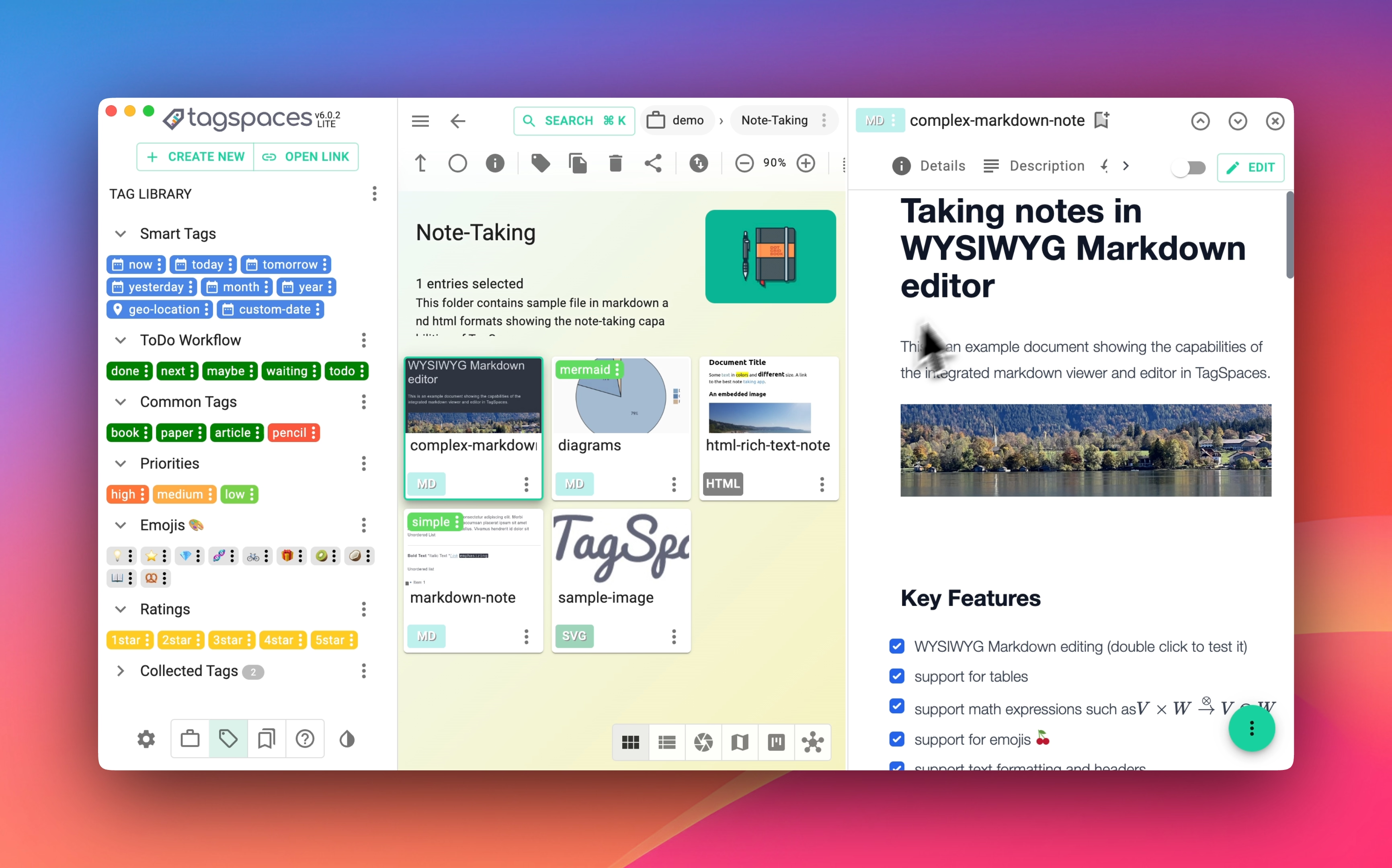@@ -31,7 +31,7 @@ A full list of the changes is available in the [changelog](https://www.tagspaces- **No-Cloud:** TagSpaces is running completely offline and serverless on your laptop, desktop or tablet and does not require an internet connection and any kind of online registration or service provider.- **Note Taking** - you can create and edit notes in plain text, markdown and html file formats- **To-Do Management** - with the help of the build in HTML editor you are able to create simple todo lists in every HTML file.-- **Cross-platform:** TagSpaces runs on Windows, Linux, Mac and Android+- **Cross-platform:** TagSpaces runs on Windows, Linux and macOS- **Web Clipper** for saving web pages and screenshots from your browsers is also available as extension for [Firefox](https://addons.mozilla.org/en-US/firefox/addon/tagspaces/) and [Chrome](https://chrome.google.com/webstore/detail/tagspaces-web-clipper/ldalmgifdlgpiiadeccbcjojljeanhjk).## Infos for developers@@ -46,7 +46,7 @@ The native Windows, Linux and Mac OS versions of TagSpaces are built with [Elect./src/main........ contains code needed for Electron platform./src/renderer/locales........ contains the language files needed for the application internationalization./src/node_modules... contains the TagSpaces extension modules- ./cordova............ contains the code needed for running the Android version+ ./cordova............ contains the code needed for building the Cordova version./dll................ contains the files needed for live reload in development mode./docker............. files needed for the creation of a docker container./internals.......... contains files needed for supporting Flow and Eslint@@ -116,7 +116,7 @@ $ npm run package-mac-arm64The commands will create packages for Windows, Linux, Mac OS and Mac OS with the M1 processor respectively. Do not forget to run the `npm run build` script before packaging.-## Package the Android+## Package the Android (deprecated)Building of the packages for Android can be accomplished with the integrated npm scripts: