
A local video studio for your coding agent. Describe a video in one sentence: your agent directs, your machine renders. Claude Code, Codex, Cursor, Devin and more. No API keys, no uploads.
Make your first video
Start here if you have never used showtime. Ask for a 5-second test video: your agent installs what is missing, makes the video on your computer, checks it and has it reviewed. You learn that the install works, and you see every step a bigger video goes through. This guide follows one real run, with a screenshot of each step.
Say this
Install uv and Node.js 24 or 22 LTS (20 or newer works), check
them with uv --version and node --version, and restart your coding agent. Add showtime to it (Claude Code:
/plugin marketplace add FavioVazquez/showtime, then /plugin install showtime@showtime; other agents:
agents.md). Then open an empty folder and type:
"Make a 5-second test video that says hello."
Your agent writes one line of assumptions before anything runs ("Quick mode: 5 s, 16:9, no voice-over; full review, say 'lean' for a draft pass"). It asks a question only when a request could mean two different videos.
1. Setup and a job folder
The first time only, showtime job init stops with "setup has not been run yet". Your agent tells you the download
(about 0.5 to 0.75 GB, usually 2 to 6 minutes; showtime setup --estimate prints yours) and runs showtime setup once
you say yes. A sandbox blocks it? See Troubleshooting.
Then the job: a folder, showtime-out/hello-<date>-<time>/, for everything this request makes
(what is in it). showtime new dom copies a starter page into it, fits it to 5 s and
dresses it in a look signature.
The terminal output in the pictures is trimmed to the lines that matter.

2. Your agent writes "hello" and checks the page
Your agent writes the word into the page, showtime check tests it before any render (fonts, contrast, text layout,
that nothing moves by chance), and showtime look makes one small image of the key frames.

The look image is the first thing you can judge: three frames of the page, with nothing rendered yet.

3. The first render, and what qa says
showtime render draws every frame in a headless browser on your computer. Nothing is uploaded. Then showtime qa
checks the file itself: the codec, black or frozen stretches, the poster, the loudness, and what the project says to
expect. Here it warns that the last 4.1 seconds are a still hold.

4. Fix it and render again
Renders never overwrite, so the fixed renders are final-2.mp4 and final-3.mp4. Your agent made two changes:
a slow drift on the glow so the end is not frozen, and a line in showtime.json that says this film is meant to be
silent, so qa does not ask for music. The fixed file passes.

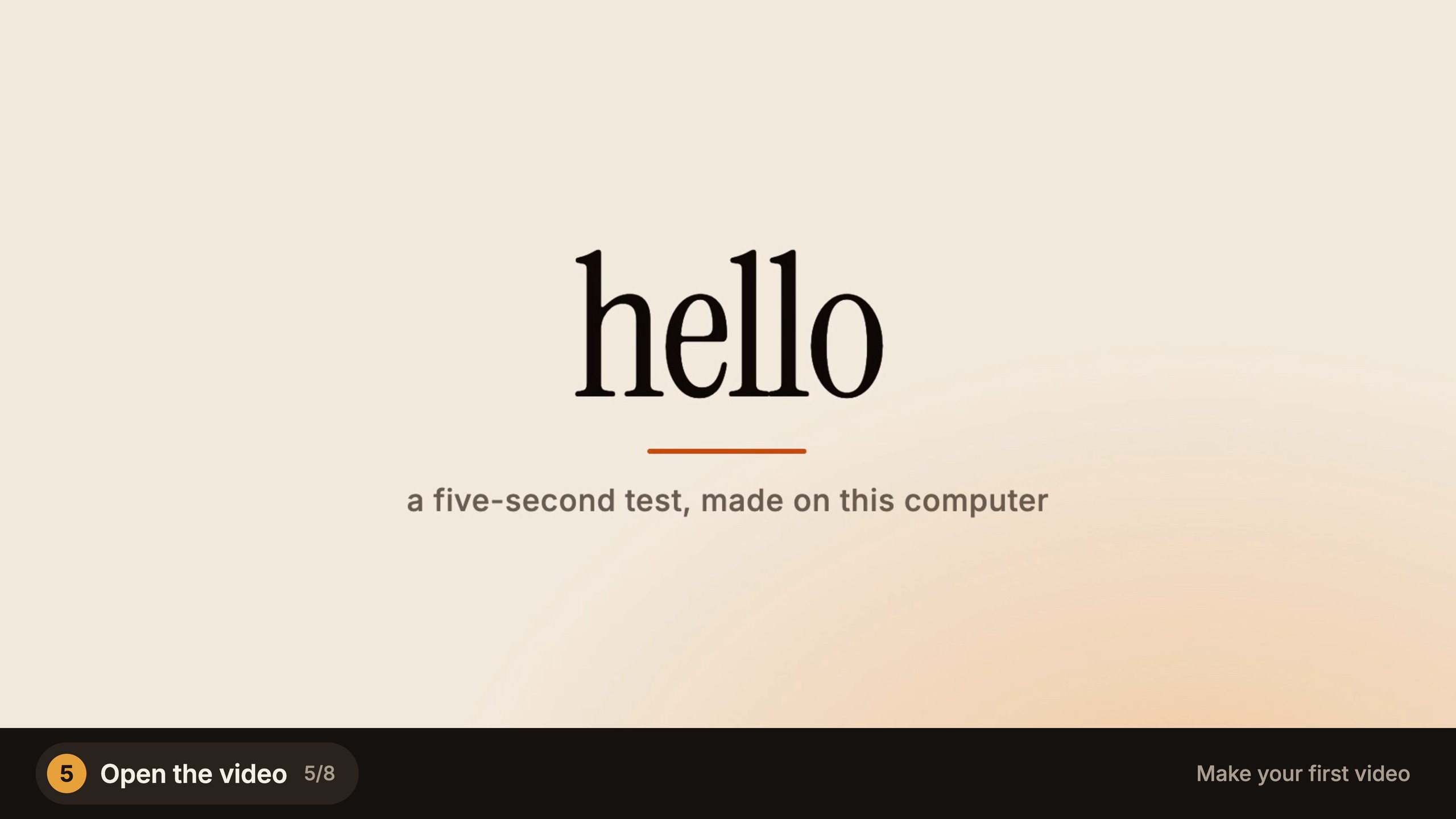
5. Open the video
final-3.mp4 (1920x1080, 30 fps) and its poster are in the job folder. Open the file: that is your first video. The
frames below are from the run itself.

6. A critic reviews it
In quality mode (the default) the finished video is reviewed before it counts as done. showtime review-pack makes
a pack of contact sheets, key frames and the qa result, and a second agent, which sees only that pack, writes its
findings.


7. Read the findings and answer each one
The verdict here was "ship after fixes": no blockers, four should-fix points and three polish notes. Every finding is
fixed or waived with a reason. Blocker and should-fix findings hold the delivery until they are answered (until the
critic's verdict is in, showtime qa and the delivery say "review pending"); polish notes never do. For this test
card all seven were waived, and the reasons are in the receipt:
- a one-frame pop at the start: the first frame is also the poster, on purpose;
- a glow that stops short of the right and bottom edges: the strip is faint on a test card;
- a small line of text: this card is not for a phone feed;
- a 3.6 s still stretch: five seconds is the ask;
- the three polish notes (timing of the fade, the three parts arriving one after another, no brand on the card): not needed for a test.
On a real video you would fix the should-fix points and render again; the review and notes guide shows that.


8. The receipt
showtime receipt writes receipt.md: the request as you typed it, the review rounds and what became of each
finding, the renders, the time, and the tokens and cost when your agent reports them. share.txt holds one line of it.
The delivery card your agent shows you has the same facts and three things you could ask for next.

How long it takes
Measured for this guide on a 6-core Intel Mac, with other jobs running:
| Step | Command | Time |
|---|---|---|
| Make the job and check setup | showtime job init hello --request "..." |
6.7 s |
| Copy and fit the starter page | showtime new dom <job>/project --duration 5 |
0.8 s |
| Check the page | showtime check <job>/project |
17.3 s |
| Render 5 s at 1080p | showtime render <job>/project --job <job> |
6.5 s (3.9 s capture, 2.6 s encode) |
| Check the file | showtime qa <job> |
1.2 to 2.5 s |
Setup comes first, the first time (usually 2 to 6 minutes). Your agent's writing and the critic's review come on top and were not timed. More numbers: render § Speed.
Phrases that change it
- "Show me options first" (or "studio") opens a local board where you pick a concept, a look and a storyboard first.
- "Lean" skips the critic, for a cheaper draft pass;
showtime config mode leanmakes it the default. - "With a voice-over" adds narration from a voice on your machine; "in Spanish" changes its language.
- "Vertical" makes a 9:16 video for Reels, Shorts or TikTok.
Limits
- The test video is a starter page with your word in it. A real video needs something to work from: a repo, a site, a brief, footage.
- Setup needs the network once. Bigger pieces (the transcription model, Manim, music tracks) download the first time a video needs them, with their size shown first. The test video downloads nothing more.
- The qa output in steps 3 and 4 was printed again on the saved files for the screenshots, after the silent-film line
was in
showtime.json, so it shows the still-hold warning only. The findings in step 7 are shortened from the critic's reply. The look image and the review sheet were made again at twice their size for this page: the look from the finished project (the glow's drift is the only change), the sheet from the same six frames offinal-3.mp4. Something failed? Ask your agent to runshowtime doctor, then see Troubleshooting.
The example
For what a bigger request makes, see example 01: a 20-second launch video for Tidepool, a fictional notes app, made in quick mode from its landing page and app screens, with composed music and no voice-over (1920x1080, 17.0 MB, after a critic review). Then try it on your own repo with launch video from your repo, or pick another task from the guides.
Next: choose your path, the workflow that matches what you want to make.